Luxury Modular Appraiser Landing Page Template
The Appraise landing page template is built for modular home appraisal firms that need to convert homeowners, lenders, and manufacturers into booked clients. It pairs an Executive Suite visual identity with a five-step quiz funnel and zigzag case study sections. The result is a page that feels authoritative, focused, and ready to collect serious appraisal requests from day one.
by Rocket studio
Quick summary
Appraise is a single-page template designed for modular home appraisers who serve homeowners, lenders, and manufacturers. It opens with a commanding search-box hero, moves through three escalating case study sections in a zigzag layout, and closes with a five-step valuation quiz. The charcoal and amber palette gives every section the weight of a bound appraisal report.
Who this template is for
This template is built for appraisal firms that work exclusively with factory-built homes. Most people entering this niche need a page that earns trust before a visitor ever fills out a form. Generalist real estate agents rarely address modular property valuation at this depth, which is exactly why a dedicated landing page makes such a clear difference.
- Modular home appraisers seeking lender-compliant client inquiries
- Appraisal professionals targeting homeowners who need equity validation for refinancing
- Firms presenting third-party valuations to manufacturers and buyers
What problem this template solves
Most appraisal pages look identical to generic real estate listings. They collect little specific property information and give potential clients no reason to trust a specialist over a generalist. Visitors arrive with a specific house valuation question and leave without requesting a service because nothing on the page speaks to their exact situation.
- Visitors cannot find a modular-specific appraisal form that addresses their home type
- Buyers, agents, and lenders see no case-study proof that the appraiser understands factory-built construction
- There is no guided path to help a visitor assess their own situation before contacting anyone
What you get with this template
You get a fully structured landing page that guides every visitor from curiosity to a submitted appraisal request. The template is customizable at every section, giving you room to add your own case details, photos, credentials, and contact fields without rebuilding the layout from scratch.
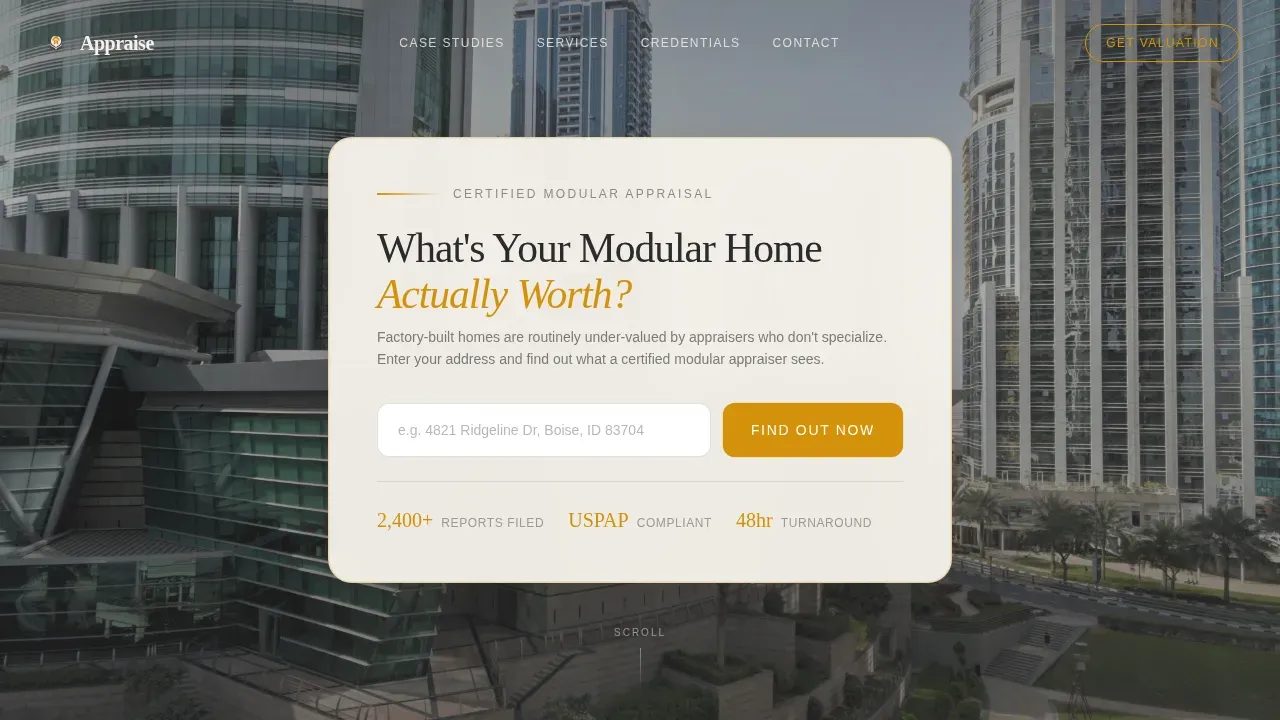
- A cinematic hero section with a centered search-box form and amber call-to-action button
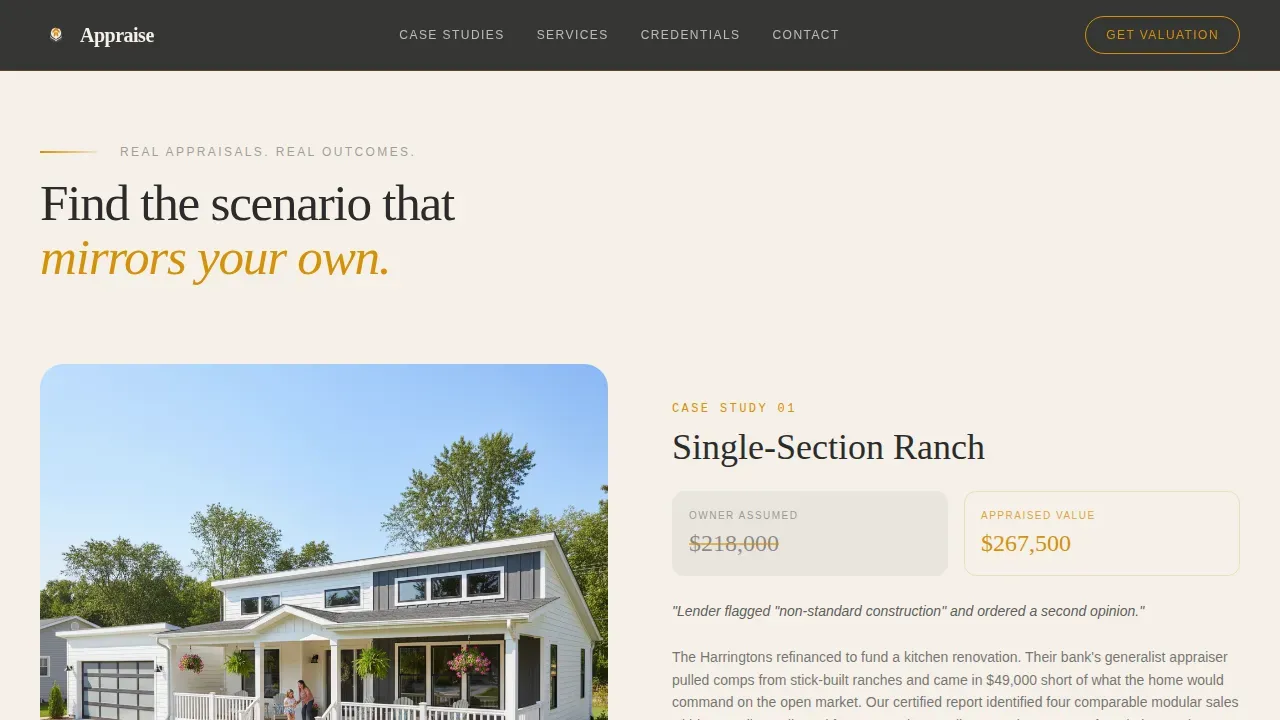
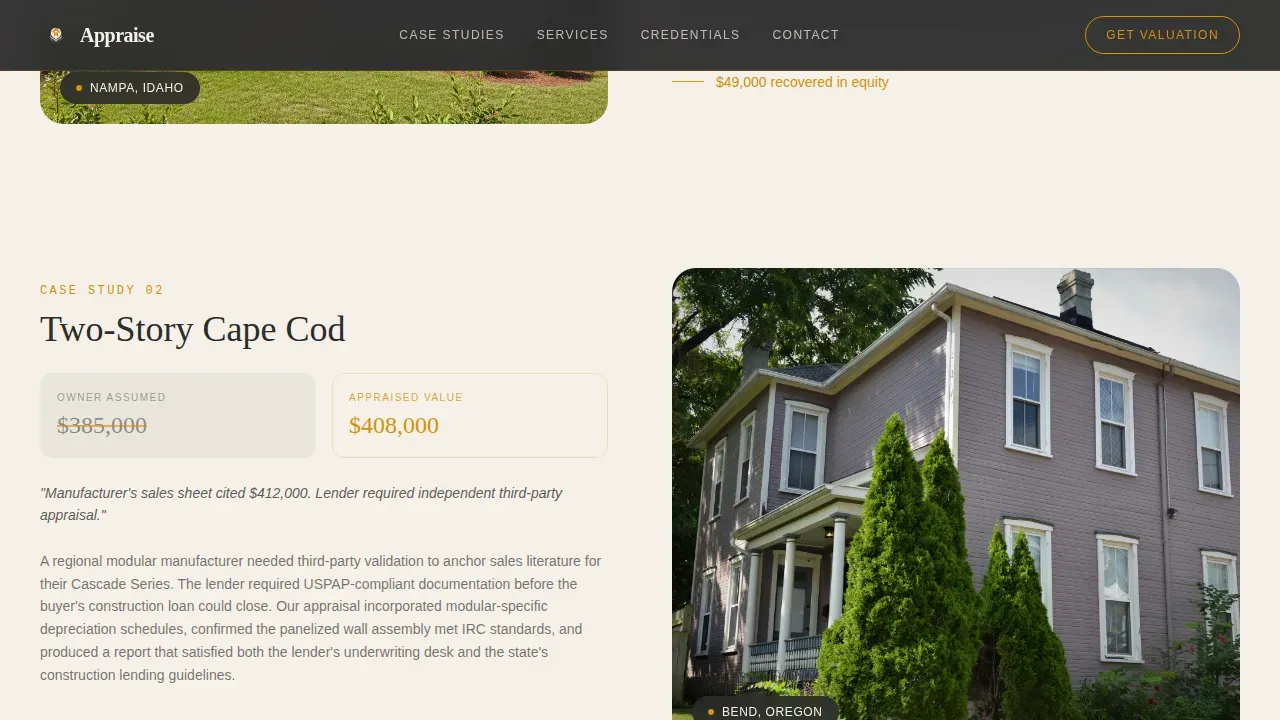
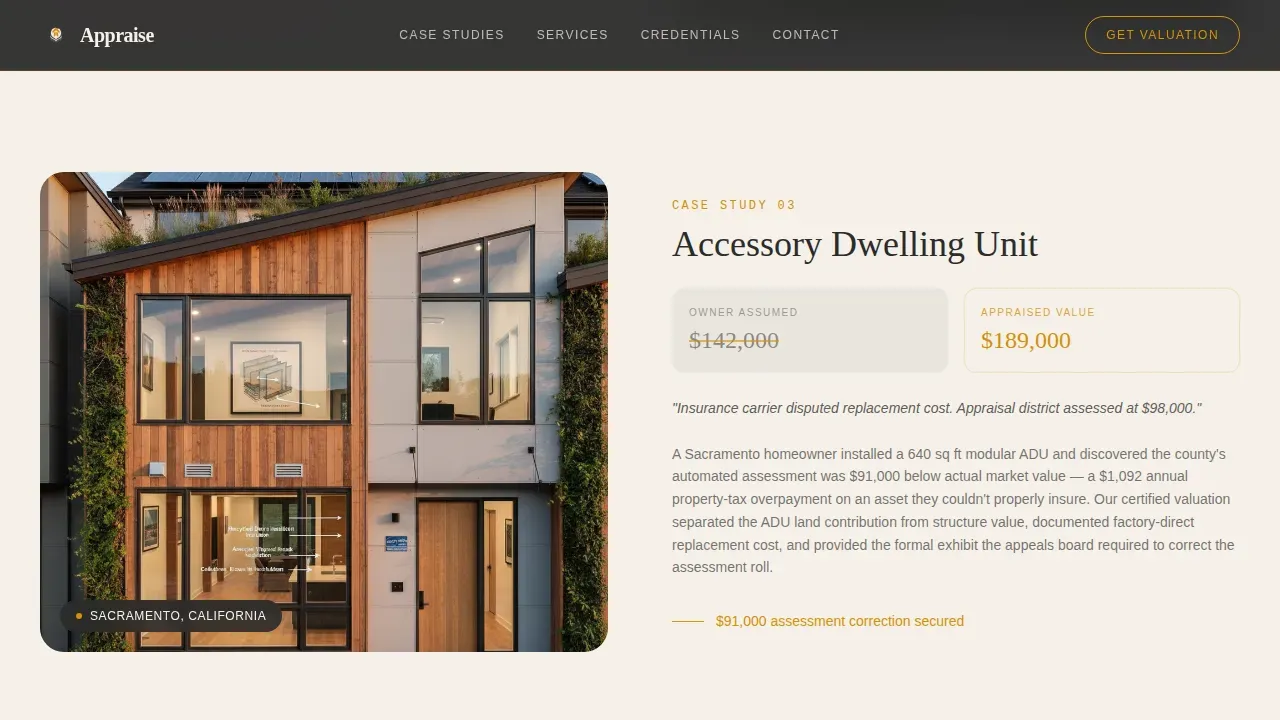
- Three zigzag case study sections with alternating image and narrative text, each giving details and dollar figures
- A five-step progressive quiz that helps visitors document their home type, square footage, foundation, and appraisal purpose before sending a request
Feature list
This template is designed around five core capabilities that generate trust, collect information, and move visitors toward booking.
Cinematic Hero with Search Form
The hero section displays a wide, desaturated photo of a modern modular house. A serif headline asks the central question buyers and homeowners arrive with. The centered input form accepts a property address, and the amber call-to-action button is styled to draw the eye without competing with the image. The form fields are brief by design, reducing the friction of a first contact.
Zigzag Case Study Sections
Three alternating image-and-text panels each present a real appraisal scenario. Each section maps a different house type, from a single-section ranch to a two-story Cape Cod, to a specific outcome with large amber dollar figures. The escalating complexity gives visitors a reason to keep scrolling until they find the case that mirrors their own property situation.
Five-Step Valuation Quiz
The quiz is the primary lead-capture form. It walks visitors through home type, square footage, year of installation, foundation type, and appraisal purpose. Each step reveals an amber progress bar. By the time a visitor reaches the final step, they have already begun to document their property details, making it easy to complete the request.
Credentials and Recognition Section
A dedicated section displays certification logos and awards. Trust and social proof here address a core concern: most people need evidence that an appraiser can produce a lender-compliant report for a modular home before they will fill out any form. This section gives agents, lenders, and homeowners that reassurance at a glance.
Testimonial Cards with Headshots
Overlapping portrait-style testimonial cards present quotes from past clients, including homeowners and manufacturers. Testimonials from clients add real credibility to the appraisal service and help buyers and agents understand what a completed engagement looks like from the client side.
Fixed Footer with Contact Details
The footer follows a linear single-row layout. It surfaces key contact information and reinforces the firm's professional identity without sending visitors off to browse other pages. All essential details remain easy to find without distracting from the main conversion flow.
Page sections overview
| Section | Purpose |
|---|---|
| Hero Search Section | Capture attention; collect property address |
| Case Study One | Present single-section ranch appraisal scenario |
| Case Study Two | Show two-story Cape Cod valuation case |
| Case Study Three | Display accessory dwelling unit scenario |
| Valuation Quiz Form | Guide visitors through five-step appraisal estimate |
| Credentials and Recognition | Display certifications; build lender trust |
| Client Testimonial Cards | Offer social proof from past clients |
| Footer Contact Row | Present contact details; close the page |
Design & branding system
The visual identity is built on an Executive Suite theme. Every color choice and typographic decision is designed to communicate the weight and authority of a bound appraisal report. High-resolution photos of modular homes are essential here, giving the page an immediate sense of premium quality that generic rentals or listings pages never achieve.
- Deep boardroom charcoal (#2B2B2B) and warm graphite (#4A4A4A) form the base, with parchment white (#F5F0E8) for content areas
- Aged amber (#D4910A) is reserved for callout numbers, hover states, and call-to-action borders, giving key figures and buttons immediate visual priority
- DM Serif Display headings pair with IBM Plex Sans body text, combining editorial authority with clean legibility across every section and form field
Mobile & speed optimization
The template is designed desktop-first, reflecting the reality that lenders and appraisal professionals typically work from a desktop environment. However, the layout adapts cleanly for homeowners browsing on mobile devices, since a significant portion of real estate searches begin on smartphones. A fast-loading static hero image keeps the initial view quick, while interactive quiz components load only as needed.
- Desktop-first layout ensures the case study and quiz sections display correctly for professional users on larger screens
- Responsive column stacking on smaller screens means the zigzag image-and-text layout reflows without breaking key details or photos
- The quiz form fields and progress bar remain functional and easy to tap on any device, keeping the valuation estimate request accessible for all visitors
How this template helps you convert
The template is engineered to reduce the perceived weight of contacting a specialist appraiser. It does this in sequence, not all at once.
- The hero form lets visitors enter a property address immediately, giving them one click toward an answer before they have read a word of copy. This creates momentum without pressure and collects the first piece of property information right away.
- The case study sections generate trust by example. Visitors who sell, refinance, or need a compliant report for a contract see a scenario that mirrors their own situation, with clear details and amber-highlighted figures that make the value of a specialist appraisal obvious.
- The five-step quiz positions every visitor as already mid-process. By the time they finish the quiz, they have documented their home type, neighborhood context, room count, and appraisal purpose, making it easy for the firm to generate a relevant, personalized response.
Other information about this template
This template is one version of a broader library of real estate and property pages, but it is the only one built specifically around modular home appraisal. The design and layout were chosen to address the specific gap that exists when agents and appraisal professionals try to map modular properties using standard forms designed for site-built homes.
- The customizable fields and section descriptions can be updated without code, and no-code tools allow users to create production-ready pages without extensive coding knowledge, reducing the time required to launch
- The template works equally well for firms handling rentals, sale appraisals, and refinance engagements across multiple properties or specific properties in a single region
- Real estate agents who work alongside appraisers can use this template to present a more complete service picture to buyers, giving agents a ready-made document they can share with clients in a matter of weeks rather than months
- The appraise executive suite modular home appraiser landing page template is referenced in the platform library under the Real Estate and Property category, making it easy to preview and deploy alongside other property-focused pages
- TOTAL® is a well-known appraisal software solution that is intuitive, stable, and built for today's technology; it integrates all data sources into one view and is designed to load reports more than four times faster than previous versions, making it a natural complement for appraisers who want to manage forms and document details efficiently alongside this template
Theme
Executive Suite
Creative direction
Case Study Narrative
Color system
Charcoal & Amber
Style
Zigzag/Alternating
Direction
Quiz/Assessment
Page Sections
Cinematic Hero with Search Form
Zigzag Case Study Sections
Five-step Valuation Quiz
Credentials and Recognition Section
Testimonial Cards with Headshots
Customizable Section Layout
Related questions
Can I customize the quiz fields and form details without coding?
Is this template suitable for appraisers who also handle rentals and sale appraisals?
How does the five-step quiz help collect better appraisal leads?
Can real estate agents and lenders use this template too?
What photos and images should I use with this template?



