Gas Fitter Business Booking Website Template
Valve is a split-screen landing page template built for licensed gasfitters who need to turn urgent enquiries into booked jobs. It pairs a striking photo-and-stat header with a clean quote-request form, using a Charcoal and Amber color system and a Stats-First Impact layout to build trust fast and guide every visitor toward a confirmed appointment.
by Rocket studio
Quick summary
Valve is a single-page, split-screen landing page template designed for licensed gasfitters. It leads with credibility-building statistics, guides visitors through escalating proof points, and closes with a structured quote-request form. The Service Utility visual theme and Charcoal and Amber palette make the page feel authoritative, urgent, and easy to act on.
Who this template is for
This template is built for gasfitting professionals who need a focused, conversion-ready online presence without a complex website build. It suits businesses where speed and trust matter from the very first glance.
- Licensed gasfitters and gasfitting businesses offering residential and commercial services
- Property managers who need a reliable compliance-certificate contact they can send clients to
- Builders and contractors who need a licensed fitter available on short notice for new line installations
What problem this template solves
Most gasfitters rely on word of mouth or generic directory listings that give visitors no real reason to act. When someone smells gas at 6 a.m., a slow or confusing page loses the job. This template removes that friction.
- Visitors with urgent needs have no clear, fast path to book on a generic contact page
- A lack of visible credentials and stats makes it hard for new visitors to trust an unfamiliar trade business
- Property managers and builders need to see compliance experience at a glance, not buried in paragraphs
What you get with this template
You get a fully structured, single-page landing page laid out in a 50/50 split-screen format. Every section is designed to deliver proof first and explanation second, so visitors accumulate confidence as they scroll.
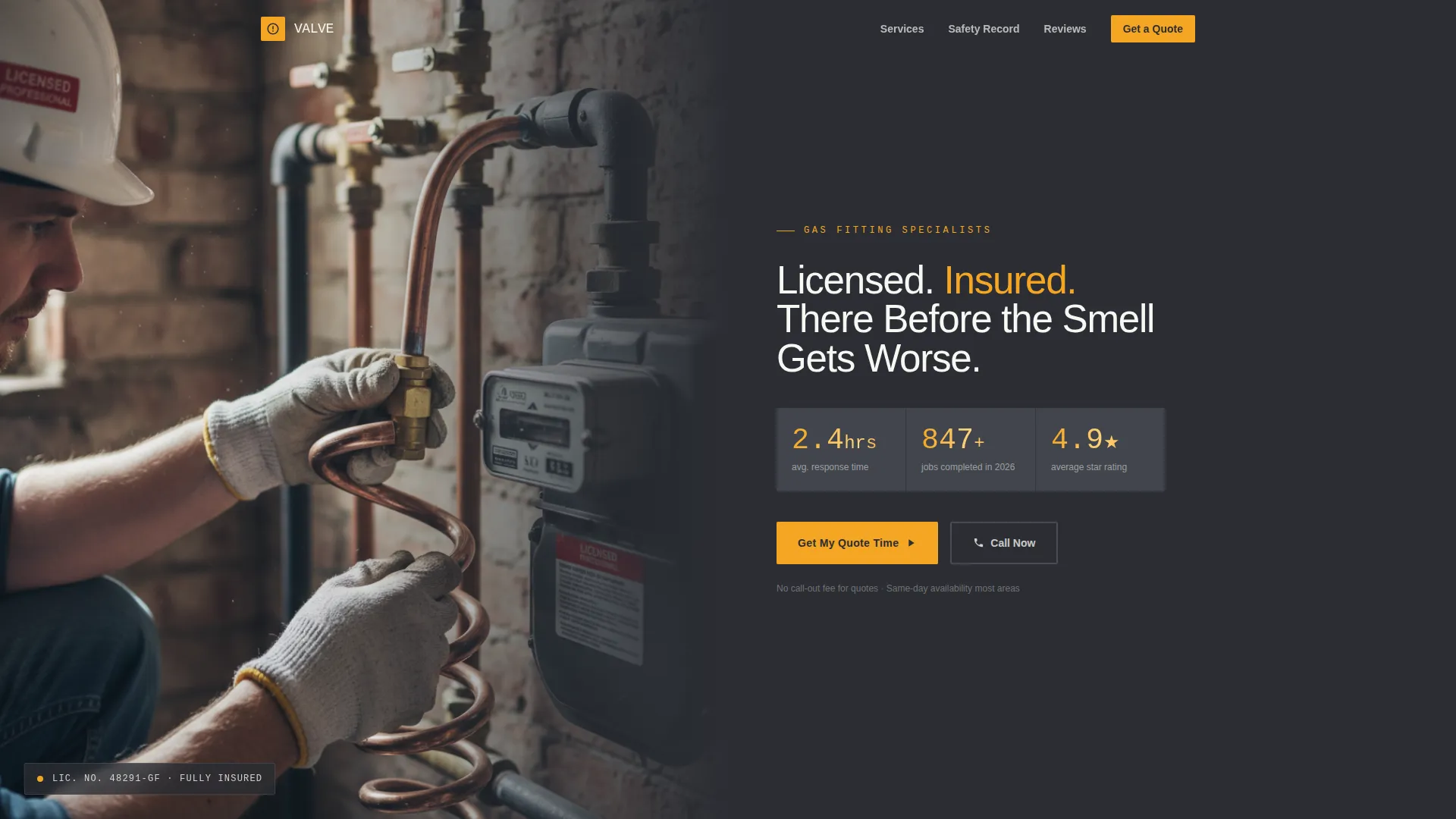
- A half-page photo-and-text header with space for a real job-site photograph and three oversized stat figures in amber
- A Stats-First Impact scroll sequence that escalates from response speed to job volume to safety record
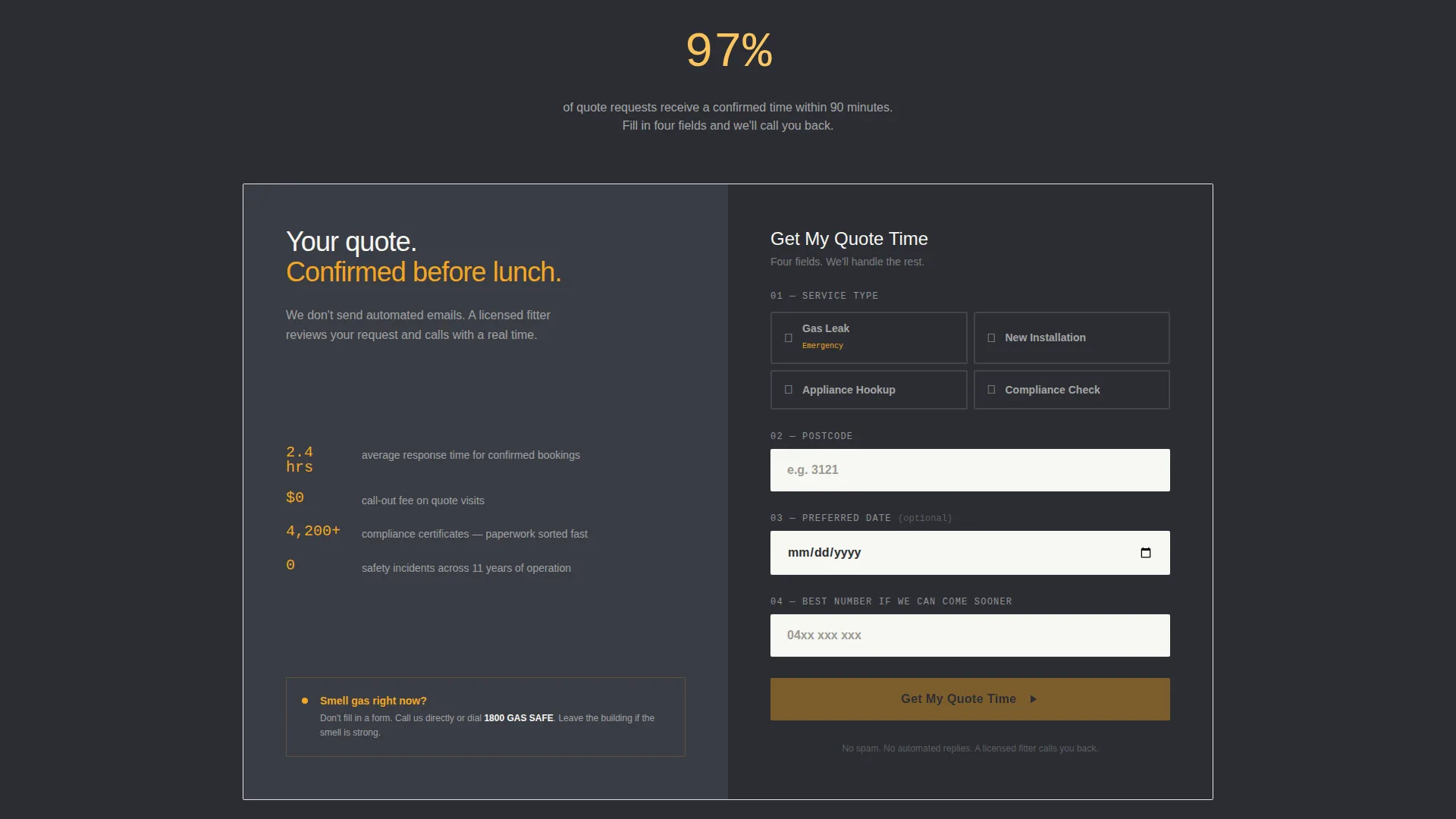
- A booking-focused quote-request form with service-type selection, postcode, a calendar date picker, and a phone number field
Feature list
This section describes the functional components built into the Valve landing page template.
Split-Screen Header Layout
The header divides into two equal columns. The left side holds a tightly cropped, naturally lit photograph of a licensed fitter at work. The right side sits on a deep charcoal background and stacks the headline with three stat figures rendered in oversized amber numerals.
Stats-First Scroll Sequence
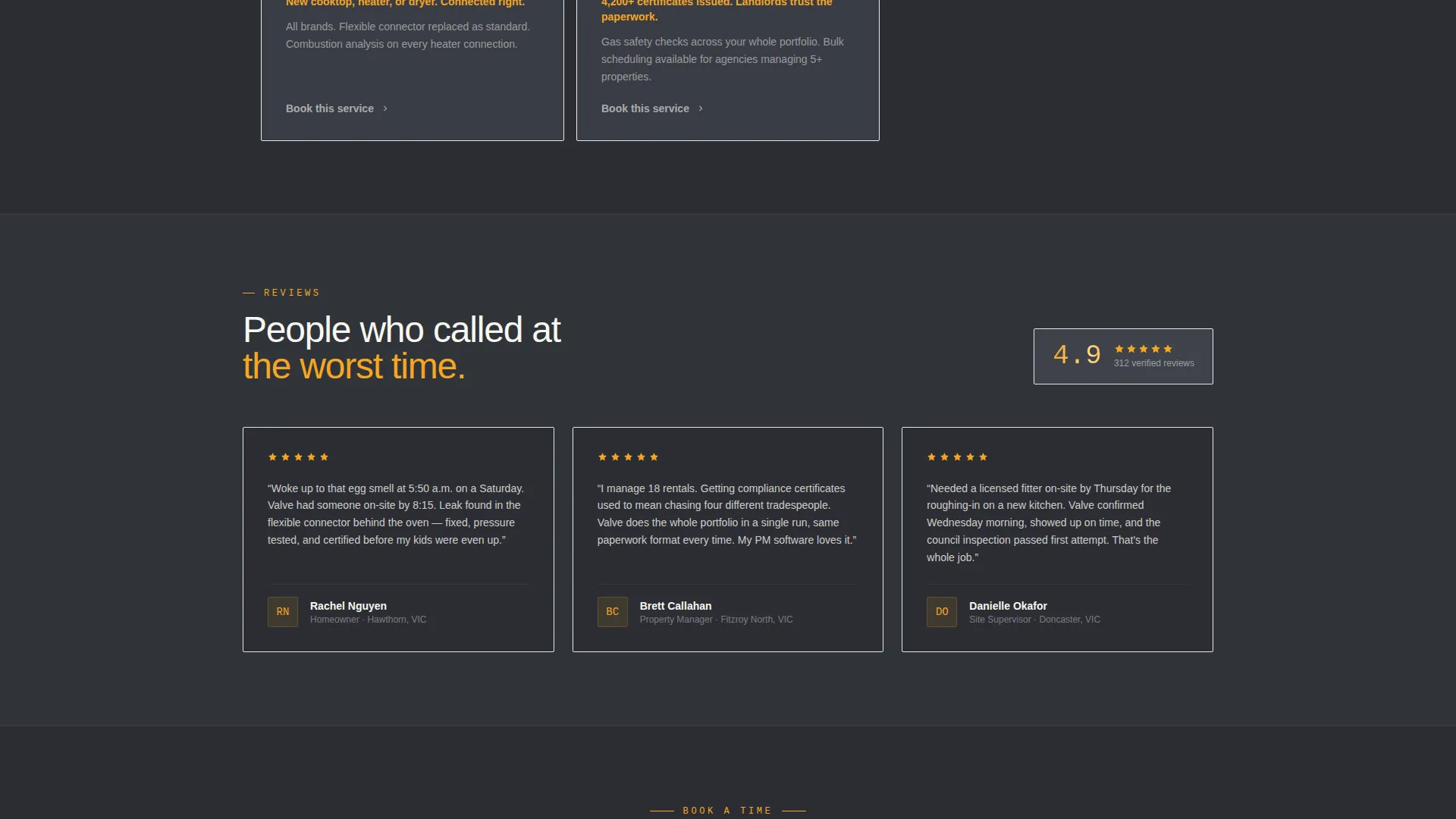
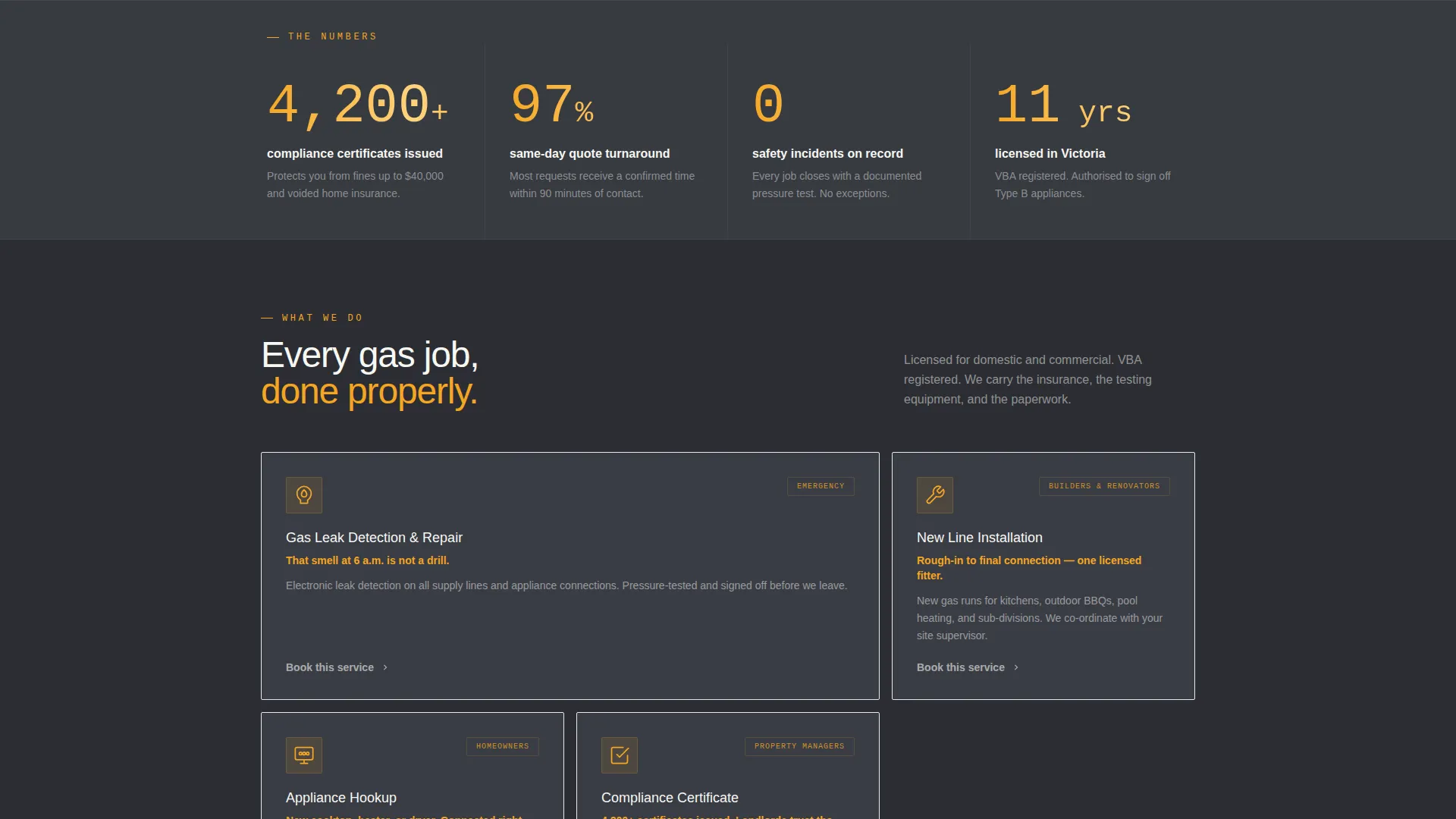
Each scroll segment opens with a bold, standalone statistic before any supporting copy appears. The sequence escalates in emotional weight, moving from average response time through jobs completed to safety record, so trust builds with every section the visitor passes.
Quote-Request Booking Form
The primary conversion element sits in the right column of the final split-screen section. It collects service type, postcode, preferred date via a calendar picker, and a phone number with a reassuring field label. The main call-to-action button reads "Get My Quote Time."
Fixed Mobile Tap-to-Call Button
A secondary conversion path sits as a fixed amber button in the mobile footer. It is designed for urgent callers who will not fill out a form and need to reach the business immediately.
Service Utility Visual Theme
The layout and color application follow a Service Utility theme. Dark backgrounds, structured column layouts, and amber accent hits give the page the feel of a well-organized professional trade operation rather than a generic service site.
Charcoal and Amber Color System
The full palette includes deep pipe charcoal for backgrounds and header blocks, workshop gunmetal for secondary surfaces, caution amber for all calls to action, badge elements, and stat numbers, and clean appliance white for form fields and text areas.
Page sections overview
| Section | Purpose |
|---|---|
| Photo and Stats Header | Establishes credentials and urgency immediately |
| Response Time Stat | Leads speed proof before explanation |
| Jobs Completed Stat | Builds volume credibility mid-scroll |
| Compliance Certificates Stat | Reinforces specialist certification experience |
| Safety Record Stat | Escalates trust to the highest emotional stake |
| Quote Request Form | Captures booking details and drives conversion |
| Fixed Mobile call to action | Catches urgent mobile callers at any scroll point |
Design & branding system
The Valve template uses a four-color palette applied with clear hierarchy. Every color choice has a defined job, so the page never feels cluttered or ambiguous.
- Deep pipe charcoal (#2B2D33) anchors all background and header blocks; workshop gunmetal (#4A4E57) is used for secondary surface sections
- Caution amber (#F5A623) is applied exclusively to calls to action, stat numbers, badges, and highlight elements to draw the eye to the most important points
- Clean appliance white (#F7F7F2) is reserved for form fields, body text on dark backgrounds, and visual breathing room between sections
Mobile & speed optimization
The template is structured to serve mobile visitors as a first-class experience. Urgent callers on a phone need a fast path, and the layout accounts for that directly.
- The fixed amber tap-to-call button stays visible in the mobile footer at every scroll position, giving urgent callers an instant exit to a phone call
- The split-screen layout reflows cleanly for smaller screens so the stat header and form remain readable and usable without horizontal scrolling
- Form fields are labeled clearly and sized for comfortable thumb use, reducing drop-off on mobile before the visitor submits a request
How this template helps you convert
The Valve template is built around a single outcome: turning a first-time visitor into a booked job. Every layout decision supports that goal.
- The Stats-First Impact sequence does the trust-building work before the visitor reaches the form, so by the time they see "Get My Quote Time," they already have four rounds of proof behind them.
- The quote form is structured to reduce decision friction by asking for service type first, which helps visitors self-identify their need before committing a phone number.
- The fixed tap-to-call button on mobile ensures that urgent visitors, who are the most likely to convert, always have an immediate path to contact regardless of where they are on the page.
Other information about this template
The Valve template is a focused, single-use asset designed specifically for gasfitter quote-request pages. It is not a multi-page website and is not intended to replace a full business site.
- The template name "Valve" reflects the mechanical precision and reliability of the design concept, built for a trade context where reassurance and speed are the core emotional needs
- The stat lockup in the header is designed to be replaced with real business figures, including actual average response time in hours, confirmed jobs completed in the current year, and a verified review count
- The compliance certificate stat block is specifically included to serve property managers and builders who scan for professional volume and certification experience before making contact
- This template suits gasfitters operating in residential, commercial, and new-construction contexts and can support a range of service types including gas leak response, appliance hookup, new line installation, and compliance checks
Theme
Service Utility
Creative direction
Stats-First Impact
Color system
Charcoal & Amber
Style
Split Screen (50/50)
Direction
Booking/Scheduling
Page Sections
Split-screen 50/50 Header Layout
Stats-first Impact Scroll Sequence
Structured Quote-request Booking Form
Fixed Mobile Tap-to-call Button
Charcoal and Amber Color System
Related questions
Who is the Valve landing page template built for?
Can I update the statistics shown in the header?
What service types does the booking form support?
Is the tap-to-call button only for mobile users?
Does this template work for property managers or builders, not just homeowners?



