Plumber Seasonal Promotion Landing Page Template
Valve is a split-screen plumber landing page template built for seasonal promotions and appointment booking. It pairs diagnostic data visuals with expert commentary to earn visitor trust before asking for the booking. The layout guides property managers, homeowners, and real estate agents toward a clear call to action: locking in their seasonal plumbing service rate.
by Rocket studio
Quick summary
Valve is a single-page plumber seasonal promotion template with a 50/50 split-screen layout. It leads with data-driven visuals, escalates through expert panel storytelling, and closes with a structured booking form. The design uses a Corporate Precision identity built around deep plum, graphite, linen white, and brass accents to communicate authority and urgency.
Who this template is for
This template is built for plumbing businesses that want to convert seasonal urgency into confirmed appointments. It speaks directly to clients who respond to evidence and expertise rather than generic service claims.
- Property managers handling multi-unit buildings ahead of freeze season
- Homeowners who noticed an unexpected spike in their water bill
- Real estate agents who need a clean plumbing inspection report on a deadline
What problem this template solves
Most plumber marketing pages look the same: a stock photo, a phone number, and a vague promise. That approach fails when the buyer is a property manager evaluating risk across forty units, or a homeowner watching their water bill double. Valve solves this by replacing generic reassurance with clinical diagnostic storytelling.
- Visitors arrive skeptical and leave with enough evidence to book confidently
- The page builds urgency through data before it ever presents a service offer
- The dual conversion path captures both ready-to-book visitors and those still researching
What you get with this template
Valve delivers a fully structured, single-page layout ready to present your seasonal plumbing services with precision and authority. Every section has a defined role in moving the visitor from curiosity to commitment.
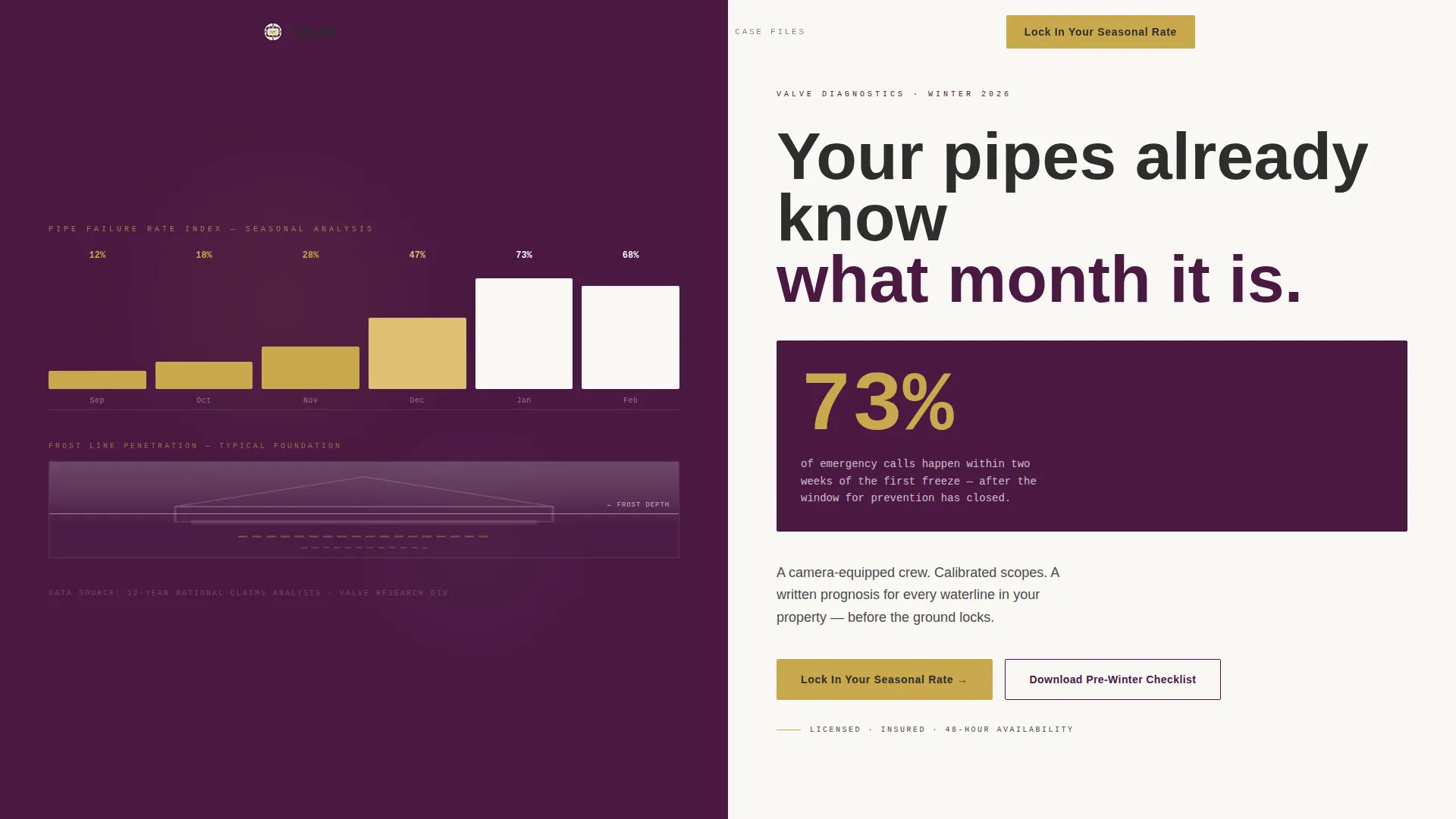
- A split-screen header with an animated infographic and a high-impact data headline
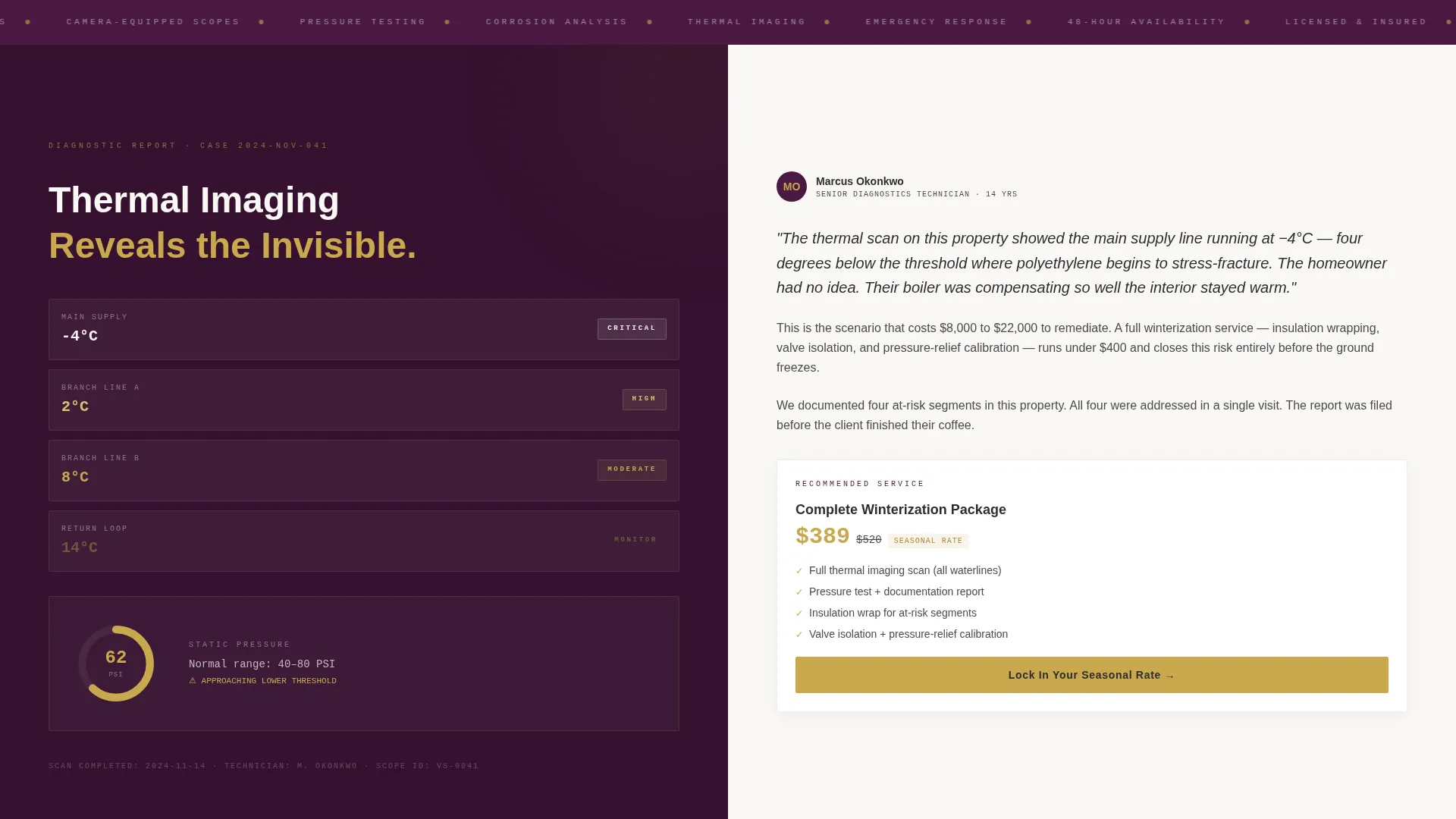
- A series of expert panel sections pairing diagnostic visuals with technician commentary
- A primary booking form and a secondary lead-capture path for the pre-winter checklist
Feature list
This template includes purpose-built components that serve the booking and nurturing goals described in the brief.
Animated Data Infographic Header
The left panel of the header displays seasonal pipe failure rates climbing month by month. Numbers tick upward in brass against plum, and a frost-line graphic creeps down a cross-section of a house foundation. This visual is designed to create immediate, evidence-based urgency without relying on stock photography.
Split-Screen Expert Panels
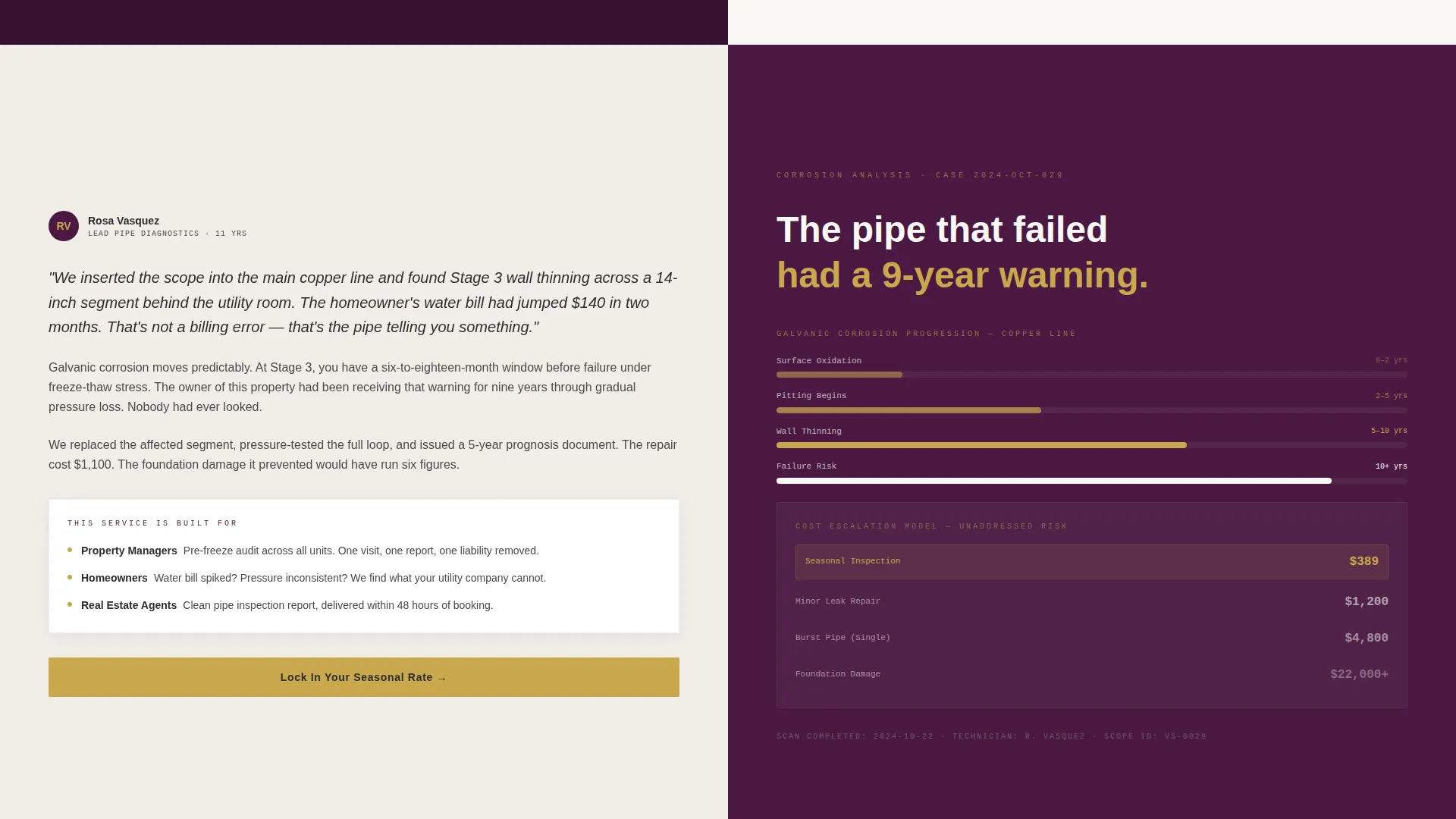
Each scrollable section presents diagnostic data on the left side and expert commentary on the right. The narrative moves from routine maintenance scenarios to worst-case freeze damage, with each panel offering the corresponding seasonal service package as a rational next step.
Case-File Testimonial Blocks
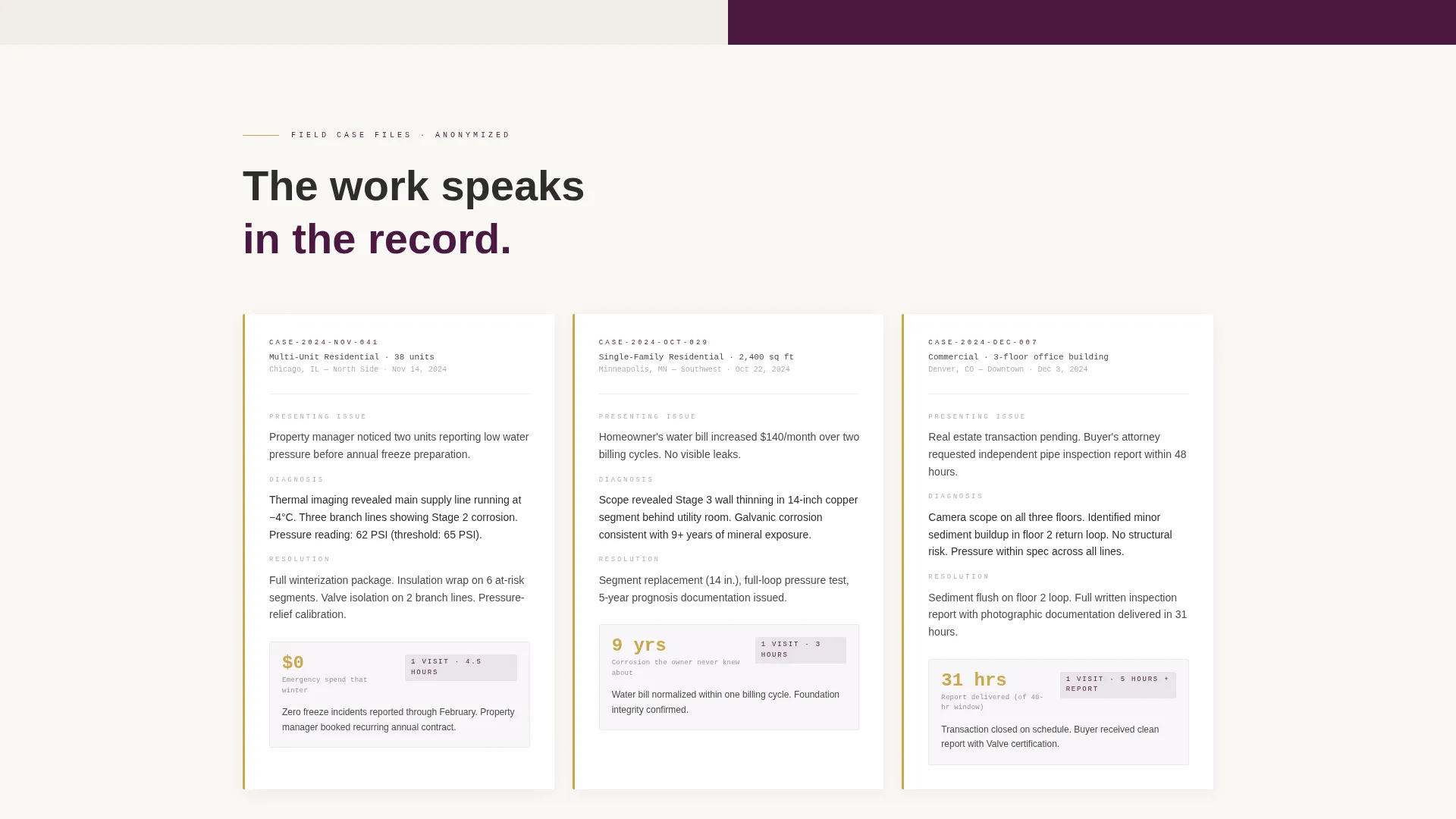
Testimonials appear as brief, anonymized case-file excerpts. Each entry logs the problem diagnosed and the resolution time, giving social proof the same clinical weight as the rest of the page.
Primary Booking Form
The booking form captures service type (winterization, inspection, or emergency repair), property type (single-family, multi-unit, or commercial), and a preferred week via a calendar selector. The primary call to action reads "Lock In Your Seasonal Rate" and appears at the header fold and anchors each expert panel.
Secondary Email Lead Capture
A secondary conversion path offers a downloadable pre-winter pipe checklist in exchange for an email address. This nurtures visitors who are not ready to book while reinforcing the urgency message through the follow-up content.
Recurring call to action Anchor Points
The "Lock In Your Seasonal Rate" call-to-action button appears at the header and repeats at the bottom of every expert panel section. This consistent placement ensures the booking path is always one scroll away, regardless of where the visitor is on the page.
Page sections overview
| Section | Purpose |
|---|---|
| Split-Screen Header | Launches urgency with animated pipe failure data and a stark freeze-season statistic |
| Expert Panel One | Presents routine maintenance diagnostics paired with seasonal service package offer |
| Expert Panel Two | Escalates to pressure-test and corrosion data with corresponding service recommendation |
| Expert Panel Three | Raises worst-case freeze scenario stakes and anchors the primary booking call to action |
| Case-File Testimonials | Delivers anonymized social proof in a clinical, report-style format |
| Booking Form Section | Collects service type, property type, and preferred week to confirm seasonal appointments |
| Checklist Lead Capture | Offers the pre-winter pipe checklist download as a secondary email nurture path |
Design & branding system
The visual identity follows a Corporate Precision theme. Every color and layout choice is calibrated to communicate expertise and reliability, not approachability or friendliness. The palette carries the weight of a partner's desk at a private firm.
- Deep boardroom plum (#4A1942) and polished graphite (#2D2D2D) set the authoritative base tone
- Crisp linen white (#FAF8F5) provides contrast for body text and data readouts
- Decisive brass (#C9A84C) is reserved for buttons, data highlights, and key statistics to draw the eye at critical decision points
Mobile & speed optimization
The split-screen layout is structured to restack cleanly on smaller screens, preserving the data-and-commentary pairing in a single-column flow. The template avoids heavy image assets by design, relying instead on typographic data displays and CSS-driven visuals.
- The 50/50 desktop layout collapses to a stacked single-column flow on mobile
- Data visuals use text-based and CSS-driven rendering rather than large image files
- call to action buttons remain prominent and thumb-friendly at every breakpoint
How this template helps you convert
Valve is designed around a specific conversion logic: prove expertise through data first, then ask for the appointment. This sequence is built into the page structure itself.
- The animated header infographic and the freeze-season statistic create immediate urgency before the visitor reads a single service description, priming them to see the booking form as a solution rather than a sales ask.
- The escalating expert panel structure guides the visitor through a risk narrative that ends at a seasonal service package, making the "Lock In Your Seasonal Rate" call to action feel like the logical conclusion of what they just read.
- The secondary checklist download ensures that visitors who leave without booking still exchange their email address, giving the business a follow-up path with a piece of content that quietly reinforces freeze-season urgency.
Other information about this template
Valve sits within the Professional Services and Plumber Marketing category, specifically aligned with seasonal promotion and appointment-booking use cases. It is well suited for businesses running time-limited offers tied to winter preparation.
- The template style follows a single-column flow on mobile, maintaining readability without sacrificing the split-screen structure on desktop
- The header concept draws on a data storytelling approach, using a quote-style freeze statistic to anchor the visitor's attention immediately
- The Corporate Precision theme and Plum Executive color system make this template visually distinctive in a category where most competitors rely on blue-and-white utility aesthetics
- The booking form supports three service types and three property types out of the box, covering the core audience segments described in the brief
Theme
Service Utility
Creative direction
FAQ-Driven
Color system
Ink & Paper
Style
Single Column Flow
Direction
Booking/Scheduling
Page Sections
Animated Data Infographic Header
Split-screen Expert Panel Sections
Case-file Style Testimonials
Structured Seasonal Booking Form
Secondary Checklist Lead Capture
Related questions
Can I customize the colors and headline copy in this template?
Does the booking form support different service and property types?
Is this template designed only for winter promotions?
What does the secondary lead capture path do?
Who is this landing page template best suited for?



