Certified Security Locksmith | Free Website Template | Rocket
Tumbler is a single-page landing page template built for Denver locksmith services targeting property managers, general contractors, and real estate professionals. It leads with a stats-driven header, flows through FAQ-anchored zigzag sections, and closes with a B2B-focused lead form. The design uses a Legal Shield visual theme to communicate credibility, licensure, and accountability at every scroll point.
by Rocket studio
Quick summary
Tumbler is a B2B-focused landing page template for a Denver locksmith service. It opens with four credibility metrics, moves through FAQ-driven zigzag sections, and ends with a portfolio-rate-sheet form. The Cloud Canvas color system and Legal Shield visual theme make every section feel authoritative. This template is built to convert property managers, contractors, and brokerages into long-term service partners.
Who this template is for
This template is designed for locksmith businesses that serve commercial and multi-unit clients across the Denver metro area. It speaks directly to decision-makers who need proof of capacity before they ever pick up the phone.
- Property management firms coordinating large-scale unit turnovers and rekey projects
- General contractors and developers scoping tenant improvement and access-control buildouts
- Real estate brokerages managing lockbox access and staging-day coordination
What problem this template solves
Commercial locksmith buyers do not trust a page that leads with a hero photo and a phone number. They need to see license numbers, liability figures, and proof of volume before they consider a partnership. This template surfaces every objection before the prospect raises it.
- No clear display of licensing, coverage amounts, or service capacity on most locksmith pages
- B2B buyers need structured lead forms, not generic contact fields, to self-qualify
- FAQ-style content gaps leave facilities directors searching for answers on competitor pages
What you get with this template
You get a complete, single-page landing page layout structured for B2B locksmith outreach. Every section is pre-built and designed to move a skeptical commercial buyer toward a qualified inquiry.
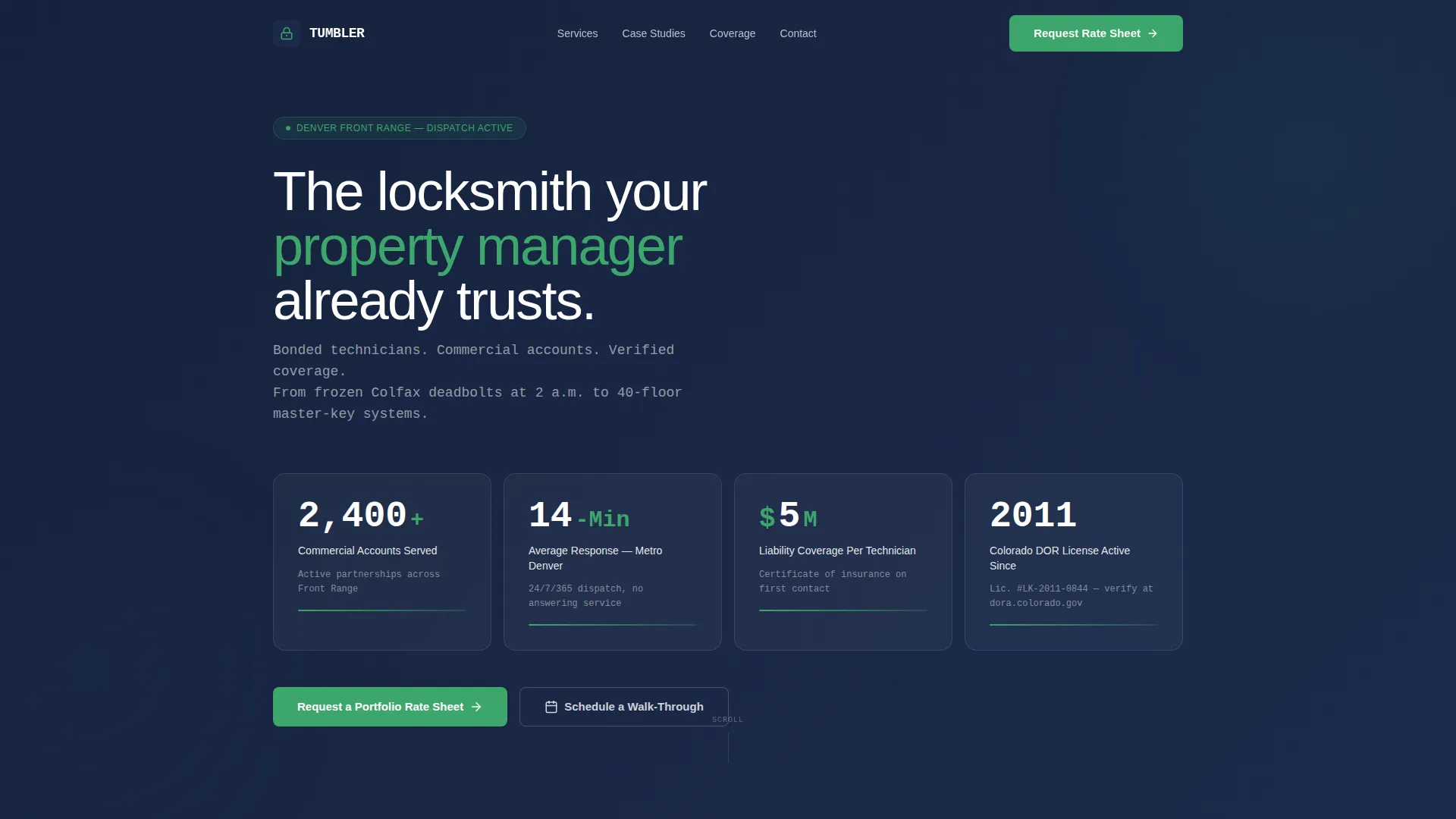
- A stats dashboard header with four upward-ticking credibility counters in monospaced type
- Six FAQ-anchored zigzag content sections, each pairing a real buyer question with a visual answer
- Two conversion paths: a portfolio rate-sheet form and a secondary walk-through scheduling option
Feature list
This template packages several purpose-built components that work together to earn trust and drive qualified leads.
Stats Dashboard Header
Four oversized counters display commercial accounts served, average response time, liability coverage per technician, and active Colorado license status. Numbers are set in a monospaced typeface against notarized navy, reading like a security console dashboard. This section replaces generic hero imagery with immediate, verifiable evidence.
FAQ-Driven Zigzag Sections
Each alternating row is anchored by a real question a facilities director or property manager has already searched online. Questions escalate from emergency callouts to recurring service agreements to integrated access-control buildouts. The scroll feels like a due-diligence checklist being completed line by line.
B2B Lead Capture Form
The primary form collects company name, number of managed properties or units via a structured dropdown, primary service need, and a work email address. This qualification structure ensures only relevant commercial inquiries reach the service team. No generic contact fields appear anywhere on the page.
Secondary Conversion Path
A distinct call-to-action button labeled "Schedule a Walk-Through" serves general contractors and developers who need on-site scoping before committing. It sits alongside the primary rate-sheet form as a parallel route to engagement. This keeps both buyer types on the page rather than directing them away.
Legal Shield Visual Theme
Trust badges and call-to-action elements use compliance green to signal accountability on sight. The full palette of atmospheric white, policy gray, notarized navy, and compliance green creates a tone that feels like a freshly signed contract. Every color choice reinforces licensure and insurance without cold corporate distance.
Case Study and Diagram Visuals
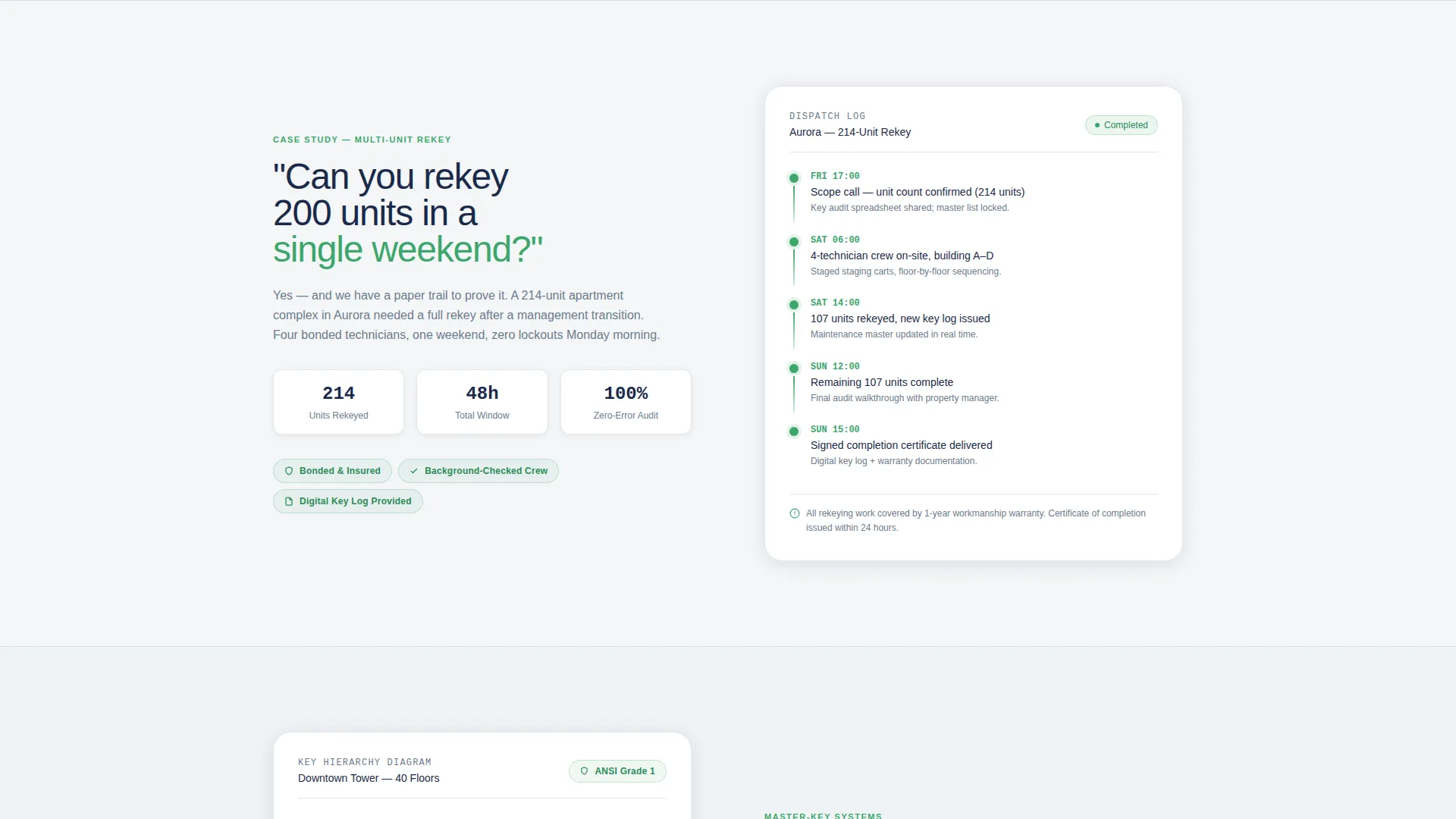
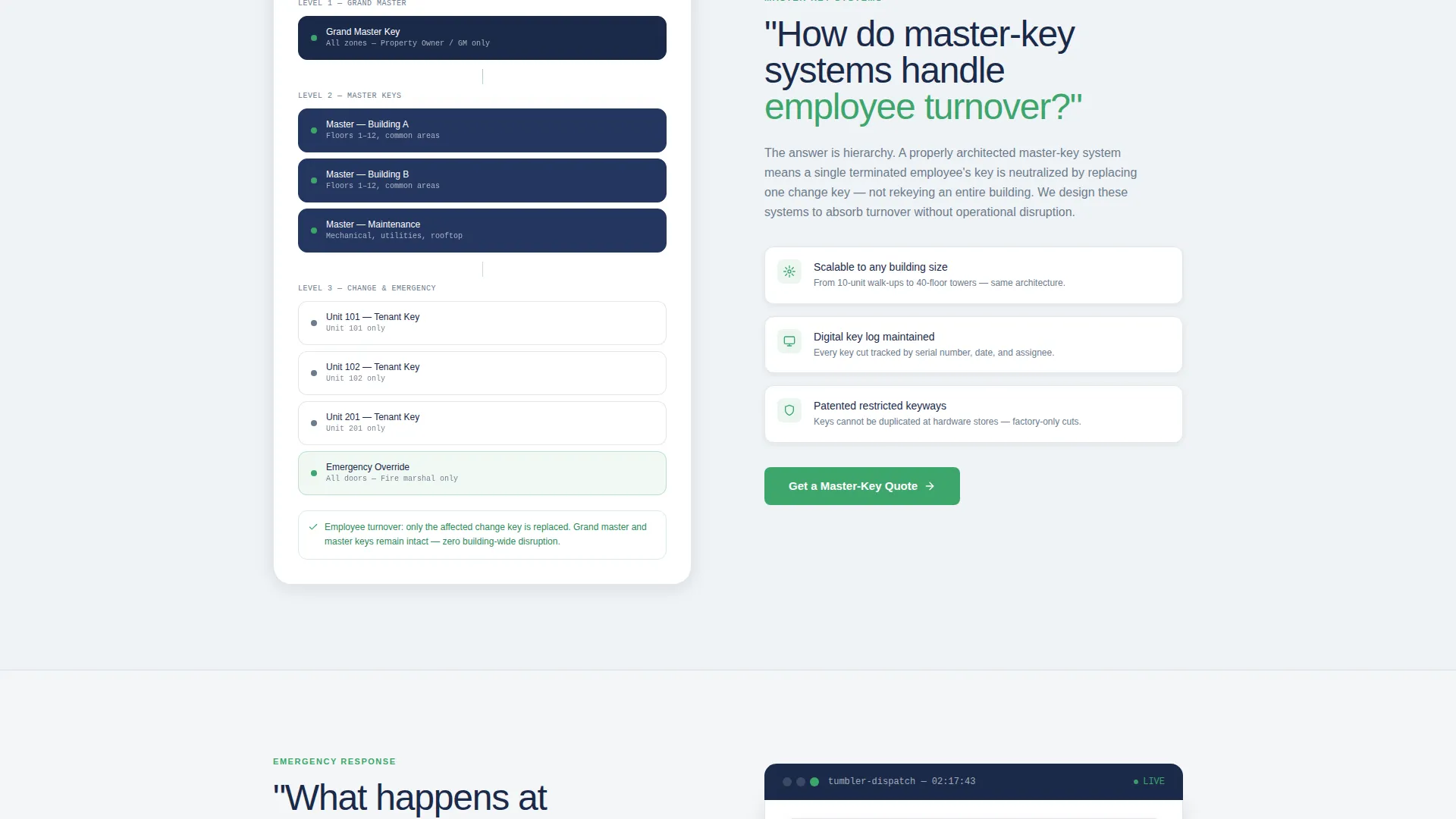
Zigzag rows include a case-study snapshot with a timeline graphic for the unit-rekey scenario and a master-key hierarchy diagram for the employee-turnover question. These visuals are integrated directly into alternating section layouts. They provide concrete evidence without relying on stock photography.
Page sections overview
| Section | Purpose |
|---|---|
| Stats Metrics Header | Establish instant credibility with four oversized counters |
| First FAQ Zigzag | Answer the large-scale weekend rekey question with a case-study snapshot |
| Second FAQ Zigzag | Address master-key systems and employee turnover with a hierarchy diagram |
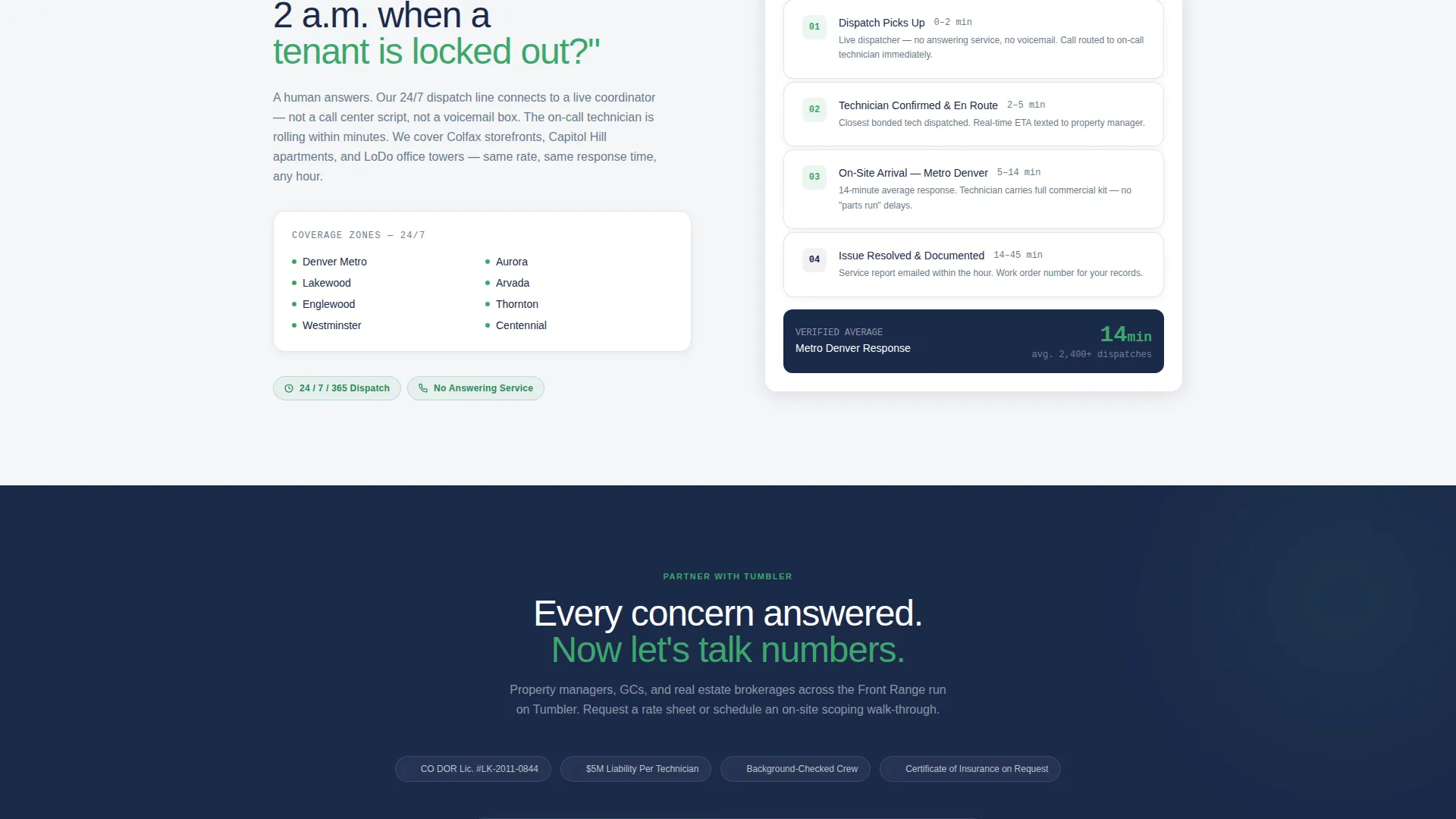
| Third FAQ Zigzag | Cover emergency callout capacity and response expectations |
| Portfolio Rate Form | Capture qualified B2B leads after three credibility sections |
| Walk-Through call to action | Convert contractors and developers needing on-site scoping |
Design & branding system
The Cloud Canvas color system applies a four-color palette that feels authoritative without being cold or clinical. Every visual decision reinforces the Legal Shield theme of licensed, insured, and accountable service.
- Core palette: atmospheric white (#F4F6F8), policy gray (#6B7B8D), notarized navy (#1B2A4A), and compliance green (#3EA66D)
- Monospaced typeface for all counter figures in the header, giving a security-console reading experience
- No stock photography or van hero shots; credibility is built entirely through data, diagrams, and structured layout
Mobile & speed optimization
The zigzag layout and stat-dashboard header are structured to reflow cleanly on smaller screens without losing the visual hierarchy that makes the trust signals readable. Each alternating section stacks gracefully so the question-and-answer pairing remains clear on any device.
- Alternating zigzag rows collapse to a single-column stacked layout on mobile viewports
- The stats dashboard counters remain prominent and legible at reduced screen widths
- The B2B lead form with its dropdown fields is sized for comfortable tap interaction on touch screens
How this template helps you convert
This template is engineered to move a skeptical commercial buyer from first impression to qualified inquiry without any friction or unanswered doubt.
- The stats header establishes license number, liability coverage, and service volume in the first viewport, removing the most common reasons a facilities director would leave the page immediately.
- Each FAQ zigzag section answers a progressively complex objection, so by the third section the prospect feels their due diligence is essentially complete before the form appears.
- Two distinct conversion paths, the rate-sheet form and the walk-through scheduler, mean both property managers and general contractors find a relevant next step without being forced into a one-size-fits-all contact form.
Other information about this template
This template is part of the Tumbler series and is designed to be immediately deployable for a Denver-area commercial locksmith operation or adapted for similar Front Range service providers.
- The template style is Zigzag/Alternating with a FAQ-Driven creative direction, making it well-suited for service businesses that need to answer complex buyer objections at scale
- The header concept follows a Stats/Metrics pattern, which is common for professional services pages where licensure and volume data carry more persuasive weight than visual storytelling
- The landing-page direction is Partnership/B2B, targeting long-term accounts rather than one-time residential calls
- This template fits within the Professional Services category and the Denver Local Services subcategory, making it relevant for any bonded, licensed locksmith serving the commercial Denver market
Theme
Legal Shield
Creative direction
FAQ-Driven
Color system
Cloud Canvas
Style
Zigzag/Alternating
Direction
Partnership/B2B
Page Sections
Stats Dashboard Header
Faq-driven Zigzag Sections
B2B Lead Capture Form
Secondary Walk-through Call to Action
Legal Shield Visual Theme
Case Study and Diagram Visuals
Related questions
What type of businesses is this template built for?
Can I edit the credential figures in the stats header?
Does the template include both lead form conversion paths?
What visual assets does the template use instead of photography?
Can this template be adapted for a locksmith outside Denver?



