Private Banking Landing Page Template
Vault is a private banking landing page built for practices serving post-exit founders, family offices, and expatriate executives. A fixed sidebar anchors the wordmark and primary call to action while a multi-step diagnostic form occupies the main viewport. FAQ-driven scroll sections address real succession and structuring concerns, each paired with dashboard-style data visualizations and a three-step consultation form.
by Rocket studio
Quick summary
Vault is a sidebar companion landing page designed for ultra-high-net-worth private banking practices. It opens with a diagnostic multi-step form, guides visitors through FAQ-anchored scroll sections, and closes with a progressive consultation form. The entire experience is built to signal institutional rigor and convert qualified visitors into consultation requests.
Who this template is for
This template is built for private banking practices and wealth management advisory firms that serve clients with complex financial architectures. It is most useful when your audience already understands what they need and simply needs to trust that you do too.
- Founders who have recently closed eight-figure liquidity events and need trust structuring or tax architecture
- Family office principals managing multi-jurisdictional succession across three or more countries
- Expatriate executives holding assets across multiple currencies and continents
What problem this template solves
High-net-worth prospects do not respond to generic financial marketing. They carry specific, rarely-voiced concerns about relocation, generational transfer, and asset movement. A standard brochure page cannot meet that level of specificity.
- Generic landing pages fail to acknowledge the complexity of cross-border structuring or succession planning
- Most forms ask for too much too soon, creating friction before trust is established
- Visitors leave without a clear signal that the practice understands their exact situation
What you get with this template
This template delivers a complete, single-page layout structured around diagnosis before promotion. Every section is purpose-built to earn trust incrementally before presenting any call to action.
- A fixed sidebar with a wordmark, vertical navigation dots, and a persistent "Request a Private Consultation" button
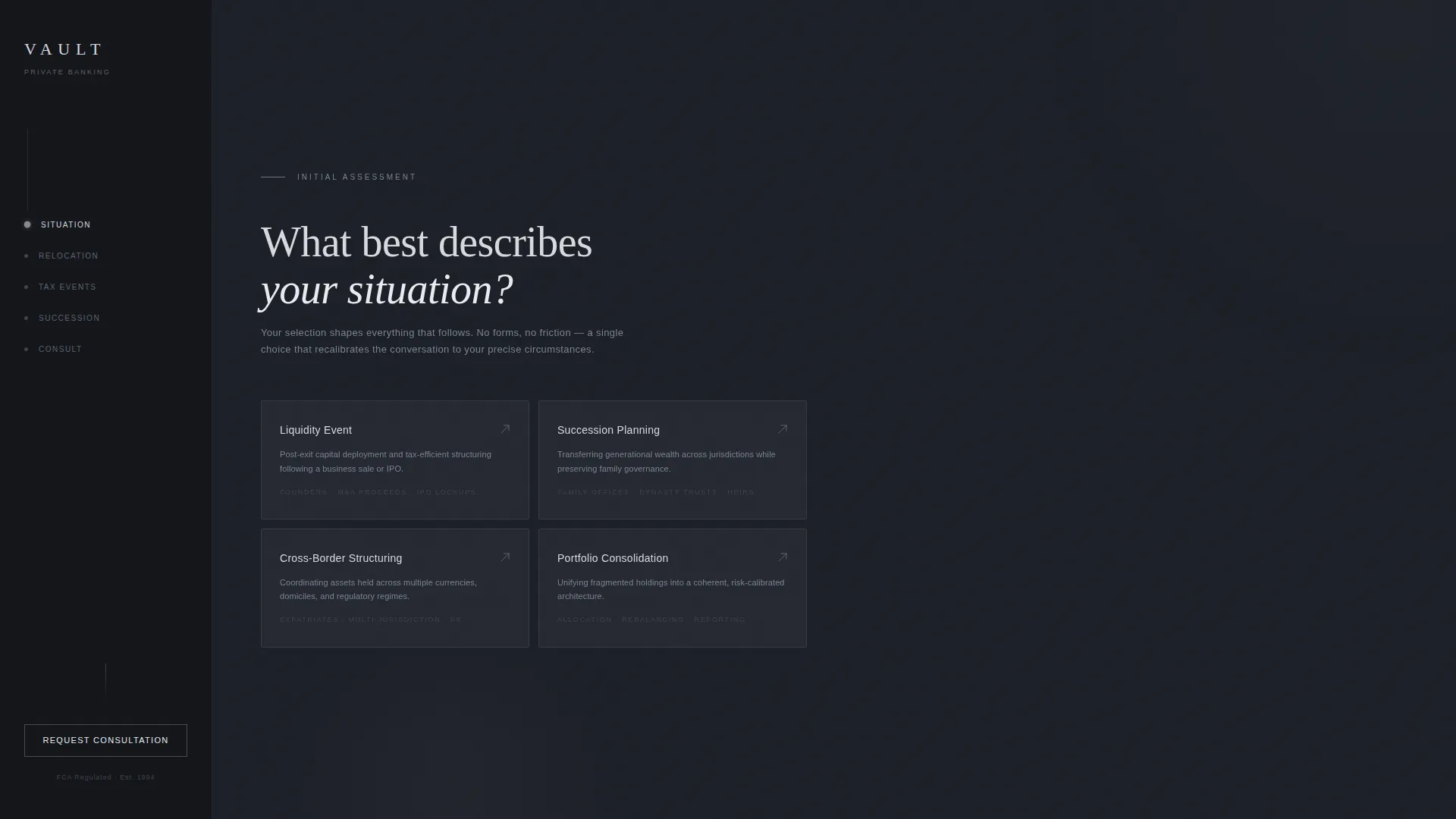
- A multi-step diagnostic form with four situation tiles that reframe the page content based on the visitor's selection
- Three FAQ scroll sections, each anchored by a real prospect question and paired with a dashboard-style data visualization
- A three-step progressive consultation form with pre-filled situation data, a net-worth range selector, residency dropdown, and a preferred contact method toggle
Feature list
A brief overview of the template's core built-in capabilities, drawn directly from its design and interaction architecture.
Diagnostic Multi-Step Form Header
The header occupies the right two-thirds of the viewport. Step one presents four clean situation tiles: Liquidity Event, Succession Planning, Cross-Border Structuring, and Portfolio Consolidation. The visitor's single selection immediately reframes the page content to match their context.
Fixed Sidebar Navigation
The left-anchored sidebar holds a minimal wordmark, vertical navigation dots, and the primary consultation call-to-action button. It remains visible throughout the entire scroll experience, keeping the conversion prompt accessible at every point.
FAQ-Driven Scroll Sections
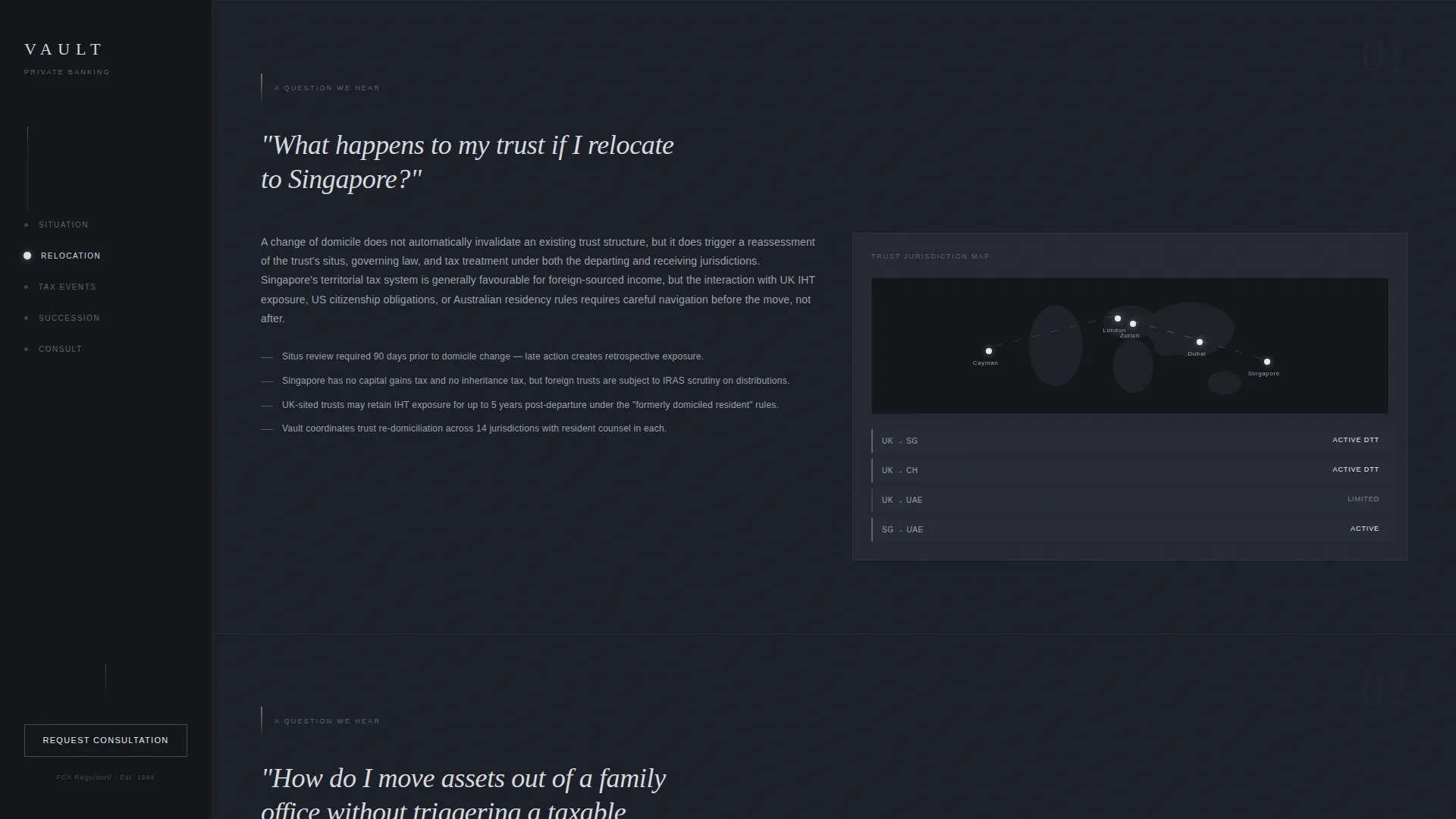
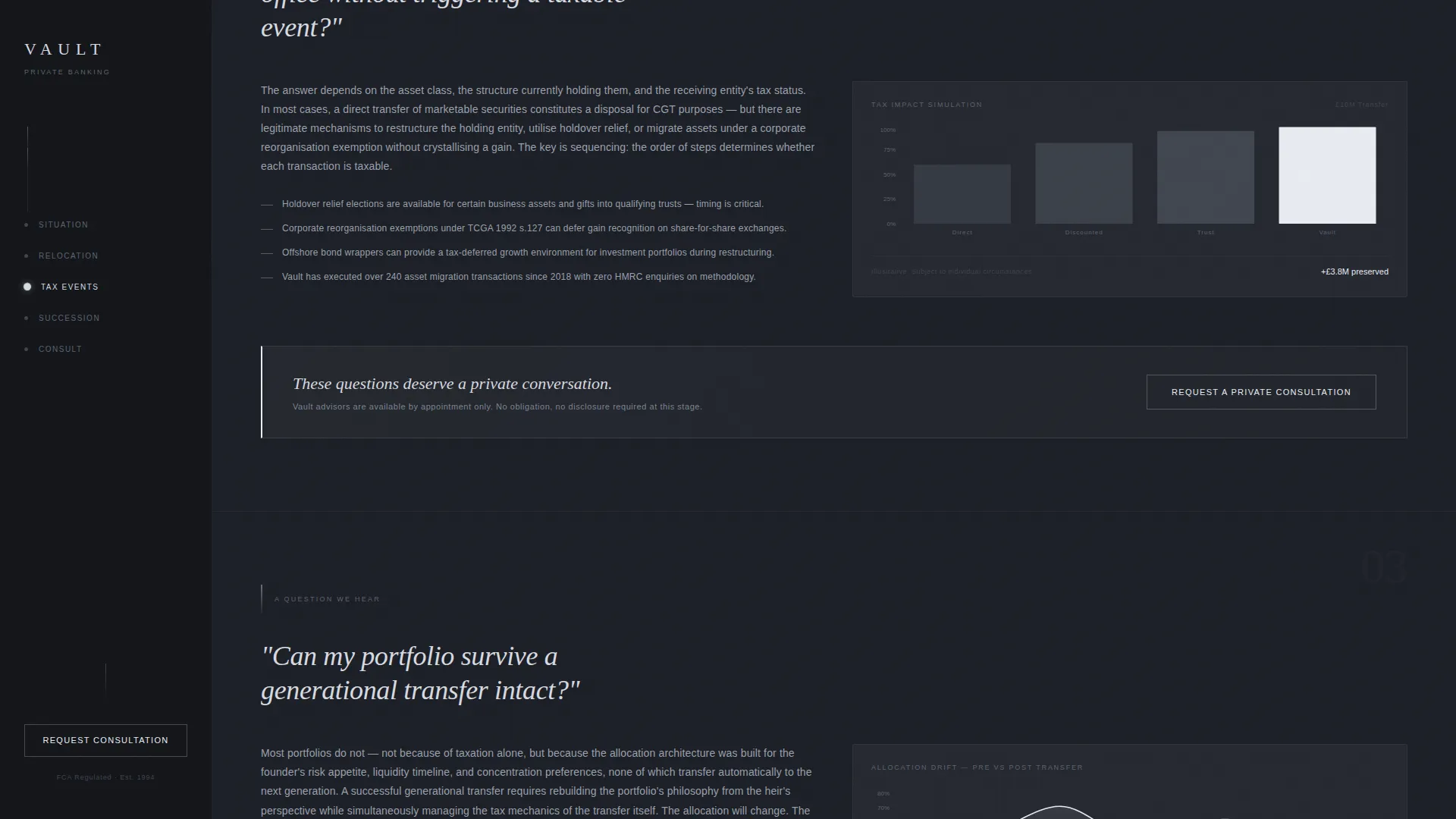
Each of the three main scroll sections is anchored by a real question that prospects carry but rarely voice. Questions cover trust relocation, tax-efficient asset movement, and generational portfolio transfer. Each section expands into a concise, authoritative answer.
Scroll-Linked Data Visualizations
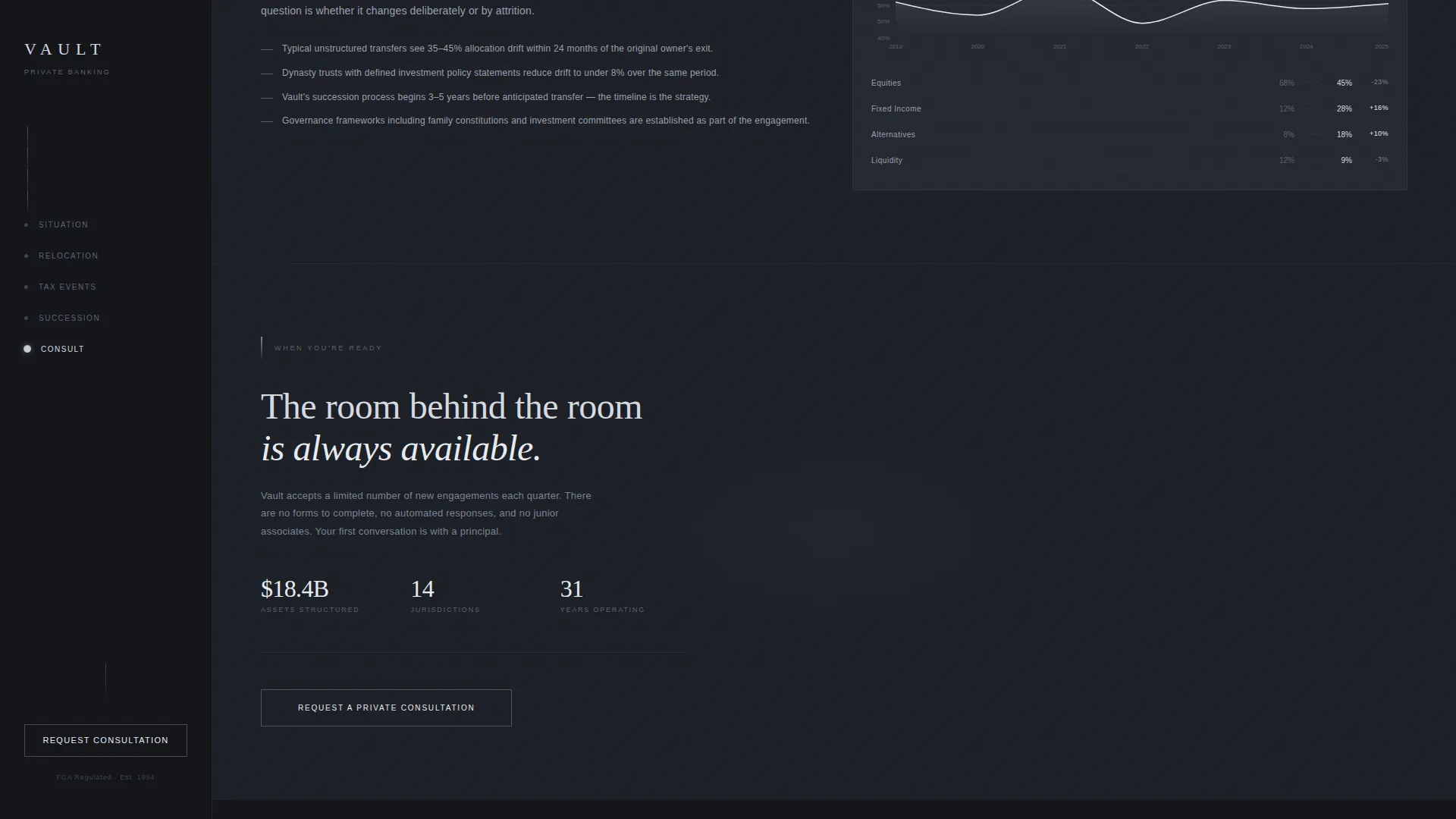
As the visitor scrolls, the sidebar updates with contextual dashboard-style visualizations. These include jurisdiction maps, tax-impact simulations, and allocation drift charts, rendered in the Monochrome Steel palette.
Three-Step Progressive Consultation Form
When the consultation form is triggered, it slides over the sidebar in three steps. Step one is pre-filled with the situation tile already selected. Step two captures a net-worth range and residency country. Step three presents a preferred contact method toggle and a free-text field labeled "What should we know before we speak?"
Platinum Pulse Interaction States
Interactive elements, including situation tiles, FAQ expand controls, and form triggers, respond with a faint platinum pulse on hover and activation. This interaction layer signals responsiveness without decorative excess.
Page sections overview
| Section | Purpose |
|---|---|
| Fixed Sidebar | Anchors wordmark, navigation dots, and persistent consultation button throughout scroll |
| Diagnostic Form Header | Captures visitor situation via four tiles; reframes page content on selection |
| FAQ Section One | Addresses trust relocation question with jurisdiction map visualization |
| FAQ Section Two | Addresses tax-efficient asset movement with tax-impact simulation |
| FAQ Section Three | Addresses generational portfolio transfer with allocation drift chart |
| Consultation Form Slide-over | Collects qualified lead data across three progressive, low-friction steps |
Design & branding system
The visual identity follows a Monochrome Steel system built to feel like the interior of a vault door: machined, lightless, and communicating that nothing on the page is decorative.
- Color palette: gunmetal dark (#1C1F26) for backgrounds, brushed steel (#5C6370) for the sidebar mid-tone, polished chrome (#D7DAE0) for body text, and cold platinum (#E8ECF1) reserved strictly for active states and data point highlights
- Typography: Cormorant Garamond is used for display and heading text; DM Sans handles all interface labels and body copy
- Visual language: vault interior aesthetic with engineered precision, high-contrast steel tones, and platinum pulse animations on all interactive elements
Mobile & speed optimization
This template is designed desktop-first. The target audience primarily accesses private banking content on MacBook and iPad in private, low-distraction settings. The layout is built to honor that context.
- Server Components handle all static sections, reducing unnecessary rendering load on the client
- Client Components are scoped specifically to the interactive diagnostic form and the scroll-linked visualization logic
- The sidebar companion layout is optimized for widescreen viewports where the split-panel experience reads as intended
How this template helps you convert
Every structural decision in this template serves the goal of turning an anonymous, high-value visitor into a qualified consultation request.
- The diagnostic form on entry removes friction by asking for a single tile selection before any personal data, building commitment through a low-stakes first action
- The FAQ scroll sections resolve the exact concerns a qualified prospect holds before speaking to anyone, compounding trust with each answered question
- The three-step consultation form closes with the minimum viable data needed to qualify the lead, while the free-text field signals that the practice listens before it speaks
Other information about this template
This template is part of the Dashboard Pro theme family and uses the Monochrome Steel color system. It is classified under the Finance and Insurance category, within the Wealth Management and Advisory subcategory, with a niche focus on private banking.
- Template style: Sidebar Companion, built for split-panel desktop layouts
- Creative direction: FAQ-Driven, with each scroll section anchored by a real prospect question
- Header concept: Multi-Step Form with four diagnostic situation tiles
- Landing page direction: Lead Generation, optimized for qualified consultation requests
- Multi-currency context is implied across USD, GBP, SGD, and CHF with international jurisdiction coverage signaled through the visualization components
- The intersection match score for this template across category, subcategory, and niche alignment is 13
Theme
Dashboard Pro
Creative direction
FAQ-Driven
Color system
Monochrome Steel
Style
Sidebar Companion
Direction
Lead Generation
Page Sections
Diagnostic Multi-step Form Header
Fixed Sidebar with Persistent Call to Action
Faq-driven Scroll Sections
Scroll-linked Sidebar Visualizations
Three-step Progressive Consultation Form
Platinum Pulse Interaction States
Related questions
What kind of practice is this landing page designed for?
How does the multi-step diagnostic form work?
What information does the consultation form collect?
Can the FAQ sections and visualization content be customized?
Is this a single-page layout or a multi-page site?



