Gymnastics Fitness Booking Website Template
Vault is a modular card grid landing page built for gymnastics studios that serve every level, from toddler tumbling to competitive team training. The before/after flip cards, full-screen video hero, and sticky trial booking form work together to show parents real transformation and move them toward booking a free class the same night they find you.
by Rocket studio
Quick summary
Vault is a single-page gymnastics studio landing page with a modular card grid layout. It opens with a full-screen video background, walks parents through four program tiers using interactive before/after flip cards, and closes every scroll session with a pinned "Book a Free Trial Class" form. The design uses a warm Desert Rose color system to feel welcoming and credible at the same time.
Who this template is for
This template is designed for local gymnastics studios that offer structured programs across multiple age groups and skill levels. If your gym serves both brand-new beginners and competitive team athletes, this page communicates both realities clearly.
- Gymnastics studio owners who want to fill trial classes from organic or paid traffic
- Gym directors managing recreational, team, and adult open gym programs under one roof
- Studio marketers who need a conversion-ready page without building from scratch
What problem this template solves
Parents shopping for a gymnastics program after hours face a common frustration: most gym websites feel either too basic or too cluttered to answer the key question fast enough. That question is always some version of "Will my child actually progress here?"
- Vague program descriptions that do not show skill progression or age ranges
- No visible proof that beginners are welcome alongside experienced competitors
- Calls to action that appear too early, before trust has been built
What you get with this template
You get a fully structured, single-page layout with high interactivity and a clear visual storytelling arc. Every section builds on the last, moving a browsing parent from curiosity to confidence to booking.
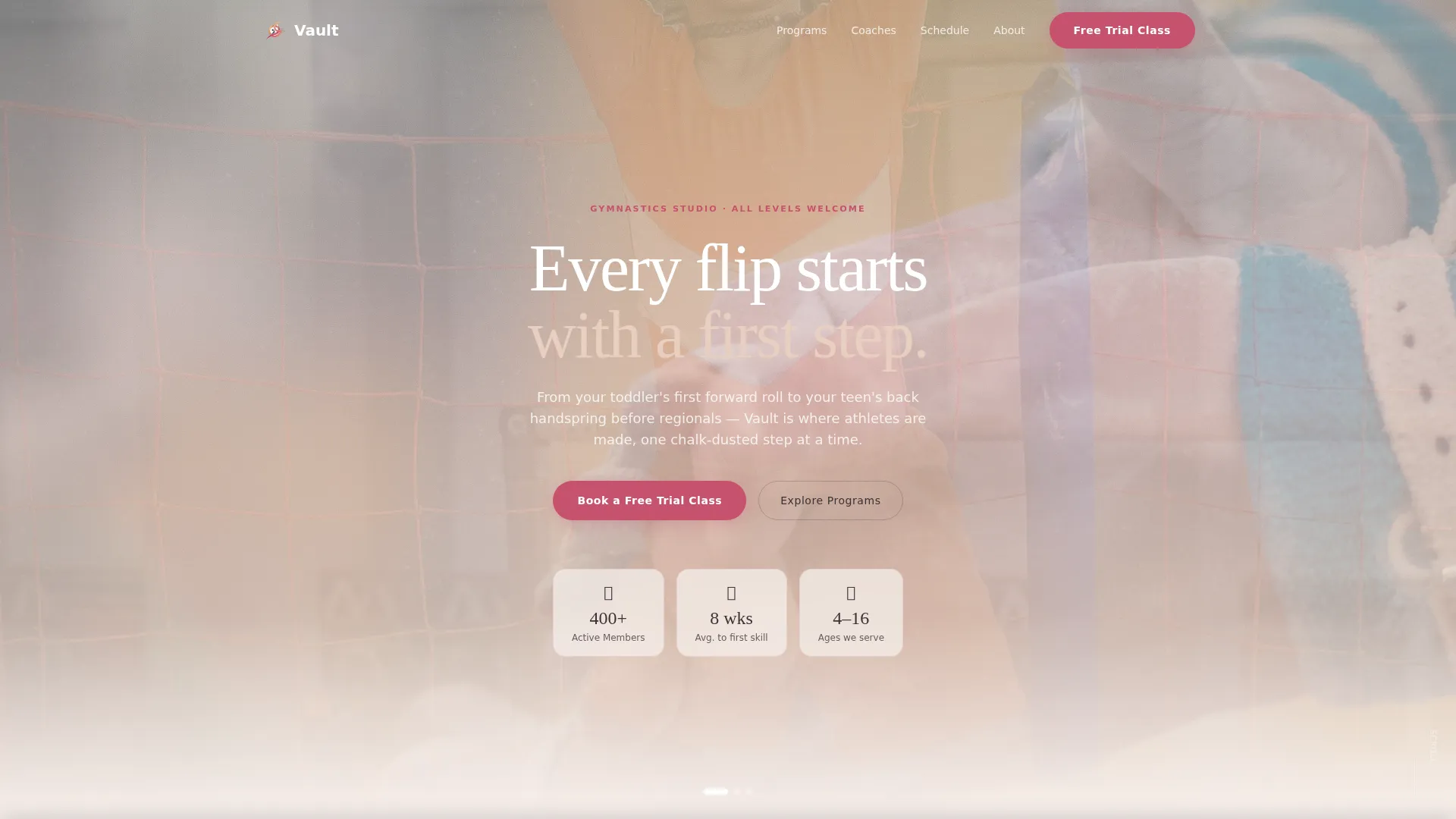
- A full-screen video hero with fade-in headline text and floating glass card overlays
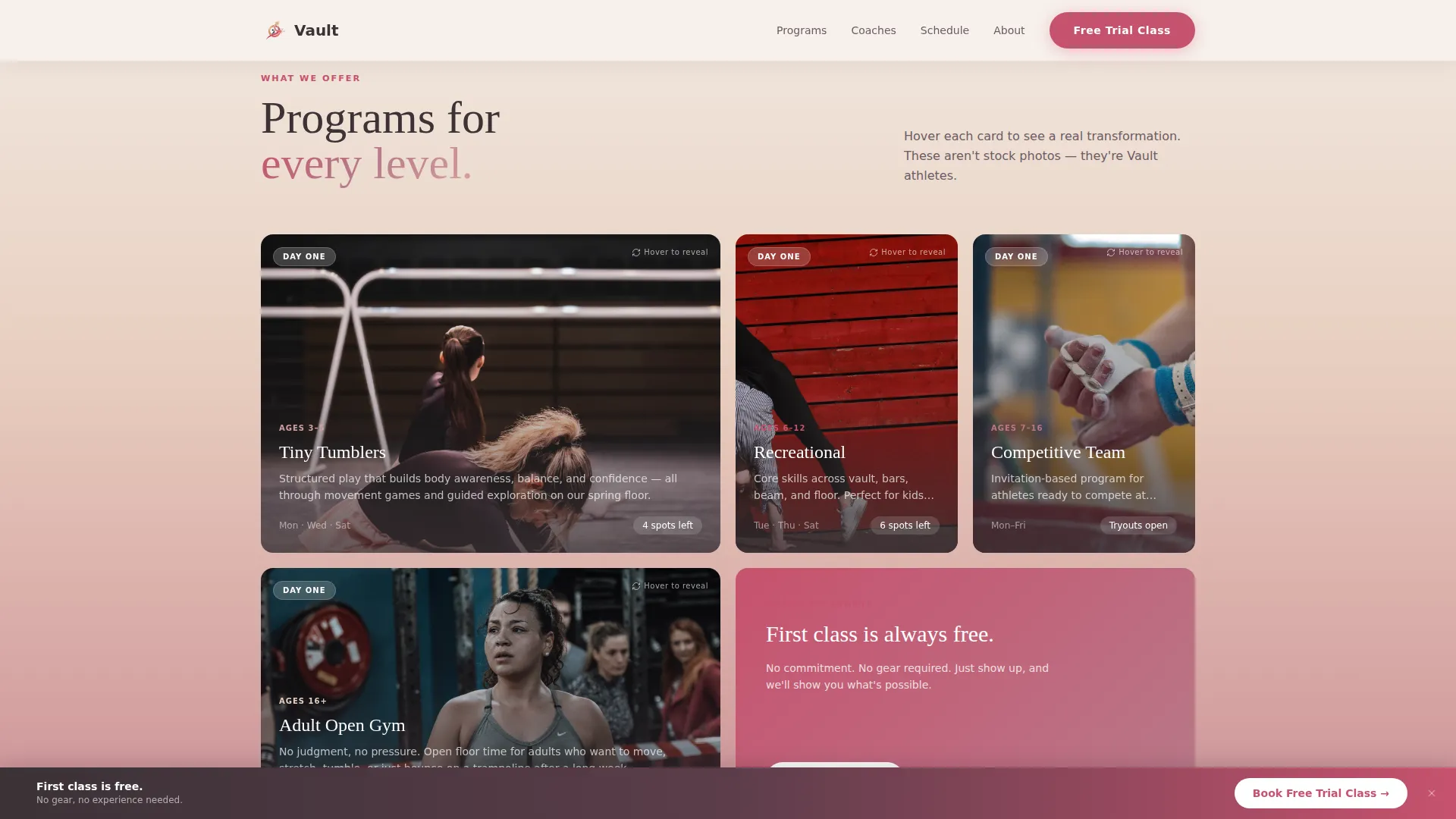
- A four-tier modular bento card grid with 3D hover flip reveals and progress stat overlays
- A sticky gradient call-to-action bar with an embedded trial booking form and dropdown fields
Feature list
A brief overview of the key built-in features this template delivers, drawn directly from the design and interaction brief.
Full-Screen Video Hero
The hero section cycles slow-motion footage across three distinct gymnast moments. A soft rose-to-sand gradient overlay keeps the headline legible at all times. The headline "Every Flip Starts with a First Step" fades in on load to set the emotional tone immediately.
Before/After Flip Card Grid
Each program card shows a candid first-day photo on the front. On hover or tap, the card flips in 3D to reveal the same athlete mid-skill weeks later, with a progress stat overlaid. The four tiers covered are Tiny Tumblers, Recreational, Team, and Adult Open Gym.
Scroll-Linked Gradient Progression
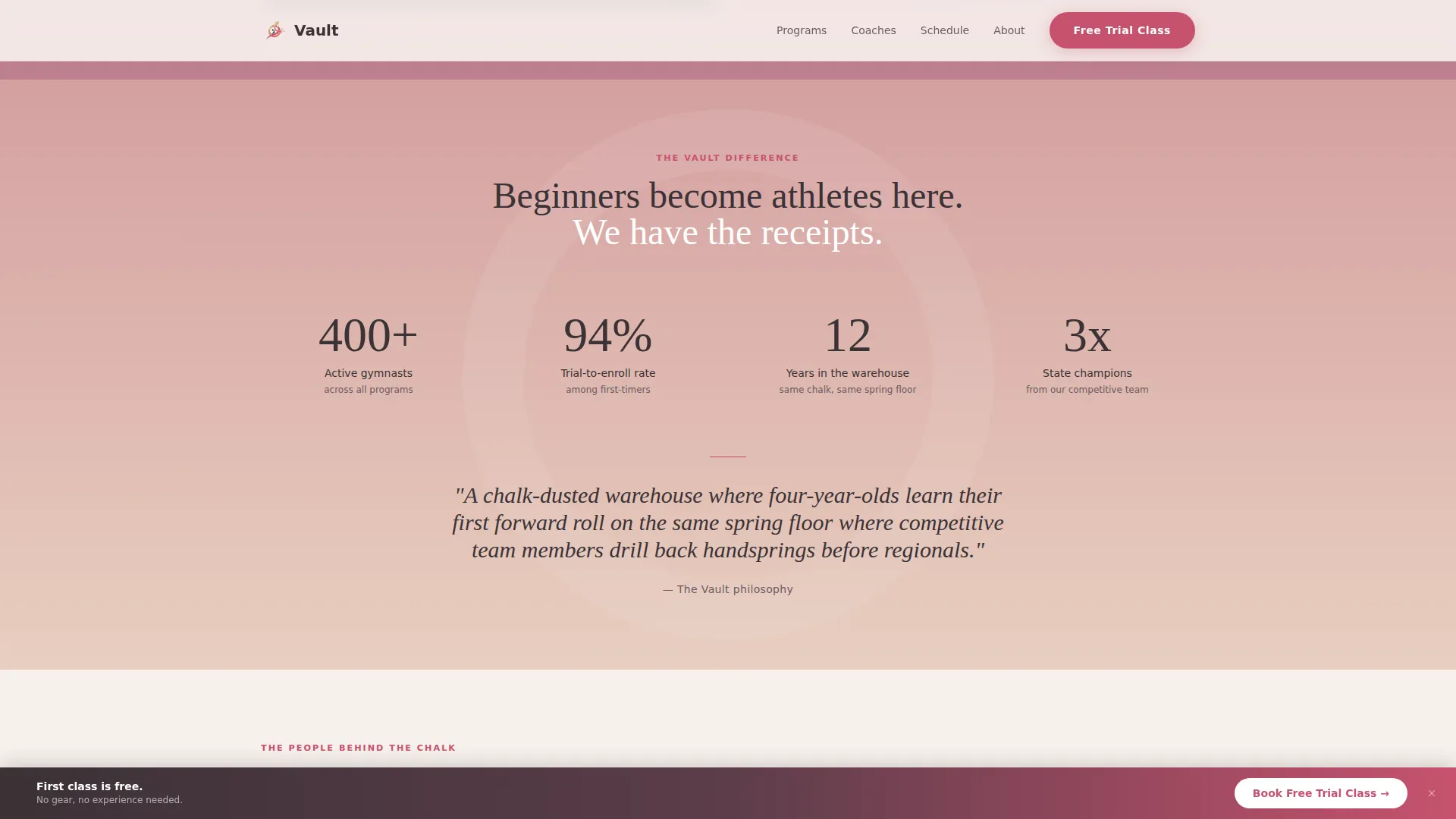
As visitors scroll down the page, the background gradients deepen from pale sand to rich rose. The skill level shown in the flip cards escalates in parallel. The page physically feels like a gymnast moving up through levels.
Sticky Trial Booking Bar
A soft-gradient sticky bar appears after the first card row. It anchors the primary call to action without interrupting the browsing flow. The embedded form collects the child's first name, age, experience level, parent email, and preferred day.
Secondary Schedule Download Path
A lower-commitment option lets parents download the class schedule as a portable document format file. This path captures leads who are not yet ready to book a trial. Both conversion paths coexist without competing visually.
Coaches and Trust Section
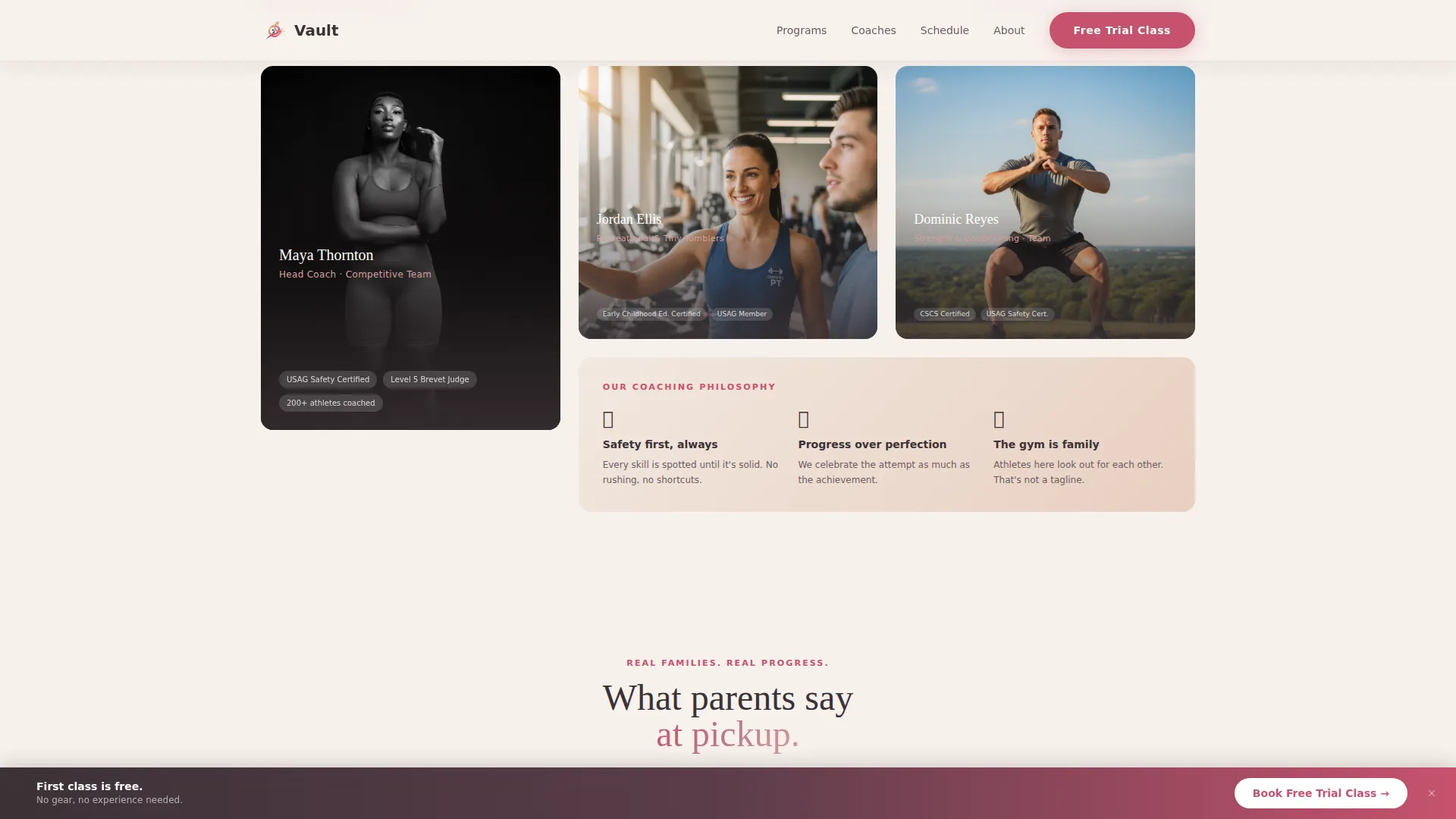
Coach bios are presented in an asymmetric layout that balances editorial warmth with athletic credibility. Parent testimonials and progress stats appear alongside credentials. This section gives competitive team parents the social proof they need before committing.
Page sections overview
| Section | Purpose |
|---|---|
| Hero Video Header | Opens with slow-motion footage, gradient overlay, and fade-in headline |
| Programs Card Grid | Four flip cards reveal before/after skill progression per program tier |
| Progress Proof Block | Stats and transformation callouts with scroll-linked gradient color shifts |
| Coaches and Trust | Asymmetric team bios, parent testimonials, and coach credentials |
| Trial Booking Form | Sticky bar with embedded dropdown form for free trial class registration |
| Footer Row | Single-row linear footer pattern with essential studio links |
Design & branding system
The visual identity uses a Soft Gradient theme built on the Desert Rose color system. The palette balances warmth for family audiences with enough sharpness to feel credible for competitive program parents.
- Dusty rose (#D4A0A0) and warm sand (#E8CFC0) form the primary gradient range across card backgrounds and section fills
- Matte charcoal (#3B3236) handles all body text to maintain readability against the warm tones
- Magenta-coral (#C7526E) drives buttons and interactive accents, including the sticky call-to-action bar
- Display headings use Fraunces, a serif typeface with editorial weight; body copy uses DM Sans for clean legibility
Mobile & speed optimization
The template is built mobile-first, reflecting the core user behavior described in the brief: parents browsing on their phones late at night. Touch interactions mirror the hover flip behavior on desktop.
- Card flip interactions are tap-activated on mobile, keeping the before/after reveal fully functional on touch screens
- Static content sections use server components while animations and interactive elements run as client components
- Staggered card reveal animations use Intersection Observer so elements load progressively as the user scrolls
How this template helps you convert
The conversion strategy is deliberate and sequenced. Trust is built before any booking ask appears, which means visitors are warmer and more ready to act when they reach the form.
- The video hero creates an immediate emotional connection before a single line of program text appears, lowering bounce intent
- The before/after flip cards show proof of progression across all four program tiers before the sticky trial form bar appears, so the call to action feels earned rather than pushy
- The dual conversion paths, one for trial booking and one for schedule download, let parents choose their own commitment level and stay in the funnel either way
Other information about this template
This template is categorized under Wellness and Fitness, specifically the Gymnastics Studio and Gym niche within Gymnastics Fitness. It is built for the United States market, uses USD pricing context, and is written in English. The layout style is a card grid, sometimes called a bento grid or modular grid, which is well-suited to presenting multiple program tiers side by side without hierarchy conflicts.
- Animation intensity is set to high, covering 3D card flips, scroll-linked gradient deepening, and staggered reveal sequences
- The footer follows a linear single-row pattern, keeping the page clean and focused on conversion rather than navigation depth
- This template is a strong starting point for studios running birthday party packages or homeschool physical education blocks, since both audiences are accounted for in the program tier structure and the trial form experience flow
Theme
Soft Gradient
Creative direction
Before/After Reveal
Color system
Desert Rose
Style
Card Grid (Modular)
Direction
Freemium/Trial
Page Sections
Full-screen Video Hero with Overlay
Before/after Flip Card Grid
Scroll-linked Gradient Deepening
Sticky Trial Booking Form Bar
Coaches and Trust Section
Secondary Schedule Download Path
Related questions
Can I customize the four program tiers shown in the flip cards?
Does the sticky trial booking form collect all the fields I need?
Is this template suitable for a studio that also offers birthday parties?
How does the before/after card flip work on a mobile phone?
Can the color palette be changed to match my studio's existing brand?