Advanced Specialty Construction Appointment Booking Website Template
Vault is a split-screen landing page template built for cold room and walk-in freezer installation companies. It opens with a postcode-driven site survey prompt and scrolls through three sector-specific case studies covering hospitality, pharmaceutical, and logistics. The design uses a monochrome steel palette and an inline three-step booking form to convert serious B2B buyers into survey appointments.
by Rocket studio
Quick summary
Vault is a precision-built, single-page template for cold storage and walk-in freezer contractors serving the UK B2B market. It pairs a postcode-input hero with scroll-triggered case studies across three sectors. The corporate steel aesthetic and inline booking form are designed to turn operations managers, facility directors, and logistics leads into confirmed site survey appointments.
Who this template is for
This template is built for cold storage installation businesses that sell to professional buyers, not consumers. Your clients are already convinced they need a solution. They need to trust that you are the right contractor.
- Restaurant group operations managers sourcing cold storage for a third or fourth location
- Hospital facility directors replacing failing units ahead of a compliance audit
- Warehouse logistics leads scaling frozen distribution capacity on a firm deadline
What problem this template solves
Generic contractor websites lose B2B buyers quickly. A procurement lead or facility director has a specific problem and a short window. They need to see their own situation reflected before they act.
- Visitors leave when they cannot identify their sector or use case in the first scroll
- No clear booking path means high-intent buyers drift away without converting
- Vague portfolio pages do not build the evidence needed for a considered B2B purchase
What you get with this template
Vault delivers a structured, high-credibility landing page built around evidence and action. Every section serves a specific conversion role, from the first postcode field to the final persistent call-to-action bar.
- A 50/50 split-screen hero with a postcode input and a cryogenic blue pulse border
- Three sector-specific case study sections, each with a before-and-after evidence structure
- An inline three-step booking form, a persistent call-to-action bar, and a gated specification guide download
Feature list
The template is built with a specific set of interactive and structural components. Each one is described below.
Postcode-Input Hero with Survey Hook
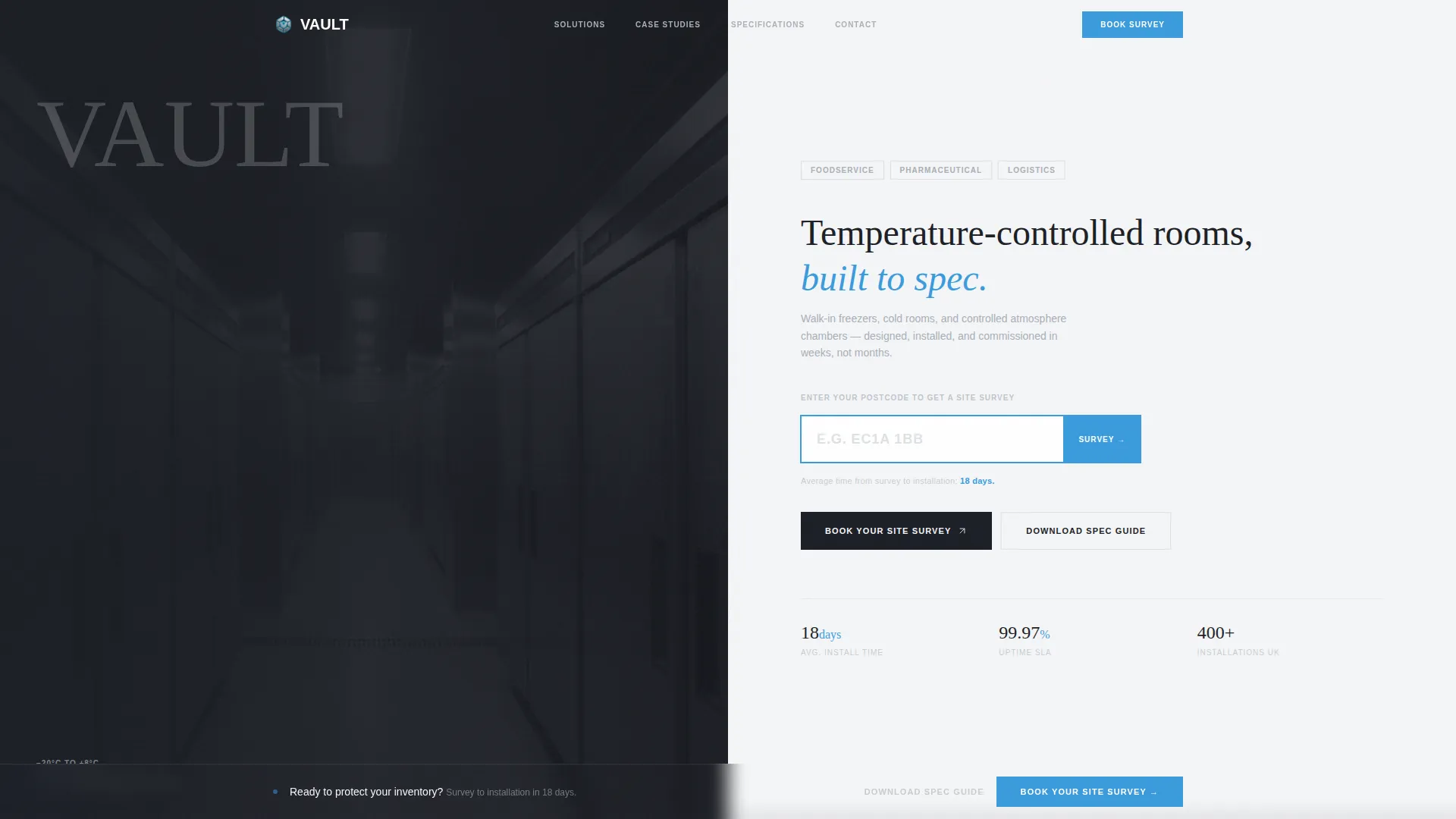
The header splits the screen between a dark commercial kitchen corridor photograph and a clinical white panel. An oversized postcode input field sits on the white side, bordered in cryogenic blue with a blinking cursor. A single micro-line below it reads "Average time from survey to installation: 18 days," turning utility into the hook.
Scroll-Triggered Case Study Sections
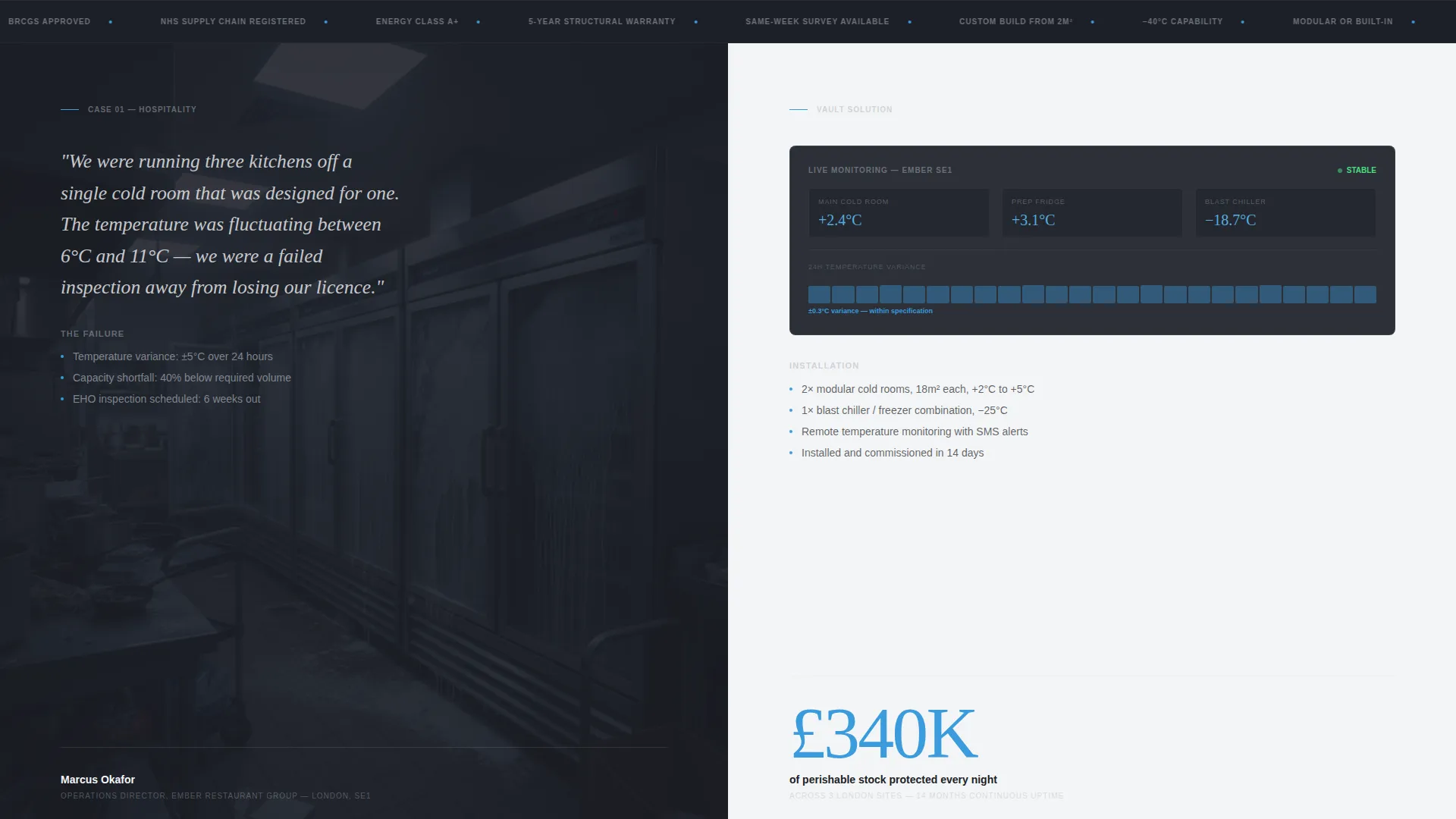
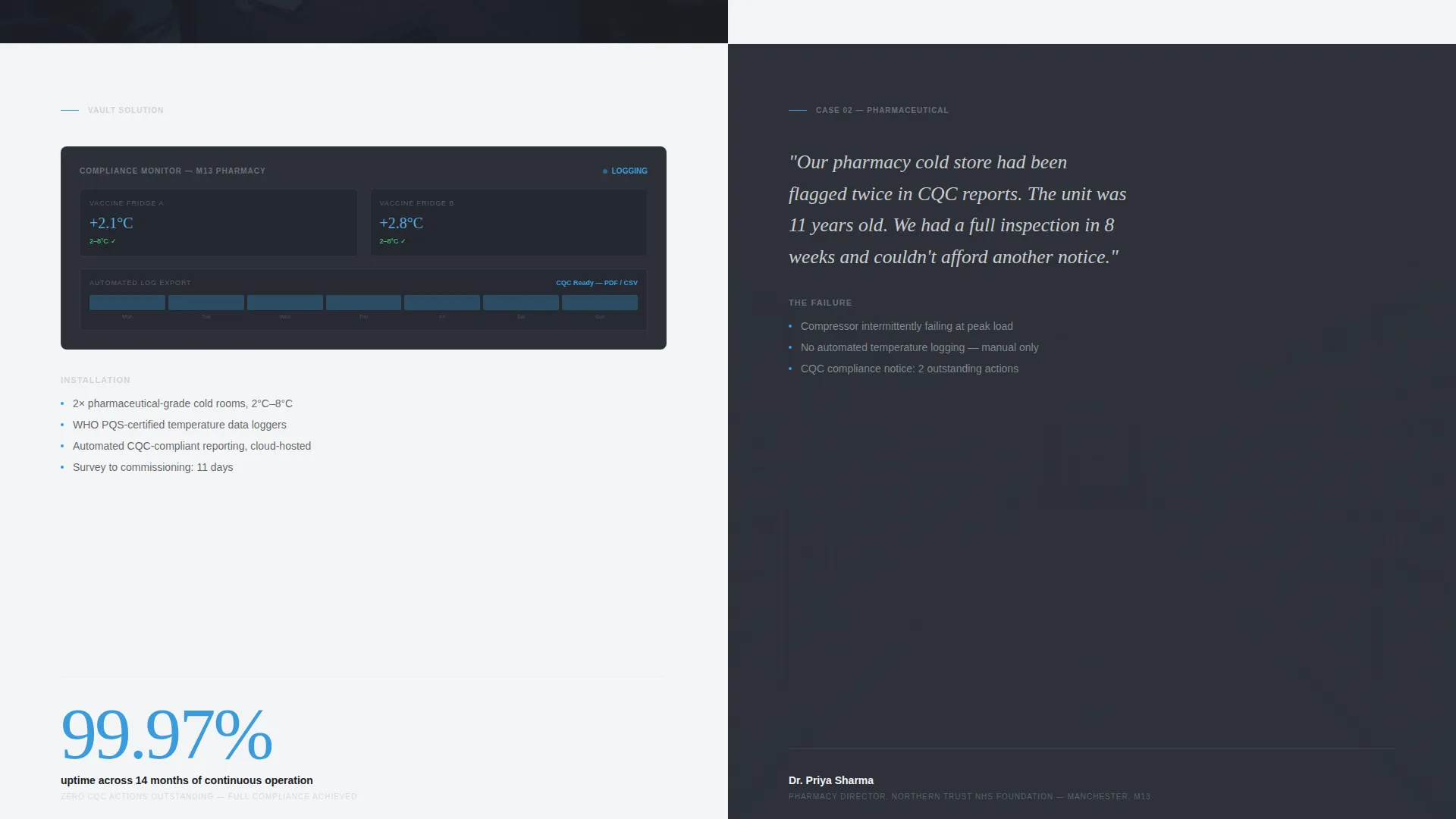
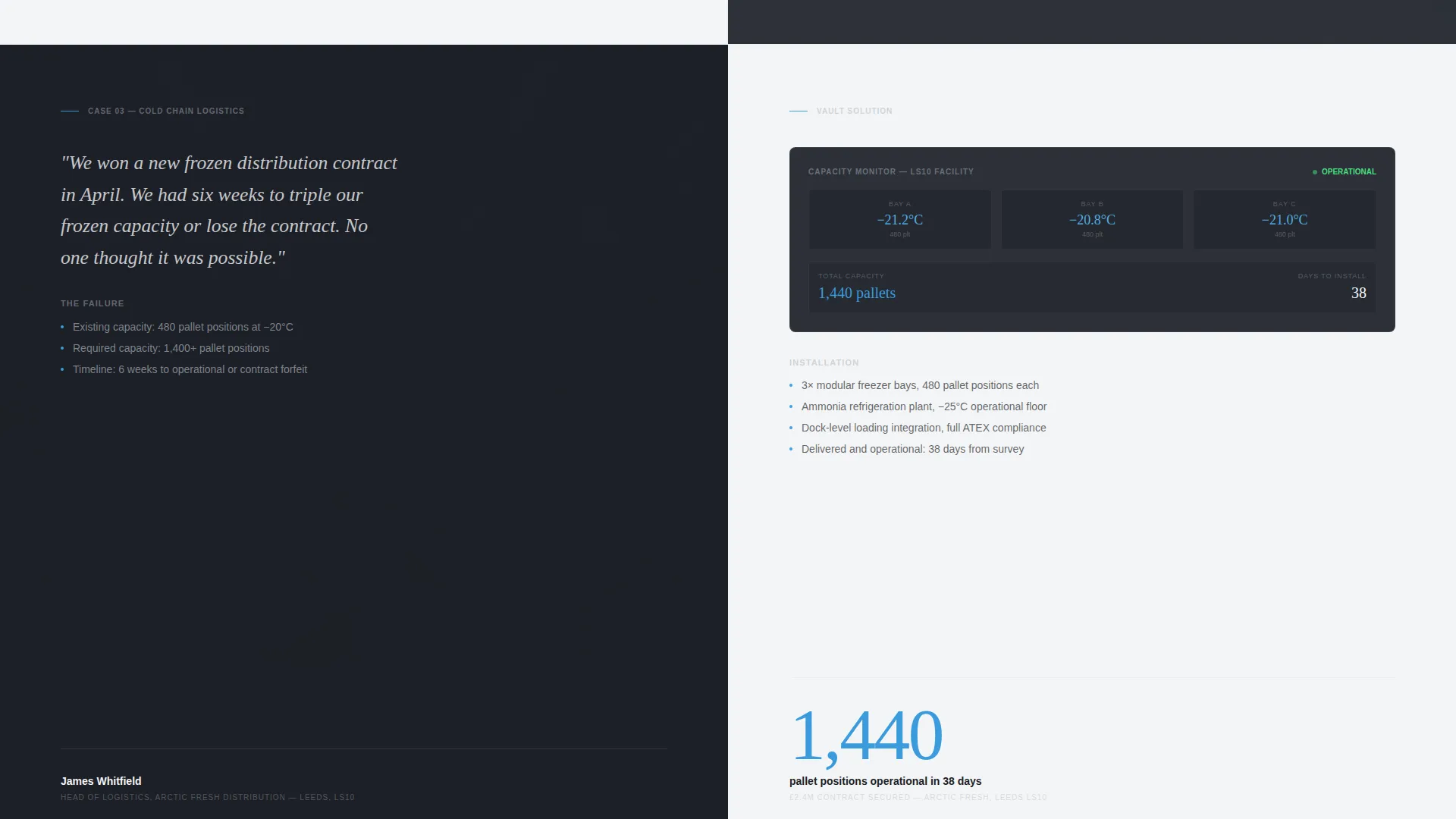
Three case study blocks reveal on scroll. Each one covers a different sector: hospitality, pharmaceutical, and logistics. The left side presents the client problem in their own words, with a before-installation photograph. The right side shows the installed solution, a temperature dashboard mockup, and one oversized headline metric.
Inline Three-Step Booking Form
Clicking "Book Your Site Survey" opens a form that stays within the page. Step one selects application type: foodservice, medical, industrial, or other. Step two shows a calendar grid for choosing a preferred survey week. Step three captures name, company, phone number, and an optional site notes field.
Persistent Call-to-Action Bar
After the second case study, a fixed bottom bar appears and stays visible through the rest of the page. It repeats the primary call to action without interrupting the reading flow, keeping the booking prompt accessible at all times.
Gated Specification Guide Download
A secondary conversion path offers a downloadable specification guide for visitors not yet ready to book. It captures an email address and sector before delivering the file, supporting later follow-up.
Scrolling Credentials Marquee
A continuous marquee strip sits below the hero. It displays scrolling credentials, specifications, or capability statements that reinforce authority without breaking the layout rhythm.
Page sections overview
| Section | Purpose |
|---|---|
| Split-screen hero | Postcode input with survey prompt and 18-day installation stat |
| Credentials marquee strip | Scrolling authority signals and capability specs |
| Hospitality case study | Restaurant group problem, Vault solution, and stock protection metric |
| Pharmaceutical case study | Hospital compliance failure, installed solution, and uptime metric |
| Logistics case study | Warehouse scaling problem, solution, and capacity metric |
| Persistent call to action bar | Fixed booking prompt activated after the second case study |
| Inline booking form | Three-step survey scheduling form embedded in the page |
| Spec guide download | Gated PDF capture for visitors not yet ready to book |
| Single-row footer | Linear footer with contact and navigation essentials |
Design & branding system
The visual identity follows a Corporate Precision theme. Every surface references engineered cold storage environments: brushed steel, clinical white, and controlled fluorescent light. Cryogenic blue appears only on interactive elements and temperature readouts.
- Color palette: deep gunmetal (#1C1F26) as the primary base, brushed aluminum (#A8B0B8) as a secondary tone, clinical white (#F4F5F7) for backgrounds, and cryogenic blue (#3A9BDC) reserved for interactive elements only
- Typography pairing: Plus Jakarta Sans for body text and user interface elements, Fraunces for display headings and oversized numeric accents
- Animation and texture: a noise grain overlay, marquee scroll, scroll-triggered case study reveals, blinking cursor in the hero, and a temperature readout pulse on dashboard mockups
Mobile & speed optimization
The template is designed desktop-first, reflecting how operations managers and facility directors typically work. Full mobile support is built in so buyers reviewing the page away from their desks still get a complete experience.
- Desktop-first layout prioritizes the split-screen format, large case study panels, and the three-step booking form at comfortable proportions
- Static page sections are built as server components; interactive elements including the booking form and postcode input are separated as client components to keep page load lean
How this template helps you convert
Vault is structured around a single goal: turning a qualified visitor into a confirmed site survey booking. Every layout decision supports that path.
- The postcode input opens with immediate utility. Visitors are asked to take one small action before they scroll, establishing early intent and reducing friction before the case studies build trust.
- The three case studies stack sector-specific evidence in sequence. Hospitality, pharmaceutical, and logistics buyers each find a scenario that mirrors their own situation, making the decision feel low-risk and well-supported.
- The persistent call-to-action bar and inline booking form eliminate drop-off at the decision moment. The form is three steps with clear labels, keeping the commitment feel small even though the outcome is a scheduled appointment.
Other information about this template
This template is localised for the UK market throughout. Dates follow the DD/MM/YYYY format, currency references use GBP, and the survey scheduling flow is built around postcode-based location input.
- Localization details: UK English copy conventions, GBP currency, postcode input format, and DD/MM/YYYY date display in the calendar grid
- Interactivity level: classified as high, with a three-step inline form, calendar grid picker, postcode input with animated border, and persistent call-to-action bar
- The template suits any specialist cold storage or refrigeration contractor operating in the UK B2B market, including walk-in freezer builders, controlled atmosphere room installers, and temperature-controlled warehouse fit-out providers
Theme
Corporate Precision
Creative direction
Case Study Narrative
Color system
Monochrome Steel
Style
Split Screen (50/50)
Direction
Booking/Scheduling
Page Sections
Postcode-input Hero Section
Scroll-triggered Case Study Panels
Inline Three-step Booking Form
Persistent Bottom Call-to-action Bar
Gated Specification Guide Download
Scrolling Credentials Marquee
Related questions
Who is this landing page template designed for?
Can I adapt the case studies for my own client projects?
How does the three-step booking form work?
What does the gated specification guide download do?
Is this template suitable for a single cold room installer or only larger contractors?



