Art & Collectibles Storage Landing Page Template
Vault is a split-screen landing page template built for premium art and collectibles storage facilities. It leads with an interactive storage cost estimator on the left and builds trust on the right through rich visual proof. The warm Sunset Mesa palette and cinematic panoramic header give the page an unhurried, gallery-quality feel that serious collectors immediately recognize.
by Rocket studio
Quick summary
Vault is a single-page, split-screen landing page template designed for art and collectibles storage businesses. The left panel opens with a live storage cost calculator, and the right panel responds with scroll-triggered trust content. A warm sandstone and terracotta palette sets a calm, gallery-like tone from the first frame.
Who this template is for
This template is built for storage facilities that serve a discerning, high-value clientele. It speaks directly to operators who store art, ceramics, bronzes, textiles, and archival materials in climate-controlled environments.
- Private collectors who have outgrown their home display space
- Estate executors managing inherited fine art and sculpture
- Gallery owners rotating inventory between exhibitions
What problem this template solves
Most storage facility pages feel utilitarian and transactional. That tone misaligns with the expectations of collectors who treat a single painting as a significant asset. Vault closes that gap.
- Visitors cannot easily gauge cost before committing, which creates friction
- Generic storage pages fail to communicate the care and precision that fine art requires
- There is no guided path from curiosity to reservation for high-intent buyers
What you get with this template
Vault delivers a complete, single-page layout structured to move a visitor from initial curiosity to a confirmed reservation. Every section is purposeful and sequenced.
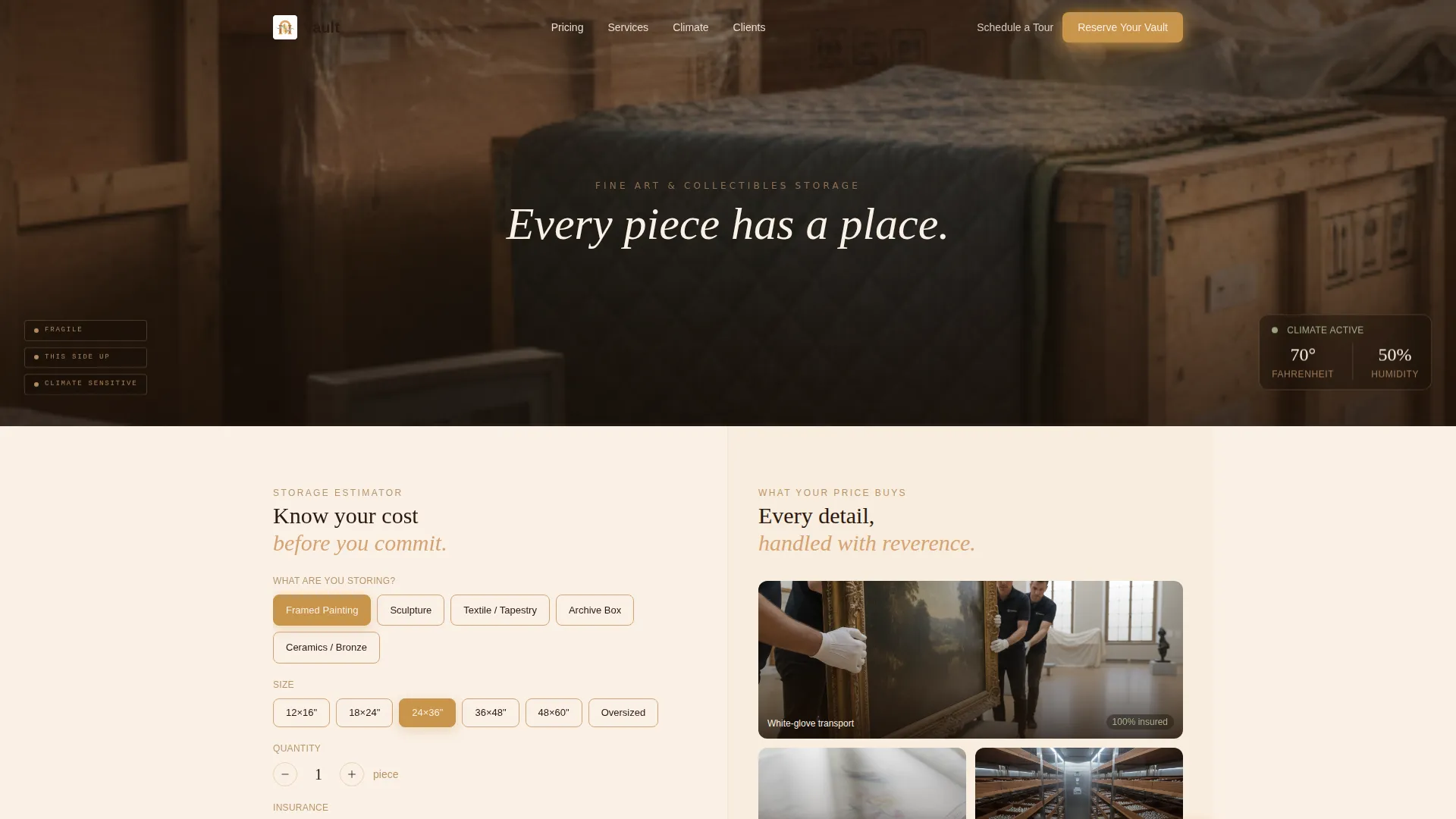
- A panoramic cinematic header with serif typography and golden hour lighting
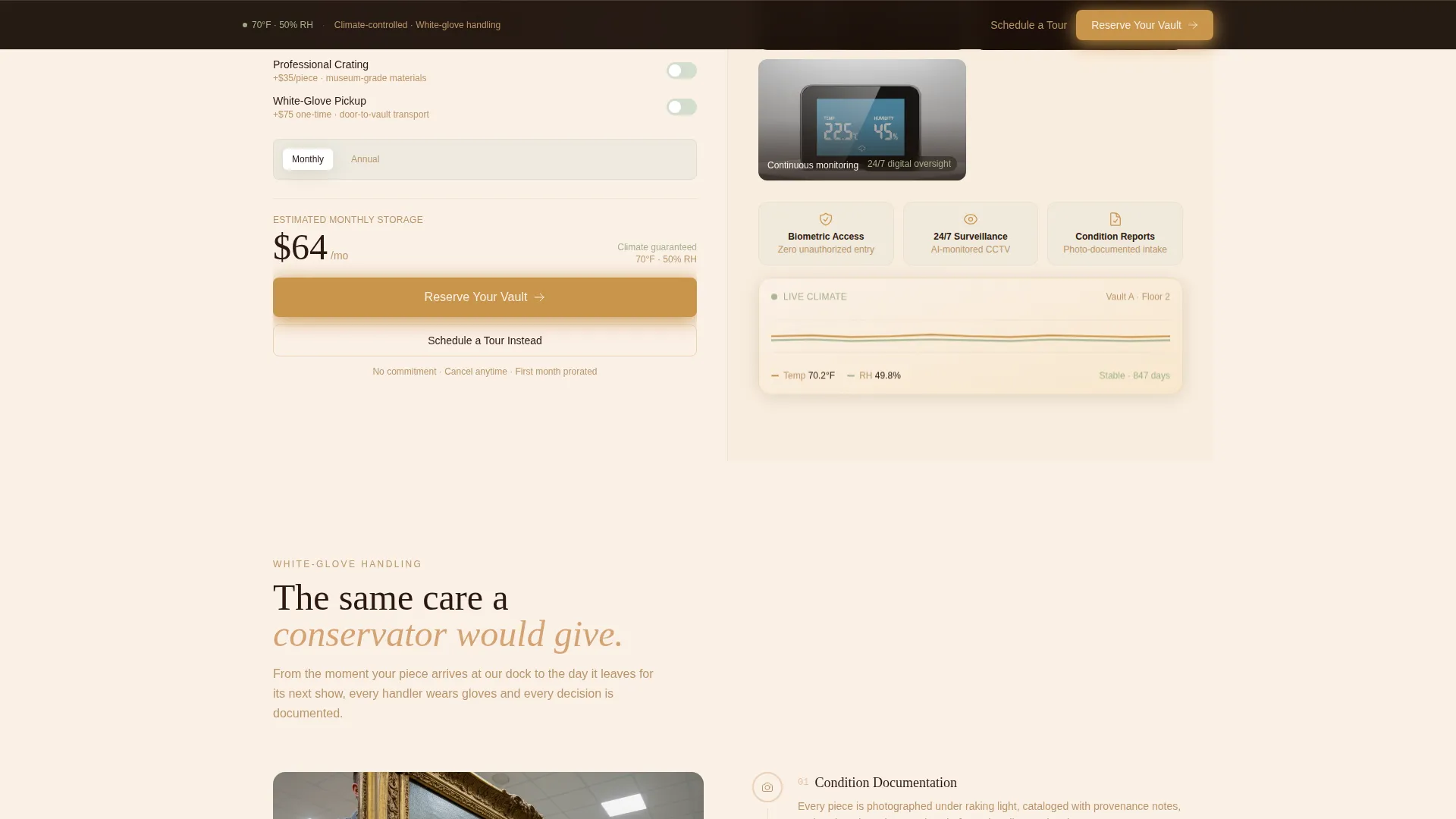
- An interactive storage estimator with live cost output and toggle options
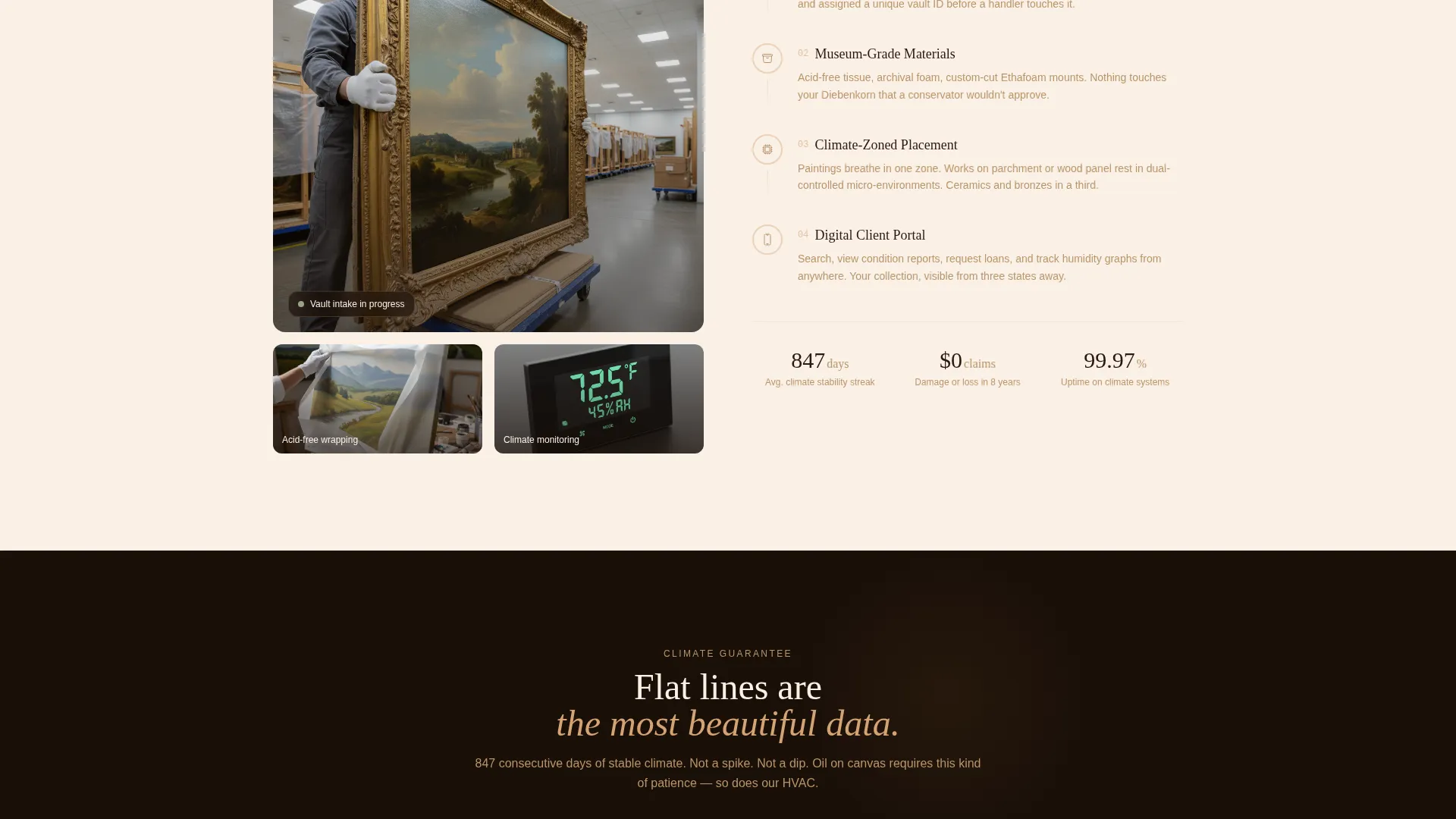
- Scroll-triggered right-panel content showing handlers, wrapping close-ups, and humidity data
- A sticky "Reserve Your Vault" call-to-action bar and a streamlined checkout flow
- A secondary "Schedule a Tour" path for high-value collectors who want an in-person visit
Feature list
This template is purpose-built around one outcome: turning a careful, cost-aware collector into a paying tenant. Every built-in feature supports that goal.
Interactive Storage Cost Estimator
Visitors select item types such as framed paintings, sculptures, textiles, or archive boxes. They enter dimensions or pick from common size presets, then toggle add-ons like crating, insurance tier, and pickup service. The quoted monthly cost updates live in large, confident numerals.
Panoramic Cinematic Header
A wide, slow-panning header image stretches beyond the viewport, inviting the eye to drift across a pristine storage interior. Crates stenciled with handling glyphs sit on the left, a climate gauge reads steady in soft green on the right, and golden hour light falls through a clerestory window above. A single serif headline settles at center: "Every piece has a place."
Split-Screen Scroll Experience
The 50/50 layout keeps the calculator anchored on the left while the right panel reveals trust content as the visitor scrolls. Time-lapse clips of white-gloved handlers, close-ups of acid-free wrapping, and humidity graphs holding flat lines over months each appear in sequence. Each scroll depth deepens confidence in the price the calculator already showed.
Sticky Reservation Bar
After the visitor scrolls past the first section, a persistent "Reserve Your Vault" bar appears at the top of the screen. It stays visible throughout the page, removing the need to scroll back up to act.
Streamlined Checkout Flow
Clicking the primary call-to-action opens a focused checkout. Unit size pre-fills from the calculator result. The visitor selects a storage start date, chooses an insurance tier, and completes payment. The flow is short by design to reduce drop-off.
Dual Conversion Paths
A secondary "Schedule a Tour" option sits beneath the primary call-to-action for collectors who prefer to inspect the facility before committing. Both paths are present throughout the page, accommodating different buyer readiness levels.
Page sections overview
| Section | Purpose |
|---|---|
| Panoramic header | Sets tone and introduces the brand promise |
| Storage cost calculator | Lets visitors estimate monthly cost before committing |
| Scroll trust panel | Builds confidence through handling footage and data |
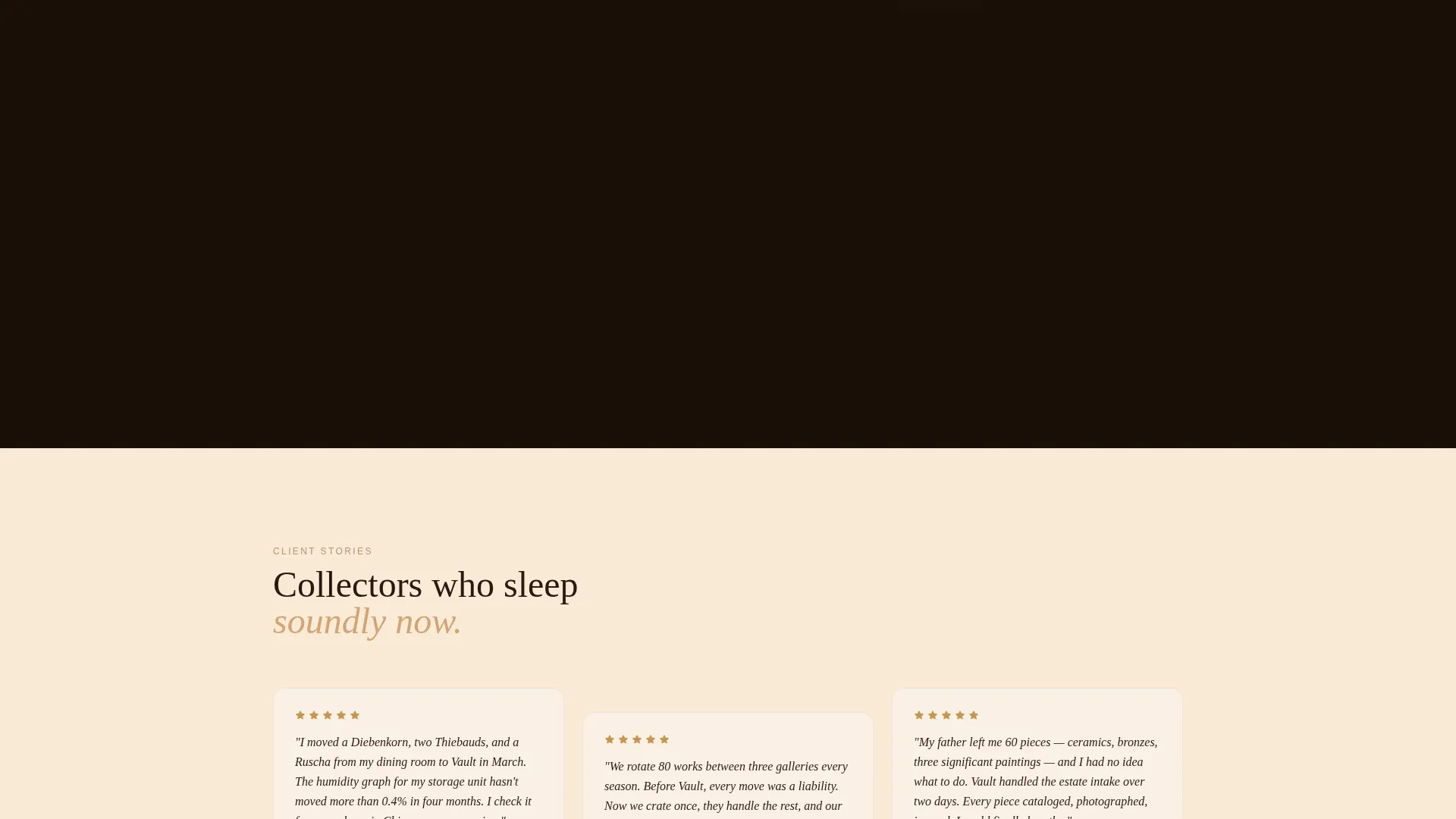
| Humidity and climate proof | Shows environmental controls holding steady over time |
| Reserve Your Vault call to action | Drives direct reservation with pre-filled checkout |
| Sticky action bar | Keeps the primary call to action accessible throughout scrolling |
| Schedule a Tour | Offers an in-person path for high-value prospects |
Design & branding system
The visual identity uses the Sunset Mesa color system, drawing from earthy, warm tones that feel unhurried and refined. The palette reads like watching light move across an adobe wall at dusk.
- Warm sandstone (#D4A373), deep terracotta shadow (#8B4513), dusted sage (#A3B18A), and quiet cream (#FAF0E6) define the base palette
- Accent interactions glow in fading-sun gold (#C9944A), used for hover states, live cost numerals, and active toggle highlights
- The Pastoral Calm theme keeps negative space generous, with the cream tone holding space the way gallery walls hold the eye between pieces
Mobile & speed optimization
The split-screen layout adapts gracefully for smaller screens. The stacked mobile view keeps the calculator prominent and the trust content accessible without losing visual hierarchy.
- The calculator panel stacks above the trust panel on mobile viewports for immediate usability
- The sticky reservation bar remains active on all screen sizes
- Scroll-triggered content sections are designed to load in sequence, keeping the experience smooth as the visitor moves down the page
How this template helps you convert
Vault is built around a specific conversion logic: make the cost knowable first, then prove the cost is worth it. That sequence reduces hesitation at every stage.
- The interactive estimator gives visitors a real number before they feel any commitment pressure, which removes the most common reason to leave a storage page without acting
- The scroll-triggered right panel turns that number into evidence, showing the care, precision, and controlled environment that justify the quoted price
- The dual call-to-action structure catches both ready-to-book visitors and high-value prospects who need one more step before committing
Other information about this template
Vault sits at the intersection of the self-storage and fine art storage markets, a niche where presentation quality directly influences buyer trust. This template is designed to reflect that reality.
- The template style is Split Screen (50/50), making it well suited for businesses that need to balance a functional tool with an immersive brand story
- The creative direction follows a Calculator/Tool First approach, which is particularly effective for services where pricing transparency reduces hesitation
- The Panoramic/Wide header concept supports high-resolution facility photography and works well with interior shots that benefit from horizontal room to breathe
- The landing page direction is Direct Sales, meaning every section is ordered to move the visitor toward a reservation rather than toward general brand awareness
- This template is categorized under Real Estate and Property, within the Self-Storage and Mini-Storage subcategory, with a specific niche focus on art and collectibles storage
Theme
Pastoral Calm
Creative direction
Calculator/Tool First
Color system
Sunset Mesa
Style
Split Screen (50/50)
Direction
Direct Sales
Page Sections
Interactive Storage Cost Estimator
Panoramic Cinematic Header
Split-screen Scroll Trust System
Sticky Reservation Bar
Streamlined Checkout Flow
Dual Conversion Path Design
Related questions
Can I customize the item types in the storage estimator?
Does the template include a checkout flow or just a contact form?
Is this template suitable for a facility that stores items other than fine art?
How does the 'Schedule a Tour' path work within the template?



