Wealth Advisory App Download Website Template
Ledger is a scroll-reveal financial advisor landing page built around the Data Command visual theme. It combines a Feature Tab Switcher hero, three interactive client-story sections, and a two-step app download flow. Financial advisors serving pre-retirees, divorce recovery clients, and business owners get a landing page that lets visitors rehearse the product before they install it.
by Rocket studio
Quick summary
Ledger turns retirement anxiety into interactive proof. This single-page template uses progressive scroll reveals, hoverable charts, and a retire-age slider to guide visitors from curiosity to download. Each section earns trust by letting people touch the planning logic directly. Financial advisors get a landing page that feels like a Bloomberg terminal reimagined for a design-forward audience.
Who this template is for
This template is purpose-built for financial advisors who need a landing page that speaks to data-driven, high-stakes clients. It is especially strong for practices serving complex personal finance situations.
- Advisors working with dual-income couples facing simultaneous college tuition and retirement planning pressure
- Practitioners guiding recently divorced professionals who are rebuilding a financial identity from scratch
- Financial advisors whose clients include small-business owners with tangled personal and corporate balance sheets
What problem this template solves
Most finance landing page templates present static information and ask visitors to trust a phone number. That approach fails with pre-retirees and professionals who need to determine whether a planning tool actually works before committing. This template solves the credibility gap by making interaction the proof.
- Visitors rehearse scenario modeling before downloading, reducing hesitation
- Each testimonial section is paired with a live interaction, so social proof becomes experiential
- The two-step download flow keeps forms simple and limits friction at the moment of action
What you get with this template
You get a complete, ready-to-build financial advisor landing page structured around five distinct sections. Every section has a clear job: earn attention, build trust, and drive the download.
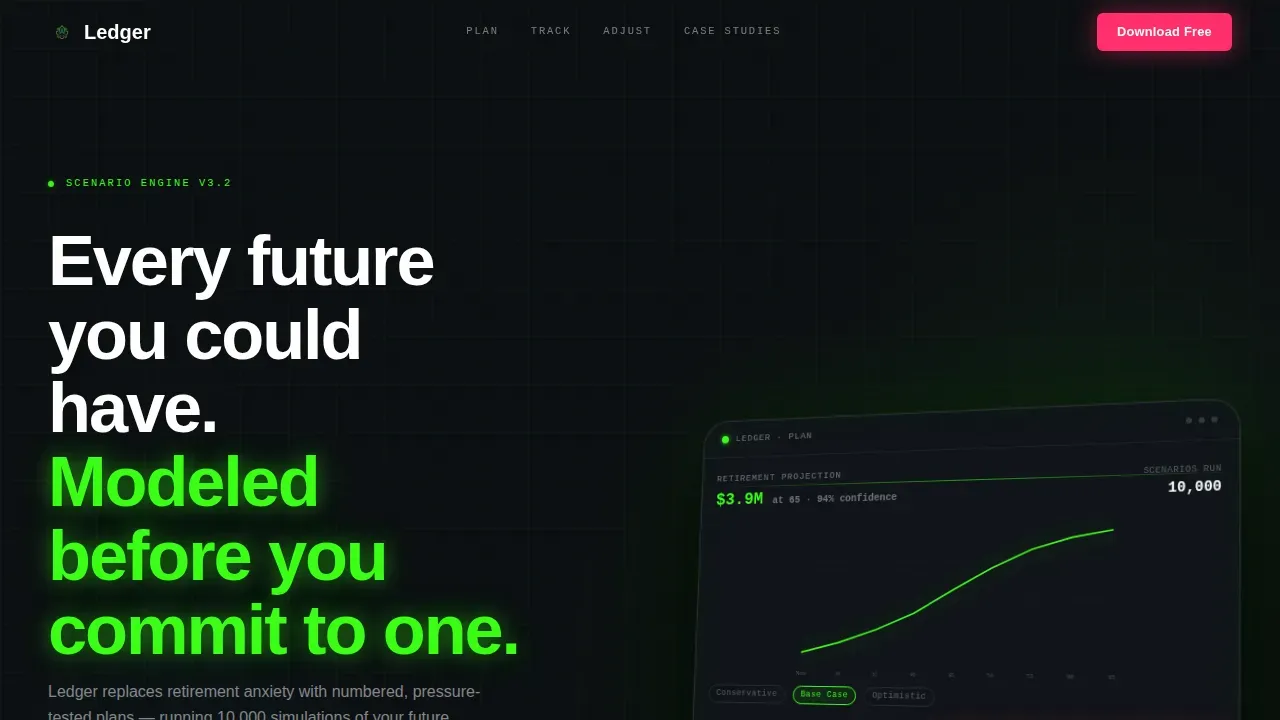
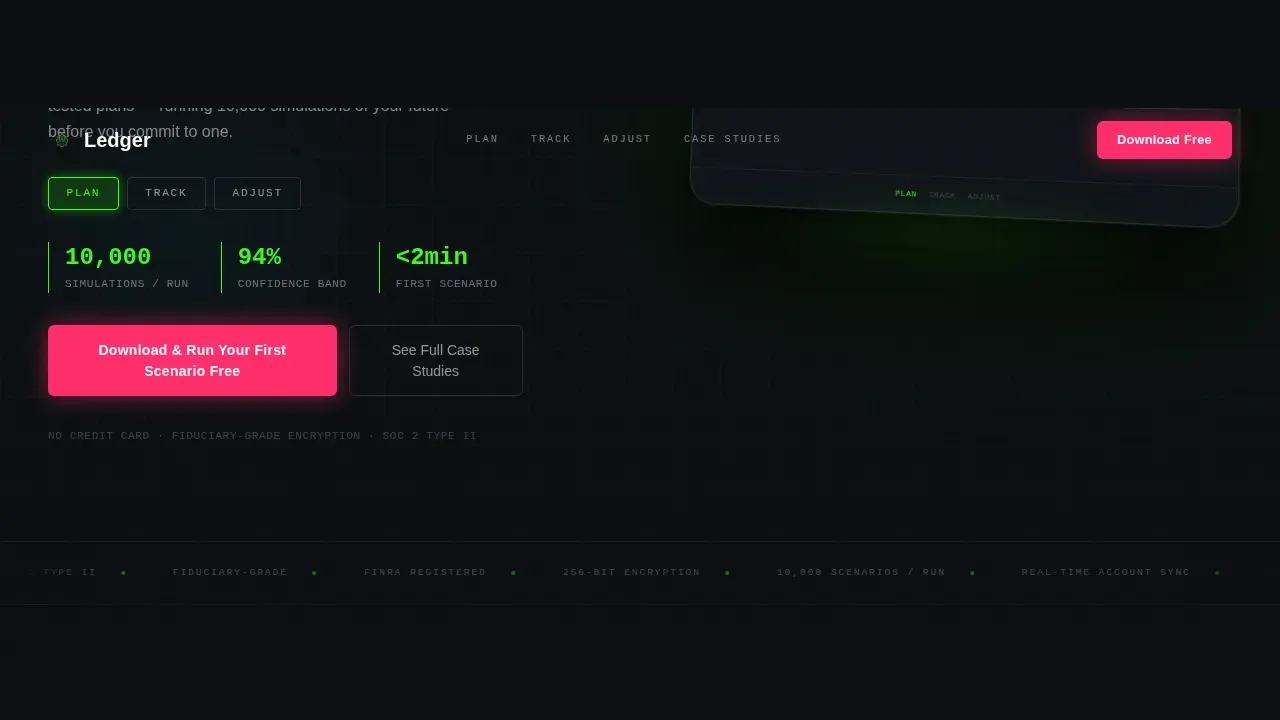
- A Feature Tab Switcher hero with three labeled tabs and an angled device mockup
- Three progressive scroll-reveal client stories, each paired with a unique interactive element
- A two-step app download call-to-action flow with a floating sticky bar and a secondary email-capture path
Feature list
This template ships with interactive components that guide visitors through the planning logic step by step.
Feature Tab Switcher Hero
The header places three tabs ("Plan," "Track," "Adjust") over a 15-degree angled device mockup. Each tab swaps the screen to a different app view: a retirement projection graph with confidence bands, a net-worth tracker, and a what-if slider. The mockup glows as the only light source on a void black background, making the headline land hard.
Scroll-Reveal Client Stories
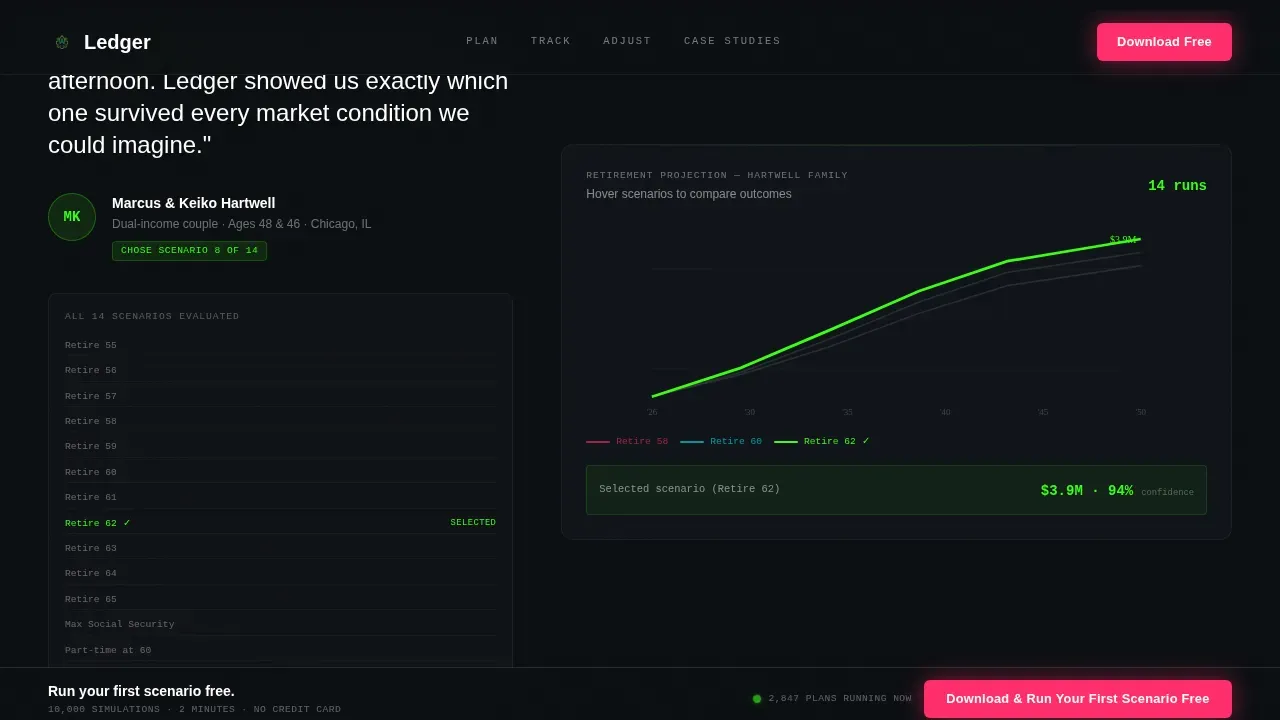
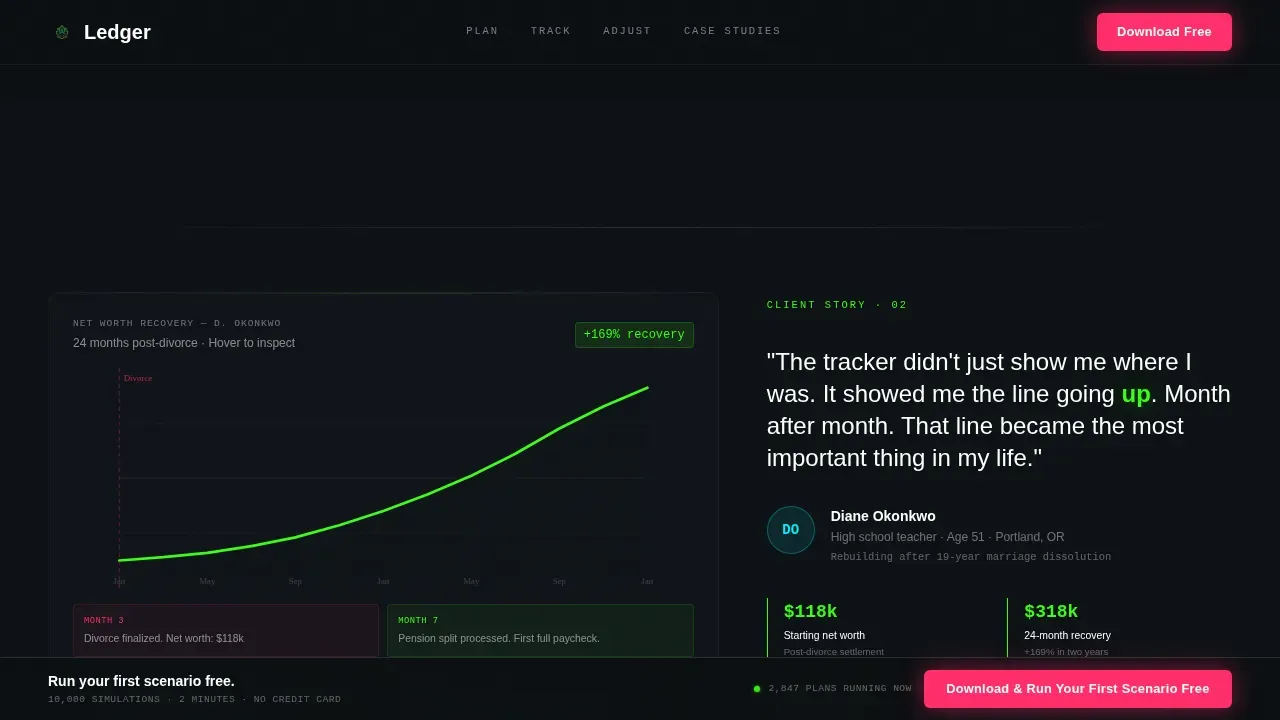
Each progressive reveal section unlocks a named client story tied to a specific app feature. A couple's 14-scenario retirement reveal includes a hoverable mini-chart. A divorce recovery story animates a net-worth line upward as the section enters view. A restaurant owner's section provides a toggle between personal and business cash flow views.
Interactive Retire-Age Slider
Visitors can drag the retirement age from 58 to 62 and watch the numbers reshuffle in real time. This interaction is a free taste of the scenario modeling logic. It is one of the most effective tools on the page for making an abstract financial planning process feel tangible.
Two-Step Download Flow
The primary call-to-action reads "Download and Run Your First Scenario Free." Tapping opens a two-step micro-flow: step one selects platform (iOS or Android), step two captures an email to send the download link and a starter checklist. Forms are kept to essential fields only, making them easy to complete on any device.
Floating Sticky Bar
After the second scroll reveal, a floating bottom bar pins the primary call-to-action to the screen. This means the download prompt stays visible without interrupting the story. It follows best practices for mobile landing pages by keeping the action reachable at all times.
Secondary Email-Capture Path
A "See the Full Case Studies" anchor beneath the final testimonial serves visitors not yet ready to install. It captures an email in exchange for a long-form PDF of all client outcomes. This secondary path helps advisors build leads from visitors who need more time.
Page sections overview
| Section | Purpose |
|---|---|
| Hero Tab Switcher | Introduce three app views via interactive device mockup |
| Couple Scenario Story | Prove scenario modeling works with a hoverable chart |
| Divorce Recovery Story | Show recovery progress via animated net-worth line |
| Business Owner Toggle | Demonstrate cash flow separation with a flip toggle |
| Download Call to Action | Capture platform choice and email in two steps |
Design & branding system
The visual identity follows the Data Command theme: phosphorescent data on obsidian, every color earning its place. Typography pairs DM Sans for body and interface text with JetBrains Mono for all data, numbers, and terminal-style labels.
- Void black (#0B0E11) dominates backgrounds and section dividers; terminal green (#39FF14) renders data points, chart lines, and pull-quote numbers
- Electric cyan (#00F0FF) marks hover states and navigation indicators; signal magenta (#FF2D6B) appears only on buttons, download prompts, and swipe cues
Mobile & speed optimization
Desktop is the primary design target, reflecting how financial decision-makers generally research and compare services. Full mobile responsiveness is built in, and the layout follows tested practices for finance landing pages on smaller screens.
- Forms are kept to the minimum fields needed, since filling out long forms on a phone is a known conversion break
- The floating sticky bar pins the call-to-action so it is always easy to reach on mobile, following the scrolling-call to action approach that helps convert mobile visitors
How this template helps you convert
The page is structured to move visitors from awareness to action by letting them experience the product logic before downloading. Describing the benefits at each scroll stage means visitors arrive at the call-to-action already engaged.
- Interactive charts and the retire-age slider provide immediate value, so visitors understand what they will get before they provide their email
- The two-step download flow and the secondary case-study path give every visitor a relevant next action, whether they are ready to install or still learning
Other information about this template
The Ledger Data Command financial advisor landing page template is one of the more technically ambitious finance landing page templates in this category. It is designed for advisors who want finance landing pages that go beyond static description and provide interactive proof. Below are practical details for teams evaluating this template alongside other landing page templates.
- The template targets retirees and pre-retirees as the primary audience, with named client archetypes guiding the copy and interaction design for each section
- Testimonials are embedded as interactive proof points rather than passive text, which aligns with best practices showing that including testimonials on landing pages boosts conversions
- The design system can guide teams when making changes to colors, text, or image assets, since each element has a defined role within the Acid Digital palette
- ADA compliance for financial sites requires screen reader compatibility, keyboard-only navigation, and high color contrast by 2026; teams should review those requirements before publishing
- AI tools can help financial advisors customize and edit landing page templates quickly, and using AI for landing page creation allows easy integration with existing services
- Fast loading speed is important for any advisor landing page; native CSS scroll behavior and GPU-accelerated transforms are specified in the build to help keep pages responsive
- Clarity and context matter more than raw numbers when presenting finance data on a landing page; this template leads with story and interaction before it leads with statistics
Theme
Data Command
Creative direction
Interactive Explorer
Color system
Acid Digital
Style
Scroll Reveal (Progressive)
Direction
App Download
Page Sections
Feature Tab Switcher Hero
Progressive Scroll-reveal Stories
Interactive Retire-age Slider
Two-step App Download Flow
Floating Sticky Call-to-action Bar
Secondary Case-study Email Capture
Related questions
Who is this landing page template designed for?
Can I customize the colors and typography?
How does the two-step download flow work?
Does the template include a mobile-friendly layout?
What is the secondary conversion path on this page?



