Triple Tax Advantage HSA Landing Page Template
The Vault Triple Tax Advantage HSA landing page template is a split-screen, calculator-led design built for millennial health savings account audiences. It combines a live tax-savings estimator, three guarantee-led scroll sections, and a five-question progressive quiz to guide visitors toward a personalized HSA plan. The Executive Suite aesthetic uses a Monochrome Steel palette for a calm, high-trust financial experience.
by Rocket studio
Quick summary
This template turns HSA complexity into a clear, personalized decision. A split-screen interactive calculator shows visitors exactly how much money they lose each year by not using a health savings account. Three stacked guarantee sections build confidence, and a five-question quiz routes each visitor to a plan that fits their situation. Everything is designed to convert.
Who this template is for
This template is built for FinTech teams and financial product marketers who need to explain and sell health savings accounts to a tax-aware millennial audience. It suits growth teams who want a high-interactivity, desktop-first landing page that still degrades gracefully on mobile.
- HSA providers and digital banking teams targeting 30-to-35-year-old employees and senior managers who are HSA-naive but 401(k)-savvy
- Freelancers paying full-price for COBRA coverage and dual-income families managing high-deductible health plan costs
- Marketers who need a structured, quiz-driven conversion path with built-in social proof and guarantee escalation
What problem this template solves
Most people do not understand the tax advantages a health savings account offers. They see a high-deductible health plan as a burden, not a gateway to the only triple-tax-advantaged account in the entire tax code. A generic landing page cannot close that knowledge gap fast enough to prevent bounce.
- Visitors cannot visualize what their medical expenses actually cost after tax, so they disengage before they enroll
- Competing plans and an FSA comparison create confusion about contribution limits, eligibility requirements, and which account is worth more
- Without a guided path, eligible users who should participate simply do not sign up or file the right documents to get started
What you get with this template
You get a fully structured, single-page layout with all sections, components, and interaction patterns pre-built and ready to customize. The template establishes a clear visual hierarchy and a logical conversion flow from first scroll to final call to action.
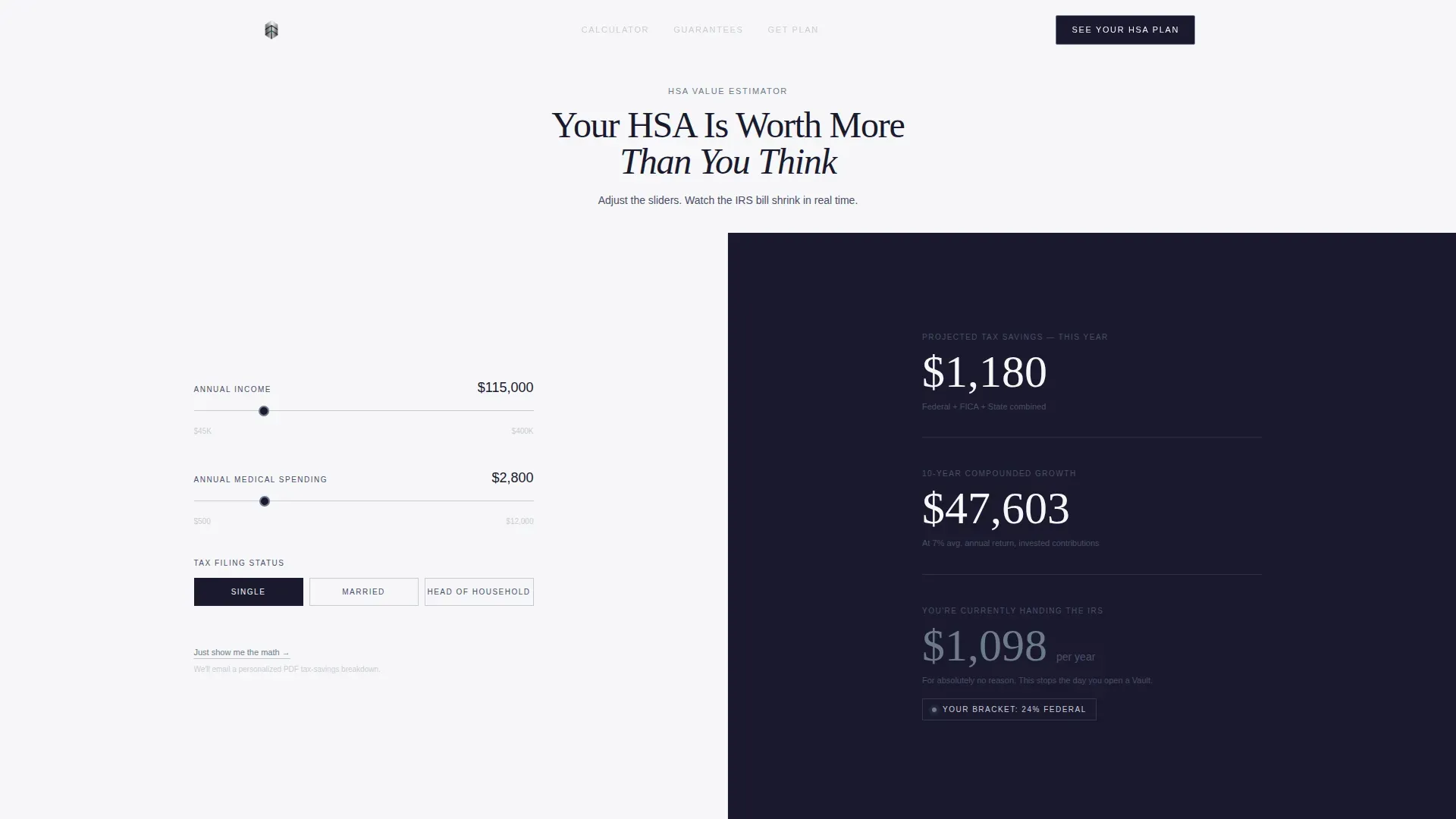
- A split-screen hero calculator with three input sliders and real-time animated HSA savings results on a forge-black panel
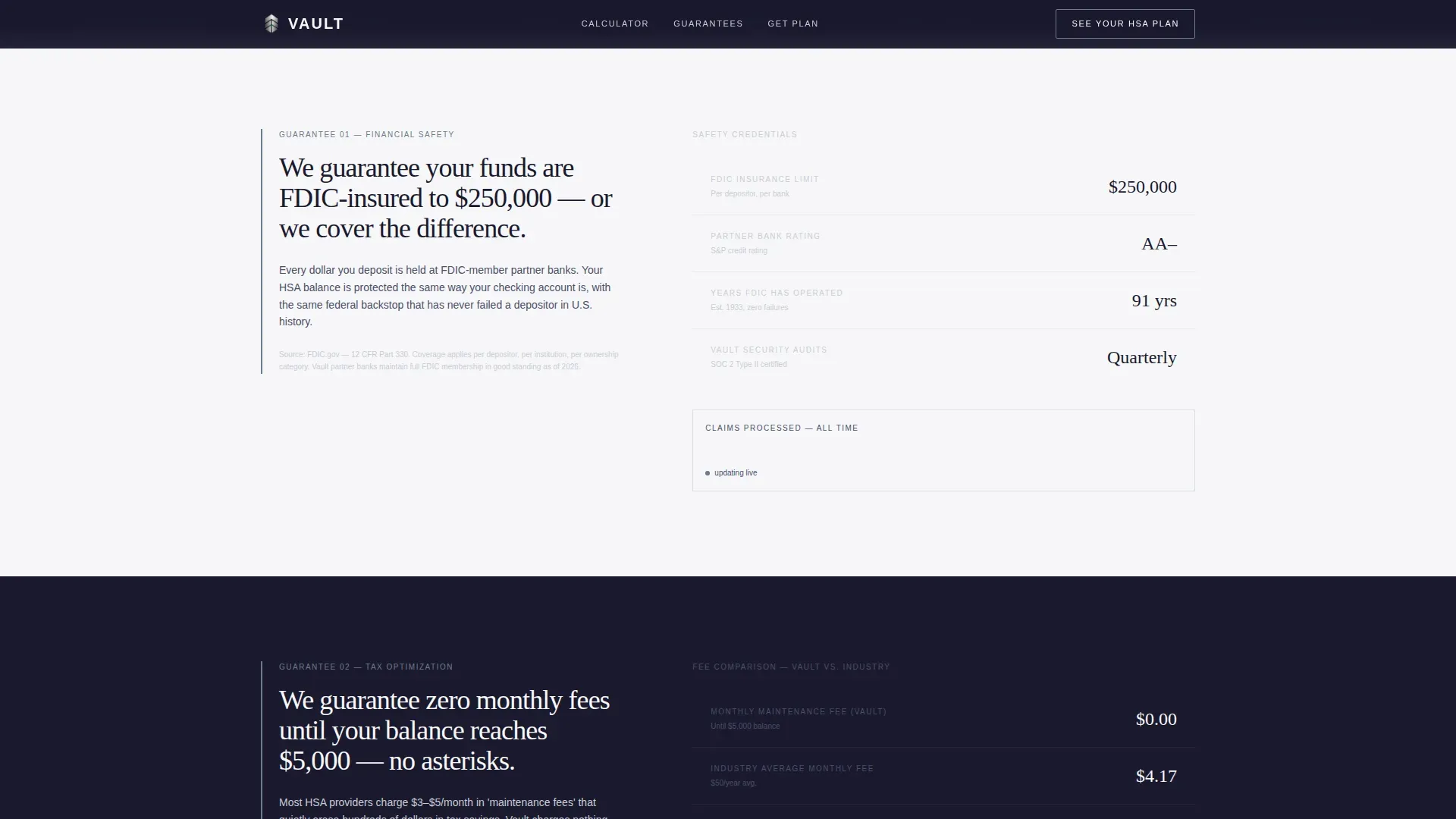
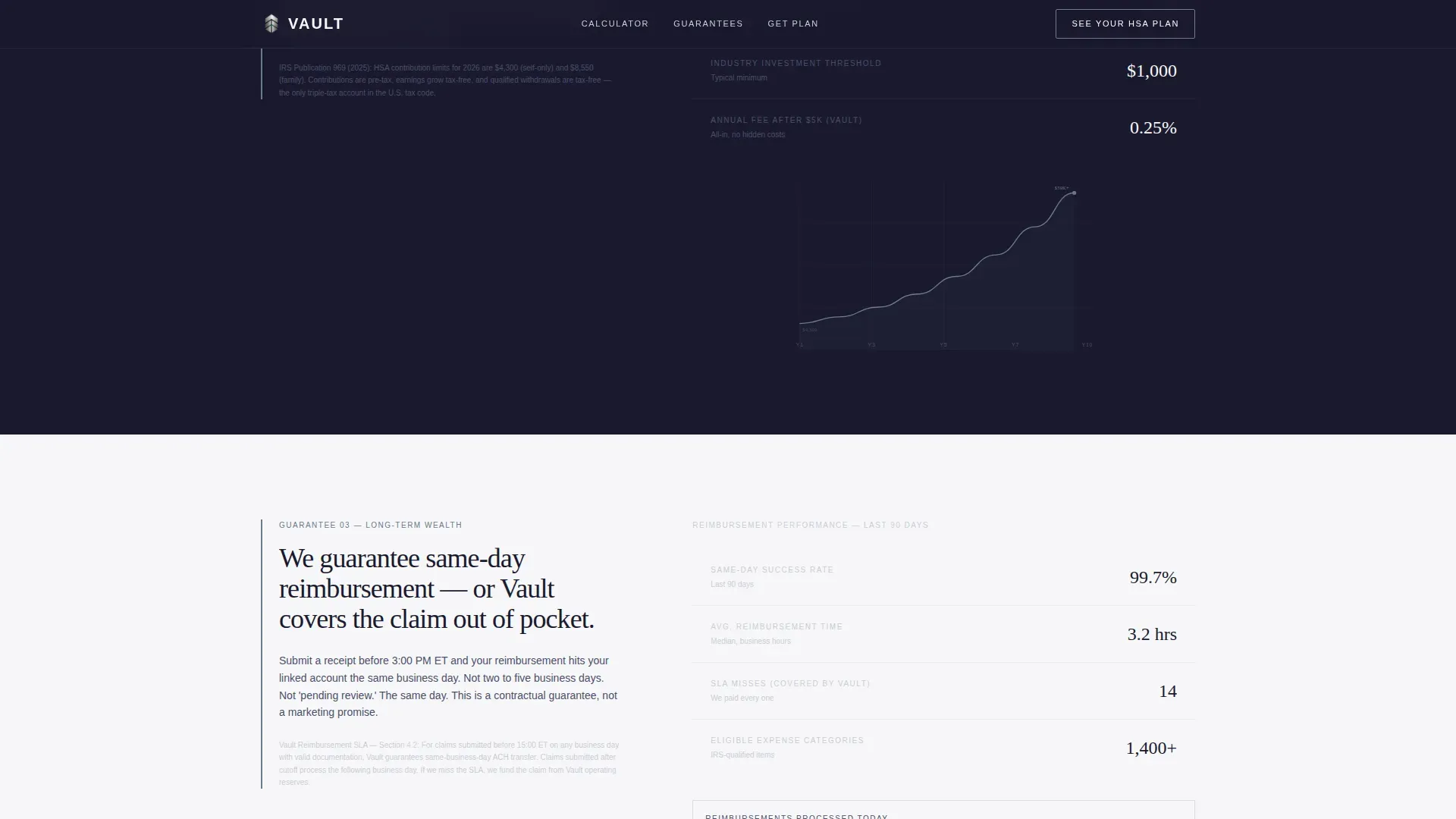
- Three guarantee-led scroll sections, each pairing a bold left-panel statement with right-panel proof elements including a live claims counter and thin-line fund performance chart
- A five-question progressive quiz modal triggered by the primary "See Your HSA Plan" call to action, plus a secondary "Just show me the math" text link below the calculator
Feature list
Real-Time HSA Tax Savings Calculator
The hero section splits the viewport 50/50. The left panel holds three steel-line sliders for annual income, current medical spending, and tax filing status. The right dark panel animates three results live: projected tax savings this year, ten-year compounded growth, and the dollar amount the visitor is currently handing the IRS for no reason. Numbers update as the visitor moves each slider, making the cost of inaction immediate and personal.
Guarantee-Led Scroll Sections
Three scroll sections escalate from financial safety to tax optimization to long-term wealth building. Each section opens with a bold guarantee statement on the left panel, covering FDIC insurance, zero monthly fees, and same-day reimbursement. The right panel presents corresponding evidence including regulatory citations, a live claims counter, and a thin mercury-blue fund performance chart rendered against a dark background. This structure means skepticism has fewer places to hide with every section the visitor passes.
Five-Question Progressive Quiz
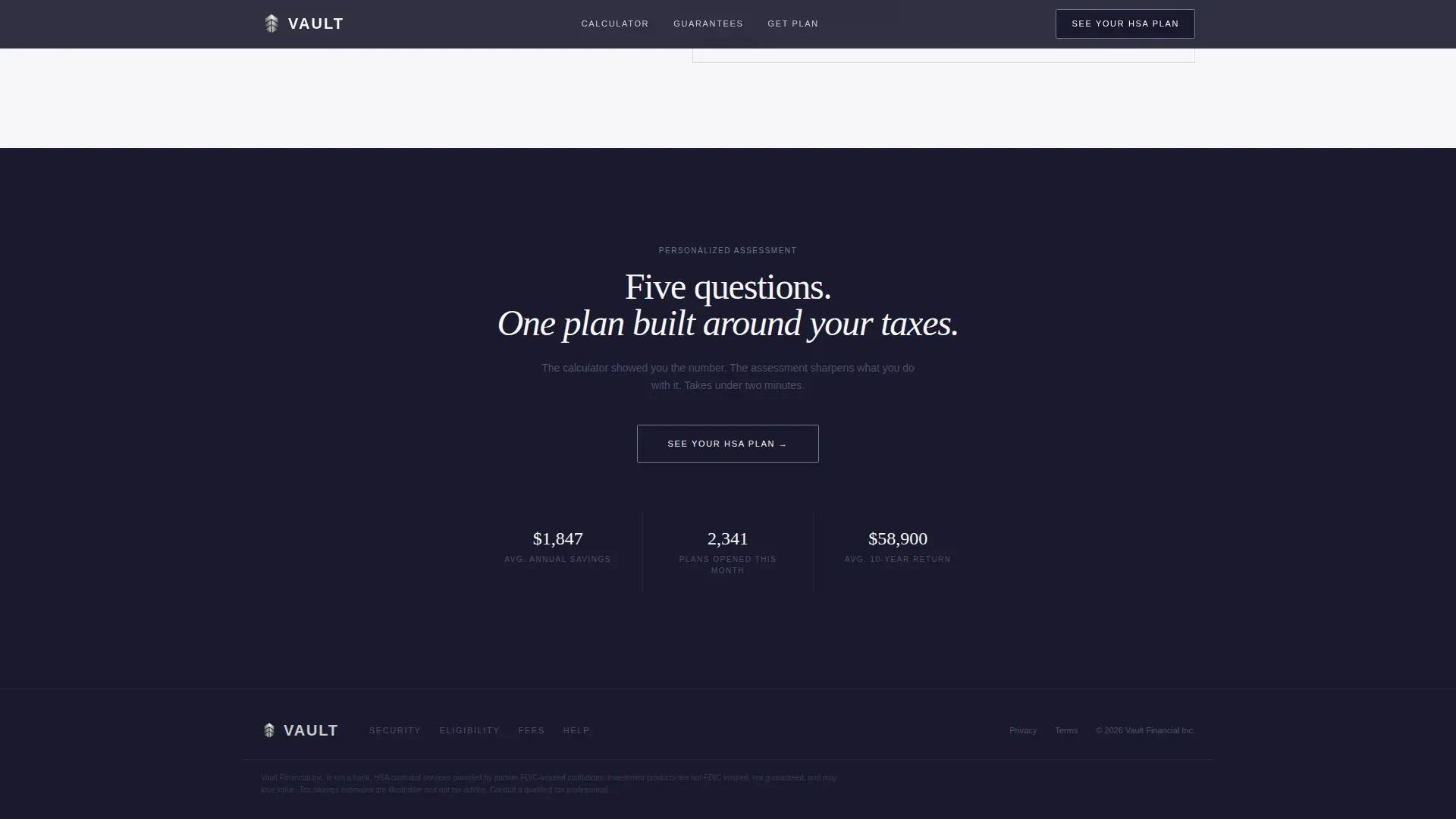
The primary call to action triggers a quiz modal. Five questions cover employment type, insurance plan tier, estimated annual out-of-pocket costs, investment comfort level, and prior HSA contribution history. Each answer dynamically adjusts a personalized recommendation score shown in a slim mercury-blue progress bar. The quiz earns the click by making the visitor feel they have already received value from the calculator before they answer a single question.
Secondary Conversion Path
A quieter text link beneath the calculator reads "Just show me the math." Clicking it triggers an email delivery of a personalized PDF tax-savings breakdown. This path serves visitors who want hard numbers to review before they commit to the quiz, capturing a second segment of the audience that the primary call to action might otherwise lose.
Monochrome Steel Visual System
The template uses a five-color palette: forge black (#1A1A2E), brushed gunmetal (#4A4E69), polished silver (#C9CCD5), clinical white (#F7F7F9), and a single mercury blue accent (#6C7A89) reserved exclusively for interactive states and call to action pulses. Backgrounds alternate between forge black and clinical white to create hard visual breaks. DM Sans handles body and user interface text; Fraunces handles display headlines. The result feels like a Bloomberg terminal stripped to its most elegant bones.
Linear Footer Pattern
A single-row linear footer closes the page. It keeps the experience clean and avoids navigation links that could pull visitors away before they convert. This minimalist approach is consistent with high-converting landing page principles, where every link on the page should serve the primary goal.
Page sections overview
| Section | Purpose |
|---|---|
| Hero Calculator Split | Show live personalized HSA tax savings to hook visitors immediately |
| Guarantee One Panel | Establish financial safety with FDIC insurance proof and regulatory citations |
| Guarantee Two Panel | Present zero-fee structure and tax optimization math on a light panel |
| Guarantee Three Panel | Build long-term wealth confidence with same-day reimbursement and compounding data |
| Quiz Call to Action | Route visitors through five questions to a personalized HSA plan recommendation |
| Linear Single Footer | Close the page cleanly with minimal distraction and no outbound links |
Design & branding system
The Executive Suite theme uses the Monochrome Steel color system to signal financial seriousness without corporate stiffness. Every visual decision reinforces the idea that this account is built for people who have moved past confusion and want a system that simply works.
- Colors: forge black (#1A1A2E), brushed gunmetal (#4A4E69), polished silver (#C9CCD5), clinical white (#F7F7F9), mercury blue (#6C7A89) for interactive and call to action states only
- Typography: DM Sans for all body copy and interface elements; Fraunces at 48px for display headlines, rendered light so they feel etched rather than printed
- Animation style: high-intensity with real-time slider calculations, number count-up effects, scroll-triggered reveals, and mercury-blue call to action pulse effects throughout
Mobile & speed optimization
The template is designed desktop-first because the calculator sliders require precision interaction. However, graceful mobile degradation is built into the layout so users who research financial products on smartphones can still access the core content and conversion paths without friction.
- The page shell uses a Server Component architecture; the calculator and quiz run as Client Components to keep initial load fast while preserving interactivity
- The minimalist layout avoids heavy imagery and navigation links, which reduces distraction and supports faster rendering on smaller screens
- No stock photography or illustrations are included, keeping asset weight low and visual focus on the animated number displays that drive engagement
How this template helps you convert
The template stacks conversion triggers in a deliberate sequence. Each section does a specific job, and together they move a skeptical, tax-aware visitor from curiosity to commitment.
- The calculator creates a personalized loss number in seconds, making the cost of ignoring an HSA account feel real and urgent before the visitor has read a single paragraph of copy
- The three guarantee sections systematically remove objections around safety, cost, and reliability, with evidence on every right panel so each claim is immediately covered by proof
- The quiz closes the loop by translating the visitor's personal data into a recommendation that feels tailored, giving them a reason to sign up rather than just bookmark the page for next year
Other information about this template
This template is a practical resource for teams who need to launch an HSA-focused landing page quickly without building from scratch. It presents key HSA benefits, contribution limits, and usage guidelines in one structured location. Below are additional details worth noting before you use or adapt it.
- The Vault Triple Tax Advantage HSA landing page template is available for immediate download and can be used as a page mockup or an orientation resource for employees or clients who need to understand health savings accounts
- HSA funds carry over from one calendar year to the next, unlike a flexible spending account (FSA) where unspent funds can expire; this template surfaces that difference clearly in its guarantee sections
- Contribution limits are set annually by the IRS; for 2025, the individual HSA contribution limit is $4,300, and the template is designed to display current figures so visitors can make informed decisions
- You are responsible for ensuring that HSA funds are spent on qualified medical expenses as defined by the IRS; the template supports this by linking eligible expenses to clear guidance within the page content
- HSA funds can be used tax free for qualified medical expenses including out-of-pocket costs, prescription drugs, dental care, and vision care; unused funds can be invested once the account balance exceeds $2,000
- After age 65, HSA withdrawals for non-medical expenses are treated like Traditional IRA distributions, making the account a dual-purpose savings and retirement resource
- Members who enroll through an employer payroll deduction can avoid FICA taxes on HSA contributions, creating savings beyond the standard income-tax deduction
- You must not be enrolled in Medicare to make or accept new HSA contributions; the template can be adapted to note this requirement for users approaching that age threshold
- States may establish their own tax rules for HSAs that differ from federal guidelines; teams should review and update any tax-specific claims to match the rules applicable to their users
- The template includes no navigation links in the header or footer by design, keeping visitor attention on the calculator, guarantees, and quiz throughout the entire page experience
- Dependents and family members covered under a qualifying high-deductible health plan are typically eligible to have their qualified medical expenses paid from the account holder's HSA funds
- For additional assistance or to request a custom form of this template, contact the marketplace support team using the link provided on the product page
Theme
Executive Suite
Creative direction
Guarantee-Led
Color system
Monochrome Steel
Style
Split Screen (50/50)
Direction
Quiz/Assessment
Page Sections
Live Split-screen Tax Savings Calculator
Guarantee-led Scroll with Live Proof Panels
Five-question Progressive HSA Quiz
Secondary PDF Tax-savings Path
Monochrome Steel Design System
Related questions
Who can open and contribute to an HSA?
What counts as a qualified medical expense for HSA funds?
How is an HSA different from an FSA?
Can I use this template to explain HSA enrollment to employees?
What happens to my HSA if I change jobs or health plans?



