Singapore Local Advanced Booking Website Template
Canopy is a single-page landing page template built for certified arborist businesses in Singapore. It combines a bold team-first layout with structured comparison tables and a booking-optimised form flow. The design uses a deep navy and amber palette to project authority, while real crew profiles and ISA credential callouts build the trust that converts condo committees and homeowners into booked site assessments.
by Rocket studio
Quick summary
Canopy is a professionally crafted landing page template for Singapore tree service businesses. It leads with a commanding headline and a real climber portrait, then guides visitors through crew profiles, service comparison tables, and a structured booking form. Every design decision signals expertise, compliance awareness, and reliability to the clients who need it most.
Who this template is for
This template is built for arborist businesses that work in Singapore's urban and residential landscape. It suits teams that handle everything from single-tree pruning to estate-wide maintenance contracts and emergency storm response.
- Certified arborist companies serving condo management committees and facilities managers
- Tree service operators targeting landed estate homeowners and commercial park clients
- Arborist businesses looking to move beyond informal referrals and win higher-value contracts
What problem this template solves
Most tree service websites in Singapore look interchangeable. They rely on generic stock photos, vague service lists, and no visible credentials. Clients with real risk exposure, condo management committees fielding resident complaints, facilities managers keeping National Parks Board compliant, homeowners watching a mature tree lean after every monsoon, need more than a phone number and a price list.
- No clear way to show professional credentials and team qualifications at a glance
- Service tiers and pricing differences are hard to communicate without structured comparison
- Mobile visitors have no fast path to make contact without filling out a long form
What you get with this template
This template delivers a complete, scroll-guided landing page that builds trust section by section. Visitors move from the headline through crew profiles, comparison tables, and directly into a booking flow without losing momentum.
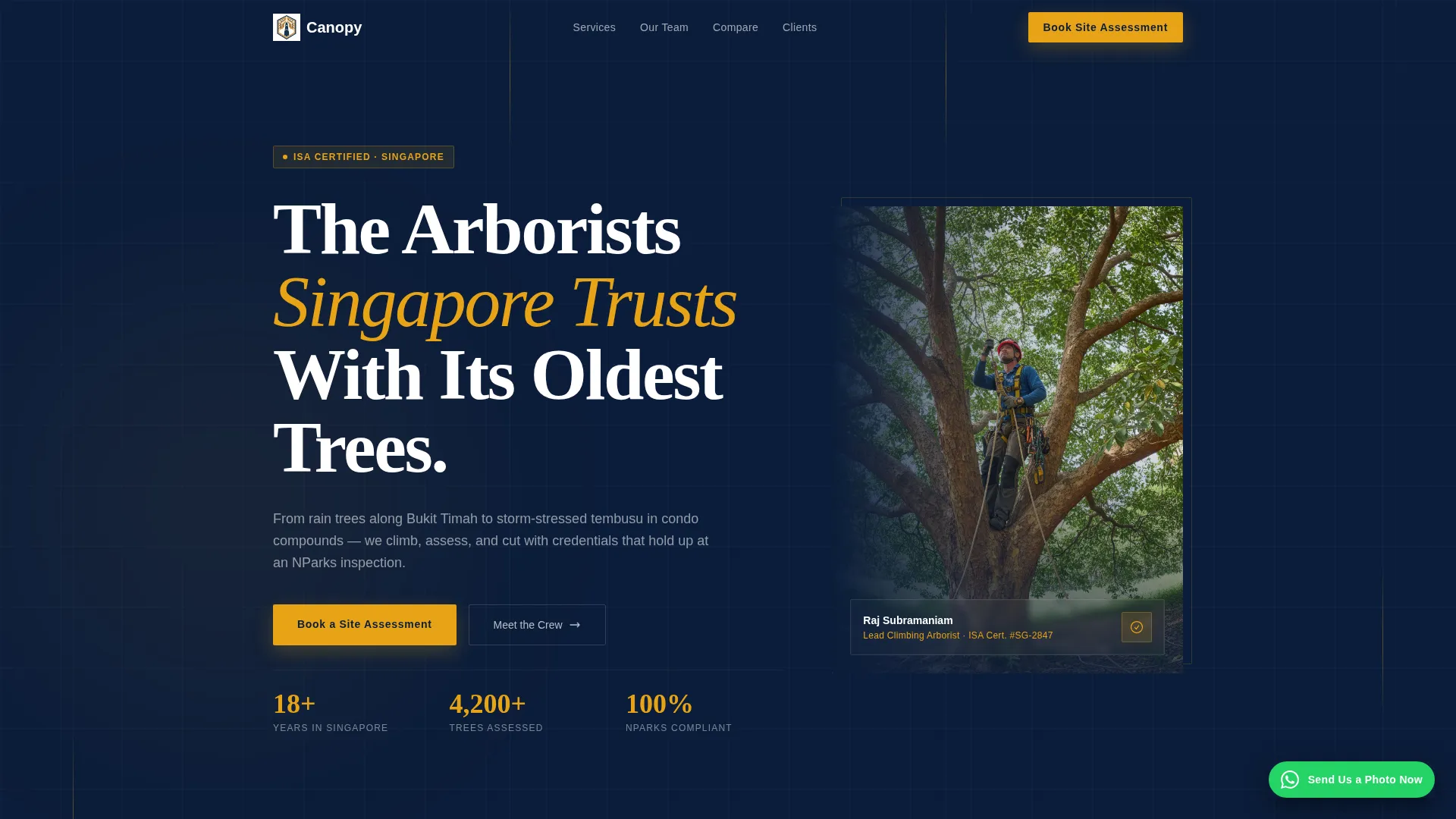
- A bold split header with a named climber portrait and a three-line authority headline
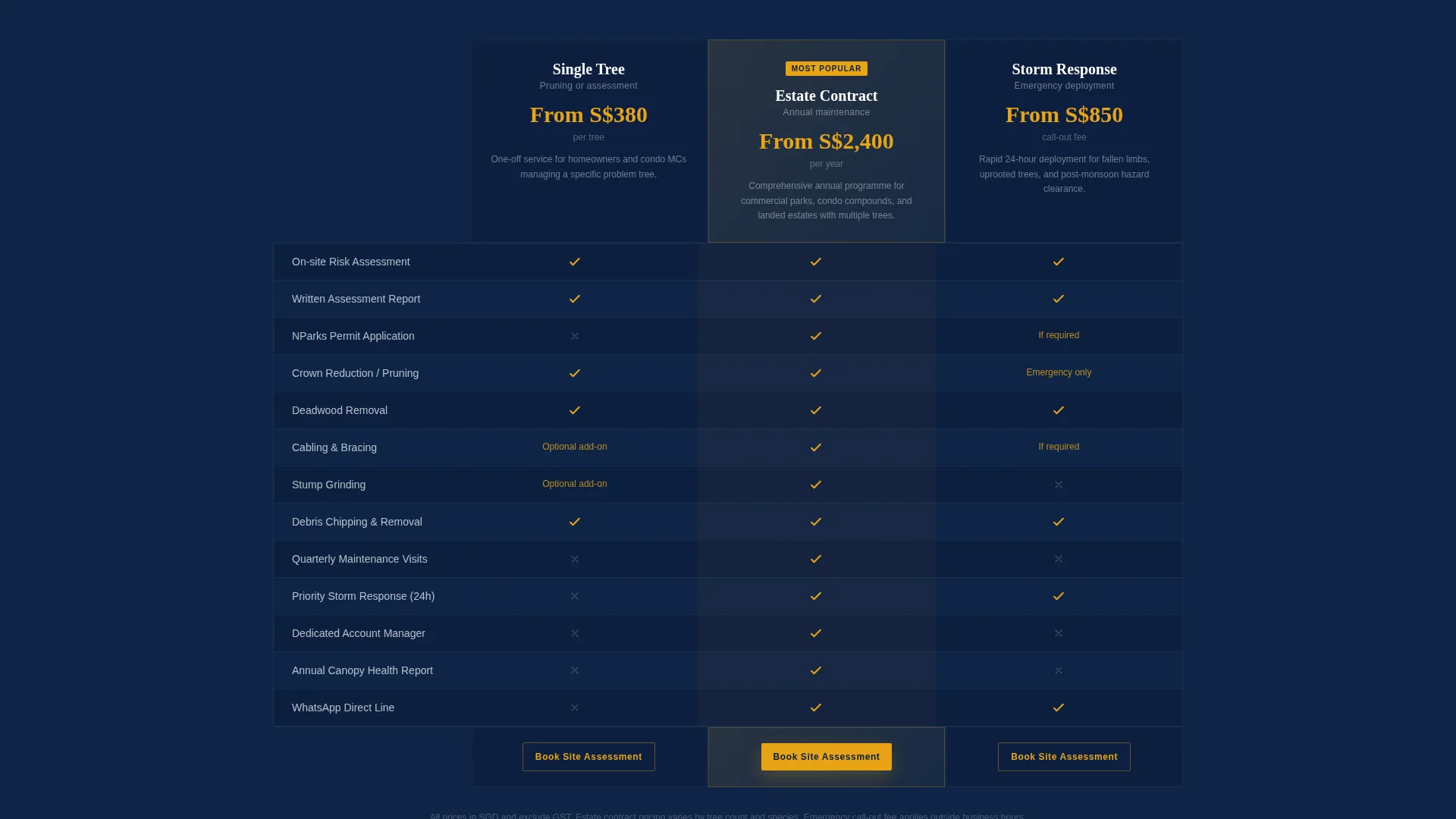
- Three-tier comparison tables with amber checkmark rows for instant value scanning
- A booking form with property type selection, address input, date picker, and a free-text concern field
- A floating WhatsApp button for mobile visitors who prefer to send a photo over filling a form
Feature list
This template includes purpose-built components that match the real sales process of a professional arborist business. Each feature serves a specific trust or conversion goal.
Giant Authority Header
A full-width header pairs bold oversized white type on deep navy with a candid portrait of the lead climber mid-ascent. The headline reads across three stacked lines, creating visual weight that communicates seriousness before a visitor reads a single word.
Team and Credentials Sections
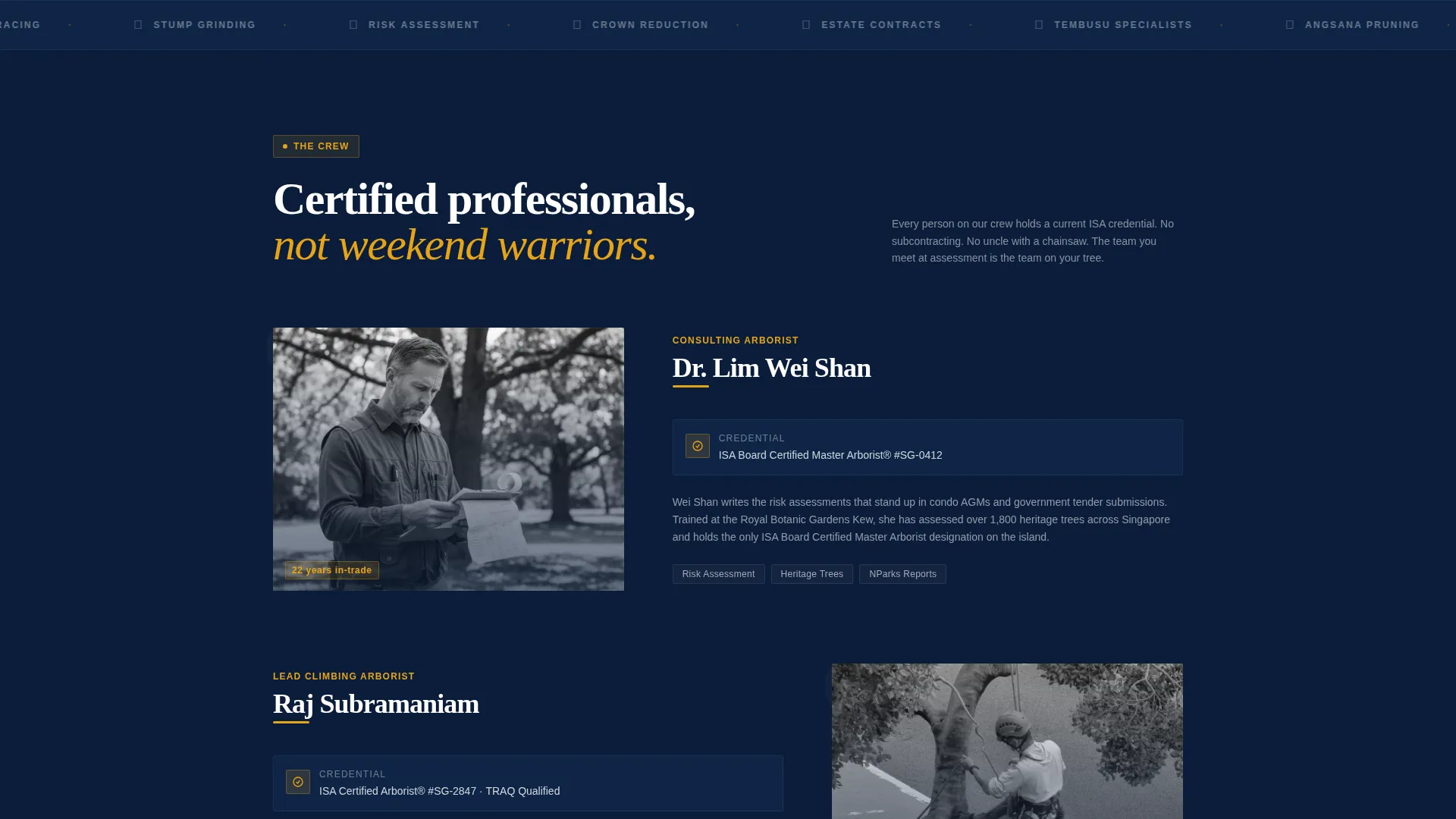
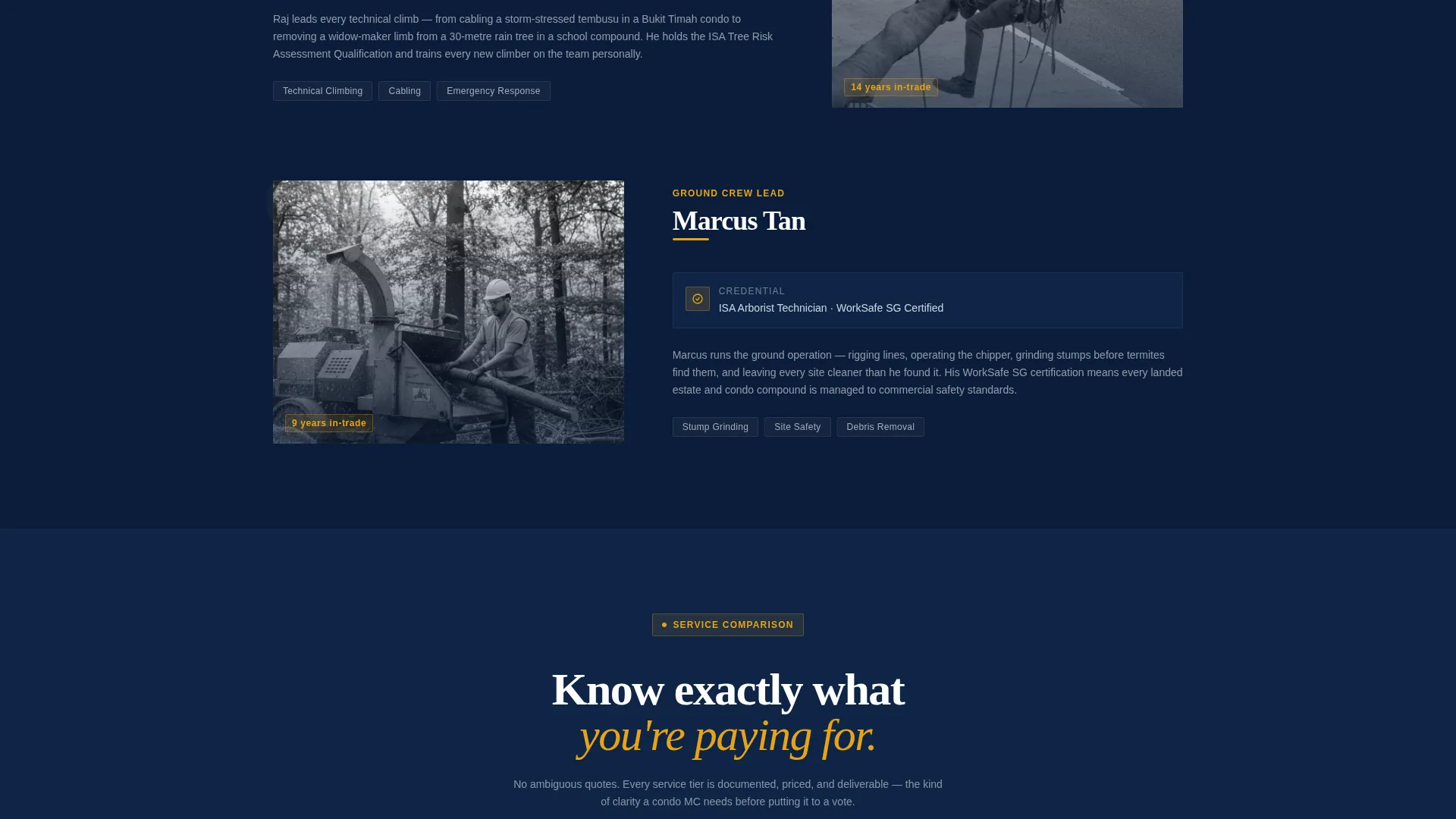
Each crew member gets a dedicated section pairing a real team photo with their International Society of Arboriculture (ISA) credentials and years in trade. The consulting arborist, climbing specialist, and ground crew each appear in sequence, building trust one role at a time.
Service Comparison Tables
Side-by-side comparison tables break down three service tiers: single tree pruning, estate-wide maintenance contracts, and emergency storm response. Amber checkmarks on navy cells make it easy for a reader to track what each tier includes at a glance.
Booking and Scheduling Form
The primary call to action is a structured booking form anchored below every comparison table. It collects property type first, then address with postal code, then a date defaulting to the next available weekday, then a free-text field for describing the tree or concern.
Floating WhatsApp Button
A secondary contact path sits fixed in the corner for mobile visitors. The button reads "Send Us a Photo Now" and provides an immediate, low-friction way to make contact without completing the full form.
Pinned Call-to-Action Placement
The "Book a Site Assessment" button in amber on navy appears at the bottom of every comparison table and again after the final team profile. This repetition ensures the booking action is always within reach as the visitor scrolls.
Page sections overview
| Section | Purpose |
|---|---|
| Authority Header | Introduces brand with headline and climber portrait |
| Consulting Arborist Profile | Establishes expertise with credentials and photo |
| Climbing Specialist Profile | Shows execution capability and ISA qualifications |
| Ground Crew Profile | Completes the team picture with real faces |
| Pruning Comparison Table | Compares single-tree service tiers |
| Estate Maintenance Table | Breaks down contract scope and inclusions |
| Storm Response Table | Differentiates emergency service options |
| Booking Form Section | Captures property details and preferred date |
| Floating WhatsApp Button | Provides fast mobile contact path |
Design & branding system
The visual identity follows a Corporate Precision theme. The palette draws authority from deep midnight navy and pressed-shirt white, with safety-vest amber used exclusively for interactive elements and accent lines. The overall effect feels like a government tender document redesigned with professional taste.
- Deep midnight navy (#0B1D3A) as the primary background, pressed-shirt white (#F4F6F8) for content panels, and storm-bark charcoal (#3B3F45) for body text
- Safety-vest amber (#E8A317) applied to every call-to-action button, checkmark accent, and interactive highlight
- Bold oversized typography for headlines paired with clean readable body type to maintain scanability throughout the scroll
Mobile & speed optimization
The layout is structured to work cleanly on mobile devices, where many Singapore homeowners and facilities managers will first see the page. The floating WhatsApp button is specifically designed for mobile visitors who prefer a fast, one-tap contact path.
- The floating "Send Us a Photo Now" button stays visible at all times on mobile screens
- The booking form uses a logical top-to-bottom field order that reduces friction on small screens
- Comparison tables are built to remain readable as visitors scroll through service tier rows
How this template helps you convert
Every layout decision is designed to move a skeptical, high-stakes buyer from curiosity to a booked site assessment. The page earns trust before it asks for anything.
- The team-first scroll sequence introduces real faces and verified credentials before any pricing appears, so visitors feel confident rather than sold to.
- Structured comparison tables give condo committees and facilities managers the side-by-side clarity they need to justify a decision internally or present it at an annual general meeting.
- The dual contact paths, a structured booking form and a floating WhatsApp button, ensure that both methodical planners and mobile-first visitors have a conversion route that suits how they prefer to communicate.
Other information about this template
This template is part of the Professional Services category under the Singapore Local Services subcategory. It is well suited to any arborist or tree care business that competes in a market where credentials, compliance, and trust are deciding factors.
- The template supports the full sales conversation from brand introduction through to appointment booking without requiring any external pages
- The candid photography direction and named crew members are intentional design choices that distinguish the template from competitor sites relying on generic imagery
- The comparison table structure is flexible enough to adapt to different service tiers, contract lengths, or scope variations specific to a given business
- The amber-on-navy color pairing meets the visual standard expected in presentations to condo management committees and commercial property managers
Theme
Executive Suite
Creative direction
Expert Panel
Color system
Plum Executive
Style
Split Screen (50/50)
Direction
Lead Generation
Page Sections
Giant Authority Header with Climber Portrait
Team Profiles with ISA Credentials
Three-tier Service Comparison Tables
Structured Booking and Scheduling Form
Floating Whatsapp Contact Button
Related questions
Who is this landing page template designed for?
Can I update the crew profiles and credentials with my own team details?
How does the comparison table work across the three service tiers?
What does the booking form collect from visitors?
Is there a fast contact option for mobile visitors?



