Court & Legal Blog Website Template
Bench is a sidebar companion landing page template built for judicial councils. It pairs a giant editorial headline with a scroll-locked sidebar, a rule amendment digest, a human-centered reform spotlight, and a downloadable toolkit. Court administrators, public defenders, and legal-aid attorneys get one authoritative place to track rule changes, access fillable forms, and submit public comments.
by Rocket studio
Quick summary
Bench is a warm-authoritative landing page template designed for a judicial council's rules resource hub. It leads with a large serif headline, locks a living sidebar into place on scroll, and walks visitors through a rule digest, a reform spotlight, and a practical toolkit. Every section is prepared to help court professionals and civic advocates find what they need fast.
Who this template is for
This template serves the people who depend on court rules every working day. It is built for professionals who need fast, reliable access to rule changes, forms, and hearing schedules.
- Court administrators, public defenders, and legal-aid attorneys tracking mandatory rule amendments
- Civic advocates and self-represented litigants trying to locate comment-period deadlines and public hearings
- Judges and court staff who need to search for adopted governance and procedural rules quickly
What problem this template solves
Judicial council information is often scattered across poorly organized pages, making it hard to find what matters. Visitors waste time and lose trust when a site buries critical updates inside dense document archives.
- No clear hierarchy means practitioners miss notice of new mandatory forms or rule changes
- Comment periods close before advocates can locate the correct subject matter or submission path
- Self-represented litigants cannot find fillable court forms without guidance from staff
What you get with this template
Bench gives you a fully structured, section-led layout that reflects the real workflow of court professionals. Every built-in component is prepared to deliver information clearly and build visitor confidence.
- A scroll-locked sidebar with live panels for open comment periods, upcoming hearings, and recent rule changes
- A rule amendment digest section, a human-interest reform spotlight, and a downloadable toolkit section
- Dual call-to-action blocks: a gated download form and an inline public-comment form with a rule-reference dropdown and optional file upload
Feature list
Each feature below is drawn directly from the template brief and reflects a deliberate design or functional decision.
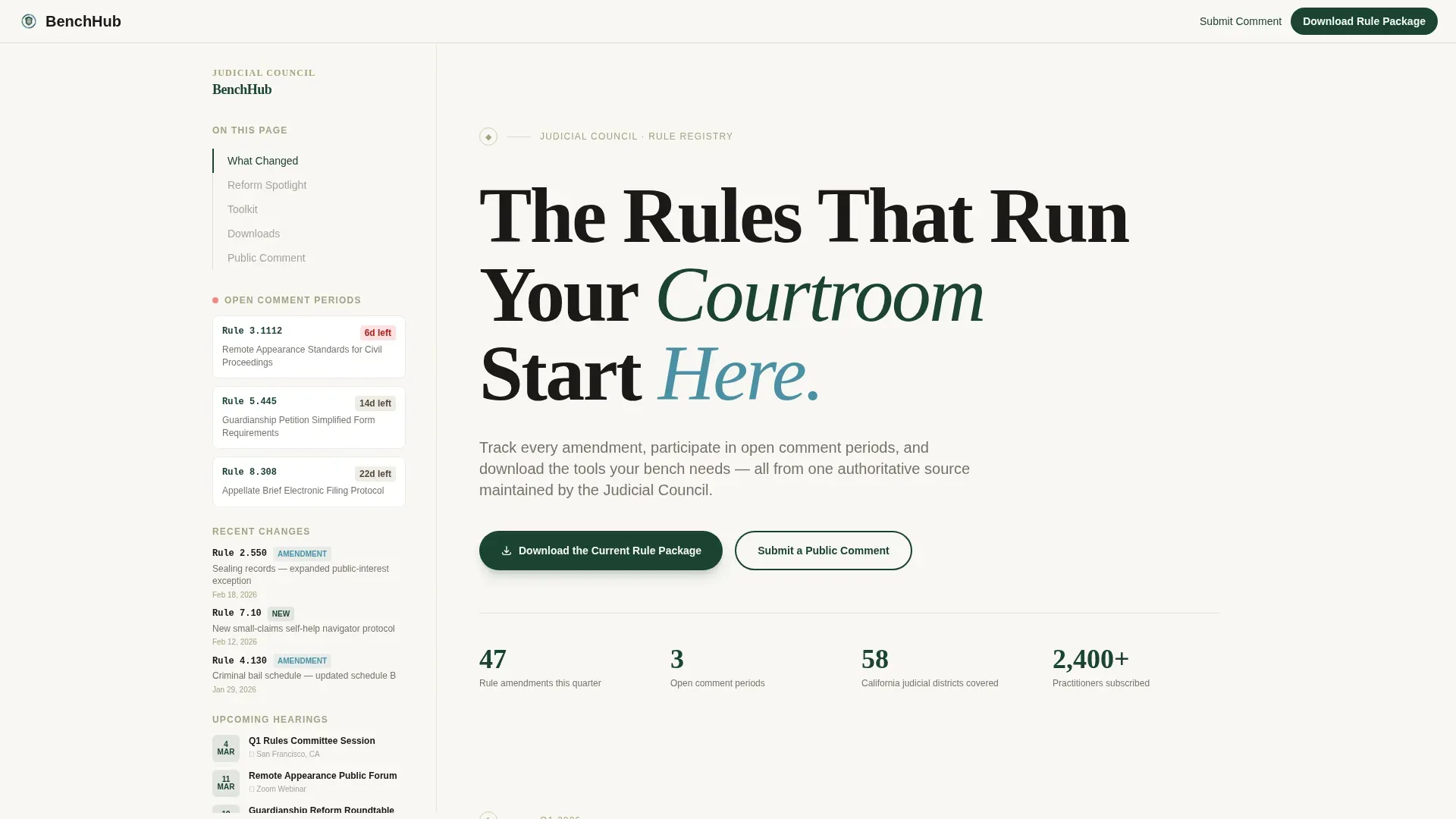
Giant Headline Hero with Locked Sidebar
The hero opens with an enormous Fraunces serif headline set flush left. A thin evergreen rule underscores the type, and a warm-gray subline names the current policy cycle. As visitors scroll, the sidebar locks into place and acts as a living table of contents covering open comment periods, recent rule changes, and upcoming public hearings.
Rule Amendment Digest
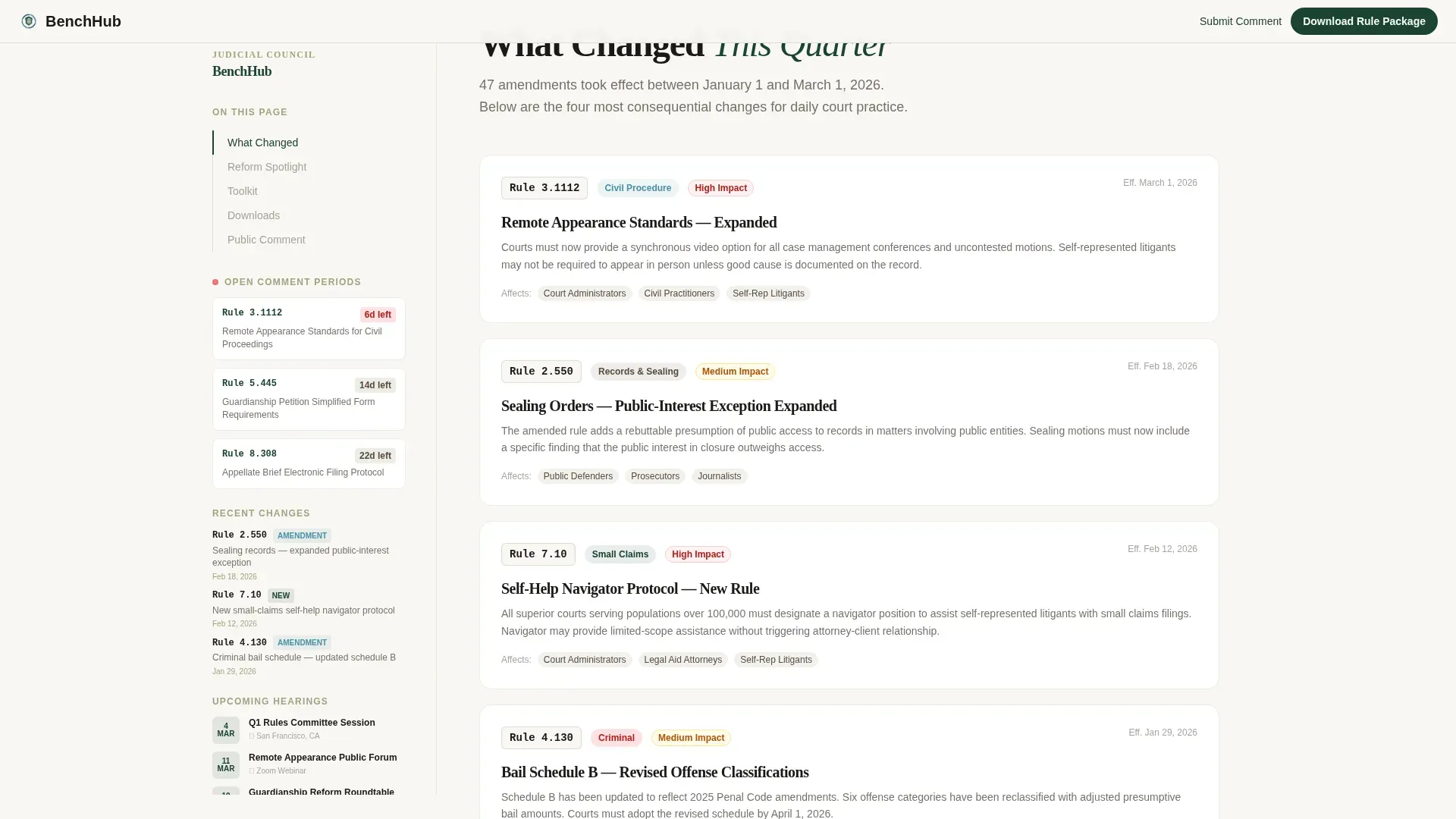
This section presents a "What Changed This Quarter" overview using categorized cards. Each card surfaces a specific rule change so court professionals can quickly assess whether their cases or forms are affected. The staggered card reveal keeps the reading experience clean and scannable.
Reform Spotlight with Human Story
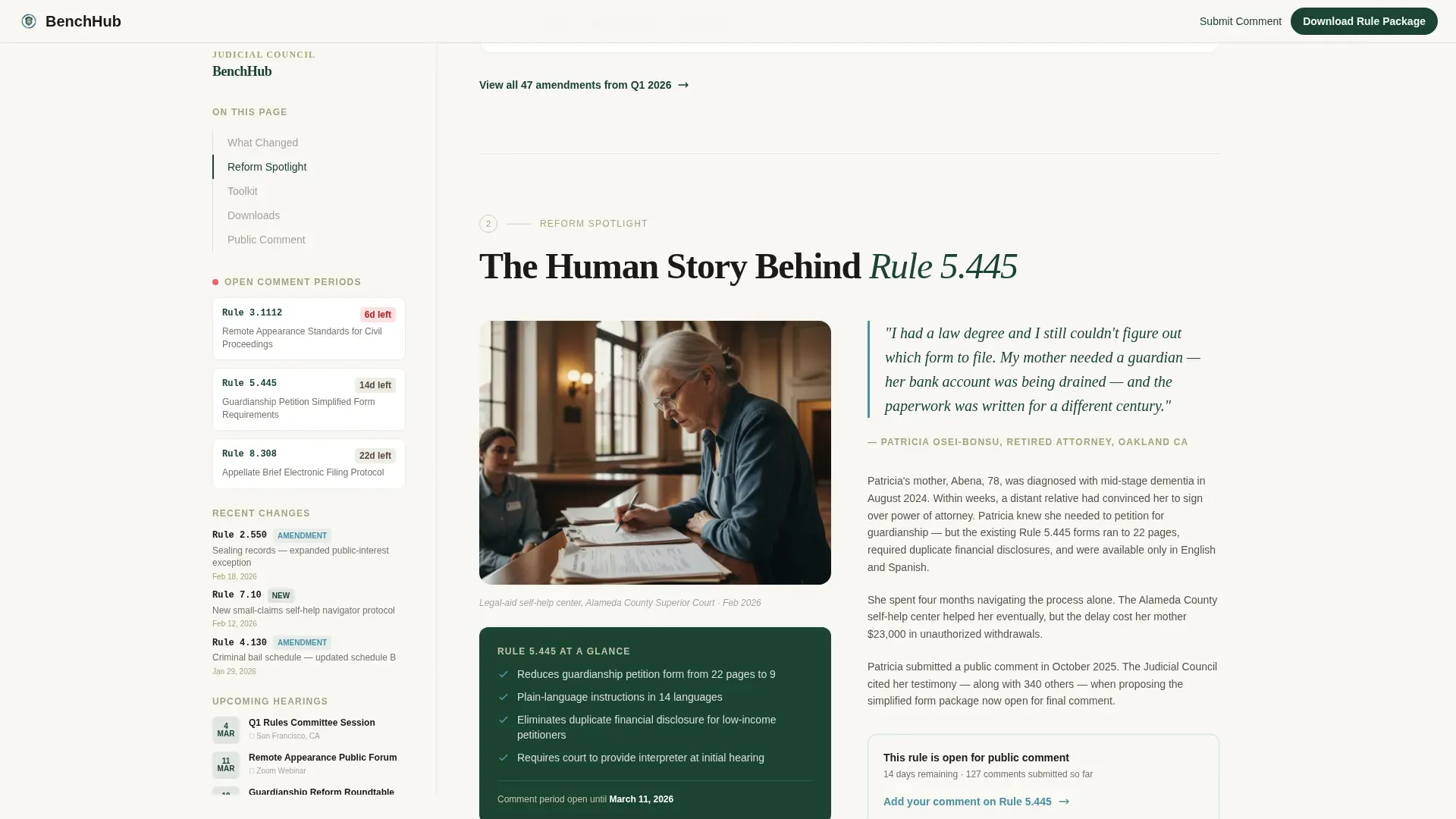
A dedicated section tells a single reform as a human story, illustrating the real-world impact of judicial council policy. This approach builds trust by showing visitors that the rules adopted by the council reflect the lives of people in the courtroom, including family-law and probate cases.
Downloadable Toolkit Section
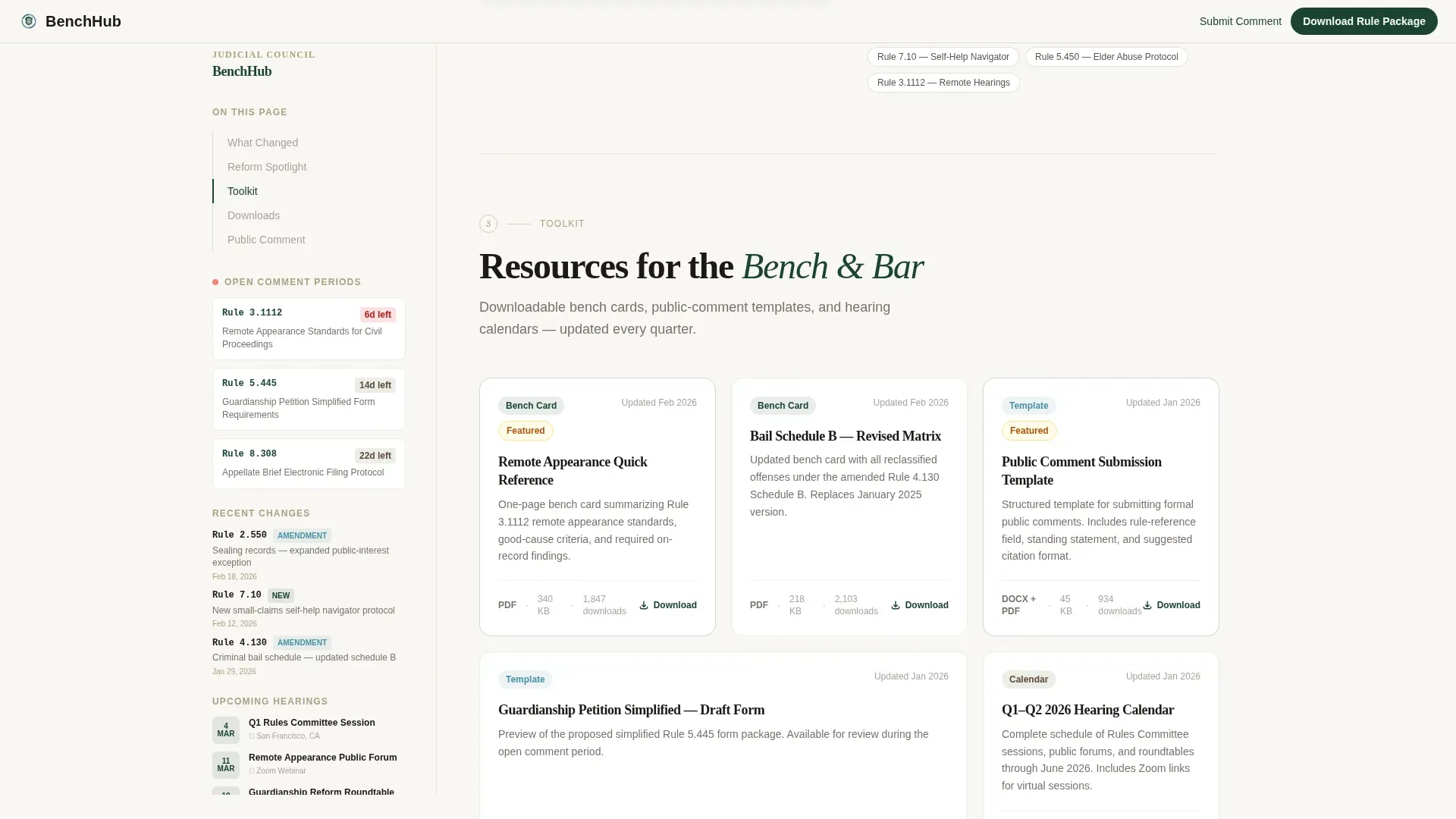
The toolkit section organizes bench cards, public-comment templates, and hearing calendars into a clear download library. Most forms can be accessed as fillable files ready for completion on-screen or in print, helping practitioners and members of the public assist themselves without extra staff support.
Dual Call-to-Action Forms
Two distinct conversion paths are provided. The primary call to action gates the current rule package download behind a short form requiring an email and a role selector covering judge, attorney, court staff, and member of public. The secondary path opens an inline public-comment form with a rule-reference dropdown, a free-text field, and an optional file upload.
Community Hearth Visual Theme
The Alpine Fresh color system uses deep evergreen for the sidebar and typographic hierarchy, hearthstone warm gray for body text and card borders, snowfield white for the reading area, and stream-blue to mark downloads, comment links, and live-session badges. The result is a warm, institutional aesthetic that feels approachable and authoritative.
Page sections overview
| Section | Purpose |
|---|---|
| Hero Headline Block | Anchors the page with a large serif headline and introduces the current policy cycle |
| Scroll-Locked Sidebar | Provides a persistent table of contents for comment periods, hearings, and rule changes |
| Rule Amendment Digest | Displays categorized cards summarizing rule changes from the current quarter |
| Reform Spotlight | Tells a single rule reform as a human story to build civic trust |
| Toolkit Downloads | Organizes bench cards, comment templates, and hearing calendars for easy access |
| Download call to action Block | Gates the current rule package with a short email and role-selector form |
| Public Comment Form | Accepts inline submissions with a rule dropdown, free-text field, and file upload |
| Footer Flow | Closes the page with a horizontal navigational footer pattern |
Design & branding system
The visual identity follows the Community Hearth theme, which balances institutional weight with genuine civic warmth. Typography pairs a Fraunces display serif for headlines with DM Sans for body text, keeping long passages easy to read.
- Deep evergreen (#1B4332) anchors the sidebar, headings, and key structural elements
- Hearthstone warm gray (#A3A380) grounds body text, card borders, and secondary labels
- Snowfield white (#F8F7F2) opens the main reading column, and stream-blue (#4A90A4) highlights all interactive elements including download links, comment prompts, and live-session badges
Mobile & speed optimization
Bench is designed desktop-first to match the workstation habits of court administrators, with a responsive mobile fallback for advocates and the public accessing the site from other devices.
- Scroll-linked sidebar animation and reveal-on-scroll section transitions are built with medium animation weight to stay smooth across connection types
- Server-rendered components handle static rule content, while client-side components manage the forms and scroll-tracking behavior
How this template helps you convert
Bench earns engagement before it asks for anything. Every section builds credibility so that by the time a visitor reaches a call-to-action form, the request feels natural and low-friction.
- The rule digest and reform spotlight prove the council's work is meaningful and well-organized, establishing trust before the download gate appears.
- The locked sidebar keeps critical information visible at all times, reducing the effort required to locate forms, deadlines, or hearing information and reinforcing the value of staying on the page.
Other information about this template
This template is well suited to any judicial council that needs a single, organized resource hub. The layout structure follows the principle that a high-quality landing page for judicial rules should be organized into easy-to-read chunks with a clear hierarchy, as seen in reference examples like the California Rules of Court landing page.
- The judicial council adopts legal forms in one of two ways: by prescribing certain forms for mandatory use or by approving forms for optional use. The lower left corner of the first page of each form typically indicates whether it was adopted or approved. Local rules of many courts may make optional council forms mandatory in those courts.
- A party may file a duplicate of a council form produced entirely by computer according to rule 1.44. The party or attorney who files a printed or computer version certifies that it is a true and correct copy of the original form.
- The Bench and Bar Toolkit for Family Finding, Engagement and Support contains resources to develop a kin-first culture in the courtroom. The Indian Child Welfare Act (ICWA) serves as the gold standard for child welfare practice and supports that kin-first culture, making this type of reform spotlight content especially relevant in juvenile justice and family-law sections of the site.
- Judicial councils are often composed of a mix of judges, attorneys, and sometimes members of the legislature. Leadership is commonly held by the Chief Justice or the chief judge of a circuit. Many state judicial councils are created by state constitutions, such as Article VI, section 6 of the California Constitution, and derive their authority from those statutes.
- Federal circuit councils are authorized by 28 U.S.C. § 332 to make necessary orders for effective court administration and are composed of the chief judge and an equal number of circuit and district judges.
- Judicial councils adopt uniform rules for court administration, practice, and procedure, and establish goals and priorities for the judicial branch. They also review complaints of judicial conduct or disability, manage caseloads, assign judges to ensure efficiency, and provide training and educational programming for judicial education.
- The Superior Court of Orange County offers several options to assist the public in completing court forms, including locally approved forms adopted for mandatory use, which is a true real-world example of how this template's toolkit section can be used.
Theme
Community Hearth
Creative direction
Movement & Cause
Color system
Alpine Fresh
Style
Sidebar Companion
Direction
Content/Resource
Page Sections
Giant Headline Hero with Locked Sidebar
Rule Amendment Digest with Categorized Cards
Human-centered Reform Spotlight
Downloadable Toolkit Section
Dual Call-to-action Forms
Community Hearth Color System
Related questions
What types of court professionals is this template built for?
How does the scroll-locked sidebar work?
What forms and downloads does the toolkit section support?
Can visitors submit a public comment directly on the page?
Is this template suitable for juvenile justice or probate subject areas?



