Certified SaaS Compliance Landing Page Template
Comply is a split-screen landing page template built for SaaS compliance consultancies. It combines a Legal Shield visual identity with a Case Study Narrative structure to move visitors from regulatory anxiety to a booked assessment call. The template covers SOC 2, GDPR, HIPAA, and ISO 27001 messaging across a conversion-focused, booking-driven single-page layout.
by Rocket studio
Quick summary
Comply is a single-page template for SaaS compliance consultants who need to win trust fast. It uses a 50/50 split-screen layout, a rich Plum Executive color system, and a scrolling case study narrative. The page guides Series A founders, compliance officers, and VP Sales teams toward one goal: booking a compliance assessment before another deal stalls.
Who this template is for
This template is built for compliance consultancies serving the SaaS market. It speaks directly to the people who feel the cost of non-compliance most acutely.
- Series A CTOs who have lost an enterprise contract over a missing SOC 2 report
- Compliance officers inheriting codebases with no documented access controls
- VP Sales teams watching seven-figure deals sit frozen in legal review for months
What problem this template solves
SaaS compliance engagements are hard to sell because the problem is invisible until a deal dies. Visitors arrive with anxiety, not clarity. A generic consultancy page makes that worse.
- Prospects cannot visualize the path from gap analysis to audit readiness
- Vague service pages fail to differentiate against dozens of competing consultancies
- No clear conversion path means qualified visitors leave without booking
What you get with this template
You get a full single-page layout that tells a consultancy story from problem to outcome, ending at a scheduler. Every section is purposeful and conversion-directed.
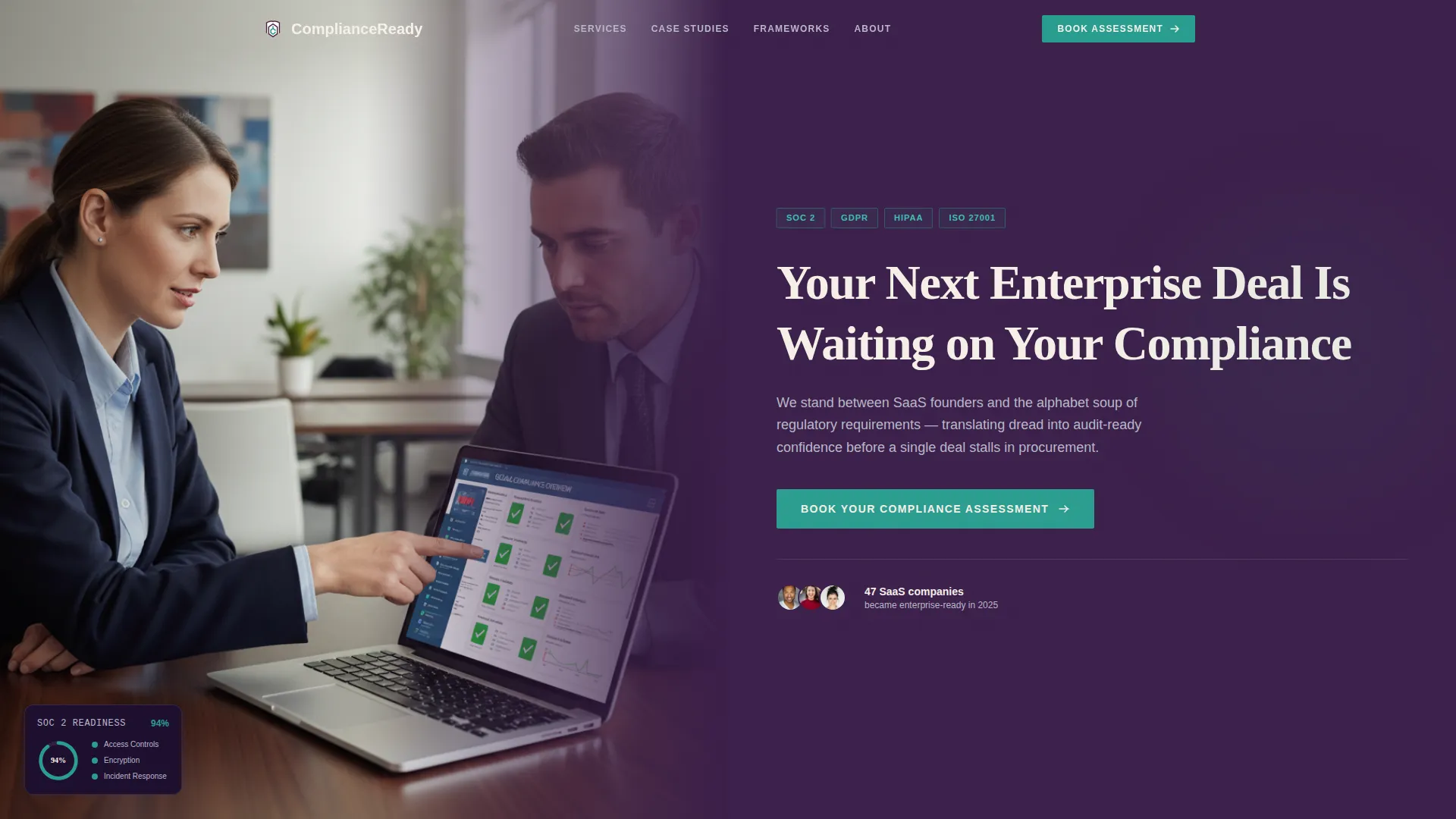
- A Half-Page Photo and Text hero with an editorially lit conference-table photograph and a headline targeting enterprise procurement blockers
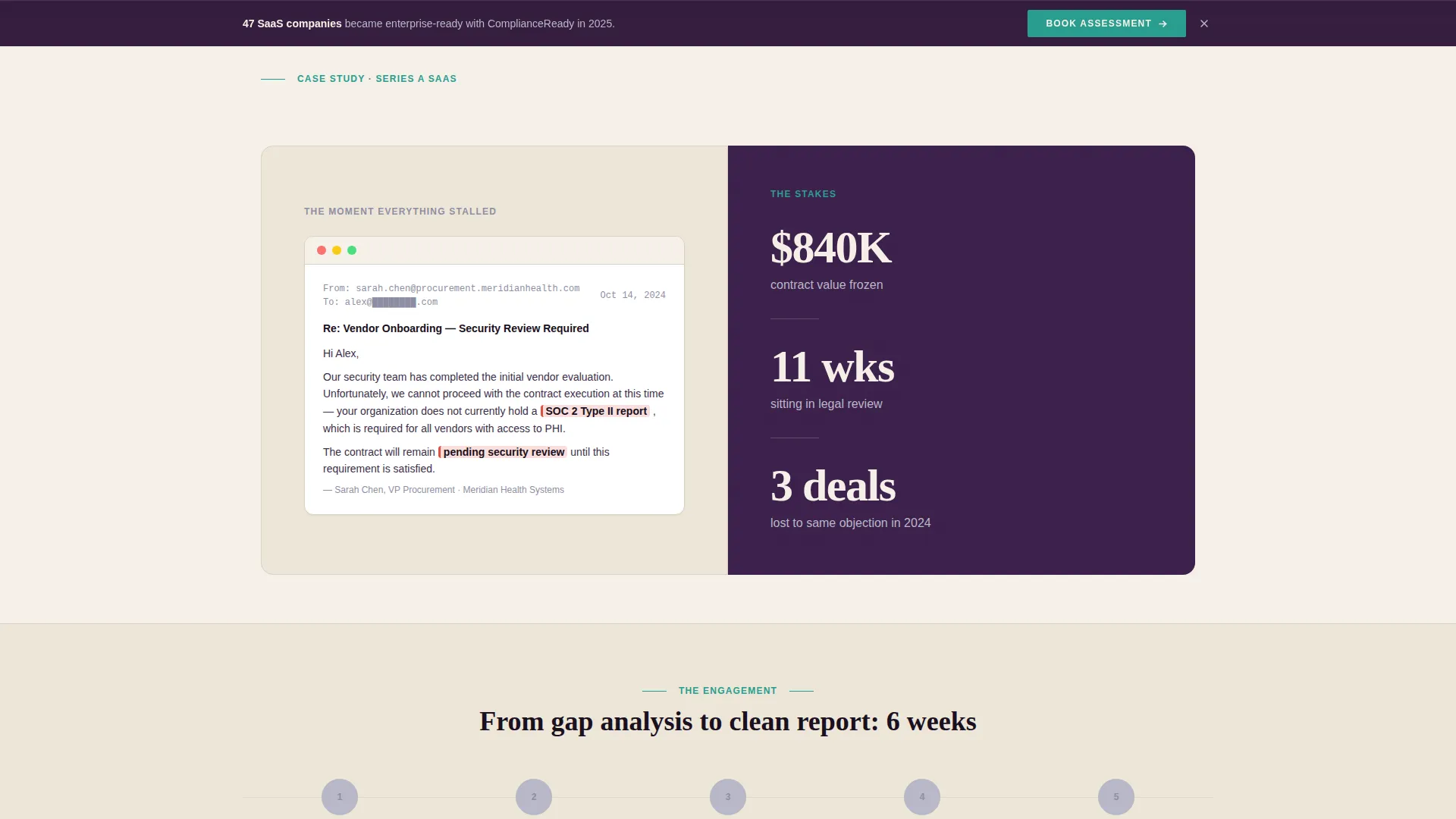
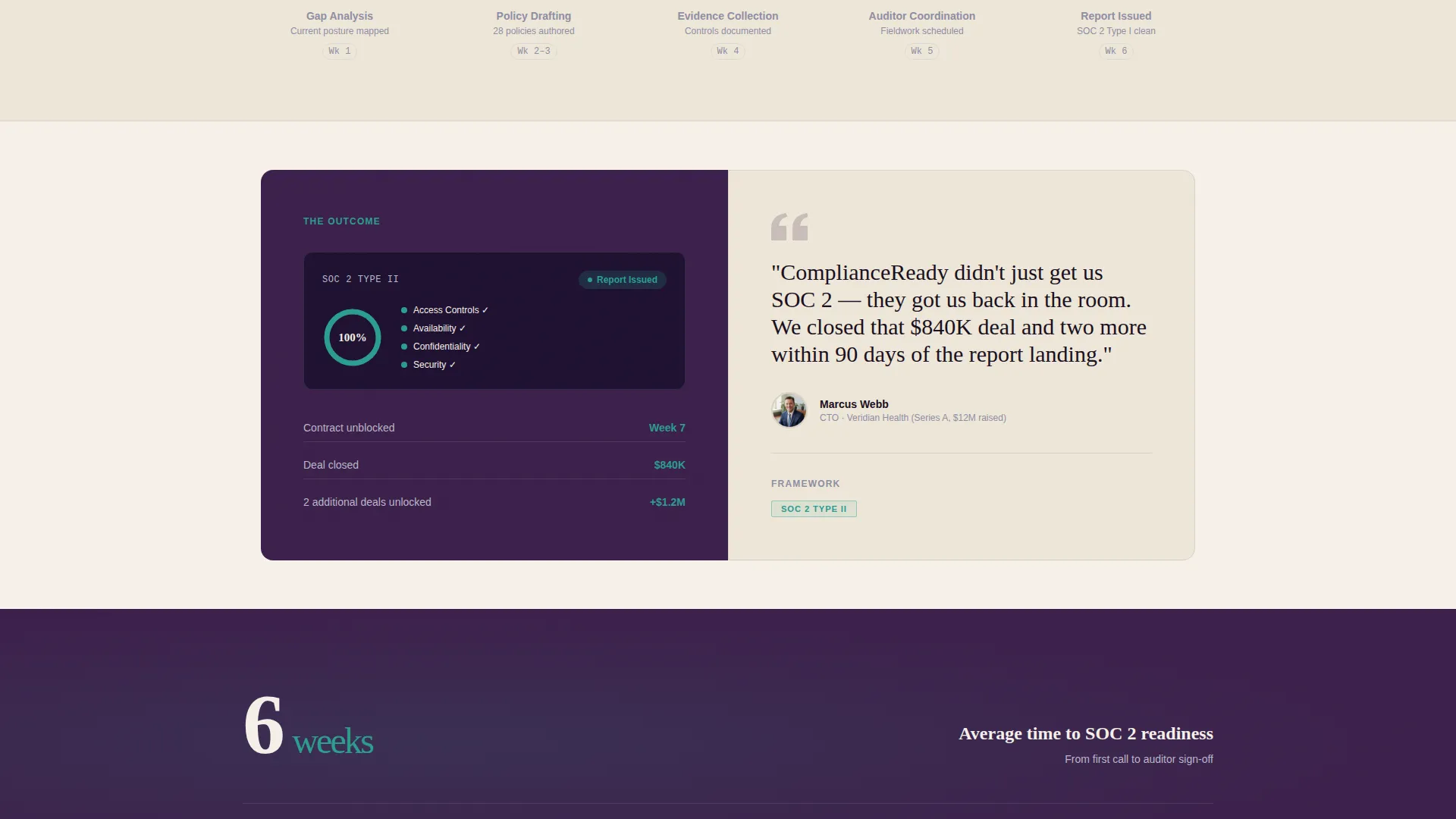
- Three-act case study panels with alternating split-screen layout, a scrolling milestone timeline, and real outcome statistics
- A persistent bottom booking bar, an embedded scheduler form, and a gated PDF secondary conversion path
Feature list
This section details the core capabilities built into the Comply template.
Split-Screen Hero Section
The header uses a 50/50 composition. The left side holds a tightly cropped photograph of two professionals mid-conversation, with a compliance dashboard visible on a laptop screen showing a 94% progress ring. The right side presents the primary headline and framework credential badges in teal.
Three-Act Case Study Narrative
The page body scrolls through three client stories. Each act covers the problem, the engagement timeline, and the outcome. Timeline nodes light up teal as the visitor scrolls, and each story escalates from startup to enterprise scale.
Single-Stat Interstitial Panels
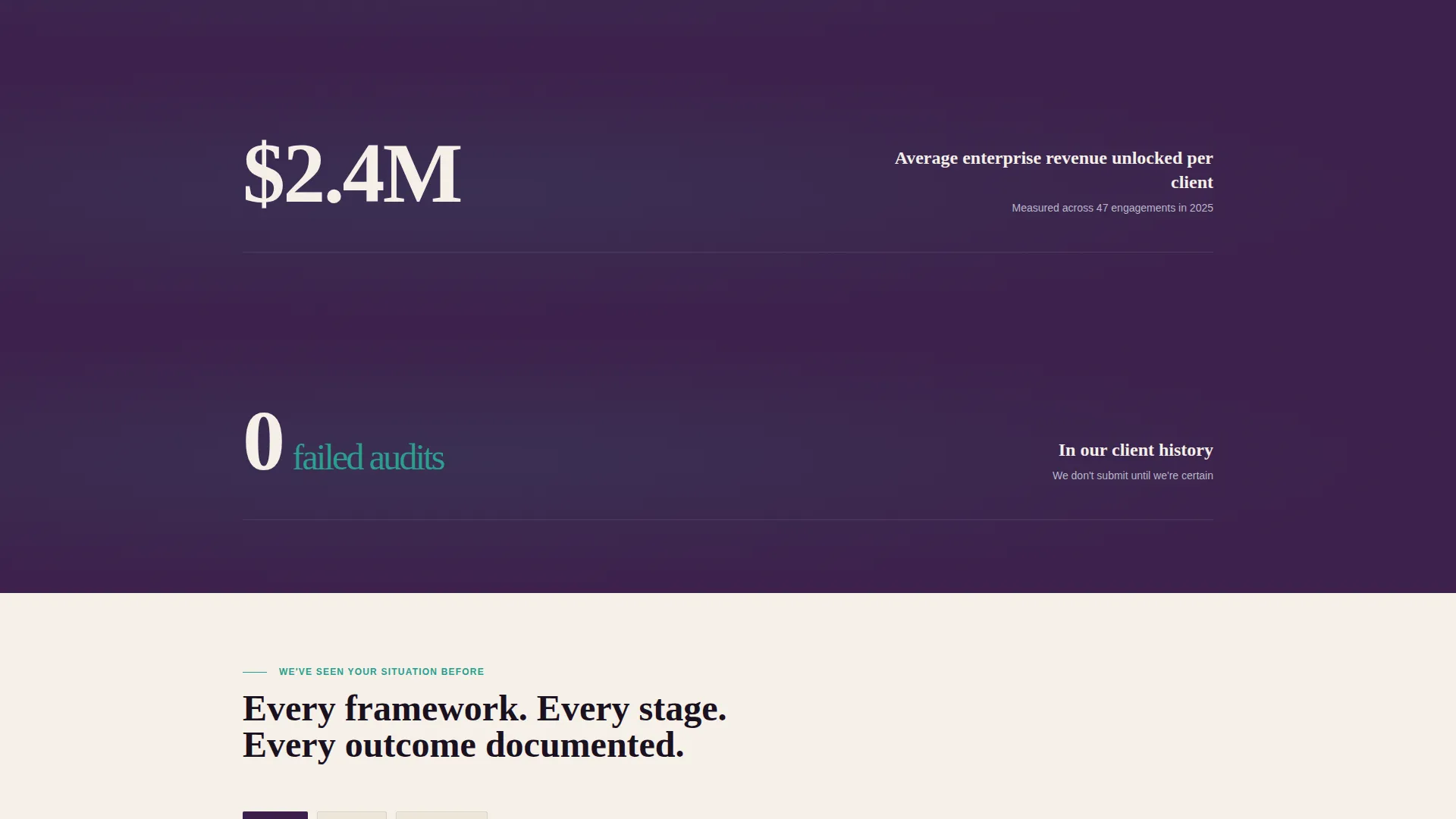
Between case study acts, full-width interstitial panels display one decisive statistic each. An example from the brief: "Average time to SOC 2 readiness: 6 weeks." These panels reinforce credibility through specificity rather than claims.
Persistent Booking Bar
After the first scroll, a bottom-anchored bar appears and stays visible throughout the page. It carries the primary call to action "Book Your Compliance Assessment" so the scheduler is always one tap away.
Embedded Assessment Scheduler
The primary conversion point is an embedded booking form. It collects company name, the primary compliance framework needed via dropdown, and the visitor's current compliance stage via a second dropdown. This pre-qualifies leads before any call takes place.
Gated PDF Secondary Conversion
For visitors not yet ready to book, a secondary path offers a downloadable SOC 2 Readiness Checklist. Access requires only an email address, keeping the friction low and the lead captured.
Page sections overview
| Section | Purpose |
|---|---|
| Split-screen hero | Establish credibility and present the primary booking call to action |
| Framework credential badges | Name SOC 2, GDPR, HIPAA, and ISO 27001 as quiet proof of scope |
| Act one: the problem | Show a redacted lost-deal email and quantify the financial stakes |
| Act two: engagement timeline | Walk through gap analysis, evidence collection, and auditor coordination |
| Act three: outcome | Display the resolved dashboard and a CTO pull quote |
| Single-stat interstitial | Land a single verified metric between each case study |
| Secondary case studies | Repeat the narrative structure for additional frameworks and client sizes |
| Gated checklist offer | Capture emails from visitors not yet ready for a consultation call |
| Full-width closing call to action | Drive final bookings with a dedicated assessment scheduler section |
| Persistent bottom bar | Keep the booking action visible throughout the entire scroll journey |
Design & branding system
The Plum Executive color system is built around four tightly controlled roles. Every color earns its place by serving a specific visual function, and the result feels like the interior of a managing partner's corner office.
- Deep plum (#3B1F4A) anchors hero backgrounds, section dividers, and the footer; muted silver-gray (#B8B8C7) carries body text and secondary surfaces
- Parchment cream (#F5F0E8) fills the primary reading areas, giving the page the warmth of a signed document rather than a cold SaaS interface
- Decisive teal (#2A9D8F) appears only on buttons, status badges, and interactive elements, making every call to action feel like a deliberate stamp of approval
Mobile & speed optimization
The 50/50 split-screen layout is designed to reflow cleanly for smaller viewports. Visitors on mobile should encounter the same narrative clarity as desktop readers.
- Split panels stack vertically on smaller screens so photo and text remain readable without horizontal scrolling
- The persistent booking bar remains anchored at the bottom of mobile viewports, keeping the primary call to action within thumb reach at all times
How this template helps you convert
Every design and structural decision in Comply points toward one outcome: a booked compliance assessment. The page earns the click through specificity rather than assertion.
- The case study narrative proves competence before asking for a commitment. Real timelines, real outcome numbers, and redacted deal evidence build trust progressively as the visitor scrolls.
- The persistent bottom bar and three-placement call to action strategy (hero, scroll bar, closing section) ensure the booking option is never more than one action away, regardless of where the visitor is on the page.
Other information about this template
This template is designed for consultancies operating in the SaaS compliance space and can support a range of firm sizes, from boutique advisory practices to mid-sized compliance service providers.
- The scheduler form dropdowns cover the four major frameworks (SOC 2, GDPR, HIPAA, ISO 27001) and a "Not Sure" option, making it practical for prospects at any awareness level
- The secondary PDF conversion path is email-gated only, with no phone field, keeping opt-in friction deliberately low
- The Legal Shield theme and narrative structure translate well for firms positioning against larger audit firms or generalist IT consultants
- The template style is categorized under Professional Services and SaaS Consulting, making it suitable for marketplace buyers searching in those verticals
Theme
Legal Shield
Creative direction
Case Study Narrative
Color system
Plum Executive
Style
Split Screen (50/50)
Direction
Booking/Scheduling
Page Sections
Split-screen Hero with Photo and Text
Three-act Case Study Narrative
Single-stat Interstitial Panels
Persistent Bottom Booking Bar
Pre-qualifying Assessment Scheduler
Email-gated Checklist Download
Related questions
Who is the Comply template designed for?
What conversion paths does the template include?
Can I replace the case study content with my own client stories?
Does the template cover multiple compliance frameworks?
What information does the booking form collect from visitors?



