Public Health Department Privacy Policy Website Template
Inspectready is a modular card-grid landing page built for government environmental health divisions. It walks facility operators through exactly what inspectors check, then moves them toward registering for a free preparation workshop. The layout uses a calm, compliance-worksheet aesthetic with interactive checklist cards, a sticky registration bar, and a secondary email-capture path for a downloadable pre-inspection checklist.
by Rocket studio
Quick summary
Inspectready is a single-page template designed for a public environmental health division. It combines a split hero section, modular inspection-category cards with mini-checklists, a workshop event registration form, and a secondary email-capture offer. The result is a calm, organized resource that guides facility operators from awareness to action.
Who this template is for
This template is built for government environmental health teams that need to communicate clearly with regulated facility operators. It speaks directly to people who face scheduled or unannounced inspections and want a clear path to preparation.
- Restaurant owners and food service managers preparing for annual permit inspections
- Aquatic facility managers, HOA pool operators, and septic installers facing seasonal audits or variance requests
- Mobile-home park operators and body art facility owners who have received a compliance notice
What problem this template solves
Facility operators often receive an inspection notice and have no idea where to start. Information is scattered across agency websites, phone trees, and outdated PDFs. This template consolidates the most important preparation guidance into one focused, scannable page.
- Operators arrive confused and leave with a clear self-assessment of their readiness
- The page removes the friction of finding the right form, the right checklist, and the right event all in separate places
- It replaces anxious uncertainty with a calm, organized next step: reserve a seat or download the checklist
What you get with this template
You get a fully structured environmental health landing page with seven distinct content sections, interactive card components, and two conversion paths built in from the start.
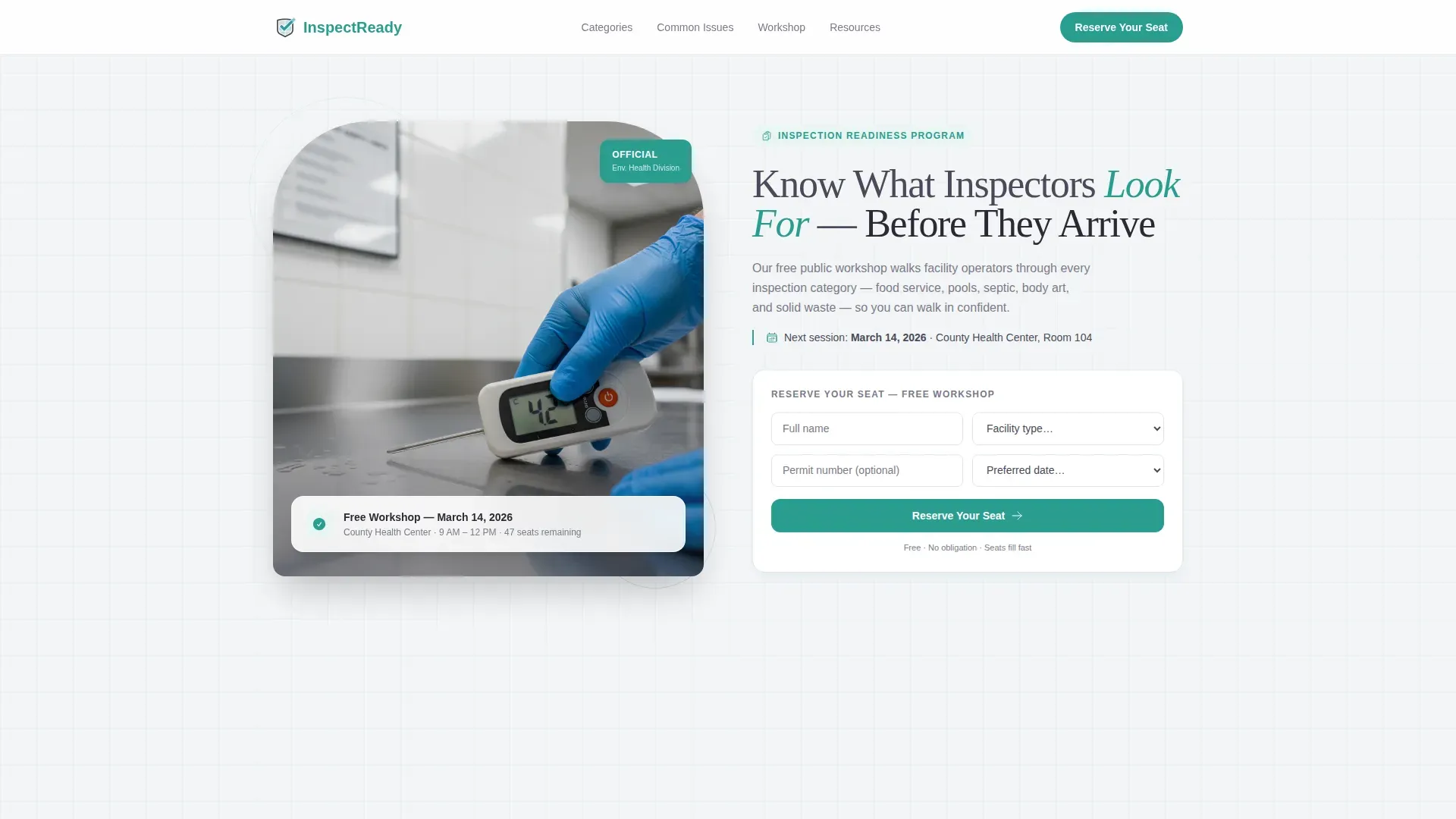
- A split hero with a real-inspection photograph concept, headline, and embedded registration form widget
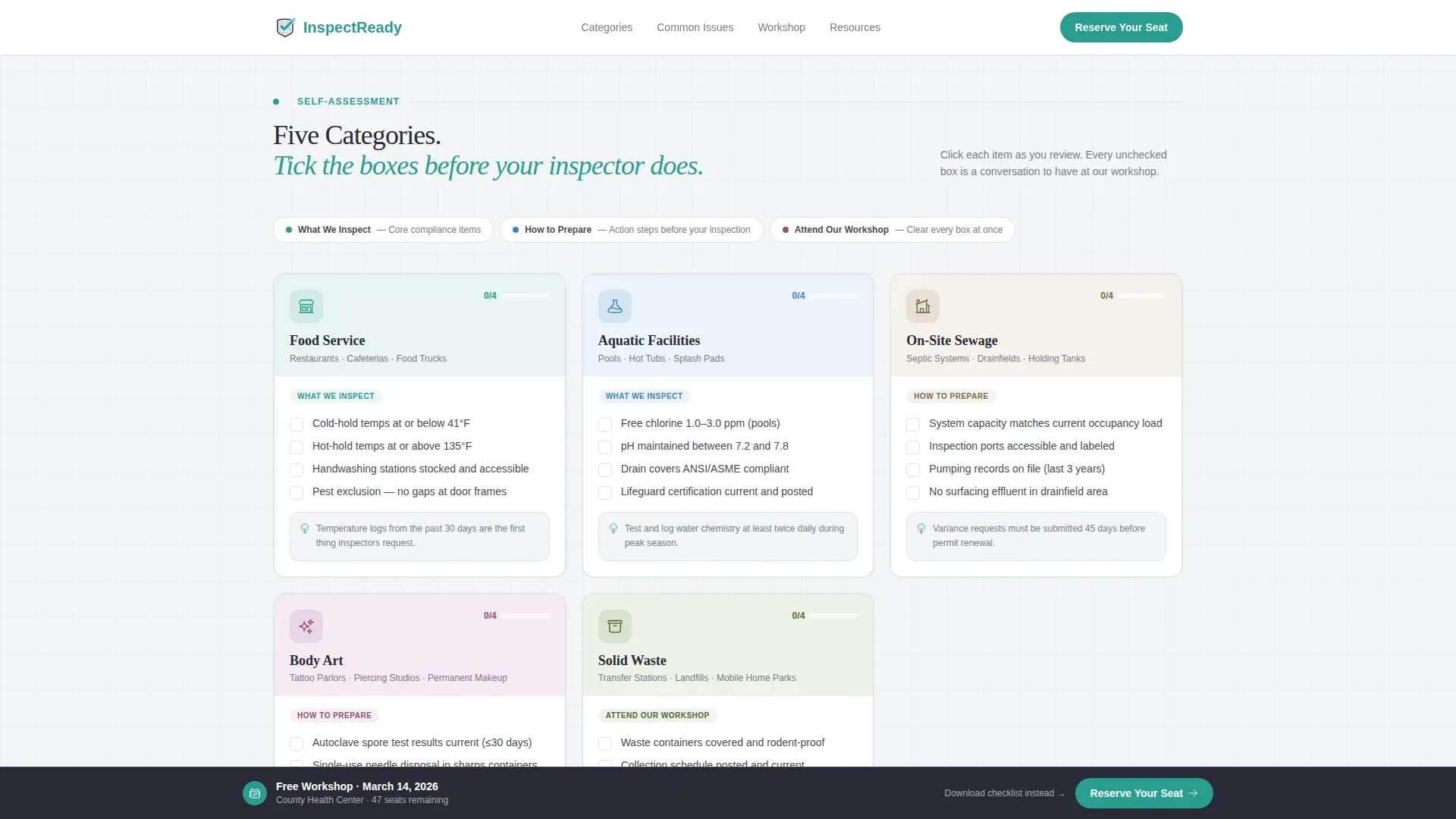
- Five modular inspection-category cards, each containing a mini-checklist of three to four common violations with toggle-style checkmarks
- A sticky bottom registration bar, a workshop details section, and an email-capture block for the downloadable pre-inspection checklist PDF
Feature list
This template ships with a focused set of interactive and layout features grounded in the source brief.
Split Hero with Registration Widget
The header splits into two halves. The left side holds a counter-height kitchen inspection photograph. The right side carries the main headline and a compact registration form with name, facility type, permit number, and session date fields.
Modular Inspection Category Cards
Five bento-style cards cover Food Service, Aquatic Facilities, On-Site Sewage, Body Art, and Solid Waste. Each card holds a mini-checklist of three to four real violation items. Visitors can mentally tick off each point as they scroll.
Scroll-Reveal Card Progression
As the visitor moves down the page, the card sequence shifts from "what we inspect" to "how to prepare" to "attend our workshop." This guided flow builds a quiet realization that registering is the easiest way to clear every box.
Sticky Registration Bar
After the second card row, a persistent bottom bar surfaces the primary call to action. It stays visible as the visitor continues scrolling, reducing the distance between intent and sign-up.
Secondary Email Capture Block
Visitors who are not ready to register can enter their email to receive a downloadable pre-inspection checklist PDF. This captures high-intent visitors who are preparing quietly on their own timeline.
Social Proof Marquee
A marquee strip displays inspection pass rate statistics, total facilities served, and years of division operation. These trust signals are woven into the scroll without interrupting the primary content flow.
Page sections overview
| Section | Purpose |
|---|---|
| Hero split header | Introduce the event and capture registrations |
| Inspection category cards | Self-assessment by facility type |
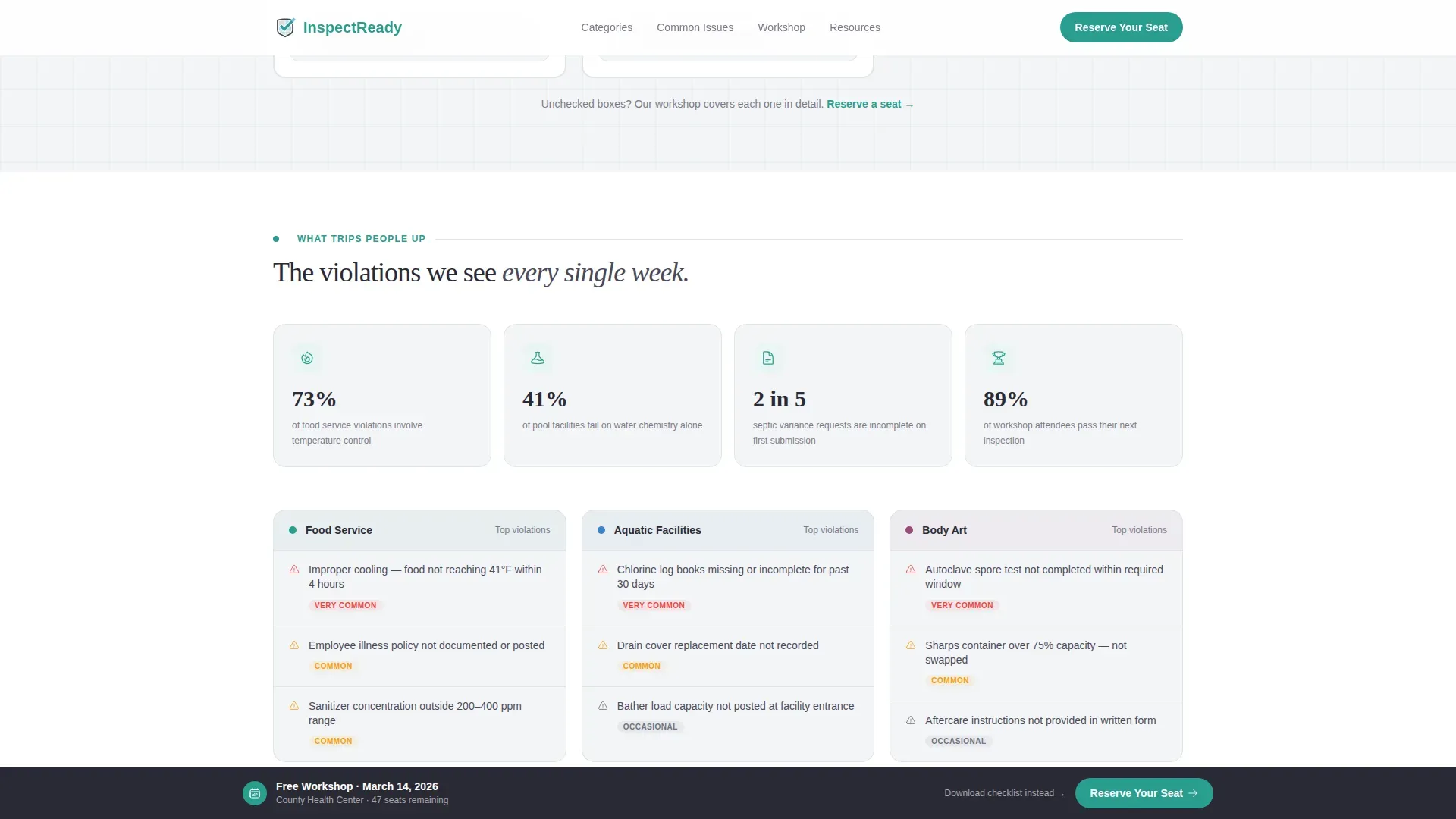
| Common violations block | Show specific, stats-backed risk points |
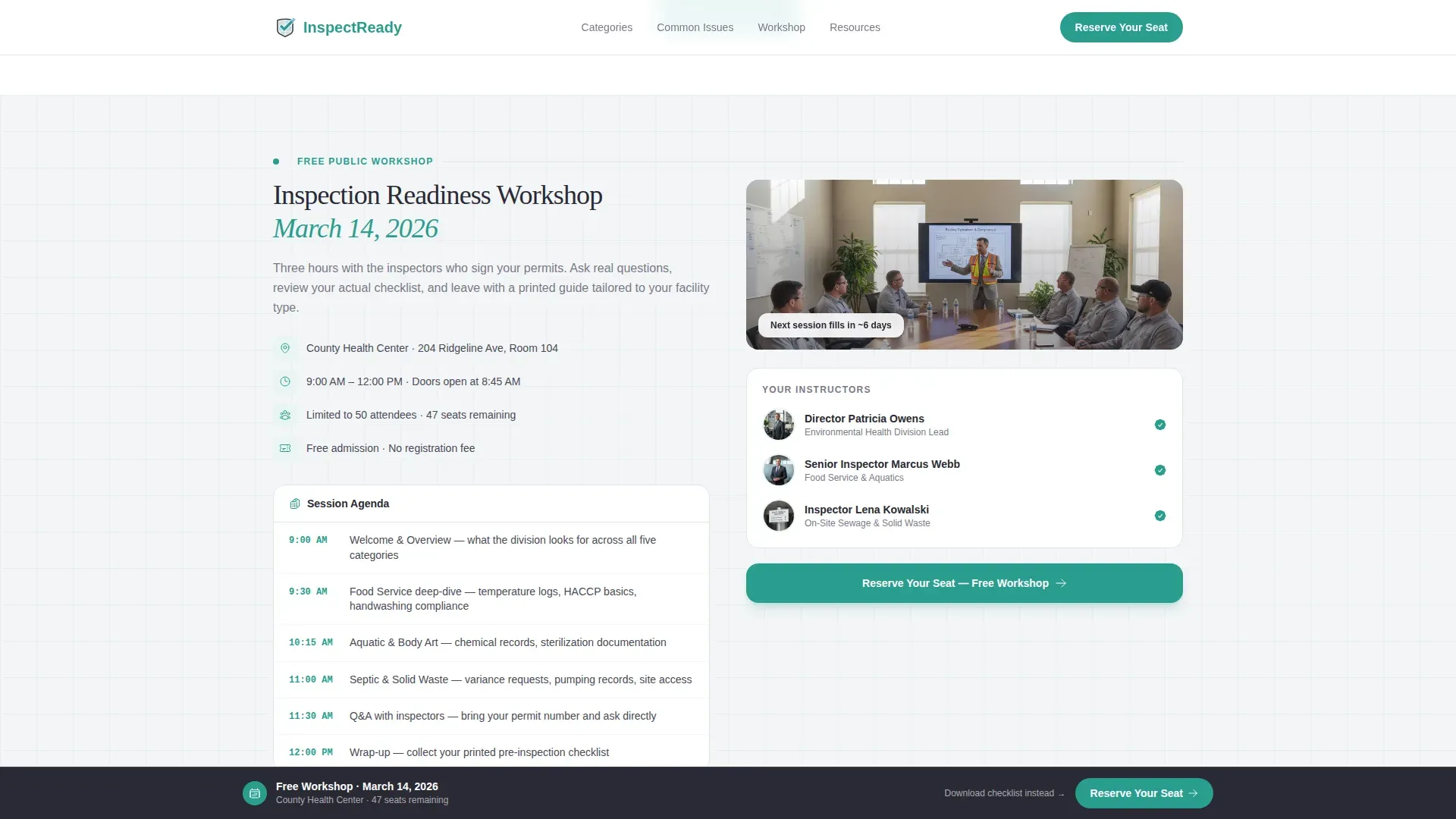
| Workshop details section | Communicate event logistics and call to action |
| PDF download block | Email capture for checklist PDF |
| Social proof marquee | Build trust with operational statistics |
| Footer row | Navigation, contact, and legal links |
Design & branding system
The visual identity follows an Educational Guide theme using a Cloud Canvas color palette. Every color choice serves a clear reading or navigation purpose, keeping the page feeling like a well-organized compliance worksheet rather than a marketing brochure.
- Background soft overcast white (#F4F5F7), foreground pencil-lead gray (#4A4A5A), and pale sky blue (#D0E1F1) as a secondary accent keep reading fatigue low
- A single confident teal (#2A9D8F) is reserved for buttons, active card borders, and checkmarks to guide the eye toward the next action
- Typography pairs Fraunces serif headlines with DM Sans body text, giving the page an authoritative yet approachable reading experience
Mobile & speed optimization
The template is built desktop-first but includes a strong mobile fallback. Many facility operators open a compliance notice on their phone and immediately search for guidance. The layout accounts for that moment.
- Modular card grid reflows cleanly to a single-column stack on smaller screens
- Sticky registration bar remains accessible on mobile without blocking primary content
- Interactive checklist cards and the registration form use client-side components while static sections use server-rendered markup for faster initial loads
How this template helps you convert
The page is structured as a guided journey. Each scroll step builds on the previous one, reducing hesitation and moving visitors toward one of two clear actions.
- The primary path drives event registration through the hero form widget, reinforced by the sticky bottom bar that appears after the visitor has already engaged with two rows of checklist cards.
- The secondary path captures visitors who are not ready to attend by offering a downloadable pre-inspection checklist PDF in exchange for an email address, keeping them connected for future outreach.
Other information about this template
This template is categorized under Government and Public, Public Health Department, Environmental Health Division. It is designed for United States audiences, uses English copy, imperial units, and MM/DD/YYYY date formatting throughout.
- Animation level is set to medium: scroll reveals on card entry, card hover states, a trust-signal marquee, and a sticky bar transition are all included
- The dropdown in the registration form matches the five inspection-category card labels exactly, keeping the user experience consistent from discovery to sign-up
- The template style is Card Grid (Modular) using a Checklist and Audit creative direction, which makes it adaptable for other regulated-industry public health contexts beyond environmental health
Theme
Educational Guide
Creative direction
Checklist & Audit
Color system
Cloud Canvas
Style
Card Grid (Modular)
Direction
Event Registration
Page Sections
Split Hero with Registration Form
Modular Inspection Category Cards
Guided Scroll Progression
Sticky Registration Bar
Secondary Email Capture Block
Social Proof Marquee Strip
Related questions
Who is this landing page template designed for?
What are the two conversion paths included in this template?
Can I customize the inspection category cards?
What fields does the registration form collect?
Does this template work well on mobile devices?



