Building Inspector Booking Website Template
Inspect is a single-column landing page template built for building inspectors who serve specific service areas. It walks visitors through the inspection process from roof to foundation, builds trust through plain-language education, and closes with a lead-capture form. The design is clean and report-like, guiding first-time buyers, agents, and sellers toward booking with confidence.
by Rocket studio
Quick summary
Inspect is a single-column flow landing page template for building inspectors targeting a specific service area. It uses an educational, room-by-room walkthrough to explain the inspection process clearly. Visitors leave knowing exactly what they are paying for. The layout earns trust before asking for anything, then presents a focused booking form.
Who this template is for
This template is built for independent building inspectors and small inspection firms who want a professional online presence for a specific service area or location. It speaks directly to the people most likely to book an inspection and gives each audience a reason to act.
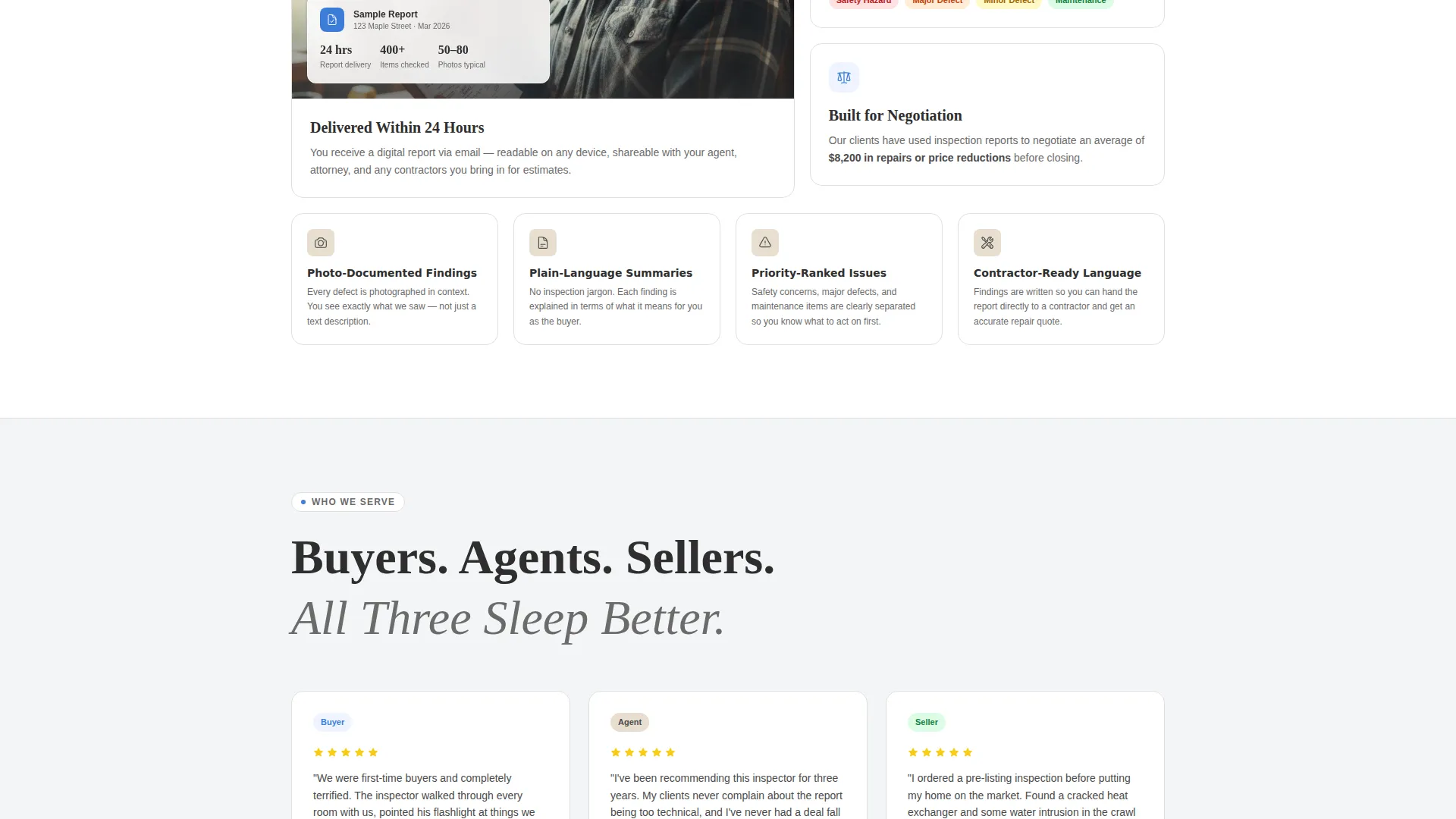
- First-time homebuyers who are nervous about making a large financial commitment without professional guidance
- Real estate agents who need a dependable inspector they can recommend to clients with confidence
- Home sellers who want a pre-listing inspection to catch deal-breakers before they cost a sale
What problem this template solves
Most building inspector pages list credentials and a phone number, then stop. That approach leaves anxious buyers with unanswered questions and no reason to choose one inspector over another. Inspect fills that gap by making the inspection process transparent and approachable.
- Visitors arrive unsure what a building inspection actually covers and leave with a clear picture of the full scope
- The educational flow removes fear of the unknown, which is the main reason people skip inspections entirely
- A focused lead form and a free checklist download give visitors two clear paths forward instead of a dead end
What you get with this template
You get a complete, ready-to-customize single-column landing page laid out as one continuous scroll. Every section serves a specific purpose in the buyer journey, from building awareness at the top to capturing contact details at the bottom.
- A bold header with an oversized headline and a single primary call-to-action button
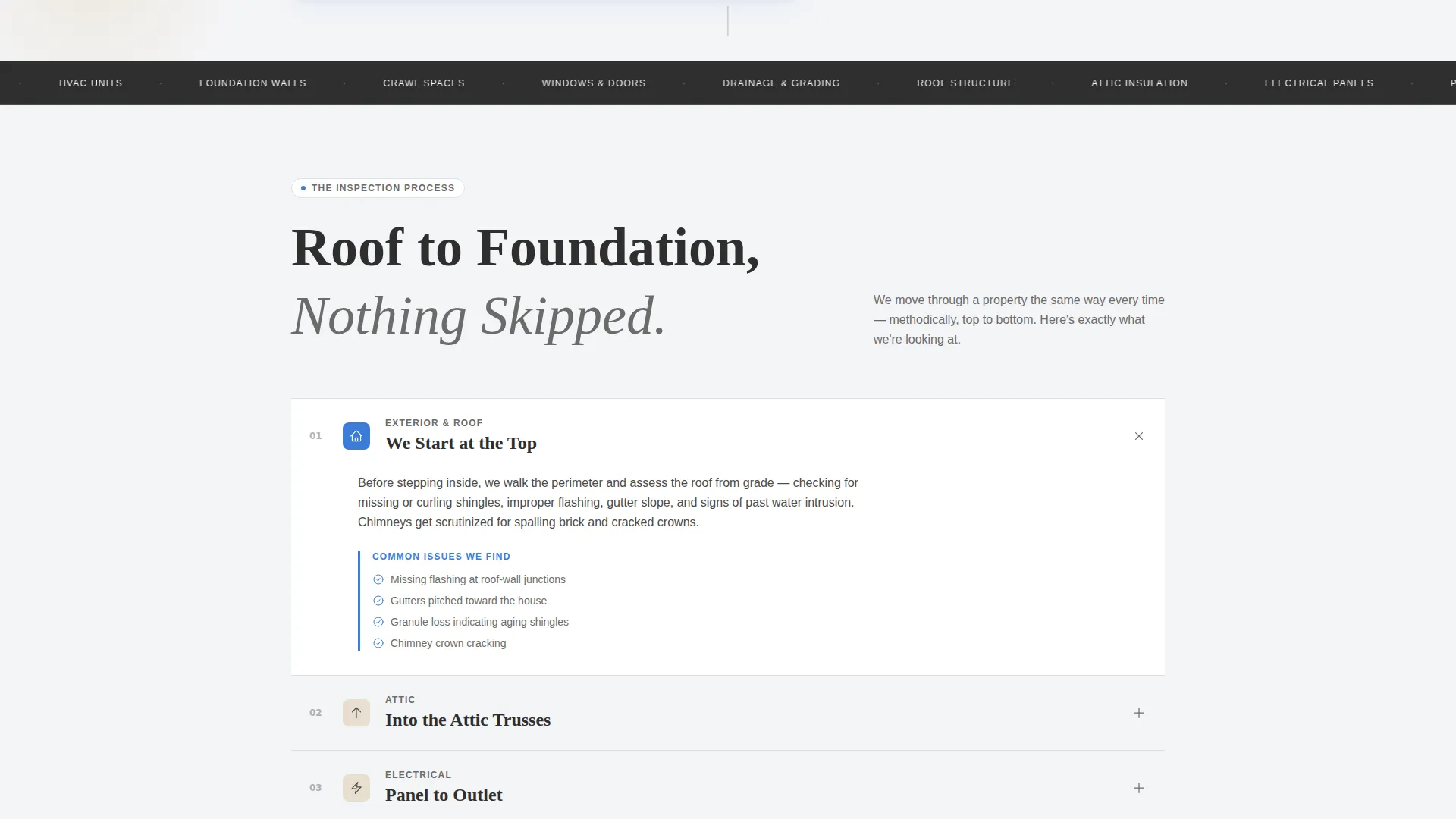
- A transparent process walkthrough structured roof to foundation, matching how inspectors actually move through a property
- A dual conversion path: a full booking form and a free homebuyer checklist download for lighter-commitment visitors
Feature list
This template covers the key ingredients a building inspector needs to generate leads from a location-specific landing page.
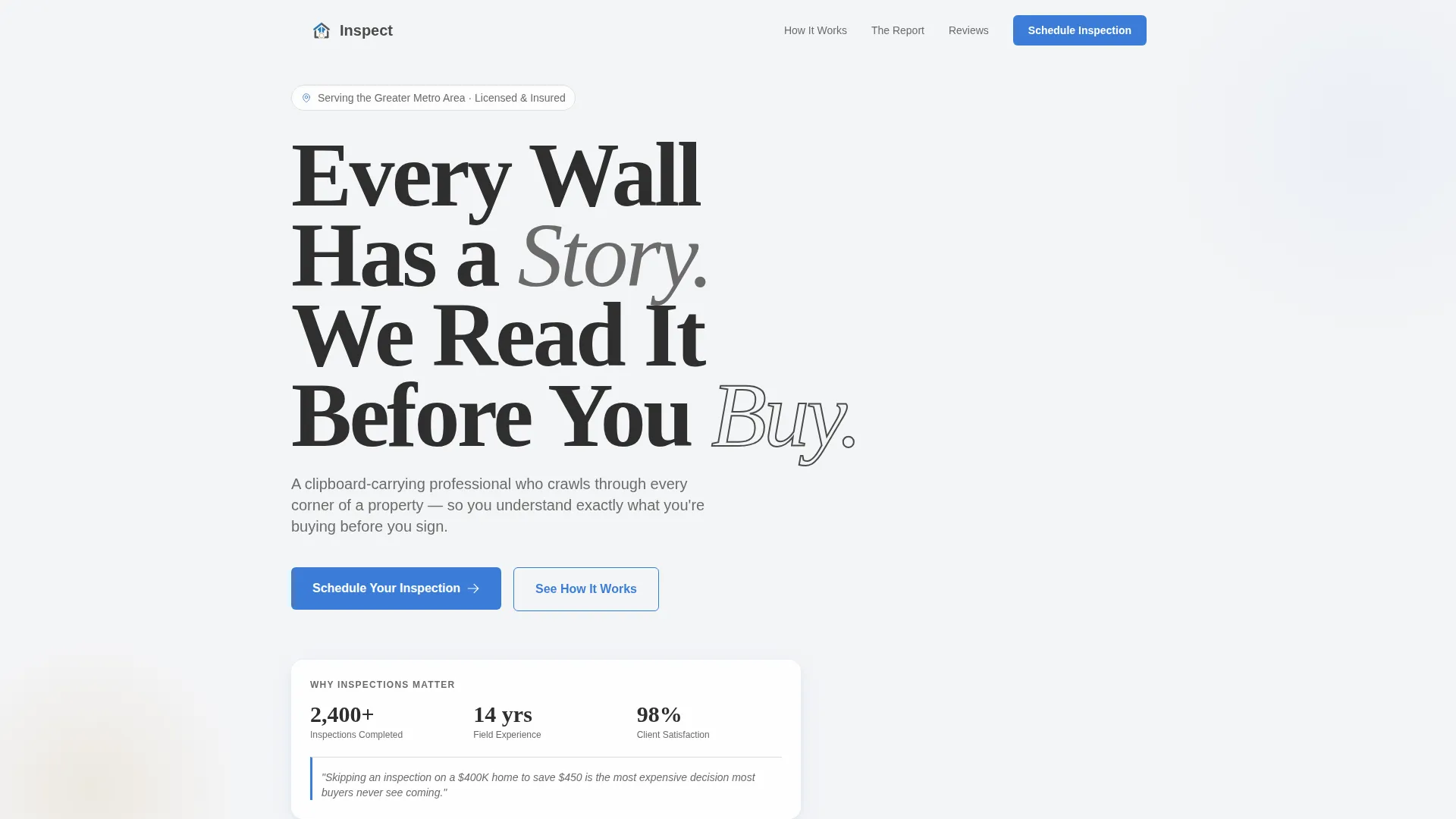
Giant Headline Left Header
The header opens with bold, oversized left-aligned typography set against a cloud-white background. A short subline names the specific service area, and a single blue call-to-action button sits beneath it. The whitespace around the headline signals calm authority rather than urgency.
Roof-to-Foundation Process Walkthrough
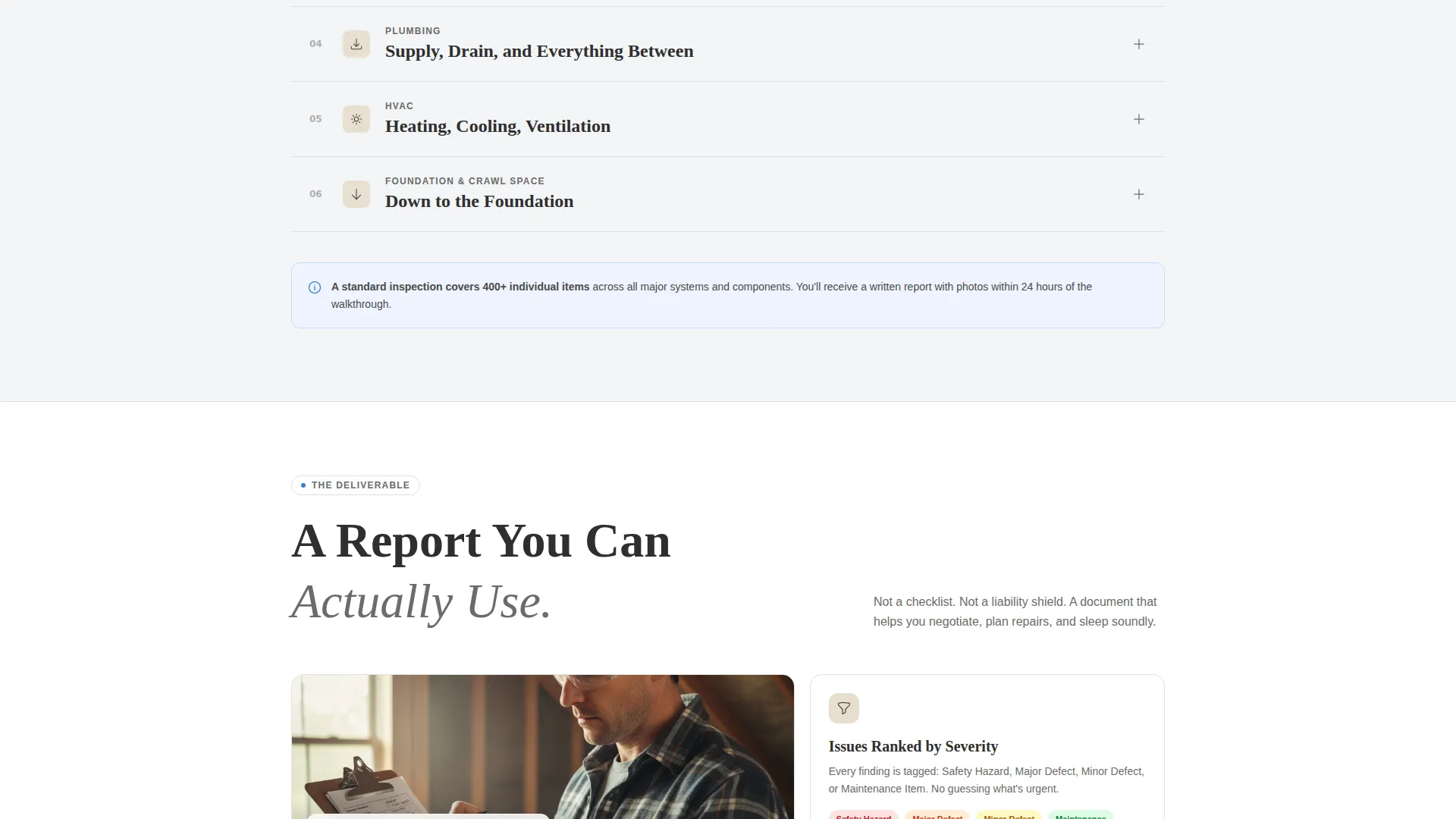
Each scroll section reveals what gets checked at a specific part of the property, from the roof and attic trusses down through the walls, foundation, and crawl spaces. Plain-language explanations and simple diagram placeholders show common problems in context, helping visitors understand what they are actually paying for.
Primary Lead Capture Form
The booking form leads with a property address field to anchor the request to a real place. It then collects property type (single-family, condo, multi-unit, or commercial), a preferred inspection date, and a phone number. This sequence feels natural and purposeful rather than generic.
Free Checklist Secondary Conversion Path
A secondary call-to-action offers a free homebuyer inspection checklist download. This lighter commitment requires only an email address, giving hesitant visitors a way to engage without booking immediately and giving the inspector a contact to follow up with.
Educational Guide Tone and Layout
The copy is written to sound like a knowledgeable professional walking through a house with a flashlight. It explains findings in plain language rather than technical jargon. This tone builds trust steadily across the scroll so visitors arrive at the form already convinced.
Cloud Canvas Color System
The template uses a four-color palette built around soft overcast white, pencil-graphite gray, clipboard-tan, and a steady inspection-blue. Blue is reserved for links, buttons, and callout icons, creating a clear visual hierarchy that draws the eye where it matters without distraction.
Page sections overview
| Section | Purpose |
|---|---|
| Header Hero | Establish authority with oversized left-aligned headline and primary call to action |
| Service Area Intro | Name the specific location and set the scope of coverage |
| Roof and Attic | Explain what gets checked at the top of the property |
| Walls and Windows | Cover exterior and interior structural surface checks |
| Foundation and Crawl Space | Detail the critical below-grade inspection points |
| What the Report Covers | Show visitors exactly what ends up in the final inspection report |
| Booking Form | Capture property address, type, date, and phone number |
| Free Checklist Download | Offer a lower-commitment path to capture an email address |
Design & branding system
The visual identity follows an Educational Guide theme that feels like a freshly printed inspection report on a clipboard. The palette is deliberate and restrained, keeping the focus on the words and structure rather than decorative elements.
- Cloud Canvas four-color palette: soft overcast white (#F4F5F7), pencil-graphite gray (#4A4A4A), clipboard-tan (#E8DFD0), and inspection-blue (#3B7DD8) for interactive and callout elements
- Typography uses bold, oversized weight for the headline and a clean readable size for body text, with graphite gray on white for maximum legibility
- Blue ink annotation style is applied to links, buttons, and callout icons, guiding the eye through the page the way margin notes guide a reader through a report
Mobile & speed optimization
The single-column layout is inherently well-suited for smaller screens because the content stacks naturally without requiring complex grid reflows. Each section is self-contained, making the scroll feel intentional on any device.
- The full-width single-column structure adapts cleanly to mobile viewports without layout breakage
- Large tap targets on the primary call-to-action button and form fields make the booking flow usable on a phone without frustration
How this template helps you convert
The page is designed around a specific conversion logic: educate first, ask second. By the time a visitor reaches the booking form, they have already walked through the full inspection process and understand the value of what they are about to purchase.
- The roof-to-foundation walkthrough addresses buyer anxiety before any ask is made, so the form feels like a natural next step rather than an interruption
- The dual conversion path captures both high-intent visitors ready to book and lower-intent visitors who are still researching, giving the inspector two audiences to nurture instead of one
Other information about this template
This template is part of a Professional Services category focused on building inspector online presence. It is specifically designed for location and service-area pages, making it a practical fit for inspectors who cover a defined geographic territory and want a dedicated page for that area.
- The template style is Single Column Flow, which keeps the reading path linear and distraction-free
- The Creative Direction is Transparent Process, meaning the page structure itself mirrors the way an inspector actually works through a property
- The Lead Generation direction means every design and copy decision points toward either a booked inspection or a captured email
- The template can be adapted for different property types including single-family homes, condominiums, multi-unit buildings, and commercial properties
Theme
Educational Guide
Creative direction
Transparent Process
Color system
Cloud Canvas
Style
Single Column Flow
Direction
Lead Generation
Page Sections
Giant Headline Left Header
Roof-to-foundation Process Walkthrough
Primary Lead Capture Form
Free Checklist Secondary Conversion Path
Educational Guide Tone
Cloud Canvas Visual System
Related questions
Can I customize the service area name and location details?
Does the template include the homebuyer checklist document itself?
Can this template be used for a commercial inspection service?
Is this a single page or a multi-page website?
How do the two conversion paths work together on the same page?



