Pressure Vessel Manufacturer Landing Page Template
Vessel is a card grid landing page template built for pressure vessel manufacturers. It leads with a full-bleed shop-floor photo and front-loads every credential, capacity stat, and certification before asking for anything. Two clear paths move visitors forward: a detailed fabrication quote form and a gated capability statement download.
by Rocket studio
Quick summary
Vessel is a modular card grid landing page template designed for heavy fabrication shops that manufacture certified pressure vessels. It opens with a full-bleed photo header, stacks stats-first credential cards through the scroll, and closes with two lead capture paths: a fabrication quote form and a gated capability statement download.
Who this template is for
This template is built for pressure vessel manufacturers who serve demanding industrial buyers. It speaks the language of process engineers, procurement managers, and plant maintenance leads who evaluate vendors on documentation and capacity before anything else.
- Process engineers specifying vessel replacements during turnaround season
- EPC procurement managers chasing stamp documentation for refinery expansions
- Plant maintenance leads scheduling re-tube or re-pad work before the next shutdown window
What problem this template solves
Industrial fabrication shops often present their credentials in walls of text that engineers have to dig through. The buyer arrives with a checklist in mind, and a generic website makes them work too hard to confirm that a shop can meet it.
- Visitors cannot quickly verify diameter range, material certifications, or stamp qualifications
- Lead forms capture too little technical context, wasting both sides' time
- Shops in the comparison phase lose engineers who cannot find the capability statement fast enough
What you get with this template
You get a single-page layout that is structured like a living spec sheet. Every section earns trust before it asks for action. The form module is built around the technical inputs a fabricator actually needs, not a generic contact field.
- A full-bleed photo header with a fading stat overlay and an amber-highlighted call to action
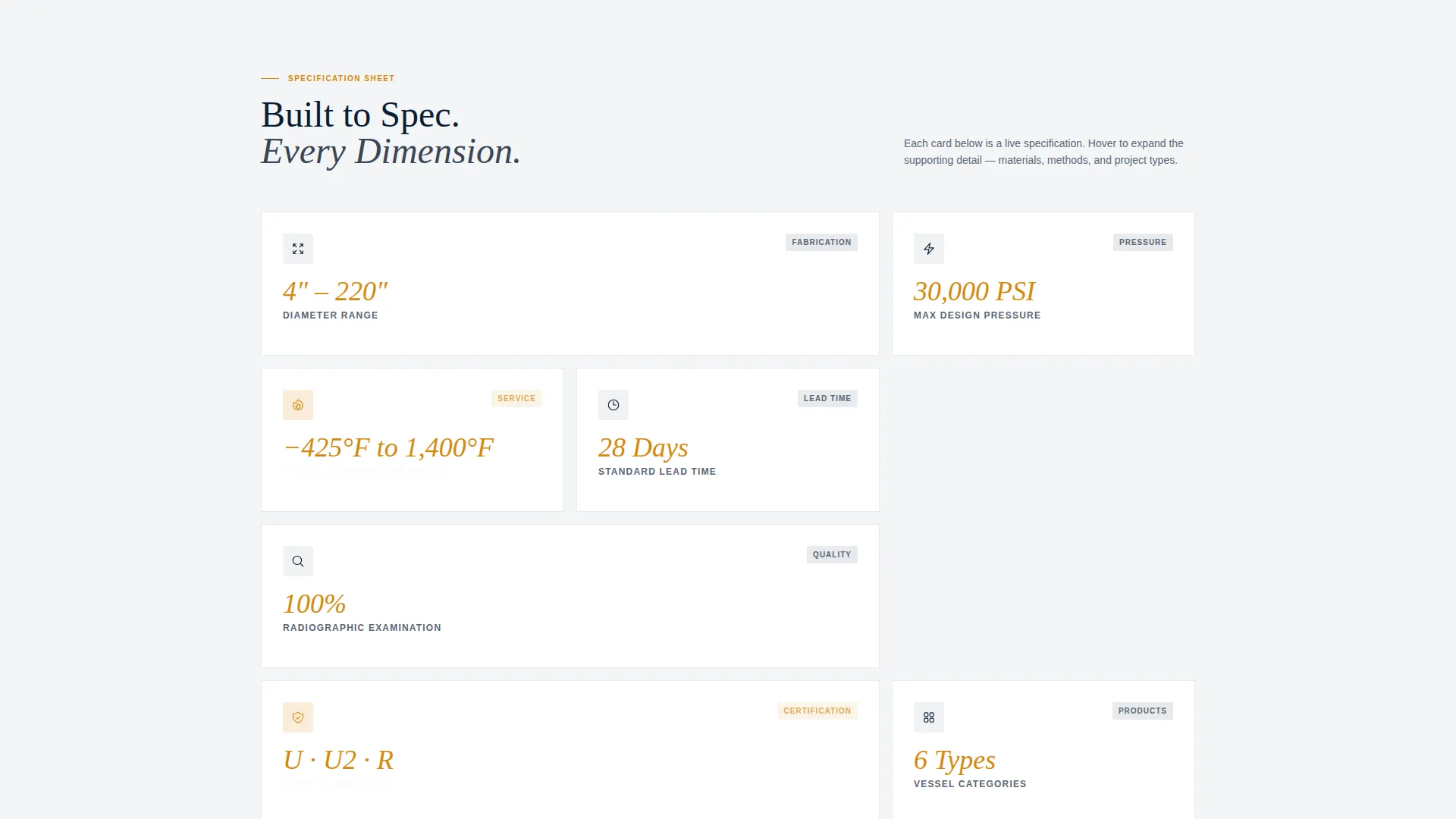
- A modular card grid where each card leads with a number and expands to reveal supporting detail
- A dual lead capture system: a detailed quote form and a gated capability statement download
Feature list
This section covers the core functional and visual components included in the Vessel template.
Stats-First Card Grid
Each card in the grid opens with a bold number before a word of body copy appears. Numbers like diameter range, lead time, and examination coverage are the first thing a scanning engineer reads. Cards flip or expand to reveal the full supporting detail behind each stat.
Full-Bleed Photo Header
The header fills the viewport with a wide-angle shop-floor image scaled to communicate raw fabrication capacity. A single stat fades in over the image, followed by the primary headline and an amber call-to-action button that contrasts sharply against the navy background.
Detailed Fabrication Quote Form
The quote form asks for vessel type, design pressure and temperature range, material preference, and a drawing upload field. It accepts PDF and DWG file formats. This gives fabricators the technical context they need to respond with a meaningful quote rather than a follow-up call.
Gated Capability Statement Download
A secondary conversion path captures engineers still in the comparison phase. Name, company, and email unlock a downloadable capability statement PDF. This path keeps the template converting even when a visitor is not ready to submit drawings.
Credential and Certification Cards
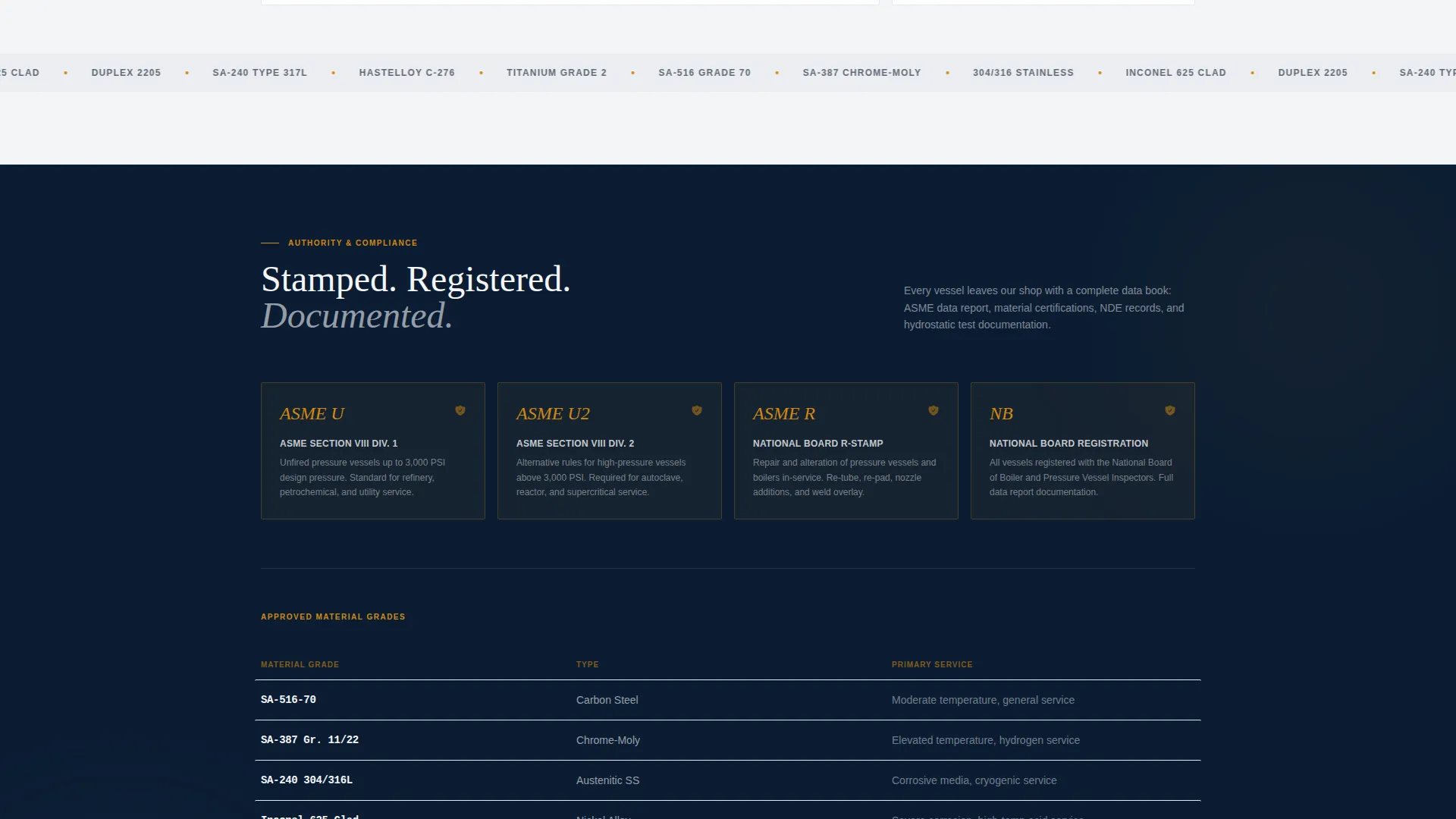
Stamp qualifications, material grades such as SA-516-70, SA-387, and Inconel clad, and inspection standards are presented as individual cards. Each card is self-contained and scannable, building a cumulative case for the fabricator's authority without requiring the visitor to read in sequence.
Navy Authority Color System
The color system uses deep mill-scale navy, structural weld gray, specification-sheet white, and hydro-test amber. Amber is reserved strictly for calls to action, stat callouts, and interactive hover states. The palette signals authority through restraint, not decoration.
Page sections overview
| Section | Purpose |
|---|---|
| Full-Bleed Header | Establish scale and credibility with a shop-floor photo, fading stat, and primary call to action |
| Stat Callout Bar | Surface four headline numbers immediately below the hero to anchor the spec-sheet tone |
| Capabilities Card Grid | Let visitors expand individual cards covering diameter range, stamps, lead time, and inspection |
| Materials and Certifications | Present approved material grades and stamp qualifications in scannable card format |
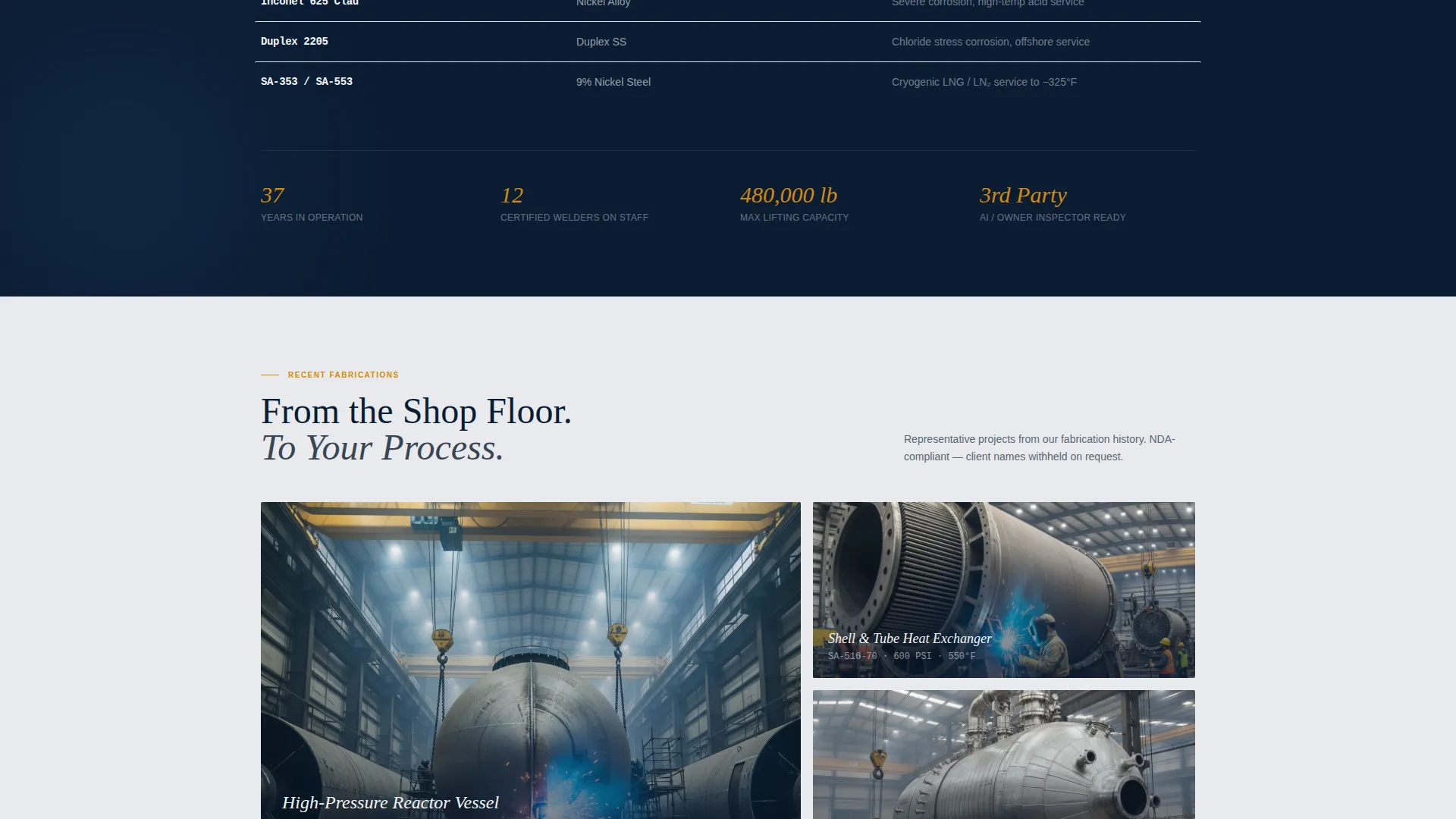
| Project Types Grid | Show vessel categories: heat exchangers, reactors, columns, and storage vessels |
| Quote Request Form | Collect vessel type, pressure, temperature, material preference, and drawing upload |
| Capability Statement Gate | Capture name, company, and email in exchange for a downloadable capability PDF |
Design & branding system
The design follows a Service Utility theme built around a Navy Authority color system. Every visual decision reinforces the feeling of reading a laminated ASME data book under shop lighting: no decoration, only documented authority.
- Deep mill-scale navy (#0B1D33) forms the primary background, with structural weld gray (#3A4553) for card surfaces and secondary containers
- Specification-sheet white (#F4F5F7) handles body text and data labels for sharp contrast against dark surfaces
- Hydro-test amber (#D4880F) is reserved for calls to action, stat callouts, and hover states to direct attention without noise
Mobile & speed optimization
The card grid layout is modular by design, which means it adapts cleanly to narrower viewports without breaking the credential-first reading order. Engineers reviewing this page between site visits on a phone or tablet can still confirm key stats without pinching and zooming.
- Cards stack vertically on smaller screens while preserving the number-first hierarchy within each card
- The quote form and file upload field remain accessible and functional at mobile screen widths
- The full-bleed header image scales responsively so the shop-floor scale reads clearly on any device
How this template helps you convert
The template is structured so that every section reduces a specific objection before the lead form appears. By the time a visitor reaches the quote request module, the template has already answered the questions that usually delay a decision.
- The header stat and credential cards answer "Can this shop handle my vessel spec?" before the visitor has scrolled past the fold, removing the first reason to leave.
- The materials, certifications, and project type cards answer "Are they qualified for my industry and application?" in a scannable format that respects an engineer's time.
- The dual conversion paths ensure that visitors who are ready to quote and visitors still comparing vendors both have a next step, keeping neither group stuck.
Other information about this template
This template is designed for the heavy industrial fabrication market where a vendor's documented credentials carry more weight than visual style. The layout prioritizes information density and documentation legibility over decorative design choices.
- The template is built as a single-page, section-led landing page rather than a multi-page site
- The card grid is modular, meaning individual cards can be reordered or replaced to reflect a specific shop's capability priorities
- The drawing upload field supports both PDF and DWG formats, which are the standard file types used in vessel fabrication procurement
- The template suits manufacturers working across sectors such as oil and gas refining, petrochemical processing, and industrial power generation

Theme
Service Utility
Creative direction
Stats-First Impact
Color system
Navy Authority
Style
Card Grid (Modular)
Direction
Lead Generation
Page Sections
Stats-first Modular Card Grid
Full-bleed Photo Header with Stat Overlay
Detailed Fabrication Quote Form
Gated Capability Statement Download
Credential and Certification Cards
Navy Authority Color System
Related questions
Who is this template designed for?
What lead capture options does this template include?
Can I update the stat cards to match my shop's actual numbers?
What file formats does the drawing upload field support?
Does this template work for multiple vessel types?



