Vascular Surgeon Booking Website Template
Vessel is a vascular surgeon virtual consultation landing page template built for direct patient booking and general practitioner referrals. A persistent sidebar progress tracker guides visitors from symptoms to recovery in five clear steps. Credentials lead the page, a three-step booking form closes it, and a soft clinical visual identity keeps every anxious visitor calm throughout.
by Rocket studio
Quick summary
Vessel is a single-page virtual consultation template for vascular surgeons. It pairs a scrolling educational journey with a persistent sidebar that tracks patient progress from Symptoms through Recovery. Board certifications and procedure counts appear upfront, a three-step booking form closes the visit, and a warm but clinical design keeps anxious patients steady at every scroll.
Who this template is for
This template is designed for board-certified vascular surgeons who offer virtual consultations directly to patients or accept referrals from primary care physicians. It suits solo practitioners and small vascular practices that want a professional, trust-building online presence without a long development timeline.
- Vascular surgeons seeking a direct-to-patient virtual booking channel
- Practices accepting general practitioner referrals for conditions like varicose veins, aortic aneurysms, and carotid artery disease
- Specialists who want credentials and process transparency visible before asking for a patient commitment
What problem this template solves
Anxious patients searching for vascular care at midnight need immediate reassurance, not a cluttered website. Most vascular surgery pages bury credentials, leave the consultation process unexplained, and offer no fast booking path. Vessel is built to solve exactly those gaps.
- Patients arrive scared and leave feeling informed, because each section answers one internal question before moving to the next
- Referred patients get a dedicated upload path for imaging results, so they skip redundant intake steps
- Primary care physicians can send patients to a page that reflects the surgeon's expertise clearly, reducing referral hesitation
What you get with this template
Vessel delivers a fully structured, sidebar-companion landing page with every section, interaction, and visual component pre-built and ready to customize. The layout is designed for mobile-first use while offering a richer sidebar experience on desktop.
- A five-stage scrolling journey (Symptoms, Consultation, Diagnosis, Treatment, Recovery) with a coral-fill progress tracker in the sidebar
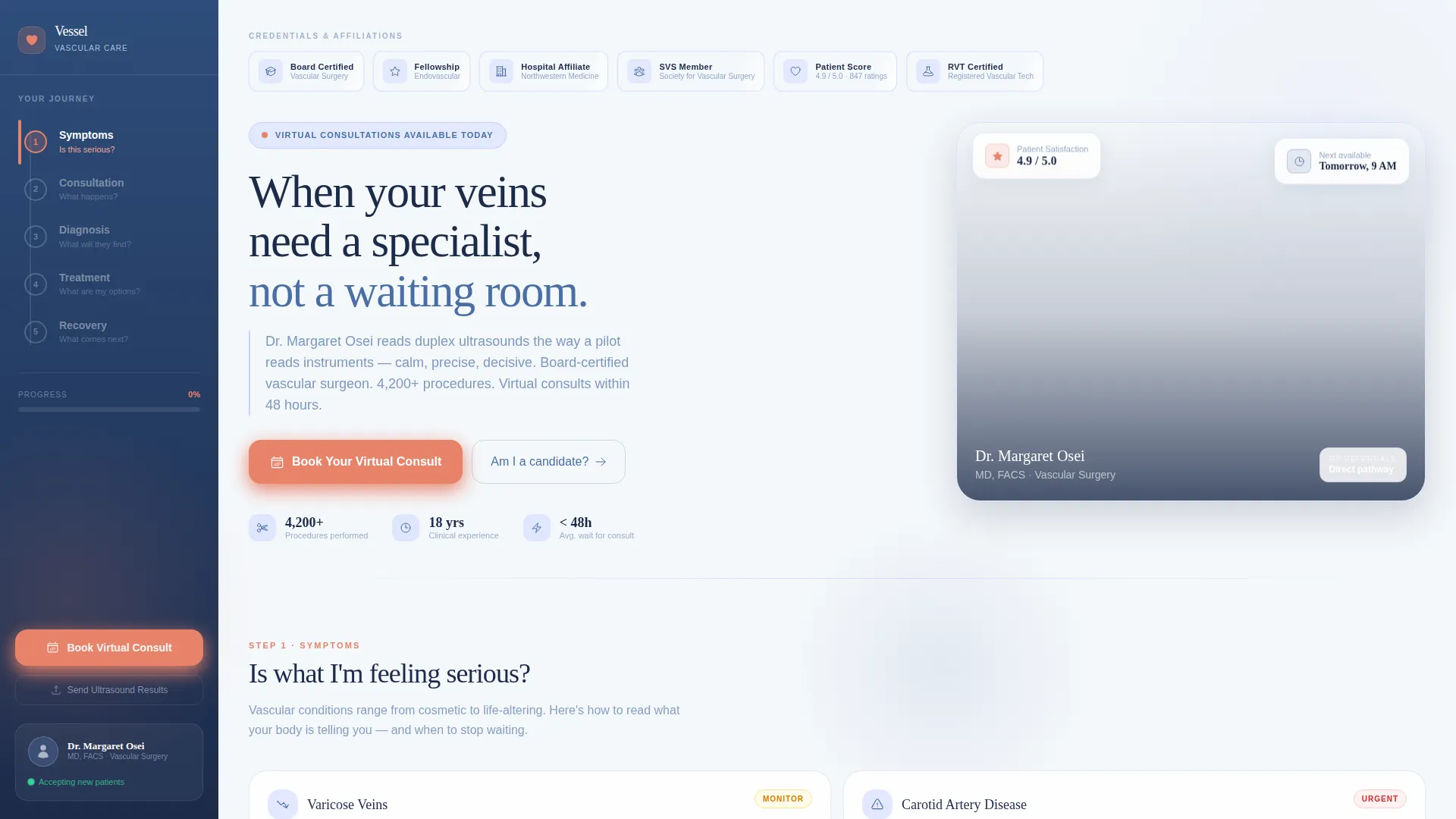
- An award badge ribbon in the header displaying board certifications, fellowship crests, hospital affiliations, and patient satisfaction scores
- A three-step illustrated booking form covering concern area, preferred appointment window, and insurance provider, plus a secondary imaging upload path
Feature list
A paragraph introducing the features: Vessel packages several purpose-built interactive components into one cohesive template. Each feature is grounded in the specific needs of a vascular surgery virtual consultation practice.
Persistent Sidebar Progress Tracker
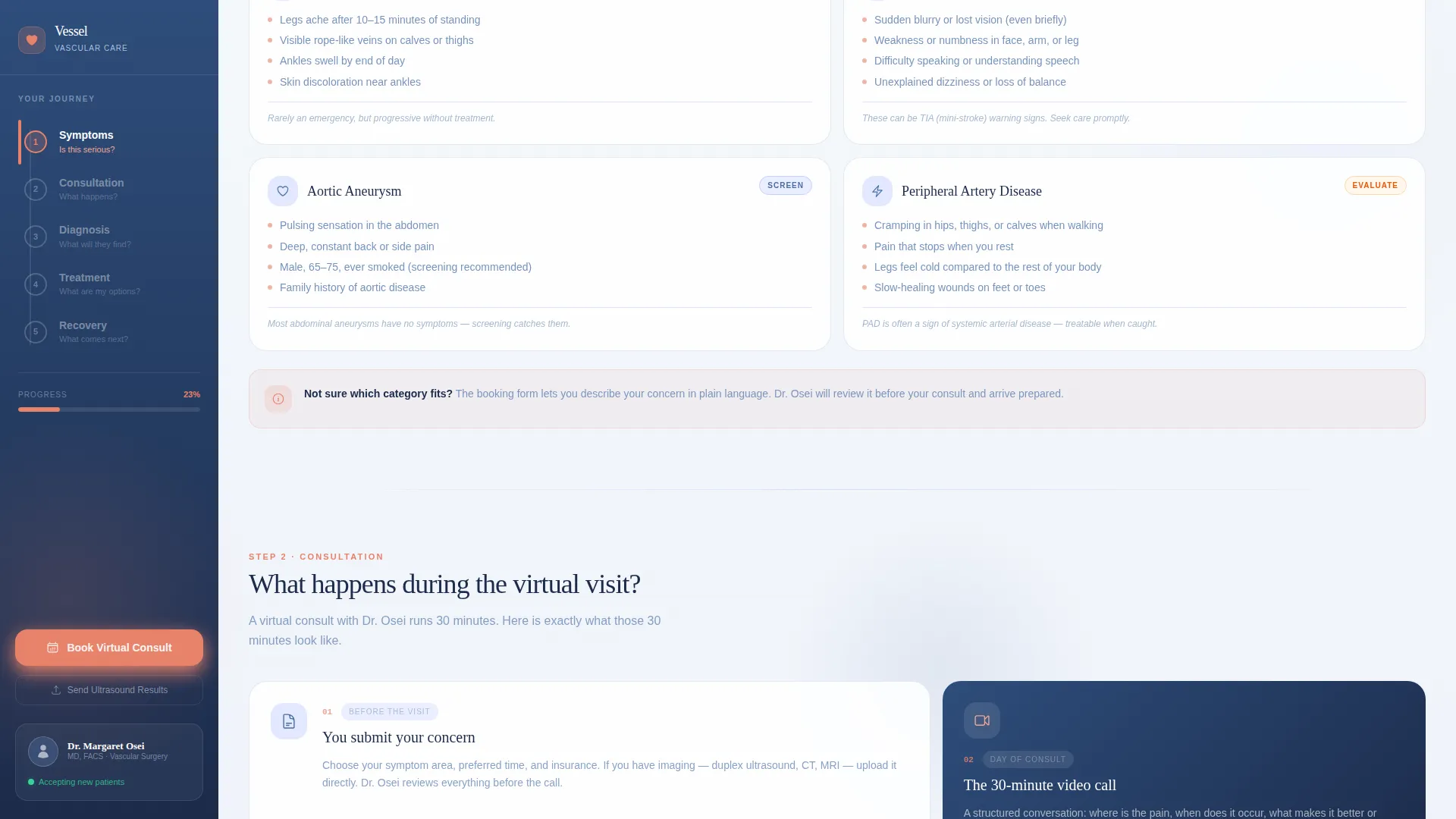
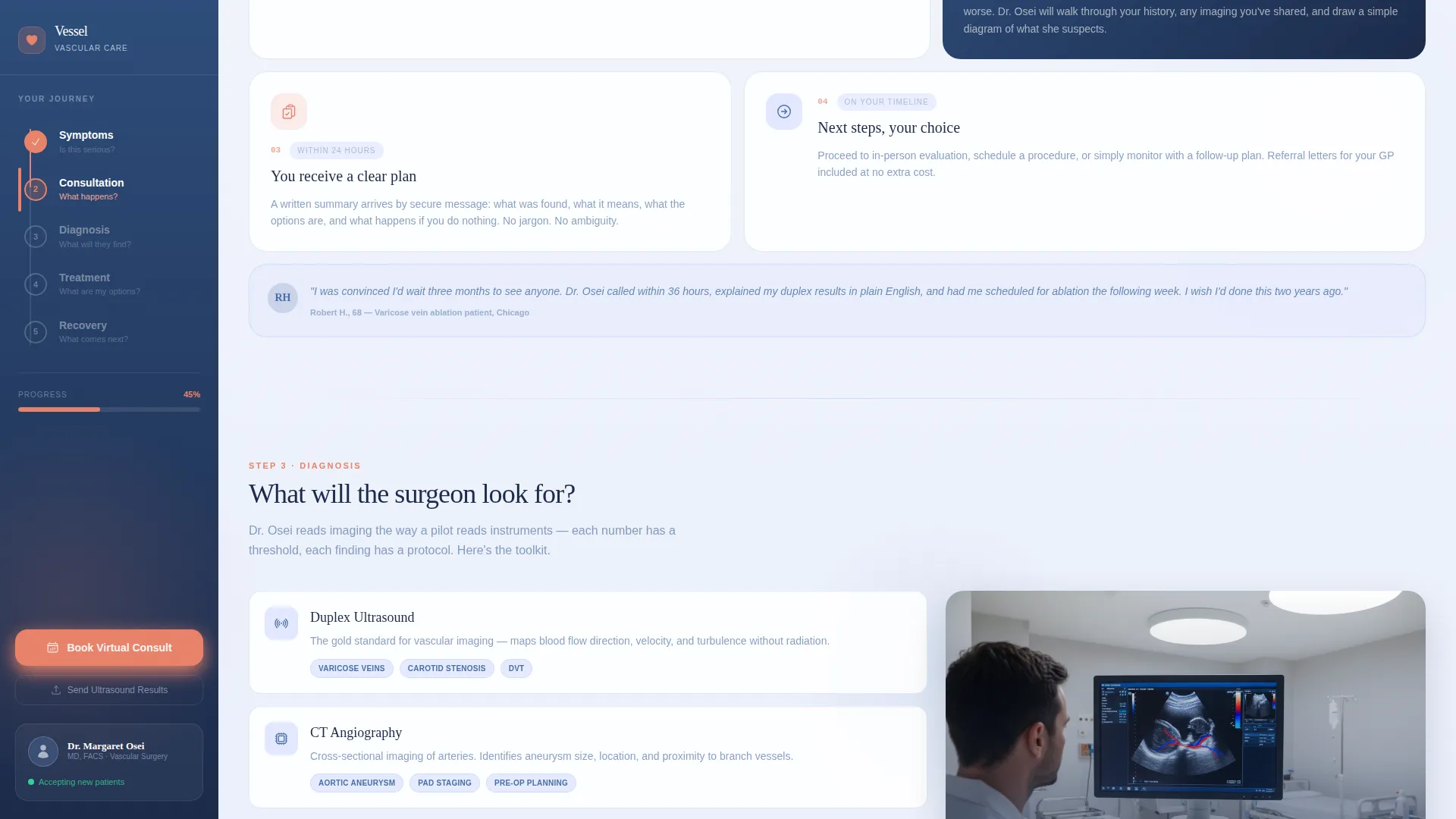
The sidebar displays a numbered vertical progress line covering five patient journey stages. As the visitor scrolls, each stage fills with warm coral, showing exactly how far they have come and how little remains. It stays anchored on desktop while the main content scrolls beside it.
Award Badge Credential Ribbon
The header holds a horizontal ribbon of professional badges rendered in muted monochrome. Board certifications, fellowship crests, hospital affiliations, and patient satisfaction scores are arranged like medals, each gaining a subtle shimmer on hover. Credentials build trust before the surgeon's name is even fully read.
Illustrated Symptom Selector
The Symptoms section presents an illustrated body-region selector that lets visitors identify their concern area, whether legs, neck and carotid, abdominal, or other. This interaction personalizes the journey and connects patients to the most relevant information without requiring them to read everything.
Three-Step Booking Form
The booking section walks visitors through concern area, preferred appointment window (morning, afternoon, or evening), and insurance provider, with a self-pay option included. The form is illustrated and sequential, so it feels approachable rather than clinical or intimidating.
Imaging Upload Path
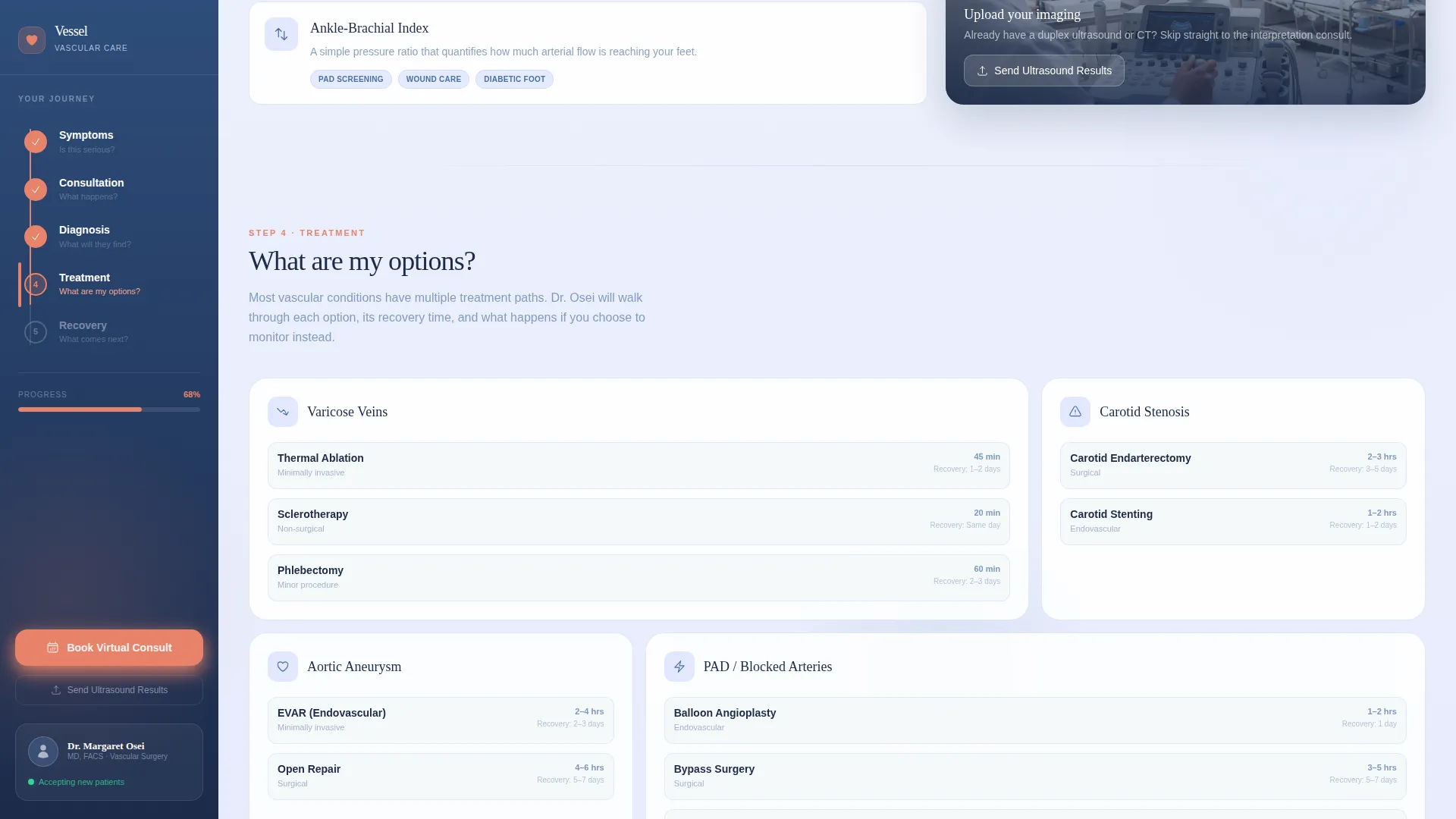
A secondary patient path labeled "Send Your Ultrasound Results" allows referred patients to upload existing imaging directly. This skips the symptom selection stage and routes them straight to scheduling, reducing friction for patients already in the diagnostic process.
Scroll-Linked Animations
Sections reveal with fadeInUp transitions triggered by scroll position. The sidebar progress fills in real time using an Intersection Observer approach, and badge hover states include a foil shimmer effect. Animations are medium intensity, keeping the page lively without distracting a nervous visitor.
Page sections overview
| Section | Purpose |
|---|---|
| Hero with Badges | Displays award ribbon, surgeon credentials, and a floating stats card |
| Symptoms Selector | Lets visitors identify their concern area with illustrated body-region choices |
| Consultation Walkthrough | Explains the virtual visit step by step, answering what to expect |
| Treatment Options | Outlines available approaches by condition type |
| Booking Form | Guides visitors through a three-step illustrated scheduling flow |
| Footer | Single-row linear footer with essential practice links and contact details |
Design & branding system
Vessel uses a Soft Gradient theme built on a Cloud Canvas color system. The palette moves from sterile sky white through clinical lavender as the visitor scrolls, while arterial blue anchors navigation and primary text. Warm coral appears only on calls to action and progress indicators, giving those elements immediate visual weight. Typography pairs Fraunces serif headlines with DM Sans body text for a balance of authority and readability.
- Colors: sky white (#F4F7FA), clinical lavender (#D6DEFF), arterial blue (#4A6FA5), warm coral (#E8836B)
- Typography: Fraunces for headlines, DM Sans for body copy
- The sidebar stays fixed in arterial blue while backgrounds shift in gentle vertical gradients behind the scrolling content
Mobile & speed optimization
Vessel is built mobile-first, prioritizing the experience of patients searching on a phone late at night. The three-step booking form and the fixed bottom bar with the primary call to action are both optimized for small screens. The sidebar progress tracker transitions to a simpler scroll indicator on mobile so the layout remains clean and navigable.
- CSS animations are preferred over heavier script-driven effects to keep motion smooth
- The fixed bottom bar on mobile keeps "Book Your Virtual Consult" permanently reachable without scrolling back to the top
- Scroll-triggered reveals use an Intersection Observer pattern for efficient, battery-friendly animation triggering
How this template helps you convert
Vessel earns the booking before it asks for one. By the time a visitor reaches the form, they have already walked through every stage of the consultation journey and understand exactly what will happen. That transparency removes the hesitation that prevents most anxious patients from clicking.
- The progress tracker shows visitors how short the journey is, reducing the sense that booking is complicated or uncertain
- The illustrated three-step form breaks commitment into small, low-stakes choices rather than presenting a long intake wall
Other information about this template
Vessel belongs to the Sidebar Companion template style, where a fixed panel works alongside scrolling content rather than interrupting it. This format suits health and medical contexts particularly well because it gives patients a constant visual reference point as they move through dense information.
- The template is categorized under Health and Medical, specifically the Vascular Surgeon Website subcategory with a focus on virtual consultation booking
- The Step-by-Step Guide creative direction makes it suitable for any practice where patient education must precede patient action
- The Booking and Scheduling landing-page direction means every design decision, from the sidebar to the bottom bar, points toward a single conversion goal
- The header uses the Award Badges concept, which is especially effective in high-stakes medical contexts where credentials directly influence trust and willingness to book
Theme
Soft Gradient
Creative direction
Step-by-Step Guide
Color system
Cloud Canvas
Style
Sidebar Companion
Direction
Booking/Scheduling
Page Sections
Persistent Sidebar Progress Tracker
Award Badge Credential Ribbon
Illustrated Symptom and Body Selector
Three-step Illustrated Booking Form
Referred Patient Imaging Upload Path
Scroll-linked Reveal Animations
Related questions
Can I use this template without offering a virtual consultation?
Does the template include live booking form functionality?
Can I remove the imaging upload section if I don't need it?
How does the sidebar progress tracker work on mobile?
Is this template suitable for general practitioner referral workflows?



