Container Home Staging Landing Page Template
Vessel is an immersive, single-page landing page template built for container home staging studios. It opens with a cinematic panning interior shot and an inline project configurator, then moves through bold statistics, before-and-after case studies, and a live pricing tool. The result is a high-trust sales page that turns container dimensions into a booked staging appointment.
by Rocket studio
Quick summary
Vessel is a full-width landing page template designed for container home staging professionals. It leads with a slow-pan interior hero, a dimension search field, and impact statistics, then builds trust through case study photography, builder testimonials, and a live inline configurator. Every scroll reinforces proof rather than promise, guiding visitors toward a clear booking action.
Who this template is for
This template is purpose-built for businesses that stage or sell container homes as finished living spaces. If your clients make decisions based on visual evidence and specific numbers, this page structure fits your workflow.
- Container home builders who need turnkey staging pages for model units at open houses
- Airbnb investors converting steel containers into bookable short-term retreats
- Tiny-home developers selling a compact lifestyle to buyers who need to see it to believe it
What problem this template solves
Container home staging is a hard sell in text alone. Potential clients struggle to picture 320 square feet as anything but a steel box. Without structured proof, the sale stalls at skepticism.
- Visitors leave before trusting that a small space can feel premium and livable
- Builders and investors lack a page that connects specific dimensions to a real staging outcome
- There is no clear path from "I'm curious" to "I'm ready to book" without a guided configurator
What you get with this template
You get a complete, full-width single-page layout that is ready to be customized with your own photography, statistics, and project details. The structure handles both immediate buyers and undecided browsers through two parallel conversion paths.
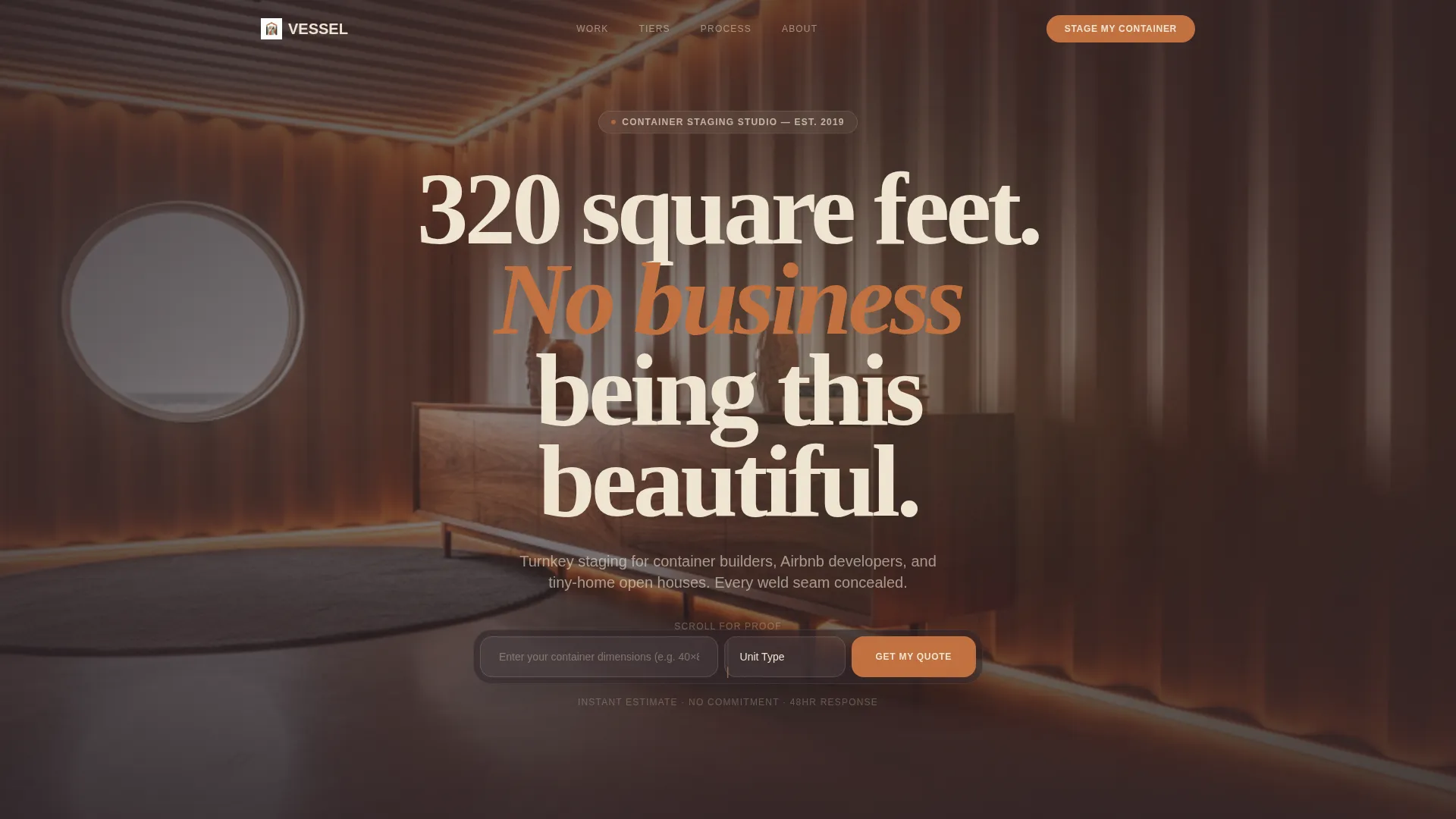
- A cinematic hero section with a search field pre-framed around the visitor's container project
- An inline staging configurator with live price estimation and a gated lookbook download
- Bold statistics, case study photography, before-and-after sliders, and named testimonials throughout
Feature list
This template is built around a specific sales structure. Each feature below maps directly to a section or component described in the brief.
Cinematic Panning Hero Section
The header places visitors inside a slowly panning interior shot at knee height. The camera drifts past a walnut credenza, across polished concrete, and toward a porthole window. A centered search field reading "Enter your container dimensions" and a unit-count dropdown make the first interaction feel personal before the visitor has scrolled at all.
Stats-First Impact Band
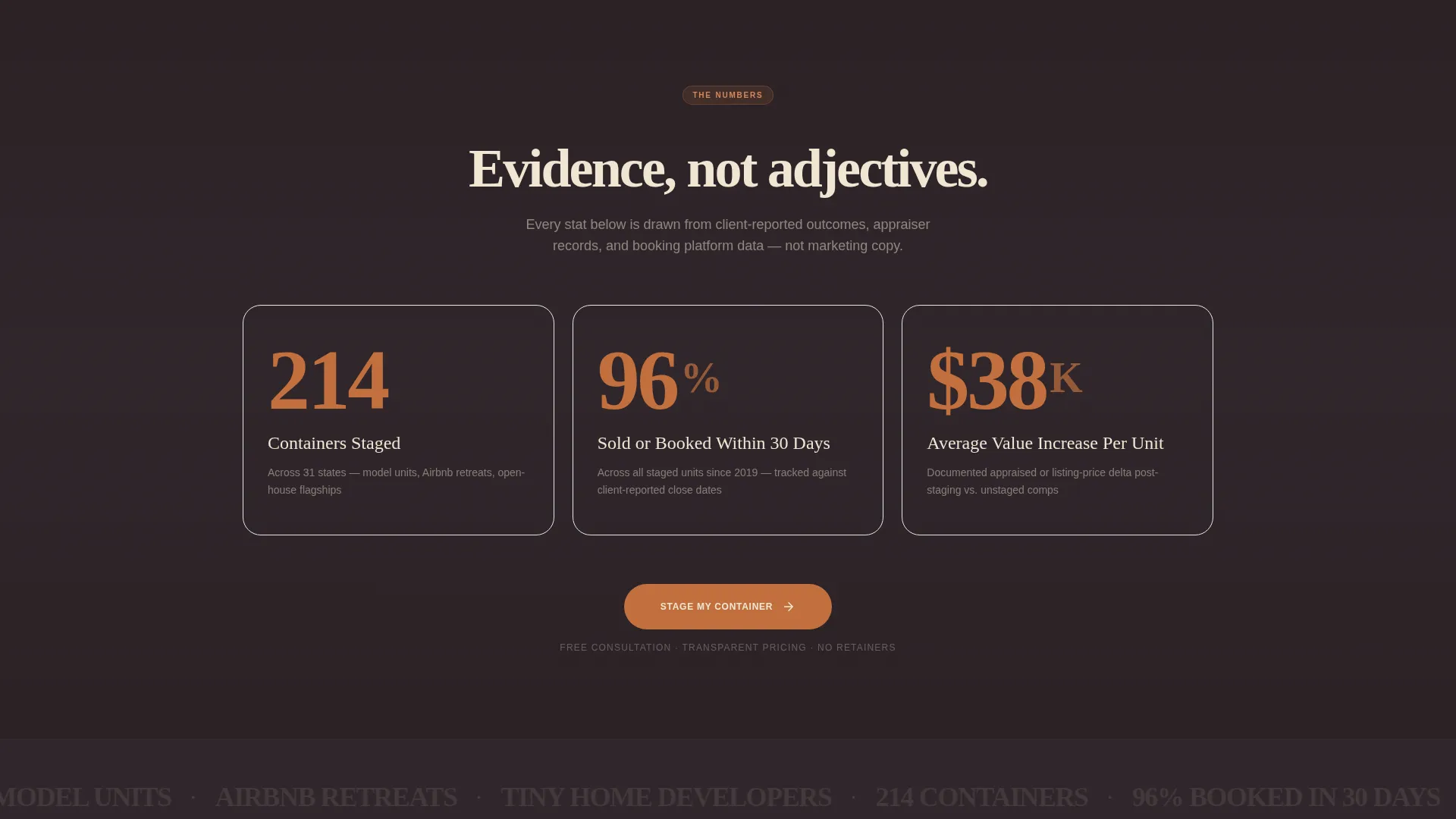
Immediately below the hero, three full-width typographic statistics hit hard: "214 containers staged," "96% sold or booked within 30 days," and "$38K average value increase per unit." Each stat anchors a deeper proof section that scrolls into case study photography and named project data.
Inline Staging Configurator
The primary call-to-action opens a configurator embedded directly in the page. Visitors select container size, number of units, staging tier (Essentials, Full, or Editorial), and a preferred start date. A live price estimate updates as selections change, reducing back-and-forth before the first conversation.
Before-and-After Case Study Sliders
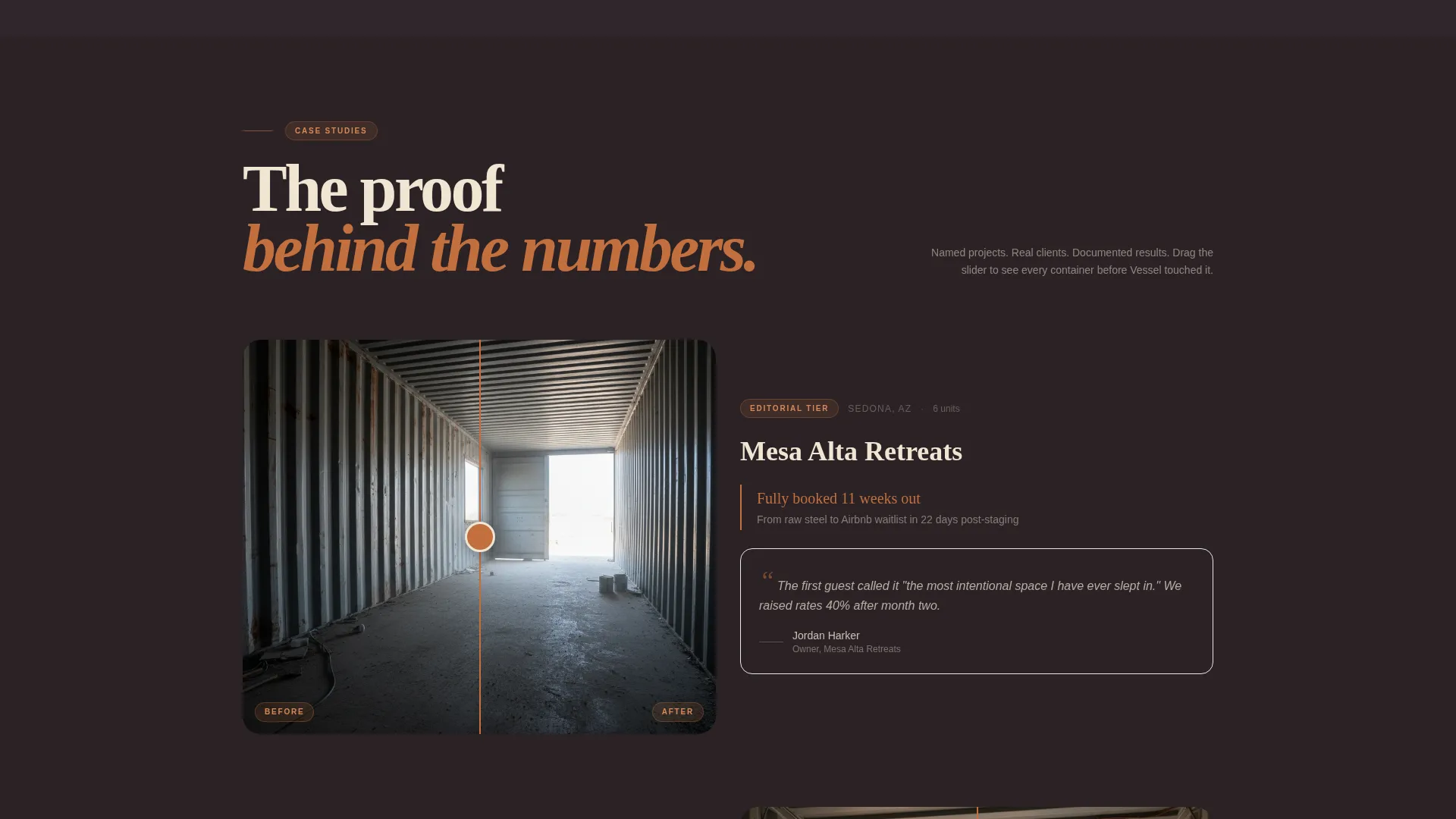
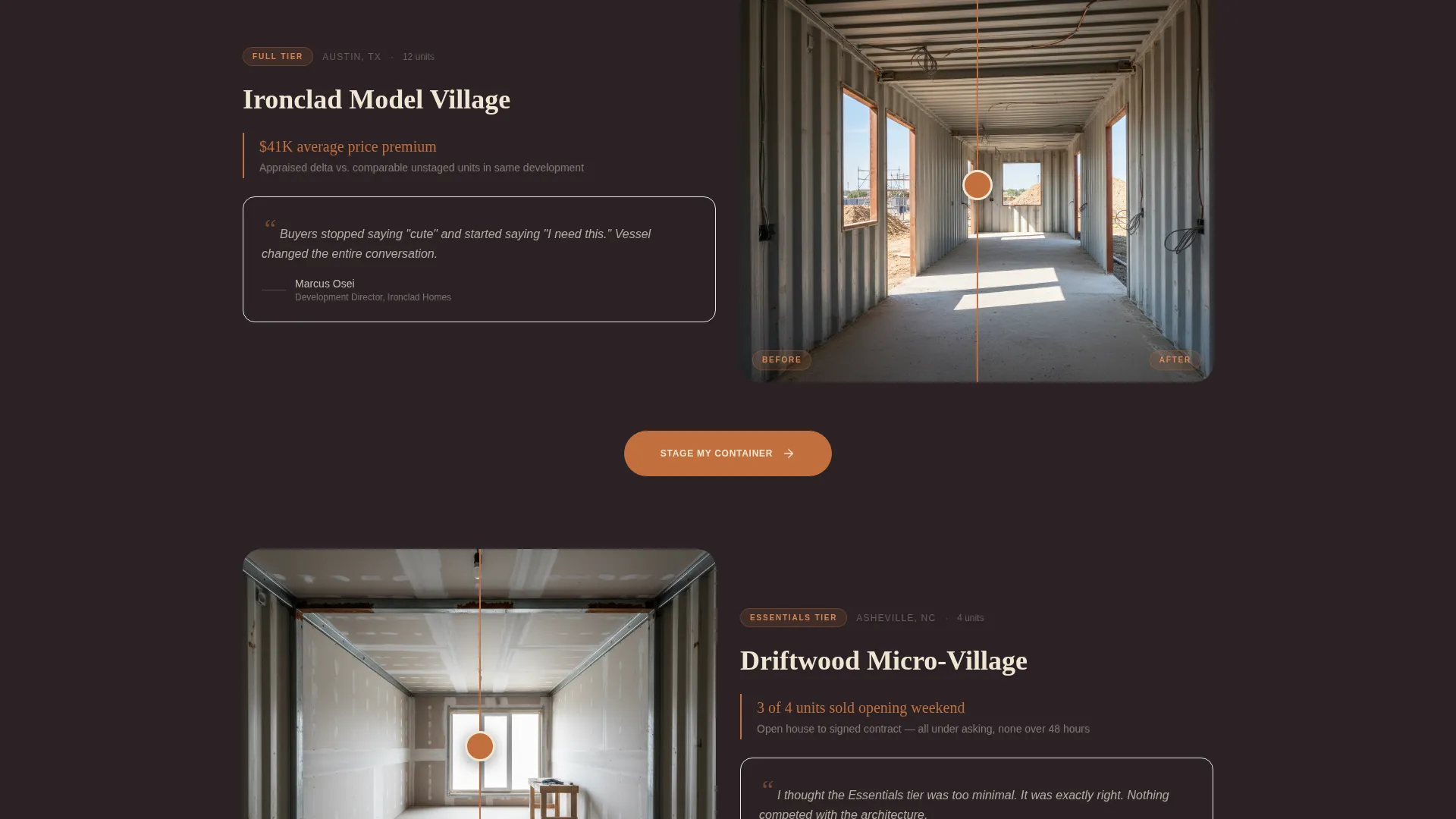
Scrolling proof sections pair photographic before-and-after sliders with builder testimonials that reference named projects and unit counts. This structure replaces vague adjectives with specific, visual evidence that builds trust incrementally.
Gated Lookbook Download
A secondary conversion path captures browsers who are not yet ready to book. Visitors enter their email to download the Vessel Portfolio lookbook, turning passive interest into a qualified lead without interrupting the primary sales flow.
Repeating "Stage My Container" call to action
The primary call-to-action button appears first beneath the statistics band and repeats after every second case study. This placement keeps the booking path visible throughout the scroll without feeling aggressive or repetitive.
Page sections overview
| Section | Purpose |
|---|---|
| Hero with Search | Immerse visitors and capture container dimensions upfront |
| Stats Impact Band | Establish credibility immediately with bold project numbers |
| Case Study One | Anchor first stat with photography and project detail |
| Stage My Container call to action | First booking prompt placed after initial proof |
| Case Study Two | Before-and-after slider with named builder testimonial |
| Stage My Container call to action | Second booking prompt sustaining momentum |
| Case Study Three | Additional proof section deepening evidence stack |
| Inline Configurator | Let visitors build their own staging quote live |
| Lookbook Download | Gated email capture for undecided browsers |
| Footer | Close the page with brand and contact details |
Design & branding system
The visual identity follows a Luxe Minimal theme built around the Sunset Mesa color system. The palette evokes the last twenty minutes of golden hour hitting a rusted container on red desert hardpan.
- Core colors: weathered terracotta (#C2703E), desert shadow charcoal (#2B2226), bleached sand (#F0E6D3), and dusted sage (#8A9A82) as a secondary accent
- Typography and spacing reinforce the Luxe Minimal feel with generous white space, editorial proportions, and warm tonal contrast between light sand backgrounds and deep charcoal text
- Imagery direction centers on warm interior photography: concrete floors, steel surfaces dressed in linen, single stems in fluted vases, and amber light through porthole windows
Mobile & speed optimization
The template layout is structured to remain fully readable and functional on smaller screens. The full-width immersive sections adapt without losing the warm, editorial feel that makes the desktop experience work.
- The hero search field and unit dropdown stack cleanly for single-thumb interaction on mobile devices
- Before-and-after sliders and case study photography are sized to remain impactful at phone-screen widths
- The inline configurator fields are spaced for touch input, keeping the booking flow usable without pinching or zooming
How this template helps you convert
The page is built around two conversion paths that work simultaneously without competing. Evidence accumulates as visitors scroll, and the action step is never far away.
- The stats band and repeating "Stage My Container" call-to-action create a direct sales path for visitors who are ready to book. The inline configurator lets them build their own quote in real time, lowering the barrier to that first commitment.
- The gated lookbook download captures email addresses from browsers who are still in the research phase. They leave with your portfolio in their inbox, and you leave with a warm lead who has already pictured their unit dressed in linen and light.
Other information about this template
This template is categorized under Real Estate and Property, specifically within the Container Home Real Estate subcategory. It is designed as a single landing page rather than a multi-page website, making it fast to deploy for a specific campaign or studio launch.
- The intersection niche this template aligns with is container home staging and appraisal-adjacent sales, where visual proof and measurable outcomes drive buyer decisions
- The creative direction follows a Stats-First Impact model, meaning the page earns trust through specific numbers and named projects before asking for any commitment
- This template works equally well as a permanent studio homepage or a campaign-specific landing page for a seasonal open house or investor showcase event
Theme
Executive Suite
Creative direction
Case Study Narrative
Color system
Midnight Blue
Style
Split Screen (50/50)
Direction
Click-Through
Page Sections
Cinematic Hero with Search Field
Full-width Statistics Band
Inline Staging Configurator with Live Pricing
Before-and-after Case Study Sliders
Gated Portfolio Lookbook Download
Repeating Direct-booking Call-to-action
Related questions
Can I use this template without professional interior photography?
Does the live price configurator require developer work to set up?
Who is this landing page template designed for?
What does the lookbook download section do?
Can the template handle double or triple unit container projects?



