Vascular Surgeon Directory Landing Page Template
Vessel is a hub-and-spoke landing page template built for vascular surgeon provider directories. It guides patients, caregivers, and referring physicians through condition education, procedure explainers, and regional specialist panels, all organized by circulation logic rather than alphabetical lists. A progressive search module and a gated resource guide drive both primary and secondary conversions.
by Rocket studio
Quick summary
Vessel is a single-page, anchor-navigated directory template for vascular surgeon networks. It connects recently diagnosed patients, adult caregivers, and referring primary care physicians with board-certified vascular surgeons organized by condition, procedure, and region. The layout educates first, then converts, earning the click before asking for it.
Who this template is for
This template is built for healthcare organizations, directory publishers, and medical marketing teams that need to match patients with specialist surgeons at scale. It works equally well for regional hospital networks and national vascular health platforms.
- Vascular surgeon directories serving patients with peripheral artery disease, aortic aneurysms, or varicose veins
- Healthcare publishers building condition-specific specialist finder tools
- Referring primary care physicians and care coordination teams who need a trusted, searchable surgeon network
What problem this template solves
Patients who have just received a vascular diagnosis often face a wall of unfamiliar terms and an alphabetical list of names that means nothing to them. Caregivers researching on behalf of a parent feel the same overwhelm. Referring physicians need a reliable, nearby name, fast. Most directories fail all three groups by organizing around the provider, not the patient's actual question.
- No clear path from diagnosis to the right specialist type
- Condition and procedure names left unexplained, leaving visitors confused rather than confident
- Search tools that ask for too many inputs at once, causing drop-off before a match is made
What you get with this template
Vessel delivers a fully structured, section-rich landing page that takes a visitor from anxiety to informed decision in a single scroll. Every section is purposefully sequenced so that education precedes action.
- A full hub-and-spoke layout with five anchor-linked spoke sections covering conditions, procedures, regional specialists, and educational resources
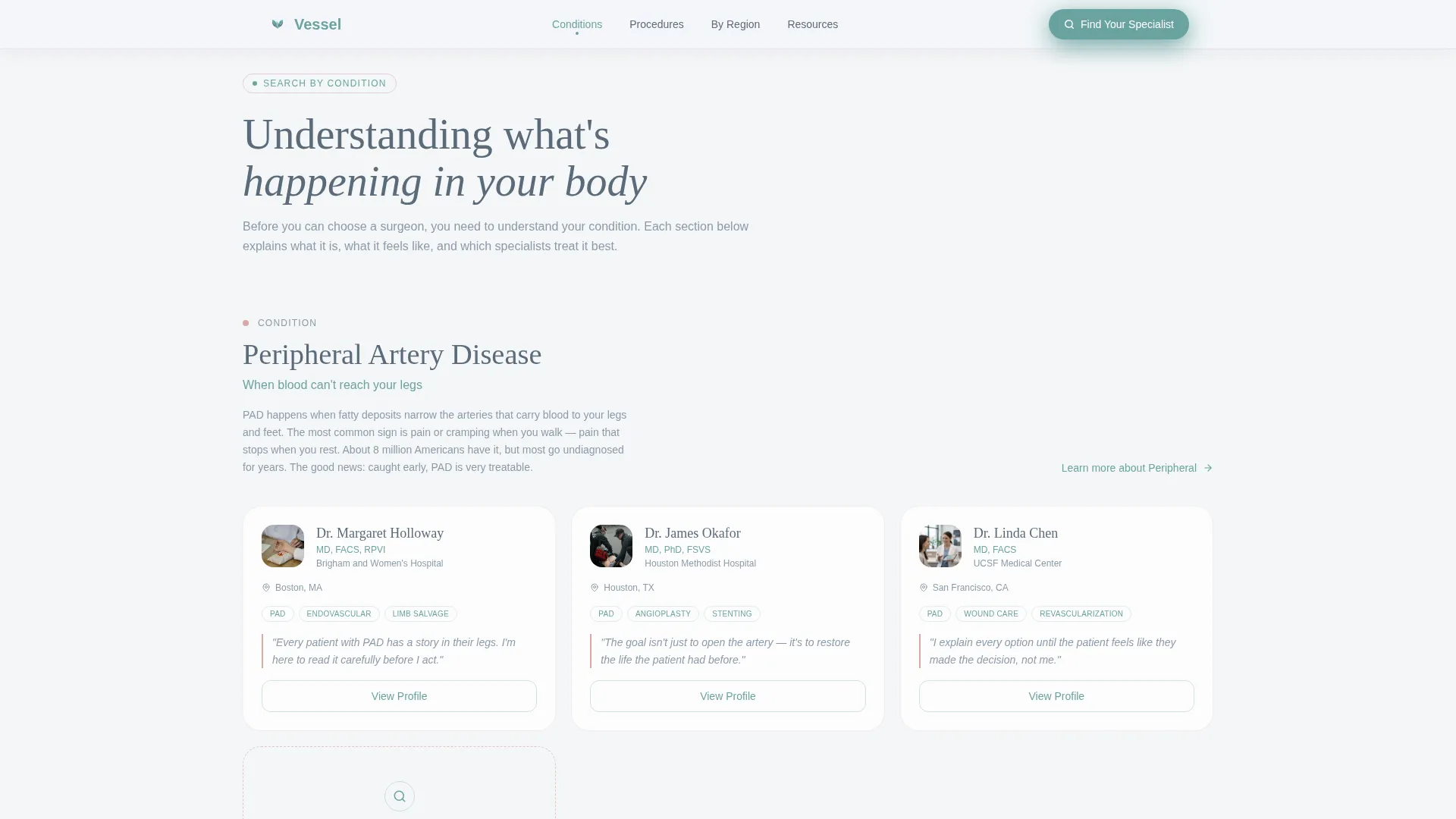
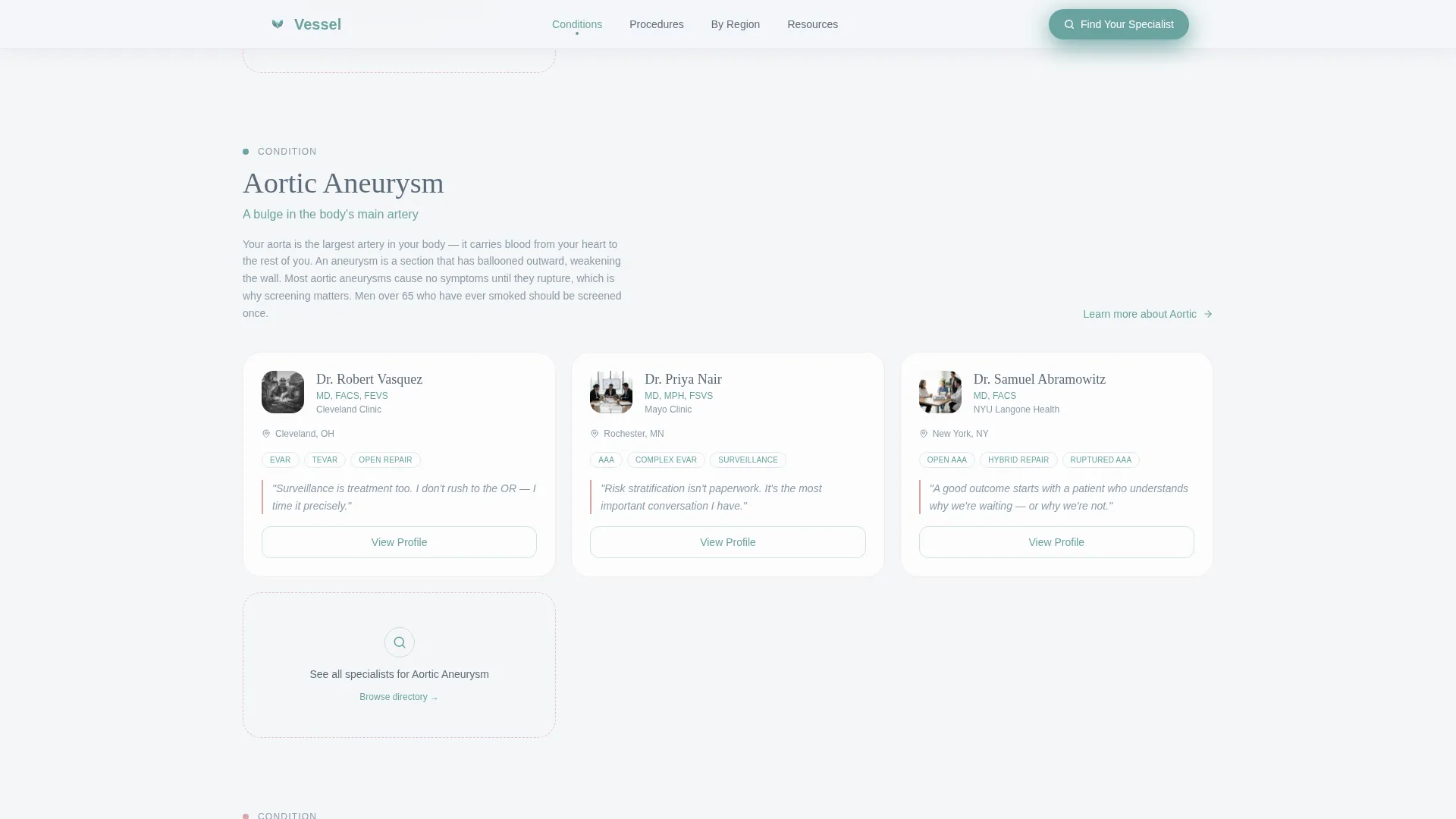
- Surgeon panel cards with credential badges, hospital affiliations, and philosophy quotes built into each spoke section
- A three-step progressive search module and a gated downloadable guide for dual-path conversion
Feature list
This template ships with a focused set of purpose-built components. Each one earns its place by serving a specific visitor need.
Giant Centered Hero Headline
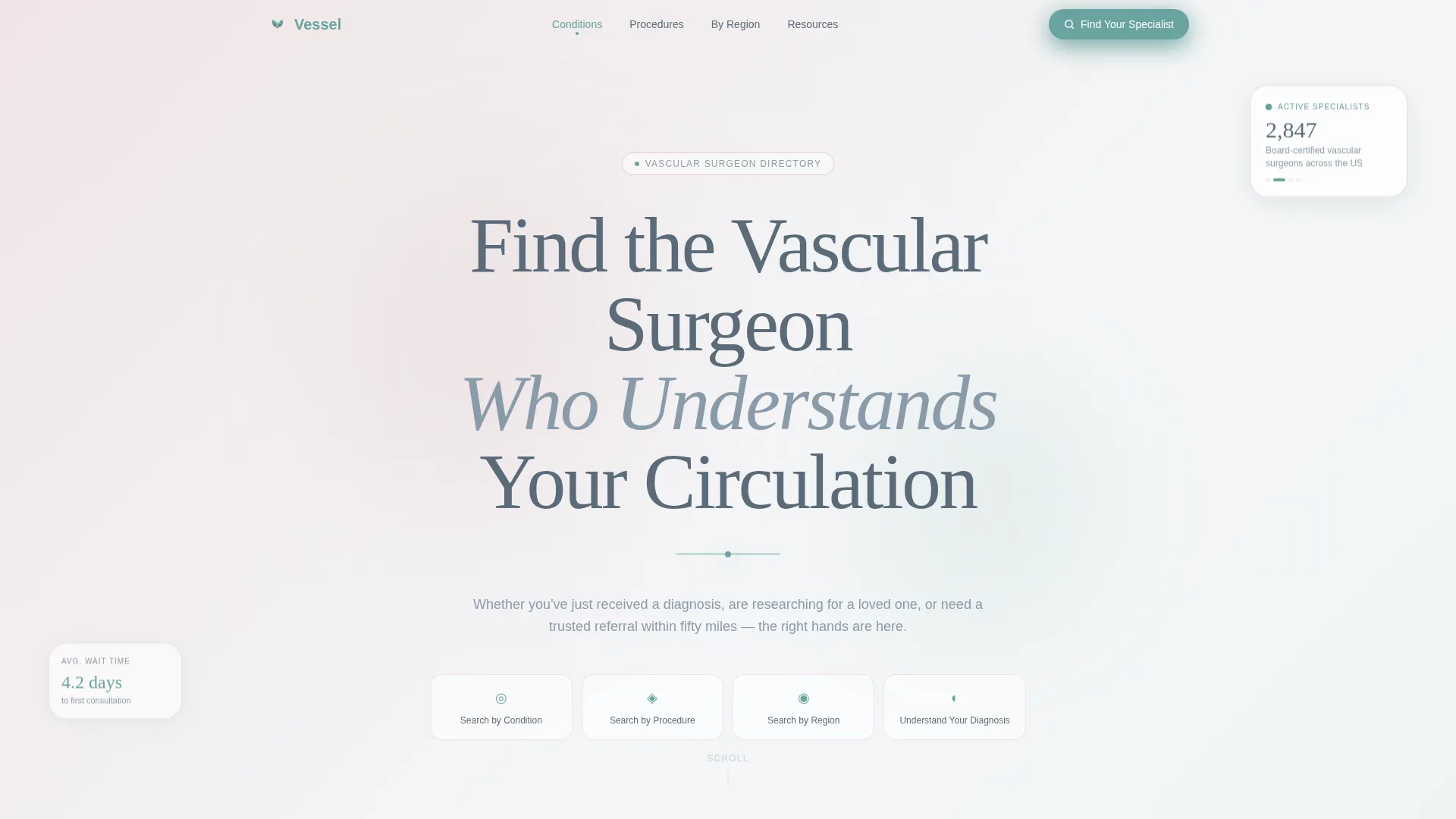
The hero opens with a full-viewport, fog-white field and a large airy serif headline, "Find the Vascular Surgeon Who Understands Your Circulation." A thin teal line pulses once beneath it, like a single heartbeat, before the anchor navigation quietly appears. No imagery competes with the message.
Anchor Navigation Bar
A persistent navigation bar carries a "Find Your Specialist" call-to-action button in living teal across the full page scroll. Four anchor links, Search by Condition, Search by Procedure, Search by Region, and Understand Your Diagnosis, let visitors jump directly to the section that matches their current question.
Condition and Procedure Spoke Sections
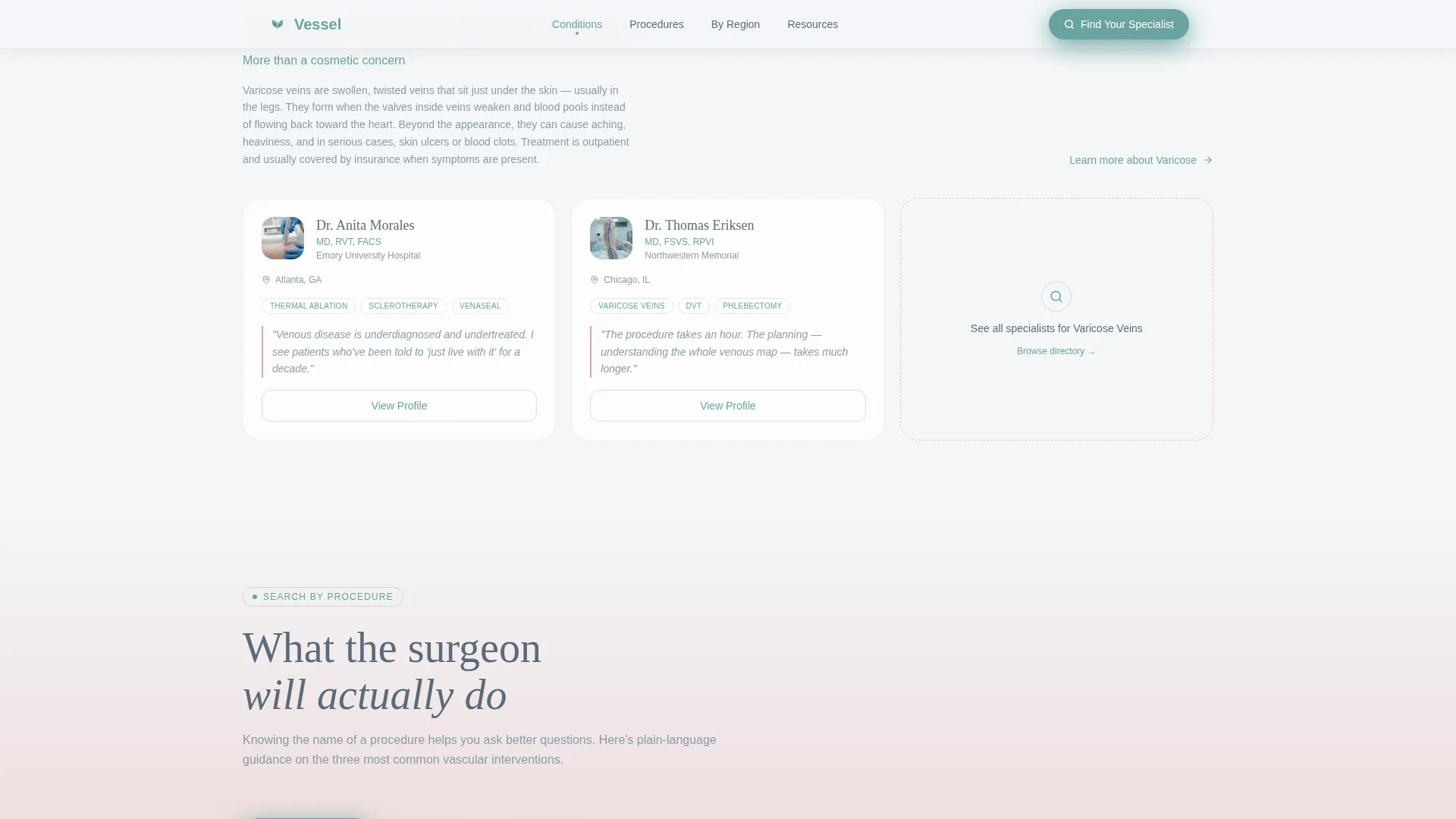
Each spoke section opens with a plain-language explanation written for general readers. Peripheral artery disease, aortic aneurysm repair, and varicose vein treatment are each introduced clearly before surgeon panels appear. Panels display three to five surgeons per section, each with credentials, hospital affiliation, and a one-sentence philosophy quote.
Progressive Search Module
The inline search module reveals one input at a time: condition or symptom first, then zip code, then insurance carrier. This three-step disclosure prevents input overload and keeps conversion momentum moving forward.
Gated Vascular Health Guide
A secondary conversion path offers a downloadable PDF guide gated behind a single email field. The page earns this submission by educating the visitor fully before the form appears, reducing friction and increasing trust.
Regional Specialist Panels
Surgeon cards are grouped into geographic clusters so that patients and referring physicians can filter by proximity. Each card carries the same credential and affiliation structure used in the condition-based panels, keeping the experience consistent across the directory.
Page sections overview
| Section | Purpose |
|---|---|
| Hero Header | Headline, pulsing teal line, anchor nav |
| Conditions Hub | PAD, AAA, varicose vein education plus surgeon panels |
| Procedures Hub | Endovascular, open repair, thermal ablation panels |
| Regional Specialists | Geographic surgeon clusters with cards |
| Resources and Guide | Educational content and email-gated PDF download |
| Footer | Minimal horizontal footer pattern |
Design & branding system
The visual identity follows an Organic Flow theme built around the Soft Mist color system. Every color choice is intentional, clinical enough to convey authority, human enough to convey warmth.
- Fog white (#F4F6F8) and faint blush (#D9A7A7) carry all backgrounds and accent washes; venous slate (#5B6B7A) anchors body text for readability
- Living teal (#6BA3A0) appears only on interactive elements, navigation dots, hover states, the persistent call-to-action button, so every teal moment signals an invitation to act
- Typography pairs Fraunces serif for headlines with DM Sans for body text, creating an editorial medical feel that feels authoritative without feeling cold
Mobile & speed optimization
The template is built desktop-first to match the research context, most diagnosis-driven searches happen on a larger screen where surgeon cards and multi-panel layouts display fully. Full mobile support is included so that caregivers and patients on phones are never excluded.
- Staggered card reveals and scroll-linked opacity animations are handled client-side; static content sections use server components to keep initial load light
- The progressive search module adapts to single-column mobile layout, maintaining the one-field-at-a-time disclosure on smaller screens
How this template helps you convert
Vessel earns trust before it asks for anything. The conversion architecture is sequenced deliberately so that each scroll step reduces hesitation rather than adding it.
- The anchor navigation and persistent "Find Your Specialist" button keep the primary action visible at all times, so a visitor who becomes ready at any point in the scroll can act immediately without hunting for next steps.
- The three-step progressive search module removes the most common barrier to directory conversion, the overwhelming multi-field form, by revealing one question at a time, making each step feel answerable.
- The gated PDF guide captures visitors who are not yet ready to search, building an email relationship with caregivers and patients still in the research phase.
Other information about this template
Vessel is designed for the United States market, with surgeon cards formatted for US hospital affiliations, US address formats, and English-language copy. The localization is specific and intentional.
- The template supports a desktop-first layout priority with full responsive mobile support, matching the diagnosis and research context where larger screens dominate
- Social proof components, credential badges, patient count metrics, hospital affiliation labels, and surgeon philosophy quotes, are built into every spoke section to establish quiet authority at each scroll depth
- The mist gradient shift in the hero, the pulsing teal heartbeat line, and the staggered card reveals are all medium-weight animations included in the template's animation layer
- The footer follows a minimal horizontal pattern suited to a content-heavy page that should end cleanly without distraction
Theme
Organic Flow
Creative direction
Expert Panel
Color system
Soft Mist
Style
Hub & Spoke (Anchor Nav)
Direction
Content/Resource
Page Sections
Giant Centered Hero with Pulsing Teal Line
Persistent Anchor Navigation Bar
Condition and Procedure Spoke Panels
Three-step Progressive Search Module
Gated Vascular Health Guide
Regional Specialist Clusters
Related questions
Who is this landing page template designed for?
How does the progressive search module work?
What surgeon information does each card display?
What is the gated Vascular Health Guide?
Can this template be adapted for a single vascular condition?



