Joint & Family Finance Professional Website Template
Vest is a dashboard-style landing page template built for joint and family retirement planning platforms. It features animated account cards, Before/After comparison panels, a family retirement timeline, a beneficiary map section, and a three-step lead generation form. The deep plum and champagne color system creates a warm, advisor-grade feel that earns trust at first glance.
by Rocket studio
Quick summary
Vest is a single-page, dashboard-style template designed for platforms that help couples and families view all retirement accounts in one place. It guides visitors through a visual Comparison Journey, showing fragmented retirement planning versus a unified household view, and closes with a progressive lead generation form built to convert hesitant visitors step by step.
Who this template is for
This template is built for FinTech and retirement planning platforms targeting households with multiple account holders. It works especially well when your audience arrives feeling overwhelmed, not just curious.
- Dual-income couples in their forties who have never combined their retirement math into a single picture
- Adult children helping aging parents organize decades of scattered 401(k)s, Individual Retirement Accounts (IRAs), and pensions
- Blended families navigating outdated beneficiary designations and complex account ownership across members
What problem this template solves
Most families manage retirement accounts in silos. One spouse tracks a 401(k) through an old employer portal. The other checks a Roth IRA through a separate app. Nobody has looked at the combined number. This template gives platforms a structured way to show visitors exactly how costly that fragmentation is, and what a unified view fixes.
- Fragmented logins and mismatched contribution rates create planning blind spots that go unnoticed for years
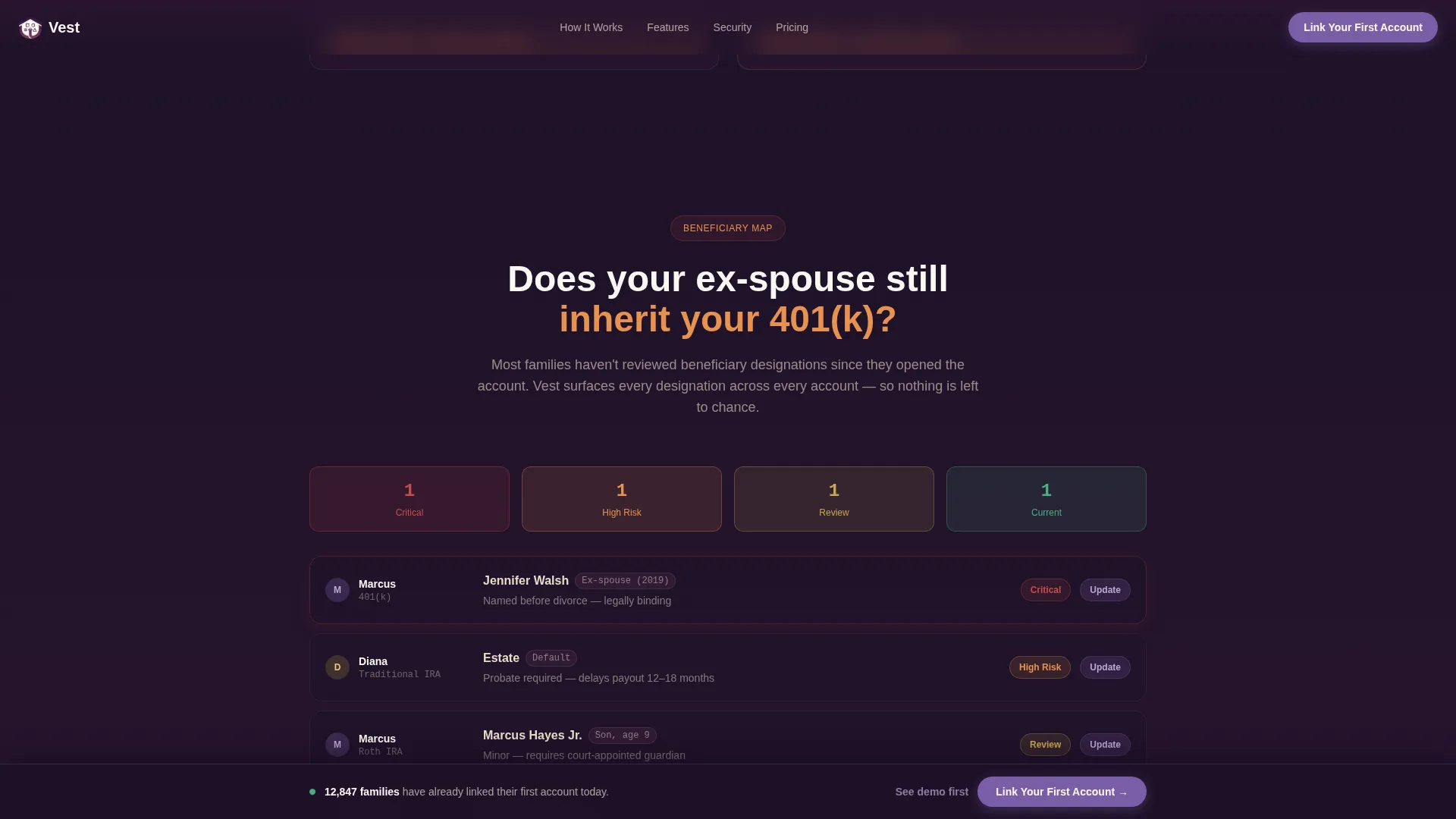
- Outdated beneficiary designations, such as an ex-spouse still listed on a Roth IRA, represent a real financial and legal risk
- Individual retirement projections that ignore a partner's accounts produce timelines that are simply wrong
What you get with this template
You get a fully structured, single-page layout that walks visitors from awareness to action. Every section is purpose-built for the household retirement planning use case, with no filler sections to remove.
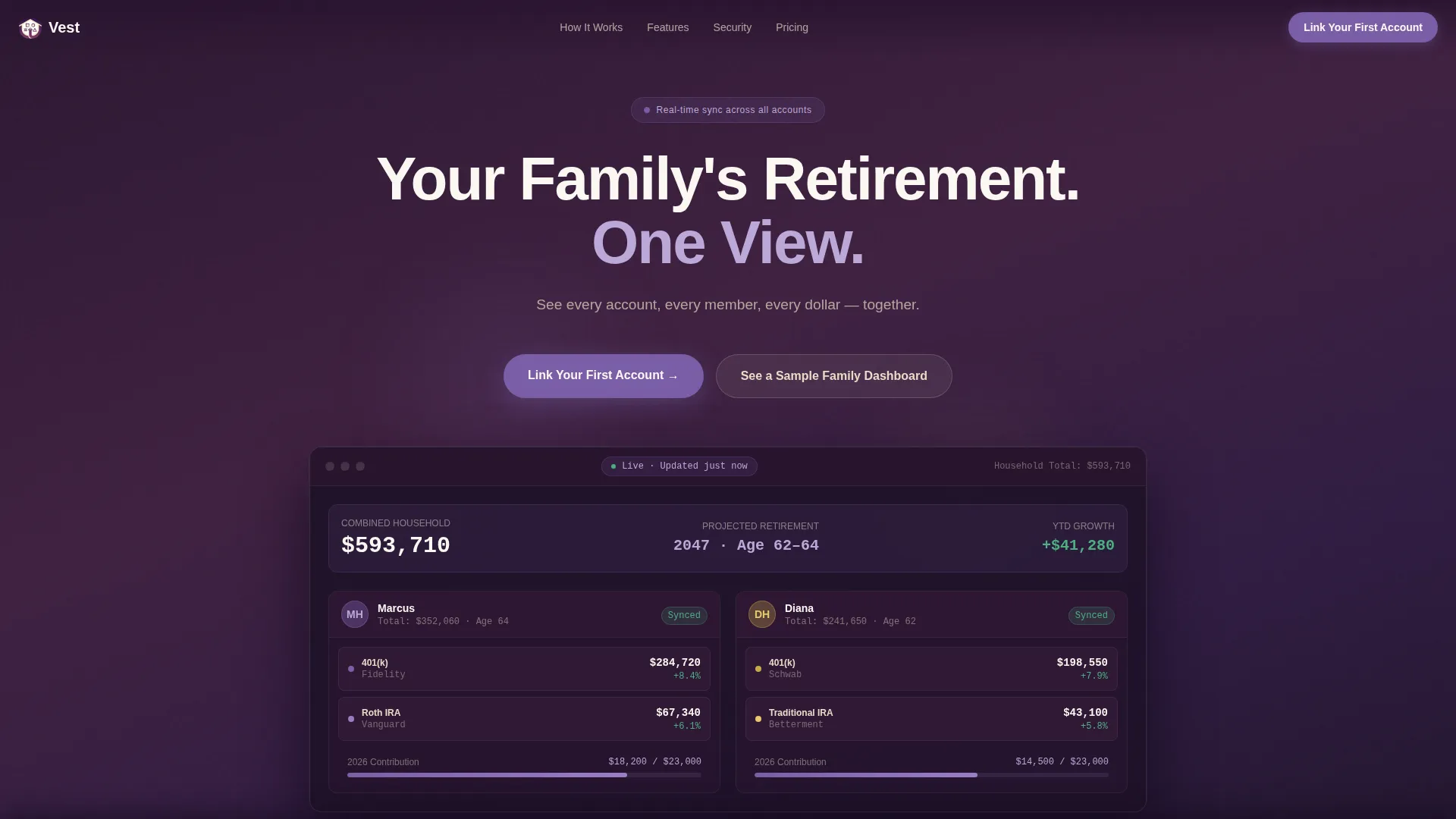
- A hero section with a giant centered headline, subline, and an animated mock dashboard showing two account holders side by side
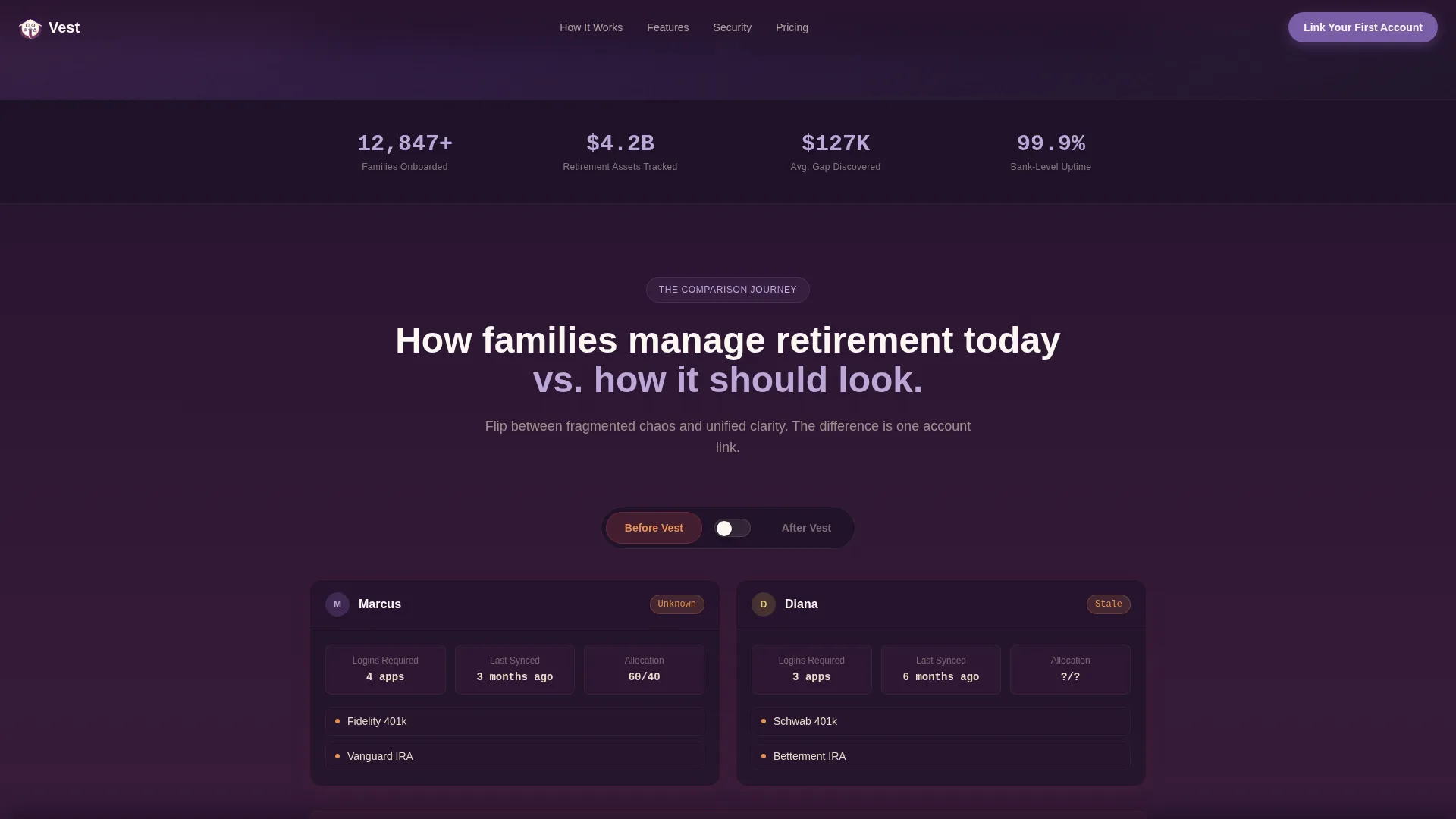
- Four scroll-triggered comparison sections with interactive Before/After toggle switches on live data panels
- A three-step progressive lead generation form paired with a sticky call-to-action bar that appears from midpage onward
Feature list
This template is built with a high level of interactivity and a clear visual hierarchy. Each feature listed below is drawn directly from the design and structure described for this template.
Animated Hero Dashboard
The hero opens with stark ivory typography on a deep plum background. Below the headline, a mock dashboard fades in showing two named account holders, each with floating account cards displaying balances, contribution rates, and a unified projected retirement date. No stock photography is used anywhere on the page.
Before/After Comparison Panels
Scroll-triggered comparison sections pair fragmented retirement data panels against their unified equivalents. Interactive toggle switches let visitors flip between states on the same data grid, making the value of consolidation immediately visible rather than described.
Merged Family Retirement Timeline
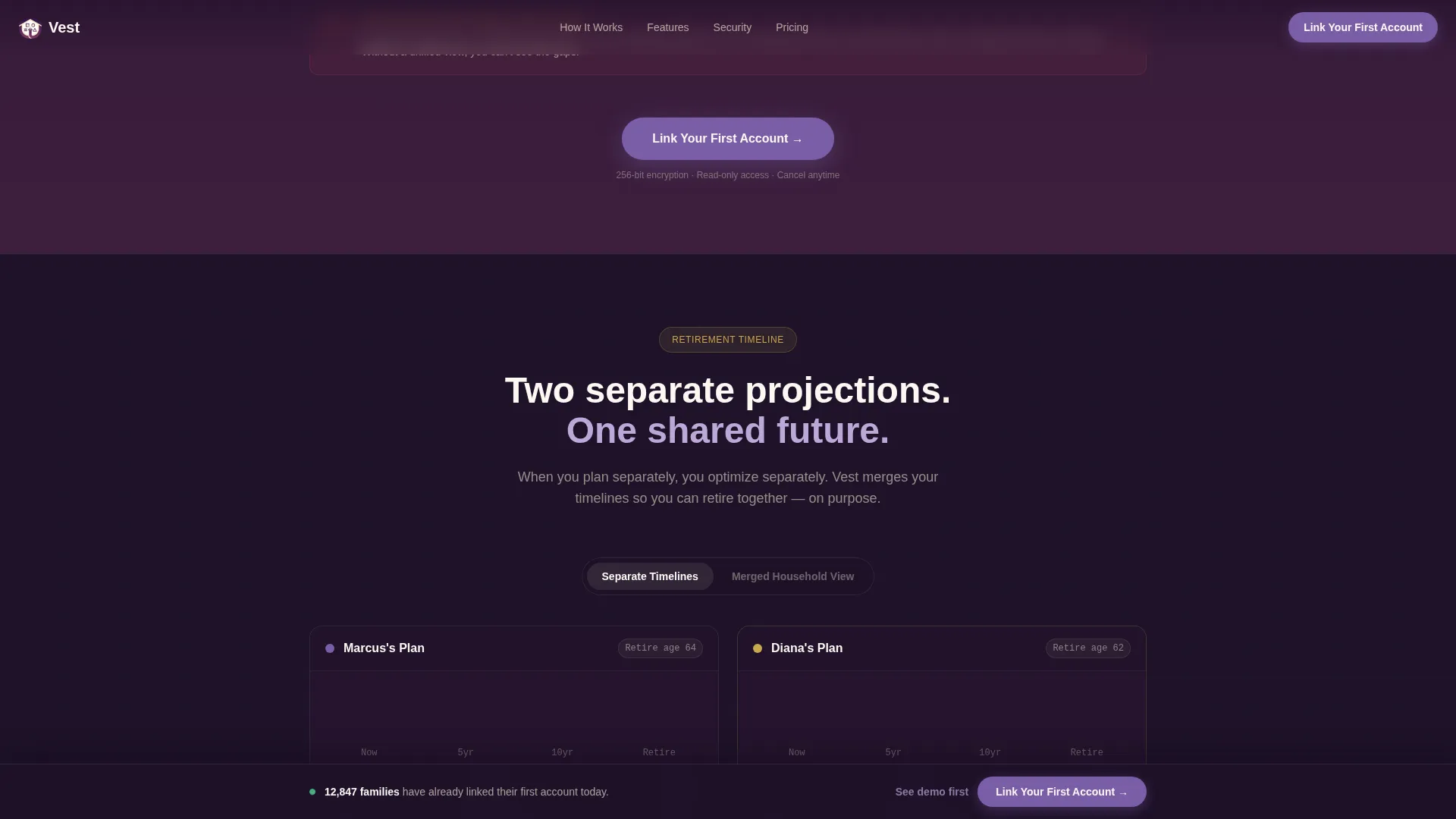
A dedicated section visualizes a merged household retirement projection alongside individual scattered timelines. Visitors see how combining accounts changes the projected retirement date, making the conversation concrete and personal.
Family Beneficiary Map
A family-wide inheritance visualization section shows beneficiary designations across all accounts simultaneously. The layout is designed to escalate the stakes visually, surfacing risks such as outdated or conflicting designations as the visitor scrolls deeper.
Progressive Three-Step Lead Form
The lead generation form uses a three-step flow. Step one is a dropdown for the number of family members with retirement accounts. Step two uses checkboxes for account types held, covering 401(k), Traditional IRA, Roth IRA, Pension, and Other. Step three captures name and email. This structure reduces friction and increases form completion.
Interactive Demo Path
A secondary conversion path labeled "See a Sample Family Dashboard" opens a fully interactive demo pre-loaded with fictional family data. Visitors can experience the product before entering any personal information, earning the primary conversion through direct product exposure.
Page sections overview
| Section | Purpose |
|---|---|
| Hero Headline | Establish the unified family retirement value proposition with an animated mock dashboard |
| Before/After Panels | Show the cost of fragmented retirement management using interactive toggle comparisons |
| Family Retirement Timeline | Contrast individual projections with a merged household retirement date |
| Beneficiary Risk Map | Visualize family-wide inheritance designations and escalate the stakes of inaction |
| Social Proof Stats | Reinforce trust with metric stats covering accounts linked, families onboarded, and average gap discovered |
| Lead Generation Form | Capture qualified leads through a three-step progressive form flow |
| Sticky Call-to-Action Bar | Persist the primary conversion prompt from midpage onward as visitors scroll |
| Footer | Linear single-row footer with essential links |
Design & branding system
The visual identity follows a Dashboard Pro theme inside a Plum Executive color system. The overall feel is a private wealth advisor's office, replaced from mahogany to something warmer and more modern. Every color choice reinforces trust and data clarity.
- Deep plum (#3D1F3E) as the primary background, muted champagne (#E8DCC8) for card surfaces and data containers, confident amethyst (#7B5EA7) for interactive elements and progress indicators, and crisp ivory (#FAF7F2) for typography on dark fields
- DM Sans headings, Manrope for user interface and data labels, and JetBrains Mono for numerical figures to reinforce a dashboard data aesthetic
- Glassmorphism floating card effects in the hero, with scroll-triggered animations, staggered number reveals, and animated counters throughout
Mobile & speed optimization
The template is built desktop-first to match the complexity of financial dashboard layouts, with a fully responsive structure for mobile visitors. Dashboard data grids reflow cleanly for smaller screens without losing the comparison logic.
- Server components handle static page sections, while client components manage interactive panels like toggles, the progressive form, and animated counters
- Sticky call-to-action bar and progressive form steps are designed to remain functional and readable on mobile viewports
- Desktop-first layout prioritizes the side-by-side account card and comparison panel experience, which is the core product demonstration format
How this template helps you convert
Every design and copy decision on this page moves a hesitant family finance visitor toward a single action: linking their first account. The page earns that action rather than demanding it.
- The animated hero dashboard demonstrates the product before the visitor reads a single explanation, building immediate visual credibility through a live-looking mock interface
- The Before/After toggle panels make the cost of inaction tangible, shifting the visitor's mental frame from "this might be useful" to "we actually need this"
- The secondary demo path removes the biggest barrier to form completion by letting visitors explore a fictional family dashboard before submitting any personal details
Other information about this template
This template is categorized under Finance and Insurance, specifically within the Joint and Family Finance subcategory targeting the joint and family retirement account niche. It is localized for United States audiences, using USD currency formatting, MM/DD/YYYY date conventions, and standard 401(k) and IRA account terminology throughout.
- The page is built for lead generation, with the primary call-to-action reading "Link Your First Account" appearing after the second comparison panel and repeating in the sticky bar
- Animation intensity is high across the template, including floating dashboard cards, scroll-triggered section reveals, staggered number counters, and interactive toggle state changes
- The template's Comparison Journey creative direction is structured so that the stakes escalate from mild inconvenience in early sections to real financial risk by the final comparison panel, creating emotional momentum toward conversion
Theme
Dashboard Pro
Creative direction
Comparison Journey
Color system
Plum Executive
Style
Dashboard/Data Grid
Direction
Lead Generation
Page Sections
Animated Hero Dashboard Cards
Before/after Toggle Comparison Panels
Merged Family Retirement Timeline
Family Beneficiary Map Section
Progressive Three-step Lead Form
Interactive Sample Dashboard Demo Path
Related questions
What type of platform is this template designed for?
Can this template speak to both couples and families helping aging parents?
What does the three-step lead form collect from visitors?
Can visitors explore the product before filling out the lead form?
How does the Before/After comparison structure work on this page?



