Veteran & Military Support Specialist Professional Website Template
Veteran is a premium landing page template built for veteran business incubators. It uses a zigzag founder-story layout, full-bleed cinematic header, aggregate data ribbons, and a focused cohort orientation registration form. The Forest Trust color system and documentary visual style translate military credibility into business momentum, guiding post-9/11 veterans from first scroll to reserved seat.
by Rocket studio
Quick summary
Veteran is a single-page incubator landing page built around one goal: turning a visitor's service history into a reserved seat at the next cohort orientation. Three alternating founder-story blocks, full-width data ribbons, and a streamlined registration form do the heavy lifting. The design feels like a field jacket and a business suit sharing the same closet.
Who this template is for
This template is purpose-built for veteran-serving organizations that need to convert transitioning service members into program applicants. It speaks directly to founders who earned their discipline in uniform and are now building their first company.
- Post-9/11 veterans transitioning from active duty to entrepreneurship
- Military spouses launching ventures around Permanent Change of Station (PCS) move cycles
- Veteran incubator coordinators who need a credible, conversion-focused landing page
What problem this template solves
Most nonprofit and civic landing pages ask visitors to trust the program before showing any proof. Veteran flips that sequence. Social proof loads first, and the registration form appears only after the visitor has already seen real outcomes from real founders.
- No proof before the ask: data ribbons and founder stories load above the form
- Generic design that ignores military culture and the unique service-to-business transition
- Weak secondary lead capture that loses visitors who are not ready to register yet
What you get with this template
You get a fully structured, single-page layout with every section pre-built and ready to customize. The page is designed to feel earned, not generic, with editorial details that resonate with people who have served.
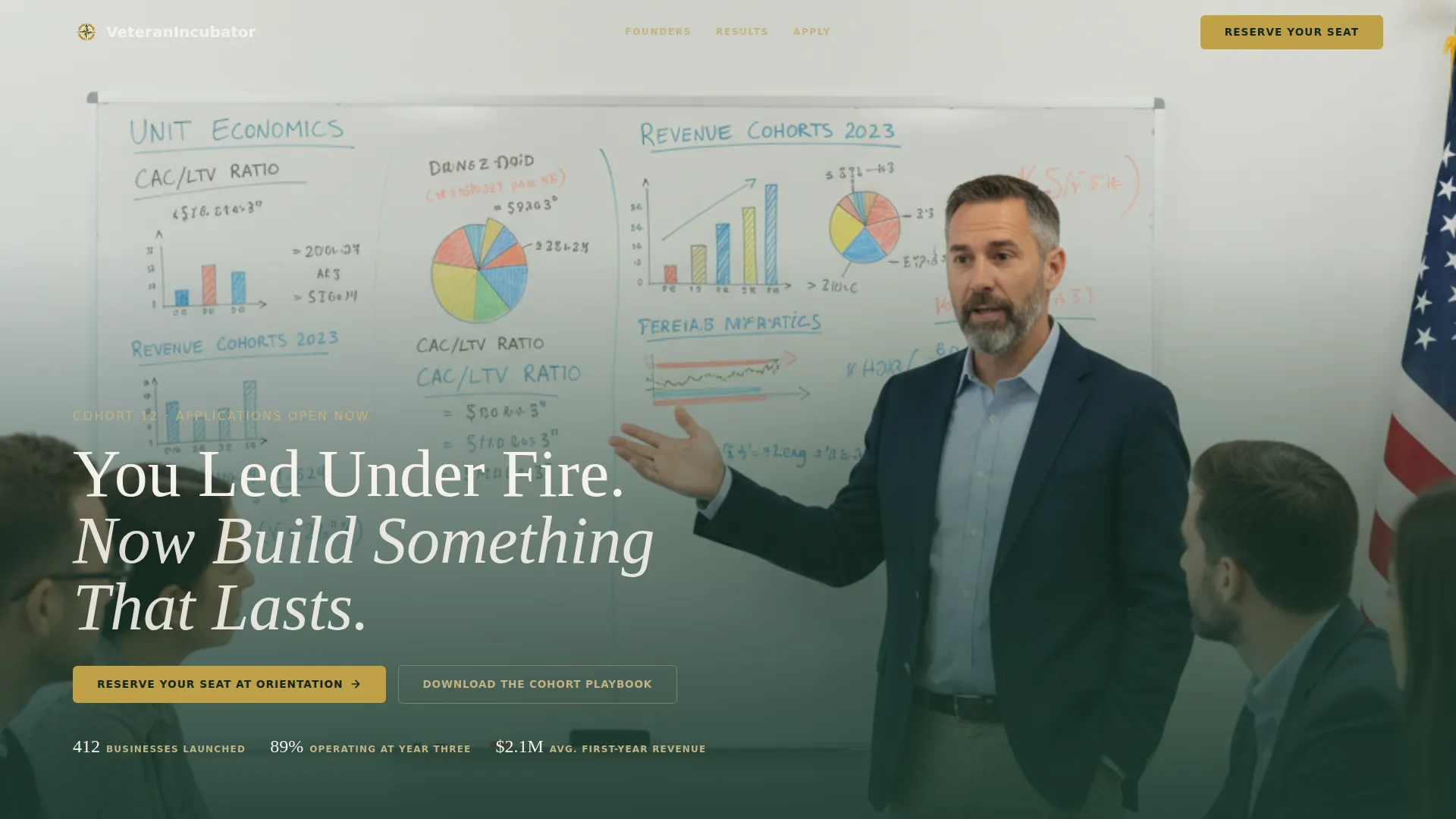
- A cinematic full-bleed header with a fade-in headline over the lower third
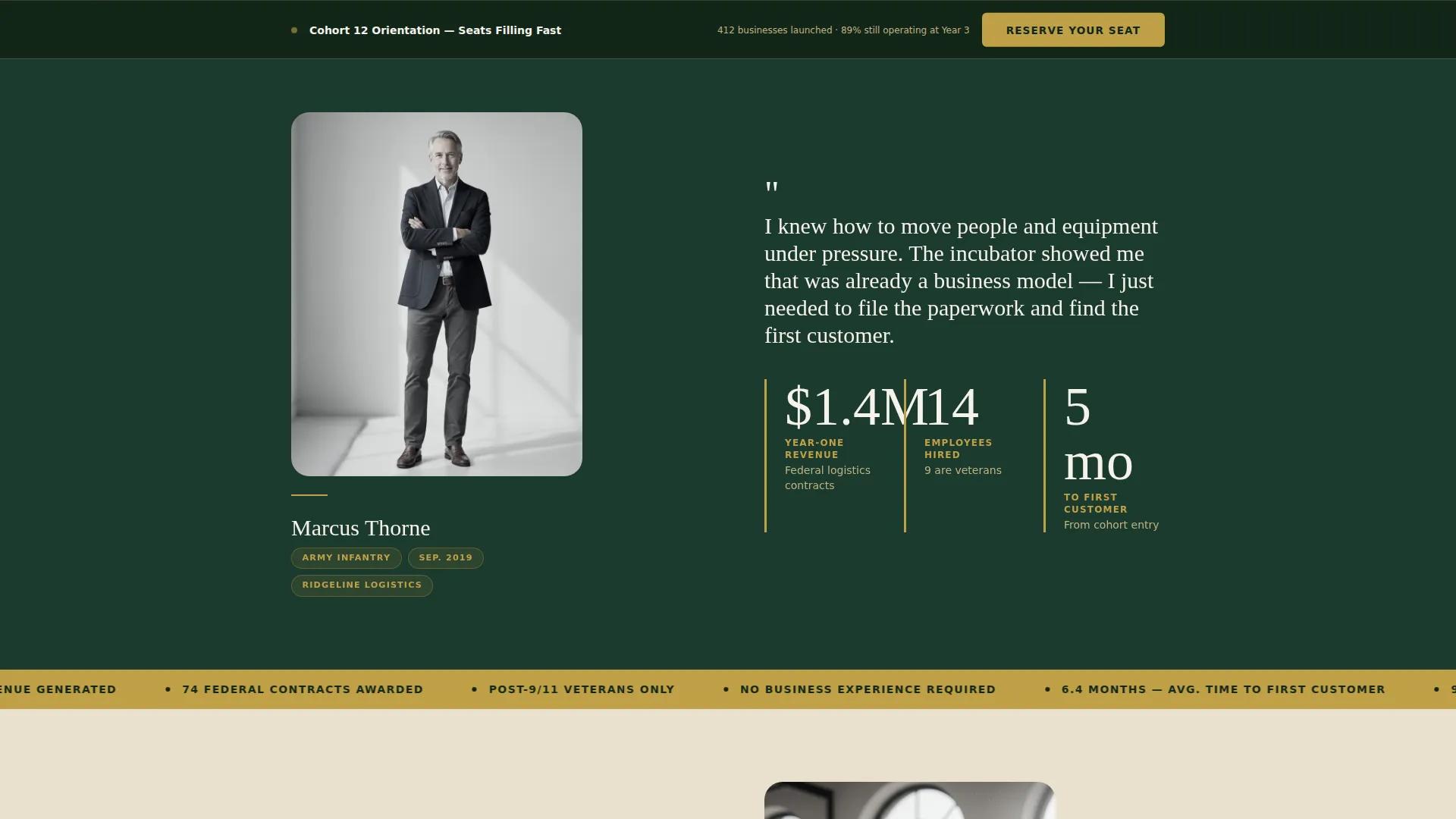
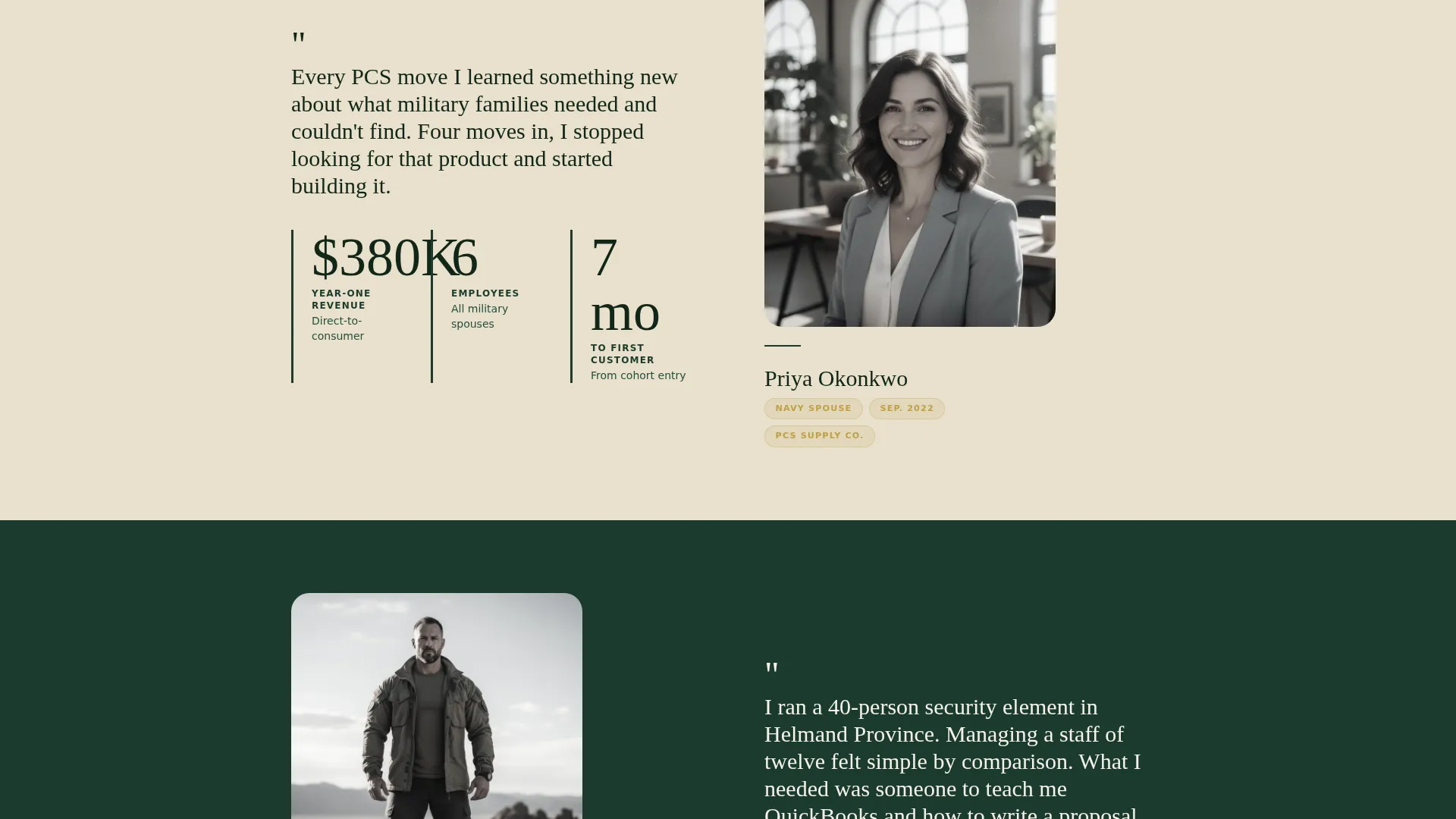
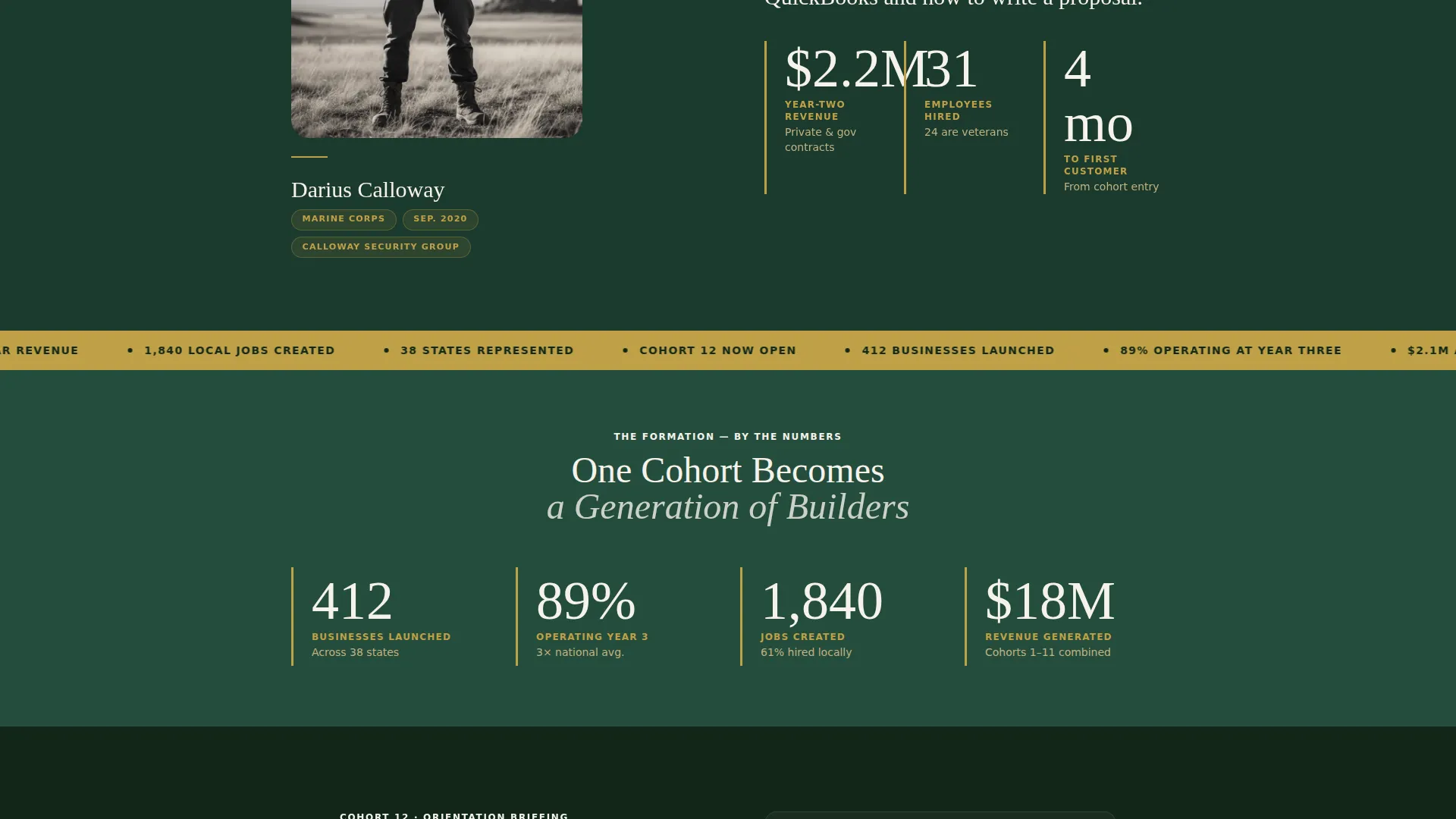
- Three zigzag founder-story blocks, each pairing a portrait and pull-quote with revenue, jobs created, and months-to-first-customer metrics
- A dual lead-capture system: a primary orientation registration form and a secondary cohort playbook download
Feature list
This template is built around a clear, deliberate set of features derived from the project brief. Each one serves the goal of converting a veteran founder from curious visitor to registered cohort member.
Full-Bleed Cinematic Header
The header uses a wide-angle, naturally lit workspace photo as its background. A headline fades in over the lower third using a smooth reveal animation. A primary call-to-action button appears directly below, setting the conversion path from the first second on the page.
Zigzag Founder Story Blocks
Three alternating sections pair a founder portrait and pull-quote on one side with hard business metrics on the other. Revenue figures, jobs created, and months from cohort entry to first customer give each story immediate credibility. The layout alternates direction with each block to create visual rhythm as the visitor scrolls.
Full-Width Aggregate Data Ribbons
Short data strips run between testimonial blocks in service gold on woodland green. Stats like "412 Businesses Launched" and "89% Still Operating at Year Three" appear full-width, giving the visitor a cadence between personal story and collective proof. Counter animations bring the numbers to life on scroll.
Sticky Orientation Registration Form
The primary call-to-action button locks into a slim bottom bar after the second scroll section. The inline form collects name, service branch and separation year, a one-sentence business idea, and a preferred orientation date via a calendar picker. This keeps the conversion path available at every stage of the scroll.
Secondary Playbook Download Path
A dedicated section captures earlier-stage leads with a single email field. The prompt "Not Ready Yet? Download the Cohort Playbook" offers a lower-commitment entry point for visitors who are still evaluating the program. No pressure, no wasted visit.
GSAP ScrollTrigger Animations
High-intensity scroll animations power the entire page experience. Fade reveals, sticky bar transitions, hover effects that shift founder portraits from grayscale to full color, and counter animations on data ribbons all run on GSAP ScrollTrigger. The result is a page that feels alive without sacrificing clarity.
Page sections overview
| Section | Purpose |
|---|---|
| Hero Header | Full-bleed photo with fade-in headline and primary registration call to action |
| First Founder Block | Zigzag portrait and pull-quote paired with revenue and jobs metrics |
| First Data Ribbon | Full-width aggregate stat strip between founder stories |
| Second Founder Block | Alternating layout continuing the testimonial mosaic sequence |
| Second Data Ribbon | Second full-width stat strip reinforcing collective program outcomes |
| Third Founder Block | Final zigzag story block completing the three-founder proof sequence |
| Orientation Form | Primary lead capture with branch, year, idea, and date picker fields |
| Playbook Download | Secondary email-only lead capture for earlier-stage visitors |
| Page Footer | Horizontal flow footer pattern with navigation and program links |
Design & branding system
The template uses a Forest Trust color system that pairs the weight of military service with the forward motion of business. Every color choice is intentional, and every typographic decision reinforces the documentary, military-editorial tone.
- Woodland green (#1B3A2D) as the primary background, worn khaki (#C2B280) for card surfaces and alternating sections, command white (#F5F2EB) for body text, and service gold (#BFA046) reserved exclusively for calls to action, data ribbons, and earned-badge iconography
- DM Serif Display for all headings to give the page gravitas and editorial weight, with Plus Jakarta Sans for body copy to keep everything readable and modern
- A Civic Service visual style that reads as documentary and military-editorial, honest grain in photography, shallow depth of field, and an American flag visible at the frame edge rather than centered
Mobile & speed optimization
The template is built desktop-first with full mobile responsiveness carried through every section. Zigzag blocks restack cleanly on smaller screens, and the sticky call-to-action bar remains accessible throughout the mobile scroll experience.
- Sticky bottom bar persists across all screen sizes, keeping the registration path visible at every scroll depth
- Server Components handle all static sections while Client Components are scoped only to the sticky bar and the registration form, keeping the rendering architecture lean
How this template helps you convert
The page is structured as a deliberate proof-before-ask sequence. Every scroll section builds trust before the visitor reaches the registration form, so they arrive at the ask already convinced.
- Three founder stories and two aggregate data ribbons load above the registration form, so the visitor registers with real outcomes still in mind rather than having to take the program's word for it.
- The sticky bottom bar locks in after the second section, keeping the "Reserve Your Seat at Orientation" call to action accessible without interrupting the story being told by the zigzag blocks above it.
- The secondary playbook download acts as a fallback path, capturing email addresses from visitors who are not ready to register yet and keeping them inside the program's reach for future cohorts.
Other information about this template
This template is part of a broader set of civic and nonprofit landing page designs built around community-first conversion flows. A few additional details worth knowing before you deploy it.
- The template is categorized under Community & Nonprofit, specifically the Veteran and Military Support subcategory, making it a direct match for veteran business incubator use cases
- The Intersection Match Score for this template is 13, indicating a strong alignment between the niche, subcategory, and landing page direction
- The footer follows a horizontal flow pattern suited to civic and nonprofit organizations that need clean navigation without heavy visual weight
- The template is localized for English-language audiences using USD currency formatting and United States date formats throughout the registration form
Theme
Civic Service
Creative direction
Testimonial Mosaic
Color system
Forest Trust
Style
Zigzag/Alternating
Direction
Event Registration
Page Sections
Full-bleed Cinematic Header
Zigzag Founder Story Layout
Full-width Aggregate Data Ribbons
Sticky Orientation Registration Bar
Secondary Playbook Download Section
GSAP Scrolltrigger Animation Suite
Related questions
Who is this landing page template designed for?
What is the primary conversion goal of this template?
How does the sticky call-to-action bar work?
Can I use this template with fewer than three founder stories ready?
What animations are included in this template?



