Expert Rheumatology Portal Landing Page Template
The Rheuma Expert Inflammation Care Patient Portal Landing Page Template is a split-screen single-page design built for rheumatology clinics. It combines an editorial hero with a multi-step intake form, three scrolling expert panels with downloadable clinical files, and an email-gated Flare Toolkit call-to-action. The result is a page that earns patient trust before asking for a single click.
by Rocket studio
Quick summary
This template gives rheumatology clinics a warm, authoritative landing page that guides patients from first visit to booked consultation. Three specialist panels build progressive trust. Downloadable files deliver real clinical value. The multi-step form makes it easy for people with new rheumatoid arthritis diagnoses or active flares to connect with the right doctor without friction.
Who this template is for
Rheumatology practices need a page that speaks to patients living with complex, fluctuating conditions. This template is built precisely for that audience and the teams who serve them.
- Rheumatology clinics helping patients manage rheumatoid arthritis, lupus, and psoriatic arthritis (PsA)
- Specialists in biologic therapies, lupus co-management, or imaging interpretation who want to showcase clinical depth
- Agencies and independent developers building patient-facing portals for medical specialty practices
What problem this template solves
Patients with rheumatoid arthritis often arrive online feeling overwhelmed. A new diagnosis, a medication question, or a sudden flare can make any page feel cold and confusing. Generic medical templates do not speak to that lived experience.
- People with RA need plain-language guidance before they feel ready to share personal details
- Clinics lose visitors when the page does not reflect the specialist knowledge that sets them apart
- Rheumatoid arthritis symptoms can vary significantly from person to person, so the intake flow must feel personal, not clinical-bureaucratic
What you get with this template
This template delivers a complete, structured landing page with every section pre-built and ready to customize. Practices can create a compelling first impression and connect with the right patients faster.
- A 50/50 split-screen hero with an editorial photograph and a three-step intake form
- Three scrolling expert panels, each pairing a physician portrait with clinical depth and a downloadable PDF resource file
- A full-width Flare Toolkit section that gates a bundled PDF behind an email and diagnosis-type field, plus a linear single-row footer
Feature list
This page is built around features that build trust, deliver knowledge, and reduce the time between a patient's first visit and their first appointment.
Three-Step Multi-Step Intake Form
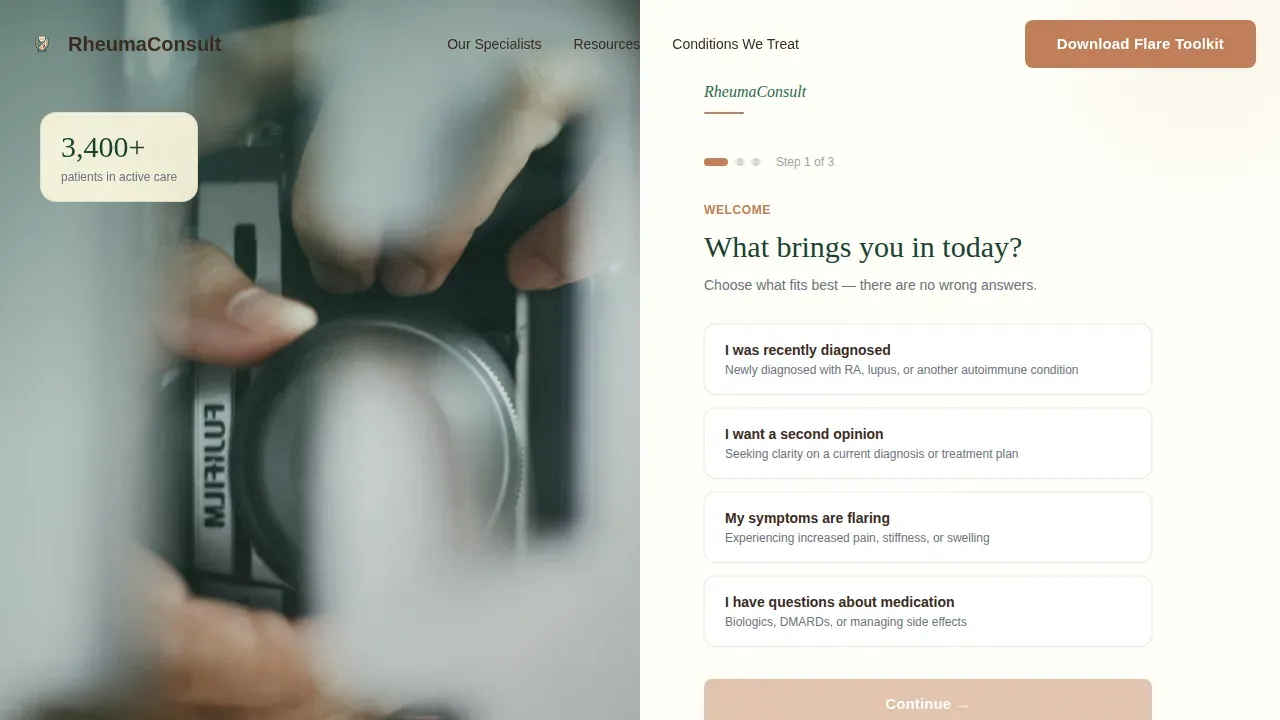
The right panel of the hero holds a gentle, three-step form. Step one asks "What brings you in today?" with plain-language choices: new diagnosis, second opinion, flare management, or medication questions. Later steps collect name and preferred contact method. The staggered form steps keep patients moving forward without feeling interrogated.
Scrolling Expert Panel Sections
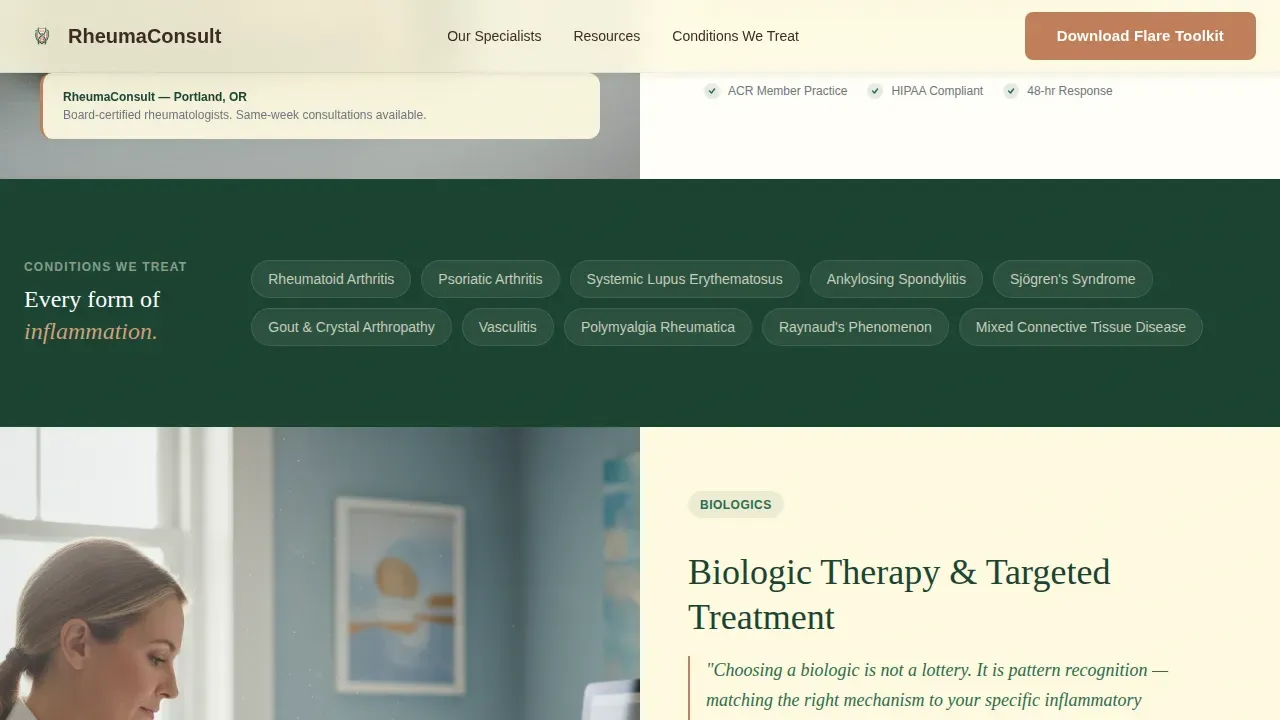
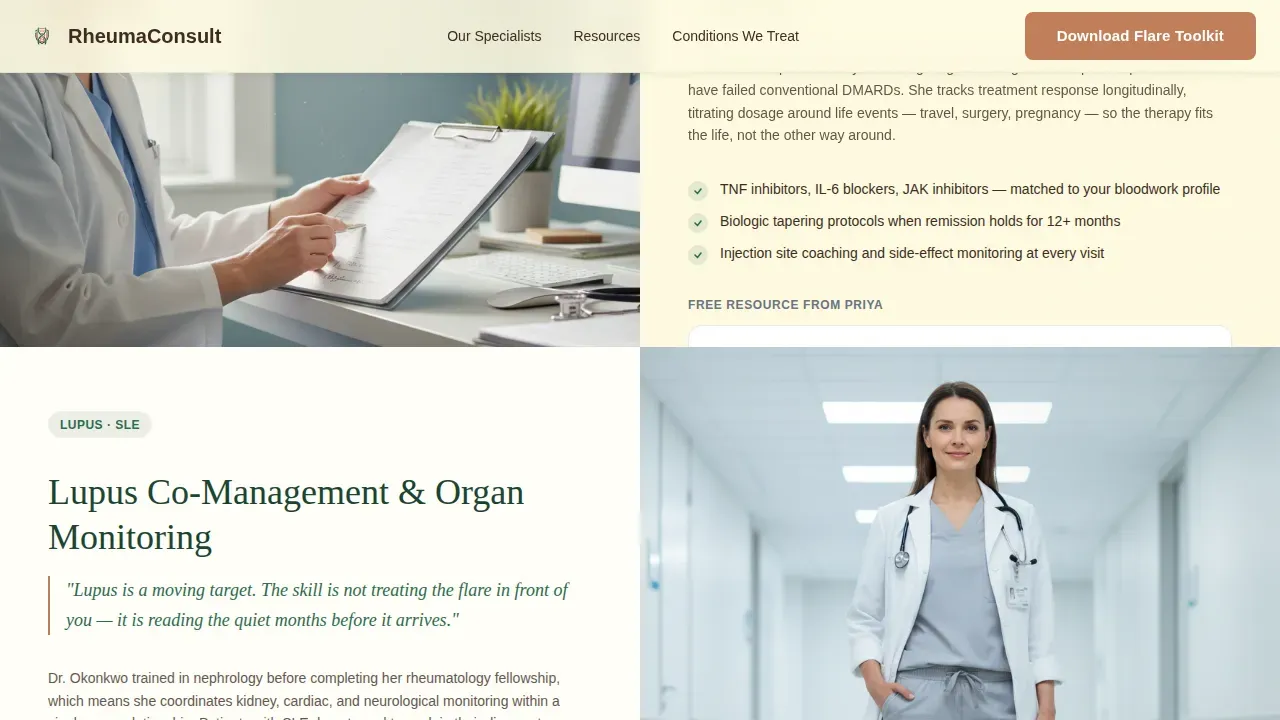
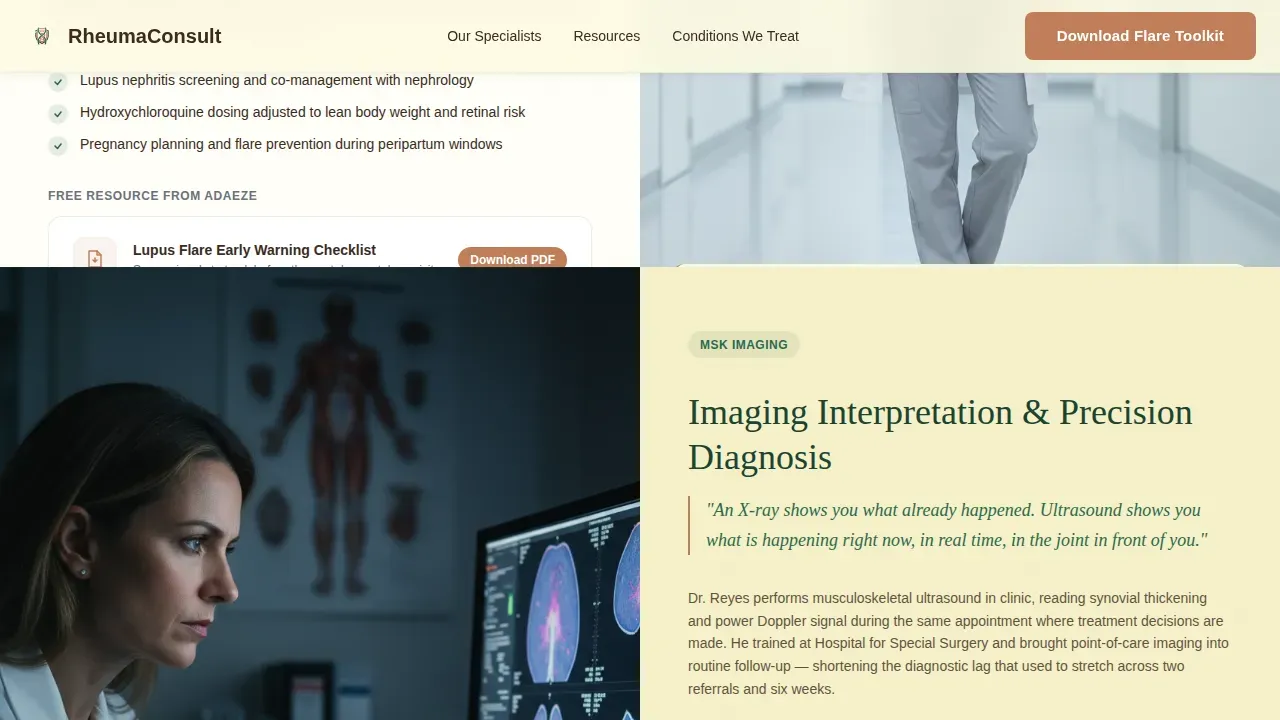
Three full-width split-screen panels introduce Dr. Priya Patel on biologic therapies, Dr. Adaeze Okonkwo on lupus co-management, and Dr. Rafael Reyes on imaging interpretation. Each panel pairs a physician portrait with clinical depth on the opposite side. Patients learn which doctor matches their specific arthritis or autoimmune concern before they ever click a call-to-action.
Downloadable Clinical Resource Files
Every expert panel includes a contextual downloadable file. The files include a flare-tracking PDF, a medication comparison chart, and a lab-results glossary. Patients can access real clinical knowledge immediately. This approach treats content generosity as the primary conversion engine, helping visitors leave smarter whether or not they book.
Email-Gated Flare Toolkit Call-to-Action
A warm, full-width section anchors the base of the page. The primary call-to-action reads "Download Your Flare Toolkit" and gates a bundled PDF behind an email address and a diagnosis-type field. This creates a low-friction secondary conversion path that supports patients with rheumatoid arthritis who are not yet ready to book a consultation.
Forest Trust Color System and Organic Flow Theme
The visual identity uses deep evergreen, moss, birch cream, and terracotta. Evergreen anchors navigation and section dividers. Birch cream opens content panels. Terracotta draws the eye only where a click is needed. The palette and Organic Flow theme create a grounded, unhurried page that patients associate with trusted, specialist care.
Editorial Hero Photograph Layout
The left panel of the hero holds a still, editorial photograph: a rheumatologist's hands resting on a lightbox showing a joint ultrasound, with morning window light pooling on the desk. The image creates clinical intimacy rather than generic stock warmth. It sets the tone for the entire page before a visitor reads a single word.
Page sections overview
| Section | Purpose |
|---|---|
| Hero Split Screen | Editorial photo left, multi-step intake form right |
| Expert Panel One | Dr. Patel on biologic therapies, PDF download |
| Expert Panel Two | Dr. Okonkwo on lupus co-management, PDF download |
| Expert Panel Three | Dr. Reyes on imaging interpretation, PDF download |
| Flare Toolkit call to action | Email-gated bundled PDF, primary conversion section |
| Footer Pattern | Linear single-row footer with clinic links |
Design & branding system
The page uses the Organic Flow theme to visualize a calm, grounded clinic experience. Typography pairs DM Sans for body text with Fraunces serif display headings, creating authority without stiffness.
- Forest Trust palette: deep evergreen (#1B4332), moss (#2D6A4F), birch cream (#FEFAE0), terracotta accent (#C17F59)
- GSAP ScrollTrigger animations reveal each expert panel on scroll; subtle parallax runs on physician portraits
- High-contrast color use and large, clear fonts support patients who live with joint inflammation and varied physical demands
Mobile & speed optimization
The template is built desktop-first to honor the 50/50 split-screen hero. On smaller screens, panels stack gracefully so patients on mobile devices can access every section without loss of clarity or function.
- Split-screen sections reflow to single-column stacks on mobile, keeping the intake form and download buttons tap-friendly
- Server Components handle static expert panels, while Client Components manage the interactive form and email-gate modal, supporting consistent page load performance
- Mobile-optimized layout allows patients to track and report rheumatoid arthritis symptoms from any device, whether at home or between appointments
How this template helps you convert
This page earns the click by giving value before asking for anything. The conversion architecture threads through every section without feeling pushy.
- The hero form opens with a low-stakes question, reducing the hesitation patients with a new rheumatoid arthritis diagnosis typically feel when approaching a specialist page for the first time.
- Each expert panel includes a contextual call-to-action such as "Read Dr. Patel's Biologic Guide" or "Get the Lab Glossary," so visitors can connect with relevant content at their own pace rather than waiting for a single bottom-of-page ask.
- The Flare Toolkit section closes the page with a clear, single action that gives patients a useful resource and gives the clinic a qualified lead, making the exchange feel fair to both sides.
Other information about this template
This template is designed to scale across practice sizes, from solo rheumatologists to multi-physician teams serving large patient populations. Agencies building portals for health and medical clients will find the intersection of specialist credibility and plain-language content a reliable framework to adapt.
- The page structure supports research into patient behavior over time, since every conversion path is distinct and trackable by standard analytics tools
- Prescription management context fits naturally into the biologic therapies panel, where patients can learn about refill processes for complex biologics before their first visit
- Consistency in the visual system across all six page sections helps practices build brand recognition and clinical trust in parallel
- The rheuma expert inflammation care patient portal landing page template serves as a reference point for practices ready to modernize their online presence and improve appointment booking rates
- Practices can use the template to visualize their specialist team to prospective patients long before an in-person visit
- The accordion frequently asked question component allows the clinic to address common arthritis questions directly on the page, reducing inbound calls for routine information
Theme
Organic Flow
Creative direction
Expert Panel
Color system
Forest Trust
Style
Split Screen (50/50)
Direction
Content/Resource
Page Sections
Three-step Multi-step Intake Form
Scrolling Expert Panel Sections
Downloadable Clinical Resource Files
Email-gated Flare Toolkit Section
Forest Trust Visual Identity System
Editorial Hero Photograph Layout
Related questions
Can I customize the specialist names and PDF files included in the expert panels?
Is this template suitable for a clinic that treats conditions beyond rheumatoid arthritis?
How does the email gate for the Flare Toolkit work?
Does the page support patients who prefer to access information on a mobile device?
Can a small clinic use this template, or is it built only for large practices?



