Solar Electrician Landing Page Template
Volt is a split-screen landing page template built for licensed solar electricians. It leads with a stats dashboard that proves credibility on arrival, then walks visitors through three draggable before-and-after reveals covering bills, rooftops, and electrical panels. A three-step inline quote form and a permit checklist lead capture turn browsers into booked clients.
by Rocket studio
Quick summary
Volt is a direct-sales landing page template for solar electricians. It opens with a metrics dashboard, walks visitors through before-and-after reveals of real installation work, and closes with a three-step inline quote form. The Engineering Blueprint visual theme and Forest Trust color system make the page feel technical, trustworthy, and ready to convert on the first scroll.
Who this template is for
This template is designed for licensed solar electricians who want a page that earns trust before it asks for anything. It speaks directly to the craft, not the corporate pitch.
- Solar electricians targeting residential homeowners tired of rising utility bills
- Contractors serving small business owners with flat commercial roofs and unused solar potential
- Rural installation specialists whose clients need grid-independence from a qualified, licensed professional
What problem this template solves
Most solar web pages look like they were made by a sales team, not an electrician. Visitors arrive skeptical and leave without converting because nothing on the page proves real workmanship. Volt fixes that with proof-first structure.
- Visitors see verified installation numbers before a single marketing claim appears
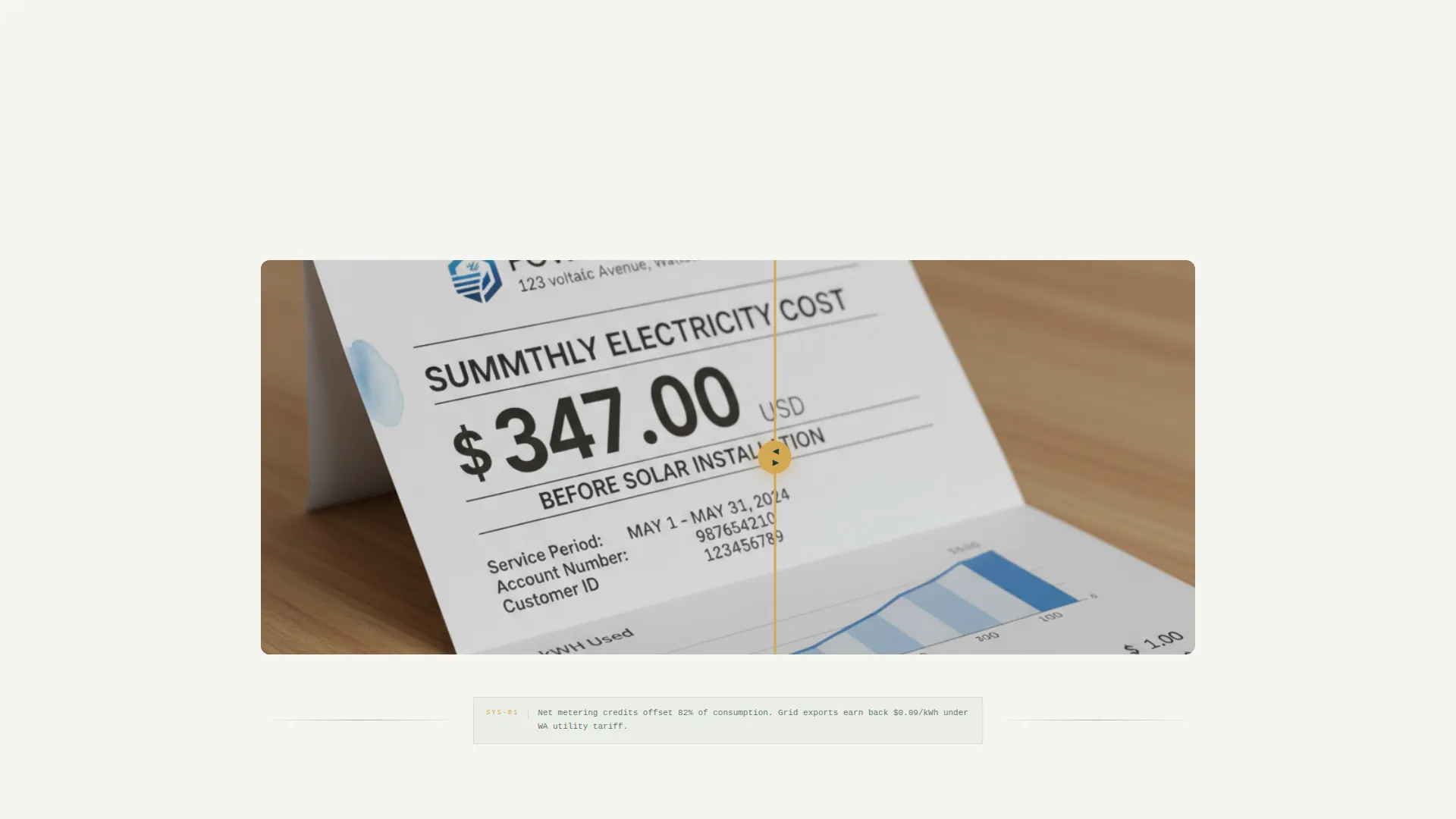
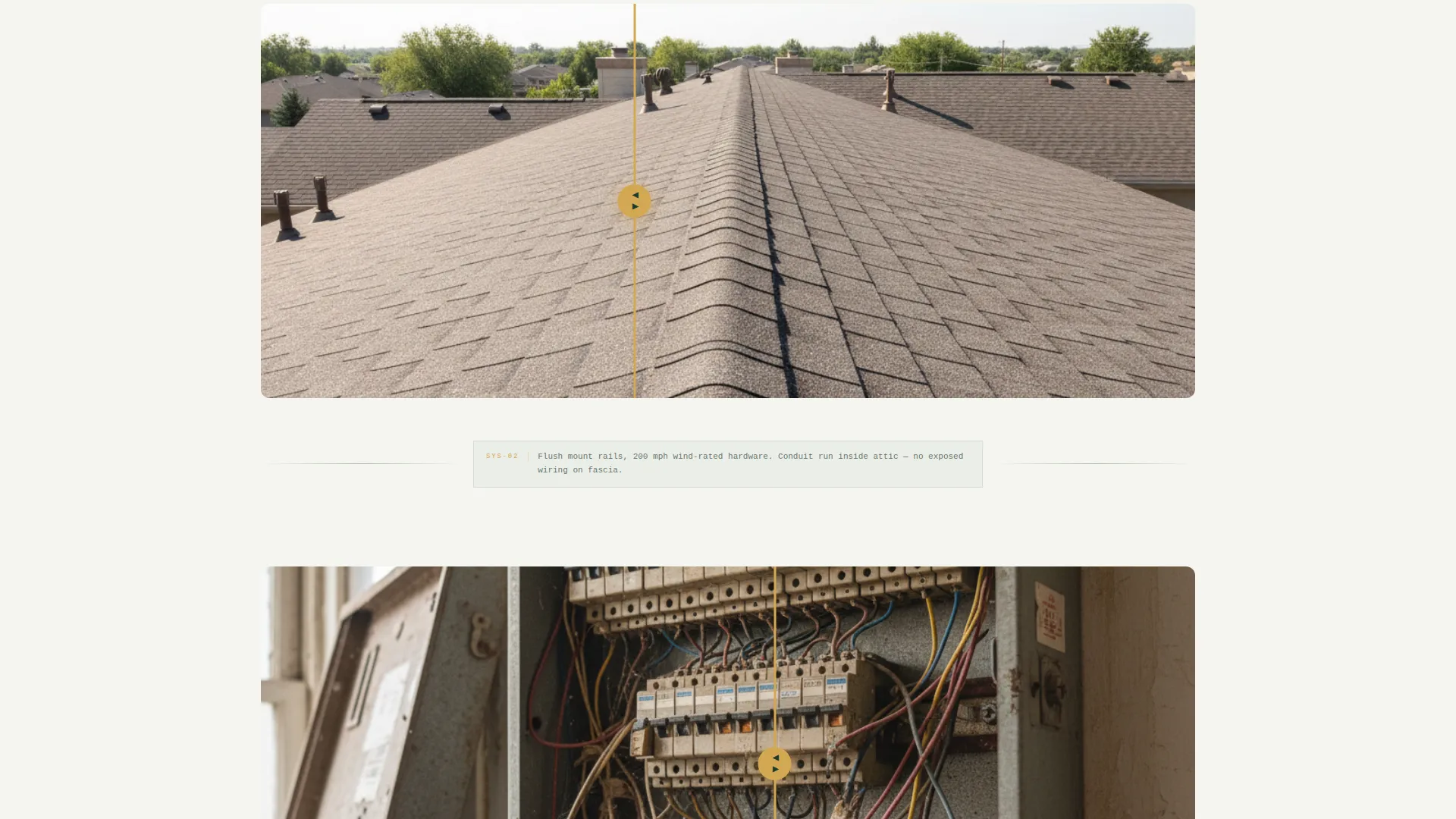
- Before-and-after reveals show bills, rooftops, and electrical panels side by side so the work speaks for itself
- The inline quote form removes friction by letting interested visitors get a fixed-price package without making a phone call first
What you get with this template
Volt gives you a fully structured single-page layout that moves visitors from curiosity to commitment. Every section has a job, and each one hands off naturally to the next.
- A stats dashboard header with four installation metrics formatted in large, monospaced type
- Three draggable before-and-after reveal sections covering utility bills, roof arrays, and electrical panel upgrades
- A three-step inline quote form ending in three pre-engineered system package cards with fixed installed prices
- A secondary lead-capture path offering a downloadable permit checklist for visitors who are still researching
Feature list
This section covers the core built-in components that make Volt work as a direct-sales solar electrician landing page.
Stats and Metrics Dashboard Header
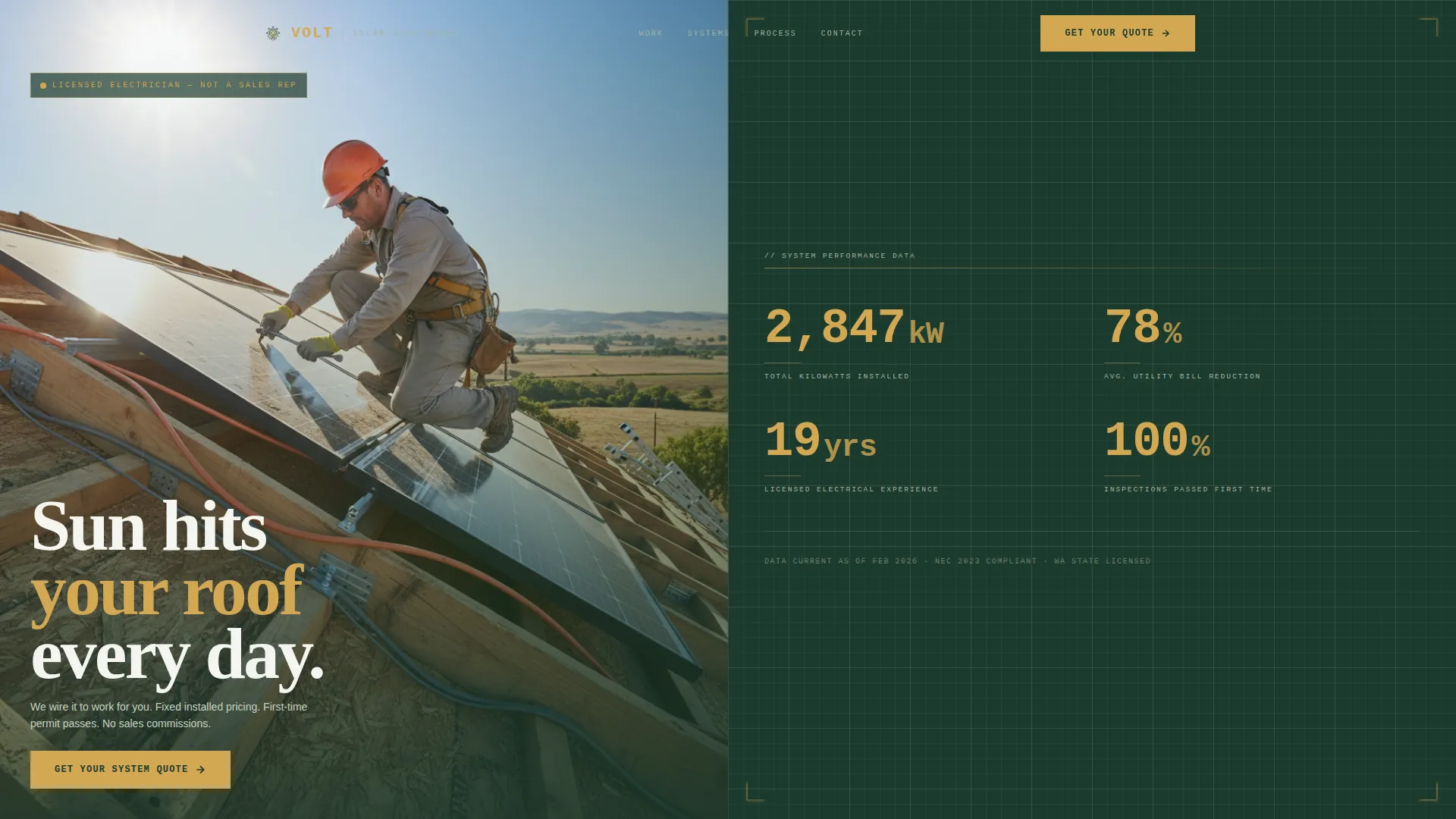
The header splits the screen 50/50. The left side shows a real mid-installation rooftop photograph taken from a ladder's vantage point. The right side presents four large, cedar-colored, monospaced numbers on a blueprint-grid background: total kilowatts installed, average utility bill reduction, years of licensed electrical experience, and inspections passed on the first attempt.
Draggable Before-and-After Reveal Sections
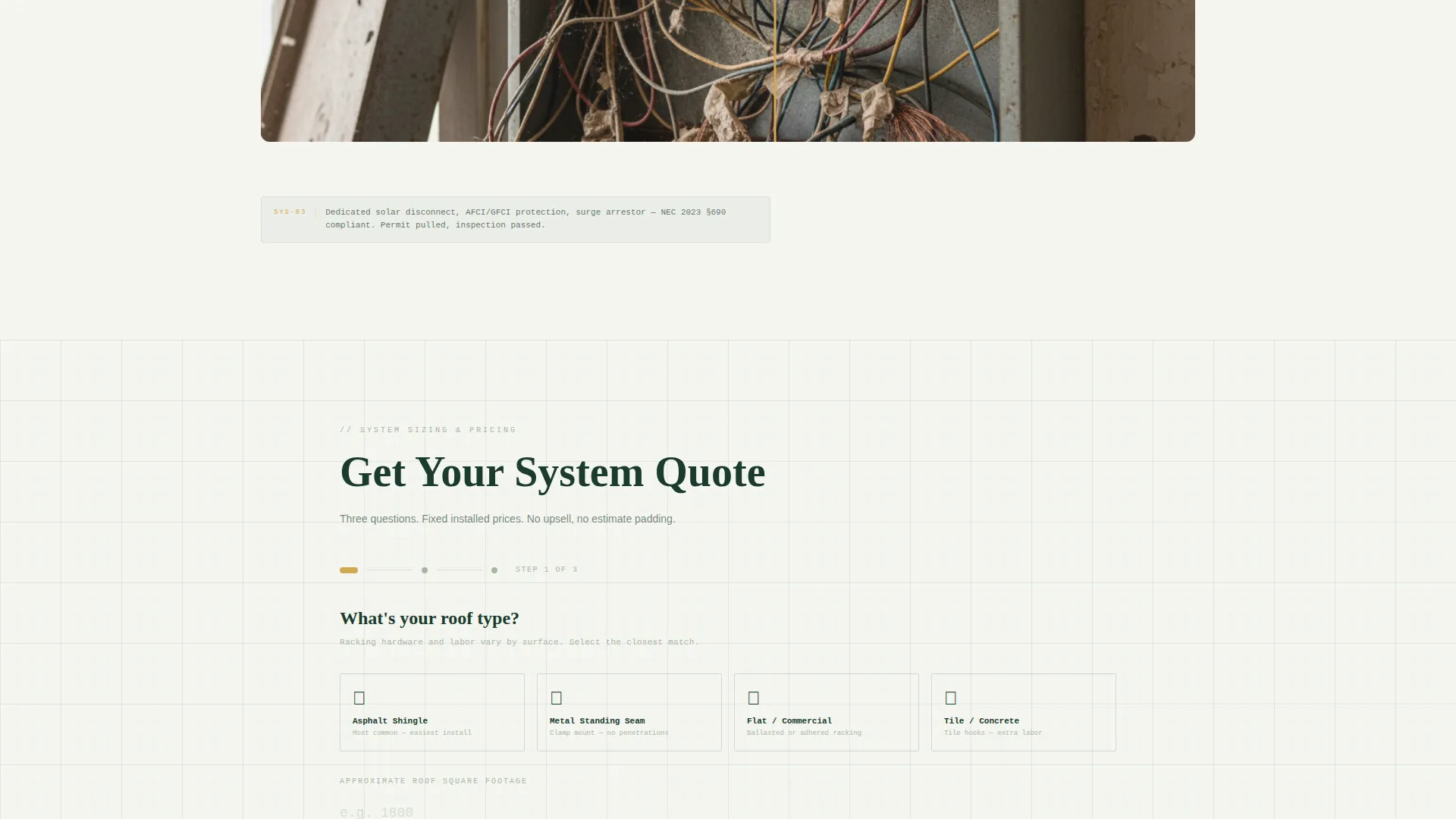
Three sequential split-screen reveals let visitors drag a slider to compare states. The first pairs a pre-solar utility bill with a post-solar bill. The second shows a bare roof beside a finished panel array from the same angle. The third contrasts a cluttered main electrical panel with a clean, code-compliant sub-panel and solar disconnect. Blueprint-style annotation lines between each reveal explain what changed and why.
Three-Step Inline Quote Form
The primary call to action opens a three-step form embedded directly on the page. Step one captures roof type and approximate square footage using a visual selector. Step two collects last month's electric bill amount and utility provider. Step three presents three pre-engineered system packages at fixed installed prices, each with a "Choose This System" button.
Permit Checklist Lead Capture
A secondary conversion path offers a downloadable permit checklist for visitors who are still in the research phase. It captures an email address and gives the visitor a useful, practical reason to return when their next bill arrives.
Blueprint Annotation Typography
Between every reveal section, single-line annotations written in electrician shorthand explain the technical change shown. This respects the visitor's intelligence and reinforces that the page was built by someone who actually does the work.
Forest Trust Color System
Deep Douglas fir anchors the header and footer. Lichen gray softens body section backgrounds. Sun-warmed cedar highlights every interactive element and price callout. Drafted-line white provides breathing room between sections. The result feels like a technical drawing laid out on a workbench, not a generic marketing page.
Page sections overview
| Section | Purpose |
|---|---|
| Stats Dashboard Header | Opens with credibility metrics and a live installation photo |
| Bill Comparison Reveal | Shows utility cost before and after solar installation |
| Roof Array Reveal | Compares bare roof to finished panel array at the same angle |
| Panel Upgrade Reveal | Contrasts old panel clutter with code-compliant solar disconnect |
| Blueprint Annotations | Explains each technical change in precise electrician shorthand |
| Primary Quote call to action | Anchors the "Get Your System Quote" button after the second reveal |
| Three-Step Quote Form | Guides visitors from roof type to a fixed-price system package |
| System Package Cards | Presents three pre-engineered packages with "Choose This System" buttons |
| Permit Checklist Capture | Secondary path for research-phase visitors via email lead capture |
Design & branding system
Volt uses an Engineering Blueprint theme that feels like unrolling a schematic across a timber-framed workbench. Every visual decision reinforces precision and craft over polish and sales gloss.
- Four-color Forest Trust palette: deep Douglas fir (#1B3A2D), lichen gray (#A8B5A2), sun-warmed cedar (#D4A853), and drafted-line white (#F4F6F0)
- Monospaced type for all metric numbers gives the dashboard a technical, engineered feel rather than a promotional one
- Blueprint-grid backgrounds on metric panels and annotation lines echo the look of real electrical schematics
Mobile & speed optimization
The pinned mobile call-to-action keeps the primary quote button visible without the visitor needing to scroll back up. The layout is built to stay clear and readable on smaller screens.
- The "Get Your System Quote" button pins to the bottom of the screen on mobile for persistent visibility
- The split-screen sections and draggable sliders are structured to translate clearly to a single-column mobile view
- The three-step form breaks the quote process into short, focused steps that work well on touch interfaces
How this template helps you convert
Volt is structured to reduce the gap between a first visit and a booked quote. Each section earns a little more trust before asking for a little more commitment.
- The stats dashboard answers the first silent question every visitor has: "Is this electrician actually experienced?" Four hard numbers answer it immediately, before any copy is read.
- The before-and-after reveals move the visitor from belief to desire by showing real outcomes, not stock photography or vague savings promises.
- The three-step inline form removes the need to call or email by letting the visitor choose a fixed-price package themselves, which lowers the barrier to taking action.
Other information about this template
Volt is a single-page layout sold as a template through a template marketplace. It is designed to be customized with your own installation photos, real business metrics, and local permit context. The permit checklist component is a lead-capture element and does not include pre-filled legal or jurisdictional permit content.
- The template uses a 50/50 split-screen layout throughout, consistent with the Split Screen template style specification
- The direct-sales landing page direction means every section is ordered to reduce hesitation and move toward the quote form
- This template suits electricians who want their page to reflect the same precision standard as their physical installations
- The Engineering Blueprint theme and Forest Trust palette are designed to differentiate a solar electrician's page from generic solar sales funnels
Theme
Engineering Blueprint
Creative direction
Before/After Reveal
Color system
Forest Trust
Style
Split Screen (50/50)
Direction
Direct Sales
Page Sections
Stats and Metrics Dashboard Header
Draggable Before-and-after Reveals
Three-step Inline Quote Form
Permit Checklist Lead Capture
Blueprint Annotation Typography
Related questions
Who is the Volt template designed for?
Can I update the stats in the dashboard header with my own numbers?
What does the three-step quote form include?
How does the permit checklist lead capture work?
Is this template suited for both residential and commercial solar clients?



