Reliable Parent Travel Landing Page Template
Shield is a sidebar companion landing page template built for new parent travel insurance. It pairs animated data storytelling with a scroll-linked coverage checklist to turn parental anxiety into confident action. Designers and marketers get a clinical-Scandinavian layout, four problem-to-solution sections, and a single teal call-to-action that drives visitors toward a quoting engine.
by Rocket studio
Quick summary
Shield is a single-page travel insurance landing page template designed for first-time parents preparing for international travel with an infant. It uses animated statistics, a sticky sidebar checklist, and a precise problem-to-solution arc to address every pediatric fear before a visitor has to ask. The result is a high-trust insurance landing page that converts anxiety into clicks.
Who this template is for
This template speaks directly to one target audience: first-time parents booking their first post-birth international trip. It also serves the marketers, designers, and insurance business teams who build landing pages for pediatric travel insurance products.
- First-time parents researching travel insurance at 2 a.m., Googling "does travel insurance cover babies"
- Type-A planners who need to read every policy clause and dollar limit before they will commit
- Designers and marketers at insurance companies who need a structured, conversion-ready insurance landing page template they can deploy quickly
What problem this template solves
Most travel insurance landing pages are built for adults. They list broad insurance options without addressing infant-specific emergencies like a fever abroad, a formula recall mid-flight, or an emergency evacuation with a car seat. This template solves that gap directly.
- Parents face overwhelming visitors of anxiety when they cannot find pediatric-specific coverage details on a generic insurance landing page
- Standard insurance landing page layouts bury the specific coverage limits and response times that anxious parents need to see immediately
- Without strong trust signals and clarity, most people abandon the page before they ever reach the quote form
What you get with this template
You get a fully structured insurance landing page template built around four escalating parental fear scenarios, each paired with a precise policy response. Every section works together to guide visitors from anxiety to action.
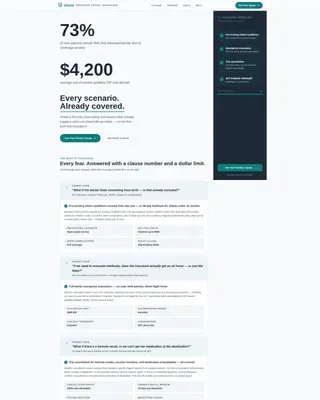
- A hero section with an animated statistics counter and a resolving teal headline, replacing a generic hero image with real data that stops the scroll
- A sticky sidebar companion that fills in teal checkmarks as visitors scroll through each coverage section, creating a living visual receipt of reassurance
- A full-width teal call-to-action button and a secondary PDF download link, so both impulse clickers and detail-obsessed parents have a clear next step
Feature list
This insurance landing page template ships with a focused set of features. Each one is built around the specific needs of the pediatric travel insurance use case.
Animated Data Storytelling Hero
The hero section opens with a digit-by-digit counter that populates real statistics against an Arctic White background. No stock photo, no generic hero image. Just large charcoal numbers that let parental anxiety land, followed by a single teal underline and the headline: "Every scenario. Already covered." This approach communicates the value proposition before a visitor reads a single body sentence.
Scroll-Linked Sidebar Checklist
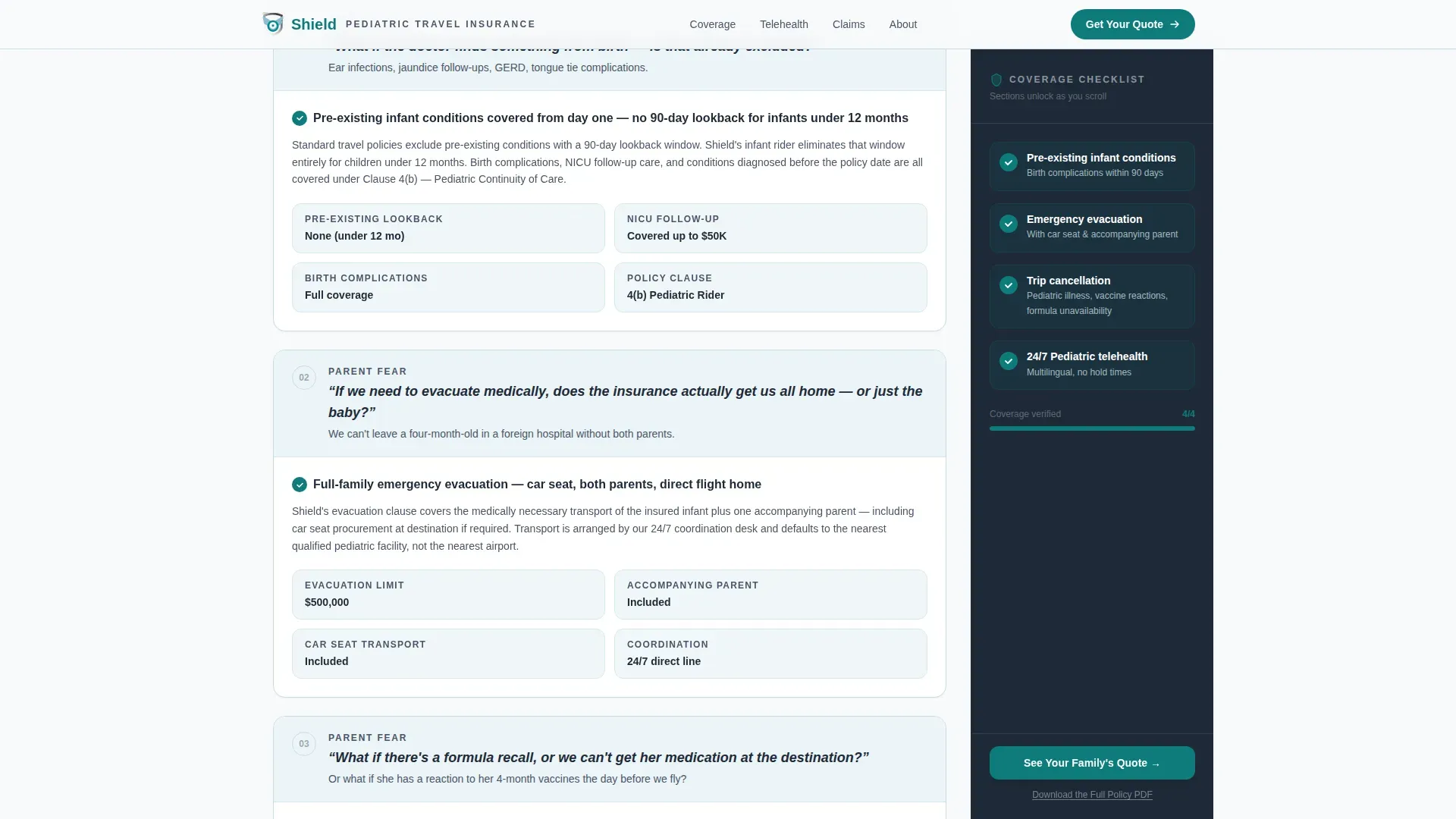
A sticky sidebar companion sits fixed on the right side of the page throughout the scroll. As visitors move through each of the four coverage sections, the sidebar fills in green teal checkmarks in real time. By the bottom of the page, every box is checked. This element keeps users engaged and builds trust signals progressively rather than all at once.
Problem-to-Solution Arc with Policy Specifics
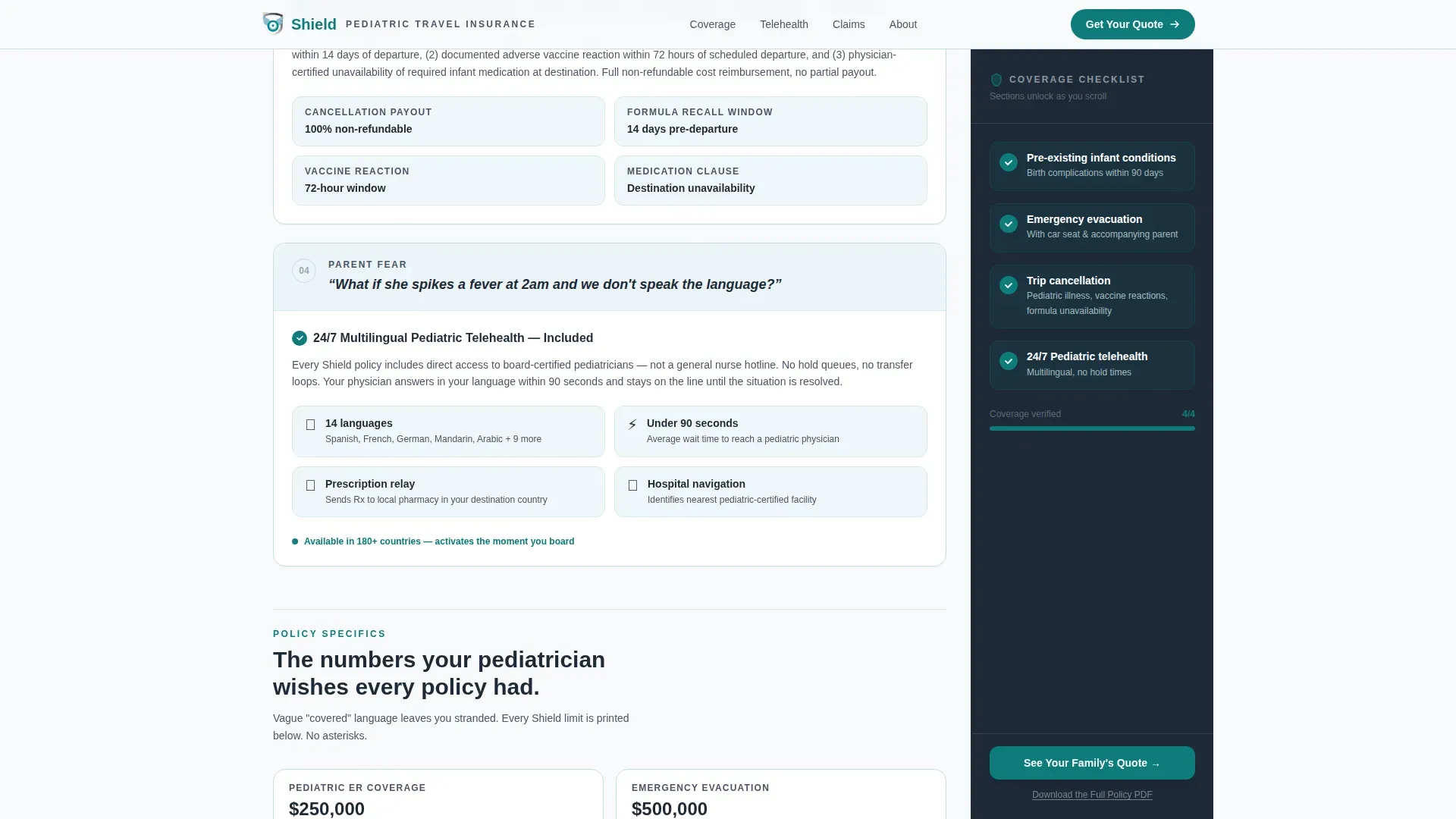
Four parent fears are written in the parent's own catastrophic language, each answered with specific clause language, dollar limits, and response times. Coverage sections include: pre-existing infant conditions within 90 days of birth, emergency evacuation with a car seat and accompanying parent, trip cancellation for pediatric illness or formula unavailability, and 24/7 multilingual pediatric telehealth. This structure helps drive conversions by answering fears before they become objections.
Dual Call-to-Action Path
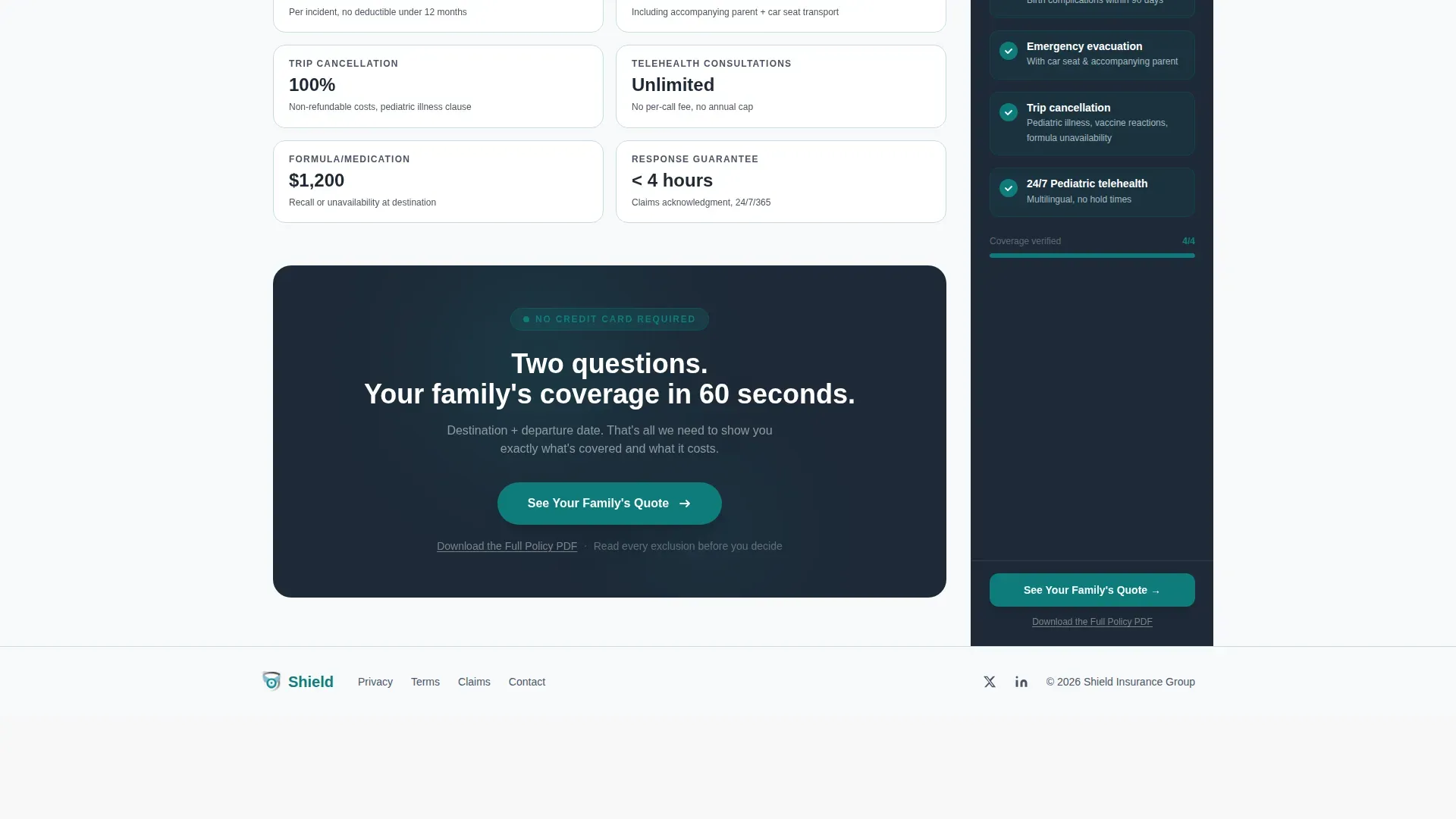
The primary call-to-action, "See Your Family's Quote," appears first in the sidebar after the third coverage section unlocks, then repeats as a full-width teal button at the page base. A secondary text link, "Download the Full Policy PDF," supports the detail-focused parent who needs to fill in every knowledge gap before clicking. There is no form on this page; both paths pass the visitor to the next step cleanly and without friction.
Clinical Scandinavian Design System
The design uses a four-color system: Arctic White for the content field, policy-grade charcoal for body text and the sidebar background, pale glacier blue for section dividers and data cards, and decisive teal exclusively for calls-to-action and coverage checkmarks. DM Sans headlines and Manrope body type complete the style. The layout uses deliberate white space to create clarity without overwhelming visitors.
Responsive Mobile Layout
On desktop, the sidebar companion sits fixed alongside the main content. On mobile, the sidebar collapses into a sticky bottom bar so the checklist and call-to-action remain accessible at all times. The template ensures the travel insurance landing page works effectively across device sizes, since many parents research insurance on their phones.
Page sections overview
| Section | Purpose |
|---|---|
| Hero Statistics Counter | Opens with animated data to anchor parental anxiety and establish authority |
| Problem Section One | Addresses pre-existing infant conditions and birth complications within 90 days |
| Problem Section Two | Covers emergency evacuation with car seat and accompanying parent logistics |
| Problem Section Three | Handles trip cancellation for pediatric illness, vaccination reactions, formula unavailability |
| Telehealth Section | Presents the 24/7 multilingual pediatric telehealth offering with response time details |
| Coverage Numbers Block | Displays specific dollar limits, evacuation specs, and telehealth inclusions |
| Sidebar Companion | Tracks scroll progress and fills checkmarks as each coverage section completes |
| Primary call to action Button | Full-width teal button linking to the two-step quoting engine |
| PDF Download Link | Secondary underlined text link for policy detail download |
| Footer | Linear single-row footer pattern |
Design & branding system
The branding in this template is built to feel like a pediatrician's waiting room reimagined by a Scandinavian law firm: sterile enough to trust, warm enough to breathe in. Every color and type choice supports clarity and security.
- Arctic White (#F8FAFB) for the main content field, policy charcoal (#1E2A38) for body text and the persistent sidebar, pale glacier blue (#D6E8EE) for section dividers and data cards
- Decisive teal (#0E7C7B) reserved exclusively for calls-to-action and coverage checkmarks, so the eye always knows where to go next
- DM Sans for headlines and Manrope for body text, with medium-weight animations including digit counters, scroll-triggered sidebar checkmarks, and fade-ins that add motion without distraction
Mobile & speed optimization
The template is built desktop-first to support the sticky sidebar layout, but the mobile experience is a deliberate design decision rather than an afterthought. Mobile-friendly landing pages are essential because most users shop for insurance on their phones, and many parents research travel insurance options late at night from a mobile device.
- The sticky sidebar collapses into a persistent bottom bar on mobile, keeping the coverage checklist and the call-to-action button visible at all scroll depths
- Server Components handle static sections while Client Components manage scroll animations, keeping the page responsive without sacrificing the interactive features
- The layout is structured so that the most important coverage details appear early in the scroll, letting visitors access the information they need before reaching the quote path
How this template helps you convert
A good insurance landing page is a fusion of visuals, copy, layout, and function. This template applies that principle to one of the highest-anxiety insurance purchase decisions a person can make. Every element on the page works toward a single conversion goal: getting the visitor to click "See Your Family's Quote."
- The animated hero counter captures attention with real statistics and a clear value proposition before the visitor can form a doubt, establishing trust signals from the first second on the page
- The scroll-linked sidebar checklist keeps users engaged through four coverage sections and turns the act of reading into a visible progress toward complete reassurance, which meaningfully improves conversion rate
- The dual call-to-action structure, with a sidebar button that unlocks after the third section and a full-width button at the base, gives both fast-deciding and detail-reading visitors a frictionless path to the quoting engine, helping the template drive conversions without a single form field on the page
Other information about this template
The Shield trusted new parent travel insurance landing page template is a great example of how a single-focus insurance landing page can serve a highly specific niche without sacrificing design quality. It is well-suited for insurance companies, independent insurance business teams, and marketers who need high converting landing pages for pediatric travel products.
- The template files are compatible with major design tools including Sketch, Adobe XD, Figma, and Adobe Photoshop, so designers can adjust branding, swap headlines, and publish without rebuilding from scratch
- The built-in design system simplifies the design process: teams can fill in their own policy figures, update the coverage dollar limits, and manage the sidebar checklist items without touching the underlying structure
- The template supports social proof placement, including testimonials from parents who used the service during a travel emergency, as well as industry awards and relevant accreditations that build trust on the insurance landing page
- For insurance companies also offering health insurance landing page variants or auto insurance products, the color system and layout can be adapted to create consistent branding across multiple insurance landing page campaigns
- A health insurance landing page or a health insurance landing variant for the same demographic could reuse this sidebar companion format, saving time while maintaining the clinical design style that the target audience expects
- 69% of all insurance purchases begin with a simple search, making it essential for any insurance company to have landing pages that capture and hold visitor attention from the first moment
Theme
Legal Shield
Creative direction
Problem→Solution Arc
Color system
Arctic White
Style
Sidebar Companion
Direction
Click-Through
Page Sections
Animated Statistics Hero Section
Scroll-linked Sidebar Checklist
Four-part Problem-to-solution Arc
Dual Call-to-action Structure
Clinical Scandinavian Design System
Responsive Mobile Sidebar Collapse
Related questions
Does this template include a quote form on the page?
Can I update the coverage dollar limits and policy clause language?
Does the sidebar companion work on mobile?
Which design tools are compatible with this template?
Can I add parent testimonials or trust badges to this page?



