Urgent Care & Walk-In Booking Website Template
Walkway is a walk-in urgent care landing page built for clinics that need to convert anxious patients fast. A three-step triage form opens the experience, followed by four alternating zigzag sections that systematically clear every patient concern. One clear call to action drives visitors straight to the online check-in queue. No appointment. No friction. Just care, on demand.
by Rocket studio
Quick summary
Walkway is a single-page urgent care template designed to move a worried patient from "I wonder if I should go" to "I just checked in" in under a minute. The triage intake form starts the visit before anyone leaves the couch. Four alternating content sections answer every common concern with facts, not reassurance. The result is a page that earns the click before asking for it.
Who this template is for
This template is built for walk-in clinics and urgent care centers that serve patients who cannot wait for a scheduled appointment. It speaks directly to the people already searching for help right now.
- Parents with a feverish child who need a same-day answer, not a three-day wait for a pediatrician
- Office workers nursing a weekend injury and gig workers who need a physical or screening before a work deadline
- Clinic owners and healthcare marketers who need a high-converting, single-destination page without building from scratch
What problem this template solves
Most urgent care pages lose patients before the first scroll. They bury wait times, hide pricing, and make people hunt for basic answers. Walkway flips that completely.
- Patients arrive anxious and leave reassured: the page surfaces real wait times, real service lists, and real cost ranges up front
- The triage form makes the visit feel like it has already started, reducing the mental friction of committing to a walk-in
- Every scroll section removes a specific patient objection, so the only remaining action is checking in
What you get with this template
Walkway delivers a fully structured, single-page layout with interactive components ready to customize for your clinic. Every section serves a defined conversion purpose.
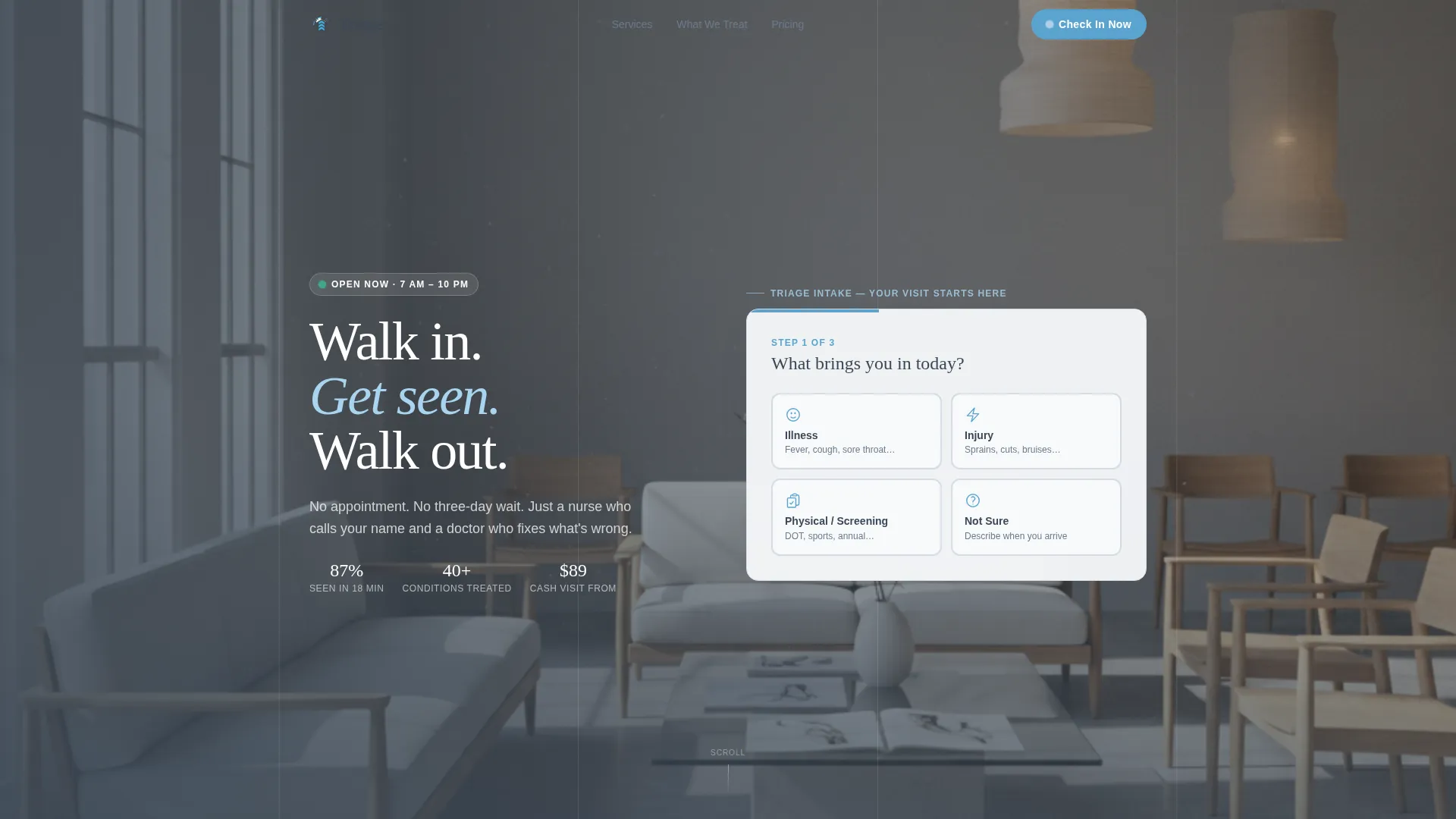
- A three-step triage intake form in the header that ends with a mapped address and estimated wait time
- Four zigzag alternating sections, each paired with a scroll-triggered checkbox animation that visually clears a patient concern
- A sticky bottom bar with the primary call to action that follows the visitor after the second scroll section, plus a conditions accordion listing 40 or more treatable conditions
Feature list
This template is built around a single conversion goal. Every feature listed below is drawn directly from the template design and serves that goal.
Three-Step Triage Intake Form
The header runs a staggered multi-step form: step one asks what brings the patient in, step two asks how long it has been going on, and step three asks about insurance. No submit button appears. Instead, a results screen shows "We can see you today" alongside an estimated wait time and a mapped clinic address. The visit feels started before the patient stands up.
Scroll-Triggered Checkbox Sections
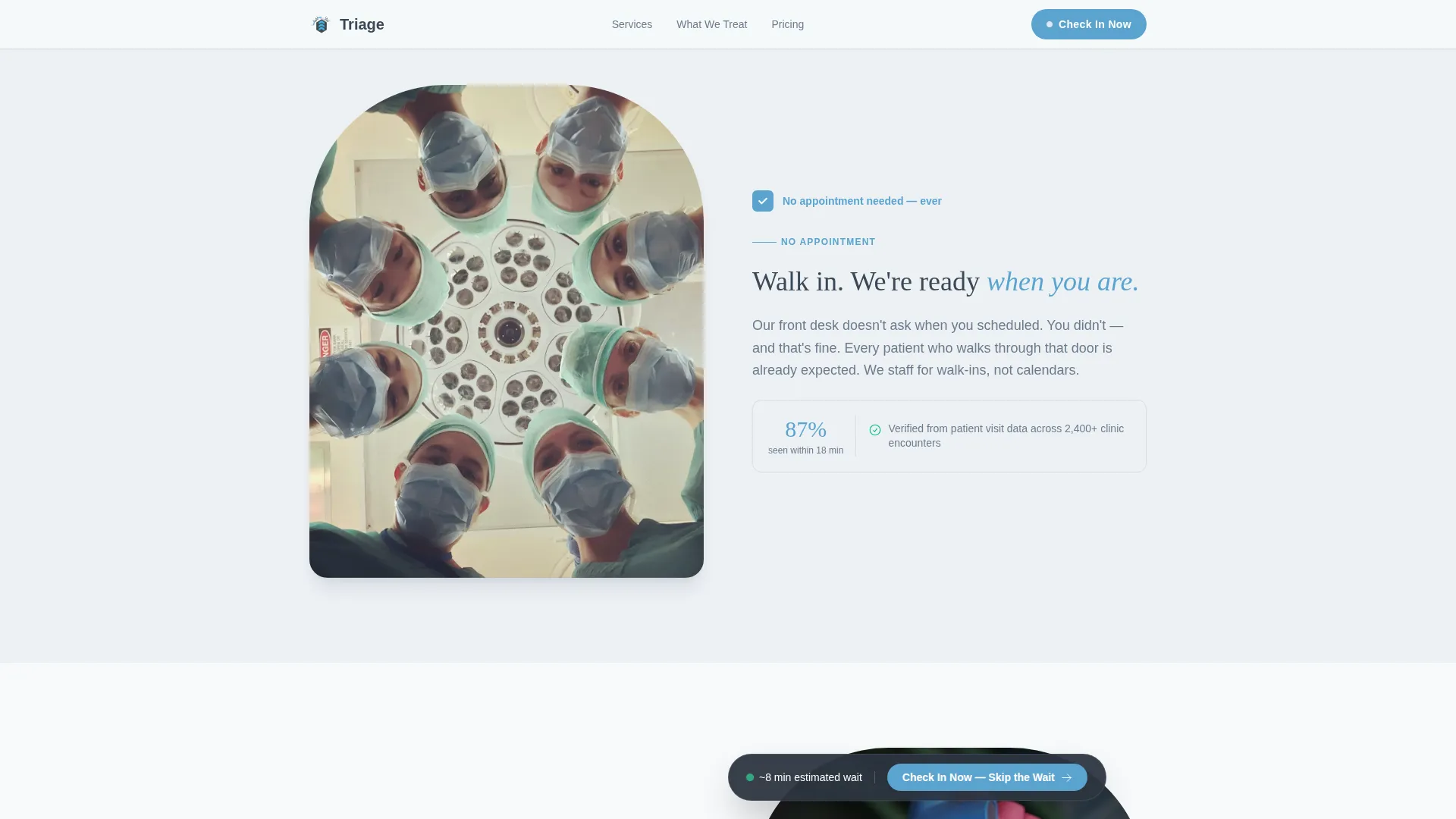
Each of the four zigzag sections carries a checkbox icon that animates into a completed state as the visitor scrolls past. The visual cue is deliberate: every section solves one patient anxiety, and the checkbox marks it resolved. By the time a visitor reaches the bottom, the page has methodically cleared every barrier.
Sticky Check-In Call to Action Bar
After the visitor scrolls past two content sections, a sticky bottom bar locks into place carrying the primary call to action: "Check In Now - Skip the Wait." The bar stays visible without blocking content, keeping the conversion path one tap away at all times.
Conditions Accordion
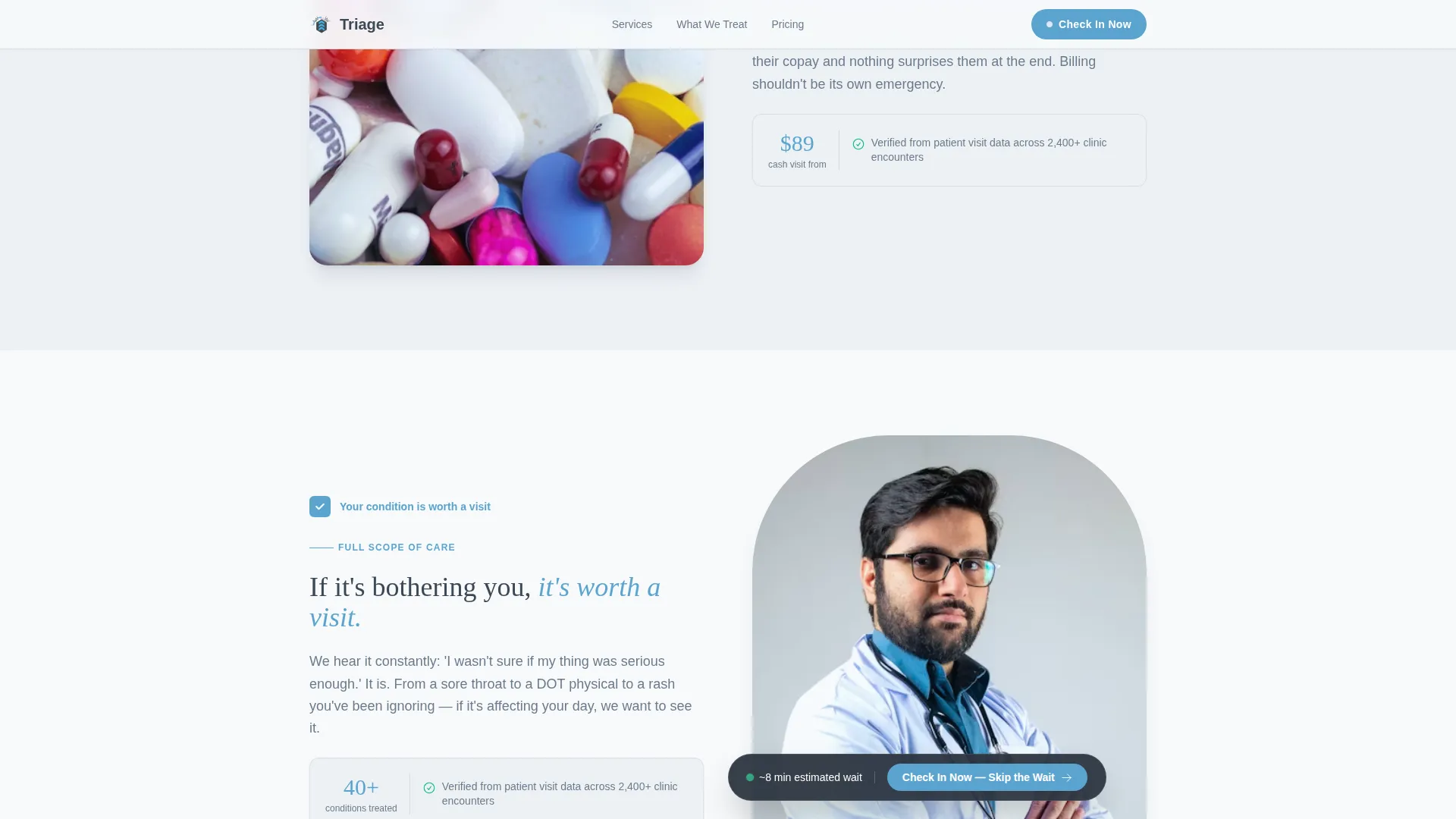
The fourth zigzag section includes an expandable accordion listing 40 or more conditions the clinic treats. It works as a reassurance tool for patients unsure whether their situation qualifies, and it gives the page substantial practical depth without cluttering the main layout.
Transparent Pricing Block
One dedicated section surfaces real cost ranges for uninsured patients in plain text. No vague language, no asterisks leading to fine print. Patients see what they are likely to pay before they commit to the visit.
Alternating Zigzag Layout
The four main content sections alternate between left-image/right-text and right-image/left-text arrangements. This layout keeps the page scannable and varied, matching the Educational Guide visual theme without relying on decorative elements that distract from the message.
Page sections overview
| Section | Purpose |
|---|---|
| Triage Header Form | Starts the patient journey with a three-step intake, ends with wait time and mapped address |
| Zigzag One | Clears the "do I need an appointment?" concern with a stat and animated checkbox |
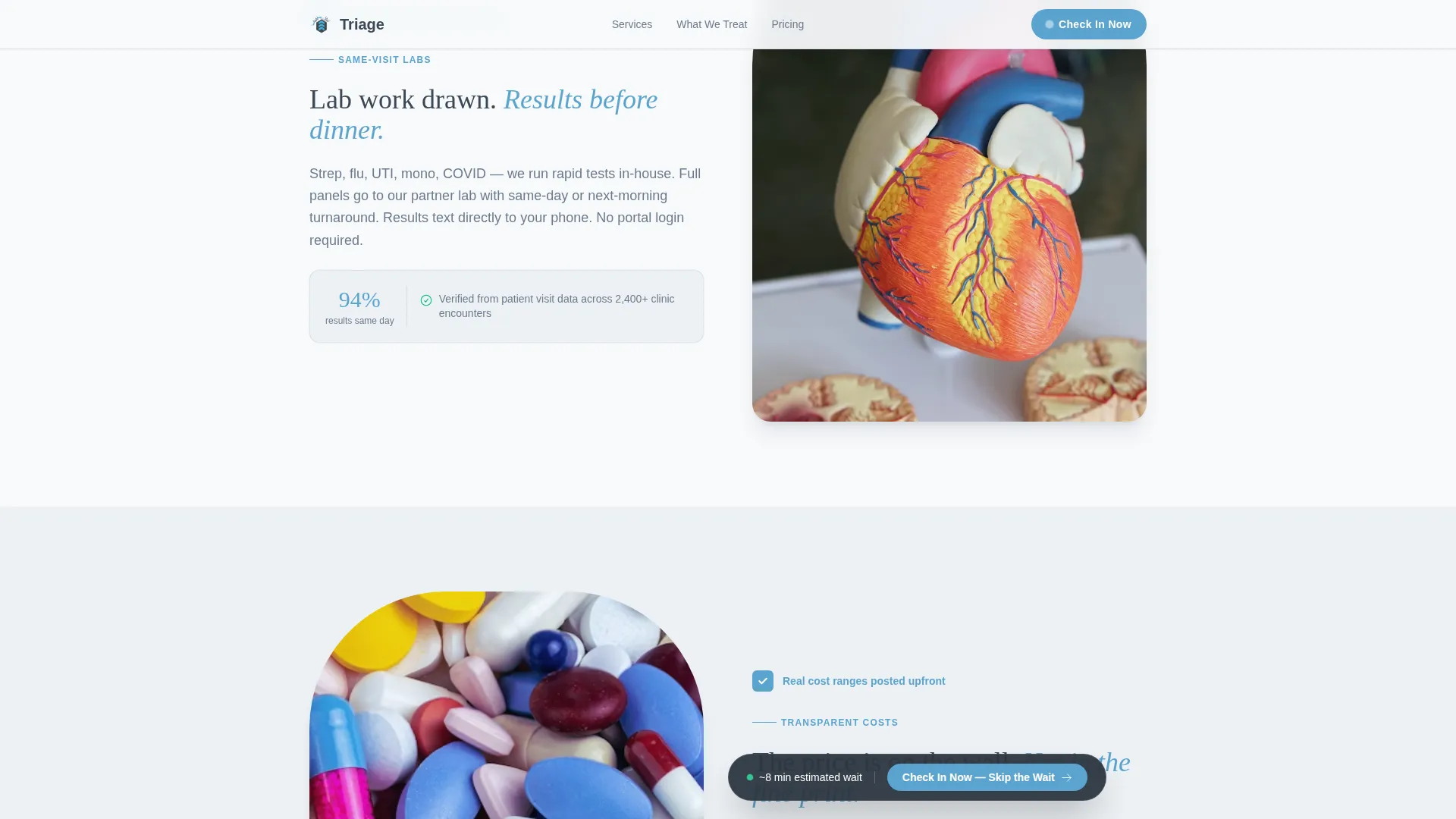
| Zigzag Two | Confirms same-visit lab work and phone-delivered results |
| Zigzag Three | Shows real cost ranges for uninsured patients in plain language |
| Zigzag Four | Builds condition confidence with an expandable 40-plus conditions accordion |
| Footer | Single-row linear footer closing the page cleanly |
Design & branding system
The visual identity follows an Educational Guide theme. The palette is clinical and calm, built to communicate competence rather than warmth.
- Headline text uses clinical charcoal (#3B4856), body copy and secondary surfaces use calm slate (#6B7B8D), calls to action and interactive highlights use open-sky blue (#5BA4CF), and backgrounds use sterile white (#F7F9FB)
- Typography pairs Fraunces, a serif display face, for headlines with DM Sans, a clean sans-serif, for body text
- Scroll-triggered checkbox animations and staggered form step transitions add motion without distracting from the clinical, checklist-driven tone
Mobile & speed optimization
The template is designed with a mobile-first approach, prioritizing the parent searching from a phone mid-panic over the desktop visitor browsing at leisure.
- The triage form uses large tappable tiles sized for thumb interaction, making step selection fast and error-free on small screens
- Hero image loading is prioritized, and interactive components such as the multi-step form, accordion, and sticky bar are built as client-side components only where interactivity is actually needed
- The cinematic hero entrance animation and staggered form steps are tuned to feel smooth without delaying the first visible content
How this template helps you convert
Walkway is a click-through landing page with one destination: the clinic's online check-in queue. Every design decision supports that single goal.
- The triage form in the header creates psychological momentum before the primary call to action appears, so the visitor is already engaged when "Check In Now - Skip the Wait" is first shown
- The four zigzag sections are ordered to match the real anxiety sequence a new patient feels, moving from appointment concerns to lab work to cost to condition coverage, so each scroll removes one specific objection before it can become a reason to leave
- The sticky bottom bar keeps the check-in action visible at all times after scroll section two, meaning the page never loses a visitor who decided mid-scroll they were ready to act
Other information about this template
Walkway is part of the Nowait Urgentcare template family and carries the "Walkway" design handle within that line. The template is built specifically for the walk-in clinic and urgent care niche in the United States, with USD pricing and 12-hour time formatting baked into the layout.
- The page requires no email capture and no phone number field before the check-in click, keeping the path frictionless and focused on a single conversion action
- The "See What We Treat" secondary text link anchors the conditions accordion, functioning both as a reassurance tool for undecided visitors and as a content depth asset for the page
- The template is categorized under Health and Medical, Urgent Care and Walk-In, and is designed to serve local business-to-consumer clinics that rely on walk-in volume
Theme
Educational Guide
Creative direction
Checklist & Audit
Color system
Slate & Sky
Style
Zigzag/Alternating
Direction
Click-Through
Page Sections
Three-step Triage Intake Form
Scroll-triggered Checkbox Animations
Sticky Check-in Call to Action Bar
Expandable Conditions Accordion
Transparent Pricing Display
Alternating Zigzag Content Layout
Related questions
Does this template require patients to make an appointment?
What happens after a visitor completes the triage form?
Can I customize the conditions listed in the accordion?
Is this template suitable for an uninsured patient audience?
Does the page collect email addresses or phone numbers before the check-in click?



