Specialist Retiree Insurance Cost Estimator Website Template
Voyage is a premium retiree travel insurance landing page template built for insurance providers targeting travellers aged 65 and over. It pairs a live premium calculator with a fixed sidebar companion, persuasive copy that names real anxieties, and trust-first design. The result is an insurance landing page that earns confidence before it asks for anything.
by Rocket studio
Quick summary
Voyage is a sidebar companion landing page template designed for retiree travel insurance providers. It opens with a real-time premium calculator, guides visitors through a Problem to Solution content arc, and closes with two clear conversion paths: a downloadable coverage guide and a click-to-call adviser button. Every section is built to build trust with an older, deliberate audience.
Who this template is for
This template suits any insurance provider, travel agency, or specialist broker whose services focus on travellers aged 65 and over. It is equally useful for teams creating a new insurance landing page from scratch and for those looking to improve performance on an existing site.
- Retiree travel insurance providers targeting recently retired couples planning bucket-list trips
- Adult children researching cover for parents who have been declined by comparison sites
- Specialist brokers or a travel agency offering insurance products for travellers with pre-existing conditions
What problem this template solves
Standard travel insurance landing page designs were not built with a senior audience in mind. Small type, cluttered form fields, and vague policy language cause visitors to drop off before they understand what they are actually covered for. This template has a clear goal: remove that friction entirely.
- Pre-existing condition coverage is buried in fine print on most insurance landing pages, leaving older visitors confused
- Generic insurance landing page layouts do not address repatriation, medical evacuation, or trip cancellation in plain language
- Most travel insurance landing page templates fail to build trust with the senior demographic because they lack social proof, transparent pricing, and the calm visual weight that earns a deliberate click
What you get with this template
You get a fully structured travel insurance landing page that covers every stage of the decision journey. The template is ready to publish with layout blocks, copy scaffolding, and conversion elements already in place. It is designed to help you generate qualified leads without asking visitors to do too much too soon.
- A live premium calculator with a fixed sidebar that stores the visitor's estimate as they scroll through the page
- Five content sections that move from problem to resolution, each answering one specific anxiety a retiree traveller will not always say aloud
- Two conversion paths: a downloadable guide form that asks only for a first name and email, plus a muted-gold click-to-call button for visitors who are ready to speak with an adviser
Feature list
This landing page template includes purpose-built components that focus on clarity, coverage transparency, and steady conversion without pressure.
Live Premium Calculator with Sidebar Companion
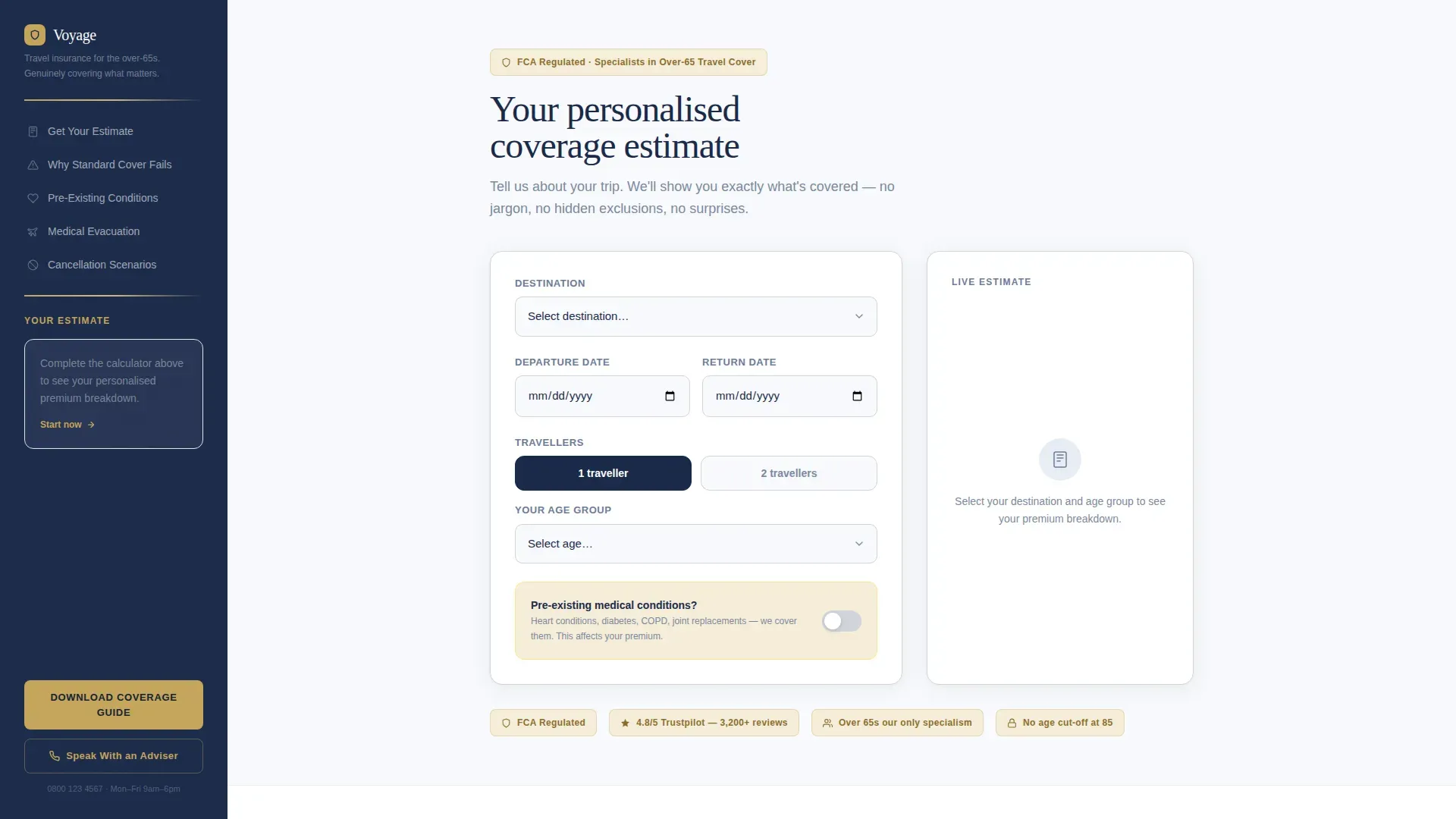
The header opens as a calculator form, not a pitch. Visitors fill in destination, travel dates, age of each traveller, and a yes or no toggle for pre-existing conditions. As each form field is completed, a live estimate assembles on the right side of the page. Medical, cancellation, and repatriation each appear as a separate line item with pound figures in real time. The fixed sidebar carries a mini-summary of that estimate throughout the entire page, so visitors never lose their numbers.
Problem to Solution Content Arc
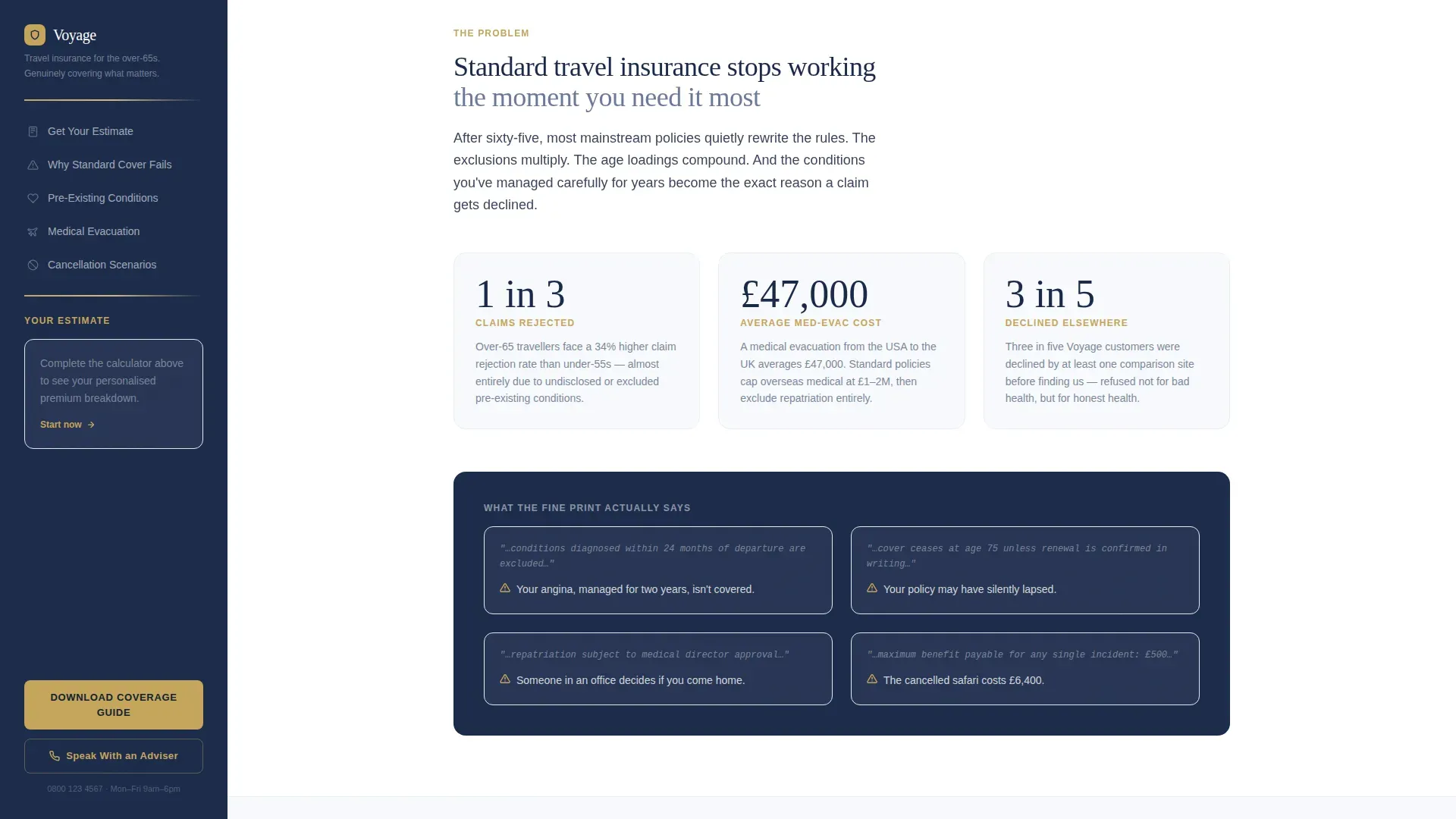
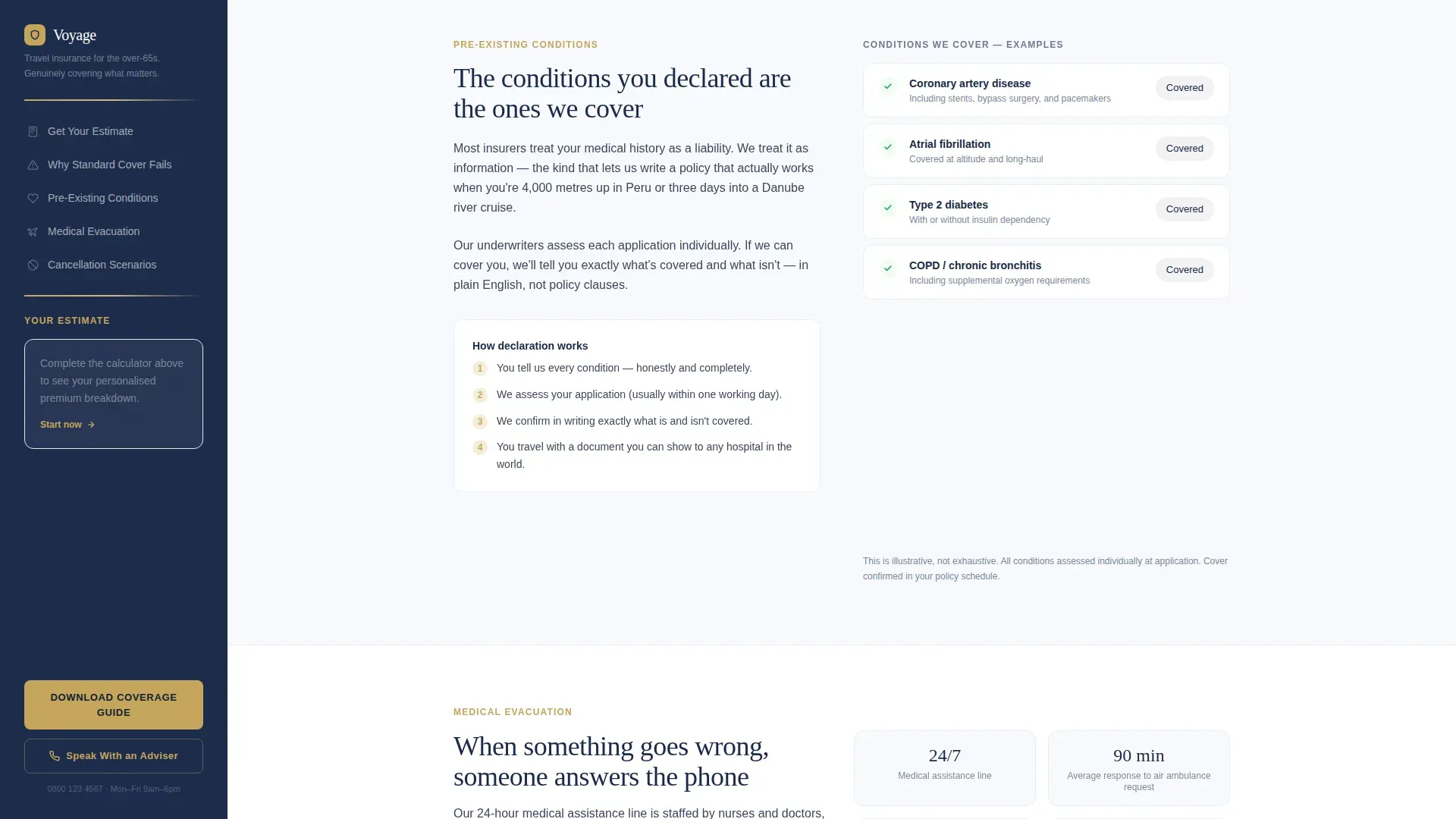
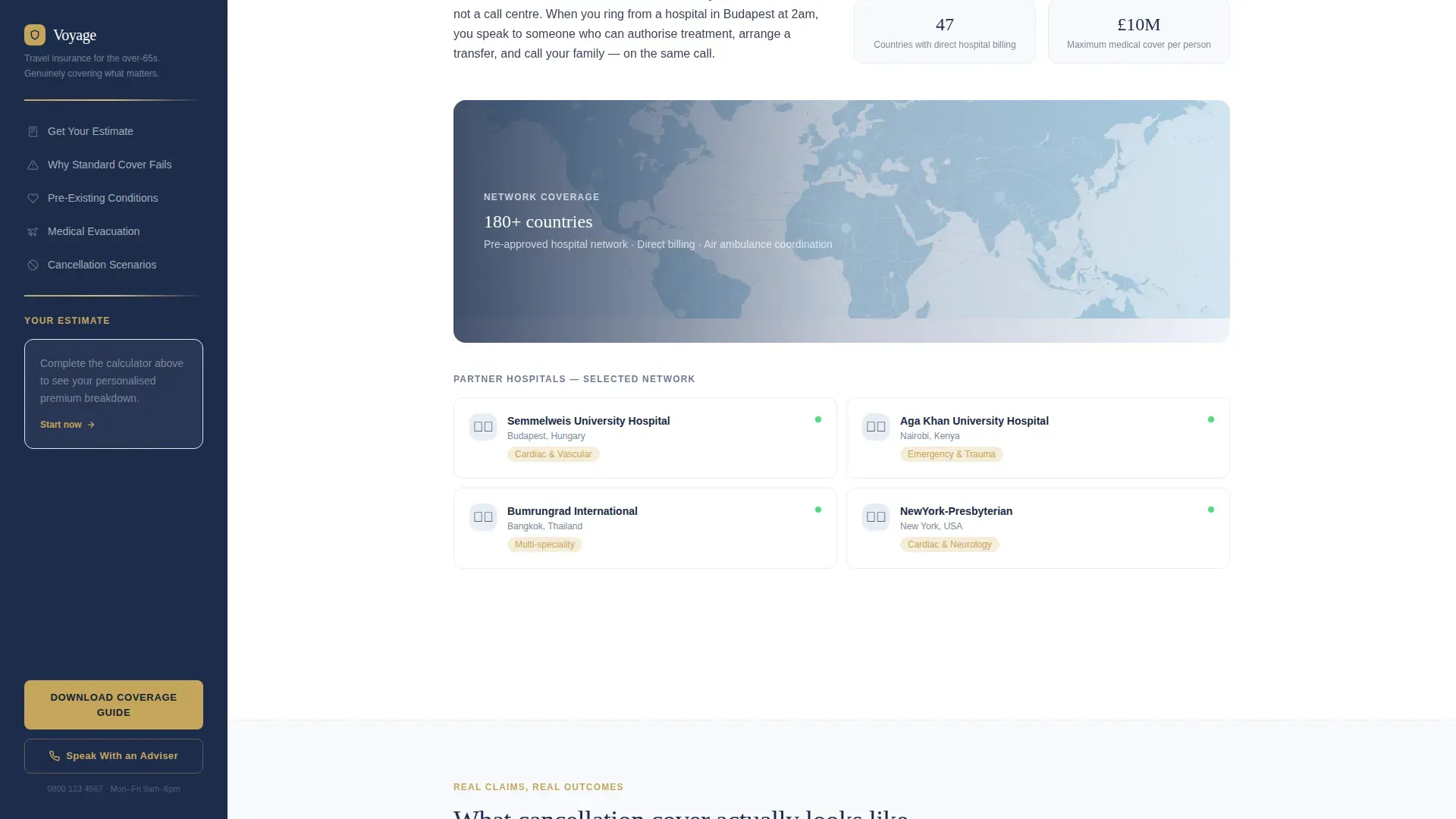
Below the calculator, the page follows a deliberate editorial structure. The first section names the problem plainly: standard travel insurance fails after sixty-five. Each subsequent section resolves one anxiety. Pre-existing condition coverage is explained without jargon. Medical evacuation logistics are shown with real hospital network context. Cancellation scenarios are presented as short narratives rather than policy clauses. This arc earns the scroll by giving genuine clarity before asking visitors to sign up.
Dual Conversion Path Design
The primary call to action reads "Download Your Coverage Guide" and appears first inside the sidebar after calculator interaction. A second instance appears at the page's natural resting point after the final scenario section. Each instance uses a minimal form: first name and email only. A secondary path offers "Speak With an Adviser" as a click-to-call button styled in muted gold, positioned for visitors who have already decided and want a human voice.
Trust and Social Proof Layer
The template includes a dedicated social proof section with photo testimonials, star ratings, and trust badge placements. Customer testimonials are structured to emphasize ease of claims, which matters most to the senior demographic. Authority badge slots support certifications and regulated-status markers. These trust signals are positioned to build credibility at key decision points throughout the page.
Executive Suite Typography and Spacing
Headlines use a large serif typeface designed for reading glasses and deliberate reading. Body copy uses a clean sans-serif at generous size. Spacing is wide throughout. The intuitive layout keeps the page scannable without feeling sparse. Large, high-contrast type with ample white space ensures that every element earns its place and users are never squinting to determine what the page is asking them to do.
Page sections overview
| Section | Purpose |
|---|---|
| Calculator Hero | Capture destination, dates, age, pre-existing toggle; deliver live estimate |
| Fixed Sidebar | Store and display running estimate; surface primary conversion form |
| Problem Statement | Name why standard insurance fails travellers over sixty-five |
| Pre-existing Conditions | Explain covered conditions in plain language without jargon |
| Medical Evacuation | Show real logistics, hospital networks, and repatriation detail |
| Cancellation Scenarios | Present trip interruption and cancellation as short real-world stories |
| Social Proof Row | Display testimonials, star ratings, and authority trust badges |
| Guide Download Form | Collect first name and email; deliver coverage guide access |
| Adviser Call Button | Offer a direct click-to-call path for visitors ready to speak now |
| Footer | Linear single-row pattern with essential links and regulated-status note |
Design & branding system
The visual identity follows an Executive Suite theme that feels like the stationery of a private bank. Every design decision is restrained, weighty, and deliberate. The palette uses four values and nothing more, creating a calm atmosphere that reassures a cautious audience without ever feeling cold.
- Arctic White (#F7F9FC) fills open backgrounds; Brushed Platinum (#D1D5DB) handles dividing rules and secondary text; Deep Admiral Navy (#1B2A4A) anchors headlines and the persistent sidebar
- Muted Gold (#C5A55A) is reserved exclusively for interactive elements and trust markers, including the click-to-call button and key call-to-action highlights
- Typography pairs Fraunces serif for headlines with DM Sans for body and interface text, both set large with generous line spacing to support the older target audience
Mobile & speed optimization
The template is built desktop-first to match the primary device preference of the retiree audience, but includes a full mobile fallback so the page displays clearly on any screen. Static content sections are separated from the interactive calculator to keep initial load fast.
- The fixed sidebar collapses gracefully on smaller screens so users on tablets and phones retain access to their estimate without layout disruption
- Form fields are large, clearly labelled, and spaced generously so that submitting information on a touch device is straightforward for any user
- The page structure separates static server-rendered sections from the client-side calculator, keeping the landing page responsive without sacrificing the live-estimate interaction
How this template helps you convert
Every element on this landing page works toward the goal of moving visitors from curiosity to confident action. The template uses persuasive copy grounded in real scenarios, not generic promises. Trust and clarity are the two engines that drive conversions here.
- The calculator gives visitors a real number before asking for anything, so the free quote feels earned rather than extracted. Visitors who see their own estimate are far more likely to fill in the guide download form and enter your email list as a warm lead.
- Social proof, star ratings, and trust badges appear at the exact moments when a visitor might otherwise hesitate, turning doubt into confidence and encouraging the next steps toward speaking with an adviser or submitting a request for the full guide.
Other information about this template
This template is designed to work as a standalone conversion asset for any insurance company or travel agency that serves the senior travel market. It is built to publish quickly and to generate leads from the first day it goes live. Companies using dedicated landing pages generate significantly more leads than those relying on a general website alone.
- The lead form is intentionally minimal. Asking only for a first name and email reduces abandonment and helps you build an email list of genuinely interested prospects rather than reluctant form completers
- Videos and images can be dropped into the hero image area and scenario sections to improve engagement. Eye-catching visuals of retirees in real travel settings help visitors picture themselves covered and confident
- The Voyage Premium retiree travel insurance landing page template is built to balance emotional reassurance with specific coverage detail, following best practice for high converting landing pages aimed at the senior demographic
- Unicorn Platform offers this template as part of a library of professionally designed insurance landing page templates. The platform provides an intuitive drag and drop builder so users can customise and publish without writing code
- Landingi users can also adapt this style of insurance landing page by picking a comparable template and making appropriate changes to reflect their own insurance products and services
- Transparent pricing plans, authority badges, and scannable bullet points all contribute to a better user experience for visitors who are taking their travel plans seriously and want clear answers before they commit
Theme
Executive Suite
Creative direction
Problem→Solution Arc
Color system
Arctic White
Style
Sidebar Companion
Direction
Content/Resource
Page Sections
Live Premium Calculator with Fixed Sidebar
Problem to Solution Content Arc
Dual Conversion Path Layout
Social Proof and Trust Badge Section
Executive Suite Typography and Spacing
Related questions
Does this template support pre-existing condition coverage explanations?
How does the live calculator work on this landing page?
Can a travel agency or broker use this template?
What conversion paths does the template include?
Is the template suitable for a UK-based insurance provider?



