Precision Industrial Landing Page Template
Warehousehub is a precision-built industrial landing page template for property management firms leasing large-format warehouse and logistics facilities. It features an asymmetric 60/40 grid, a hero search bar with three input fields, an interactive property map, flip-card property listings, and a Navy Authority color palette that projects operational authority and drives click-through to detailed property pages.
by Rocket studio
Quick summary
Warehousehub is a single-page template built for industrial warehouse property management firms. It pairs an asymmetric 60/40 grid with a dark Navy Authority color system and an interactive property explorer. The layout guides logistics directors, supply chain executives, and real estate brokers from a powerful header search directly toward available facility listings.
Who this template is for
This template is designed for firms that lease large-format industrial real estate to logistics-intensive tenants. It speaks directly to the professionals making high-stakes facility decisions.
- Logistics directors and supply chain vice presidents scouting new distribution markets
- Real estate brokers who need clear-height specs, dock-door counts, and building type details before booking a tour
- Property management companies managing cold storage, cross-dock, flex, and bulk warehouse portfolios across multiple markets
What problem this template solves
Industrial real estate buyers need technical proof before they commit to a site visit. Generic property websites bury the numbers that actually matter. This template puts specifications front and center and removes the friction between curiosity and action.
- Visitors waste time searching across pages for basic specs like column spacing, power capacity, and trailer parking counts
- No clear entry point means brokers and occupiers bounce before they find the right building type
- Long contact forms slow momentum at the exact moment a qualified buyer is ready to move
What you get with this template
You get a fully structured, single-page layout designed around the industrial real estate leasing workflow. Every section earns its place by moving the right visitor closer to booking a facility tour.
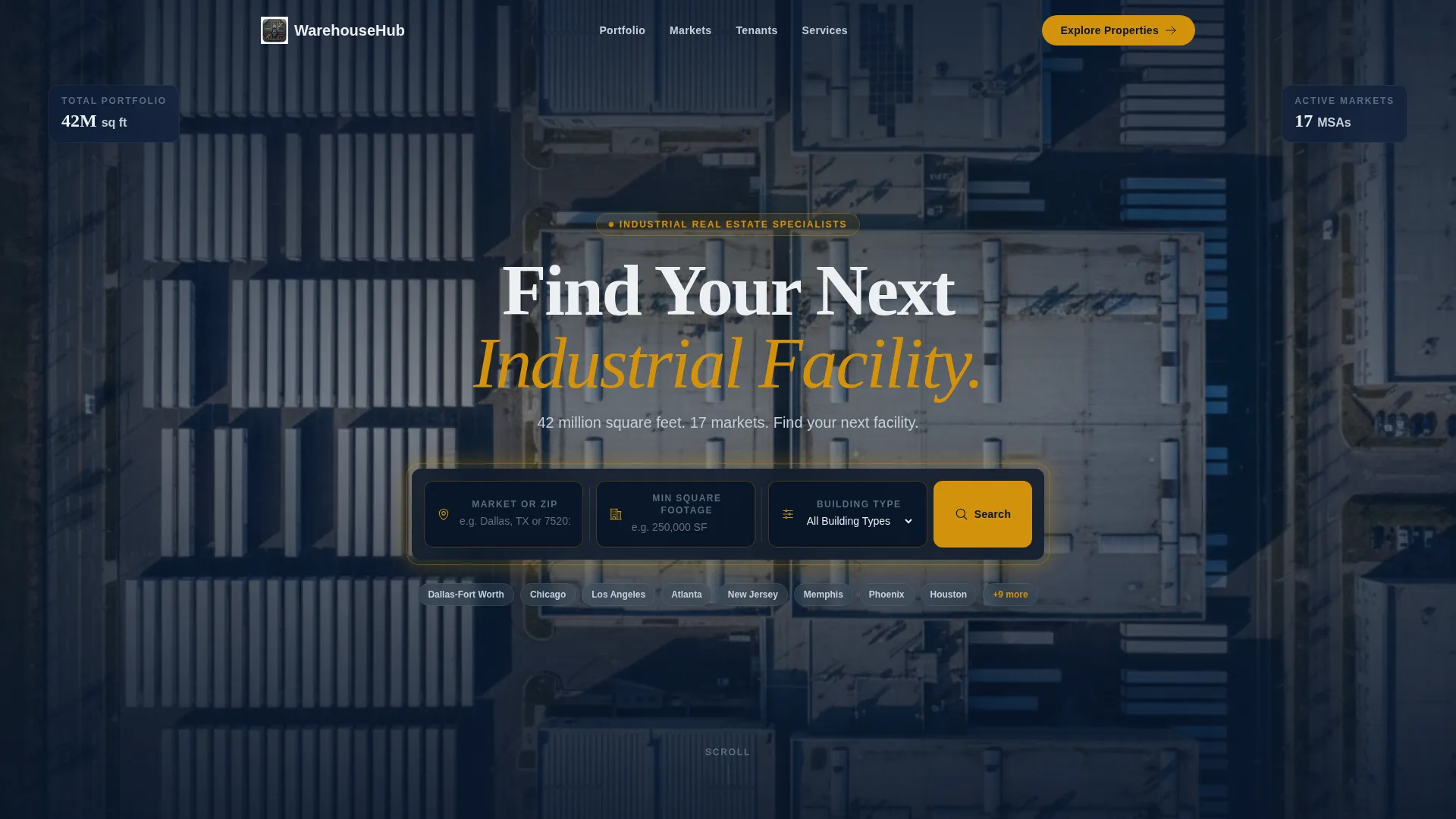
- An oversized header search bar with three input fields: market or zip code, minimum square footage, and building type dropdown
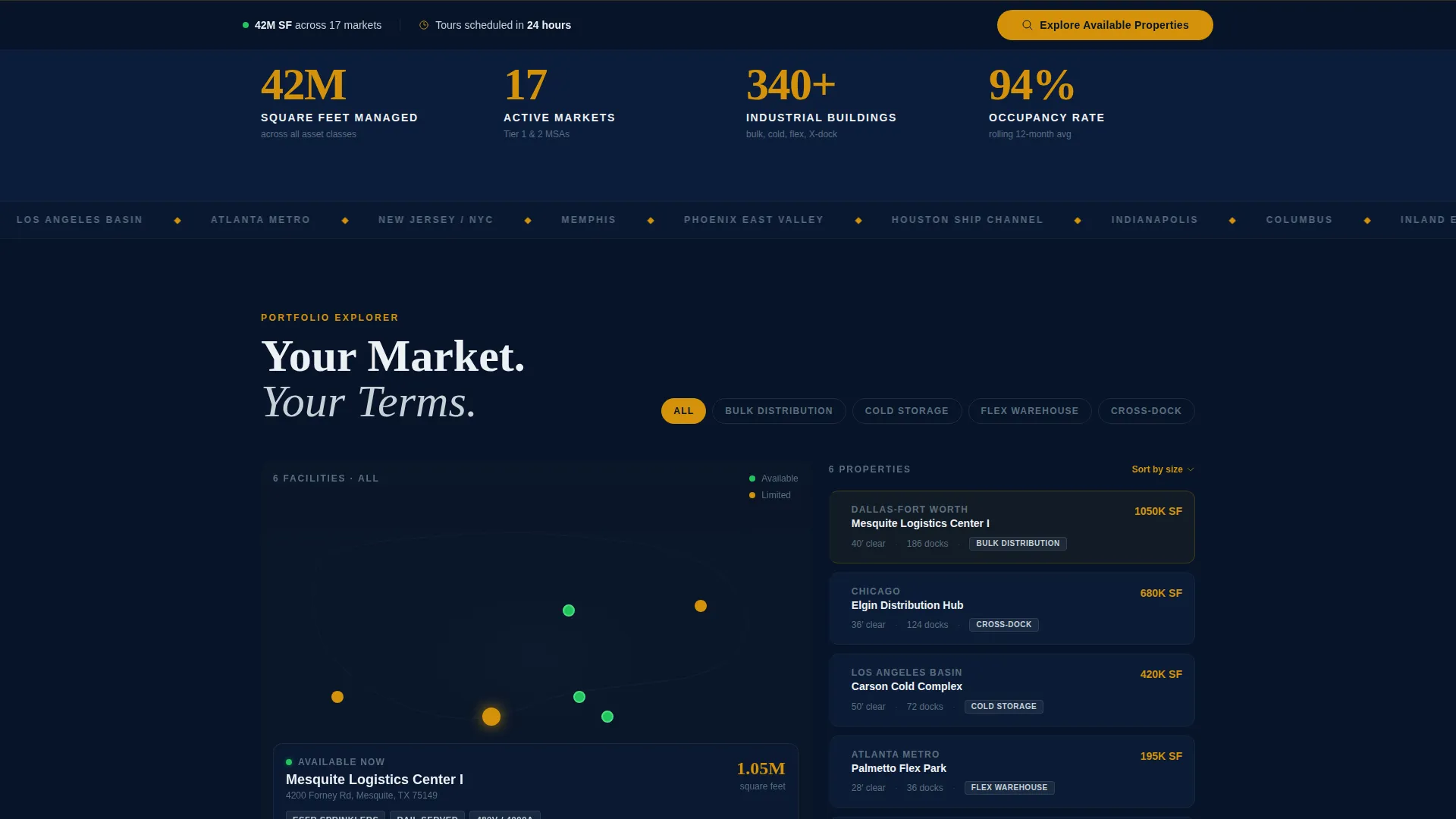
- A 60/40 asymmetric grid pairing a dynamic property map with a live-updating availability list
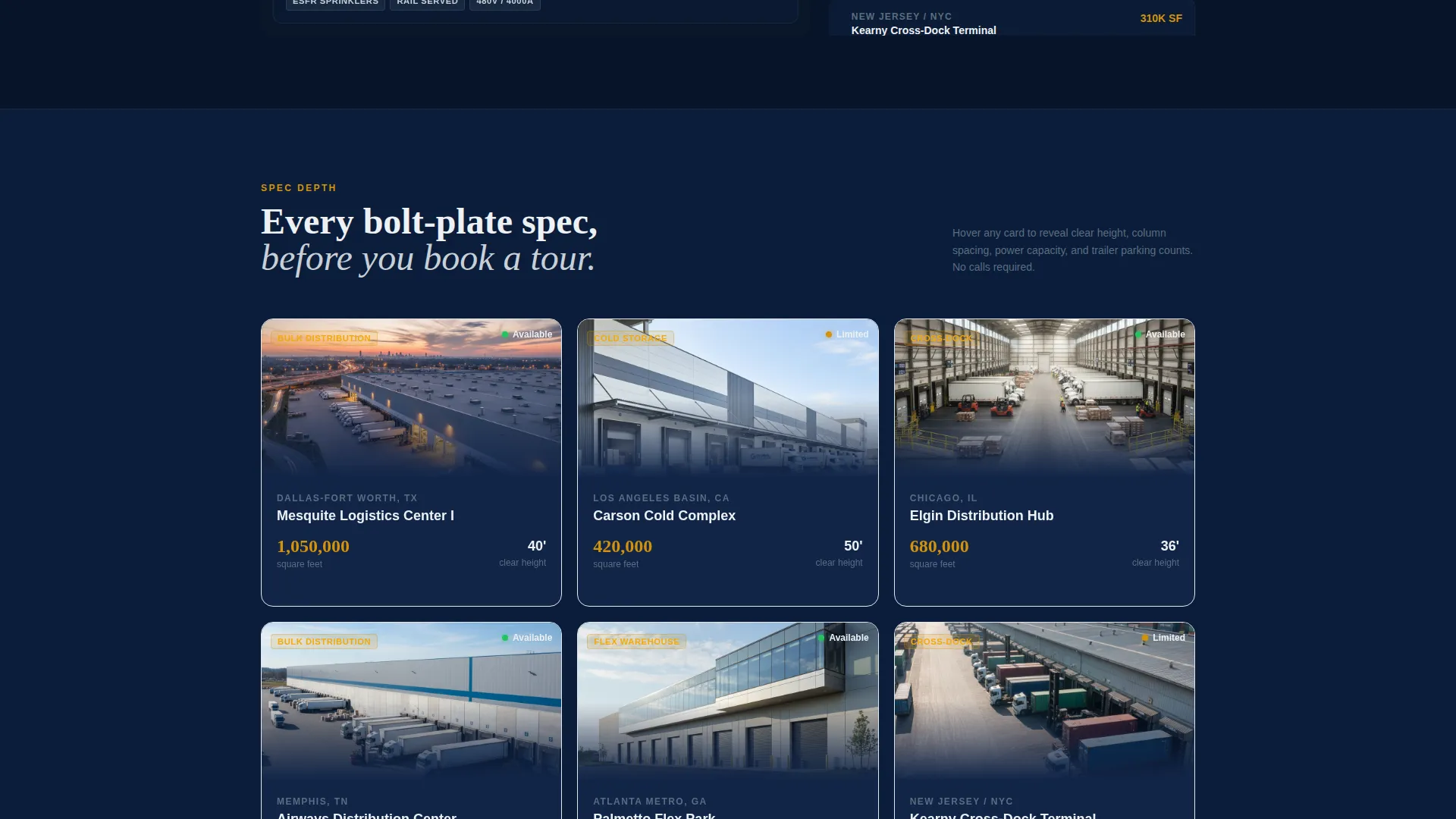
- Flip-card property listings revealing clear height, column spacing, power capacity, and trailer parking counts on hover
- Sequential content layers covering market analytics, tenant case studies with throughput metrics, and a virtual dock-door walkthrough
- A persistent amber call-to-action that surfaces in the header, reappears as a sticky bar after the second scroll section, and anchors the final closing band
Feature list
This section walks through the core built-in components that define how the template functions and feels.
Three-Field Header Search Bar
The hero section centers an oversized search bar over a darkened aerial photograph of a distribution campus. Visitors filter by market or zip code, minimum square footage, and building type before they scroll a single pixel.
Asymmetric 60/40 Property Explorer
The primary content grid dedicates sixty percent of the viewport to an interactive property map with expandable cluster pins. The remaining forty percent runs a live-updating list sorted by availability, keeping both spatial and list-based browsers satisfied.
Flip-Card Facility Listings
Individual property cards flip on hover to surface operational specifications. Clear height, column spacing, power capacity, and trailer parking counts appear on the reverse face, giving brokers the data they need instantly.
Layered Content Architecture
Each scroll section peels back a new operational layer. The sequence moves from portfolio overview to market analytics, then to tenant case studies with throughput metrics, and finally to a virtual dock-door walkthrough.
Persistent Amber Call-to-Action System
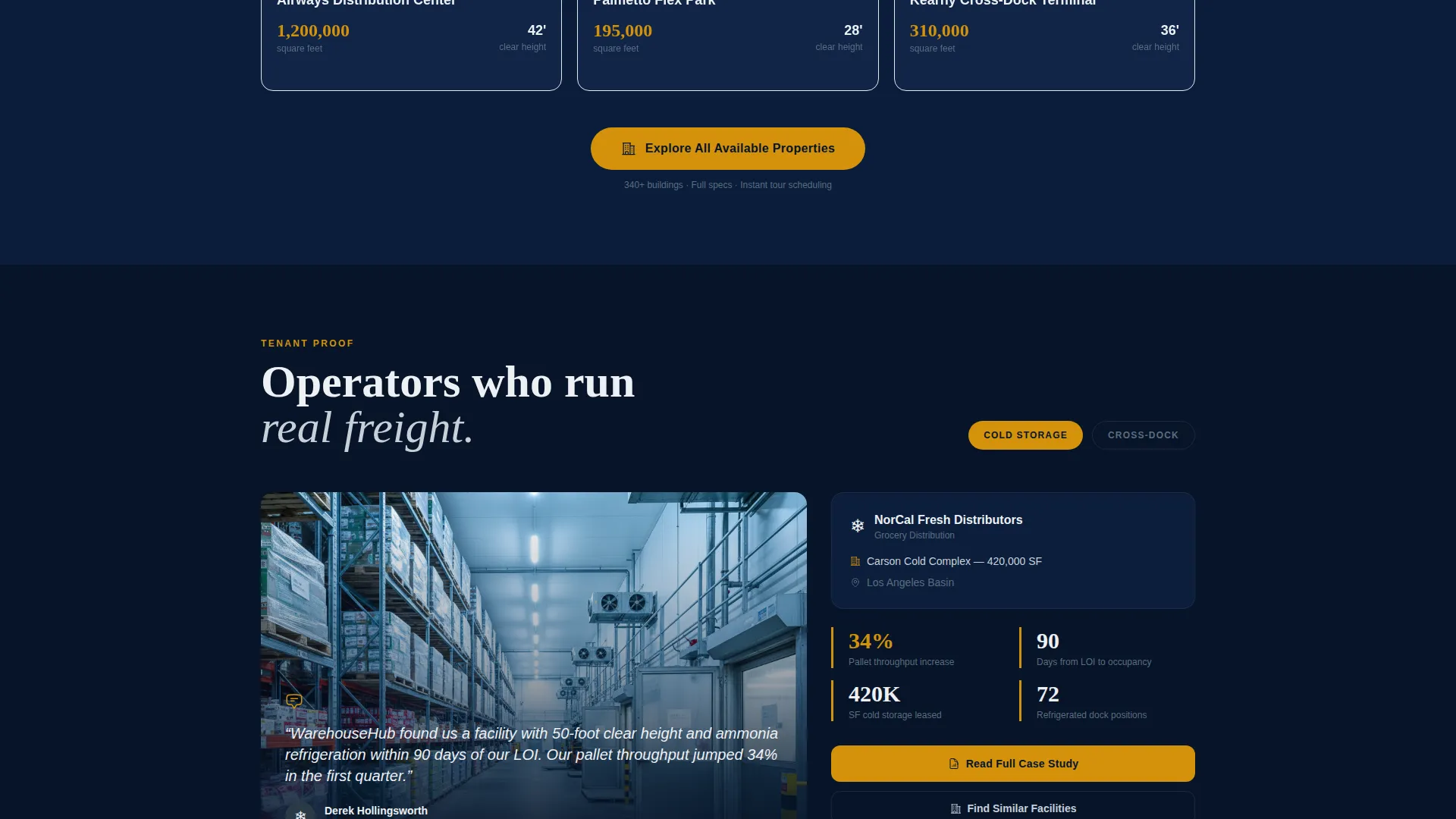
The "Explore Available Properties" button appears three times: inside the header search results, as a sticky bar after the second scroll section, and as the anchor element in the full-width closing band. Placement is deliberate and escalating.
Navy Authority Visual System
The color palette uses command-deck navy for backgrounds, reinforced steel for body text and secondary containers, dock-light white for data-heavy zones, and safety-stripe amber reserved for calls to action, hover states, and key data callouts.
Page sections overview
| Section | Purpose |
|---|---|
| Hero Search Header | Entry point with aerial photo, three-field search bar, and portfolio headline |
| Interactive Property Map | 60-column dynamic map with expandable cluster pins showing building specs |
| Live Availability List | 40-column panel updating in real time sorted by current availability |
| Flip-Card Listings | Individual property cards revealing specs on hover |
| Market Analytics Layer | Regional data supporting expansion market decisions |
| Tenant Case Studies | Throughput metrics and real occupier examples building credibility |
| Virtual Dock Walkthrough | Immersive facility preview escalating visitor confidence |
| Closing call to action Band | Full-width section anchoring the final "Explore Available Properties" button |
Design & branding system
The template follows a Corporate Precision theme built around a Navy Authority color system. The palette is intentionally restrained, using amber with precision so every instance feels urgent rather than decorative.
- Navy dominates backgrounds and section dividers; steel carries body text and secondary containers; white opens breathing room in data-heavy zones
- Safety-stripe amber (#D4920B) is reserved exclusively for calls to action, hover states, and key data callouts to preserve its urgency signal
- The overall atmosphere recalls a logistics control room at night: dark surfaces, glowing indicators, and the quiet authority of a system running at full capacity
Mobile & speed optimization
The template is structured to maintain its visual hierarchy and interaction logic across screen sizes. The asymmetric grid and layered content architecture are designed with responsive behavior in mind.
- The 60/40 grid stacks vertically on smaller screens so the property map and availability list each occupy full width
- Flip-card interactions and the sticky call-to-action bar are built to remain functional and visible on touch devices
- Heavy visual elements like the aerial hero photograph use a darkened overlay treatment that keeps text legible at any viewport width
How this template helps you convert
The template removes every unnecessary step between a qualified visitor and a property tour booking. The conversion strategy relies on data density and zero-friction interaction rather than gated forms.
- The three-field header search creates an immediate engagement loop, letting visitors self-qualify by market, size requirement, and building type before they read a single line of body copy.
- Progressive content layers build confidence incrementally: map and list feed into flip-card specs, then into analytics and case studies, so each scroll deepens trust rather than repeating the same pitch.
- The amber call-to-action appears at three deliberate points in the scroll journey, making "Explore Available Properties" feel like a natural next step rather than a forced commitment.
Other information about this template
This template is purpose-built for the industrial warehouse leasing niche and reflects the specific workflow of logistics real estate professionals. A few additional points worth noting:
- The landing page supports portfolios spanning multiple building types: bulk distribution, cold storage, flex warehouse, and cross-dock facilities
- The portfolio headline "42 million square feet. 17 markets." is included as a placeholder data callout and can be updated to reflect your firm's actual portfolio figures
- No contact form is included by design; the conversion strategy routes all qualified traffic to a separate, detailed property listings page with full specs and tour scheduling
- The template is built as a single-page layout, making it straightforward to customize section copy, property card data, and map pin content for any target market
- This template is well suited for firms competing in logistics real estate markets where tenants such as grocery distributors, last-mile carriers, and e-commerce brands require technical specification data upfront
Theme
Executive Suite
Creative direction
Before/After Reveal
Color system
Dark Emerald
Style
Full-Width Immersive
Direction
Booking/Scheduling
Page Sections
Three-field Hero Search Bar
Asymmetric 60/40 Grid Layout
Flip-card Property Listings
Layered Scroll Architecture
Persistent Amber Call to Action System
Navy Authority Color System
Related questions
Does this template include a contact form?
Can I update the portfolio stats shown in the header?
Is the property map connected to a live database?
What building types does the template support?
Who is this template best suited for?



