Land & Environmental Agency Booking Website Template
Watershed is a single-column landing page template built for public water resources boards. It guides municipal managers, agricultural operators, and environmental consultants through permit directories, application timelines, and public meeting schedules. The design is institutional and precise, using a Cloud Canvas color system that keeps every call to action clear and every process step visible before the visitor is asked to act.
by Rocket studio
Quick summary
Watershed is a government-grade landing page template for a public water resources board. It covers river basin governance, aquifer permit applications, and drought allocation compliance in one guided scroll. The layout is single-column, desktop-first, and built around transparency: every section answers the next logical question before asking the visitor to do anything.
Who this template is for
This template is designed for public water authorities and the professionals who rely on them. Whether you are launching a regional compliance portal or replacing an outdated static page, Watershed gives the institution a navigable, trustworthy presence.
- Municipal water managers checking compliance deadlines and permit status
- Agricultural operators filing for seasonal extraction or diversion permits
- Environmental consultants tracking watershed health data for impact assessments
What problem this template solves
Government water portals are often dense, confusing, and slow to earn trust. Visitors arrive with urgent compliance questions and leave without acting because the process feels opaque. This template solves that by making the institution readable before it makes any demands.
- Visitors cannot find permit status or application entry points quickly
- The application process feels hidden, discouraging first-time applicants
- Public meeting schedules and comment periods are hard to locate in time
What you get with this template
You get a complete single-column landing page structured as a guided walkthrough of how a water resources board actually operates. Every section is ordered to resolve a specific layer of institutional complexity.
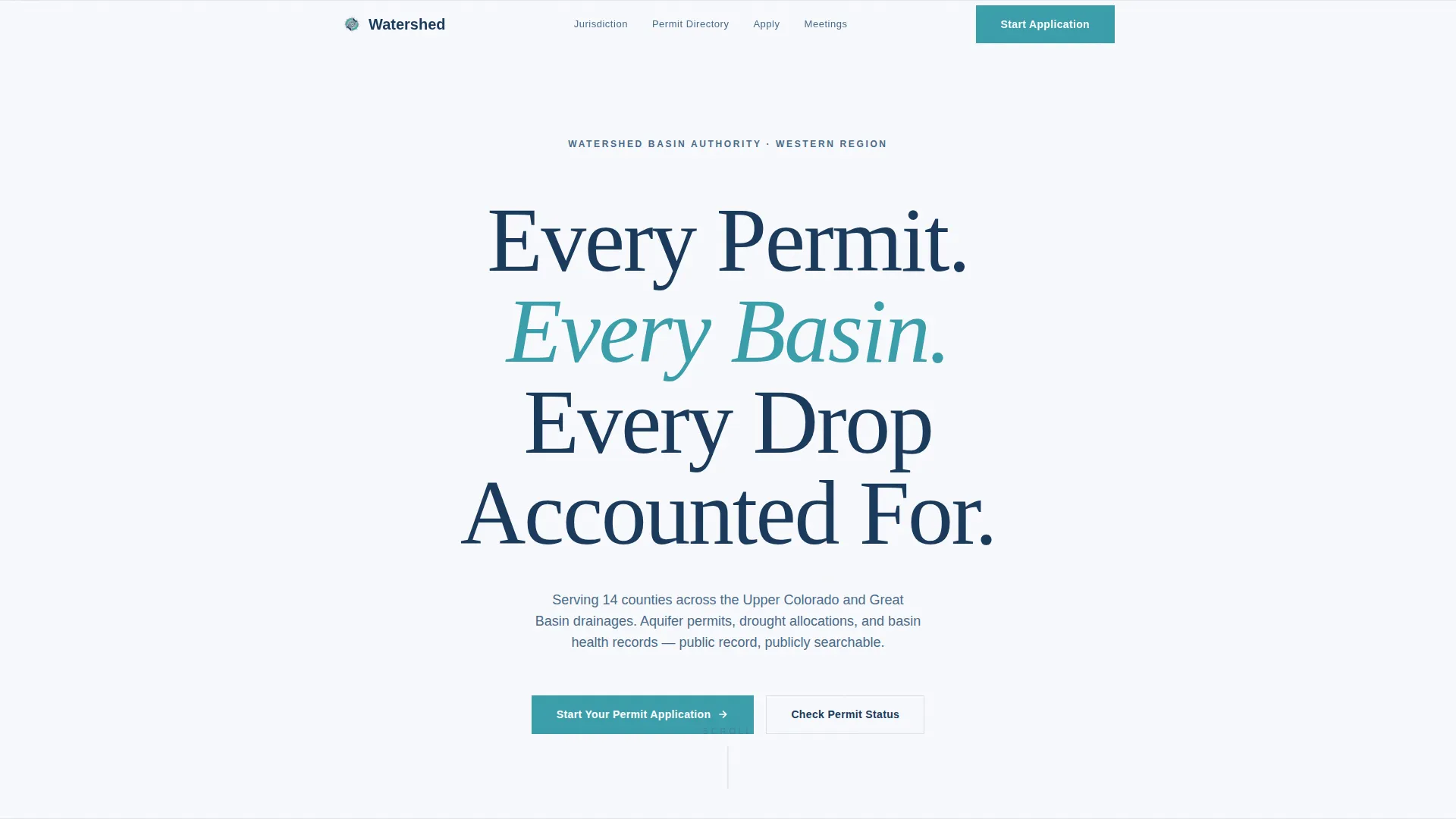
- A centered hero with serif headline, jurisdiction subtext, and deliberate white space
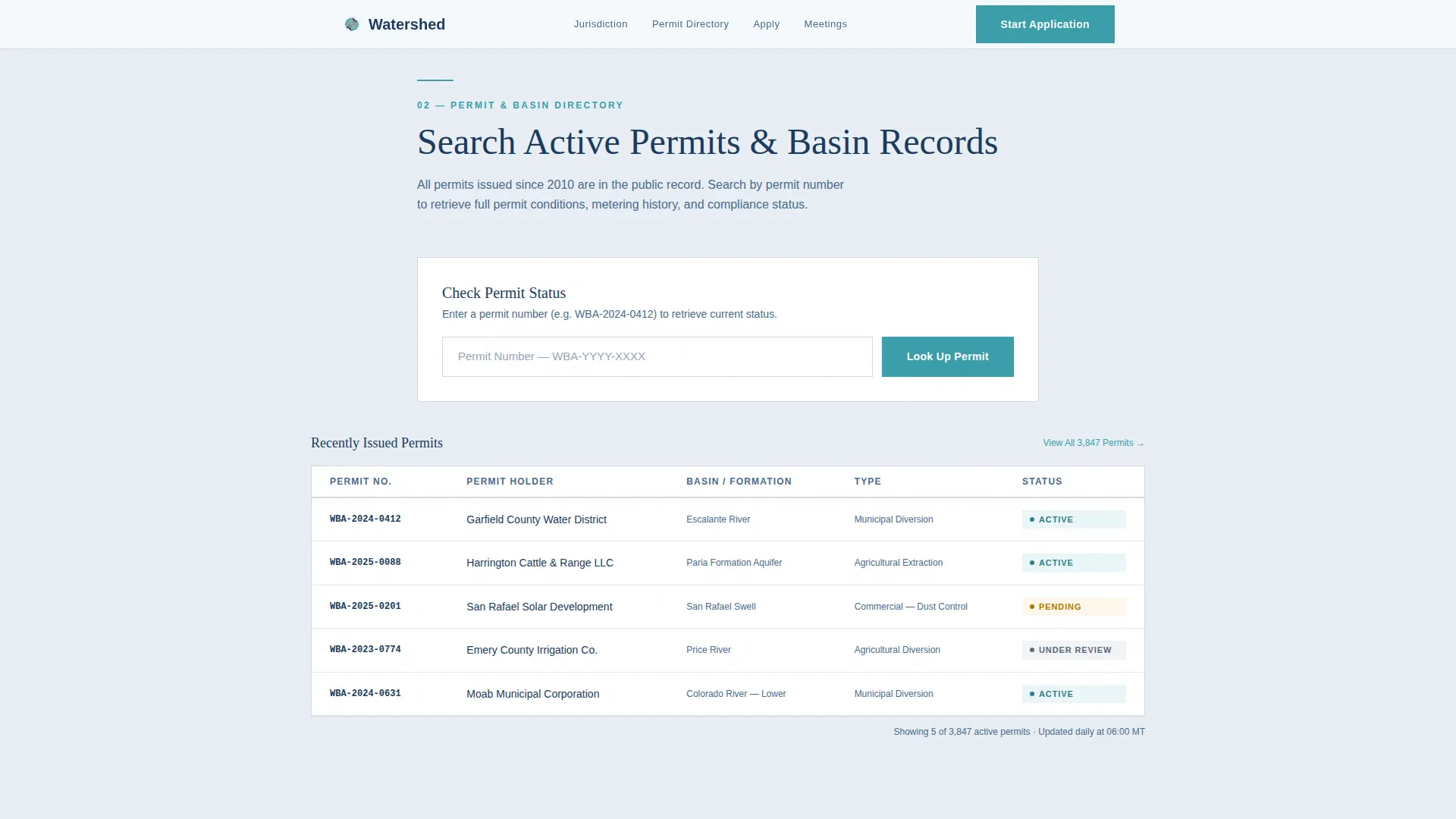
- A permit and basin directory with a search interface and a quick permit status lookup
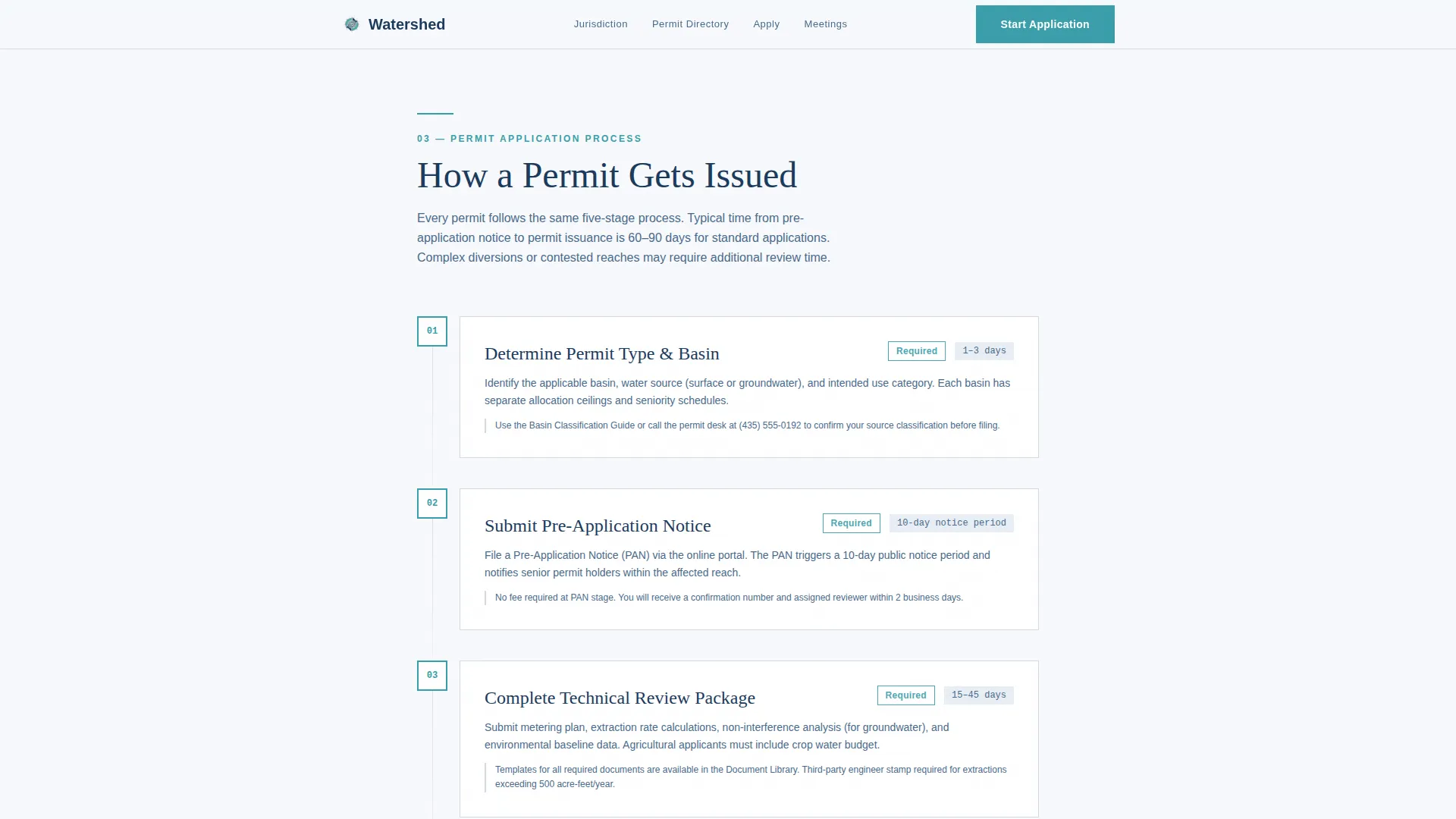
- A numbered application process timeline, a public meetings calendar, and a lead capture form
Feature list
This template is built around six purposeful sections and a set of interactive components designed for institutional clarity.
Centered Hero Headline
The hero uses large Fraunces serif type centered on open sky white. There is no image or illustration. The emptiness is intentional: it reads like an official document, establishing authority through stillness and typographic weight.
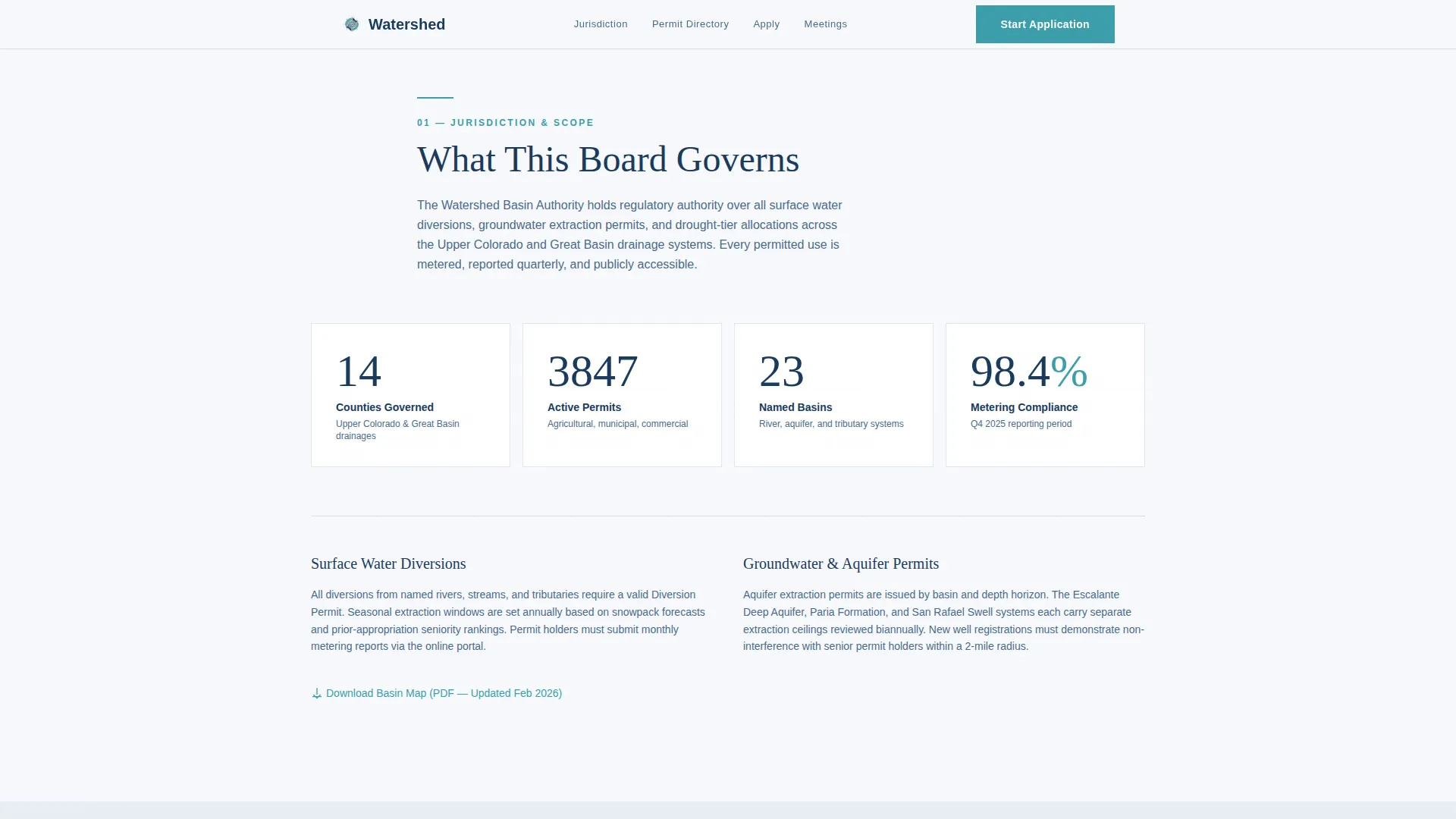
Jurisdiction and Governance Overview
An asymmetric bento stat grid displays live permit counts, basin coverage numbers, and active allocation figures. A governance description sits alongside it, telling visitors exactly what the board controls and which counties fall under its jurisdiction.
Permit and Basin Directory
A search interface lets visitors browse active permits and basin reports. A secondary "Check Permit Status" path sits above the primary form for returning users who only need a permit number, keeping their flow short and unobstructed.
Numbered Application Timeline
The permit application process is rendered as a vertical numbered timeline with status indicators. Visitors see each step before they are asked to act, which removes the uncertainty that typically stops first-time applicants from starting.
Public Meetings Calendar
Date cards display scheduled public meetings and open comment periods with active or closed status indicators. The section uses the US date format and keeps scheduling information scannable at a glance.
Guided Lead Capture Form
The application form collects applicant type first, then county and basin, then a free-text project description. The sequence mirrors how the board actually categorizes submissions, making the form feel familiar to practitioners rather than generic.
Page sections overview
| Section | Purpose |
|---|---|
| Hero Headline | Establish board authority and jurisdiction identity |
| Jurisdiction Overview | Show governance scope and live permit statistics |
| Permit Basin Directory | Let visitors search permits and check status quickly |
| Application Process Timeline | Walk visitors through each step before they apply |
| Public Meetings Calendar | Surface meeting dates and open comment periods |
| Application Form | Capture applicant type, county, basin, and project details |
| Footer | Provide minimal board contact and navigation links |
Design & branding system
The visual identity follows a Directory and Discovery theme built on the Cloud Canvas color system. The palette reads like a topographic survey map: institutional but not sterile, precise but not cold.
- Backgrounds use open sky white (#F7F9FC) and soft cirrus gray (#D4DAE3) for borders and dividers
- All body text and headings are set in deep aquifer blue (#1B3A5C) for strong readability on light surfaces
- Rain-signal teal (#3A9EAA) appears exclusively on links, active states, and call-to-action elements so that every point of action is unmistakably clear
Mobile & speed optimization
The template is built desktop-first to match the workstation environment of its primary users, but it responds correctly at mobile screen sizes. Interactive components are separated from static sections so each layer loads at the right time.
- Static content sections are structured as server components for faster initial rendering
- Interactive forms and animation components are isolated as client components to avoid unnecessary load overhead
- GSAP ScrollTrigger handles section reveals and counter animations, with a scroll line indicator guiding the visitor down the page
How this template helps you convert
The entire page is structured around earned trust. The primary call to action, "Start Your Permit Application," appears only after the visitor has seen the full process timeline, so the click feels like a natural next step rather than a cold ask.
- The permit directory and status lookup address returning users first, reducing friction for repeat visitors and building credibility before new users reach the application form
- The numbered timeline removes uncertainty by showing every application step and its status indicator, making the commitment feel manageable and the institution feel organized
- The form sequence, applicant type first, then county and basin, then project description, mirrors professional intake logic and signals to practitioners that the system understands their workflow
Other information about this template
Watershed is built with Fraunces for serif headlines and DM Sans for body text and user interface elements. This pairing balances institutional weight with functional clarity across all screen sizes.
- The template covers a 14-county jurisdiction scope as modeled in the source brief, making it suitable for regional or multi-county water authorities
- Animation intensity is set to medium: scroll reveals and counter animations add life without distracting from the regulatory tone
- The footer follows a linear single-row pattern, keeping the close of the page as clean and minimal as the open
- The page uses the US date format (MM/DD/YYYY) throughout meeting and deadline displays, consistent with public agency standards
Theme
Directory & Discovery
Creative direction
Transparent Process
Color system
Cloud Canvas
Style
Single Column Flow
Direction
Lead Generation
Page Sections
Centered Serif Hero with Deliberate White Space
Permit and Basin Directory with Status Lookup
Numbered Vertical Application Timeline
Public Meetings Calendar with Status Indicators
Guided Three-step Application Form
Asymmetric Governance Stat Grid
Related questions
Who is this landing page template designed for?
Can I adapt the application form fields for my specific board?
Does the template support both new applicants and returning permit holders?
How does the page handle public meeting information?
What makes this template feel authoritative rather than generic?



