General Practice & Family Medicine New Patient Website Template
A warm, sidebar-companion landing page built for general practice and family medicine clinics. The FAQ-driven layout answers real patient anxieties before asking for anything, then guides visitors to book a new-patient appointment with one confident click. The design feels unhurried and human, with organic flow visuals and a scroll-animated line-art header that sets the tone from the first moment.
by Rocket studio
Quick summary
This is a single-page, click-through landing page template for neighborhood family medicine clinics. It pairs a scroll-animated hero with a sticky FAQ sidebar that resolves patient concerns in real time as the visitor scrolls. The goal is simple: make a hesitant first-time patient feel heard, then earn the click to book.
Who this template is for
This template is designed for general practice and family medicine clinics that want to connect with patients on a human level. It works especially well for small or independent practices where continuity of care is a genuine selling point.
- New-parent households looking for a trusted doctor for the whole family
- Lapsed patients in their thirties who feel overdue for a checkup and need a low-pressure entry point
- Retirees managing multiple prescriptions who want one doctor keeping track
What problem this template solves
Most clinic pages look and feel clinical. They list services and credentials but never address the real reasons people hesitate to book: cost uncertainty, wait time anxiety, and the quiet fear of not being taken seriously. This template solves that.
- It answers the most common objections directly, including insurance questions and visit logistics, before a visitor ever reaches the booking button
- It removes friction by replacing on-page forms with a single click to a scheduling tool pre-filtered to new-patient appointments
- It builds emotional trust through warm design and patient-voice tone, so visitors feel confident rather than overwhelmed
What you get with this template
The template delivers a fully structured, desktop-first landing page with a graceful mobile collapse. Every section is purposefully sequenced to move a hesitant visitor toward one action: booking their first visit.
- A scroll-animated SVG line-art hero with a headline that types in alongside the drawing
- A sticky sidebar FAQ tracker that highlights and auto-scrolls as the visitor moves through content sections
- Bento-style patient portrait cards, an organic flow process section, and a persistent terracotta call-to-action button
Feature list
A paragraph introducing the features: Each feature in this template is grounded in the brief and built around a clear clinical audience need. Together they create a page that feels like a conversation rather than a brochure.
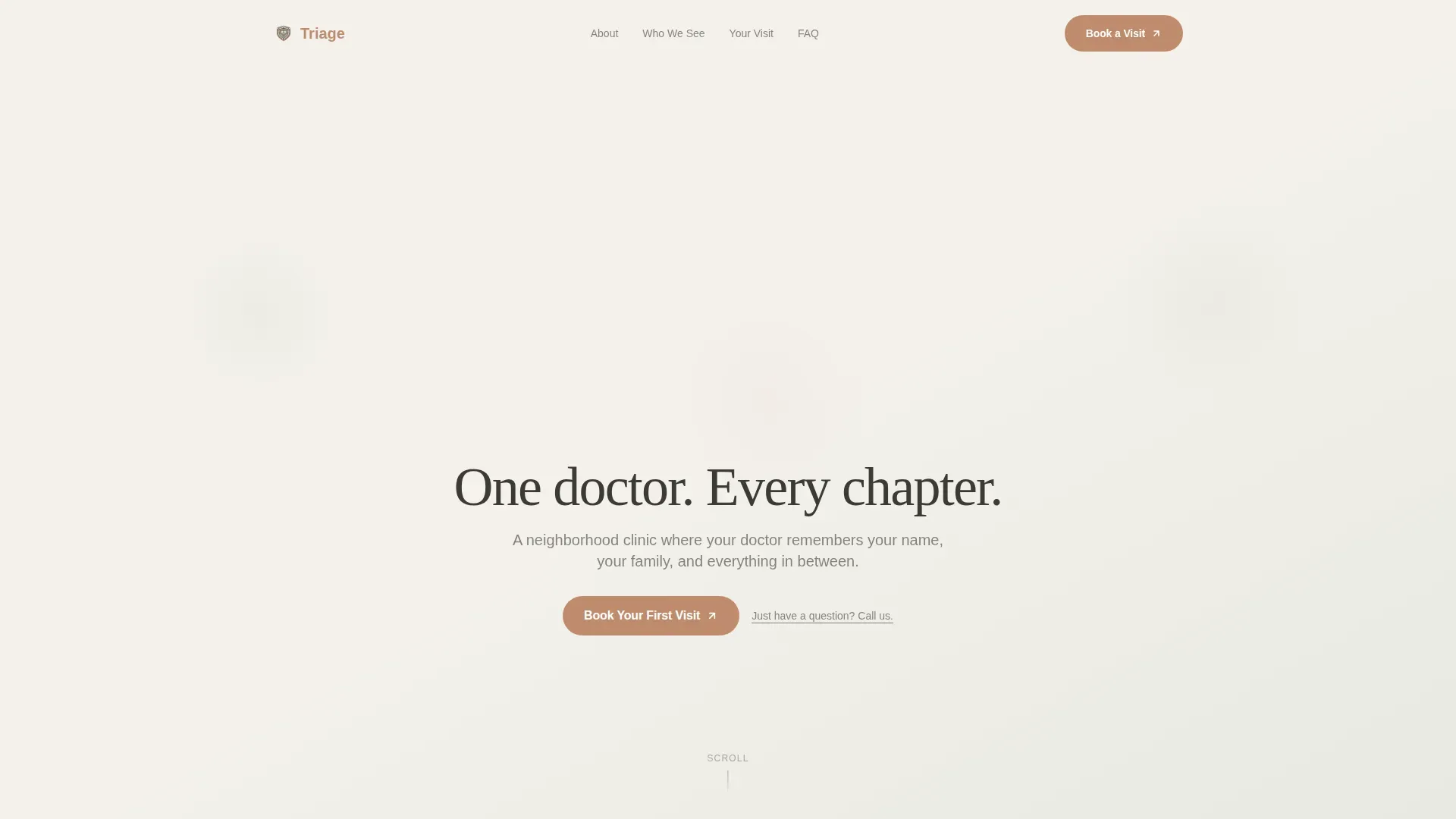
Scroll-Animated Line-Art Header
A continuous SVG ink illustration draws itself on scroll. The line traces a stethoscope curving into a parent and child, then into an elderly couple walking, all in one unbroken stroke. Sage watercolor washes bloom gently behind each figure as they appear, and the headline types in alongside the animation.
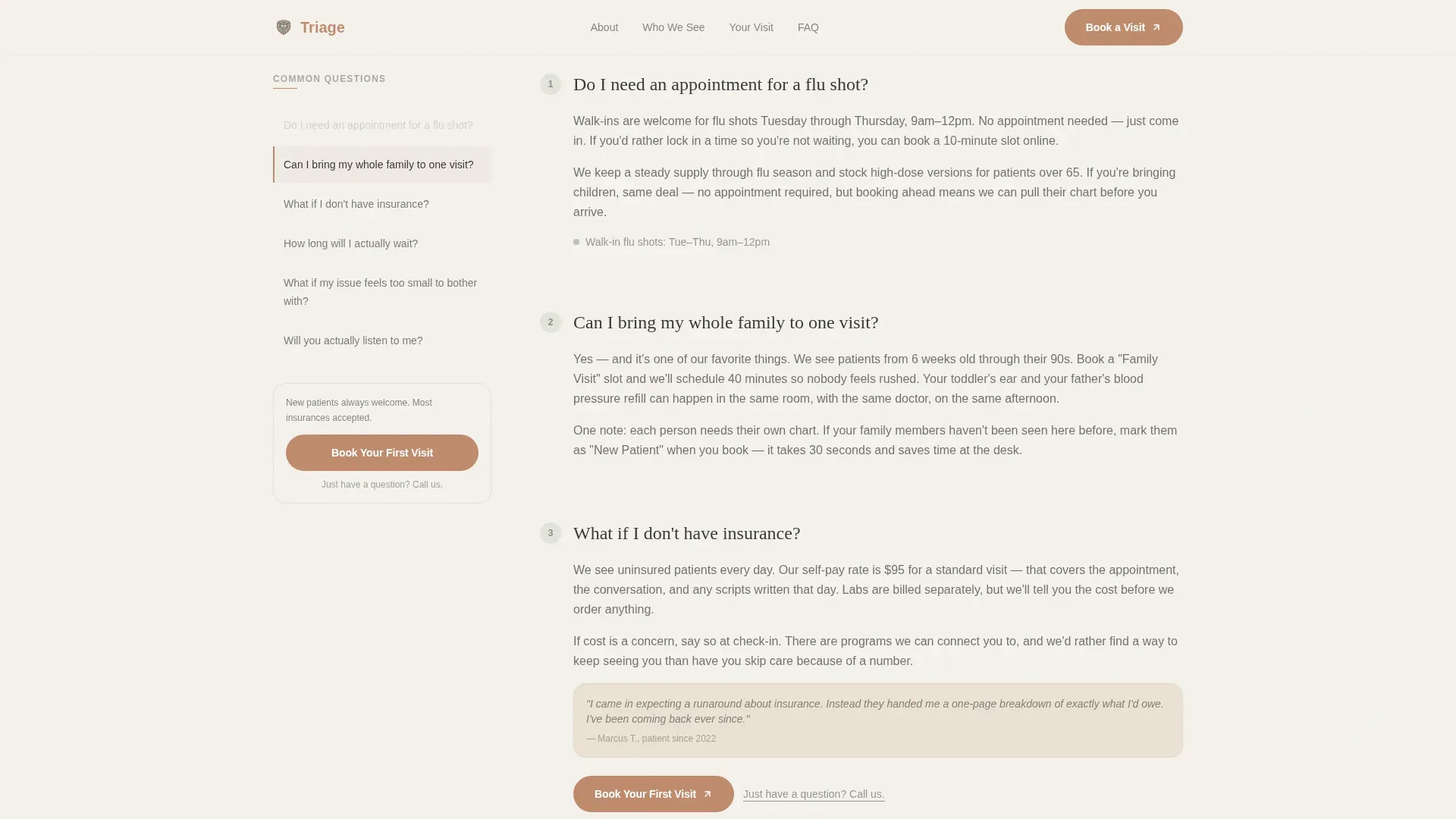
Sticky FAQ Sidebar Companion
A living list of real patient questions sits fixed in the sidebar throughout the page. As the visitor scrolls through main-content sections that answer each question, the sidebar highlights the corresponding item and auto-scrolls to keep pace. The effect feels like a conversation being resolved in real time.
Staged Objection Resolution Flow
FAQ answers are sequenced deliberately. They move from simple logistics such as appointment availability and visit length, through cost and insurance, and finally toward emotional stakes like whether the doctor will truly listen. By the time the call-to-action appears, every common concern has been addressed.
Persistent Click-Through Call to Action
The primary "Book Your First Visit" button appears in terracotta at the bottom of every third FAQ answer. Once the visitor passes the page midpoint, it also stays fixed in the sidebar. A secondary text link, "Just have a question? Call us," sits beneath each button for visitors not ready to commit digitally.
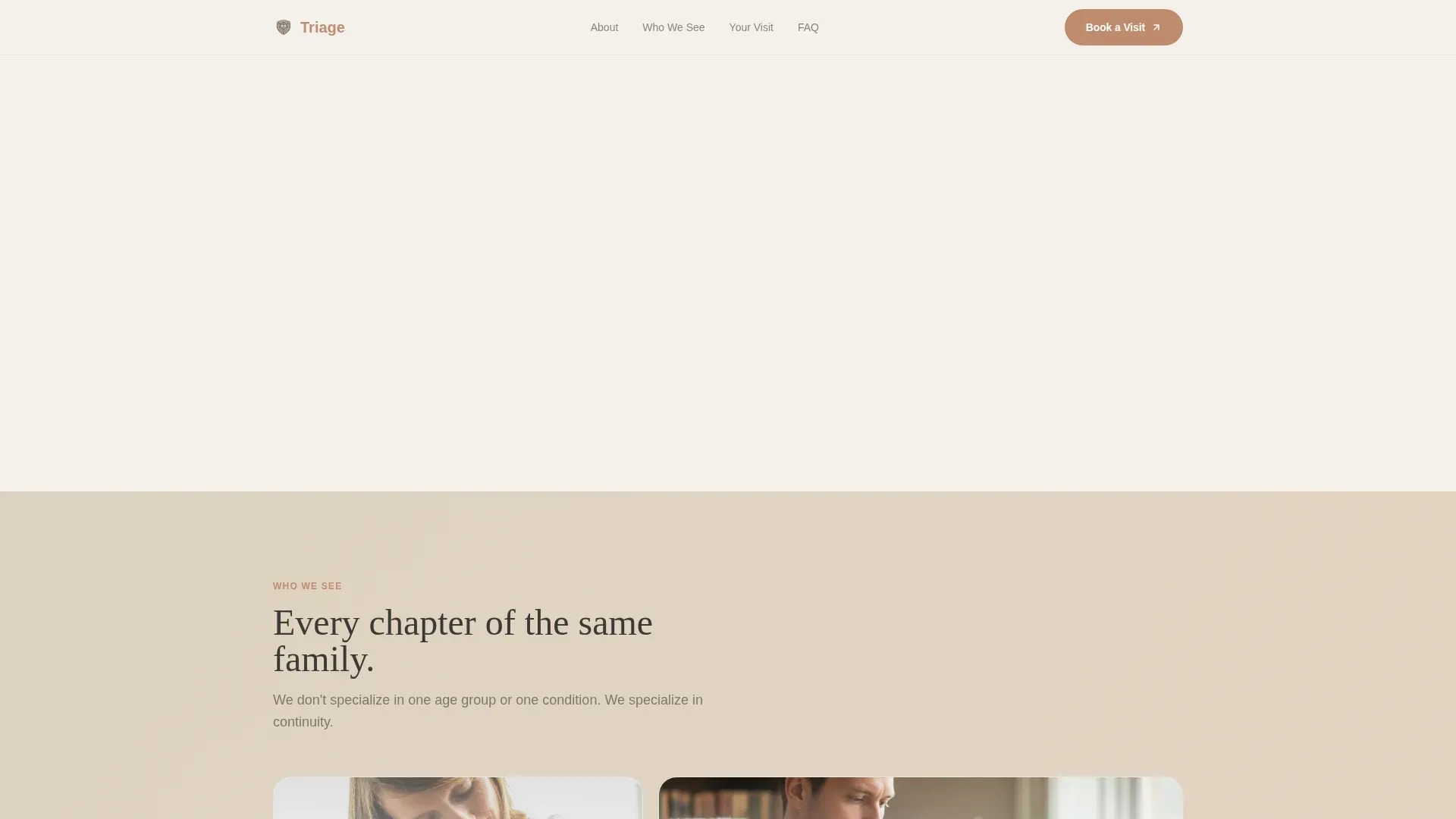
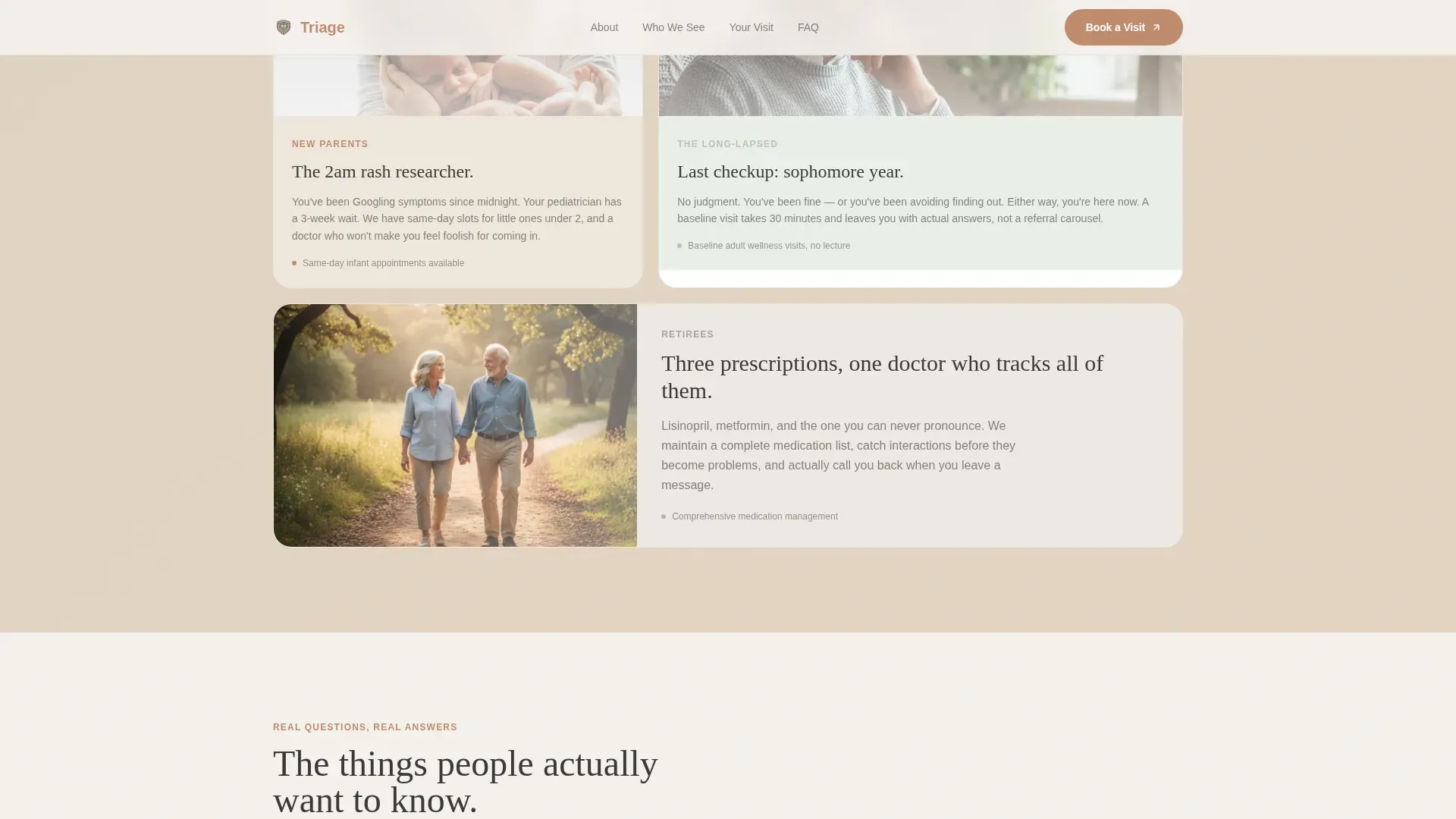
Bento-Style Patient Portrait Cards
A "Who We See" section uses three bento-style cards to reflect the clinic's three core patient types: new parents, lapsed thirty-somethings, and retirees managing multiple prescriptions. Each card mirrors the visitor's own situation back to them, reinforcing that this practice has seen it before.
Organic Flow Process Visualization
A "How a Visit Works" section uses a flowing, organic layout to walk a new patient through what to expect. The visual style matches the rest of the page: warm, unhurried, and nothing like a clinical intake flowchart.
Page sections overview
| Section | Purpose |
|---|---|
| Hero with animation | Draw the visitor in with scroll-triggered line art and a typed headline |
| FAQ sidebar companion | Resolve patient questions progressively as the visitor scrolls |
| Who We See | Validate three patient types with bento portrait cards |
| How a Visit Works | Reduce anxiety by showing what a first visit actually looks like |
| Call to action | Drive the booking click with a persistent, low-pressure button |
Design & branding system
The visual identity follows an Organic Flow theme built on a Soft Mist color palette. Every color choice pushes away from clinical and toward warm and ceramic.
- Colors: morning fog white (#F4F1EC), washed sage (#B7C4B1), warm linen (#E3D5C3), grounding charcoal (#3B3A36) for body text, and muted terracotta (#C08B6E) for buttons and interactive highlights
- Typography: Fraunces serif for headlines and DM Sans for body copy, creating a pairing that feels authoritative yet approachable
- All decorative touches, including watercolor CSS blooms and the scroll-drawing SVG stroke, reinforce the unhurried, human tone
Mobile & speed optimization
The template is built desktop-first to support the sidebar companion layout, which requires a wide viewport to function as intended. On smaller screens it collapses gracefully without losing core content.
- The sticky sidebar FAQ tracker collapses into an inline accordion on mobile, preserving the question-and-answer flow
- Scroll behavior relies on native CSS and IntersectionObserver, keeping the experience smooth without heavy third-party libraries
How this template helps you convert
This template earns conversions by resolving doubt before making any ask. The page is structured so that a visitor who reads it top to bottom has already mentally answered their own objections.
- The FAQ sidebar surfaces the exact questions real patients type into search engines, then answers each one in the main content, building trust question by question before the booking button ever appears
- The click-through destination is pre-filtered to "New Patient" appointments, so the visitor lands in exactly the right place with no extra steps to navigate
Other information about this template
This template is a strong fit for clinics that compete not on scale but on continuity, the kind of practice where patients return year after year because one doctor knows their full history.
- The template is built for English (United States) audiences, with terminology and cost framing suited to the American healthcare context
- Social proof is woven into FAQ answers as patient-voice quotes rather than isolated testimonials, making it feel organic rather than promotional
- The line-art animation uses SVG stroke-dashoffset technique for the scroll-drawing effect, and watercolor blooms use CSS for the soft background washes
- IntersectionObserver powers the scroll-linked sidebar highlighting without adding external dependencies
- The page carries no on-page appointment form; all booking happens via an external scheduling tool, keeping the page focused and friction-free
Theme
Organic Flow
Creative direction
FAQ-Driven
Color system
Soft Mist
Style
Sidebar Companion
Direction
Click-Through
Page Sections
Scroll-animated SVG Line-art Hero
Sticky FAQ Sidebar with Live Highlighting
Staged Objection Resolution Sequence
Persistent Terracotta Call-to-action Button
Bento-style Patient Portrait Cards
Organic Flow Process Visualization
Related questions
What kind of clinic is this template designed for?
Does the template include an appointment booking form?
How does the sticky FAQ sidebar work?
Can this template handle sensitive topics like cost and insurance?
Is this template desktop-only?



