Pulmonologist Professional Website Template
The Breathe trusted pulmonologist new patient welcome landing page template is built for pulmonology practices that need to earn patient trust before asking for anything. A 50/50 split-screen layout guides visitors through a Problem to Solution arc, pairing real patient concerns with named diagnostic pathways. Calming colors, clinical data points, and a focused lead capture form complete the page.
by Rocket studio
Quick summary
This landing page template is designed for pulmonologists who want to convert uncertain, often misdiagnosed patients into booked appointments. The 50/50 split-screen structure pairs patient-voice problems with specific clinical responses. Terracotta calls to action, atmospheric visuals, and a short new patient form make the page both credible and easy to act on.
Who this template is for
This template is built for pulmonology practices ready to make a strong first impression online. It works especially well for doctors who run advanced diagnostics and want their landing page to reflect that depth. Healthcare providers launching or refreshing a new patient welcome page will find every section relevant and ready to customize.
- Pulmonologists welcoming new patients with complex or dismissed diagnoses
- Clinics offering full pulmonary function testing, spirometry, and CT review
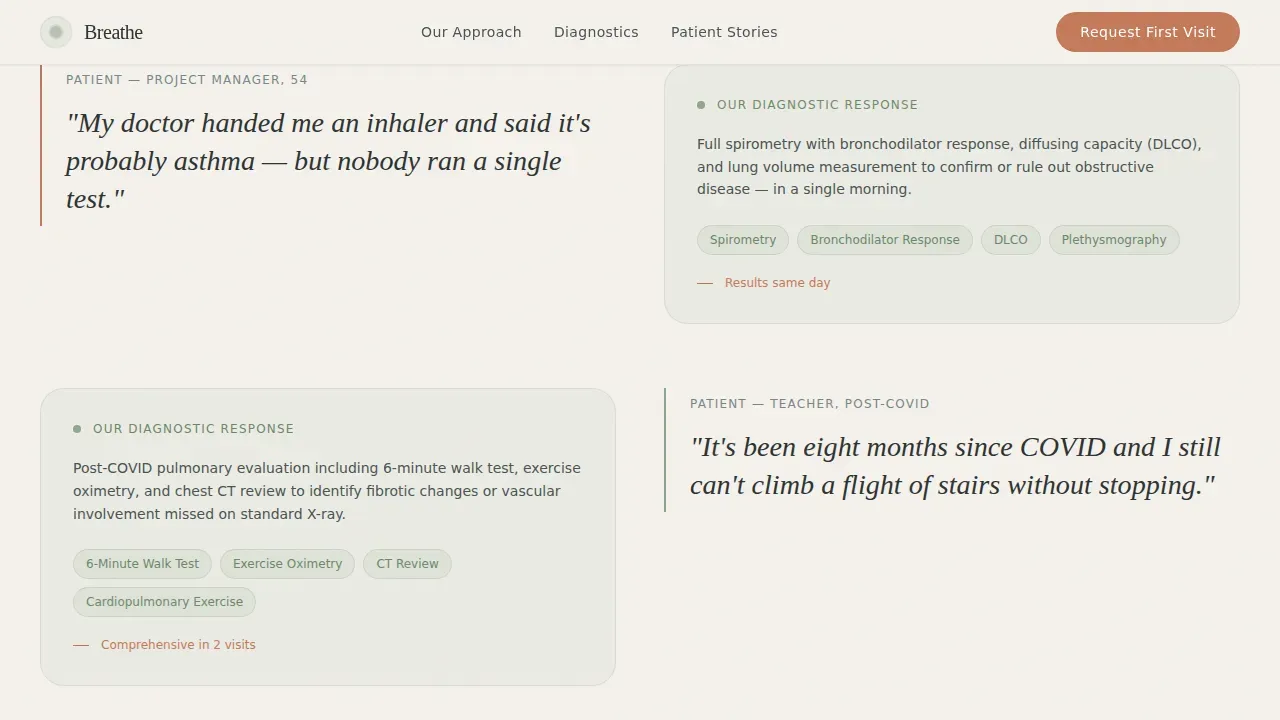
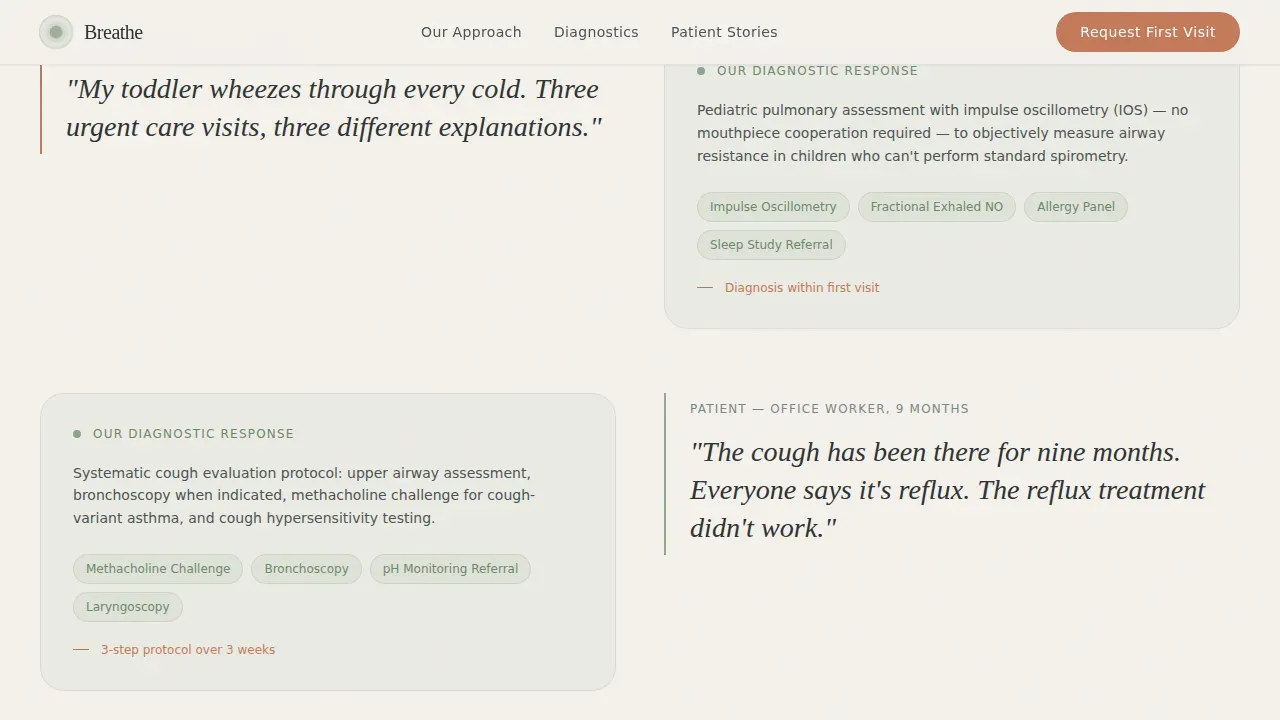
- Doctor practices targeting post-COVID patients, adults with chronic cough, and parents of wheezing children
What problem this template solves
Many pulmonology practices rely on a generic medical landing page that lists services but never speaks to the patient's actual experience. Potential patients who have been told "it's probably asthma" without proper testing need more than a contact form. They need to see that this doctor is different before they will schedule.
- Patients dismiss generic healthcare pages that do not address their specific health concerns
- Practices struggle to showcase diagnostic depth without overwhelming visitors with clinical language
- Most medical landing page designs bury the call to action and fail to build trust early enough
What you get with this template
You receive a complete, single-page layout built around a clear Problem to Solution arc. The page is structured to prove clinical expertise before asking for contact details, so visitors arrive at the form already convinced. Every section is ready to tailor with your own branding, copy, visuals, and logo.
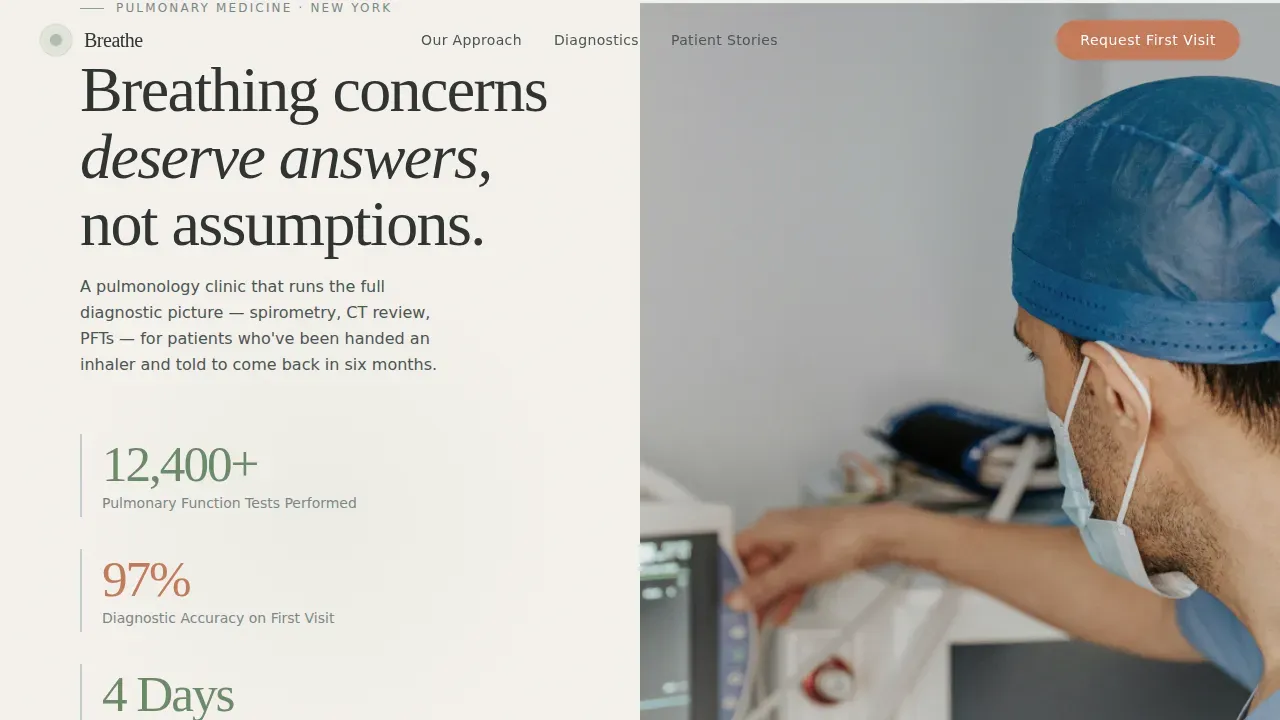
- A 50/50 split-screen hero with three oversized diagnostic stats and a physician photo placement
- An alternating split arc that pairs patient-voiced problems with named treatments and diagnostic pathways
- A lead capture form with fields for name, phone, referring doctor, and an open breathing concern field, plus a secondary guide download path
Feature list
This landing page template ships with purpose-built components designed for healthcare lead generation. Each feature directly supports the goal of turning page traffic into booked appointments.
Split-Screen Problem to Solution Arc
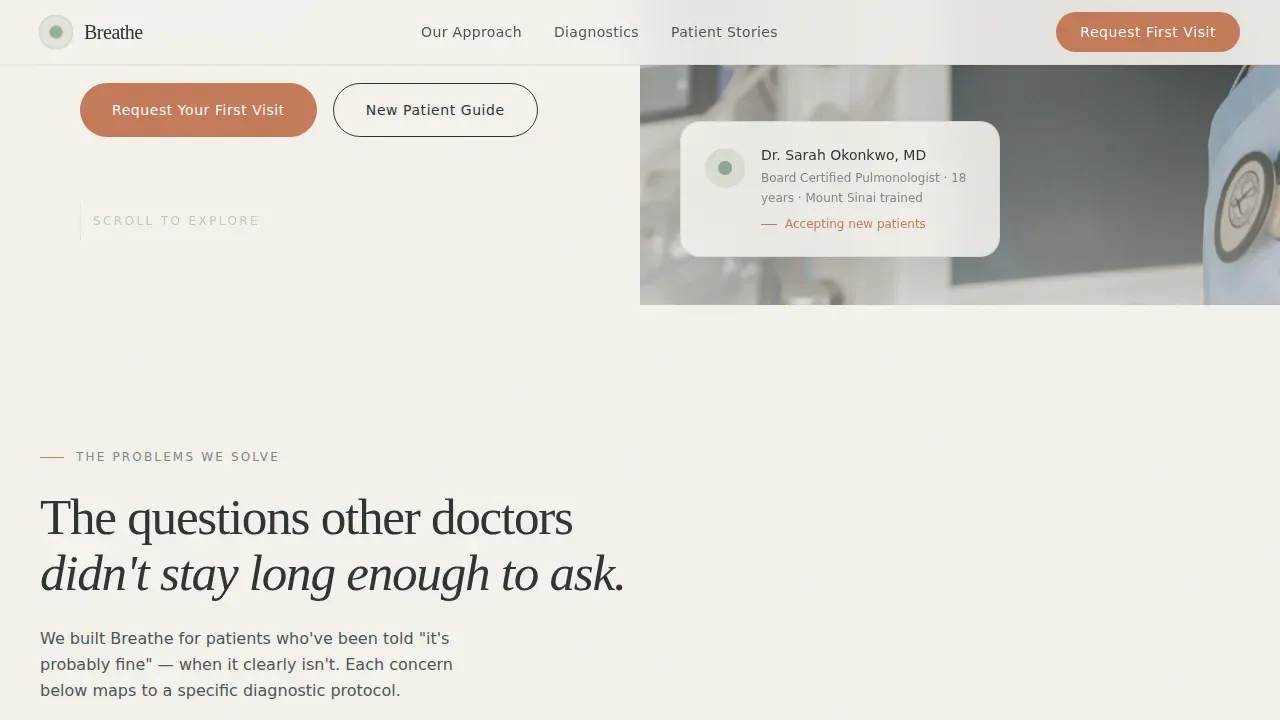
The page scrolls through alternating left-right panels. Each left panel states a patient problem in plain language. The matching right panel answers with the clinic's specific diagnostic response. Midway, the layout inverts to signal the shift from uncertainty to clarity.
Stats and Metrics Hero Section
Three oversized health data points sit above the fold on the left panel: pulmonary function test volume, first-visit diagnostic accuracy rate, and average wait time to appointment. These numbers build trust immediately and give potential patients a clear reason to keep reading.
Focused New Patient Lead Form
The form asks only for essential information: name, phone number, referring doctor (optional), and one open field where patients describe their breathing concern. Keeping the form short reduces friction and increases completion rates. A secondary path offers a downloadable new patient guide for visitors not yet ready to schedule.
Testimonials and Social Proof Section
Patient outcome stories with named conditions are placed after the diagnostic pathway section. These testimonials serve as social proof, showing that real patients have received answers this practice. Authentic, specific stories resonate far more than star ratings alone.
Organic Flow Visual Identity
The page uses calming colors drawn from the Cloud Canvas palette: atmospheric white, quiet sky gray, living sage, and terracotta reserved for calls to action. Fraunces serif display and DM Sans body fonts create visual warmth. The visuals and fonts work together to make the page feel clinical yet human.
Scroll-Driven Animation Structure
GSAP ScrollTrigger powers staggered reveals, parallax scrub, and clip-path text transitions as visitors scroll. These animations guide attention naturally through the Problem to Solution arc without distracting from the health content.
Page sections overview
| Section | Purpose |
|---|---|
| Stats Metrics Hero | Display key diagnostic data above the fold with primary call to action |
| Problem Arc Panels | Present patient-voiced concerns paired with clinical diagnostic responses |
| Diagnostic Pathway Inverted | Showcase named tests and equipment alongside outcome language |
| Patient Outcome Testimonials | Provide social proof through specific condition-resolved stories |
| New Patient Form | Capture lead details and offer a secondary new patient guide download |
| Linear Footer Row | Deliver office hours, logo, locations, and contact link in a single row |
Design & branding system
The design follows an Organic Flow theme that feels like a slow morning clearing. The palette and typography work together to address the emotional state of patients who are anxious about their health and looking for reassurance.
- Colors: atmospheric white (#F4F1EC) backgrounds, quiet sky gray (#C5CCD3) dividers, living sage (#8EA68C) accents, terracotta (#C47A5A) for all calls to action and key data highlights
- Typography: Fraunces for display headings and DM Sans for body text, with deep charcoal (#2E3332) as the primary text color
- Visuals use authentic close-crop physician photography and clean infographics over decorative stock imagery
Mobile & speed optimization
Over 60% of web traffic now comes from mobile phones and tablets, so this landing page template is built desktop-first with a full mobile stack. The split-screen layout collapses gracefully into a single-column flow on smaller screens, ensuring every potential patient can read and act with ease.
- Buttons are sized for comfortable tapping, and all interactive elements including the form and accordion condition list have large tap targets
- Client components handle animations and the form while server components manage static content, keeping the page load lean
- The responsive design adjusts automatically to fit any screen, from wide desktop monitors to small mobile phones
How this template helps you convert
A clear call to action is essential for converting visitors into patients on any medical landing page. This template earns the click by building clinical credibility before the form ever appears.
- The hero section puts the most important health data above the fold, so the first impression is confidence, not confusion. The primary "Request Your First Visit" call to action appears here and again after the diagnostic pathway, ensuring prominent placement at two key decision points.
- The Problem to Solution arc speaks directly to the pain and frustration of patients who have been dismissed elsewhere, making the page resonate with exactly the audience most likely to book.
- The short lead form and secondary guide download give visitors two ways to engage, so even those not ready to schedule an appointment can receive valuable content and stay connected to the practice.
Other information about this template
This template is ready to deploy without building from scratch. You can customize it through a visual editor to match your logo, update your offerings, and tailor the copy to your specific services and locations. The page supports a custom domain and is designed to work within a secure, professional website environment. Below are additional details worth noting before you get started.
- The footer follows a linear single-row pattern and can address office hours (Mon through Fri, 7:30 AM to 4:00 PM format), practice address, and contact details
- Trust signals in the footer area can include logos of medical associations and HIPAA-compliant security badges to reinforce patient confidence
- The new patient guide download serves as a free incentive, and the page can highlight discounts or introductory consultation offers if relevant to your practice
- Provider credentials, board certifications, and fellowship details can be added to build authority and ensure the page reflects the doctor's full expertise
- A new patient preparation checklist, such as arriving early, bringing a photo ID, and completing paperwork in advance, can be incorporated into the guide or as an accordion section
- The accordion-style condition list lets you showcase the complete range of treatments offered, from asthma management and COPD treatments to interstitial lung disease and pulmonary hypertension, without overwhelming the page
- The Breathe trusted pulmonologist new patient welcome landing page template is listed in the Health and Medical category under the Pulmonologist Website subcategory on the template marketplace
Theme
Organic Flow
Creative direction
Problem→Solution Arc
Color system
Cloud Canvas
Style
Split Screen (50/50)
Direction
Lead Generation
Page Sections
Split-screen Problem to Solution Arc
Stats and Metrics Hero
Focused New Patient Lead Form
Testimonials and Social Proof Block
Organic Flow Visual Identity
Scroll-driven Animation System
Related questions
Can I customize the colors and fonts in this template?
Does the template include a form for collecting new patient information?
Is this template suitable for a pulmonologist who also treats children?
How does the page handle visitors who are not ready to book an appointment?
What sections are included in the page by default?



