Industrial Textile Welding Service Landing Page Template
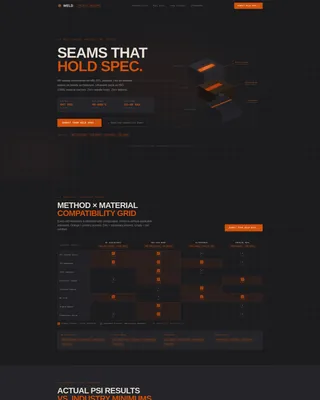
Weld is a dashboard-style landing page template built for industrial textile welding and joining services. It presents RF dielectric, hot-air, and ultrasonic weld capabilities through a data-heavy, evidence-first layout. Designed for procurement engineers, project managers, and production leads, it front-loads hard specifications to earn trust before asking for the click.
by Rocket studio
Quick summary
Weld is a precision-focused landing page template for industrial textile welding and joining services. It uses a dashboard and data grid layout to present weld capabilities, peel-test figures, and case-study evidence in a technical white-paper rhythm. The design speaks directly to engineers and procurement specialists who need proof before they commit to a supplier.
Who this template is for
This template is built for businesses that perform high-specification textile welding work and need to communicate their credentials to technically demanding buyers. It suits service providers who operate across defense, architecture, and medical manufacturing sectors.
- Procurement engineers at defense contractors specifying MIL-DTL (Military Detail Specification) standards for RF-sealed membranes and shelter systems
- Project managers at tensile structure firms who need to demonstrate watertight seam quality on deadline-sensitive builds
- Production leads at medical device manufacturers requiring documented seam compliance, such as ISO 13485-qualified joining processes
What problem this template solves
Industrial textile welding buyers are deeply skeptical. They arrive with a checklist of material specifications, certifications, and failure-mode concerns. A generic service page does not satisfy that level of scrutiny. This template solves the credibility gap by replacing marketing language with structured data and engineering evidence.
- Buyers need to verify weld methods, material compatibility, and certification coverage before contacting a supplier
- A standard brochure layout cannot hold the attention of engineers who expect specification tables and test data
- Without a clear request-for-quotation path tied to real spec inputs, high-intent leads drop off before converting
What you get with this template
You get a complete single-page layout structured like a technical industry report. Every section is designed to add a layer of proof, moving the reader from capability awareness to specification confidence to quote submission.
- An isometric cutaway header illustration showing RF dielectric, hot-air, and ultrasonic weld types with labeled tolerances, temperatures, and peel-strength ratings
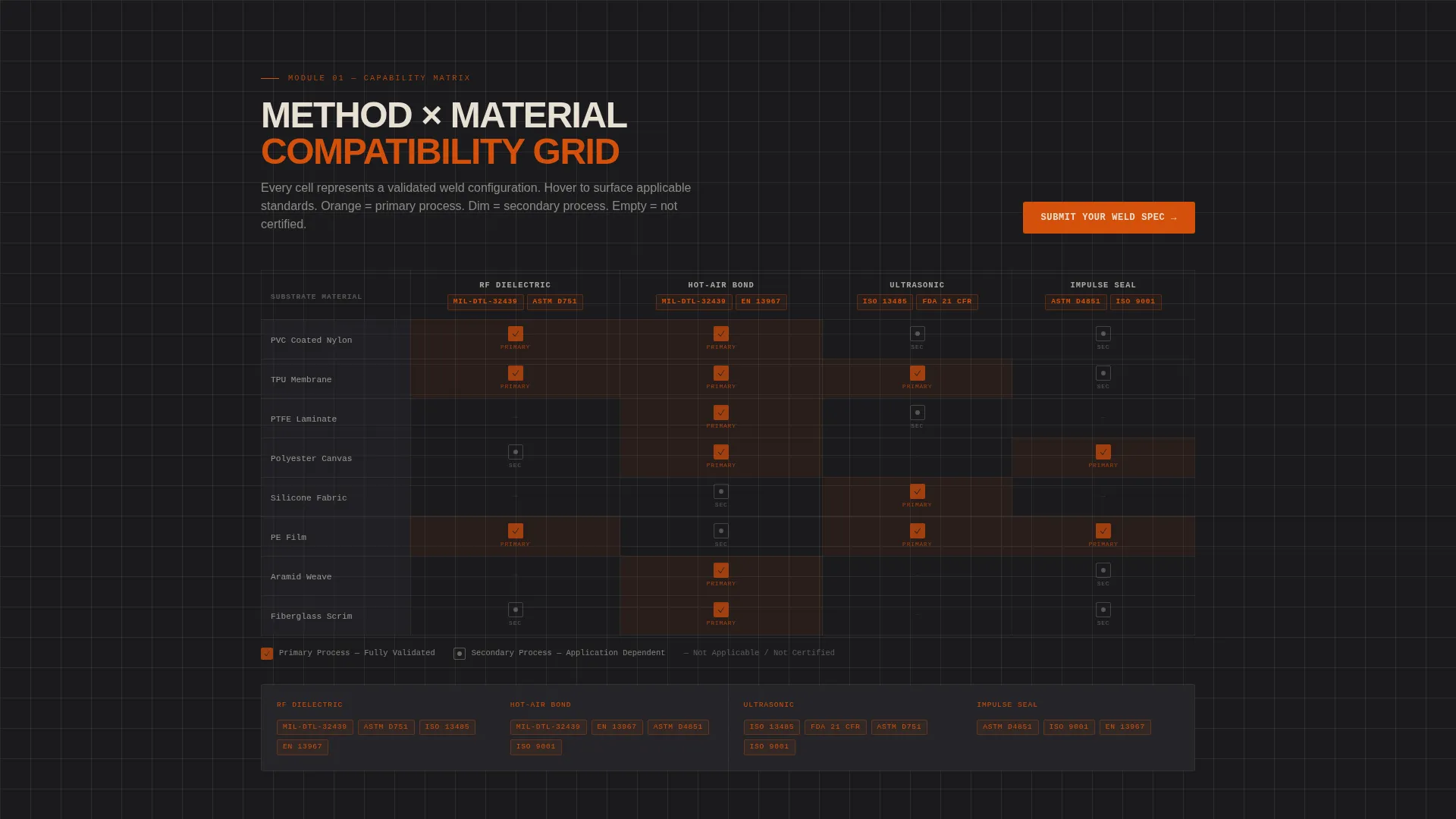
- A capability matrix grid mapping weld methods against material types and certifications, with forge-orange hover states on each cell
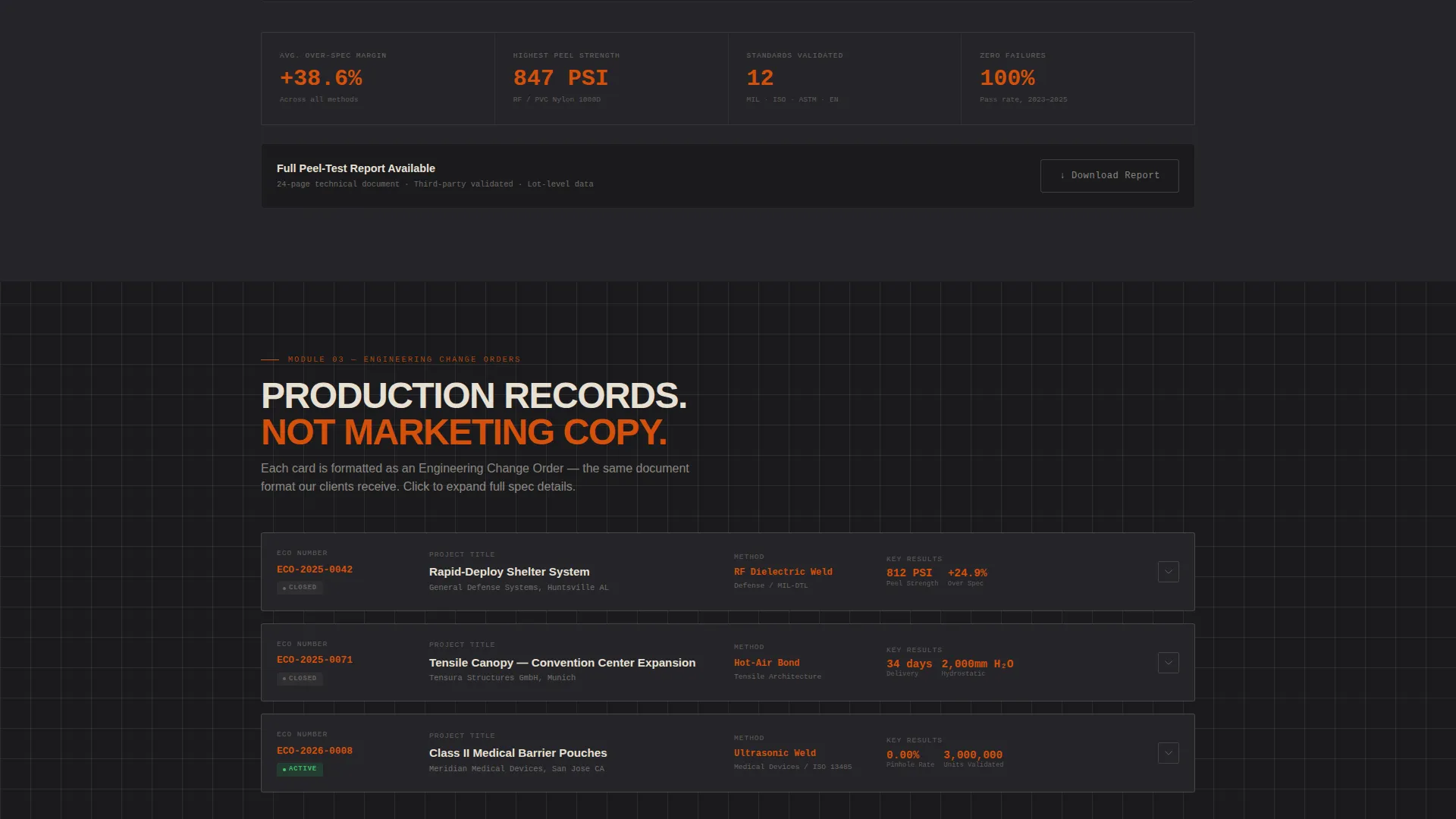
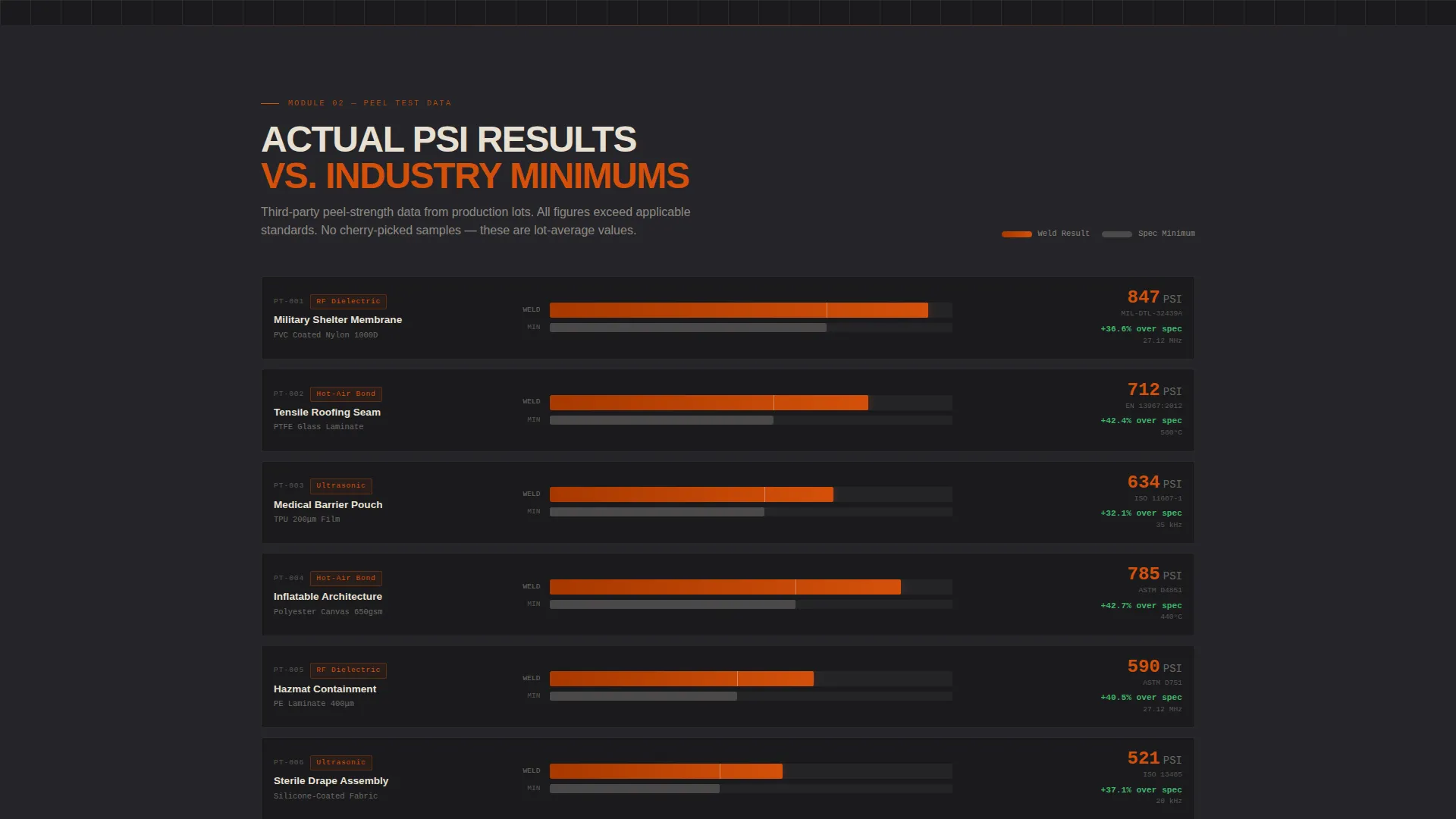
- A peel-test data panel displaying actual PSI figures charted against industry minimums, plus expandable case-study cards formatted as engineering change orders
Feature list
This section describes the core functional and visual components included in the Weld landing page template.
Isometric Weld Cutaway Header
The above-the-fold header renders an engineering-illustration-style isometric cutaway of three textile weld types. Each joint layer is separated and labeled with tolerances, temperature values, and peel-strength ratings. The illustration rotates gently on a 12-degree axis, with lines snapping into place like a computer-aided design assembly. No photography is used; the diagram earns trust through precision.
Capability Matrix Data Grid
A structured grid maps weld methods against material types and certification categories. Each cell lights up in forge orange on hover, letting buyers quickly identify which combinations your service covers. This interactive matrix is the first major evidence module a visitor encounters after the header resolves.
Peel-Test Data Panel
A dedicated panel presents actual PSI (pounds per square inch) figures from peel-strength testing, charted directly against published industry minimums. This data-forward section answers the engineer's core question about whether the service can hold the specified performance threshold.
Engineering Change Order Case Studies
Case-study cards are formatted as engineering change orders, each showing a project identifier, substrate material, weld method applied, and documented result. Cards are expandable, letting interested buyers read further without disrupting the page flow for those who are still scanning.
Fixed and Contextual call to action Placement
The primary call to action, "Submit Your Weld Spec," appears as a forge-orange button fixed to the bottom of the data grid so it remains visible throughout the scroll. It also surfaces once above the fold after the header animation resolves and again inside the capability matrix at mid-scroll. A secondary path, "Download Our Weld Capability Sheet," captures email addresses from buyers still in the research phase.
Dedicated Spec Intake Page
Clicking the primary call to action leads to a dedicated specification intake page. Fields cover substrate material, weld method preference, required certifications, and annual volume. This structured intake ensures that incoming quote requests arrive with the detail a technical sales team needs to respond accurately.
Page sections overview
| Section | Purpose |
|---|---|
| Isometric Header | Introduces weld types with precision illustration and subtle rotation animation |
| Capability Matrix Grid | Maps weld methods, materials, and certifications in an interactive data grid |
| Peel-Test Data Panel | Charts PSI performance against industry minimums to establish measurable credibility |
| Case Study Cards | Presents real project evidence in an engineering change order format |
| Primary call to action Block | Directs high-intent visitors to the spec intake page via the fixed forge-orange button |
| Email Capture Path | Offers the weld capability sheet download to research-phase leads |
| Spec Intake Page | Collects structured RFQ inputs including substrate, method, certification, and volume |
Design & branding system
The visual identity follows an Engineering Blueprint theme paired with a Fire and Earth color system. Every design choice reinforces the atmosphere of a precision weld station: dark tooling surfaces, glowing active elements, and the scorched warmth of tested material under review.
- Forge orange (#D4500A) is used for active elements, data highlights, hover states, and the primary call-to-action button, drawing the eye to the most important interactive points
- Graphite (#1B1B1E) serves as the primary background, reading like a carbon-coated work surface that keeps technical content sharp and legible
- Kiln clay (#6B3A2A) warms the secondary panels, evoking heat-treated fabric and adding depth without competing with primary content
- Technical chalk (#E8E0D4) is applied to all body text and grid lines, maintaining readability against the dark base
Mobile & speed optimization
The dashboard and data grid layout is structured to remain clear and functional across screen sizes. Interactive elements such as the capability matrix and expandable case-study cards are designed to work within a single-column flow on smaller displays.
- The isometric header illustration scales responsively, maintaining label legibility without requiring horizontal scrolling
- The fixed call-to-action button remains accessible at the bottom of the viewport on mobile, preserving conversion visibility throughout the scroll
How this template helps you convert
The page is structured around an evidence-first scroll rhythm that progressively eliminates buyer doubt. Each section adds a specific layer of proof before the call to action becomes the obvious next step.
- The capability matrix and peel-test data panel answer technical qualification questions immediately, reducing the time a procurement engineer needs to spend deciding whether to engage further
- The engineering change order case studies provide project-level proof tied to real substrates and documented results, moving the buyer from general confidence to specific trust before they reach the quote form
Other information about this template
This template is purpose-built for the textile welding and joining service niche within the broader manufacturing and industrial sector. It is a single-page, click-through landing page that routes high-intent visitors to a structured request-for-quotation portal.
- The creative direction follows an Industry Report cadence, where each scroll depth functions like a new data module in a technical white paper
- The template style is a Dashboard and Data Grid layout, suited to service providers who need to present multi-variable capability information in a scannable format
- The header concept is Isometric, using an engineering illustration rather than photography to communicate precision and depth
- The landing page direction is Click-Through, with the primary conversion goal being the completion of the spec intake form rather than an on-page form submission
Theme
Engineering Blueprint
Creative direction
Industry Report
Color system
Fire & Earth
Style
Dashboard/Data Grid
Direction
Click-Through
Page Sections
Isometric Weld Cutaway Header
Interactive Capability Matrix Grid
Peel-test Performance Data Panel
Engineering Change Order Case Studies
Fixed and Contextual Call to Action System
Dedicated Spec Intake Page
Related questions
What types of weld services does this landing page template support?
Can I update the peel-test data panel with my own performance figures?
Who is this landing page template built for?
Does the template include the spec intake page as well as the main landing page?
Is the isometric header illustration included with the template?



