Urgent Care & Walk-In Booking Website Template
Wellcare is a single-column landing page template built for retail health clinics offering walk-in and same-day scheduled care. It guides hesitant patients from uncertainty to action through a warm, step-by-step layout covering what you treat, who is available, what it costs, and exactly what happens during a visit. The Soft Mist color palette keeps every section calm and approachable.
by Rocket studio
Quick summary
Wellcare is a booking-focused landing page template for walk-in retail health clinics. It removes every barrier between a hesitant patient and an appointment by answering cost, wait time, and process questions before they arise. The layout follows a warm educational guide style, using a linen-and-eucalyptus palette to feel reassuring rather than clinical.
Who this template is for
This template is built for retail health clinics operating inside or alongside pharmacies, grocery stores, or similar convenient locations. It suits clinics that offer nurse-practitioner-led care, flat-rate pricing, and same-day availability without a referral.
- Parents needing same-day diagnosis for a sick child, such as strep throat, flu, or ear infections
- Uninsured or gig-economy patients pricing out an affordable urgent care visit
- Office managers or employees completing employer-required screenings, such as a TB test, on short notice
What problem this template solves
Many patients who need quick care still sit in their car in the parking lot because they do not know what will happen inside. They wonder about cost, wait time, and whether their situation even qualifies. This template answers all of those questions before anyone has to ask.
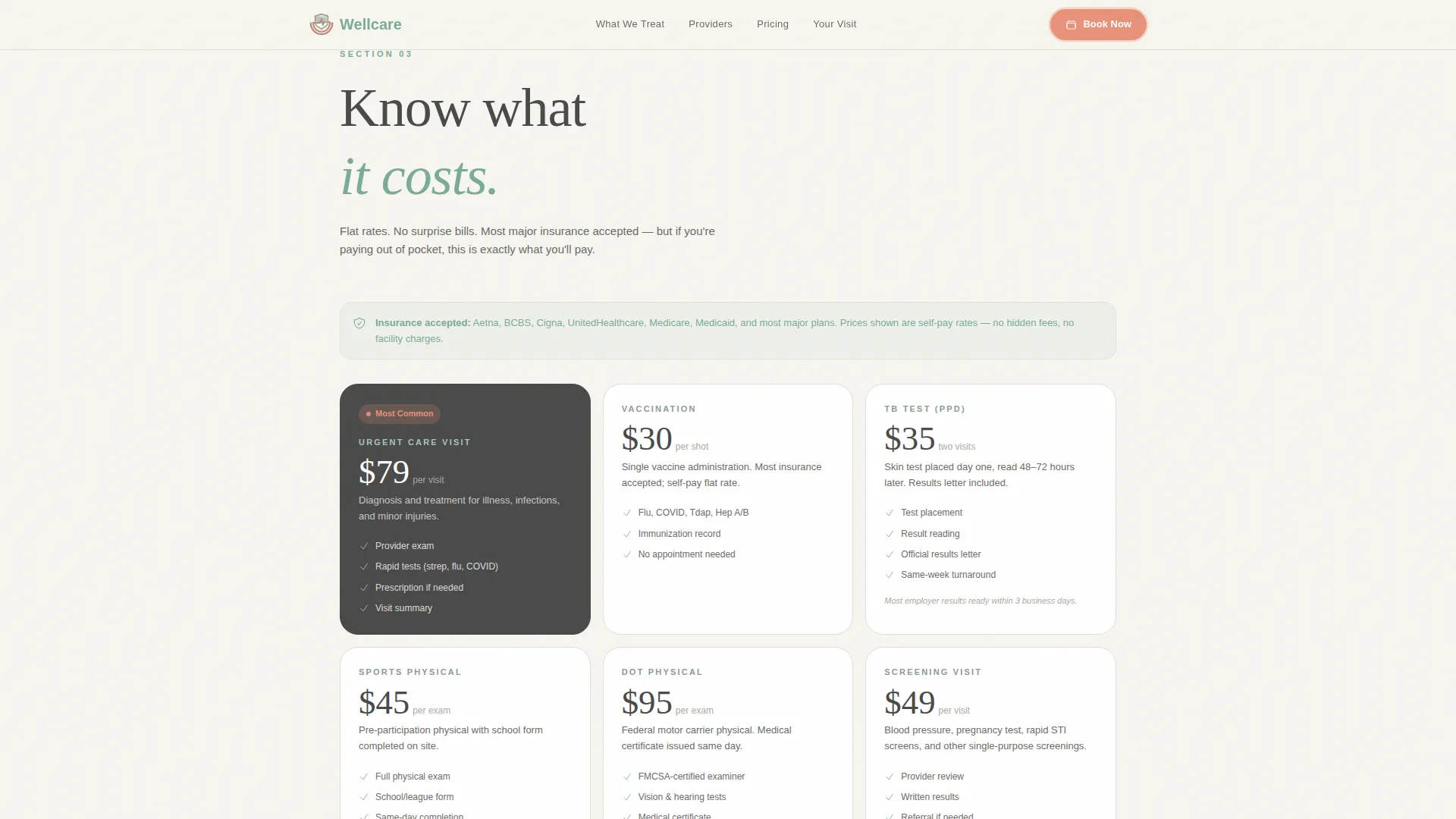
- Cost anxiety: flat-rate pricing tiles show the fee upfront with no insurance jargon
- Process uncertainty: a numbered visit timeline walks patients through every step from check-in to checkout
- Wait hesitation: a live queue indicator lets walk-in patients check wait times without committing to a visit
What you get with this template
You get a fully structured single-column landing page with six purposeful sections and a sticky mobile booking bar. Every section is designed to move a visitor one step closer to walking through the door or booking a slot.
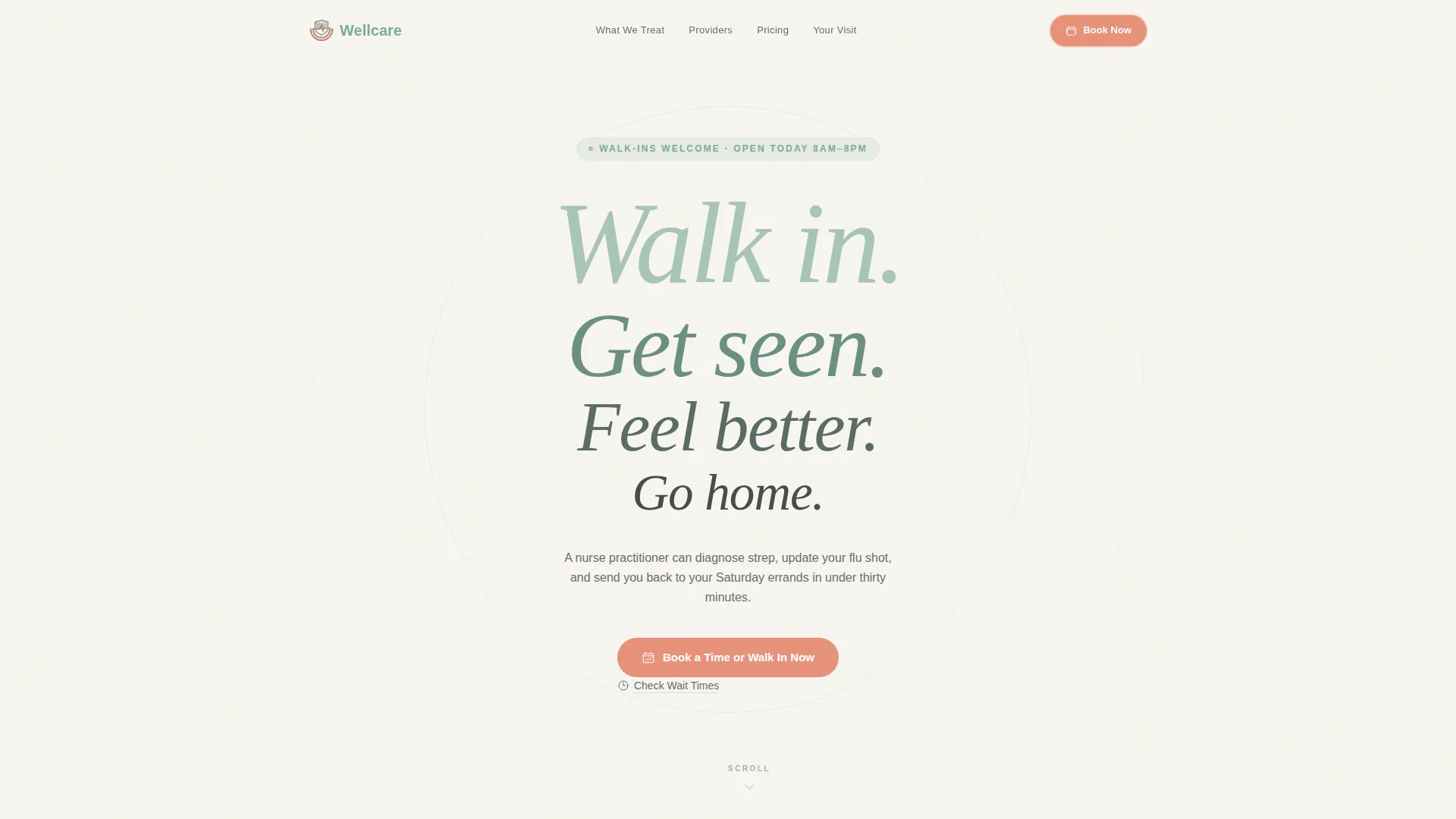
- A stacked hero with a four-line type tower, a coral call-to-action button, and generous whitespace
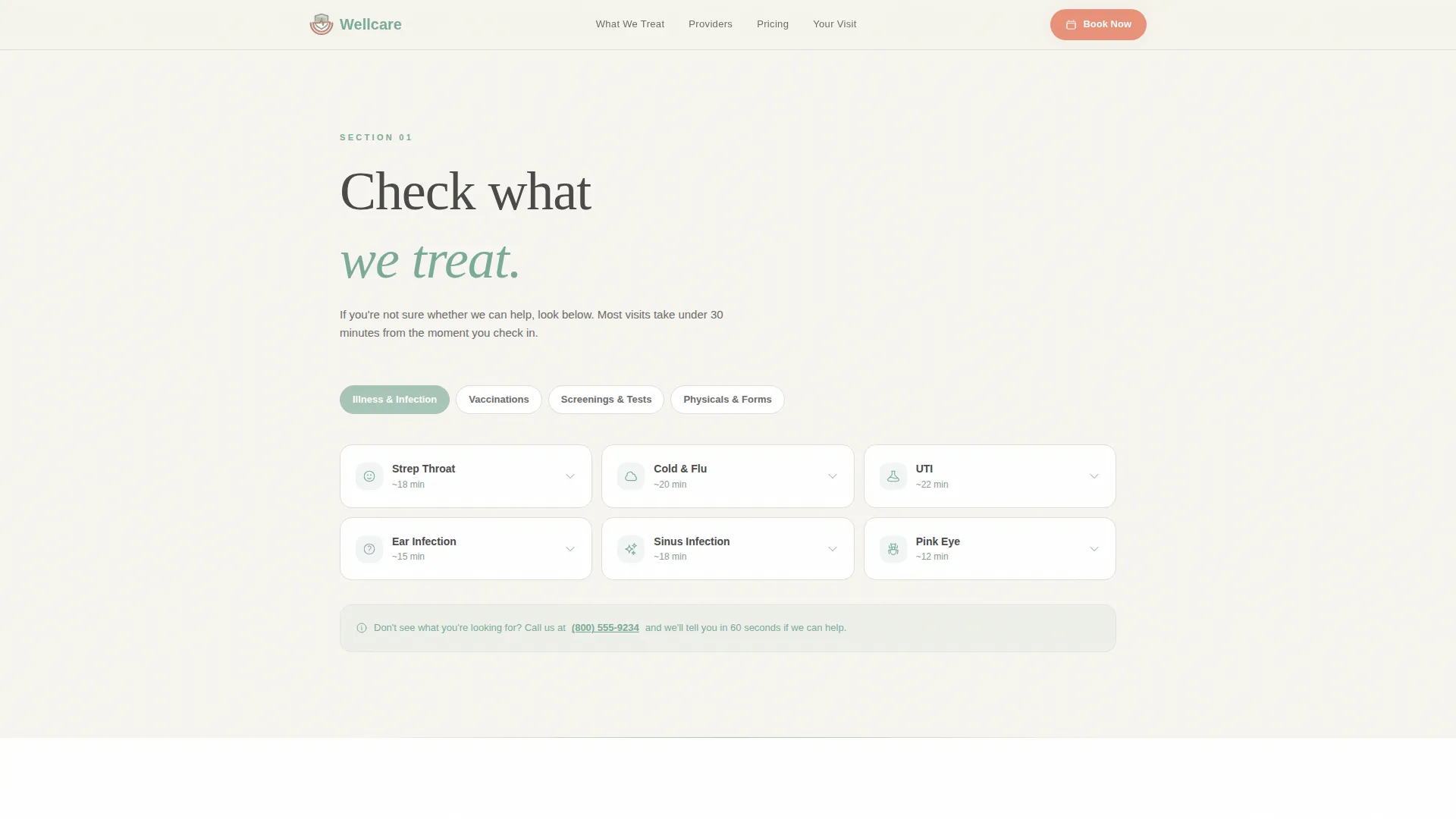
- An expandable symptom grid, flat-rate pricing tiles, provider availability cards, and a step-by-step visit timeline
- A booking form with illustrated visit-reason cards, a location selector, and a real-time time-slot picker with coral availability highlights
Feature list
This template includes six core interactive and visual components drawn directly from the brief.
Stacked Type Tower Hero
The hero uses four oversized lines in Fraunces serif and DM Sans, stepping down in size and shifting from eucalyptus to graphite. Each line reads like a single exhale. A coral pulse button sits below with generous whitespace on all sides.
Expandable Symptom Grid
A tappable accordion grid lets visitors quickly check whether their condition is treated at the clinic. Categories expand inline without navigating away, keeping the scroll flow intact on mobile.
Provider Availability Cards
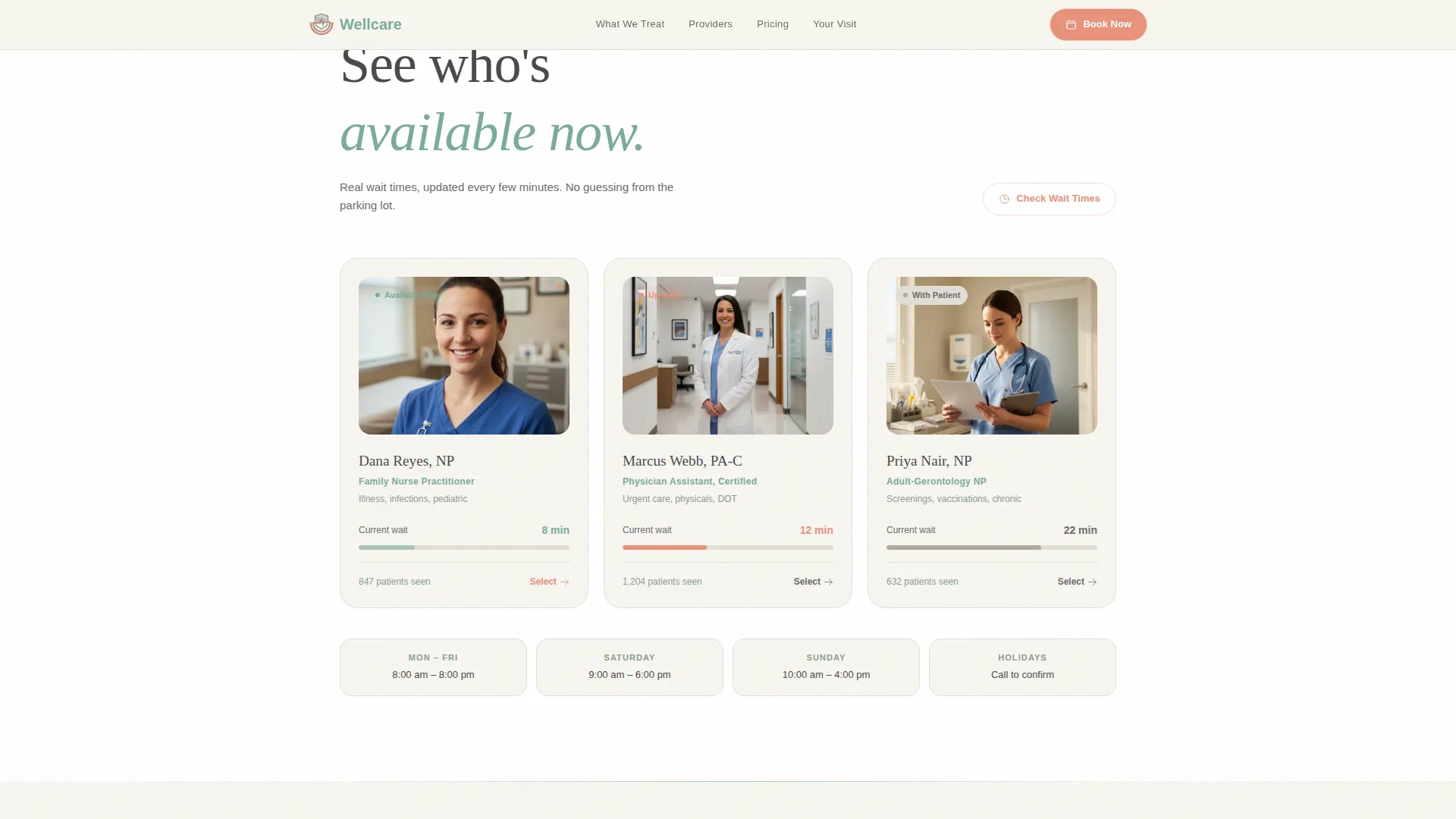
Each provider card shows credentials and a live wait-time badge in coral. Patients can see who is on shift and how long the queue is before deciding to walk in or book.
Flat-Rate Pricing Tiles
Transparent pricing tiles display each service at a fixed cost with no insurance terminology. Visitors understand exactly what they will pay before they arrive, removing the most common source of hesitation.
Numbered Visit Timeline
A step-by-step walkthrough uses simple line icons and one sentence per step to show the full visit flow from check-in to checkout. It turns the unknown into a predictable, calm sequence.
Illustrated Booking Form
The scheduling form opens with illustrated category cards for visit reason, followed by location selection, then a date and time picker showing real-time slot availability highlighted in coral. A secondary path labeled "Check Wait Times" serves walk-in patients who are not ready to commit.
Page sections overview
| Section | Purpose |
|---|---|
| Hero Tower | Introduces the clinic with a four-line stacked headline and a coral booking button |
| Check What We Treat | Expandable symptom grid helps visitors confirm their condition is covered |
| See Who's Available | Provider cards with credentials and live wait-time badges |
| Know What It Costs | Flat-rate pricing tiles with no insurance language, followed by a booking call to action |
| Walk Through Your Visit | Numbered timeline with icons showing each step from check-in to checkout |
| Booking Form | Illustrated visit-reason cards, location picker, and real-time slot selector |
| Footer | Linear single-row footer with essential links |
Design & branding system
The visual identity follows an Educational Guide theme built on the Soft Mist color system. Every color and type choice works to replace clinical coldness with warmth and legibility.
- Color palette: linen white (#F7F5F0) background, calm eucalyptus (#A8C5B8) for dividers and progress indicators, soft graphite (#4A4A4A) for body text, and gentle coral (#E8917A) exclusively for booking buttons and availability badges
- Typography: Fraunces serif for display headlines and DM Sans for body copy, creating a contrast between authority and readability
- Animation style: medium GSAP scroll reveals, a staggered hero entrance, and a coral pulse keyframe on the primary call-to-action button
Mobile & speed optimization
This template is built mobile-first because its primary users are on phones, often standing in a parking lot or pharmacy aisle making a fast decision. Every interactive section is designed for one-thumb navigation.
- The sticky bottom bar on mobile surfaces the "Book a Time or Walk In Now" call-to-action without requiring a scroll back to the top
- Interactive components, including the symptom accordion, provider wait cards, and booking form, use client-side rendering while static sections use server components to keep initial load lean
- The booking form flow is linear and thumb-friendly, with illustrated tap targets for visit-reason selection and large coral slot buttons
How this template helps you convert
The entire page is structured to shrink the gap between "I need care" and "I am walking in." Each section removes a specific reason a patient might leave and do nothing.
- The hero sets a calm, confident tone immediately. The four-line stacked message reads like permission to stop worrying and walk in, and the coral button is the first action available.
- The pricing tiles and visit timeline answer cost and process questions before the booking form appears. By the time a visitor reaches the form, they already know what will happen and what it will cost.
- The "Check Wait Times" secondary path converts hesitant visitors who are not yet ready to book. Showing the live queue length turns passive curiosity into foot traffic without requiring a commitment.
Other information about this template
This template is designed for clinics that operate inside or alongside retail environments and serve a local, mobile-first patient base. It is built as a single-column flow landing page with a linear scroll experience.
- Template style: Single Column Flow with a step-by-step guided scroll structure
- Theme classification: Educational Guide, warm and reassuring rather than promotional or clinical
- Color system label: Soft Mist, featuring diffused linen tones and soft accent colors
- Header concept: Stacked Type Tower, a no-image typographic hero with four descending lines
- Landing page direction: Booking and scheduling, with both committed booking and walk-in check paths
- Category context: Health and Medical, Urgent Care and Walk-In, Retail Health Clinic (in-store)
- Localization defaults: English language, United States dollar pricing, United States date format, 12-hour time display
Theme
Educational Guide
Creative direction
Step-by-Step Guide
Color system
Soft Mist
Style
Single Column Flow
Direction
Booking/Scheduling
Page Sections
Stacked Type Tower Hero
Expandable Symptom Accordion
Live Provider Availability Cards
Transparent Flat-rate Pricing Tiles
Step-by-step Visit Timeline
Illustrated Booking Form with Slot Picker
Related questions
Does this template support both walk-in and scheduled appointment flows?
Can I update the pricing tiles to match my clinic's actual rates?
What visit categories does the booking form include by default?
Is this template suitable for a clinic that is not inside a retail store?
How many sections does this landing page include?



