Specialist Pediatric & Child Health Appointment Booking Website Template
Wellcheck is a sidebar companion landing page built for pediatric and child health practices. It organizes doctor-authored answers by childhood stage, from newborn to adolescent, and converts parent visitors into guide downloads and booked appointments. The warm Cloud Canvas design and FAQ-driven layout make complex health questions feel approachable and easy to act on.
by Rocket studio
Quick summary
Wellcheck is a pediatrician landing page template built around a persistent sidebar FAQ companion. It organizes content by childhood stage and turns parent questions into clear, actionable answer cards. The design feels like a trusted children's handbook, warm, readable, and reassuring from the first scroll.
Who this template is for
This template is designed for pediatric practices that want to earn parent trust before asking for an appointment. It suits practices that serve a wide range of families, from newborns to teenagers.
- Pediatricians and child health practices wanting to educate parents online
- First-time parents searching for reliable answers at any hour
- Daycare administrators who need quick access to immunization record information
What problem this template solves
Parents often land on a practice website during a stressful moment. They need answers fast, and they need to feel confident the practice understands their child's stage of life. Most pediatric pages offer a phone number and an about section, but nothing that actually answers the question keeping a parent awake at 2 a.m.
- Generic clinic pages that do not address real parent concerns by age stage
- Trust gaps that push families to search engines instead of calling the practice
- Missed conversion opportunities when education and booking are kept separate
What you get with this template
This template delivers a fully structured, single-page layout with a sticky sidebar companion that acts as a living table of contents. Every section is purpose-built to guide a parent from question to confidence to action.
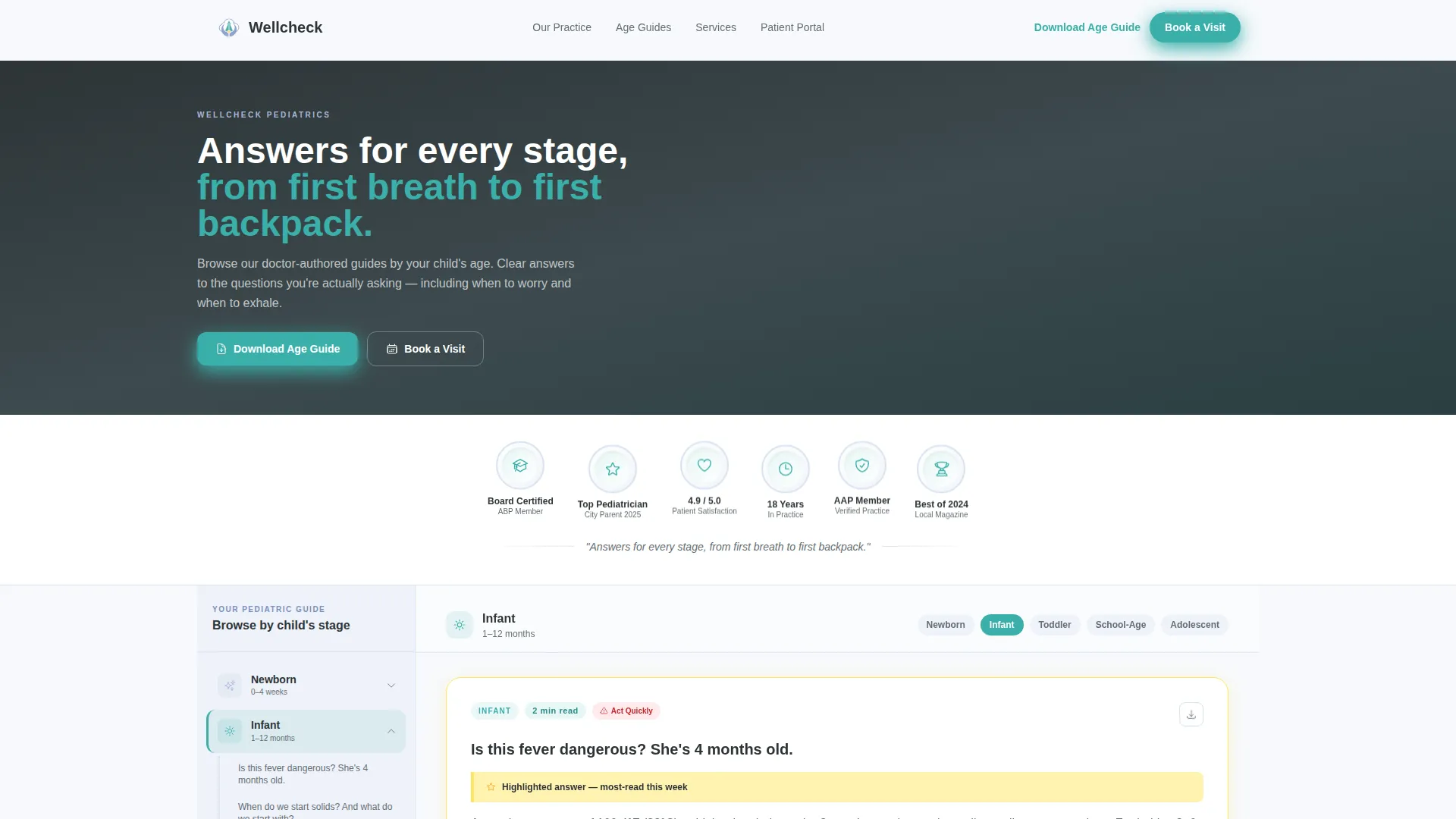
- A hero section with an award badge ribbon and a credential trust bar
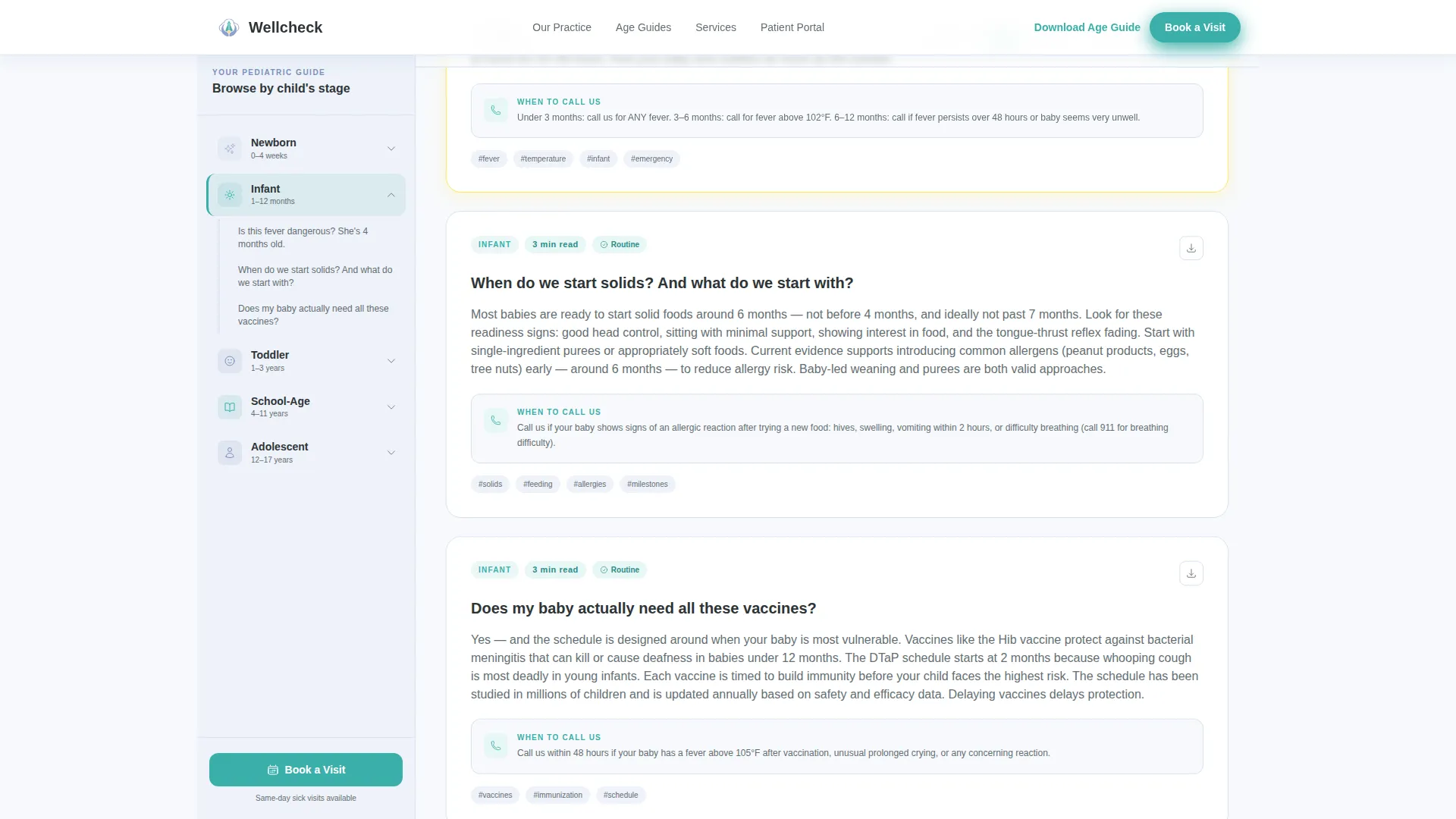
- A stage-organized FAQ sidebar with expandable answer cards and post-it-yellow highlight strips
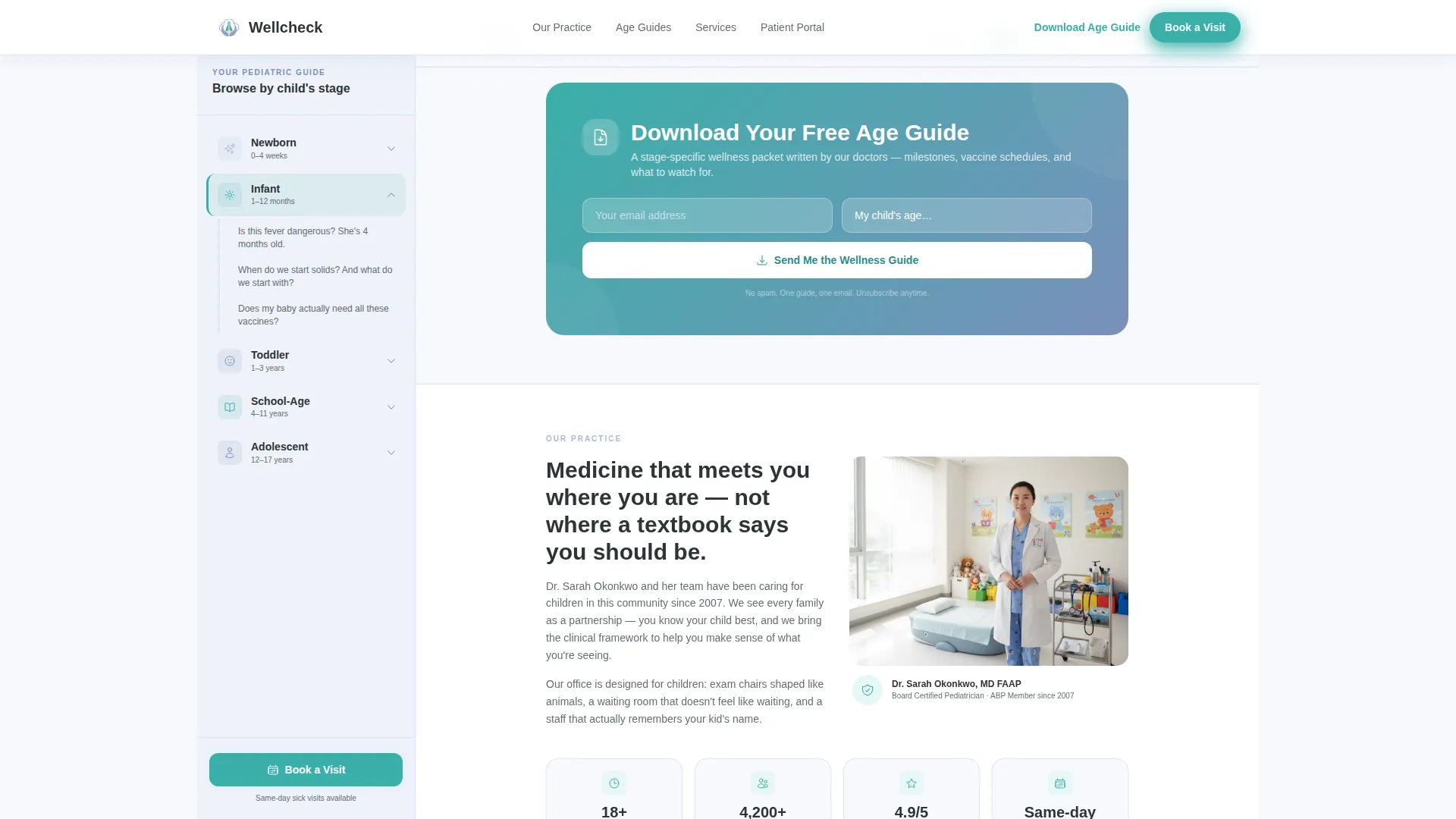
- A guide download call-to-action with an email field and child-age dropdown
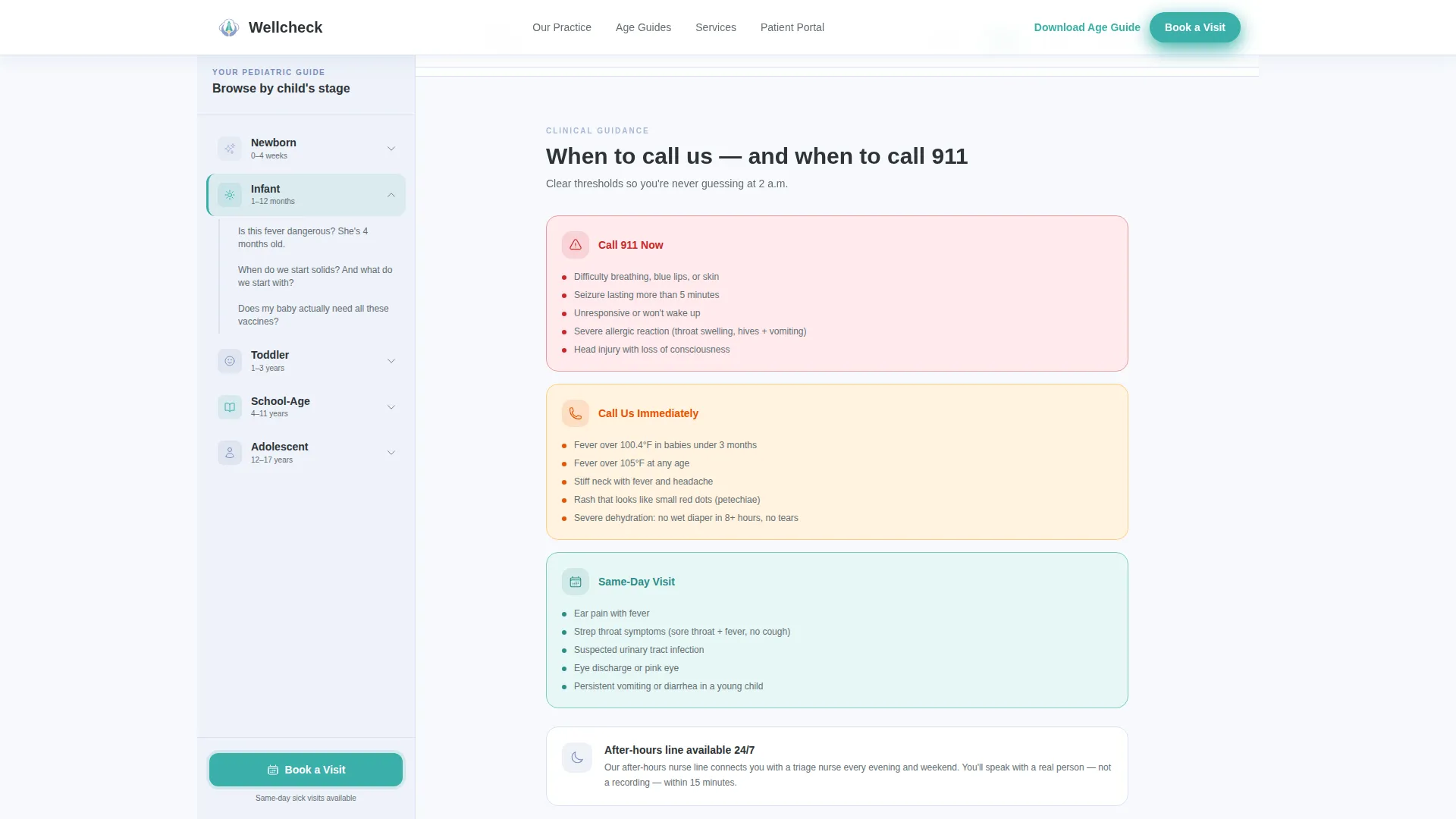
- A warm practice introduction section and an urgency-level "When to Call Us" guide
- A footer built on a clean horizontal flow layout
Feature list
This template ships with five carefully considered sections and a set of interactive components designed specifically for a pediatric content and resource page.
Stage-Organized Sidebar Navigation
The persistent sidebar lists five childhood stages: Newborn, Infant, Toddler, School-Age, and Adolescent. Each stage expands into real parent questions. Clicking any question scrolls the main content area directly to the matching answer card.
Doctor-Authored Answer Cards
Each answer card uses a post-it-yellow highlight strip and a readability badge showing estimated read time. Every card ends with a clear "when to call us" threshold so parents know exactly when to pick up the phone.
Downloadable Age-Specific PDF Checklists
Each answer card includes a downloadable one-page PDF checklist. Parents get a tangible, stage-relevant resource to keep alongside the on-screen guidance.
Age-Gated Guide Download Form
The primary call-to-action pairs a single email field with a child-age dropdown. The dropdown covers six stages from Expecting through ages 12 to 17. Submitting the form triggers the delivery of a stage-specific wellness packet.
Scroll-Triggered "Book a Visit" Button
A secondary booking button appears in the sidebar only after the visitor has scrolled past two answer cards. This earns the appointment ask by demonstrating expertise first, reducing friction and increasing intent.
Award Badge Hero Header
The hero section displays a horizontal ribbon of trust seals, board certification, Top Pediatrician recognition, patient satisfaction score, and years-in-practice milestone. The badges are rendered in teal and periwinkle with a subtle embossed texture, building credibility without relying on stock photography.
Page sections overview
| Section | Purpose |
|---|---|
| Hero Badge Ribbon | Displays trust seals, certifications, and a credential headline |
| FAQ Sidebar Companion | Persistent stage navigation with expandable parent questions |
| Answer Card Area | Main content zone with doctor-authored, scroll-linked responses |
| Download Guide Form | Email capture with age dropdown for stage-specific PDF delivery |
| Meet the Practice | Warm doctor introduction with practice stats |
| When to Call Us | Action thresholds organized by urgency level |
| Page Footer | Horizontal flow footer with practice contact and links |
Design & branding system
The visual style follows an Educational Guide theme that feels like a well-loved children's picture book. Every color choice and typographic decision reinforces warmth, clarity, and competence.
- Cloud Canvas backgrounds in soft cumulus white (#F7F9FC), sky periwinkle (#A8B8D8) for sidebar and dividers, crayon-box teal (#3AAFA9) for buttons and highlights, charcoal pencil (#2D3436) for body text, and post-it yellow (#FFF3B0) for answer card accents
- Plus Jakarta Sans headings paired with DM Sans body text for a clean, friendly reading experience
- Badge shimmer animations, scroll-triggered section reveals, and FAQ accordion interactions add a medium layer of motion without overwhelming the content
Mobile & speed optimization
The template is built desktop-first to support the two-column sidebar layout. On smaller screens, the sidebar stacks naturally above the main content area, preserving the stage navigation logic in a readable mobile format.
- Sticky sidebar behavior adapts to a collapsible top navigation on mobile devices
- Scroll-triggered reveals and accordion interactions are handled with client-side components, while static content sections use server-rendered components for faster initial load
- The FAQ accordion and stage navigation remain fully functional across screen sizes
How this template helps you convert
This template is built around a content-first conversion strategy. It earns parent confidence before asking for any commitment, which makes every call-to-action feel natural rather than pressured.
- The FAQ sidebar and answer cards answer real parent questions first, building trust that a generic contact page cannot provide before the booking ask appears.
- The "Download the Age Guide" form captures an email address and child age in a single low-friction step, delivering a personalized wellness packet that keeps the practice top of mind.
- The scroll-triggered "Book a Visit" button appears only after a visitor has engaged with two answer cards, timing the appointment ask to the moment of highest intent.
Other information about this template
Wellcheck is part of a broader library of health and medical landing page templates designed for specialty practices. A few practical notes for buyers considering this template:
- The template is localized for English-language practices in the United States, using USD formatting and USA regional conventions
- Typography uses Plus Jakarta Sans and DM Sans, both available as open web fonts
- The footer uses a Vercel Horizontal Flow pattern for clean link organization
- Animation intensity is set to medium, using scroll-triggered reveals, badge shimmer, and accordion transitions
- The sidebar interactivity is built with client-side components; static sections use server components for performance balance
- This template suits practices covering the full pediatric range, from newborn metabolic screens through adolescent sports physicals
Theme
Educational Guide
Creative direction
FAQ-Driven
Color system
Cloud Canvas
Style
Sidebar Companion
Direction
Content/Resource
Page Sections
Stage-organized Sidebar Navigation
Doctor-authored Answer Cards
Age-gated Guide Download Form
Downloadable One-page PDF Checklists
Scroll-triggered Booking Button
Award Badge Hero Header
Related questions
What type of practice is this template designed for?
Can I customize the childhood stages and FAQ questions in the sidebar?
How does the scroll-triggered 'Book a Visit' button work?
Does the template include the downloadable PDF wellness packets?
Is this template suitable for mobile visitors?



