Well Services Landing Page Template
Wellhead is a hub-and-spoke landing page template built for well services companies. It opens with an animated metric counter wall, locks an anchor navigation bar on scroll, and structures each service section as a competitive comparison. The slate-and-sky color system and field-report formatting signal operational credibility to engineers, drilling superintendents, and asset managers at a glance.
by Rocket studio
Quick summary
Wellhead is a single-page, anchor-navigated landing page template for oilfield well services companies. It presents your services as a data-driven industry analysis rather than a traditional marketing brochure. Every section is formatted like a daily drilling report: precise, comparative, and built for the technical decision-makers who sign master service agreements.
Who this template is for
This template is designed for well services companies that need to earn trust with technically sophisticated buyers. If your clients evaluate vendors using non-productive time (NPT) statistics and day-rate comparisons, this layout speaks their language from the first scroll.
- Production engineers managing large well portfolios across a basin
- Drilling superintendents coordinating service crews on tight field timelines
- Asset managers comparing vendor performance metrics before signing contracts
What problem this template solves
Most service company websites look like brochures. Your buyers do not read brochures; they read reports. This template reframes your marketing as competitive analysis, giving engineers and procurement leads the side-by-side data they need to justify a vendor switch.
- No mechanism to present mobilization time, crew certifications, or safety metrics in a structured comparison
- No clear path to capture leads at two commitment levels simultaneously
- No visual hierarchy that matches the analytical mindset of technical oilfield buyers
What you get with this template
You get a fully structured single-page layout that covers every phase of a well's productive life, from spud through plug-and-abandon. The design system, section logic, and conversion paths are all pre-built and ready to populate with your company's real field data.
- An animated counter wall header with live-style rolling metrics and a self-typing headline
- Four spoke service sections (Cementing, Coiled Tubing, Stimulation, Plug and Abandon), each with a comparison table and a field-report case study
- Dual conversion paths: a basin comparison request form and a gated benchmark report download
Feature list
This section describes the specific built-in components that make the Wellhead template function as an industry-report-style landing page.
Animated Metric Counter Wall
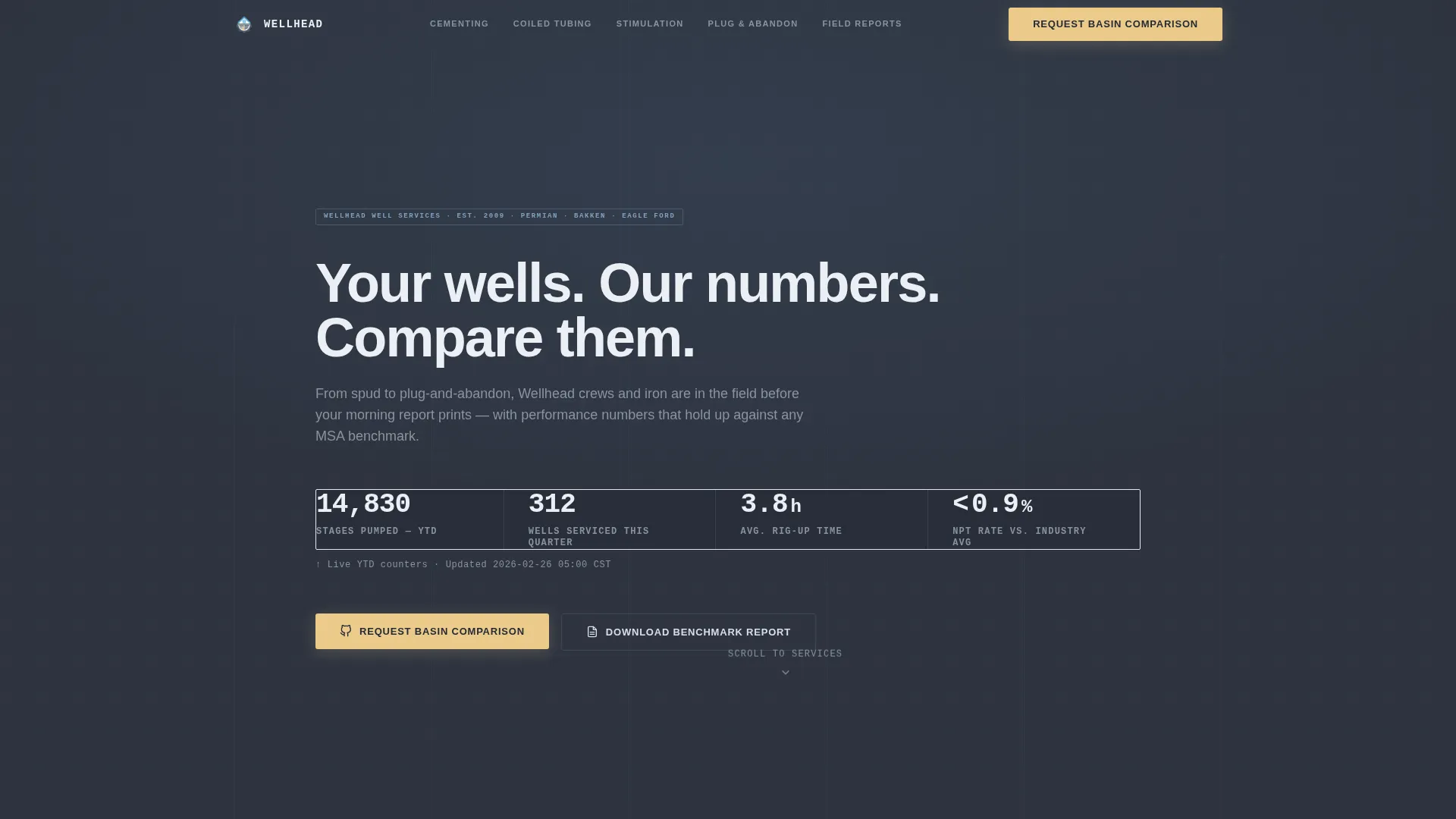
The header opens with a counter animation that rolls key operational numbers upward against a deep slate background. Metrics include total stages pumped, wells serviced in the current quarter, average rig-up time in hours, and NPT percentage held below industry benchmark. Thin sky-blue divider lines separate each figure for instant readability.
Self-Typing Headline with Sticky Anchor Navigation
A single headline types itself into frame as the counters settle: "Your wells. Our numbers. Compare them." As soon as the visitor begins to scroll, the anchor navigation bar locks to the top of the viewport. This keeps all four service spoke sections reachable without losing context.
Industry Average versus. Wellhead Comparison Tables
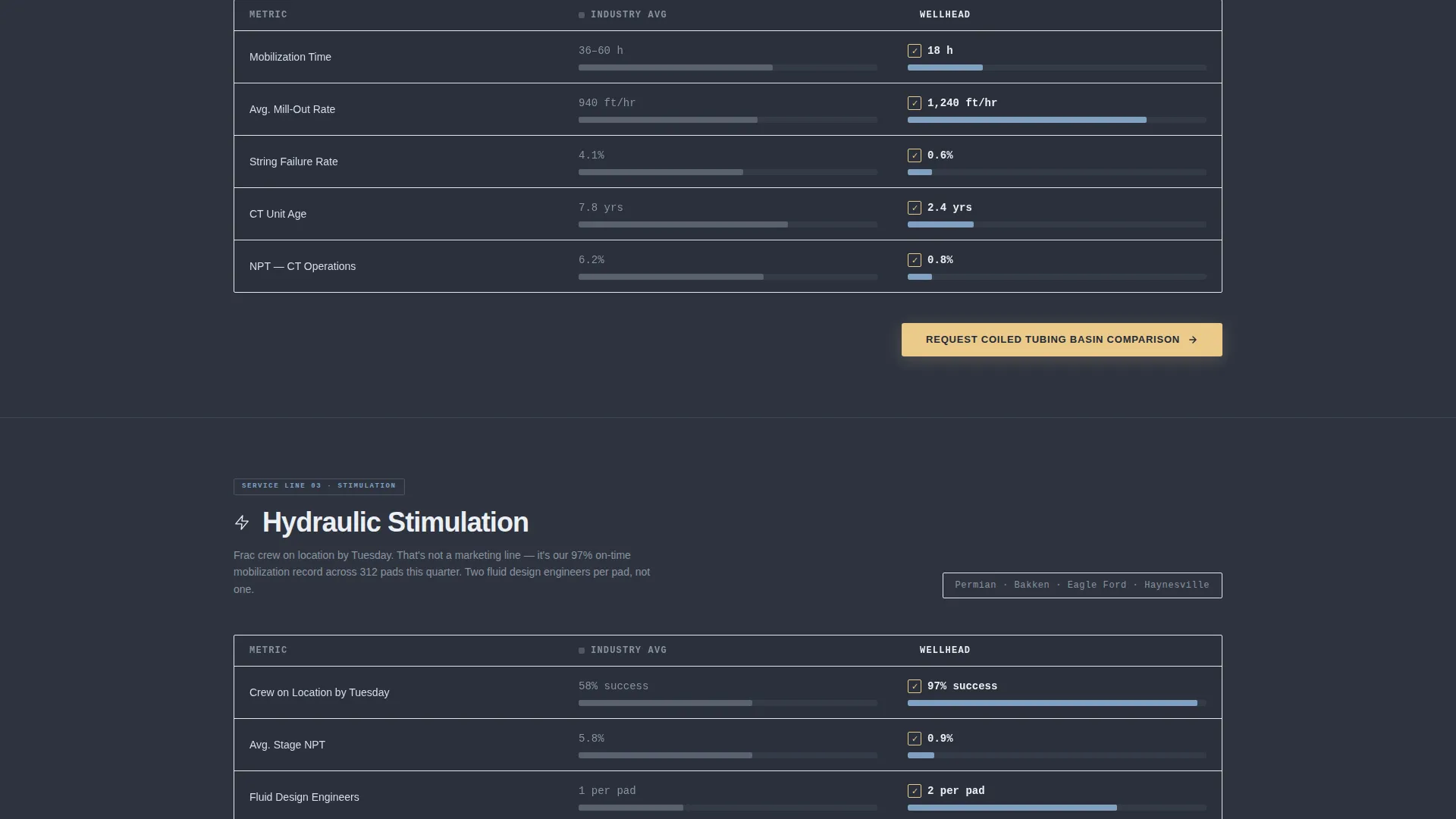
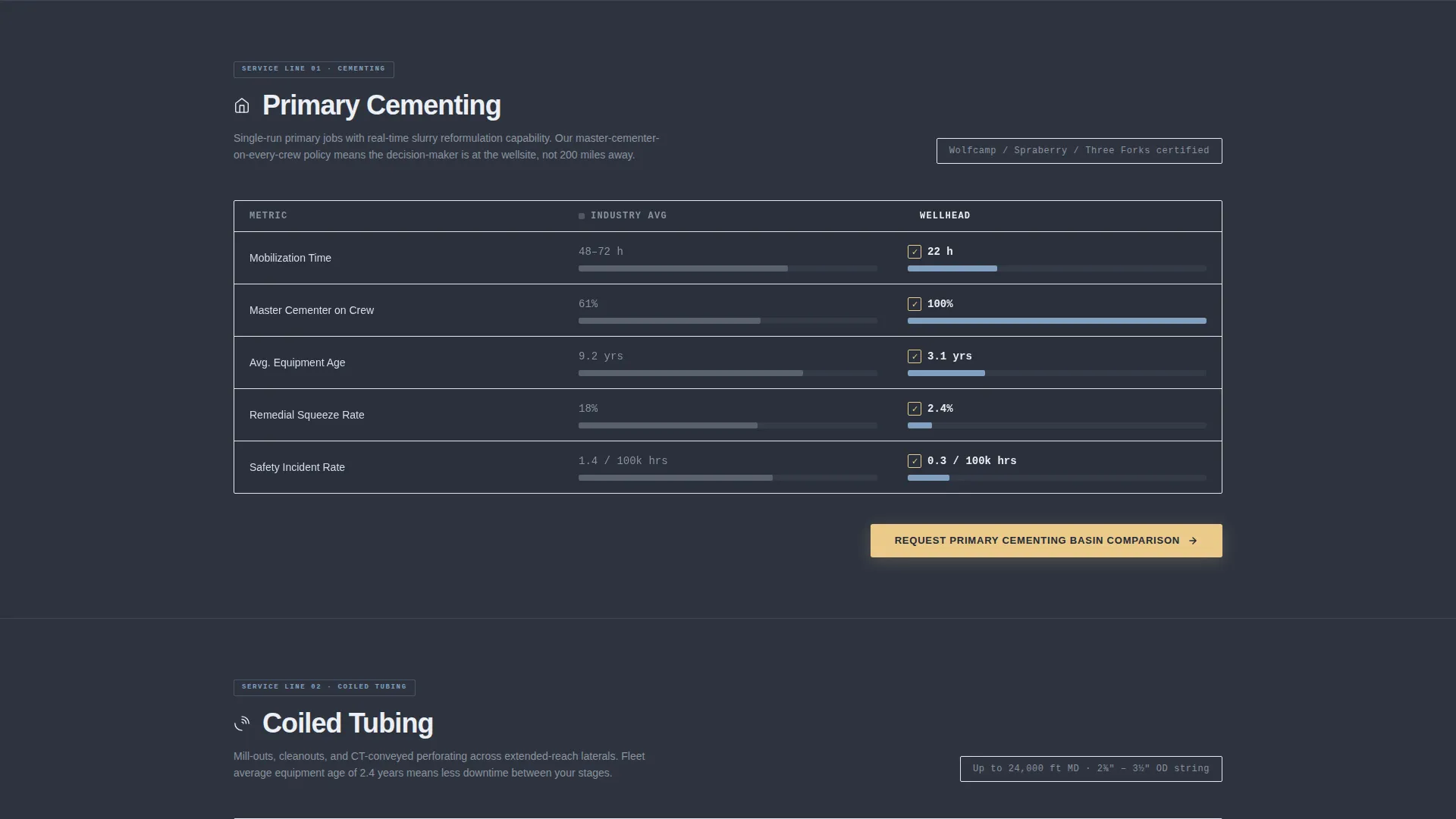
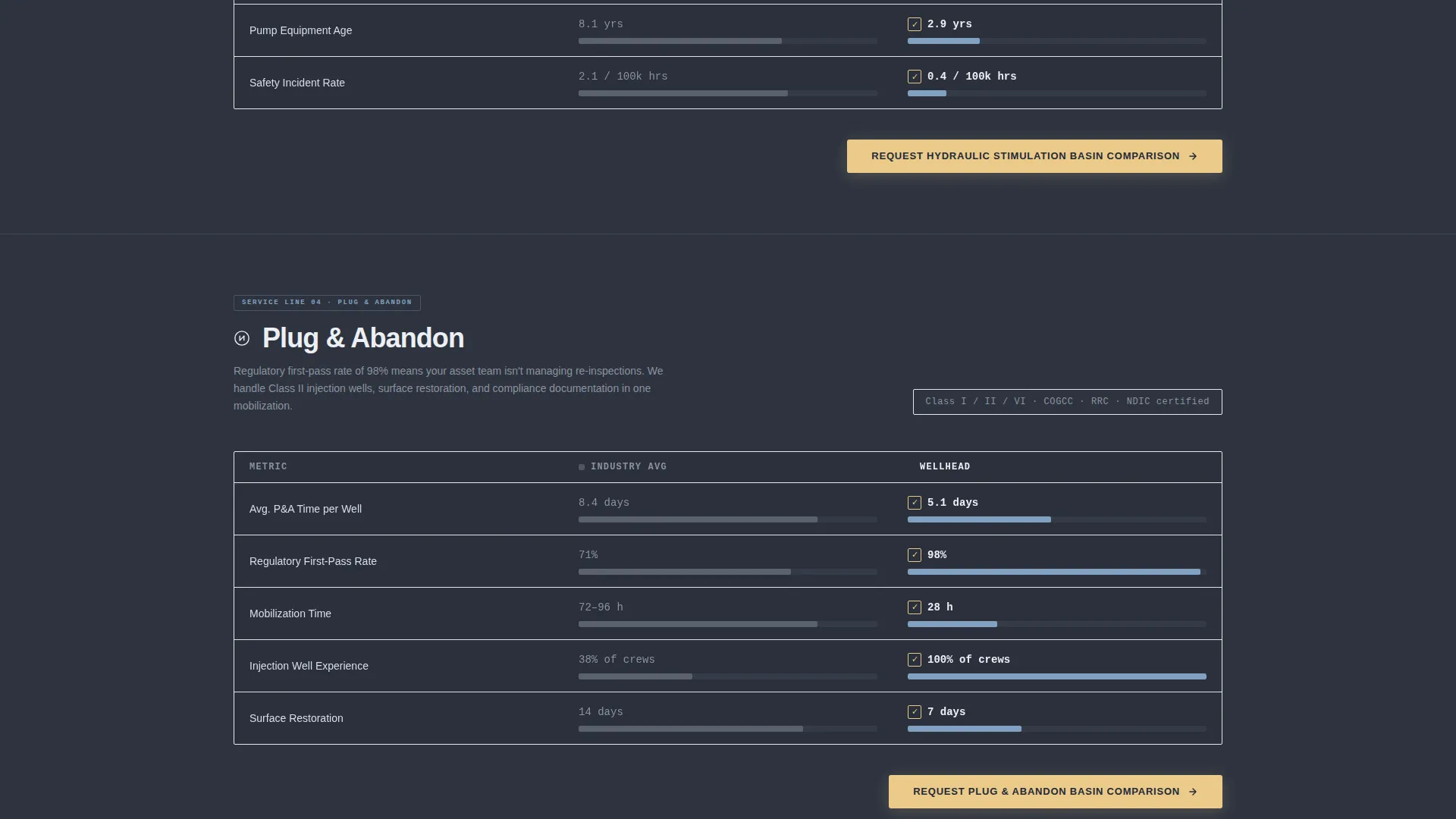
Each spoke section opens with a side-by-side table comparing industry averages against Wellhead across four dimensions: mobilization time, crew certifications, equipment age, and safety incident rate. Horizontal bar charts rendered in sky-blue versus muted gray make the performance delta visually immediate and hard to dismiss.
Field-Report Case Study Blocks
Scrolling deeper into each spoke reveals a single case study formatted as a field report. Each report surfaces basin name, well depth, challenge encountered, and outcome measured. The format mirrors documentation that oilfield professionals already read and trust every day.
Dual-Path Lead Capture System
The primary call to action, "Request Your Basin Comparison," appears in flare-stack amber at the hub section and at the close of every spoke. The intake form collects basin or play name, active well count, current service provider (optional), email, and phone. A secondary path offers a gated PDF benchmark report download for visitors who want data before committing to a conversation.
Corporate Precision Color and Typography System
The full Slate and Sky color system is baked into every component. Formation slate and casing-string charcoal form the background hierarchy. Open-sky blue drives interactive anchor links and active-state indicators. Flare-stack amber is reserved exclusively for call-to-action buttons and comparison-winning checkmarks, creating an instant visual signal for every decision point.
Page sections overview
| Section | Purpose |
|---|---|
| Metric Counter Header | Display live-style operational stats and introduce the brand promise |
| Sticky Anchor Navigation | Keep all spoke sections accessible throughout the entire page scroll |
| Hub Overview Section | Orient visitors to the full service scope and present the primary call to action |
| Cementing Spoke | Compare cementing performance and present a basin-specific field report |
| Coiled Tubing Spoke | Compare coiled tubing capabilities and deliver a coiled tubing case study |
| Stimulation Spoke | Present acidizing and stimulation metrics against industry averages |
| Plug and Abandon Spoke | Cover end-of-life well services with performance data and case study |
| Lead Capture Form | Collect basin comparison requests with structured sales-intelligence fields |
| Benchmark Report Download | Offer gated PDF download as a lower-commitment lead capture path |
Design & branding system
The visual identity follows a Corporate Precision theme. Every design decision serves function over decoration, much like the steel-gray equipment seen against a wide Permian Basin sky. The palette signals operational authority without a single unnecessary element.
- Formation slate (#3B4252) and casing-string charcoal (#2E3440) define the dark, data-forward background hierarchy
- Open-sky blue (#81A1C1) marks all interactive anchor links, active navigation states, and horizontal bar chart highlights
- Flare-stack amber (#EBCB8B) is used exclusively for call-to-action buttons and comparison-winning checkmarks, ensuring the decision points are always visible
Mobile & speed optimization
The template layout is structured for readability across screen sizes. Comparison tables, bar charts, and the sticky anchor navigation are all designed to scale from a wide desktop monitor down to the field tablet or phone a drilling superintendent might use on location.
- Sticky anchor navigation remains functional and accessible on smaller screens
- Comparison tables and horizontal bar charts reflow cleanly for narrower viewports
- Counter wall animations and the self-typing headline are structured to display correctly without requiring desktop-scale canvas space
How this template helps you convert
The Wellhead template is engineered around a single insight: oilfield buyers trust data more than copy. Every structural choice moves a technically skeptical visitor closer to a decision.
- The animated metric wall establishes credibility before a single word of body copy is read, anchoring the visitor's attention with numbers they recognize as meaningful.
- The comparison tables in each spoke section reframe the vendor decision as an obvious data conclusion, reducing the psychological friction of switching providers.
- The dual-path conversion system captures leads at two commitment thresholds, bringing in both the visitor ready to talk and the one who needs one more report before picking up the phone.
Other information about this template
This template is purpose-built for the well services niche inside the broader oil and gas industry. It covers a complete oilfield service scope: perforation, cementing, acidizing, coiled tubing operations, and plug-and-abandon work. The hub-and-spoke structure with anchor navigation is particularly well suited for companies offering multiple distinct service lines under one brand.
- The field-report creative direction is consistent across all four spokes, reinforcing a single analytical tone throughout the full page experience
- The form field for current service provider is intentionally marked optional, lowering the barrier to form completion while still collecting high-value sales intelligence when provided
- The template style, color system, and conversion logic all emerged from the intersection of Corporate Precision theme, Industry Report creative direction, and Comparison/Versus landing page direction
- This template fits naturally within a Mining and Natural Resources category context, specifically the Oil and Gas subcategory, where vendor credibility and measurable field performance are primary purchase drivers
Theme
Corporate Precision
Creative direction
Industry Report
Color system
Slate & Sky
Style
Hub & Spoke (Anchor Nav)
Direction
Comparison/Versus
Page Sections
Animated Operational Metric Counter Wall
Self-typing Headline and Sticky Anchor Nav
Side-by-side Service Comparison Tables
Field-report Case Study Blocks
Dual-path Lead Capture System
Related questions
Can I replace the placeholder metrics with my company's real field data?
Can I remove a spoke section if my company does not offer that service line?
What information does the basin comparison request form collect?
Who is this landing page template designed to convert?
Is the benchmark report download a separate conversion path from the main form?