Expert Clean Water Nonprofit Professional Website Template
Wellspring is a modular card grid landing page built for clean water direct service providers. It pairs a people-first resource hub with a warm Community Hearth visual identity. The template guides rural homeowners, concerned parents, and municipal boards from free downloadable guides to a two-step water report request, earning trust before asking for contact details.
by Rocket studio
Quick summary
Wellspring is a content-led landing page template for water testing and filtration services. It uses a modular card grid to mix team profiles with downloadable resources, building credibility one card at a time. A persistent amber call-to-action card and a two-step form turn engaged readers into water report leads without feeling pushy.
Who this template is for
This template was built for organizations that do hands-on water work in real communities. It suits providers who lead with education and earn trust before making an ask.
- Rural well-water testing and home filtration service providers
- Clean water nonprofits and community health organizations serving local residents
- Small-town municipal boards that need a credible public-facing resource hub
What problem this template solves
People worried about their water do not respond well to aggressive sales pages. They need information, reassurance, and a reason to trust the person offering help. Most service providers either overwhelm visitors with technical jargon or undersell their real expertise.
- There is no easy way to show both credentials and human warmth on the same page
- Free resources get buried, so visitors leave before they ever see the call to action
- Municipal audiences and residential audiences have very different needs, and one generic layout serves neither well
What you get with this template
This template delivers a fully structured single-page layout designed around generous content delivery. Every section is built to give value first and invite action second.
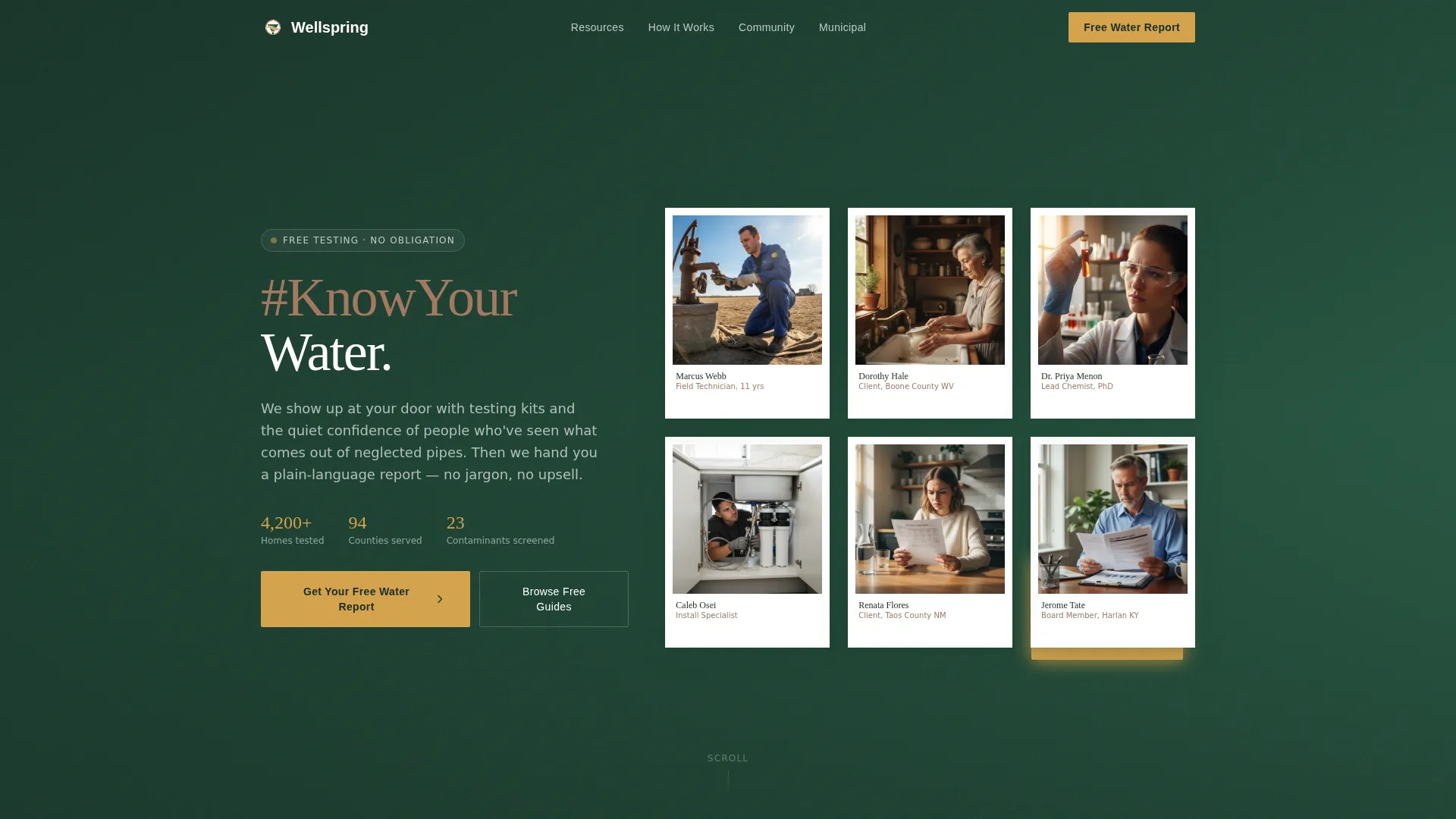
- A hero section with a polaroid mosaic quilt, the #KnowYourWater movement headline, and a floating amber call-to-action card
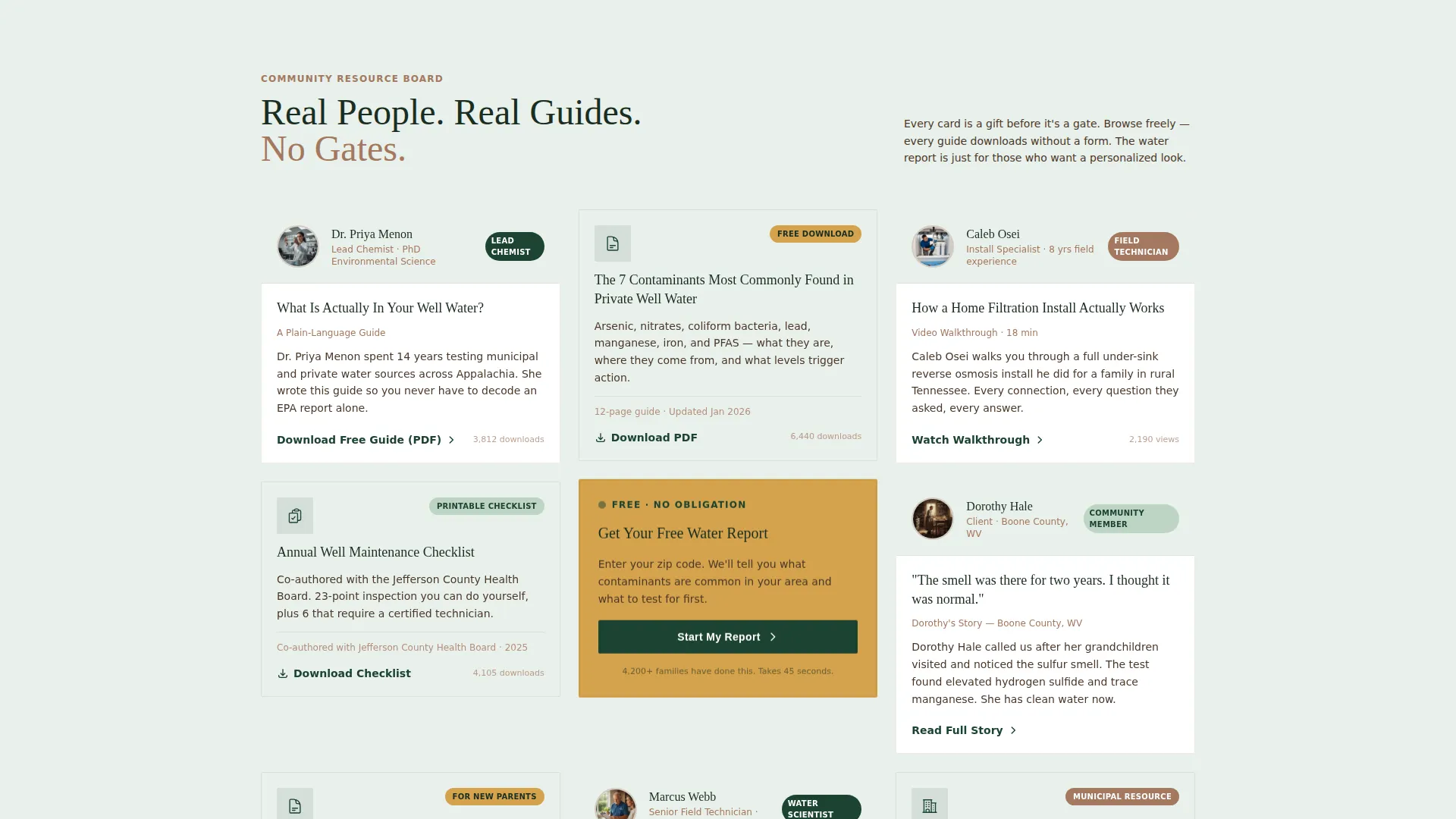
- A modular resource grid that alternates team member cards with downloadable guides, building authority as visitors scroll
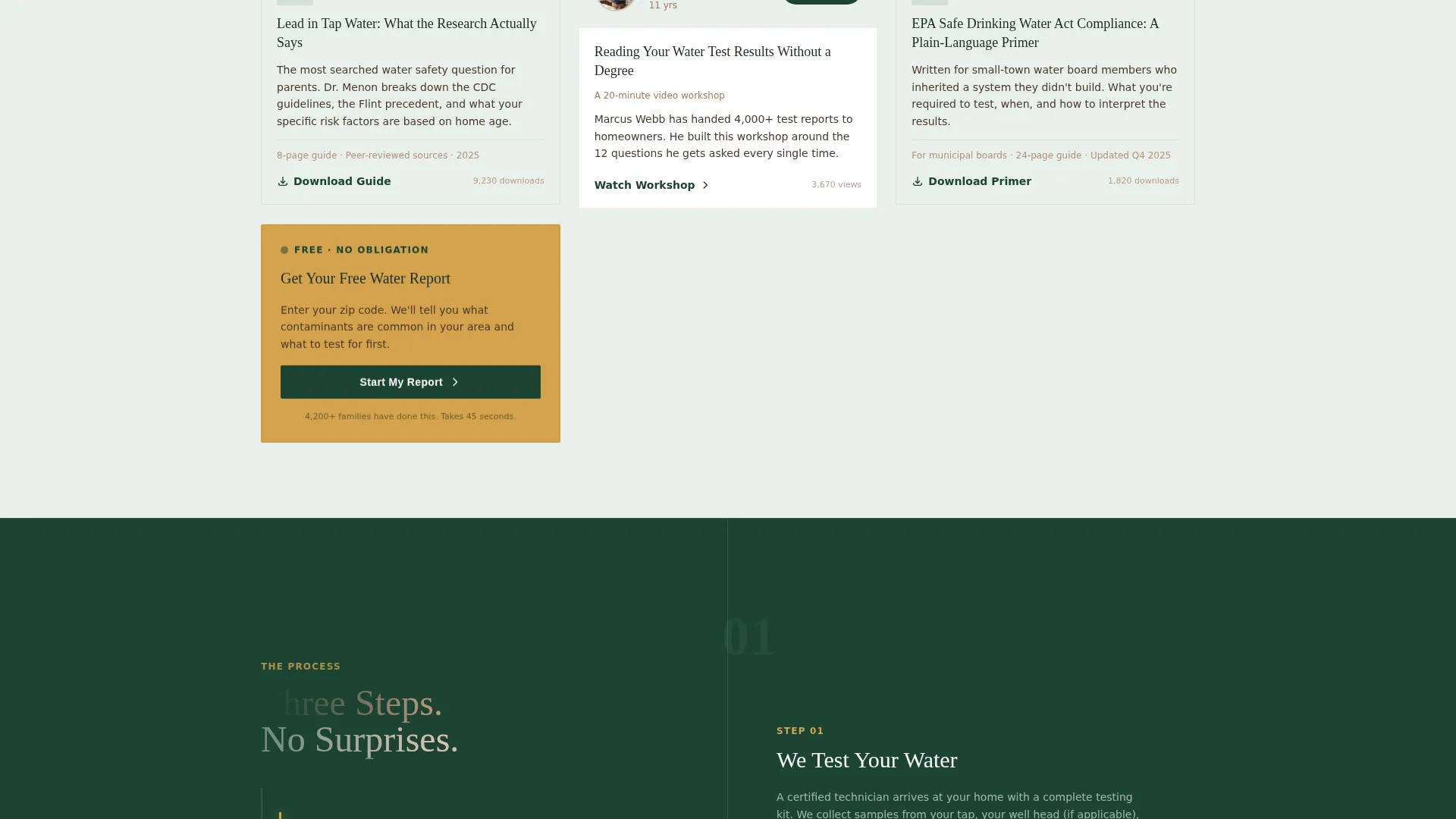
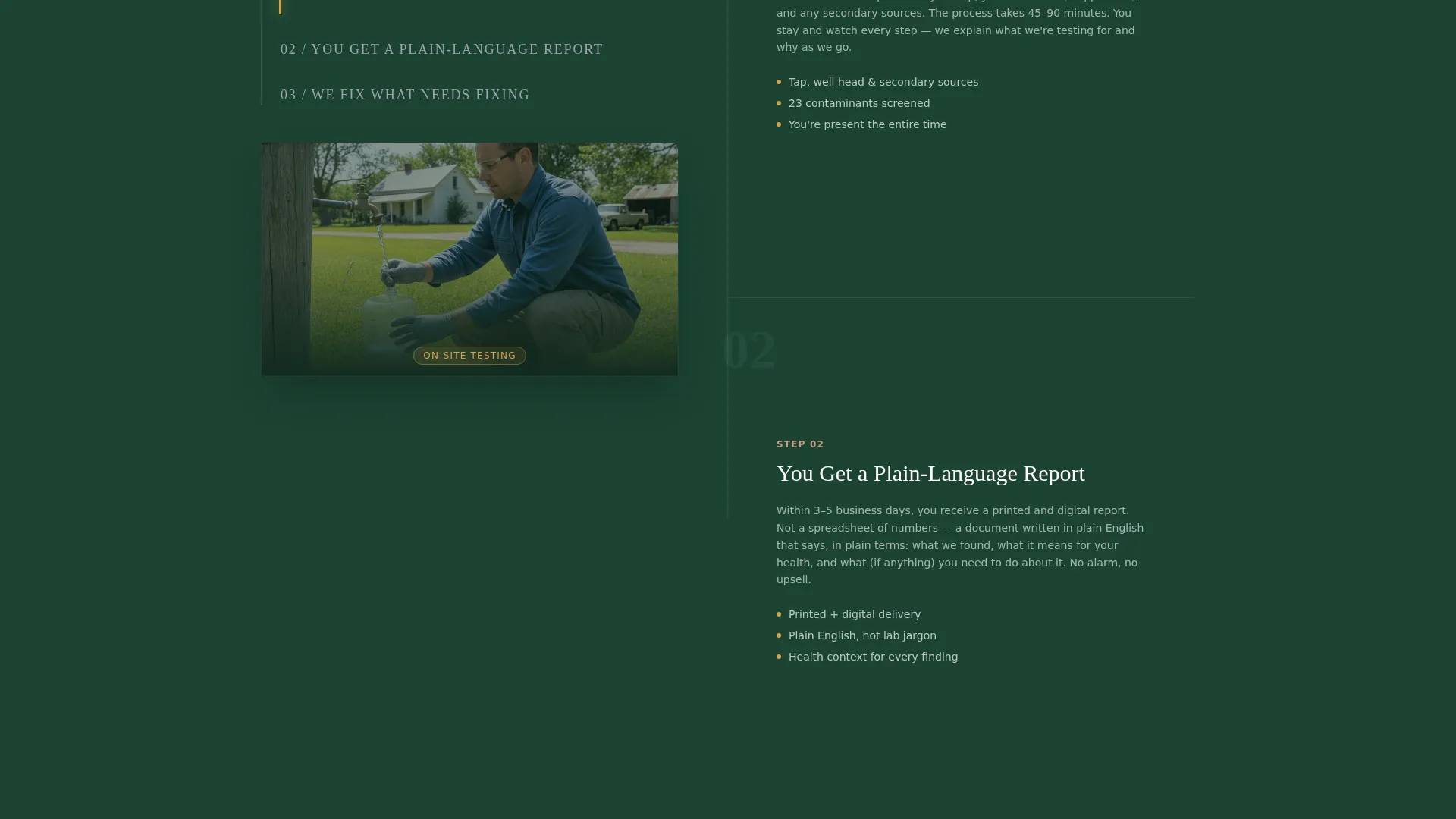
- A sticky three-step "How It Works" workflow, a community trust marquee with named testimonials, and a dedicated municipal call-to-action section
Feature list
This template is built around five practical capabilities drawn directly from the project brief.
Polaroid Mosaic Hero with Pulse Animation
The hero opens with overlapping polaroid-style photo frames pinned against a deep evergreen background. Each frame shows a named team member or community member. The #KnowYourWater hashtag pulses once in lantern amber and settles, creating an immediate sense of movement and trust.
Modular Card Grid Resource Hub
The card grid alternates between team face cards and downloadable resource cards. Content grows more specific as visitors scroll, moving from general water quality basics to municipal compliance guides. Each card is a standalone gift before it becomes a gateway.
Persistent Floating Call-to-Action Card
A lantern amber card stays fixed at the top-right of the grid and reappears after every fourth content card. It carries the primary call to action: "Get Your Free Water Report." This placement keeps the conversion path visible without interrupting the reading experience.
Two-Step Form Modal
Clicking the primary call to action opens a two-step modal. Step one collects a zip code and water source type (municipal, private well, or spring). Step two collects an email address and an optional mailing address for a physical testing kit. The two-step flow reduces friction by starting with low-commitment inputs.
Soft PDF Banner for Ungated Downloads
Visitors can browse and download individual guides without filling in a form. Each downloaded PDF opens with a soft banner that introduces the full water report offer. This path captures readers who prefer to self-educate before committing.
Page sections overview
| Section | Purpose |
|---|---|
| Hero Mosaic | Introduce the movement and brand with named faces and the #KnowYourWater pulse |
| Floating call to action Card | Keep the free water report offer visible throughout the grid scroll |
| Resource Card Grid | Deliver alternating team profiles and downloadable guides to build authority progressively |
| How It Works | Walk visitors through the three-step service process with a sticky scroll layout |
| Community Trust Marquee | Display named testimonials and served communities in a continuous scrolling strip |
| Municipal call to action Section | Address small-town boards directly with targeted messaging and compliance resource links |
| Page Footer | Split layout with logo and tagline on the left, navigation links on the right |
Design & branding system
The visual identity follows a Community Hearth theme. It feels like a county extension office built from reclaimed timber: trustworthy without trying, warm without performing.
- Colors: deep evergreen (#1B4332) for backgrounds and headers, hearthstone (#A3785F) for body text and borders, well-water clear (#E9F0EB) across card surfaces, and lantern amber (#D4A24C) for all buttons and highlight points
- Typography: Fraunces serif for headings (warm authority) and Manrope for body text (clean and readable)
- Visual style: polaroid-style photo frames with slight rotation, named portraits instead of stock photography, and a bulletin-board grid feel throughout
Mobile & speed optimization
The template is designed desktop-first, with careful attention to rural mobile users who may be on slower connections. Layout decisions prioritize readability and tap-friendliness across devices.
- The card grid reflows cleanly for smaller screens, keeping resource cards and team faces easy to scan on mobile
- Animations such as the polaroid entrance, amber pulse, and community marquee are handled as client-side components, while static content uses server-side rendering to keep initial load weight low
How this template helps you convert
Every design and layout decision in Wellspring is built around one principle: give generously before you ask for anything.
- The resource grid delivers real, usable content first. Guides, checklists, and video walkthroughs establish expertise before any form appears, so visitors arrive at the call to action already trusting the provider.
- The persistent amber card and the two-step modal lower the barrier to entry. Visitors start with just a zip code and a water source type, which feels far less demanding than a full contact form on first impression.
Other information about this template
Wellspring was built specifically for the intersection of community trust and environmental service. A few additional details are worth noting before you decide.
- The template is categorized under Community and Nonprofit, with a Clean Water Direct Service Provider niche focus
- The card grid is modular, meaning cards can be reordered, added, or removed to match the actual size of your team and resource library
- The footer follows an Arc Browser Split layout: logo and tagline sit on the left, with navigation links arranged on the right
- Social proof is baked into the structure through named community members, specific water test result callouts, and county partnership references
- The template is localized for a United States audience, using imperial measurements and a rural county extension aesthetic throughout
Theme
Community Hearth
Creative direction
Team & People
Color system
Forest Trust
Style
Card Grid (Modular)
Direction
Content/Resource
Page Sections
Polaroid Mosaic Hero with Pulse Animation
Modular Resource Card Grid
Persistent Floating Call to Action Card
Two-step Form Modal
Ungated PDF Downloads with Soft Banner
Community Trust Marquee and Municipal Call to Action
Related questions
Who is the primary audience for this landing page template?
Can visitors download resources without filling in the form?
How does the two-step form modal work?
Can I adapt the card grid to fit a smaller team or fewer resources?
Does the template support both residential and municipal audiences on the same page?



