Whisk is a single-column landing page template built for a peer-taught kids cooking class platform. It follows a Day-in-the-Life scroll flow, guiding parents from an illustrated hero kitchen scene through ingredient unboxing, live lessons, the messy middle, and a proud plating moment. The primary call to action drives families straight to class enrollment.
by Rocket studio
Loading preview…
Quick summary
Whisk is a vibrant, single-column landing page template designed for a kids cooking for kids online class. The scroll tells one class story from start to finish, building emotional momentum before asking families to act. A hand-drawn hero illustration, animated splatter shapes, a parent quote carousel, and a sticky mobile call-to-action button work together to turn curious visitors into enrolled students.
Who this template is for
This template is built for anyone promoting a peer-taught kids cooking experience online. The design and copy flow speak directly to the people most likely to sign up.
Parents of curious children aged six to twelve who want screen time replaced with real skills
Homeschool co-ops looking for a structured, engaging culinary elective
Grandparents and gift-givers searching for a meaningful experience over another toy
What problem this template solves
Most kids activity pages feel either too corporate or too cluttered. Neither inspires confidence in a parent deciding where to spend their family's time and money. This template closes that gap.
It replaces generic layouts with a warm, story-driven scroll that mirrors how a real class actually feels
It removes on-page sign-up friction by routing all intent to a single enrollment click
It builds trust before the call to action arrives, using kid-chef photos, parent quotes, and a live recipe counter
What you get with this template
The template delivers a complete, ready-to-customize single-column landing page. Every section is purpose-built to move a parent from curiosity to confident click.
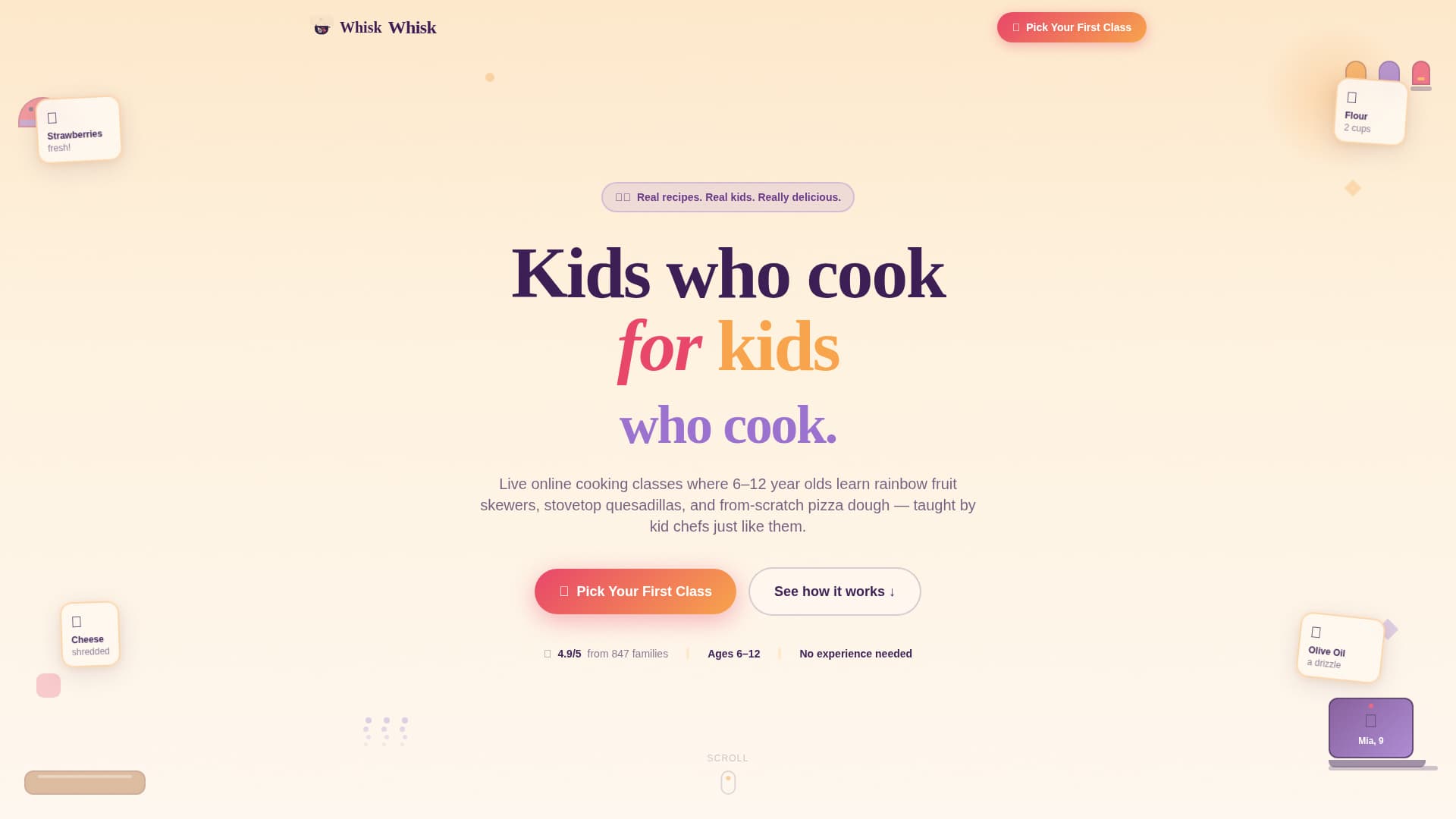
A parallax hero with a hand-drawn kitchen illustration, floating ingredient cards, and a bold headline
A four-part Day-in-the-Life content sequence covering ingredient unboxing, live lessons, the messy middle, and the plating moment
Social proof elements including a scrolling kid-chef photo strip, a parent quote carousel, and an animated recipe completion counter
Theme
Playful Geometric
Creative direction
Day-in-the-Life
Color system
Sunset Gradient
Style
Single Column Flow
Direction
Click-Through
Page Sections
Illustrated Parallax Hero Section
Day-in-the-life Scroll Sequence
Scrolling Kid-chef Photo Strip
Parent Quote Carousel
Animated Recipe Completion Counter
Sticky Mobile Call-to-action Bar
Related questions
Does this template include a sign-up form?
Can I customize the colors and illustration style?
Is this template suitable for a homeschool co-op cooking program?
What devices does this template prioritize?
How many sections does this landing page include?
Feature list
This template bundles several carefully designed components. Each one serves the goal of making families feel the joy of Whisk before they ever attend a class.
Illustrated Parallax Hero
A wide, hand-drawn kitchen scene sits at the top of the page. Geometric fruits and utensils have friendly faces, steam rises in playful spirals, and a laptop shows a waving kid instructor. As the visitor scrolls, the foreground cutting board and background spice jars shift at different speeds, creating a gentle sense of depth.
Day-in-the-Life Scroll Sequence
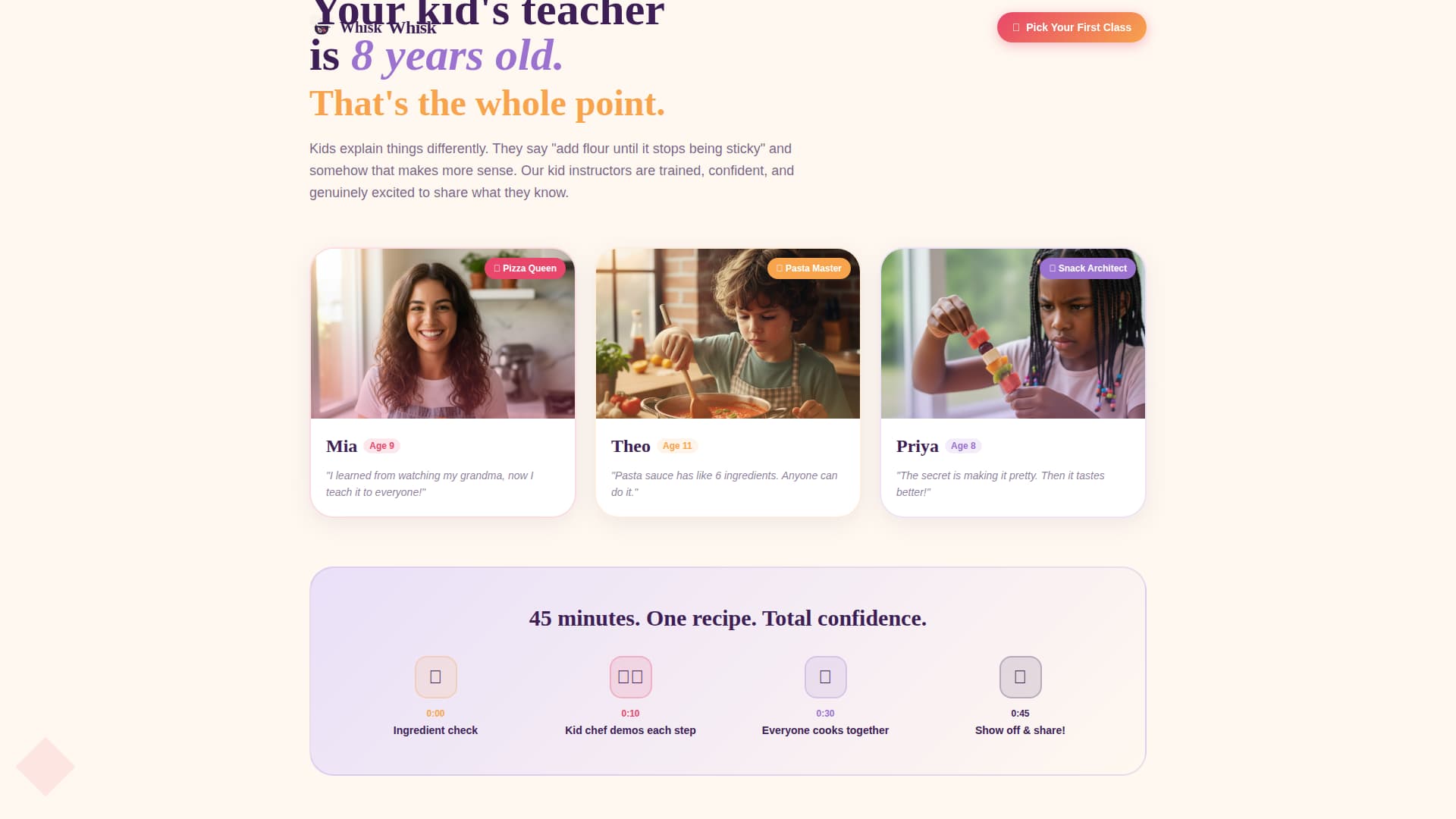
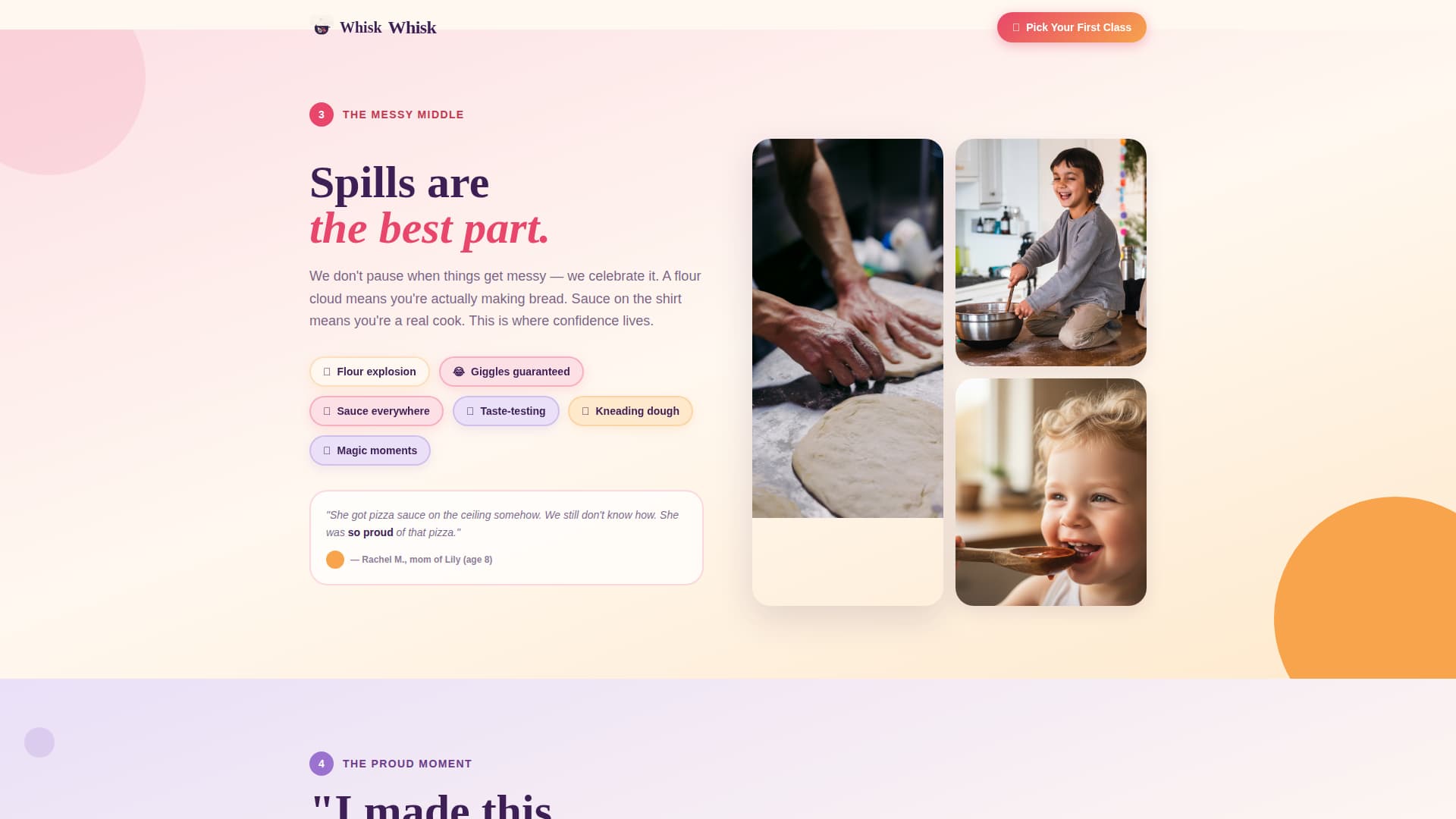
The page follows one class from start to finish across four distinct sections. The ingredient unboxing moment includes a printable shopping list call to action. The live lesson section shows kid instructors demoing each step. Splatter shapes animate in during the messy middle, and proud plating photos close the sequence before the primary call to action appears.
Kid-Chef Social Proof Strip
A scrolling marquee displays real kid-chef photos with first names and ages. This strip runs horizontally across the page, giving families an immediate sense of community and making the platform feel active and full of real participants.
Parent Quote Carousel
A dedicated social proof section displays rotating parent testimonials. The carousel format keeps the section compact while allowing multiple voices to build trust over time as the visitor reads.
Animated Recipe Counter
A count-up number animation shows how many recipes kids have completed this month. The motion draws the eye and signals an active, growing community without requiring any text-heavy explanation.
Sticky Mobile Call-to-Action Bar
On mobile devices, a fixed bottom bar keeps the primary "Pick Your First Class" button visible throughout the entire scroll. This ensures the enrollment path is always one tap away, no matter how deep into the page a visitor has read.
Page sections overview
Section
Purpose
Hero Kitchen Scene
Sets joyful tone, introduces the platform with illustrated parallax and floating ingredient cards
Ingredient Unboxing
Opens the Day-in-the-Life sequence with a shopping list moment and printable call to action
Live Lesson Scene
Shows kid instructors in action with animated messy-middle splatter shapes
Plating and Gallery
Closes the story sequence with proud kid-chef photos and the animated recipe counter
Social Proof
Builds parent trust through a quote carousel and the scrolling kid-chef photo strip
Footer
Minimal centered layout with social icons following a clean, uncluttered pattern
Design & branding system
The visual identity uses a Playful Geometric theme built on a Sunset Gradient color palette. The overall feeling is warm, sticky, and impossible to scroll past without smiling.
Colors: warm mango (#F7A44C), ripe watermelon (#E8466A), soft lavender (#9B72CF), deep berry (#3D1F56), and a creamy vanilla base (#FFF8F0)
Typography: Fraunces serif for headlines gives the page a storybook warmth, while Plus Jakarta Sans keeps body text clean and easy to read
Visual style: flat vector illustration with chunky outlines and imperfect shapes, geometric confetti accents in lavender, and berry anchoring all body text for readability
Mobile & speed optimization
The template is designed mobile-first. Parents are most likely browsing on their phones, so every layout decision starts at a small screen and expands gracefully to desktop.
The sticky bottom bar keeps the primary call to action visible throughout the scroll on all phone sizes
Server Components handle all static content while Client Components manage animations, the carousel, and interactive hover states, keeping the interactive experience smooth
Scroll-reveal animations and the count-up recipe counter are built as Client-side interactions so they trigger naturally as the visitor moves down the page
How this template helps you convert
This template is optimized for click-through, not form completion. The entire scroll builds emotional investment before asking for any action.
The Day-in-the-Life sequence earns trust section by section, so the call to action arrives when the parent already feels the value
The "Pick Your First Class" button in watermelon pink appears immediately after the proud plating moment for maximum emotional momentum, and repeats in the sticky mobile bar throughout the whole page
Other information about this template
This template sits at the intersection of EdTech, kids activity content, and online class promotion. A few extra details worth knowing before you customize it.
The page is localized for English-speaking United States audiences, using USD pricing format and MM/DD/YYYY date formatting
Animation intensity is high across the template, covering the parallax hero, floating ingredient cards, splatter shape animations, the marquee kid-chef strip, count-up numbers, and scroll-reveal transitions
The footer follows a minimal centered pattern with social icons only, keeping the exit experience clean and brand-consistent
No on-page enrollment form is included by design. The single click carries all conversion intent to an external class schedule or enrollment page