Oral Surgeon Landing Page Template for Patient Education
Wisdom is a sidebar companion landing page built for oral surgery practices. It guides anxious patients through procedures like wisdom tooth extraction, dental implants, jaw correction, and bone grafting using progressive anatomical diagrams, scroll-linked surgeon profiles, and a three-step inline booking module. The goal is simple: educate first, then convert.
by Rocket studio
Quick summary
Wisdom is a calm, education-first landing page for oral surgery practices. It uses a sticky sidebar that introduces the relevant surgeon as each procedure section enters view. Layered anatomical diagrams, recovery flow charts, and patient video thumbnails build confidence gradually. By the final scroll, booking a consultation feels like the natural next step.
Who this template is for
This template is designed for oral surgery practices that want to convert nervous, research-driven visitors into booked consultations. It works especially well for practices offering multiple procedure types with a team of specialist surgeons.
- Oral surgeons who see first-time wisdom tooth patients and want to reduce pre-appointment anxiety
- Practices offering jaw correction, dental implants, or bone grafting that need clear patient education before a visit
- General dentist referral networks that require strong specialist trust signals for incoming patients
What problem this template solves
Most oral surgery pages list procedures without explaining them. Patients arrive scared because they could not find clear, reassuring information. This template solves that gap by teaching patients what will happen before they ever sit in the chair.
- Anxious patients abandon booking when they feel uninformed about surgical steps or recovery
- Parents researching jaw correction for teenagers need layered, jargon-free explanations before they feel confident committing
- Referral dentists need visible credentials and surgeon philosophy to trust a specialist with their patients
What you get with this template
You get a fully structured, single-page layout built around patient education and consultation booking. Every section is designed to move a visitor from uncertainty to confidence before the call to action appears.
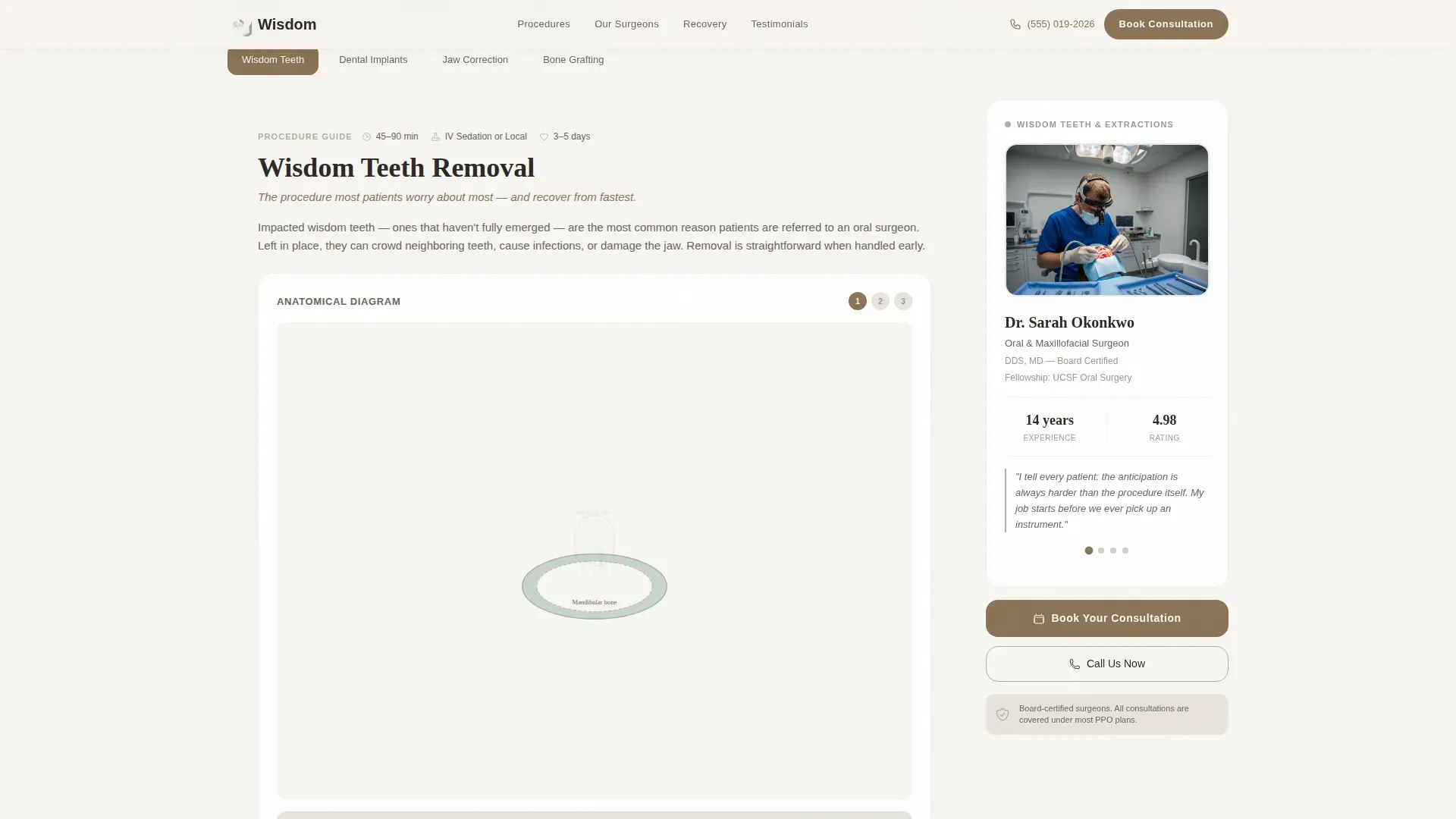
- A sticky sidebar with scroll-linked surgeon profiles, credentials, and personal philosophy quotes per procedure section
- Progressive anatomical line art diagrams that reveal bone, tooth, and surgical approach in layers as the visitor scrolls
- A three-step inline booking module covering procedure type, insurance provider, and preferred date range
Feature list
This template packs a focused set of components that work together to educate patients and drive bookings. Each feature is grounded in the page structure described in the source brief.
Scroll-Linked Surgeon Sidebar
As each procedure section enters the viewport, the sticky sidebar updates with the relevant surgeon's portrait, credentials, and a one-sentence personal philosophy. Visitors always know exactly who will be treating them.
Progressive Anatomical Diagrams
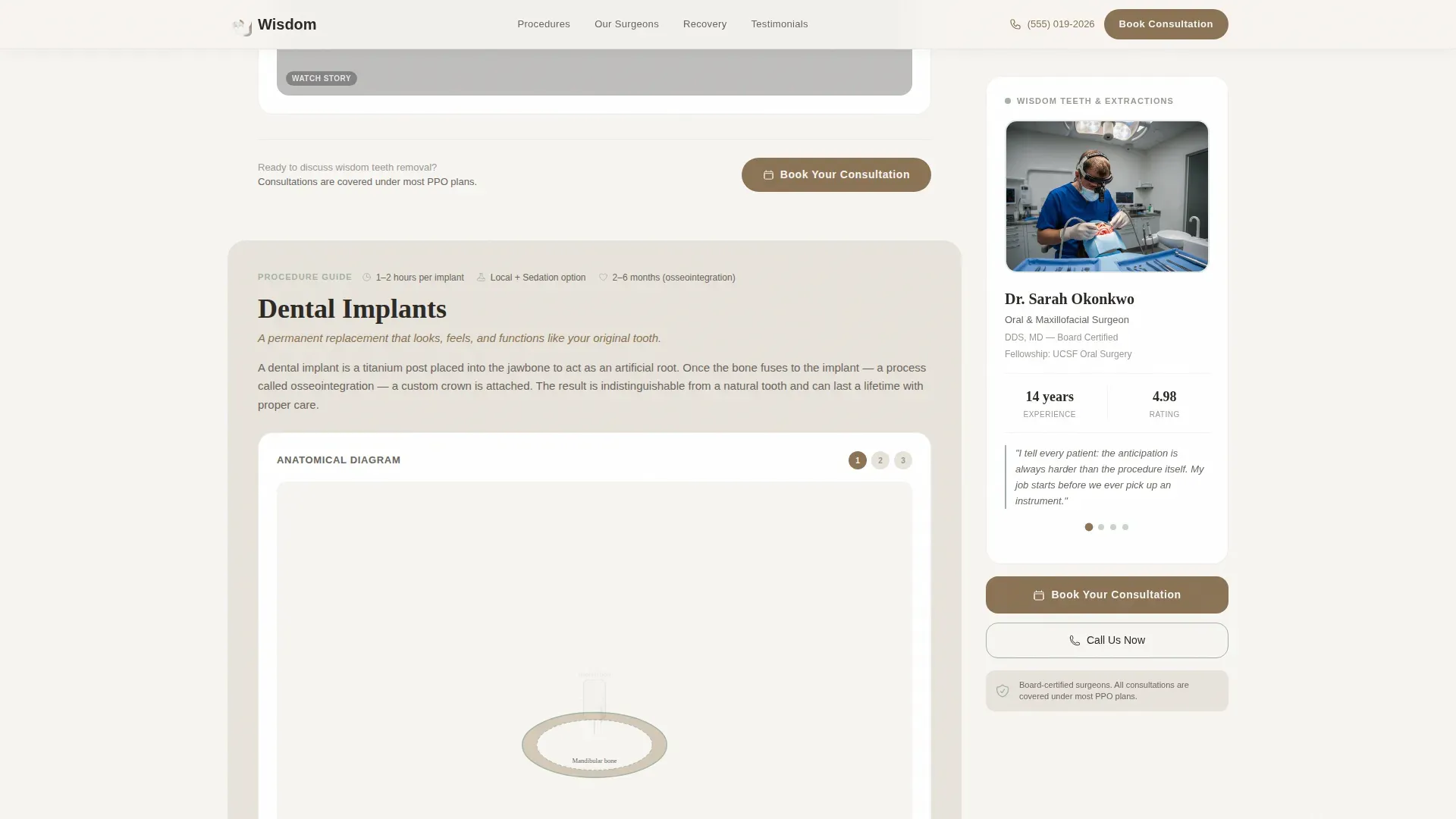
Each procedure section uses layered line art that builds from bone structure to tooth position to surgical approach. This gradual reveal helps patients absorb complex information without feeling overwhelmed.
Three-Step Inline Booking Module
Clicking the primary call-to-action opens a sequential scheduling form. It asks for procedure type via dropdown, optional insurance provider via text field, and preferred date range via calendar picker.
Recovery Timeline Flow Charts
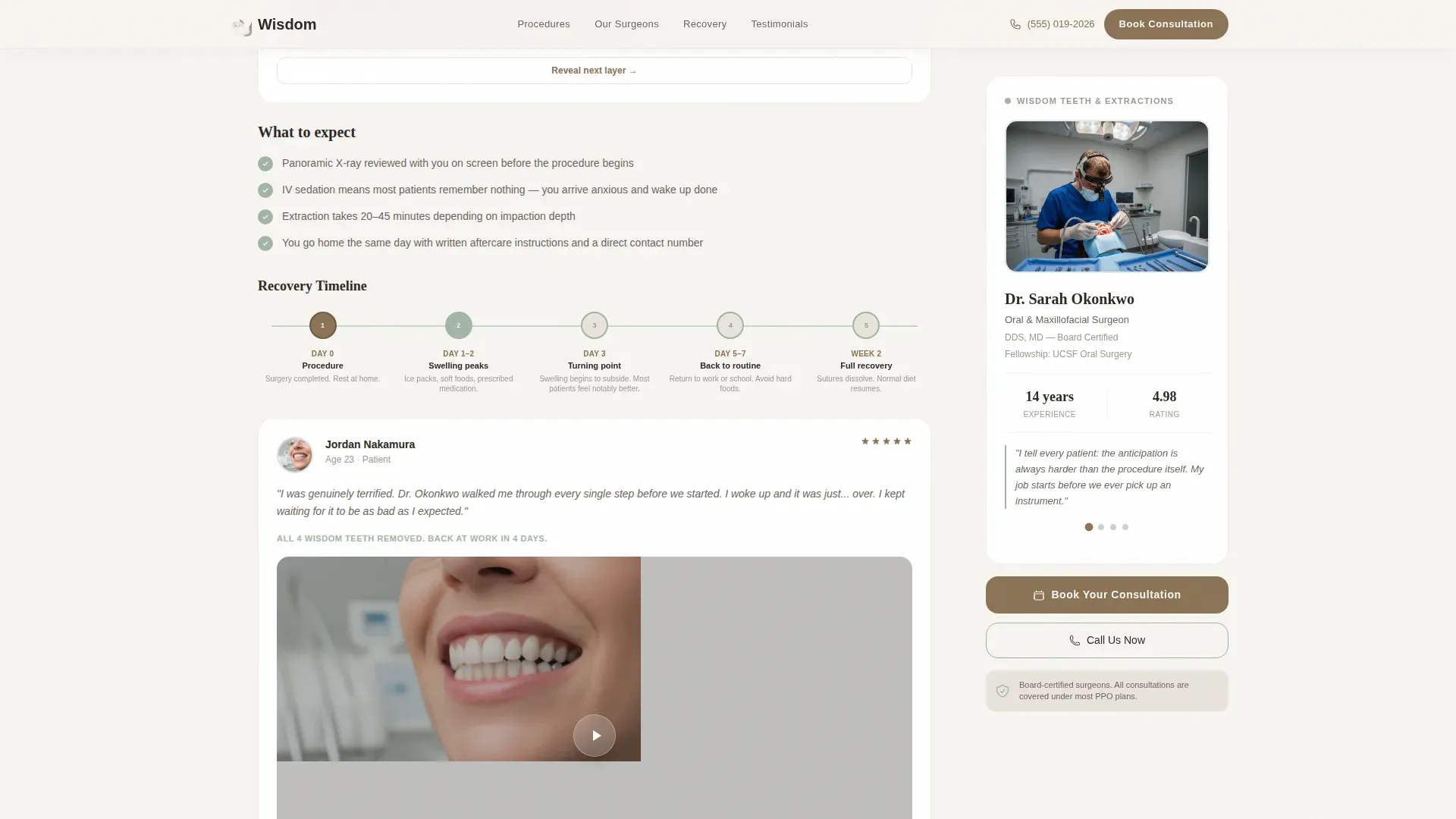
Each procedure section ends with a horizontal flow chart showing recovery milestones in a clear, gentle sequence. Patient video testimonial thumbnails sit alongside each timeline to reinforce real outcomes.
Continuous Line Art Header
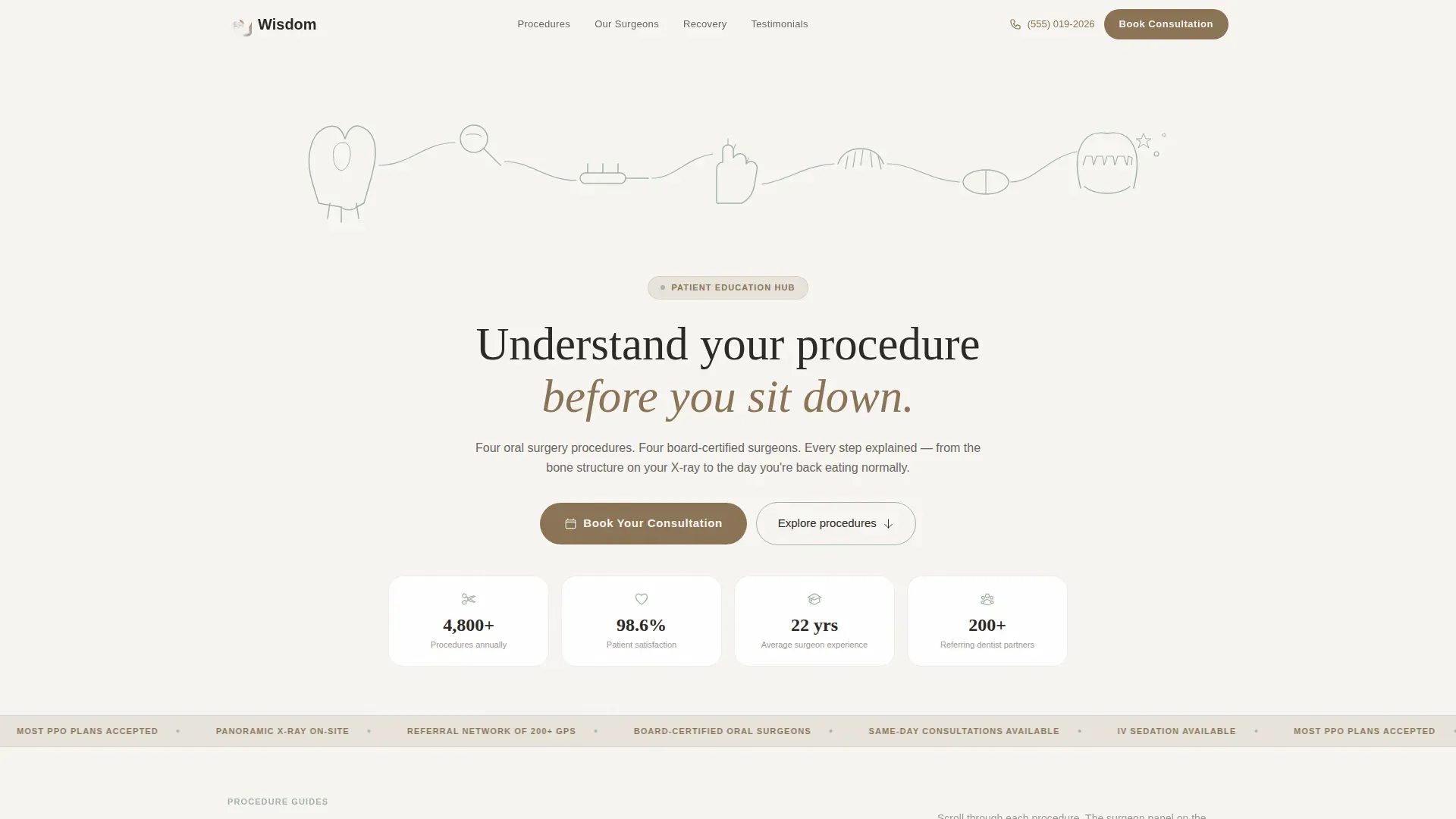
The full-width header features a single-weight sage-on-white line drawing. It traces a visual journey from tooth cross-section through surgical instruments to a calm, smiling jaw, with the headline centered beneath it in a warm serif.
Persistent Call-to-Action Buttons
The primary "Book Your Consultation" button appears in clay at every section break. The sidebar carries a secondary "Call Us Now" button that remains visible throughout the entire scroll, so a visitor can act at any moment.
Page sections overview
| Section | Purpose |
|---|---|
| Hero Header | Introduce the practice with a full-width line art illustration and a reassuring headline above a split call-to-action layout |
| Procedures Bento | Present wisdom teeth, implants, jaw correction, and bone grafting with progressive diagrams and scroll-linked sidebar surgeons |
| Recovery Timelines | Show per-procedure recovery milestones as horizontal flow charts with patient video thumbnails |
| Social Proof | Build trust through patient testimonials with photos, specific outcomes, and referral dentist quotes |
| Inline Booking Module | Guide visitors through a three-step consultation scheduling flow inside the page |
| Page Footer | Close with a single-row linear footer layout |
Design & branding system
The visual identity follows an Organic Flow theme using the Cloud Canvas color system. The palette is built to feel clinically confident while also reading as warm and safe to a nervous visitor's eye.
- Four core colors: atmospheric white (#F7F5F2) and warm linen (#E8E3DB) for alternating backgrounds, muted sage (#A3B5A6) for icons and progress indicators, and grounding clay (#8B7355) reserved exclusively for active states and call-to-action buttons
- Typography pairs Fraunces serif for headlines with DM Sans for body text, combining warmth with clinical readability
- All illustrative elements use single-weight continuous line art rendered in sage on white, maintaining generous negative space throughout
Mobile & speed optimization
The template is built desktop-first to support the sidebar companion layout, which requires horizontal screen space to function as intended. On smaller screens, the layout stacks responsively so mobile visitors still access all content.
- The sticky sidebar and main content area collapse into a vertical stack on mobile, preserving the educational flow without the dual-column layout
- Static content sections use server-rendered components for faster initial load, while the booking module and scroll animations load on the client side
- GSAP ScrollTrigger powers the surgeon sidebar swap and progressive diagram builds, keeping animations smooth without blocking the rest of the page
How this template helps you convert
The page is designed so that booking feels inevitable rather than pressured. Education does the heavy lifting first, and conversion follows naturally at the end of an informed scroll.
- The progressive diagram and surgeon sidebar combination resolves the two biggest patient fears: not understanding the procedure and not knowing who will perform it. Visitors who feel informed are far more likely to book.
- The primary call-to-action appears at every section break in a high-contrast clay button, so a visitor who is ready to book never has to scroll back to find it.
- The three-step booking module reduces friction by asking only three questions in sequence, making the scheduling process feel quick and approachable rather than clinical and form-heavy.
Other information about this template
This template is categorized under Health & Medical, specifically the Oral Surgeon Website subcategory, and is designed for an Oral Surgeon Patient Education Hub niche. It uses the Sidebar Companion template style with an Expert Panel creative direction.
- The header concept is Line Art, using a continuous single-weight illustration in sage on white to trace the surgical journey from consultation to recovery
- The landing page direction is Booking and Scheduling, with every design decision oriented toward earning the consultation click through education first
- Localization is set for English-speaking United States audiences, using USD, and MM/DD/YYYY date formatting throughout the booking module
- The intersection match score for this template is 13, indicating a strong alignment between the Health and Medical category, the Oral Surgeon Website subcategory, and the patient education hub niche
Theme
Organic Flow
Creative direction
Expert Panel
Color system
Cloud Canvas
Style
Sidebar Companion
Direction
Booking/Scheduling
Page Sections
Scroll-linked Surgeon Sidebar
Progressive Anatomical Diagrams
Three-step Inline Booking Module
Recovery Timeline Flow Charts
Continuous Line Art Header
Persistent Dual Call-to-action
Related questions
Who is this landing page template designed for?
Can I customize the surgeon profiles in the sticky sidebar?
Does the inline booking module connect to a live scheduling system?
How does the layout work on mobile devices?
Is this template suitable for a single-surgeon oral surgery practice?



