Co-Working & Shared Office Booking Website Template
The Desk template is a corporate coworking space landing page built for serious teams. It uses a cinematic full-bleed hero, three zigzag case study blocks, a scrolling amenity ticker, and three clear pricing cards with an inline booking form. The design follows a Midnight Blue Corporate Precision system that helps visitors trust the space and book a desk with confidence.
by Rocket studio
Quick summary
Desk is a single-page coworking space landing page template designed to convert founders, operations managers, and consultants into paying members. It leads with a cinematic hero, builds trust through three real-scale case studies, and closes with transparent pricing cards and an inline booking form. The design is clean, dark, and deliberately corporate.
Who this template is for
This template is built for coworking space operators who need a landing page that speaks to decision-makers, not just drop-in visitors. If your space serves teams rather than individuals, this layout earns that trust fast.
- Series-A founders who need a real office feel without a three-year lease commitment
- Operations managers relocating a satellite team to a new city and need to book quickly
- Solo consultants who need a professional meeting room on demand
What problem this template solves
Most coworking space landing page designs introduce the building before they address the buyer. Users land on a photo gallery and leave before they find pricing. This template flips that order. It leads with solutions, builds credibility through case studies, and makes it easy to book without friction.
- Visitors cannot find pricing or a clear call-to-action above the fold
- The coworking space landing page lacks social proof that matches the scale of the buyer
- Freelancers and teams cannot self-select a plan that fits their actual workspace need
What you get with this template
This template delivers a fully structured coworking space landing page with every section mapped to a conversion goal. Each block is built to support a specific type of buyer at a specific stage of their decision.
- A full-bleed cinematic hero with a slide-up headline and a glass call-to-action card
- Three alternating zigzag case study blocks with pull-quotes, a timeline bar, and a bold cost-savings metric
- Three pricing cards (Hot Desk, Dedicated Desk, Private Office) with an inline booking form and a tour calendar link
Feature list
This template includes purpose-built features that help coworking space operators present their workspace professionally and convert visitors into booked members.
Cinematic Full-Bleed Hero Section
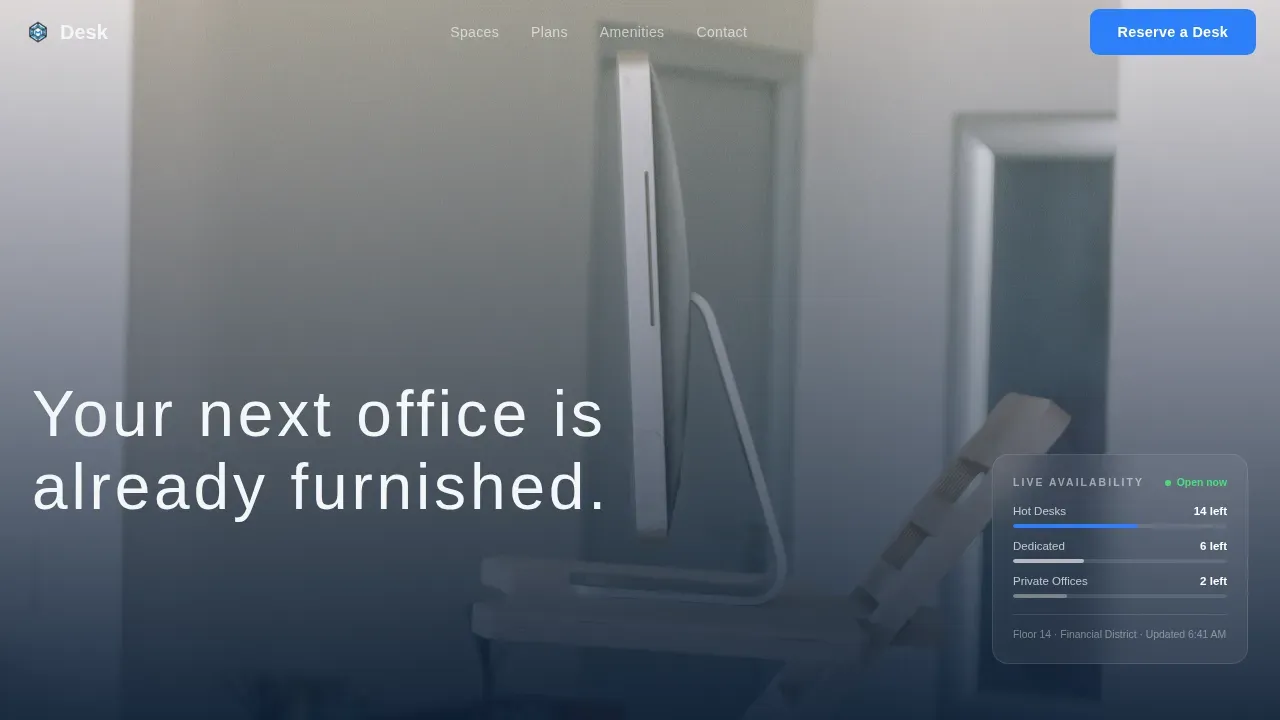
The hero opens with a hip-height floor-plate photograph, shallow depth of field, and a translucent dark overlay on the bottom third. A single-line headline slides up in thin white tracking. The primary call-to-action button floats clearly above the background without competing with the light.
Zigzag Case Study Narrative Blocks
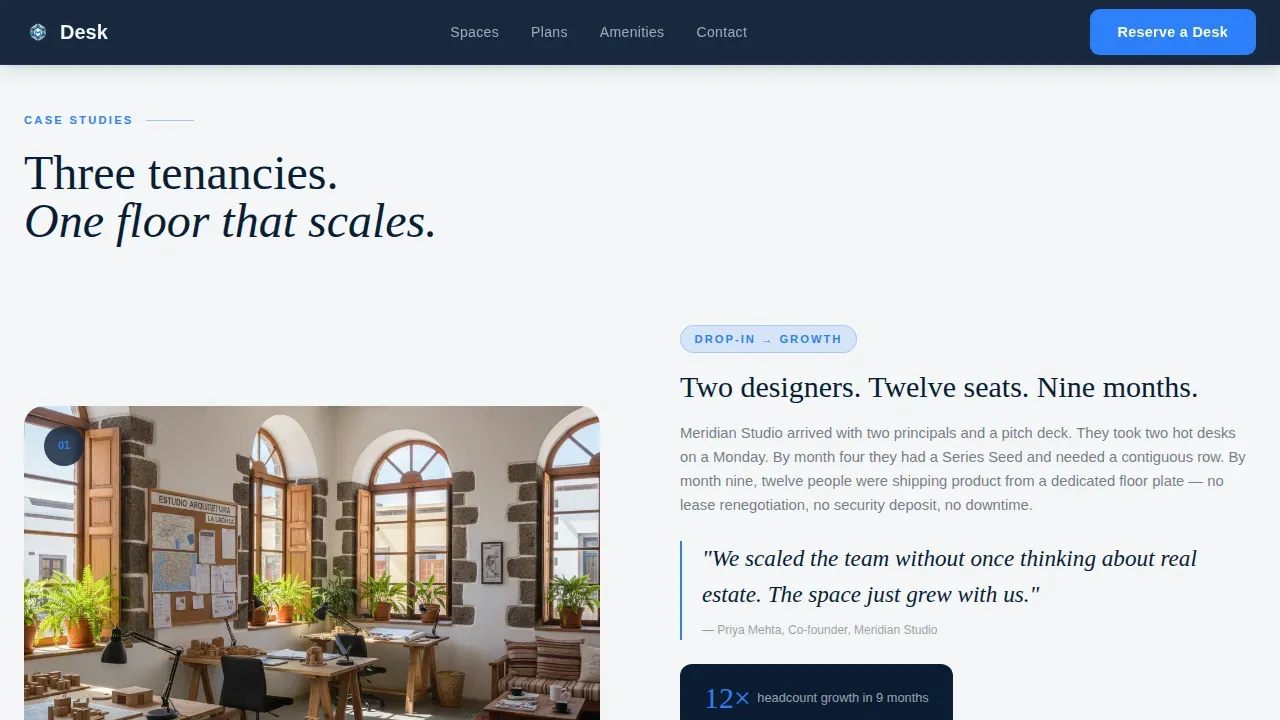
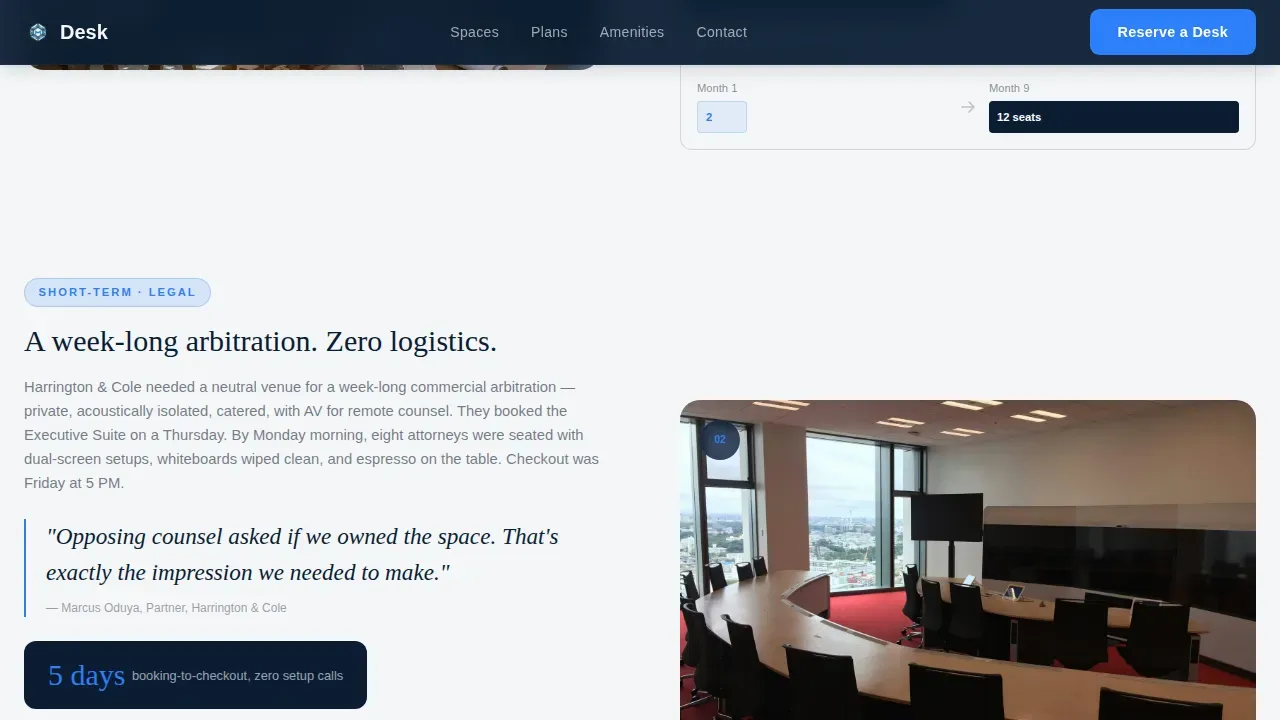
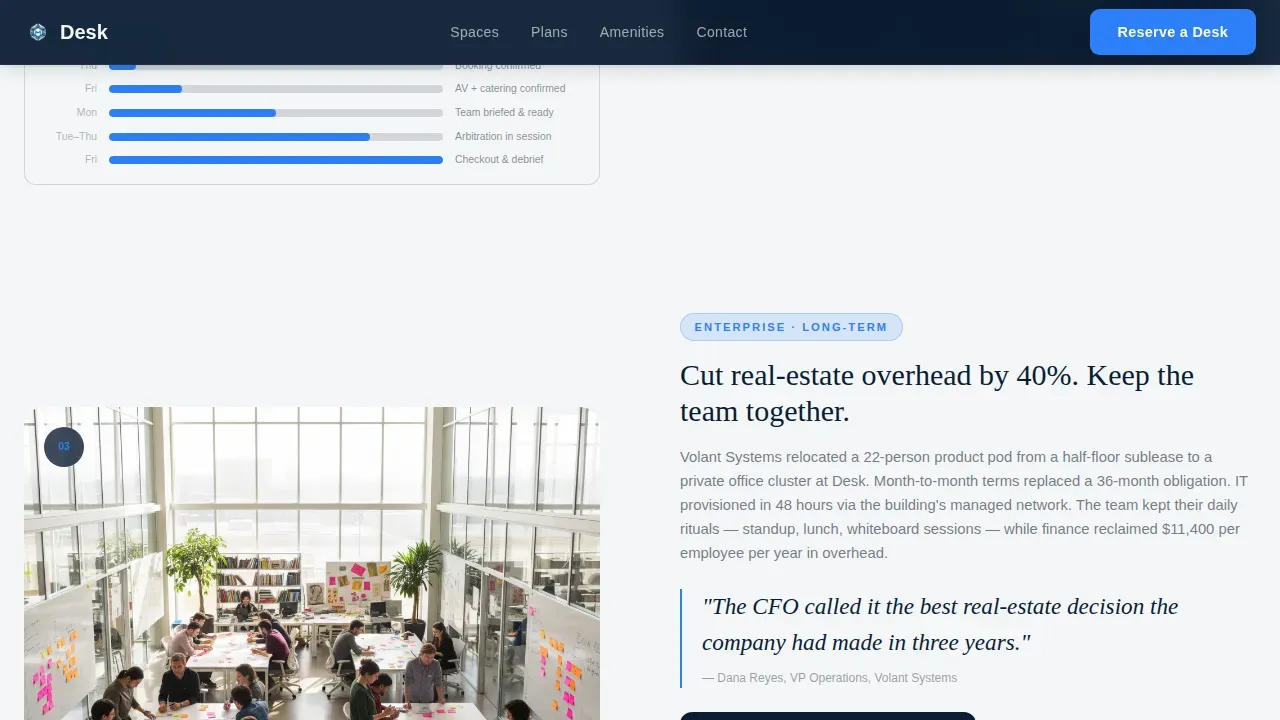
Three alternating left-image/right-text and right-image/left-text blocks tell real tenancy stories at three scales of commitment: a two-person studio that grew to twelve seats, a legal team running a week-long arbitration, and a remote enterprise pod that cut real-estate overhead by forty percent. Each block escalates commitment level so users self-select by the time they reach pricing.
Transparent Membership Pricing Cards
Three plan cards lock into view after the case studies. Each card shows a monthly price, a short feature stack, and a primary "Reserve Your Desk" button. A secondary text link reading "Tour first?" routes visitors to a calendar embed for those not ready to commit. Pricing transparency helps potential members decide with confidence.
Inline Booking Form with Team Stepper
Clicking "Reserve Your Desk" opens an inline booking form with a location selector, preferred start date, a team size stepper, and a company email field. The form captures qualified leads using just four fields, keeping the contact process fast and focused.
Scrolling Amenity Marquee Ticker
A marquee ticker scrolls amenities and credibility statistics across the page between the case studies and pricing sections. It delivers detailed information about workspace services, high-speed internet, ergonomic furniture, and meeting room access in a format that is easy to scan without breaking the page flow.
Amenities Bento Grid
An asymmetric bento grid displays what is included with each coworking membership. It gives potential members a clear and concise description of the workspace amenities before they reach the pricing section, reducing hesitation and supporting informed decisions.
Page sections overview
| Section | Purpose |
|---|---|
| Full-Bleed Hero | Opens with cinematic workspace photo and primary call-to-action |
| Case Study One | Two-person studio growth story with pull-quote and floor-plan diagram |
| Case Study Two | Legal team arbitration story with booking-to-checkout timeline bar |
| Case Study Three | Enterprise pod cost-savings story with bold forty-percent metric |
| Marquee Ticker | Scrolls amenities and credibility stats between narrative and pricing |
| Pricing Cards | Three membership tiers with inline booking form and tour link |
| Amenities Bento | Asymmetric grid showing included workspace services and features |
| Footer Row | Single-row linear footer with contact and navigation links |
Design & branding system
The design language is Corporate Precision. It uses a Midnight Blue color system that feels like a pressed suit rather than a startup pitch deck. The palette signals that the people inside this building close deals.
- Deep command-center navy (#0B1D33) as the primary background, polished gunmetal (#3A4553) for secondary surfaces, crisp white (#F4F6F8) for body text, and electric accent blue (#2D7FF9) on buttons and hover states
- DM Sans handles all body copy and interface elements; Fraunces is used for editorial pull-quotes and section headings, adding a serif contrast that elevates the case study narrative
- Color schemes and type choices in the design resonate with the target audience of corporate teams and freelancers, creating a cohesive and credible visual identity
Mobile & speed optimization
The template is desktop-first, reflecting that most business decision-makers review workspace options on a laptop. It is fully responsive so that users browsing on phones get a clean and usable layout.
- Touch-friendly buttons and a stacked card layout adapt the pricing section for smaller screens
- Real workspace photography is used instead of heavy video, keeping the coworking space landing page fast and engaging across devices
- Clean visual hierarchy is maintained at every breakpoint so the call-to-action is always visible and easy to tap
How this template helps you convert
This coworking space landing page functions as a round-the-clock sales tool. It is structured so that each section moves the visitor one step closer to booking, without pressure.
- The hero addresses the buyer's primary pain point immediately, before any description of the building, so the first five seconds earn their attention and trust
- The three case study blocks build social proof at multiple commitment levels, helping users self-qualify and find the plan that fits their team size and budget
- Transparent pricing cards with a simple four-field inline form make it easy to book a desk or schedule a tour, removing every barrier between interest and action
Other information about this template
This template is a strong foundation for coworking space operators who want to build a professional online presence and support ad campaigns, direct search traffic, and referral links from a single focused page. It is beginner-friendly and customizable, so users at any skill level can modify layouts, colors, fonts, and interactions to match their brand. Teams can learn the structure quickly and launch without needing a developer.
- The Desk Corporate Precision Co-Working Space Landing Page Template is listed in the Real Estate and Property category under the Co-Working and Shared Office subcategory on the platform
- Users can choose to use the template as-is or build on it by adjusting the color system, swapping photography, and updating copy to reflect their specific location and services
- The template supports blog links, contact details, and support information in the footer, keeping all practical resources in one place for visitors who want to find out more before they commit
- Tips for getting the best results: keep case study metrics real and specific, use actual workspace photography in the hero, and make sure the company email field in the booking form routes to an active inbox so happy leads get a fast response
- The coworking space landing page is designed to perform well as a standalone page for each location, treating every site like its own focused space landing page that answers practical questions and drives commerce-ready inquiries
Theme
Corporate Precision
Creative direction
Case Study Narrative
Color system
Midnight Blue
Style
Zigzag/Alternating
Direction
Direct Sales
Page Sections
Cinematic Full-bleed Hero Section
Zigzag Case Study Narrative Blocks
Transparent Membership Pricing Cards
Inline Booking Form with Team Stepper
Scrolling Amenity Marquee Ticker
Amenities Bento Grid
Related questions
Can I customize the colors and fonts in this template?
Does this template include the booking form and calendar link?
Who is this coworking space landing page designed for?
How many pricing tiers does the template include?
Can I use this template for multiple coworking locations?



