Car Dealership Local Booking Website Template
Wrench is a dark, immersive landing page template built for Volkswagen specialist mechanics. It leads with a video hero and a side-by-side cost comparison engine designed to make the dealer price gap impossible to ignore. The layout moves visitors from sticker shock to a booked diagnostic appointment, using receipt-style visuals, a detailed service price table, and a persistent call-to-action bar.
by Rocket studio
Quick summary
Wrench is a hero-dominant landing page template for independent Volkswagen specialist shops. It opens with a product demo video hero, then builds an airtight case through cost comparisons, expertise proof, and a full service price table. Every section earns the contact form click before the visitor ever sees it.
Who this template is for
This template is built for independent shops that work exclusively or primarily on Volkswagen and VAG-platform vehicles. It speaks directly to the trust gap between dealership pricing and specialist-level independent work.
- Independent Volkswagen specialist mechanics and VAG-focused repair shops
- Shop owners who want to convert dealer-burned VW owners into booked appointments
- Enthusiast-facing garages serving GTI, Golf R, and performance VW owners
What problem this template solves
Most independent shops lose potential customers at the moment of comparison. Visitors land on a generic page, see no pricing context, and default back to the dealer they already distrust. This template solves that conversion gap directly.
- It removes the "is this shop good enough?" doubt by leading with diagnostic expertise and specialist tooling
- It collapses the dealer-versus-independent pricing gap into a visual side-by-side that does the persuading
- It captures intent at exactly the right moment, after the visitor has already convinced themselves they are overpaying
What you get with this template
You get a fully structured, single-page layout with five purpose-built sections, a sticky call-to-action bar, and a dark immersive visual system ready to drop your own video, pricing data, and contact details into.
- A product demo video hero block with headline and sticky bottom call-to-action bar
- A cost comparison engine with receipt-style visuals and a six-service price table
- An expertise proof section, a short contact form, and a single-row footer
Feature list
This template ships with a focused set of components. Each one is built to support a specific stage in the visitor's decision process.
Immersive Video Hero Block
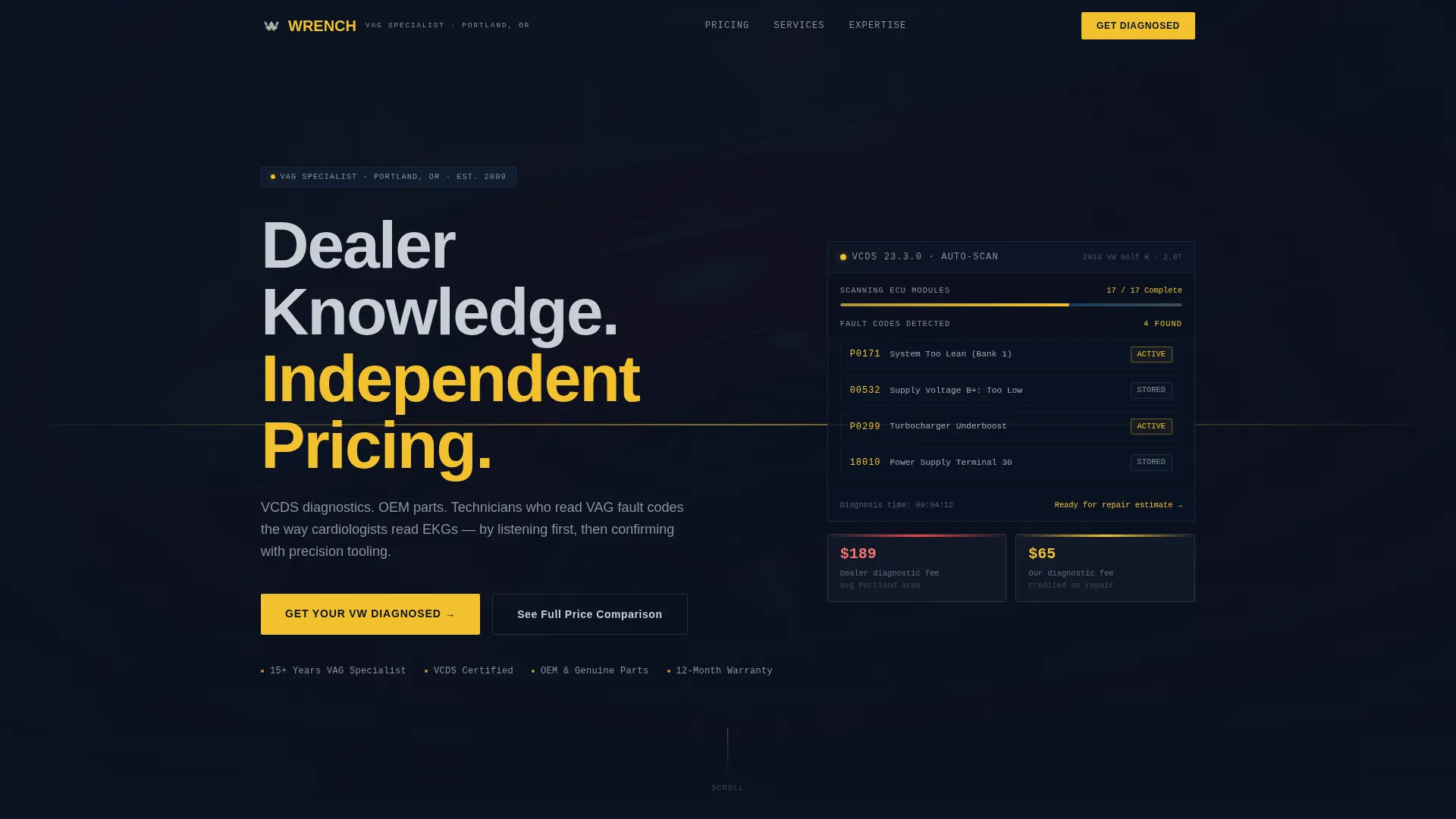
The hero opens with a full-viewport product demo video placeholder. A poster fallback image holds the frame while the video loads. The headline "Dealer Knowledge. Independent Pricing." lands over the footage, and a Wolfsburg yellow call-to-action button sits immediately below it.
Sticky Call-to-Action Bar
A fixed bottom bar follows the visitor through every scroll. It carries the primary call-to-action button and stays visible across the entire page, so the booking prompt is never more than a glance away regardless of how far down the visitor reads.
Side-by-Side Cost Comparison Engine
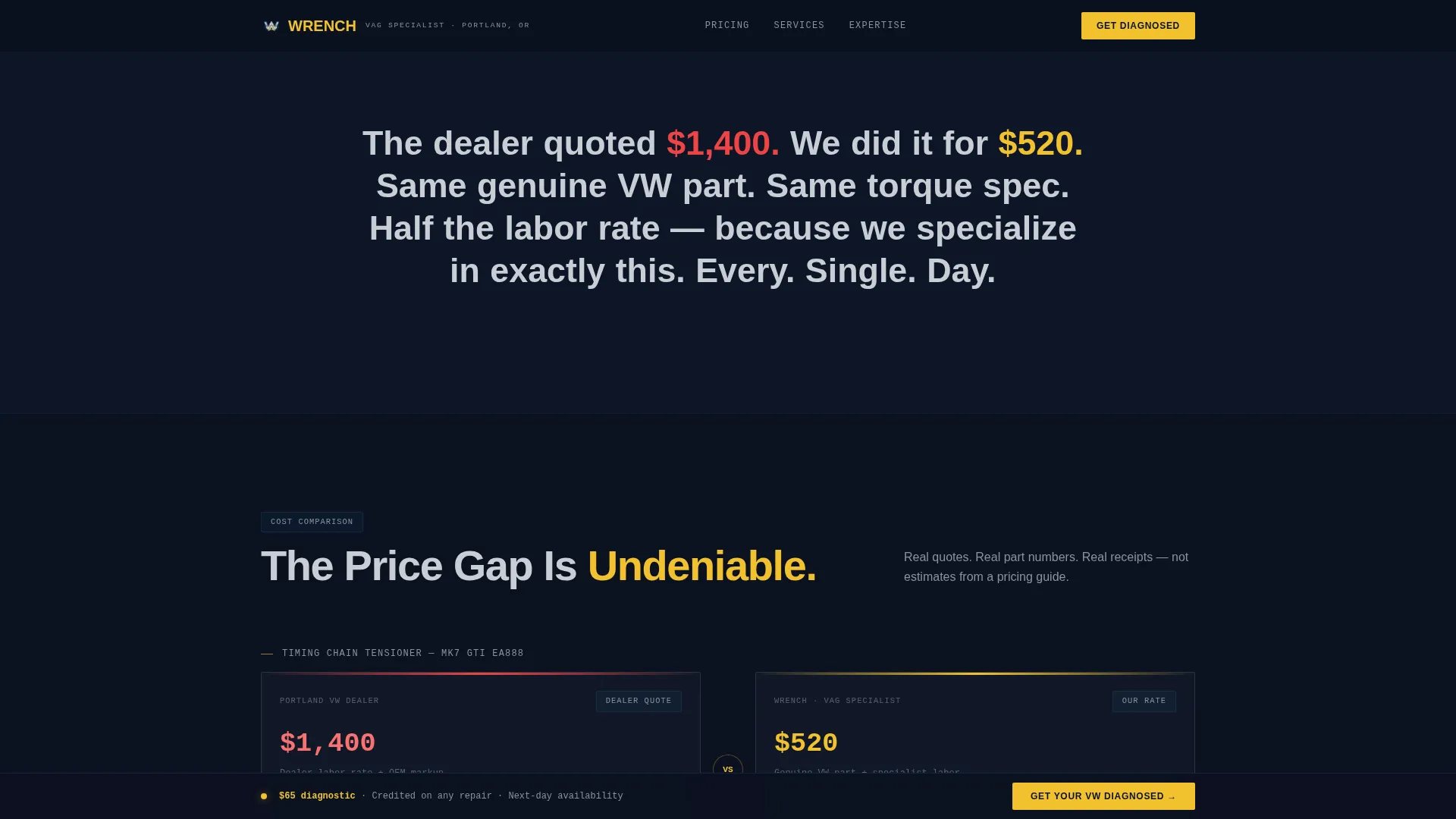
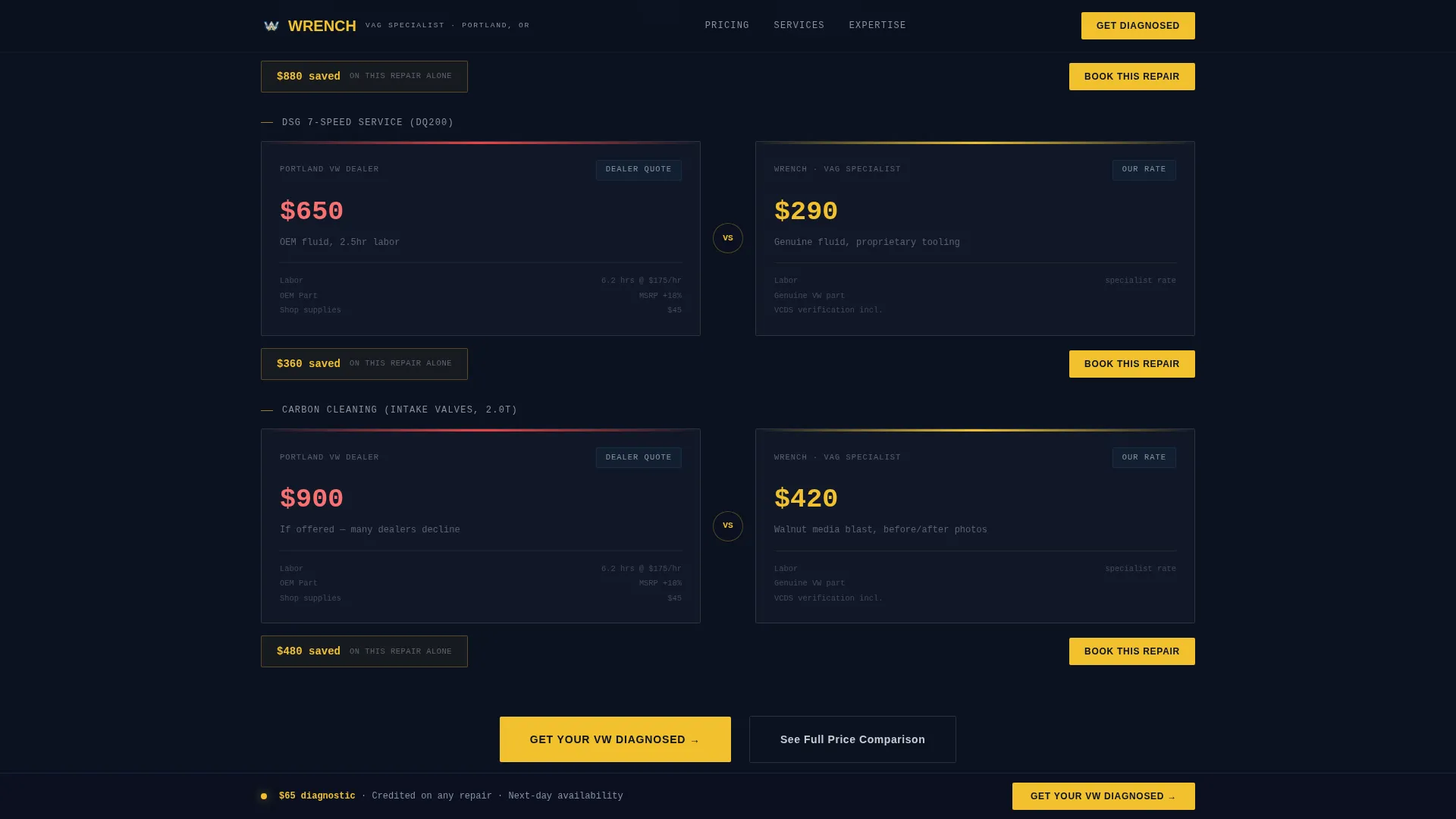
The comparison engine lines up dealer labor rates, diagnostic times, and parts markups against specialist pricing in a visual, receipt-style format. Each row is designed to surface a specific dollar difference, moving the argument from abstract to concrete before the contact form appears.
Six-Service Price Table
A detailed table compares three columns: dealer rate, generalist rate, and this shop's rate across six services. The services covered are oil service, DSG fluid service, carbon cleaning, and timing chain work, plus two additional service rows. The table uses anchor-link navigation so visitors can jump to it directly from early in the page.
Short Diagnostic Contact Form
The contact form asks for three fields only: model year, model name, and a free-text symptom description. It is placed after the price comparison, once the visitor has already processed the cost data, making the ask feel logical rather than premature.
Expertise Proof Section
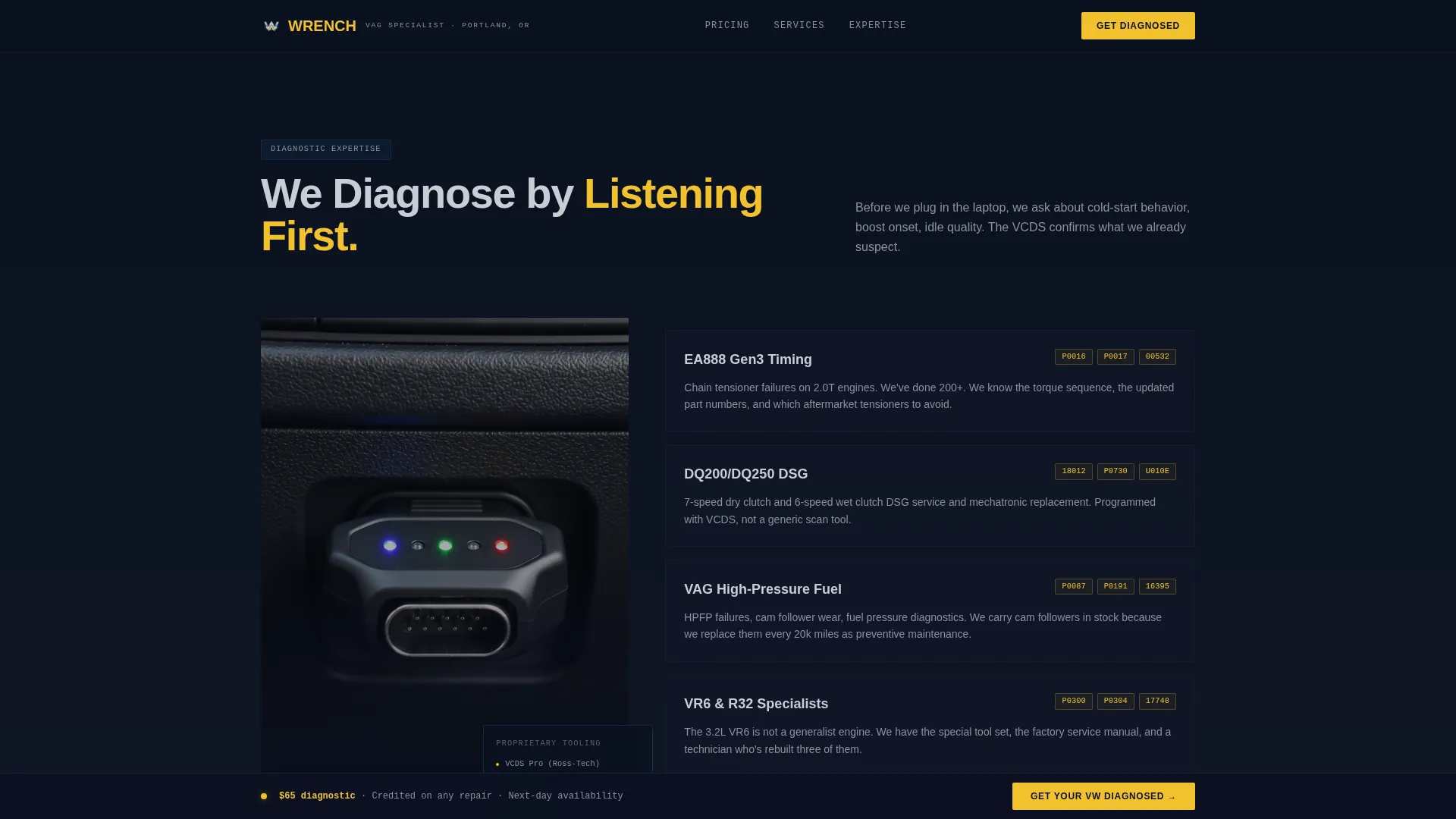
This section displays diagnostic screenshots, fault code callouts, and a specialist tools showcase. It establishes technical credibility without written boasting, letting the data visuals carry the authority signal instead.
Page sections overview
| Section | Purpose |
|---|---|
| Video Hero Block | Establishes specialist identity and surfaces the primary headline and call-to-action |
| Cost Comparison Engine | Side-by-side dealer versus specialist pricing with receipt-style visual proof |
| Expertise Proof | VCDS diagnostic screenshots, fault code fluency, and specialist tooling showcase |
| Service Price Table | Six-service three-column comparison table with anchor-link entry point |
| Diagnostic Contact Form | Short three-field form to capture model, year, and symptom for booking |
| Single-Row Footer | Linear footer with essential links and contact details |
Design & branding system
The visual identity follows a Dark Immersive theme built on a Midnight Blue color system. The palette is drawn from workshop and diagnostic tool aesthetics, dark and data-rich rather than warm or approachable.
- Background in deep workshop black (#0B1120), structural panels in VAG diagnostic blue (#1B3A5C), and text and labels in brushed aluminum (#C8CED6)
- Wolfsburg yellow (#F2C12E) used exclusively for call-to-action buttons, warning indicators, and price callouts
- Typography pairs Manrope for body and interface text with JetBrains Mono for data values, part numbers, fault codes, and pricing figures
Mobile & speed optimization
The template is built desktop-first to match the research behavior of VW enthusiasts, with specific mobile adaptations for the sticky call-to-action bar and comparison table layout.
- The sticky bottom call-to-action bar is optimized for mobile viewports so the booking prompt remains accessible on smaller screens
- The video hero uses a poster image fallback to hold the frame while video content loads, reducing visible delay on slower connections
- Sections are structured for lazy loading so heavier comparison and proof sections do not block the initial hero render
How this template helps you convert
The conversion logic is sequential. Each section earns the next action before asking for it, so the contact form arrives only after the visitor has already built a case in their own head.
- The video hero establishes authority in the first seconds, and the sticky call-to-action bar stays in view from that moment forward so early buyers can act immediately
- The cost comparison engine and six-service price table deliver the core argument visually, making the price gap concrete and specific before a single word of persuasion copy appears
- The short three-field contact form arrives after the comparison data, positioned at the natural moment when a visitor thinks "I am paying too much" and is ready to act
Other information about this template
This template is categorized under Automotive and Transport, specifically within the Volkswagen Services subcategory. It is localized for the United States market with USD pricing format and MM/DD/YYYY date display.
- Animation is set to high intensity: scroll-linked section reveals, number counter animations on pricing figures, and comparison slide-in transitions
- The comparison table includes a toggle interaction so visitors can switch views between the three pricing columns
- Anchor links from early in the page connect directly to the full service price table, allowing the "See Full Price Comparison" secondary path to function without a full scroll
- The footer uses a Pattern 1 Linear Single-Row layout, keeping the bottom of the page clean and focused
Theme
Dark Immersive
Creative direction
Immersive Visual
Color system
Midnight Blue
Style
Hero-Dominant (90/10)
Direction
Comparison/Versus
Page Sections
Immersive Video Hero Block
Sticky Call-to-action Bar
Side-by-side Comparison Engine
Six-service Price Table
Expertise Proof Section
Short Diagnostic Contact Form
Related questions
What kind of business is this template designed for?
Can I update the pricing figures in the comparison table?
Does the template include the video content?
How does the sticky call-to-action bar work?
Is this template suitable for shops that also service other VAG platform vehicles?



