Trusted Handyman | Free Website Template | Rocket
Wrench is a split-screen landing page template built for New York City handyman services. It pairs educational repair content with staggered testimonial cards to earn visitor trust before asking for anything. A free downloadable guide and a floating "Describe Your Problem" tab give visitors two clear next steps, making the page both a resource and a booking tool.
by Rocket studio
Quick summary
Wrench is a single-page template designed for a New York handyman service. It uses a 50/50 split-screen layout, an educational content spine, and a testimonial mosaic to build trust through genuine repair knowledge. The primary call to action offers a free NYC seasonal maintenance guide. A floating side tab handles visitors ready to book right now.
Who this template is for
This template is built for local home repair professionals who want to attract clients through helpfulness rather than hard selling. It fits anyone offering hands-on fix-it services across New York City neighborhoods.
- Solo handymen or small repair crews serving Manhattan, Brooklyn, and Queens
- Local service providers targeting rent-stabilized tenants, co-op boards, and first-time homeowners
- Repair professionals who want a content-led page that doubles as a lead capture tool
What problem this template solves
Many handyman service pages look interchangeable. They list services, drop a phone number, and hope for a call. That approach fails to earn trust from cautious urban renters or property owners who have been burned before.
- Visitors leave without a reason to believe the service is reliable or knowledgeable
- There is no mid-funnel offer for people researching problems but not yet ready to book
- The page does nothing to differentiate the service from dozens of competitors in the same zip code
What you get with this template
You get a fully structured, single-page layout that combines education, social proof, and two conversion paths. Every section is designed to move a skeptical New York apartment dweller closer to trusting the service.
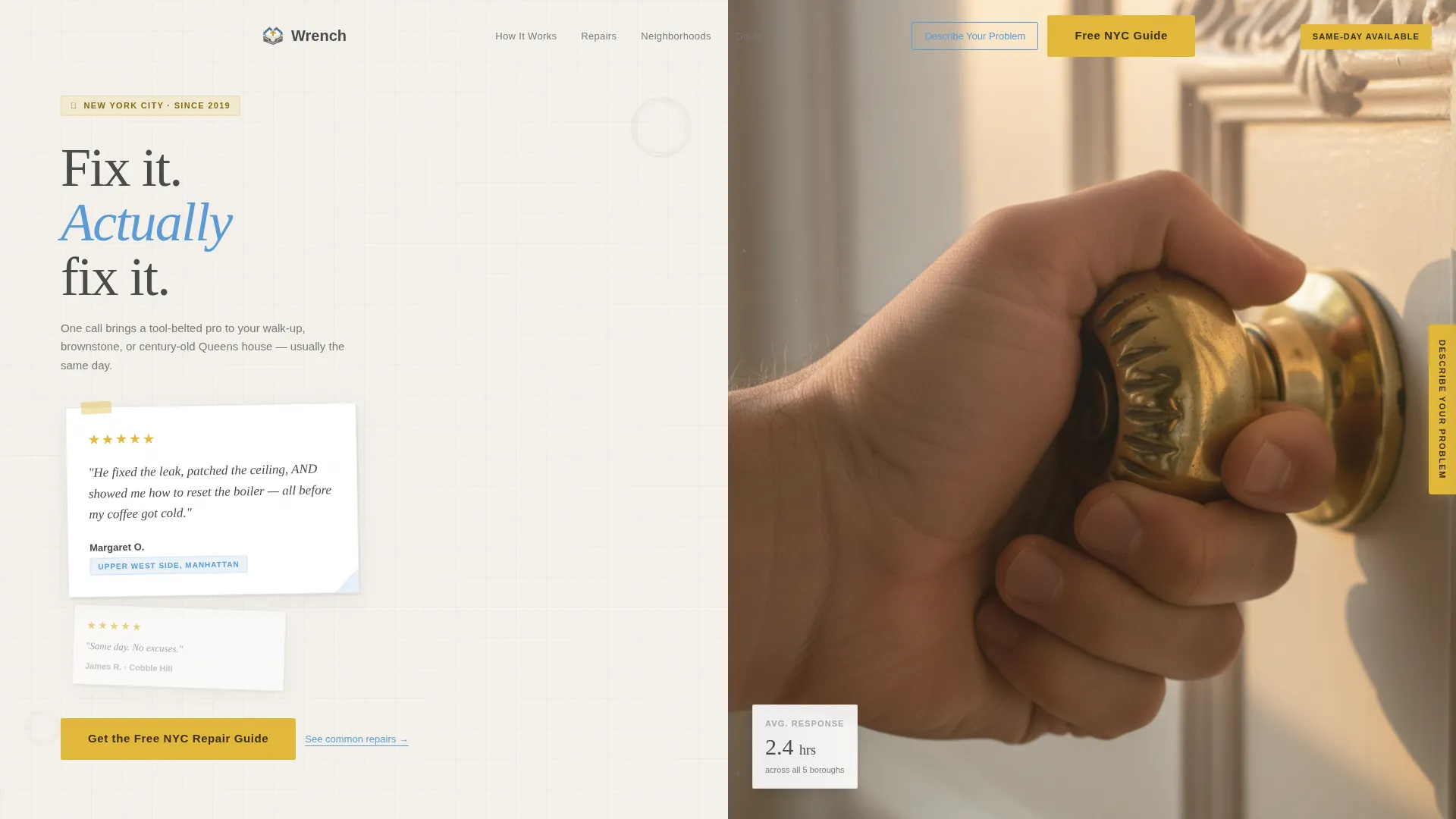
- A 50/50 split-screen header with an oversized testimonial card on the left and an authentic photo panel on the right
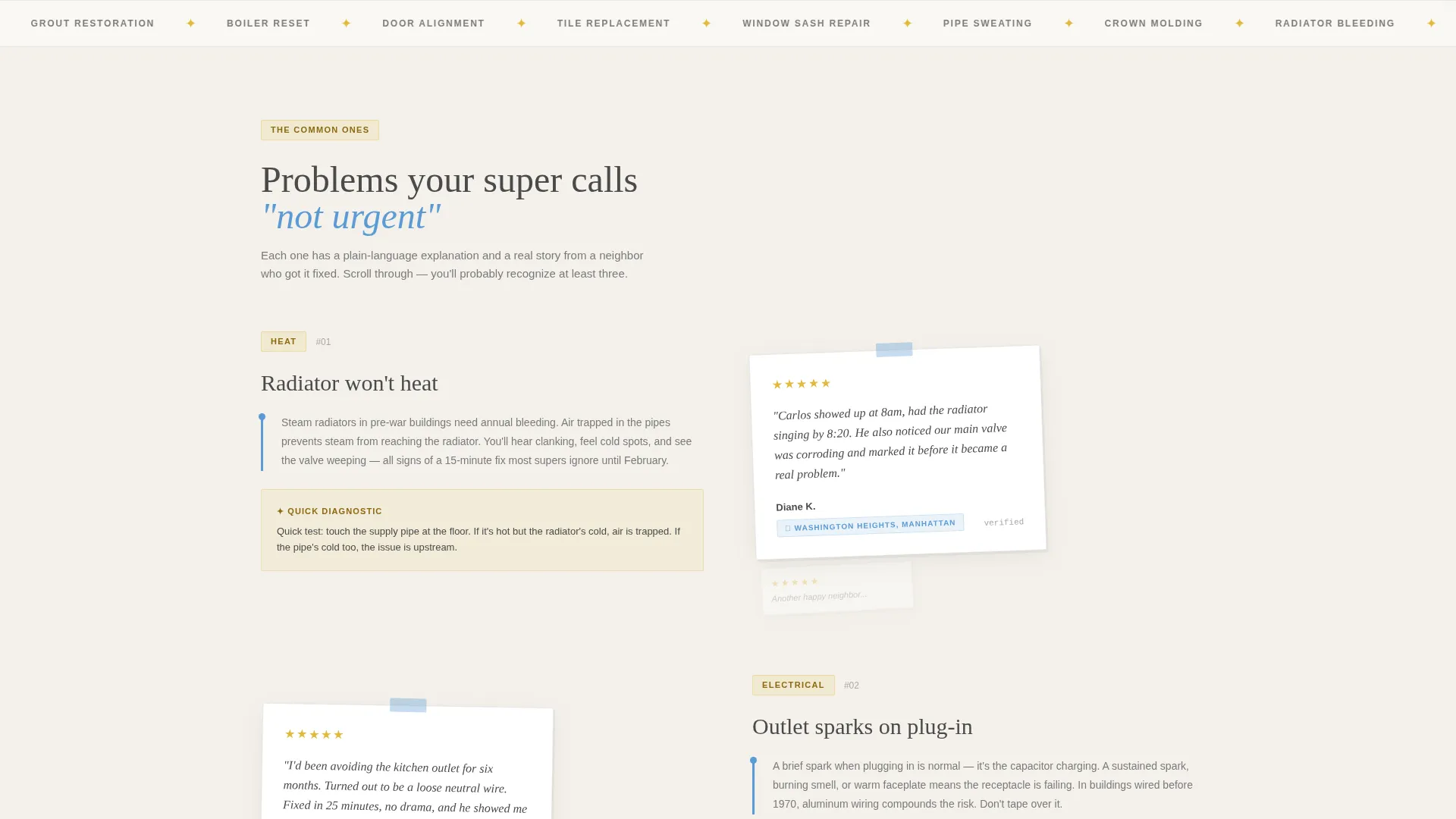
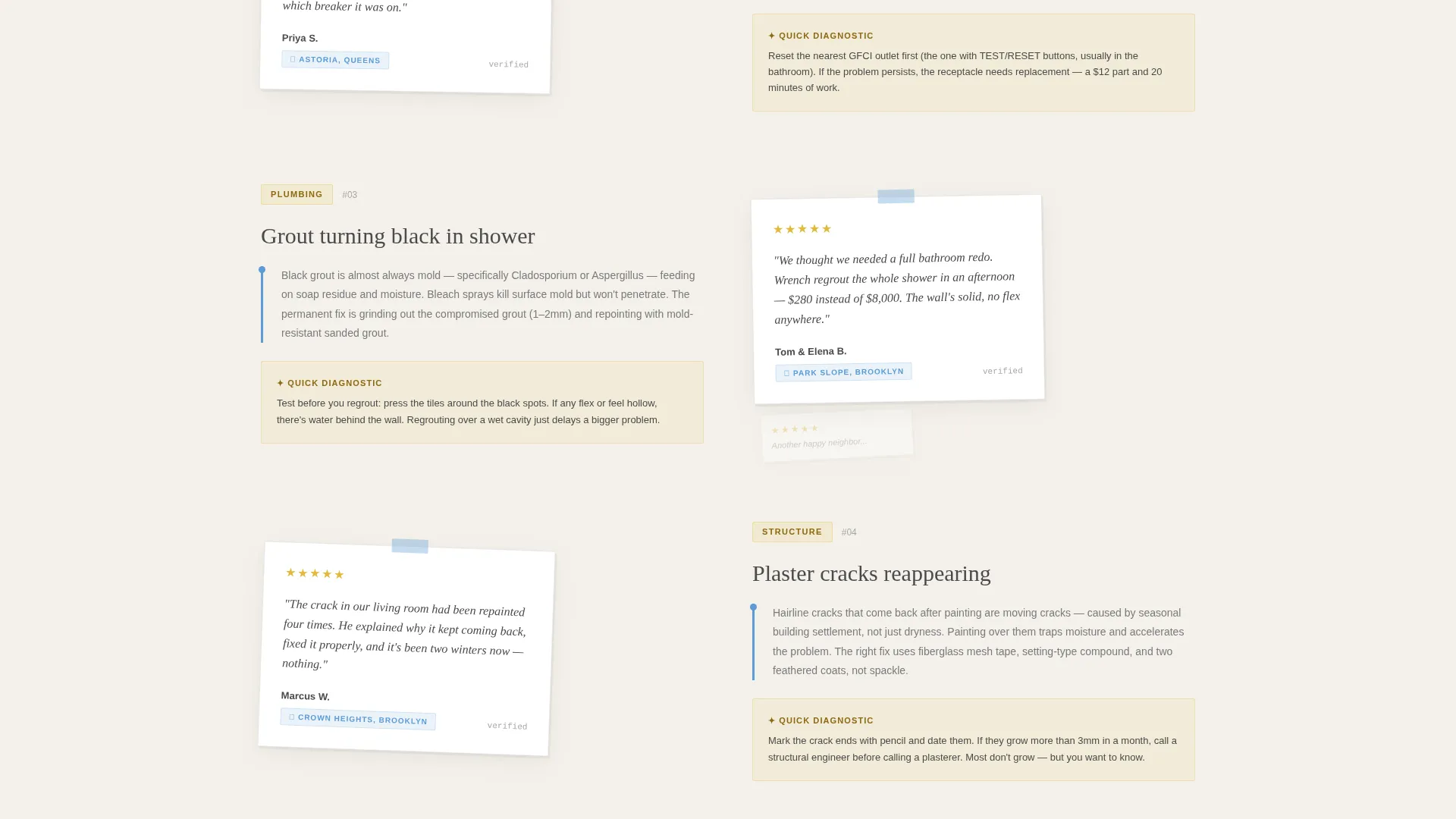
- A scrolling testimonial mosaic that pairs common apartment problems with plain-language explainers and real resident quotes
- Two built-in conversion paths: a mid-page and footer lead capture form for the free repair guide, plus a floating "Describe Your Problem" side tab for immediate booking intent
Feature list
This section covers the key structural and design features built into the Wrench template.
Split-Screen Header Layout
The header divides into two equal panels. The left panel pins an oversized testimonial card slightly off-center, featuring a handwritten-style quote, the resident's name, neighborhood, and a five-star cluster. The right panel holds a warm, tightly cropped lifestyle photo that avoids stock photography sterility.
Educational Testimonial Mosaic
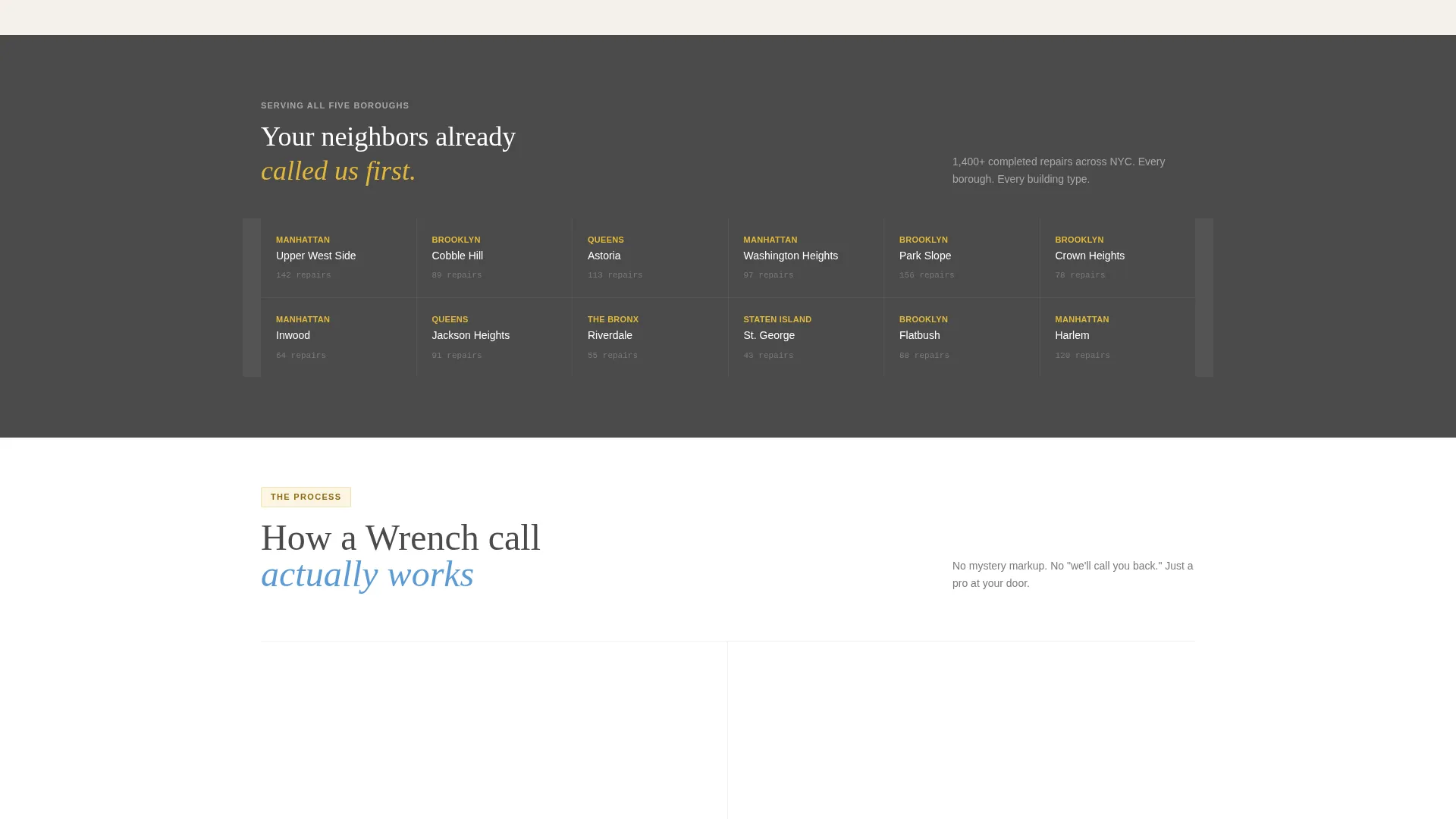
As visitors scroll, each section pairs a common New York apartment problem on the left with a short plain-language explainer. A matching resident testimonial card sits on the right. Cards stagger and overlap slightly, and neighborhood references accumulate to create a sense of trusted local reach.
Dual Conversion Path Design
The template includes two distinct paths for different levels of visitor readiness. A mid-page and footer form captures first name and email in exchange for the free NYC Repair Guide PDF. A floating side tab labeled "Describe Your Problem" opens a short text field and zip code input for visitors ready to book immediately.
Free Repair Guide Lead Capture
The primary call to action, "Get the Free NYC Repair Guide," appears at the page midpoint and again in the footer. It asks only for a first name and email, keeping friction low and positioning the service as genuinely helpful before any sales pressure.
Problem-to-Resolution Content Structure
The page is organized as a content and resource destination. Each scroll section escalates from quick fixes to full-day renovation guidance. This structure pulls visitors deeper into the page while demonstrating the service's breadth and expertise naturally.
Cloud Canvas Color System
The visual identity uses a four-color palette tied to an Educational Guide theme. Each color serves a clear role: backgrounds, typography, structural elements, and interactive callout highlights. The system maintains visual calm even as the testimonial mosaic grows denser toward the page bottom.
Page sections overview
| Section | Purpose |
|---|---|
| Split-Screen Header | Anchors trust with testimonial card and authentic photo |
| Testimonial Mosaic Scroll | Pairs apartment problems with resident resolution stories |
| Problem Explainer Blocks | Teaches plain-language repair context to earn credibility |
| Mid-Page Guide call to action | Captures name and email with the free repair guide offer |
| Floating Problem Tab | Opens quick booking input for high-intent visitors |
| Footer Guide call to action | Repeats the lead capture offer at natural scroll end |
Design & branding system
The template follows an Educational Guide visual theme. The palette is called Cloud Canvas and is built around four purposeful colors that feel like a freshly primed wall in morning window light.
- Soft ceiling white (#F4F1EB) for backgrounds, painter's-tape blue (#5B9BD5) for structural elements, and pencil-lead gray (#4A4A4A) for body text
- Caution-tape gold (#E2B93B) reserved for callouts, interactive highlights, and star clusters to draw the eye without creating visual noise
- The header photo uses warm, high-grain, natural apartment light to reinforce authenticity and avoid the sterility of staged stock imagery
Mobile & speed optimization
The split-screen layout and mosaic scroll are designed with mobile viewing in mind. Staggered cards and two-column panels adapt to narrower viewports without losing the layered visual story.
- The floating "Describe Your Problem" side tab remains accessible on mobile without blocking primary content
- Lead capture forms are kept minimal, asking only for first name and email, which reduces friction on small-screen interactions
How this template helps you convert
The page is built around a give-first philosophy. It earns trust through education before presenting any booking or sign-up ask.
- The testimonial mosaic provides borough-specific social proof that resonates with New York City renters and property owners who relate to the exact problems described
- The free repair guide offer at mid-page and footer creates a low-stakes entry point for visitors still in research mode, capturing leads before they leave
- The floating "Describe Your Problem" tab stays visible throughout the scroll, giving high-intent visitors a direct booking path without interrupting the educational flow for everyone else
Other information about this template
The Wrench template is categorized under Professional Services and New York Local Services. It is specifically designed around the New York appliance repair and home maintenance niche, with copy and layout signals aimed at the five boroughs.
- The template style is Split Screen (50/50) with a Content/Resource landing page direction, meaning the page is built to attract and retain visitors through useful information rather than pure sales copy
- The header concept follows a Half-Page Photo and Text structure, reflecting the intersection match context for this niche
- The downloadable PDF described in the brief is a seasonal maintenance checklist for New York apartments, which serves as the core lead magnet tied to the primary call to action
- This template can support a transparent process creative direction, making it well suited for service providers who want their workflow and expertise visible to prospective clients
Theme
Legal Shield
Creative direction
Transparent Process
Color system
Charcoal & Amber
Style
Split Screen (50/50)
Direction
Content/Resource
Page Sections
Split-screen Header with Testimonial Card
Scrolling Testimonial Mosaic
Dual Conversion Path Layout
Free Repair Guide Lead Capture Form
Problem-to-resolution Content Spine
Cloud Canvas Color System
Related questions
Can I use this template without offering a downloadable guide?
Is the floating Describe Your Problem tab included in the template?
Does this template work for handyman services outside New York City?
How many testimonial cards does the mosaic section support?
What kind of photo works best in the header photo panel?



