Writers & Authors Community Specialist Blog Website Template
Quorum is a warm, editorial-style landing page template built for writers and authors peer advisory communities. It uses a magazine-feature scroll rhythm, real member voices, and a click-through structure to move visitors toward an application. The design balances cream, teal, and amber into a reading-nook aesthetic that feels intimate, credible, and quietly urgent.
by Rocket studio
Quick summary
Quorum is an editorial landing page template for a private peer advisory circle for writers. It pairs a full-bleed team photo header with a magazine-style scroll of member stories, structural explainers, and amber call-to-action buttons. The page earns every click through real voices and breathing room, not hard sells.
Who this template is for
This template is built for writers and authors who run, launch, or want to grow a peer advisory community. It suits organizers who value warmth, credibility, and quiet urgency over aggressive marketing tactics.
- Mid-career novelists, debut authors, and freelance writers launching a private circle
- Community founders in the writers and authors peer advisory space who need a membership or application landing page
- Creators who want an editorial, magazine-quality page without building one from scratch
What problem this template solves
Writing communities often struggle to communicate emotional value online. A plain sign-up form cannot convey the feeling of belonging. This template solves that gap by letting member voices carry the weight of persuasion.
- Visitors cannot picture the room until they read someone else's story; this template builds that picture section by section
- Generic community pages blur together; the editorial rhythm here makes Quorum feel specific, intentional, and worth applying to
- Founders without design teams need a polished, press-quality page that still converts; this template delivers that without custom development
What you get with this template
You get a fully structured, single-page editorial layout that guides a visitor from curiosity to application click. Every section is purposeful and sequenced to build trust before asking for action.
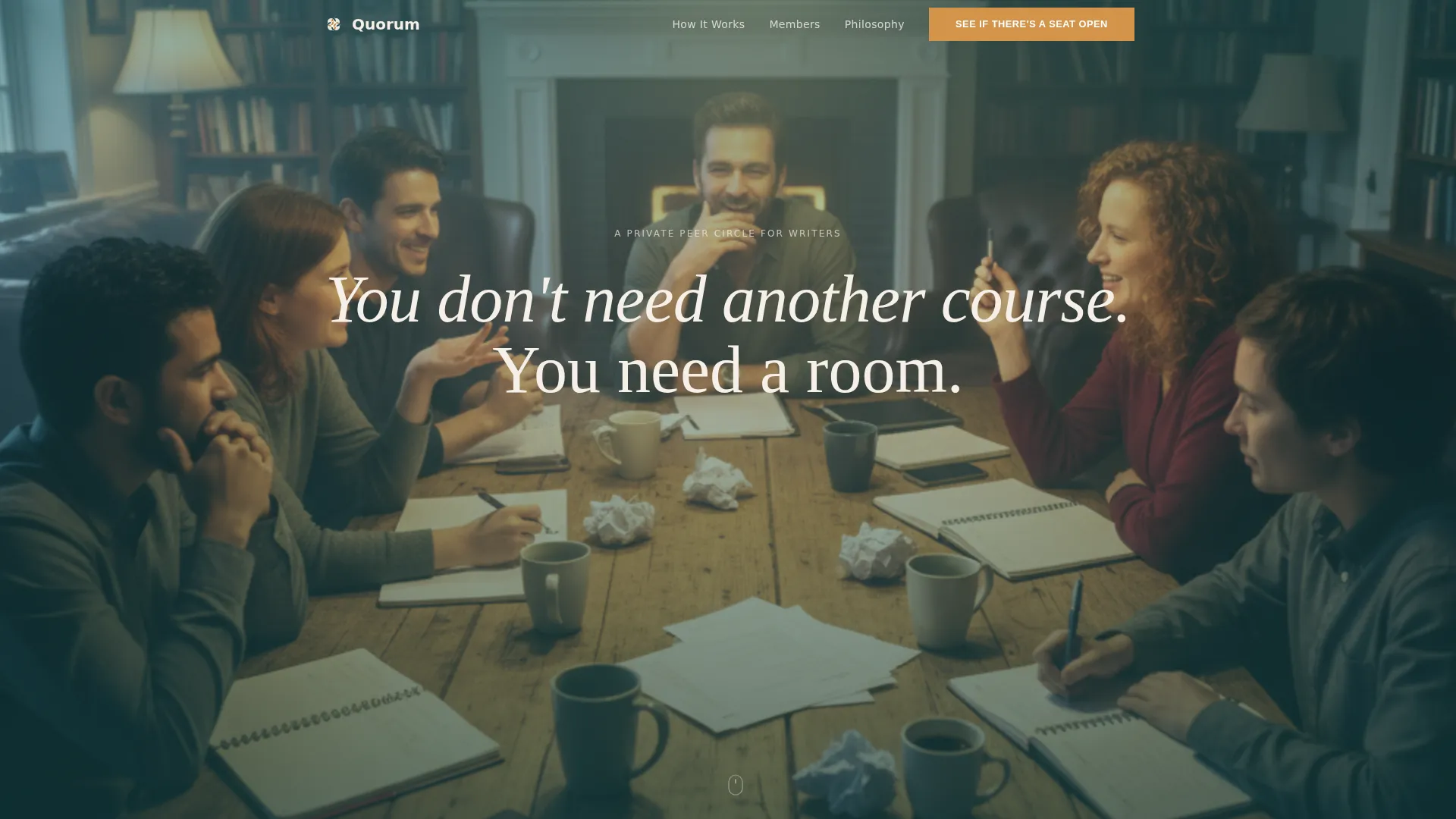
- A full-bleed hero section with a team photo layout, a cream serif headline overlay, and a primary amber call-to-action button
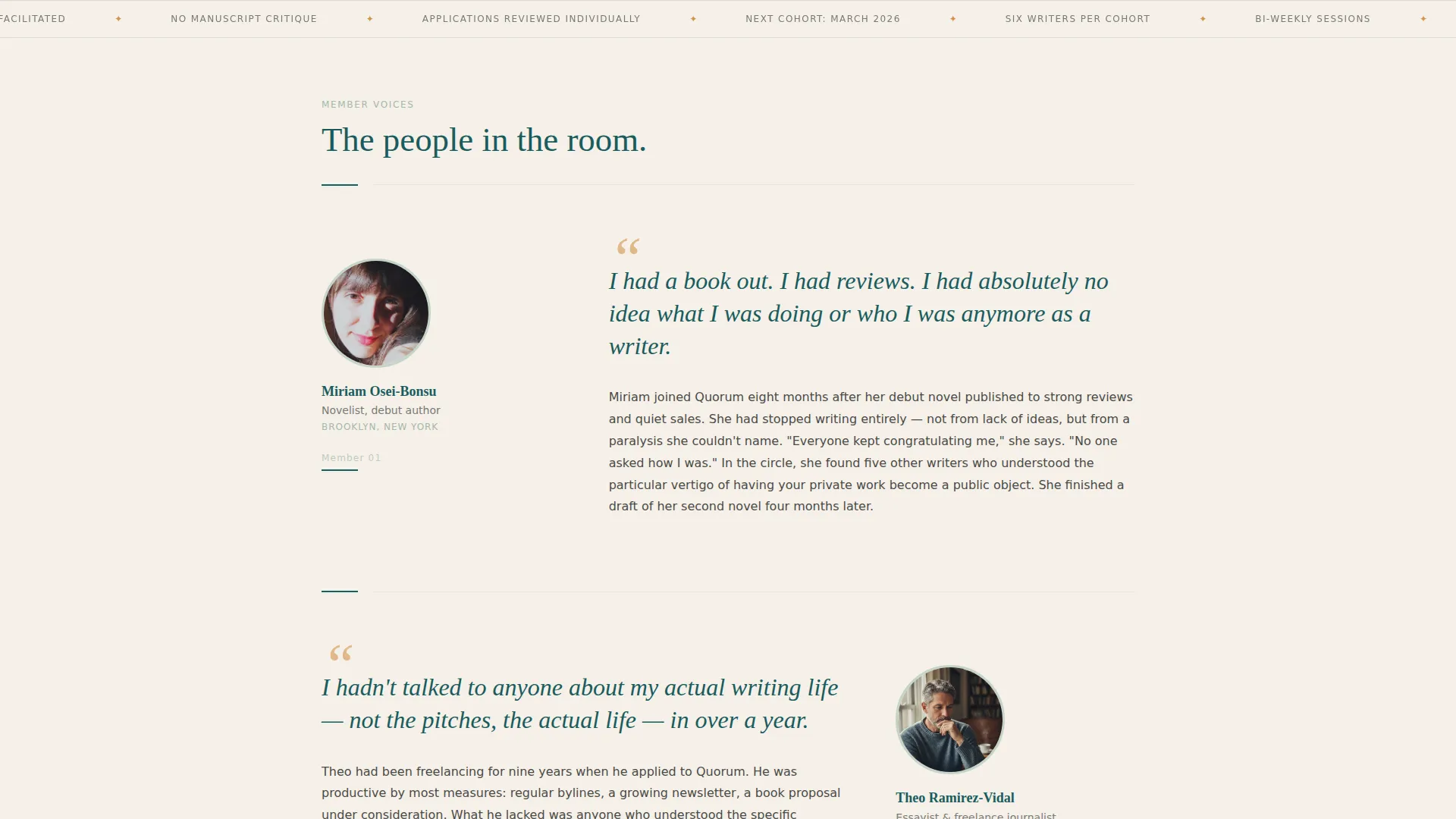
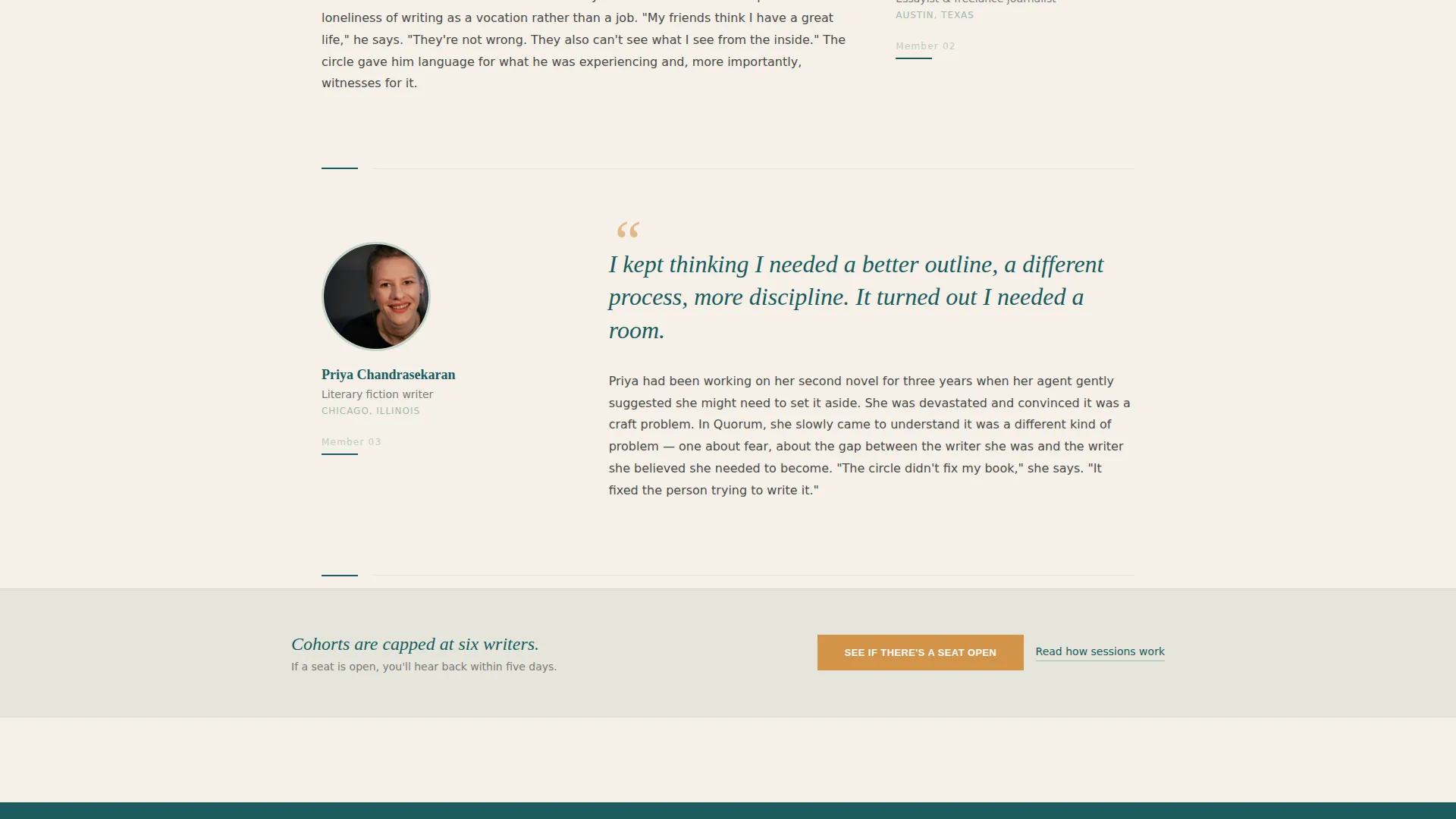
- Six member profile blocks in a pull-quote, portrait, and story rhythm, with call-to-action repeats after every third profile
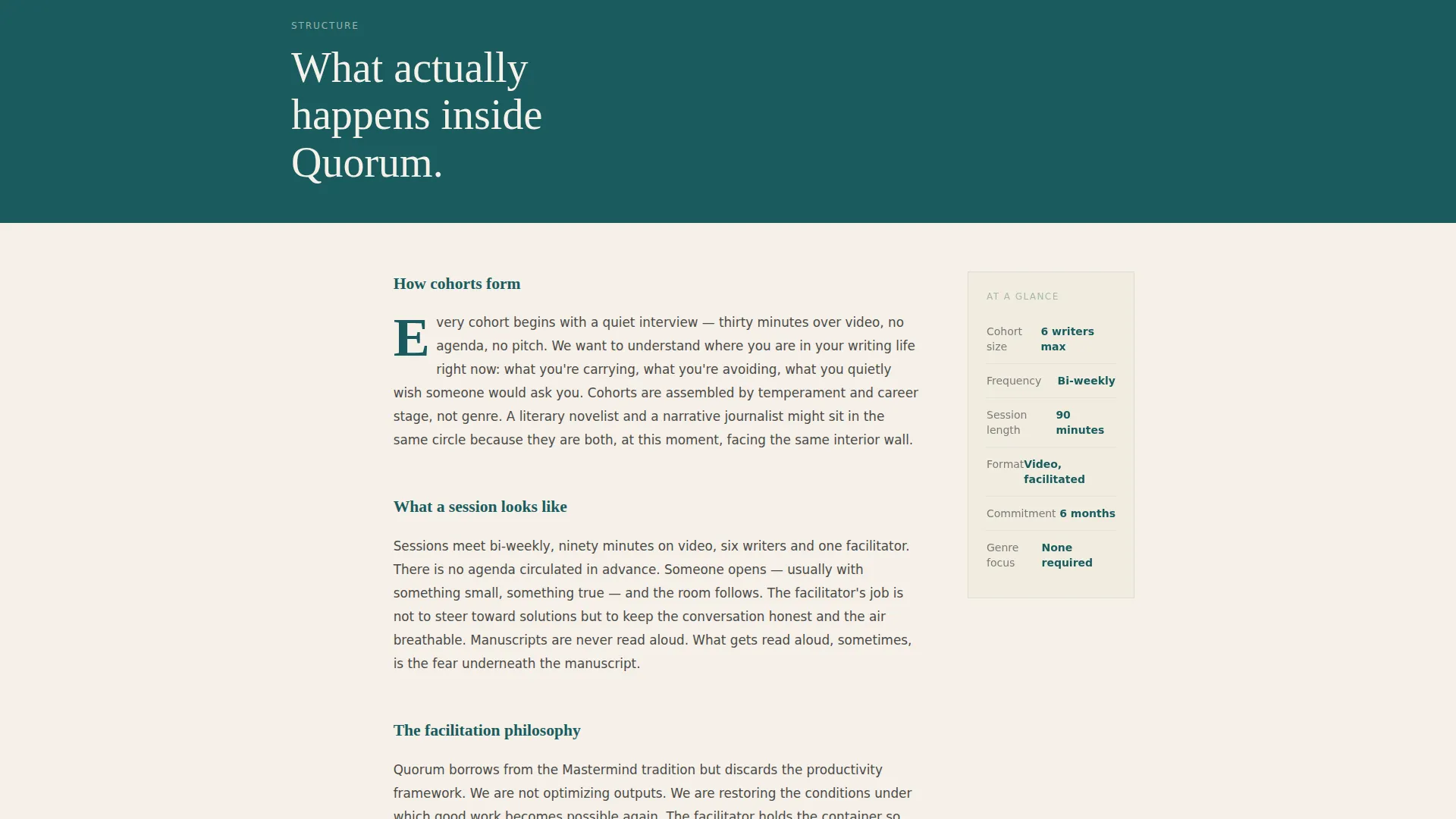
- Editorial interstitial sections explaining cohort structure, session format, and facilitation philosophy, typeset with drop caps and generous margins
Feature list
This template comes with a focused set of built-in design and layout capabilities drawn directly from the Quorum brief.
Full-Bleed Hero with Headline Overlay
The hero section stretches edge to edge with a team photo as the background. A cream serif headline sits over the image, and the primary call-to-action button appears directly beneath it in warm amber.
Magazine-Style Member Profile Rhythm
Each member section follows a consistent three-part structure: a large italic pull-quote, a small portrait, and a short story paragraph. The pattern repeats six times with breathing room between each profile, creating a scroll experience that reads like a feature article.
Editorial Interstitial Sections
Between member profiles, dedicated sections explain how cohorts form, what a session looks like, and the facilitation philosophy. These sections use drop cap typography and generous margins to match longform journalism conventions.
Scroll-Triggered Reveal Animations
The template includes medium-intensity scroll animations: text mask reveals, parallax effects on the hero, and staggered entry for member cards. These animations support the editorial reading pace without distracting from the content.
Amber Click-Through Call-to-Action System
The primary call-to-action button, labeled "See If There's a Seat Open," appears first under the hero and repeats after every third member story. A secondary text link, "Read how sessions work," anchors mid-page for visitors who want structure before emotion.
Arc Browser Split Footer
The footer uses a split layout with the Quorum logo and tagline on the left and navigation links on the right. This pattern keeps the bottom of the page clean and organized without visual clutter.
Page sections overview
| Section | Purpose |
|---|---|
| Hero Photo Header | Introduce the community with warmth and the primary call to action |
| Member Profiles Block | Build trust through three member pull-quote and story sequences |
| How Sessions Work | Explain cohort structure and session format in editorial style |
| Member Profiles Continued | Continue the profile rhythm with three more member stories |
| The Philosophy | Detail facilitation approach and cohort formation principles |
| Split Footer | Close the page with logo, tagline, and navigation links |
Design & branding system
The visual identity follows a Healing Space theme built on the Teal Catalyst color system. Every color choice reinforces the feeling of a warm, quiet room where serious creative work is welcomed.
- Deep reading-nook teal (#1A5C5E) anchors headlines and section dividers; soft linen cream (#F5F0E8) dominates backgrounds; muted sage (#A3B9A8) provides mid-tone texture; warm amber (#D4944B) appears only on buttons and pull-quote accents
- Typography pairs Fraunces serif display for headlines and pull-quotes with DM Sans for body text, giving the page a polished editorial quality
- The overall aesthetic mirrors the endpapers of a well-loved hardcover: calming enough to lower a visitor's guard, rich enough to signal that the work inside is serious
Mobile & speed optimization
The template is designed desktop-first to honor the editorial reading experience, and it scales responsively to smaller screens without losing its magazine feel.
- Scroll-triggered animations use lightweight implementations to keep the interactive layer from slowing the reading experience
- Server Components handle static content sections, keeping the JavaScript footprint minimal across the page
- The responsive layout adapts the full-bleed hero, member card grid, and interstitial typography naturally across screen widths
How this template helps you convert
Every design and copy decision in this template points toward one outcome: the visitor clicks through to the application page. The page builds quiet urgency rather than pressure.
- The hero places the primary call-to-action button immediately after the headline, giving ready visitors a clear path forward without scrolling
- The member profile rhythm repeats the amber call-to-action button after every third story, catching visitors at the moment a particular voice resonates with them
- The secondary text link mid-page meets analytical visitors where they are, offering a structural path for people who need to understand the format before they feel ready to apply
Other information about this template
This template was designed specifically for the writers and authors peer advisory board niche within the broader Community and Nonprofit category. It is a click-through landing page, meaning it carries no embedded application form. The conversion goal is a single button click to an external or linked application page.
- The page is localized in English and carries no pricing information, making it adaptable for communities at any membership fee structure
- The Community Gallery creative direction means the page is built around real social proof: portrait photos, pull-quotes, and specific personal transformation stories drive persuasion
- The template style is Editorial and Magazine, which means it performs best when populated with genuine member voices and high-quality candid photography rather than stock images or generic testimonials
Theme
Healing Space
Creative direction
Community Gallery
Color system
Teal Catalyst
Style
Editorial/Magazine
Direction
Click-Through
Page Sections
Full-bleed Hero with Headline Overlay
Magazine-style Member Profile Rhythm
Editorial Interstitial Sections
Scroll-triggered Reveal Animations
Amber Click-through Call-to-action System
Arc Browser Split Footer
Related questions
Does this template include an application form?
How many member profiles does this template support?
What typography does this template use?
Can this template work for a creative community outside of writing?
Is the page desktop-only?



