
In this Guide: Learn how Rocket Connectors let you build apps on top of the tools you already trust — Notion, Airtable, Linear, Mailchimp, Mixpanel, Cal.com, Calendly, Stripe, and 20+ more — all flowing directly into code generation, not bolted on after.
25+ Connectors Flowing INTO Generation. Not After. During.
What Actually Happens After Code Generation?
Scenario: Using a Standard Vibe Coding Tool
"The app looks right. The layout is clean. Everything seems in place. Then you check the code... and discover none of it is actually connected to your real-world services."
The Frustration Loop
- Add Stripe: search documentation, install SDK, handle API keys, try to match Stripe UI to your stack.
- Repeat for Mailchimp email capture.
- Repeat for Mixpanel analytics.
- Repeat for Cal.com scheduling.
- Repeat for Notion workspace sync.
- Repeat for every other tool your business actually runs on.
Result:
After just a few integrations, all time saved on code generation gets lost to manual wiring and setup.
The "Generate First, Integrate Later" Problem
- Most vibe coding tools keep "generation" and "integration" as separate steps.
- The generated app has no awareness of your real tech stack — Stripe, Mixpanel, Mailchimp, Notion, Cal.com, Airtable — until long after initial code is built.
The Hidden Costs
| Component | How It Looks | Why It Fails |
|---|---|---|
| Pricing card | Static layout | Misses Stripe price objects, proration logic |
| Signup form | Generic state handler | Lacks Supabase session/auth handling |
| Analytics snippet | <script> placeholder | Doesn't follow Mixpanel event taxonomy |
| Email capture form | Basic onSubmit handler | Not integrated with Mailchimp lists/fields/opt-in |
| Booking widget | Placeholder calendar | No connection to Cal.com or Calendly availability |
| Content section | Hardcoded text | Not synced with Strapi or Directus CMS |
Integration Gap: The code you get is not just incomplete — it can actively work against your integration needs.
Rocket Connectors: Your Stack, Your Data, Your Workflow
The Idea Behind Connectors
"The best products aren't built in isolation. They're built on workflows that already work."
- 25+ connectors plug your existing tools directly into Rocket's generation pipeline.
- Authenticate once — every build after that already knows your stack.
- Your stack. Your data. Your workflow — now with Rocket at the center of it all.
Supported Connectors
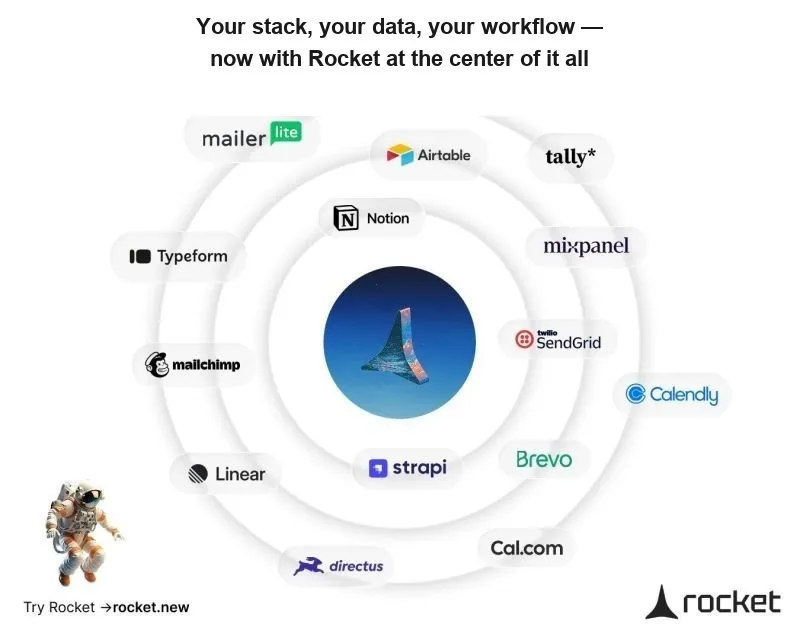
How Connectors Flow Into Generation
1. Connectors — The Tools Your Business Runs On
This is the largest layer and the one that matters most to your product.
- Notion, Airtable, Linear, Mixpanel, Mailchimp, Brevo, SendGrid, Typeform, Cal.com, Calendly, Strapi, Directus, PayPal, Google Analytics, OpenAI, Anthropic, Gemini.
- Rocket generates components using real workspace data: fields, events, schemas, availability, and content.
What this means in practice:
- When Rocket builds a landing page, the Mailchimp form is already wired — correct fields, list targeting, double opt-in handling.
- When it builds an internal dashboard, Mixpanel events are already instrumented — correct event names, properties, user identification.
- When it builds a booking page, Cal.com availability is already connected — correct calendar, time slots, booking confirmation flow.
- When it builds a content-driven site, Strapi or Directus content is already synced — correct content types, fields, relationships.
2. Services Routed Through Supabase
- Stripe (Payments)
- Twilio (SMS)
- Resend (Transactional Emails)
How it works:
- These services route through Supabase's server-side layer via Edge Functions and DB triggers.
- Authentication context and database state stay consistent.
- Row Level Security (RLS) is always enforced.
What this means in practice:
- When Rocket builds a payment flow, Stripe's checkout runs through Supabase Edge Functions. Subscription state writes directly to the database with correct RLS.
- When it sends an OTP or transactional email, Twilio and Resend fire from Supabase's server-side layer — already wired to user context.
3. Supabase as Core Infrastructure
Supabase handles the foundational concerns:
- Authentication
- Database storage
- Realtime subscriptions
Every generated Rocket app leverages your actual Supabase project and config for core functions. This is the infrastructure layer that the connectors and routed services build on top of.
Key Architectural Principles
1. Platform-Level Authentication (Not in Code)
- Credentials are centrally managed on the Rocket platform.
- Generated code references a secure, managed interface.
- Works seamlessly across development, staging, and production environments — no code changes required.
Most builders hard-code API keys or secrets, creating maintenance issues and security holes. Rocket avoids this completely.
2. Connectors-First, Not Infrastructure-First
- Connectors (Notion, Mailchimp, Mixpanel, Cal.com, Strapi, etc.) are the tools your product actually depends on. They come first in the architecture.
- Some services (Stripe, Twilio, Resend) route through Supabase for server-side logic and security.
- Supabase provides the foundational layer underneath.
Dependency Layer Overview:
| Connectors | Services via Supabase | Supabase Infrastructure |
|---|---|---|
| Notion, Mailchimp, Mixpanel, Cal.com, Strapi, etc. | Stripe, Twilio, Resend | Auth / Database / Realtime |
| Authenticate, fully decoupled | Require Supabase for logic & security | Foundation for all layers |
3. Integration Maintenance at Generation
- API and SDK versions are updated centrally on Rocket's platform.
- Generated apps always reference the latest interfaces.
- When services change (Stripe updates their API, Mailchimp changes their list structure, Cal.com updates their booking flow), only the integration layer is updated. Your app code remains stable.
Generation-Time vs Post-Build Integration: Practical Differences
| Integration Type | Rocket Layer | Post-Build Integration | Generation-Time Integration |
|---|---|---|---|
| Workspace (Notion, Linear) | Connector | Manual API setup, field mapping | Workspace data mapped at generation |
| Marketing (Mailchimp, Brevo) | Connector | Redo forms for each list/field | List/field connections already present |
| Analytics (Mixpanel, GA) | Connector | Hand-write event tracking per component | Events mapped in generated code |
| Scheduling (Cal.com, Calendly) | Connector | Manual calendar widget embed, no data flow | Availability and booking flow wired |
| CMS (Strapi, Directus) | Connector | Manual content API setup, field mapping | Content types and fields synced |
| Forms (Typeform) | Connector | Embed iframe or manual API integration | Form data flows into app components |
| AI Services (OpenAI, etc.) | Connector | Configure each prompt/model manually | Integrated to the right APIs |
| Payment (Stripe, PayPal) | Via Supabase | Wire checkout, subscription manually | Full stack is production-ready |
| SMS (Twilio) | Via Supabase | Manual flow configuration | Fully set up via platform |
| Email (Resend) | Via Supabase | Manual templates and triggers | Secure, RLS-compliant emails |
| Auth (Supabase) | Infrastructure | Manual session rewrite, RLS setup | Auth flow correct out-of-the-box |
| Database (Supabase) | Infrastructure | Replace mock data, remap relationships | Relationships correctly mapped |
| Realtime (Supabase) | Infrastructure | Set up websockets, channels | Subscriptions already present |
Bottom line: Generation-time integration fundamentally changes how your application is structured — so the code you receive is actually ready for use in production, right away.
How Rocket's Approach Has Evolved
Early Phase:
- Every integration was unique: custom error handling, codegen, and auth.
- Each update required manual rewiring.
Turning Point:
"Treating Stripe as 'just a connector' did not match real-world usage. Webhook management, secure checkout, and subscription logic all demanded a robust server foundation. Supabase delivered that. Meanwhile, tools like Notion, Mailchimp, and Cal.com needed direct workspace-level access — no server layer required."
Current Model:
- Connectors like Notion, Mailchimp, Mixpanel, Cal.com, Strapi, and others authenticate.
- Services that need server-side logic (Stripe, Twilio, Resend) route through Supabase.
- Supabase provides the core infrastructure underneath.
- The Rocket generation engine outputs code tailored to how each connector actually works.
End-to-End Example: SaaS App with Stripe + Notion + Mixpanel + Cal.com
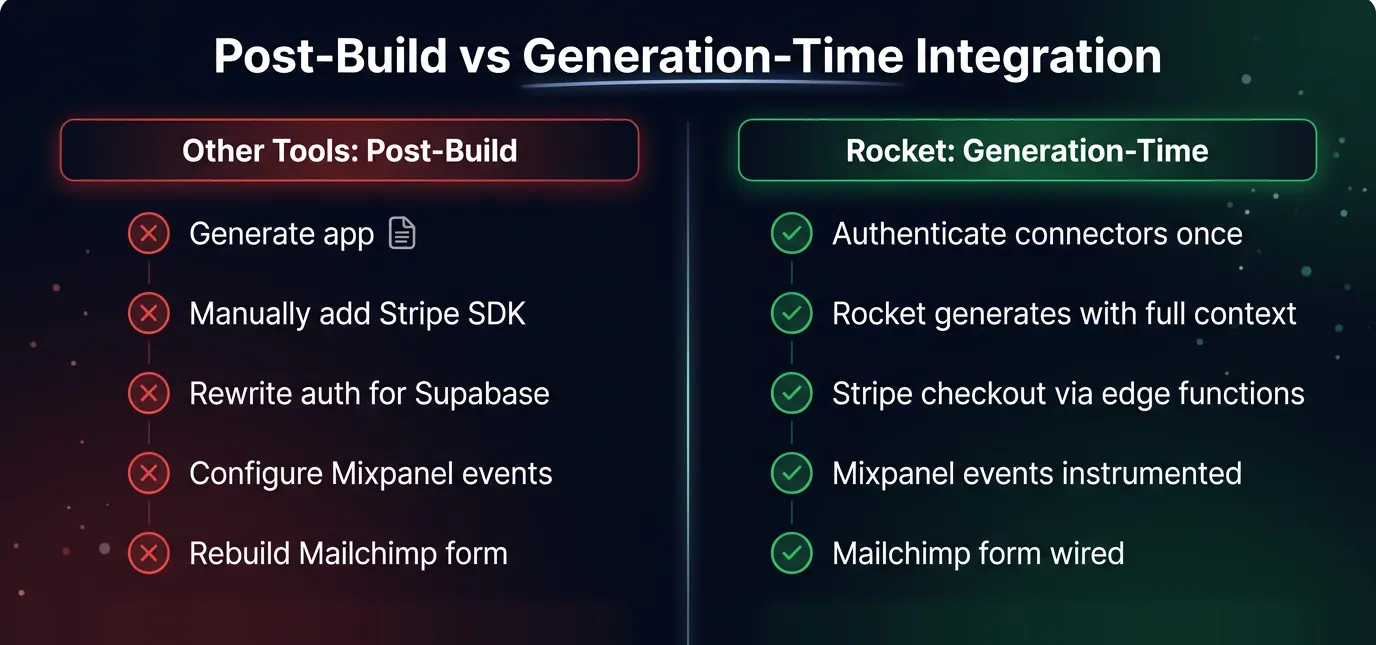
Comparison: Post-build integration means hours of manual wiring. Generation-time integration means production-ready output from the first preview.
Step-by-Step Walkthrough
-
Integration Context Resolution
- Parse workspace credentials and configuration:
- Notion: workspace structure, databases, field types
- Mixpanel: event definitions, user properties
- Cal.com: calendar availability, booking types
- Stripe: plans, checkout flow (via Supabase)
- Supabase: schemas, RLS, authentication setup
- Parse workspace credentials and configuration:
-
Component Structuring
- Internal wiki pulls real Notion database content.
- Analytics dashboard reflects Mixpanel event taxonomy.
- Booking page shows Cal.com availability with correct time slots.
- Revenue section pulls real Stripe subscription data.
-
Auth and Data Logic
- All auth gates/queries match your actual Supabase security.
- Subscription rules and permissions are present in the generated code.
- Notion content respects workspace permissions.
-
Ready-to-Use Output
- No "connect your service" step after generation.
- All connectors are live in your first preview.
Why Does This Matter for Product Development?
- Eliminate post-build work: No time spent fixing the integration gap.
- Structurally correct code: Solutions are designed for your real stack and workflows.
- Reduced abandonment: Developers iterate more when the hardest part is already handled.
- Your tools, already connected: Notion, Mailchimp, Mixpanel, Cal.com, Stripe, and 20+ more — all flowing into generation from the start.
"The real integration gap — the hours lost connecting generated code to your stack — is the main reason developers drop generated projects. Rocket Connectors close that gap."
Key Takeaways
- Rocket Connectors let you build on top of the tools you already trust — Notion, Airtable, Linear, Mailchimp, Mixpanel, Cal.com, Calendly, Strapi, Directus, and 15+ more.
- Authenticate once. Every build after that already knows your stack.
- Connectors flow directly into code generation — not bolted on after. The generated code is structured around how your tools actually work.
- Services that need server-side logic (Stripe, Twilio, Resend) route through Supabase for security and consistency.
- Supabase provides core infrastructure (auth, database, realtime) underneath everything.
- Centralized maintenance ensures connectors stay updated when upstream APIs change — your app code remains stable.
- Generation-time integration means you get production-ready, fully connected output from the first build.
Table of contents
- -What Actually Happens After Code Generation?
- -Scenario: Using a Standard Vibe Coding Tool
- -The Frustration Loop
- -The "Generate First, Integrate Later" Problem
- -The Hidden Costs
- -Rocket Connectors: Your Stack, Your Data, Your Workflow
- -The Idea Behind Connectors
- -Supported Connectors
- -How Connectors Flow Into Generation
- -1. Connectors — The Tools Your Business Runs On
- -2. Services Routed Through Supabase
- -3. Supabase as Core Infrastructure
- -Key Architectural Principles
- -1. Platform-Level Authentication (Not in Code)
- -2. Connectors-First, Not Infrastructure-First
- -3. Integration Maintenance at Generation
- -Generation-Time vs Post-Build Integration: Practical Differences
- -How Rocket's Approach Has Evolved
- -End-to-End Example: SaaS App with Stripe + Notion + Mixpanel + Cal.com
- -Why Does This Matter for Product Development?
- -Key Takeaways