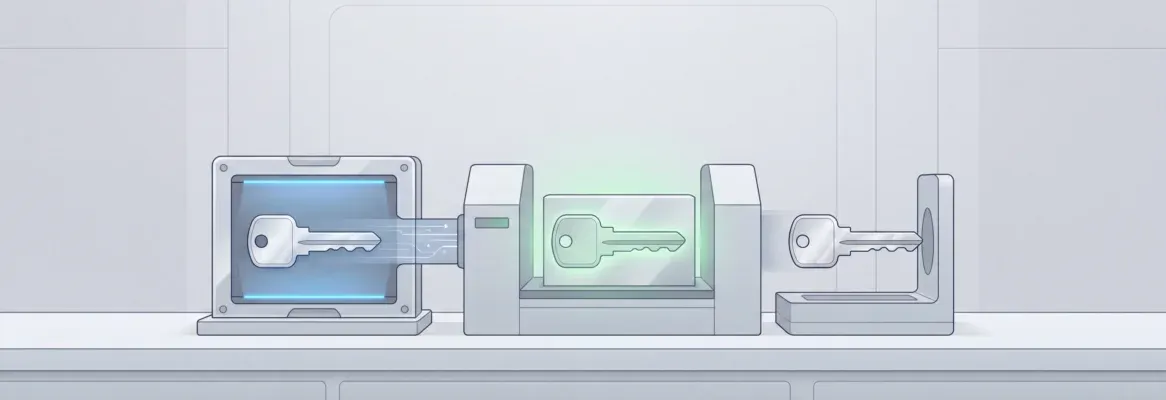
App cloner development lets Android developers duplicate any app into an independent, sandboxed instance, complete with its own login, data, and storage, without touching the original.
How do people manage multiple app accounts on one device?
In leading mobile markets, users spend over 4 hours per day using apps on Android phones, according to Statista data covering 2019 to 2023. That kind of daily engagement is exactly why app cloning has moved from a niche workaround to a mainstream need.
This blog covers how an app cloner works, how to build one securely, what legal lines to respect, and how to ship companion tools around it fast.
What is an App Cloner and How Does It Work?
An app cloner duplicates an Android app on a single device. Each clone runs independently with its own login, data, and sandboxed storage, completely separate from the original.
Think of it as creating a twin app that behaves identically but remembers different things. A standard Android app allows only one account at a time. A cloned version opens a second, isolated session right alongside it.
The Technical Mechanism Behind App Cloning
At its core, cloning rewrites an app's package identity. Android's package manager treats each unique package name as a separate application. That rule is the exact mechanism that enables cloning.
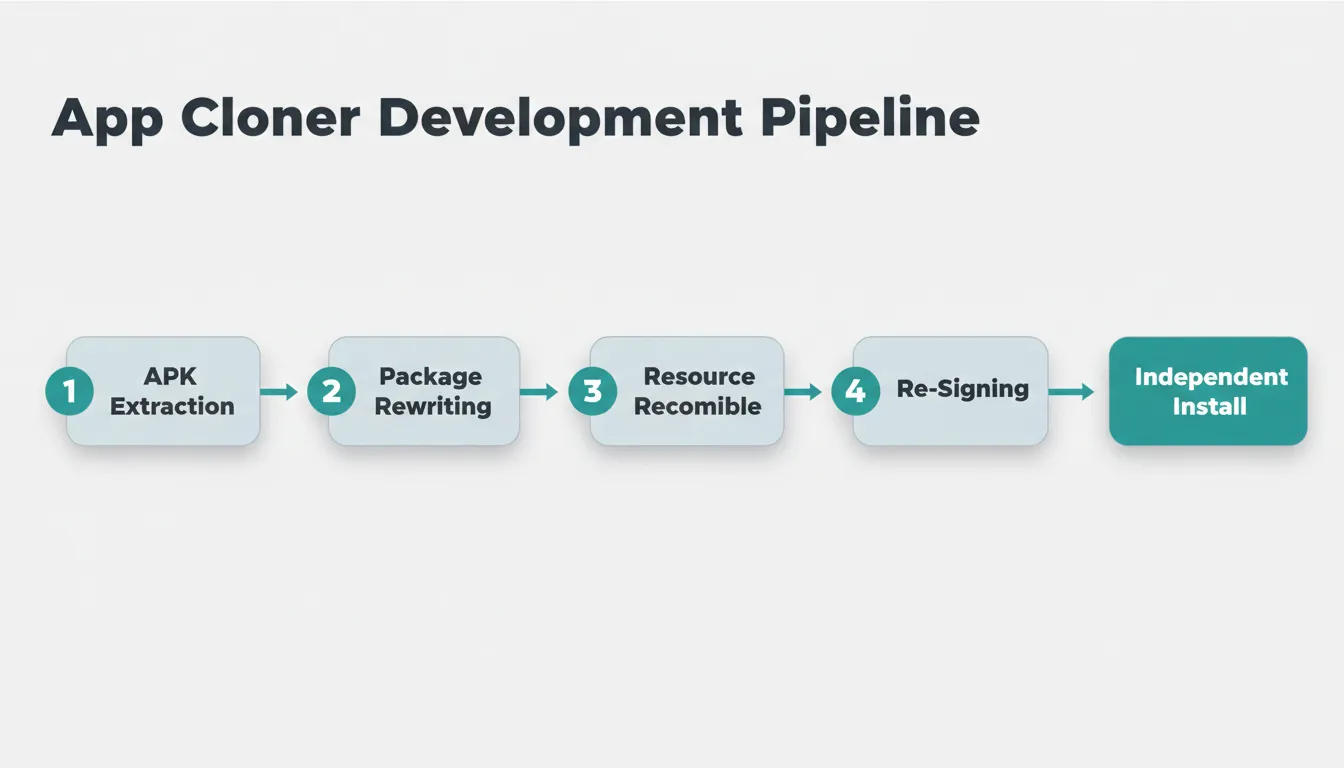
Here are the five steps every app cloner executes:
- APK extraction — Read the installed app's package from device storage.
- Package name rewriting — Modify the manifest to assign a new unique identifier, such as
com.app.clone1. - Resource recompilation — Repackage assets under the new identifier.
- Re-signing — Sign the cloned APK so Android accepts it as a valid installation.
- Sandboxed installation — Install the clone in its own isolated directory, separate from the original.
According to Android developer documentation, every app must declare a unique package attribute in its AndroidManifest.xml file. That rule is the foundational mechanism that app cloner development relies on to create independent instances.
If you are building mobile tools around this workflow, understanding how mobile-native apps are architected gives you the full picture before you write a line of code.
App Cloner Development Workflow
The app cloner development pipeline: from APK extraction to sandboxed installation on an Android device.
Original App vs. Cloned App: Feature Comparison
Understanding the difference between an original app and a cloned app helps developers design better cloner tools. It also helps users set realistic expectations before they install one.
| Feature | Original App | Cloned App |
|---|---|---|
| Multiple accounts on one device | No | Yes |
| Runs independently | No | Yes |
| Custom icon and name | Usually no | Yes (with cloner support) |
| Works for system apps | Limited | Sometimes |
| Needs special permissions | Varies | Often yes |
| Requires root access | Usually no | Usually no |
| Receives automatic updates | Yes | Manual or tool-dependent |
| Data isolation from original | N/A | Yes (sandboxed) |
| Notification separation | No | Yes |
Cloned apps offer flexibility and multi-account control that the original app architecture simply does not support.
Why Users Rely on Cloned Apps: Real-World Use Cases
The demand for app cloner tools is driven by recurring, practical needs. These are not edge cases. They show up across personal, professional, and developer contexts every day.
Personal Use Cases
Running a personal and business Instagram simultaneously is the most common reason users turn to cloner tools. The same applies to WhatsApp, Facebook, TikTok, and Snapchat. Switching accounts manually creates friction, and a cloned app removes it entirely.
Mobile gamers use cloned apps to maintain two save files independently. Many games do not support multiple profiles natively, so a cloned instance fills that gap without resetting progress.
Professional and Business Use Cases
Social media managers can open each brand account side by side without juggling logins or carrying two devices. Freelancers keep client communication isolated from personal contacts. Sales teams run separate CRM instances for different client portfolios.
International account management is a growing use case. Users maintain local and global versions of the same app, each with different regional settings and credentials, on a single device.
Developer and QA Use Cases
Developers test new builds in a cloned app without affecting the production version on the same device. QA engineers use cloned apps to reproduce bugs in isolated environments without resetting the main app's state. Beta and stable versions run side by side for direct behavioral comparison.
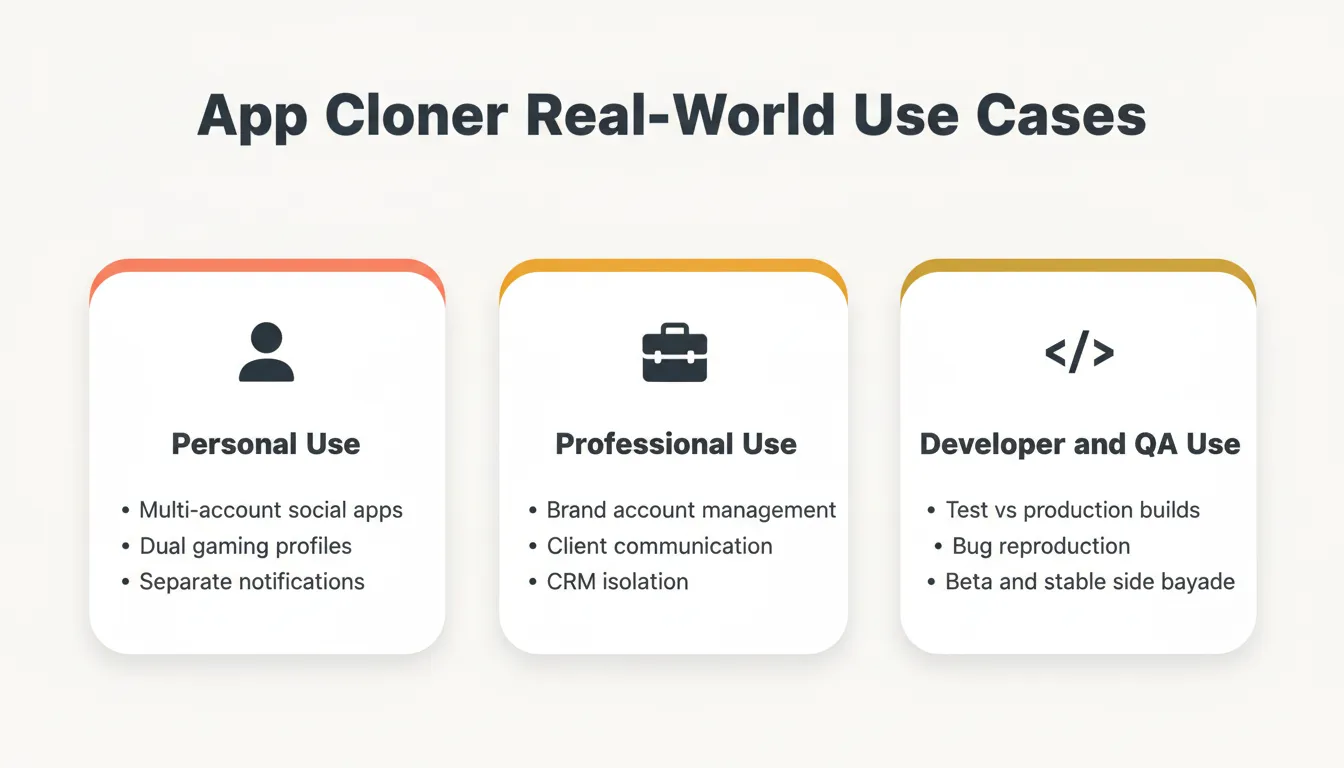
App Cloner Real-World Use Cases
Legal and Ethical Considerations in App Cloner Development
This is the section most tutorials skip. It is also the one that matters most before you ship.
Terms of Service Compliance
Most major apps explicitly prohibit cloning in their Terms of Service. WhatsApp, Instagram, and Snapchat all include clauses that restrict third-party duplication of their clients. Building a cloner that targets these apps by name may expose you to legal action, even if the technical implementation is sound.
Build your cloner as a general-purpose tool that duplicates any app the user owns, rather than targeting specific apps. This positions you as an infrastructure provider, not a ToS violator.
Google Play Store Policies
Google Play prohibits apps that modify, interfere with, intercept, or redirect other apps without explicit user consent. A cloner submitted to the Play Store must clearly disclose its functionality. It must also obtain informed user consent before any cloning action and must not bypass DRM or license verification systems.
Data Privacy Regulations
Cloned apps handle sensitive user data, including login credentials, messages, contacts, and financial information. Depending on your jurisdiction, this triggers obligations under GDPR (EU), CCPA (California), and India's DPDP Act. Your cloner must disclose exactly what data is accessed, never transmit cloned app data to external servers without consent, and provide a clear data deletion mechanism.
Root Detection and Certificate Pinning
Many financial and enterprise apps use root detection and certificate pinning to prevent tampering. A cloner that bypasses these protections may violate the Computer Fraud and Abuse Act in the US or equivalent laws in other jurisdictions. Always document which apps your cloner supports and which it intentionally does not.
What Developers Must Know Before Building an App Cloner
Building an app cloner is more than duplicating files. It takes deep knowledge of Android's permission model, package management, data isolation, and security architecture.
Keep the Cloning Flow Simple
The core of any good app cloner is simplicity. Users should not struggle to create a clone. The UI must be clean, and the process should complete in three taps or fewer.
Avoid multi-step wizards. Every extra screen between "I want a clone" and "clone is ready" increases abandonment.
Handle Permissions Transparently
Every cloned app needs permission to access contacts, storage, internet, and notifications. Present a plain-language permission summary before the Android system dialog appears. That one step reduces user anxiety and abandonment significantly.
Let users know why the clone needs each permission before it asks. Unexplained permission requests are the fastest way to lose trust.
Enforce Strict Data Isolation
Security matters here more than anywhere else. Each cloned app must store data in a way that prevents leakage into other apps or other clones. Implement isolation at three levels:
- File system: Each clone writes exclusively to
/data/data/<unique_package>/. - SharedPreferences: Use package-scoped preferences and never share preference files across clones.
- Database: SQLite databases must live in the clone's private directory, not in shared external storage.
Understand System App Limitations
Android does not allow free duplication of system apps such as Settings or pre-installed Google apps. This is a deliberate OS-level restriction, not a bug. Document these limitations clearly in the app's UI so users know what to expect.
Optimize Resource Usage for Multiple Clones
Some users want ten clones of the same app running simultaneously. A well-designed app cloner ensures clones do not hog memory or drain the battery. Use lazy-loading so a clone's runtime only initializes when it is actively opened. Also apply shared read-only resource caching for assets that do not change between clones.
Build an Update Detection System
When the original app updates via Google Play, the cloned version does not update automatically. Build a notification system that alerts users when the source app version diverges from the clone version, along with a one-tap re-clone workflow to refresh the clone.
If you want to skip the infrastructure work and focus on the cloner logic itself, AI-powered app generation handles the backend, authentication, and database scaffolding automatically.
App Cloner Architecture: Three Approaches Compared
Before writing a single line of code, choose an architectural approach. Each one has real tradeoffs, and the right choice depends on your security requirements and target audience.
Approach 1: APK Repackaging (Non-Root)
This is the most common approach used by consumer-facing cloner tools. The cloner extracts the APK, rewrites the package name, recompiles, re-signs, and installs via Android's PackageInstaller API.
It works on non-rooted devices with no special system permissions. The tradeoff is that it breaks apps using certificate pinning or root detection.
Approach 2: Virtual App Environment (Non-Root, Advanced)
Tools like Parallel Space run apps inside a contained virtual process without modifying the APK at all. The cloner creates a virtual Android environment within the host app's process space.
This preserves original APK integrity and improves compatibility with apps that detect tampering. The cost is higher memory overhead and greater implementation complexity.
Approach 3: Work Profile (Android Native)
Android natively supports managed work profiles via DevicePolicyManager. Apps installed in a work profile are completely isolated from the personal profile with no APK modification required.
This approach offers the strongest security isolation. However, it requires device admin privileges and is limited to one work profile per device on most Android versions.
| Architecture | Root Required | APK Modified | Security Level | Complexity |
|---|---|---|---|---|
| APK Repackaging | No | Yes | Medium | Low |
| Virtual App Environment | No | No | High | High |
| Work Profile (Android Native) | No | No | Highest | Medium |
Security Architecture for App Cloner Development
Security is not optional in this space. Cloned apps handle login credentials, messages, contacts, and financial data. A poorly secured cloner is a liability for both the developer and the user.
Key Security Principles for Developers
- Sandboxed storage: Each clone writes exclusively to its own private directory. Never use shared external storage for sensitive data.
- Encrypted preferences: Store authentication tokens using Android's
EncryptedSharedPreferencesfrom the Jetpack Security library. - Network isolation: Clones must not share network sockets or cached SSL sessions with the original app.
- Permission minimization: Request only the permissions genuinely required by the cloned app's use case.
- Integrity verification: Implement checks to detect if the cloned APK has been tampered with after installation.
Security Tips for End Users
- Audit permissions before granting them. If a clone requests more permissions than the original, that is a red flag worth investigating.
- Verify that the cloner tool stores data separately per clone. Good tools document this clearly.
- Avoid unverified cloner APK files. A malicious cloner can act as spyware.
- Update clones manually when the source app changes, or use a tool that handles update notifications automatically.
Testing Your App Cloner Before Release
Shipping without a structured test plan is how you earn one-star reviews. Here is the minimum viable test matrix.
Functional Testing Checklist
- Clone a social media app and verify independent login sessions.
- Clone a messaging app and confirm notifications route to the correct instance.
- Clone a game and verify save-file isolation between original and clone.
- Attempt to clone a system app and verify the expected failure message appears.
- Run three simultaneous clones and measure memory and battery impact.
Security Testing Checklist
- Verify that SharedPreferences from clone A are not readable by clone B.
- Confirm that SQLite databases are stored in the clone's private directory.
- Test that uninstalling the original app does not delete clone data.
- Attempt to read clone data from a second app and verify access is denied.
- Validate that
EncryptedSharedPreferencesis in use for credential storage.
Device Compatibility Testing
Test on at least three Android versions and across at least two OEM skins. Samsung One UI and Xiaomi MIUI are the highest priority. OEM customizations frequently break package management assumptions that work fine on stock Android.
Popular App Cloner Tools: What the Market Looks Like
Understanding what is already out there helps developers build better tools. It also helps users choose the right solution for their needs.
Parallel Space
One of the most widely used app cloner tools on Android. Parallel Space uses a virtual app environment to run clones without APK modification. It supports most popular social media and messaging apps and offers a widget-based interface for switching between clones.
Island (by Oasisfeng)
Island uses Android's work profile feature to create a sandboxed environment. It is open-source, privacy-focused, and popular among users who want strong data isolation without APK modification.
Shelter
Similar to Island, Shelter leverages Android's work profile API and is fully open-source on F-Droid. A community member on Reddit noted:
"I have been searching for open source App Cloner alternatives for apps like Parallel Apps, 2 Accounts, Multiple Accounts. I know Shelter and Island but I don't want a system-heavy Work profile maker."
This reflects a real gap in the market. Users want lightweight, open-source cloner tools that do not rely on the work profile system.
Tool Comparison
| Tool | Method | Root Required | Open Source | System App Support |
|---|---|---|---|---|
| Parallel Space | Virtual environment | No | No | Limited |
| Island | Work profile | No | Yes | No |
| Shelter | Work profile | No | Yes | No |
| Dual Space | APK repackaging | No | No | No |
| VirtualXposed | Xposed framework | Yes | Yes | Yes |
Building Companion Tools for App Cloner Workflows
App cloner development does not stop at the cloner itself. The most useful products in this space also include companion tools: dashboards, credential managers, update monitors, and team profile switchers.
Rocket is not an app cloner. It is a platform where you describe what you want to build and Rocket generates a working full-stack application, with backend, authentication, and database logic included. Rocket builds production-grade web apps in Next.js and mobile apps in Flutter, with real design systems, dark and light theming, fluid navigation, and staggered animations, from a plain-language description. Every build ships with SEO-ready structure, WCAG accessibility compliance, GDPR coverage, and performance optimization by default, not as optional extras.
For developers who want to move fast without writing backend infrastructure, building a no-code app in minutes shows exactly how that workflow plays out end to end.
What You Can Build with Rocket Around an App Cloner
Clone management dashboard: A web or mobile dashboard showing all active clones, their login status, last-used timestamp, and notification counts. Describe it in plain language and Rocket builds it, including the backend, database schema, and authentication layer.
Account credential manager: A secure companion app with encrypted storage and biometric authentication for managing credentials across cloned app instances.
Clone health monitor: An internal tool that tracks whether clones are running the latest version of the source app and sends update alerts. Rocket connects to 25 or more integrations, including Supabase for the database, Resend for email alerts, and Mixpanel for usage analytics, all wired in from a single prompt.
Team profile switcher: A tool for sales or marketing teams to switch between work and personal app profiles with audit logging for compliance.
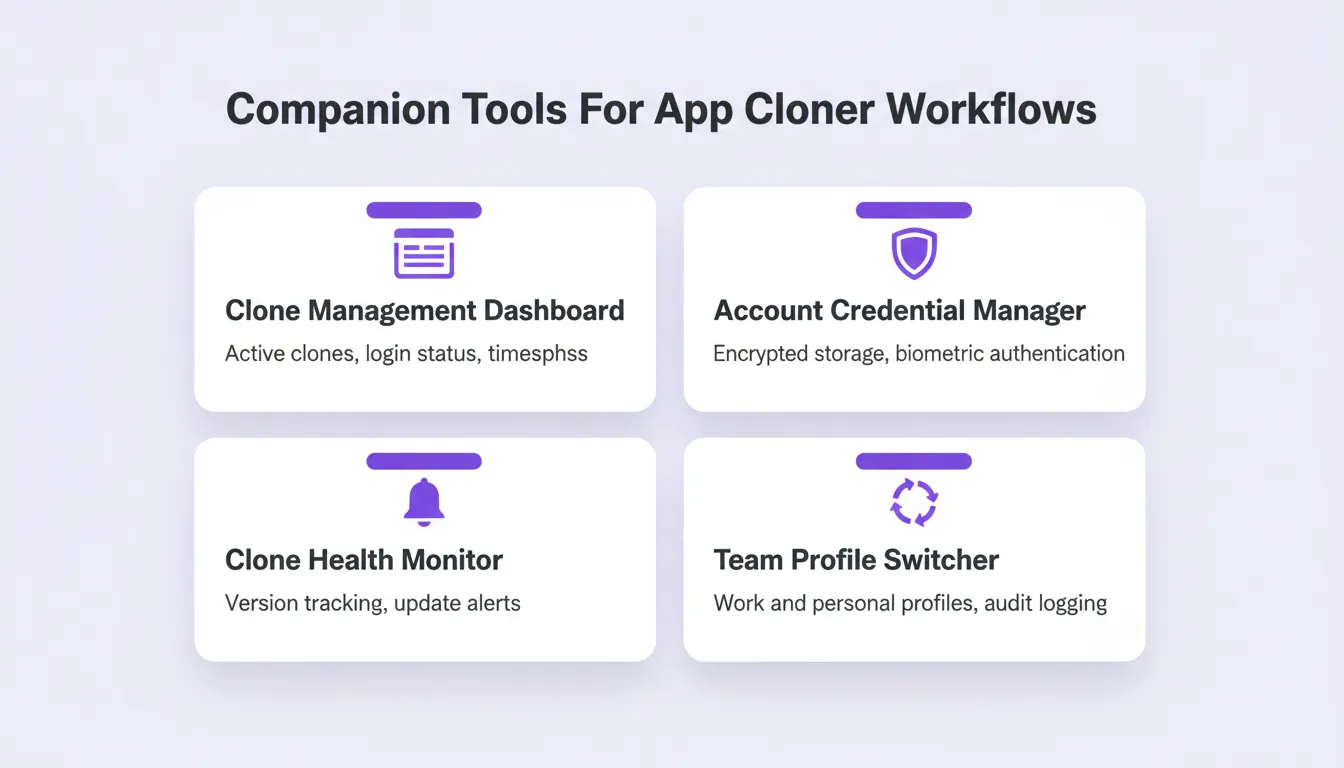
Companion Tools For App Cloner Workflows
1.5 million people have tried Rocket across 180 countries. Developers building in the Android ecosystem use it to ship companion utilities, internal dashboards, and account management tools without spending weeks on infrastructure.
Rocket's Key Capabilities for App Developers
| Capability | What It Means for App Cloner Developers |
|---|---|
| AI-powered app generation | Describe your companion tool in plain language; Rocket builds it |
| Android and web support | Flutter (mobile) and Next.js (web), both production-grade |
| Full backend setup | Authentication, database, and API logic handled automatically |
| 25+ integrations | Stripe, Supabase, Mixpanel, Resend, and more, authenticate once |
| Clean code output | Export production-ready code you can extend or customize |
| Built-in compliance | WCAG, GDPR, SEO-ready by default |
The Future of App Cloner Development
App cloner technology is evolving alongside Android itself. Several trends are shaping what comes next.
Better system app support is on the horizon as virtualization advances. Future cloner tools may safely clone system-level apps without requiring root.
Automatic update synchronization is the most requested missing feature. Next-generation cloners will detect source app updates and re-clone in the background without user intervention.
AI-powered notification routing will intelligently separate and prioritize notifications from multiple clones. This reduces the cognitive load of managing several active instances at once.
Cross-device clone sync will become necessary as Android expands to tablets, foldables, and Chromebooks. Clone states will need to synchronize across form factors seamlessly.
Tighter OS-level integration is likely as Android's work profile API matures. Future versions of Android may expose native multi-instance support that makes third-party APK repackaging obsolete for common use cases.
Taken together, these trends point to a future where app cloning becomes a native, seamless part of the Android experience rather than a workaround.
App Cloner Development: Build What the Market Actually Needs
App cloner development has moved from a niche utility to a foundational layer of how Android users manage their digital lives. The demand for secure, well-built cloner apps will only grow as mobile usage expands and the line between personal and professional use on a single device continues to blur.
Developers who invest in strong data isolation, transparent permission handling, and seamless update management will build tools that users trust and recommend. The technical foundation is established. The opportunity lies in execution quality, security rigor, and the ecosystem of companion tools built around the core cloner.
You describe what you want to build. Rocket generates the full-stack app, with backend, authentication, database, and deployment included. Start building on Rocket.new and turn your app cloner idea into a live product today.
Table of contents
- -What is an App Cloner and How Does It Work?
- -The Technical Mechanism Behind App Cloning
- -App Cloner Development Workflow
- -Original App vs. Cloned App: Feature Comparison
- -Why Users Rely on Cloned Apps: Real-World Use Cases
- -Personal Use Cases
- -Professional and Business Use Cases
- -Developer and QA Use Cases
- -Legal and Ethical Considerations in App Cloner Development
- -Terms of Service Compliance
- -Google Play Store Policies
- -Data Privacy Regulations
- -Root Detection and Certificate Pinning
- -What Developers Must Know Before Building an App Cloner
- -Keep the Cloning Flow Simple
- -Handle Permissions Transparently
- -Enforce Strict Data Isolation
- -Understand System App Limitations
- -Optimize Resource Usage for Multiple Clones
- -Build an Update Detection System
- -App Cloner Architecture: Three Approaches Compared
- -Approach 1: APK Repackaging (Non-Root)
- -Approach 2: Virtual App Environment (Non-Root, Advanced)
- -Approach 3: Work Profile (Android Native)
- -Security Architecture for App Cloner Development
- -Key Security Principles for Developers
- -Security Tips for End Users
- -Testing Your App Cloner Before Release
- -Functional Testing Checklist
- -Security Testing Checklist
- -Device Compatibility Testing
- -Popular App Cloner Tools: What the Market Looks Like
- -Parallel Space
- -Island (by Oasisfeng)
- -Shelter
- -Tool Comparison
- -Building Companion Tools for App Cloner Workflows
- -What You Can Build with Rocket Around an App Cloner
- -Rocket's Key Capabilities for App Developers
- -The Future of App Cloner Development
- -App Cloner Development: Build What the Market Actually Needs