
A no-code ecommerce website builder lets anyone launch an online store without coding. This guide covers what they are, how AI builders like Rocket.new differ, top platforms compared, a step-by-step workflow, pricing, and common mistakes to avoid.
A no-code ecommerce website builder lets founders, creators, and small businesses launch a full online store with product pages, payment gateways, and order management without writing a single line of code. Around 26 to 30 million eCommerce websites are active worldwide today, showing how common online business models have become.
This guide covers what no-code ecommerce means, how AI-powered builders like Rocket.new differ from traditional platforms, key features to evaluate, top platforms compared, a step-by-step launch workflow, pricing expectations, and answers to the questions buyers ask most.
What Is a No-Code Ecommerce Website Builder?
A no-code ecommerce website builder is a platform that lets anyone create, design, and manage an online store through visual interfaces instead of programming. Users configure product catalogs, connect payment APIs, set up checkout flows, and publish websites through drag-and-drop editors, pre-built templates, or AI-powered prompts.
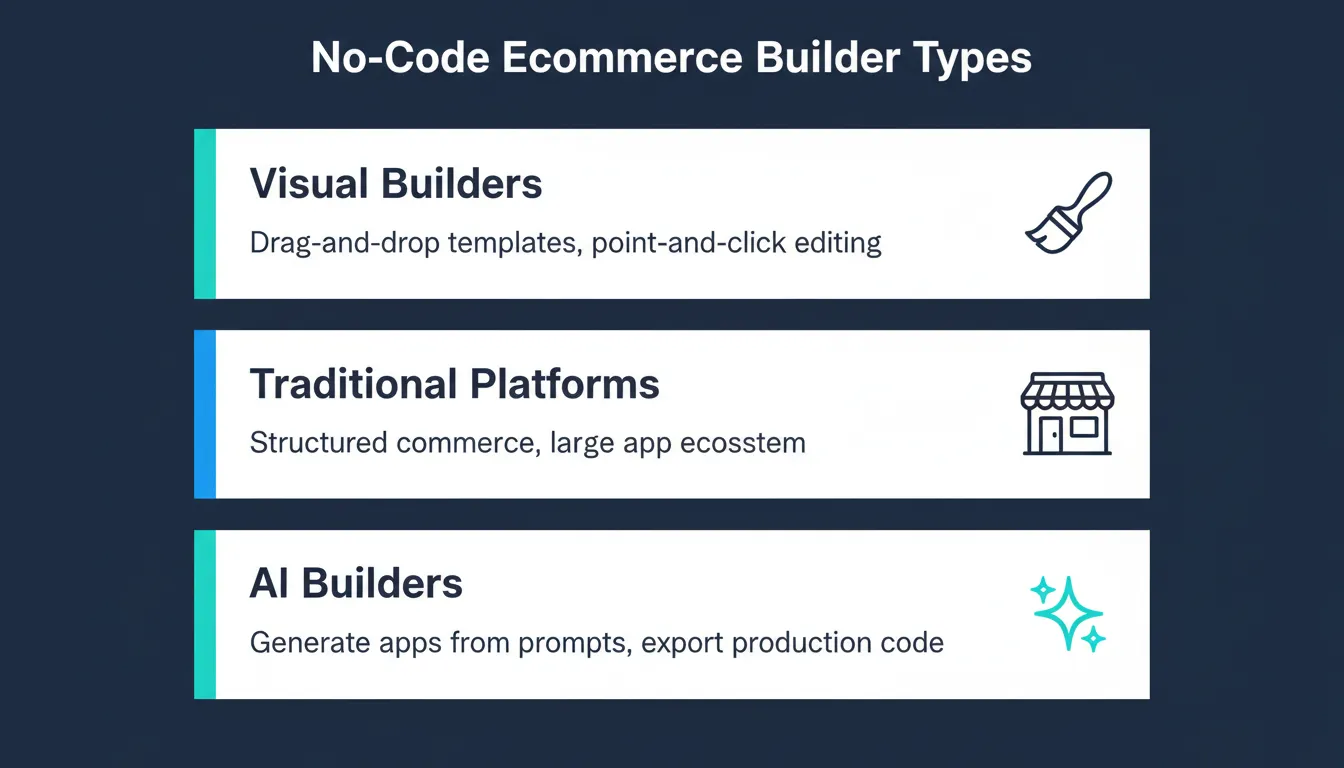
Three types of no-code ecommerce builders: visual, traditional, and AI-powered
Modern no-code ecommerce tools fall into three categories. Visual drag-and-drop builders such as Wix and Squarespace offer pre-designed templates and point-and-click editing. Traditional ecommerce platforms such as Shopify provide structured commerce infrastructure with product management, inventory tracking, and a large app ecosystem. AI-powered application builders such as Rocket.new generate custom ecommerce applications from natural language prompts, producing production-ready Next.js code that can be exported, extended, or deployed directly.
Understanding the difference between these categories matters because no-code does not always mean AI. Rocket.new is an AI-assisted builder that goes further than drag-and-drop by generating application logic, connecting backend services, and producing exportable code from a single conversation. Founders who want to build an ecommerce app with AI will find this distinction critical when evaluating platforms.
Benefits of Using a No-Code Ecommerce Website Builder
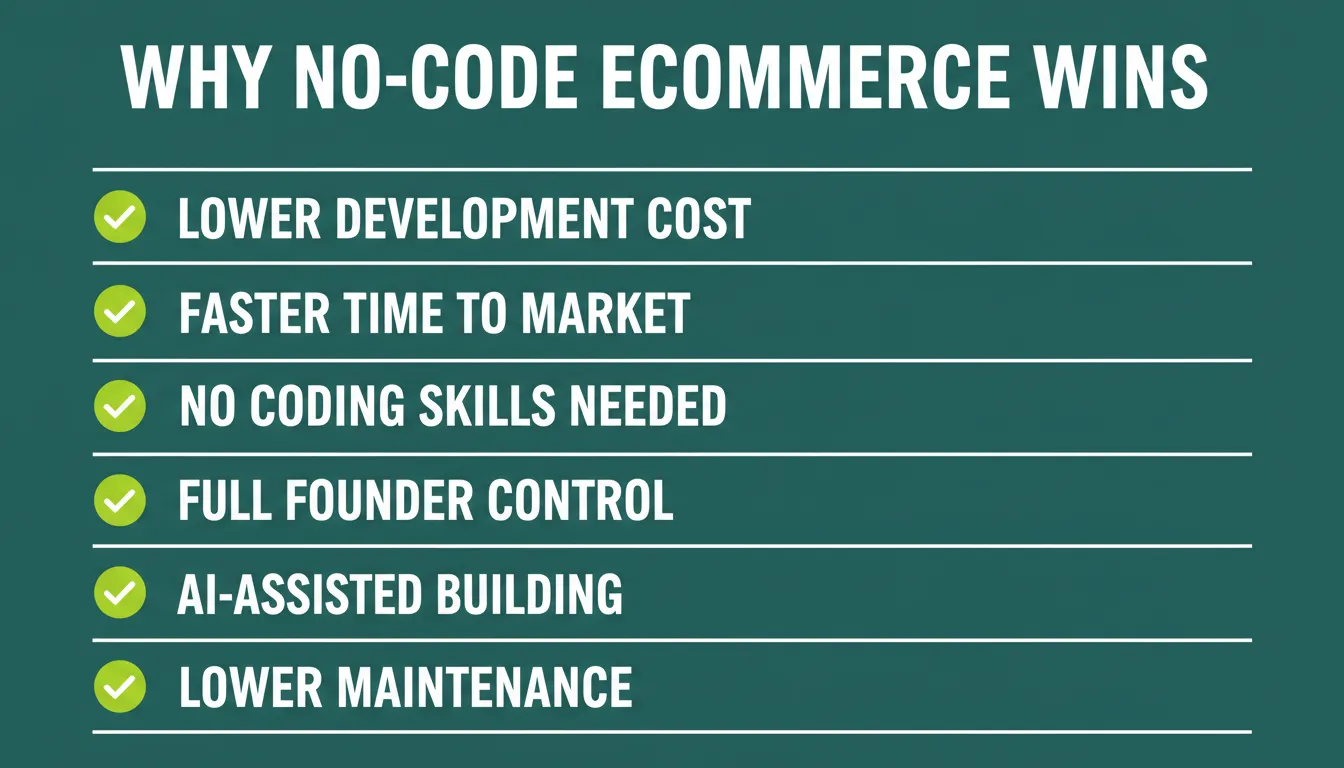
Six key benefits of no-code ecommerce: cost, speed, experimentation, independence, AI, maintenance
Lower development cost. Traditional ecommerce development with a custom engineering team can cost tens of thousands of dollars. No-code platforms reduce that to a monthly subscription, making ecommerce accessible to solo founders and small businesses.
Faster time to market. A no-code ecommerce website builder compresses launch timelines from months to days. Founders can test product-market fit before investing in custom engineering.
Easier experimentation. Because changes require no code, store owners can test new layouts, pricing pages, checkout flows, and product descriptions without developer involvement.
Founder independence. Business owners control their own store updates, SEO metadata, product catalog, and marketing tools without waiting on a technical team.
AI-assisted development. Platforms like Rocket.new let founders describe features conversationally. Adding a discount code system, a subscription tier, or a new product category becomes a prompt rather than a development sprint.
Lower maintenance burden. Hosting, security patches, and infrastructure are managed by the platform, reducing ongoing operational overhead.
Limitations to Understand Before Choosing
Balanced evaluation matters. No-code ecommerce platforms have real trade-offs that buyers should understand before committing.
Vendor lock-in. Most traditional no-code platforms store your data and design inside their ecosystem. Migrating to a different platform later can be time-consuming. Rocket.new addresses this by generating exportable production code, giving founders full ownership of what was built.
Advanced customization ceiling. Drag-and-drop builders can reach limits when complex business logic is required. AI builders like Rocket.new extend this ceiling significantly by generating custom backend logic and API integrations from prompts.
Scalability differences. Some no-code platforms are optimized for small catalogs and may struggle with large-scale inventory management or high-traffic checkout flows. Evaluating backend architecture before scaling matters.
Performance considerations. Template-heavy builders sometimes generate bloated HTML that affects Core Web Vitals scores. Rocket.new generates clean Next.js code, which performs well against standard web performance benchmarks.
For a broader look at low-code and no-code development, including how these platforms compare across different use cases, the differences become even clearer.
Who Should Use a No-Code Ecommerce Website Builder?
Different seller types benefit from different platforms.
| Seller Type | Best Fit | Key Reason |
|---|---|---|
| Solo founders testing an idea | Rocket.new, Wix | Fast MVP, low cost |
| Creators selling digital products | Squarespace, Big Cartel | Clean design, simple delivery |
| Small retail businesses | Shopify, Wix | Structured commerce tools |
| Agencies building for clients | Rocket.new | Custom builds, code export |
| Startups building marketplaces | Rocket.new | Custom application logic |
| Brands adding ecommerce to existing sites | Ecwid | No rebuild needed |
| SaaS founders adding commerce features | Rocket.new | Stripe integration, subscription logic |
| Local businesses going online | Wix, Squarespace | Easy setup, visual editing |
No-Code vs Low-Code vs AI Website Builders
| Feature | Traditional No-Code | Low-Code | AI Builder (Rocket.new) |
|---|---|---|---|
| Setup speed | Fast | Medium | Very fast |
| Coding required | None | Some | None |
| Custom logic | Limited | Moderate | High |
| Backend generation | No | Partial | Yes |
| Code export | No | Sometimes | Yes |
| AI-assisted editing | No | No | Yes |
| Figma import | No | Rarely | Yes |
| Best for | Simple stores | Internal tools | Custom ecommerce apps |
What to Look for in a No-Code eCommerce Website Builder
Choosing the right no-code ecommerce website builder saves time and frustration later. Not every platform suits every seller, so focusing on daily usability and long-term needs helps narrow choices.
Ease of Use and User-Friendly Interface
Ease of use affects how quickly a store launches and how easy updates are to make later. A user-friendly interface enables store owners to manage content without technical support. Look for drag-and-drop page editors, clear navigation menus, and live previews while editing.
Design and Customization Options
Design helps build trust with the end customer. A good builder offers pre-built templates that still allow customization of brand colors, fonts, and layout without coding.
Payments and Checkout Flow
The checkout experience directly affects conversion rates and online sales. Payment gateways should be easy to connect and trusted by buyers. Evaluate support for Stripe, PayPal, and regional payment APIs alongside transaction fees and subscription billing options.
Product Catalog and Order Management
Managing a product catalog should feel simple and organized. Look for easy product description editing, category organization, inventory tracking, and order tracking tools that scale as the ecommerce store grows.
Built-In SEO Tools and Marketing Features
To attract new customers through organic search, built-in SEO tools matter. Look for editable metadata, structured data support, sitemap generation, and marketing tools such as email campaigns, discount codes, and abandoned cart recovery.
Analytics and Conversion Optimization
Understanding visitor behavior helps improve the store over time. Built-in analytics, conversion tracking, and performance monitoring are valuable for any growing ecommerce business.
Top No-Code eCommerce Website Builder Platforms
Many eCommerce website builder platforms exist today. Each one serves a slightly different type of online business.
Rocket.new
Rocket.new is an AI-powered application builder that generates custom ecommerce applications, storefronts, marketplaces, ordering systems, and internal commerce tools from natural language prompts. Rather than relying on fixed templates, Rocket.new lets founders describe what they want to build and generates the UI, backend logic, database schema, authentication, and payment integration together.
This makes Rocket.new fundamentally different from drag-and-drop builders. It is not a traditional ecommerce platform. It is an AI application builder that can produce custom ecommerce solutions with the flexibility and code quality of a development team.
Key capabilities include:
- Generate applications from natural language prompts describing your ecommerce idea
- Import Figma designs to accelerate UI generation and refinement with pixel-accurate code
- AI-assisted backend generation with 25+ integrations including Stripe, Razorpay, Supabase, HubSpot, Mailchimp, and more
- User authentication, role-based access, and Supabase database management generated from chat
- Custom domain deployment with automatic HTTPS
- Code export for teams that want to extend or self-host the generated Next.js or Flutter application
- Visual editing by clicking any element directly in the preview
- Built-in analytics, performance monitoring, and SEO/GEO compliance tooling
- Staging and production environments with full version history and one-click rollback
Rocket.new fits use cases such as eCommerce MVPs for validating product ideas, custom storefronts with unique checkout flows, marketplaces connecting buyers and sellers, and web and mobile ecommerce solutions built together from a single project. For teams exploring a no-code app builder for startups, Rocket.new offers the most flexible path from idea to deployed application.
Shopify
Shopify remains a popular choice for traditional online stores. It provides a structured full eCommerce solution with reliable tools and global reach. Main highlights include advanced features for large product catalogs, multiple payment gateways with Shopify Payments, strong inventory and order tracking, and a large app ecosystem. Monthly fees apply, and transaction fees may apply depending on the payment setup chosen.
Wix
Beginners and small businesses widely use Wix. It focuses on speed, simplicity, and visual editing. It offers free plan options, a drag-and-drop editor with live preview, custom domain support, and built-in marketing tools. Wix is well-suited for sellers who want to launch quickly without a steep learning curve.
Big Cartel
Big Cartel focuses on creators and artists with simple product needs. It is best for sellers who want free ecommerce options, low transaction fees, and basic features for small product lists.
Squarespace
Squarespace is known for clean design and strong content presentation. It works well for visually driven ecommerce websites selling digital products, physical goods, and services. The platform supports custom domain setup, built-in SEO tools, and stylish templates.
Ecwid
Ecwid works well for sellers who already have a website and want to add ecommerce features without rebuilding. It supports free plan availability, quick setup, and integration with existing websites.
Platform Comparison
| Platform | Best Use | Free Plan | Custom Domain | Code Export | AI Generation |
|---|---|---|---|---|---|
| Rocket.new | Custom eCommerce apps | Yes (20 credits) | Yes | Yes | Yes |
| Shopify | Traditional online stores | No | Yes | No | No |
| Wix | Beginners and small shops | Yes | Yes | No | Limited |
| Big Cartel | Simple creator stores | Yes | Yes | No | No |
| Squarespace | Design-focused stores | No | Yes | No | No |
| Ecwid | Add eCommerce to site | Yes | Yes | No | No |
How to Build an Ecommerce Store with Rocket.new
Rocket.new's AI-powered workflow differs from traditional no-code builders. Instead of selecting a template and filling in fields, founders describe what they want to build and the AI generates a working application.
4 - Factor idea scoring Matrix
Rocket.new AI-powered ecommerce build workflow from prompt to deployed application:
Step 1: Describe your store. Write a natural language prompt describing the ecommerce application you want to build. For example: "Build an online clothing store with product pages, a shopping cart, Stripe checkout, user login, order history, and an admin dashboard for managing inventory."
Step 2: Rocket.new generates the application. The AI generates the full application including UI screens, navigation, backend logic, database schema, and payment integration in one pass.
Step 3: Refine screens through AI chat. Iterate on any screen by describing changes in plain language. Add features, adjust layouts, change colors, or modify checkout flows through conversation.
Step 4: Connect backend services. Connect Supabase for database and authentication, Stripe or Razorpay for payments, and Mailchimp or Brevo for email marketing. Rocket.new's Stripe payment integration handles one-time checkout, recurring subscriptions, and donation flows from a single prompt.
Step 5: Deploy to a custom domain. Publish the application to a custom domain with automatic HTTPS. Rocket.new handles DNS configuration for supported registrars.
How to Build a Standard Online Store Without Code
For sellers using traditional no-code platforms, the setup process follows a simpler flow.
Step 1: Choose a layout. Start with pre-built templates or a blank canvas. Select a layout that aligns with the brand tone and product style.
Step 2: Add products. Upload images, set pricing, and write product descriptions. High-quality product descriptions help the end customer understand value and build trust.
Step 3: Set up payments. Connect preferred payment gateways to ensure smooth payment processing and checkout flow.
Step 4: Connect a custom domain. A custom domain improves credibility and helps the e-commerce website look professional. Guides on how to create a no-code website walk through this process step by step.
Step 5: Review store settings. Check shipping rules, taxes, and order tracking before launch.
Step 6: Publish and promote. Launch the store and share links through email, social platforms, and communities to reach new customers.
Real Use Cases for No-Code Ecommerce
Understanding how different businesses use no-code ecommerce platforms helps buyers evaluate fit.
Fashion and apparel brands use Rocket.new to build custom storefronts with lookbook pages, size guides, and Stripe checkout. The ability to import Figma designs means brand identity is preserved exactly.
Digital product creators selling online courses, templates, or downloads use Squarespace or Rocket.new to manage product delivery, access control, and payment processing without custom development.
B2B wholesale businesses use Rocket.new to build ordering portals with role-based pricing, bulk order forms, and invoice management that standard ecommerce platforms cannot support out of the box.
Subscription box businesses use Rocket.new's Stripe integration to build subscription management, billing cycles, and customer portals from a conversational workflow.
Print-on-demand sellers connect their store to fulfillment APIs and manage product variants, mockup images, and order routing through no-code platforms.
Teams validating a new ecommerce idea often prioritize launch speed over perfect customization. AI-powered builders reduce development cycles from weeks to hours, making it easier to test demand before investing in custom engineering.
Costs, Fees, and Pricing Expectations
Pricing plays a big role when choosing a no-code eCommerce platform. Many platforms offer a free plan with basic features.
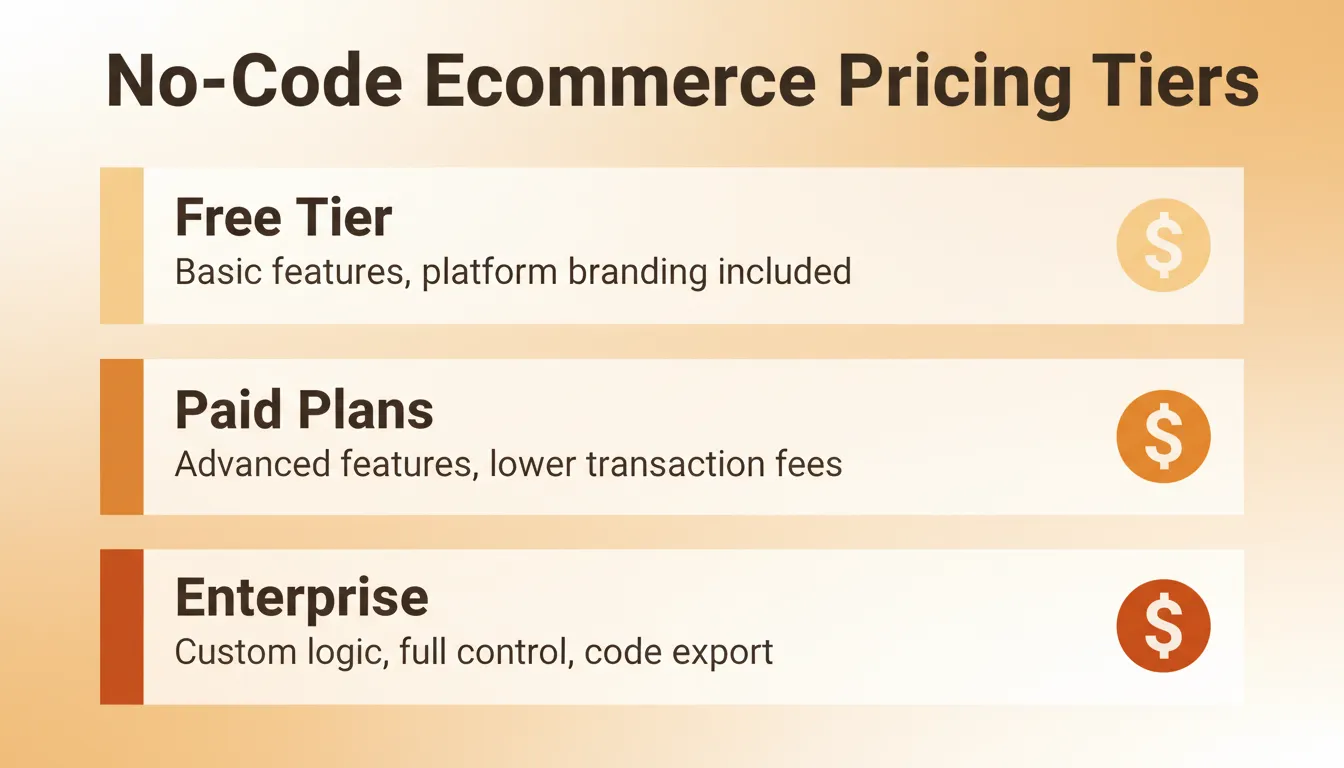
No-code ecommerce pricing tiers: free, paid, and enterprise cost breakdown
Most no-code eCommerce platforms offer tiered pricing based on features, transaction volume, and team size. Free plans typically limit product listings or include platform branding. Paid plans unlock advanced ecommerce features, lower transaction fees, and better SEO performance tools.
Global ecommerce revenue continues to grow year over year, making it a strong time to launch an online store. Sellers should factor in payment gateway fees alongside monthly subscription costs when comparing total cost of ownership.
Key cost factors to evaluate include monthly platform subscription, transaction fees per sale, payment gateway fees, custom domain registration, and email marketing tools. Rocket.new's pricing starts at $0 (Free plan with 20 one-time credits), $25/month (Pro), $50/month (Rocket plan with Solve and Intelligence), and $250/month (Booster for power teams).
Ecommerce Growth at a Glance
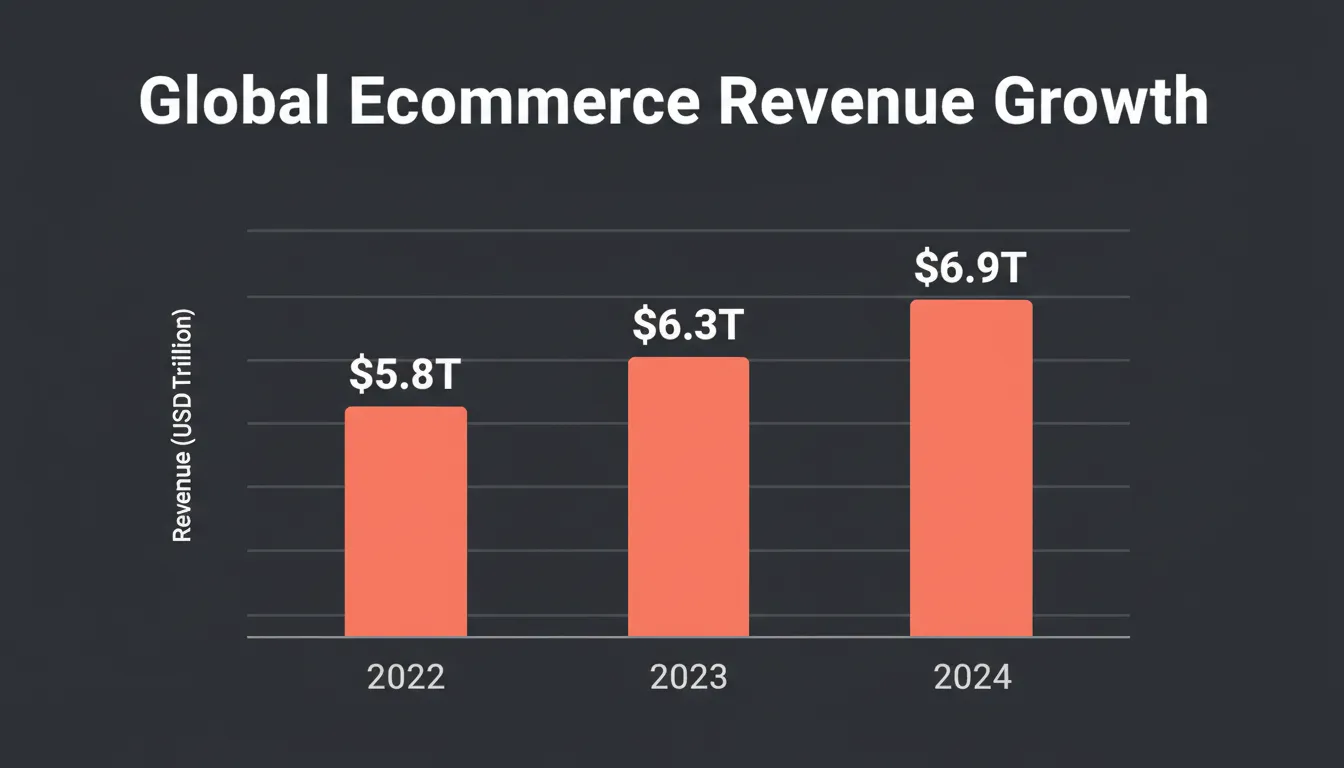
Global ecommerce revenue growth data 2022 to 2024
Global ecommerce revenue has grown consistently, reinforcing why launching an online store matters now
The numbers make the case clearly. Ecommerce cart abandonment rates average nearly 70% across all platforms, which means choosing a builder with a clean, fast checkout flow is not optional. Platform selection directly impacts revenue.
Common Mistakes When Building a No-Code Ecommerce Store
Avoiding these mistakes saves time and protects conversion rates.
Choosing the wrong platform for your use case. A creator selling five digital products has different needs than a brand managing 500 SKUs. Match platform capabilities to actual requirements before committing.
Ignoring SEO from day one. Built-in SEO tools only help if you use them. Set metadata, write descriptive product titles, and generate a sitemap before launch.
Poor product images. No-code builders make design easy, but low-quality product photography undermines trust regardless of how good the platform looks.
Weak checkout experience. Simplifying checkout, reducing form fields, and offering guest checkout directly improves conversion.
No analytics setup. Without tracking, there is no way to understand where visitors drop off or which products drive the most revenue.
Skipping security basics. Ensure HTTPS is active, payment data is handled by a certified gateway, and user authentication is properly configured.
Community Insight From Real Users
Community feedback often shows how tools perform in real situations.
A Reddit user shared this experience:
"I built my first e-commerce style site using prompts. The platform created layouts, forms, and product pages fast. No coding knowledge needed at all."
Stories like this explain why no code eCommerce continues to attract new sellers. The combination of AI-assisted development, visual editing, and backend integration is compressing what used to take weeks into hours.
Choosing the Best eCommerce Website Builder for Your Needs
Choosing the best eCommerce website builder depends on goals, budget, and product type. What works for one store may not fit another.
Helpful questions to ask before deciding:
- Do I need a simple storefront or a custom application with unique logic?
- Is a free ecommerce plan enough right now, or do I need advanced features immediately?
- Does the platform support my preferred payment gateways, including Stripe or Razorpay?
- Can I export my code if I outgrow the platform?
- Does the builder support mobile commerce and responsive design?
- Are marketing tools, email campaigns, and abandoned cart recovery included?
For a deeper look at how Shopify compares to other options, see this guide on best Shopify alternatives for ecommerce businesses.
Best No-Code eCommerce Website Builder: Final Verdict
The best no-code ecommerce website builder depends on your goals. Shopify excels for traditional online stores with large catalogs. Wix simplifies beginner-friendly websites and small shops. Squarespace suits design-focused brands. Ecwid integrates with existing sites. Big Cartel serves creators with simple needs.
If you want to generate custom ecommerce applications, marketplaces, or storefronts with AI instead of relying on fixed templates, Rocket.new provides a more flexible approach that combines natural language generation, visual editing, backend integration, deployment, and code export in one workflow.
Ready to build your ecommerce store without writing a single line of code?
Rocket.new gives you AI-powered tools to generate custom storefronts, connect payment gateways, manage your database, and launch your online store fast. Start building with Rocket.new and go from idea to live store in one session.
Table of contents
- -What Is a No-Code Ecommerce Website Builder?
- -Benefits of Using a No-Code Ecommerce Website Builder
- -Limitations to Understand Before Choosing
- -Who Should Use a No-Code Ecommerce Website Builder?
- -No-Code vs Low-Code vs AI Website Builders
- -What to Look for in a No-Code eCommerce Website Builder
- -Ease of Use and User-Friendly Interface
- -Design and Customization Options
- -Payments and Checkout Flow
- -Product Catalog and Order Management
- -Built-In SEO Tools and Marketing Features
- -Analytics and Conversion Optimization
- -Top No-Code eCommerce Website Builder Platforms
- -Rocket.new
- -Shopify
- -Wix
- -Big Cartel
- -Squarespace
- -Ecwid
- -Platform Comparison
- -How to Build an Ecommerce Store with Rocket.new
- -How to Build a Standard Online Store Without Code
- -Real Use Cases for No-Code Ecommerce
- -Costs, Fees, and Pricing Expectations
- -Ecommerce Growth at a Glance
- -Common Mistakes When Building a No-Code Ecommerce Store
- -Community Insight From Real Users
- -Choosing the Best eCommerce Website Builder for Your Needs
- -Best No-Code eCommerce Website Builder: Final Verdict