The right portfolio website templates turn scattered projects into a client-winning showcase. This blog covers what to look for, which templates fit which professions, and how to build one without writing a single line of code.
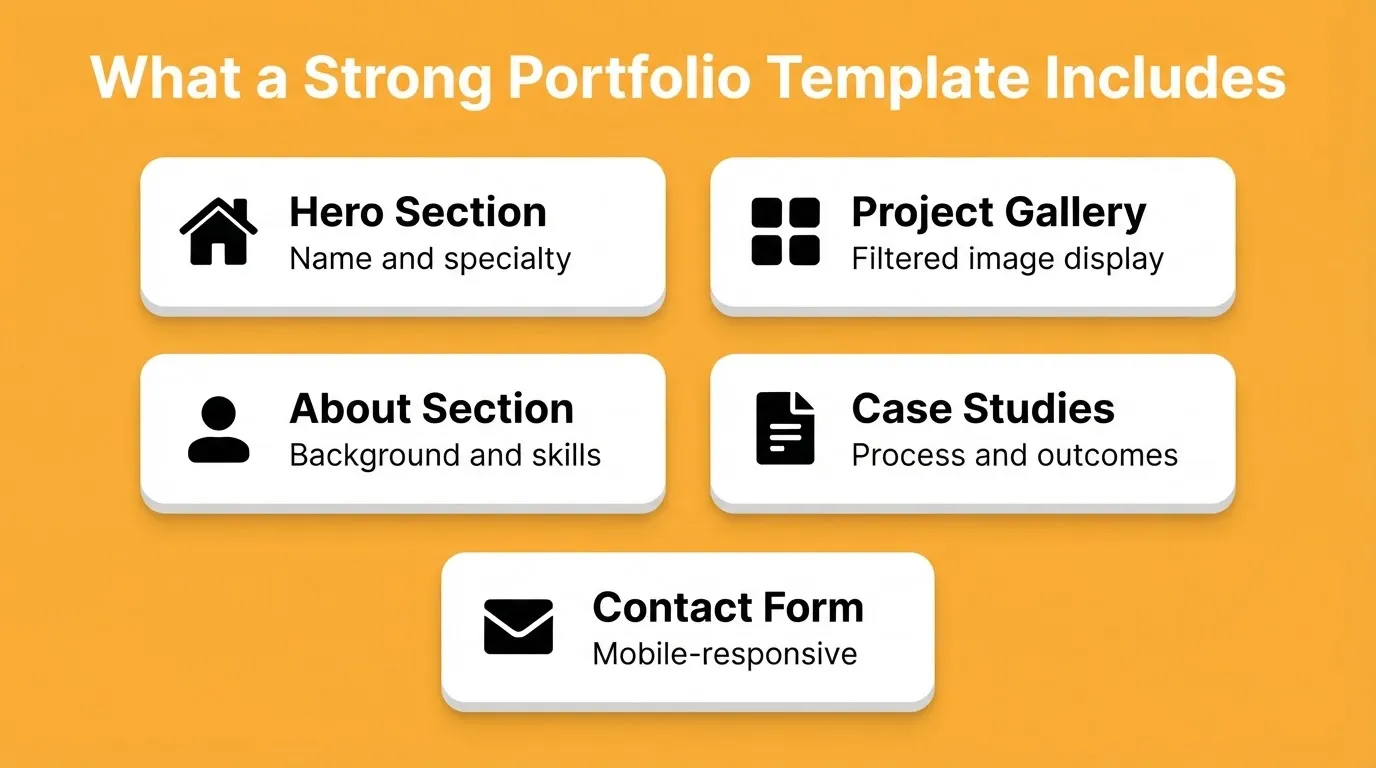
What makes a portfolio website template truly great?
The right portfolio website templates help creative professionals put their work center stage and attract potential clients' attention.
In fact, 94% of first impressions on a website are driven by design and visuals, not text. A portfolio is not just a list of things done. It is a living body of work that tells a story.
So, choosing the right portfolio website templates matters whether you are a designer, photographer, artist, or developer.
Why the Right Portfolio Website Templates Matter
Everyone has projects. Not everyone knows how to showcase them well.
Good portfolio website templates take your work beyond plain text and static images. They guide visitors through your sections with rhythm, nudging them toward what to look at next. That is the kind of portfolio that gets real attention.
Well-built templates help you publish projects, images, and videos in a polished way without too much effort. You do not need to be a professional coder or designer to make your portfolio website look sharp. Templates handle the layout so you can focus entirely on your content.
The difference between a portfolio that wins clients and one that gets ignored often comes down to three things: how fast it loads, how clearly it communicates your specialty, and how easy it is to navigate on a phone.
How to Pick the Right Template
Before diving into examples, ask yourself a few quick questions.
- What is your portfolio goal? Do you want to attract freelance clients, land a full-time role, or showcase personal projects?
- Are you a graphic designer, writer, photographer, developer, or creative professional?
- Do you want a minimal setup or a feature-rich build?
Templates vary in style and features. Some lean heavily on images. Others give video space front and center. Your choice should match your work type and goals.
Simple, clean layouts often help viewers focus on your best work rather than decorative elements. If you want to go deeper on layout principles, how to design website templates that boost user engagement covers the fundamentals that separate high-performing templates from forgettable ones.
Template vs. Custom Build: Which Is Right for You?
| Situation | Best Choice | Why |
|---|---|---|
| You need to go live this week | Template | Fastest path to a working, professional portfolio |
| You have completed Figma designs | Figma-to-code build | Preserves your exact typography, spacing, and color system |
| You want full creative control | Custom build | Describe it in plain language and build from scratch |
| You are a student or early-career professional | Template | Clean execution matters more than originality at this stage |
| You need a custom domain and SEO structure | Either | Both support custom domains and SEO-ready output |
Decision Flow: Choosing Between a Portfolio Template and a Custom Build
Top Portfolio Website Templates for Creatives
Here is a table with popular templates across different needs.
| Template Name | Best For | Key Features | Cost |
|---|---|---|---|
| Minimal Grid | Graphic designers, photographers | Clean grid layout, whitespace-first, mobile support | Free / Paid |
| Hero Spotlight | Artists, branding professionals | Full-bleed hero images, bold intro section | Paid |
| Story Scroll | Writers, content strategists | Narrative flow, long-form text focus | Paid |
| Masonry Gallery | Photography, visual art, illustration | Dynamic image filters, mixed-size grid, video support | Free |
| One-Page Scroll | Generalists, early-career professionals | Single scrollable page, fast load, minimal navigation | Free / Paid |
| Case Study Layout | UX designers, product designers | Project deep-dives, process sections, outcome metrics | Paid |
| Developer Portfolio | Software engineers, full-stack developers | Project cards with demo links, tech stack badges | Free / Paid |
These templates help your projects stand out. They make your portfolio website feel like a curated gallery rather than a jumble of files. You can tweak styles, swap sections, or add multimedia without needing technical skills.
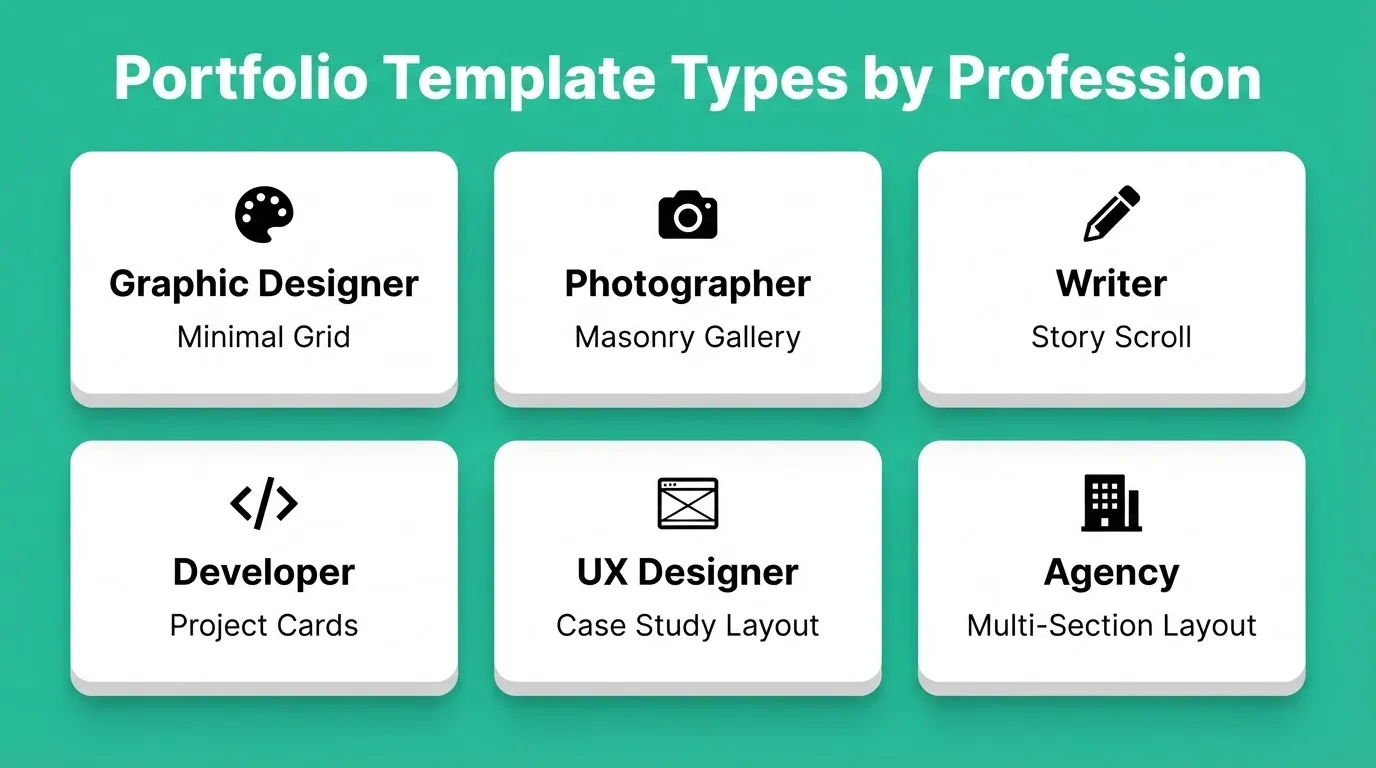
Portfolio Templates by Profession
Not all portfolio website templates are built the same. The best choice depends entirely on what you do and how you work.
Graphic Designers
For graphic designers, the focus is on visuals. Great portfolio templates for designers balance whitespace with bold images. Visitors should instantly see your best work without getting overwhelmed by text or navigation.
Here are a few tips for designers.
- Put your highest-impact project first, not your most recent one.
- Choose templates with strong layouts for large image files and check load speed.
- Add short captions or case study summaries to explain context and process.
- Keep navigation minimal so clients reach your work without friction.
Photographers
Photographers need full-bleed image displays, gallery filtering by category, and fast load times even with high-resolution files. The Masonry Gallery and Hero Spotlight templates are purpose-built for this use case.
Look for templates that support photography portfolio layouts with lightbox viewing, category filters, and lazy loading to keep performance sharp.
Writers and Content Creators
Writers need text-forward layouts that make samples easy to read and navigate. The Story Scroll template works well here. It creates a narrative rhythm that mirrors how good writing flows.
Include a short bio, links to published work with publication names, a specialty statement, and a contact form. Avoid image-heavy templates that bury your words.
Developers and Engineers
Developers need project cards with live demo links, a tech stack section, a GitHub profile link, and optionally a blog. Keep it clean. A developer portfolio that looks over-designed can raise questions about judgment.
UX Designers and Product Designers
UX designers need case study sections that walk through problem, process, and outcome. A simple gallery is not enough. Look for templates with multi-section project pages, before-and-after comparisons, and space for metrics.
Agencies and Studios
Agencies need templates that communicate scale and credibility. Client logos, service descriptions, team sections, and a clear contact or brief-request flow are all important. The Portfolio and Agency template category covers this use case with layouts built for multi-person studios.
Great Free Portfolio Options
There are plenty of portfolio templates that do the job without any upfront cost.
- Masonry Gallery. A grid that adapts to different screen sizes and lets images pop. It is ideal for photographers, illustrators, and visual artists.
- One-Page Scroll (free version). All key portfolio information sits on a single scrollable page. It is fast, clean, and easy to navigate on mobile.
- Minimal Grid (free tier). A quiet, professional look that keeps the focus entirely on your work.
Starting with a free portfolio does not make you look cheap. These templates give your work center stage, let your style shine, and make it easy for clients to browse your projects.
Once your portfolio website grows, you can always move to a paid option for extra polish. For now, these picks are plenty to make a strong first impression.
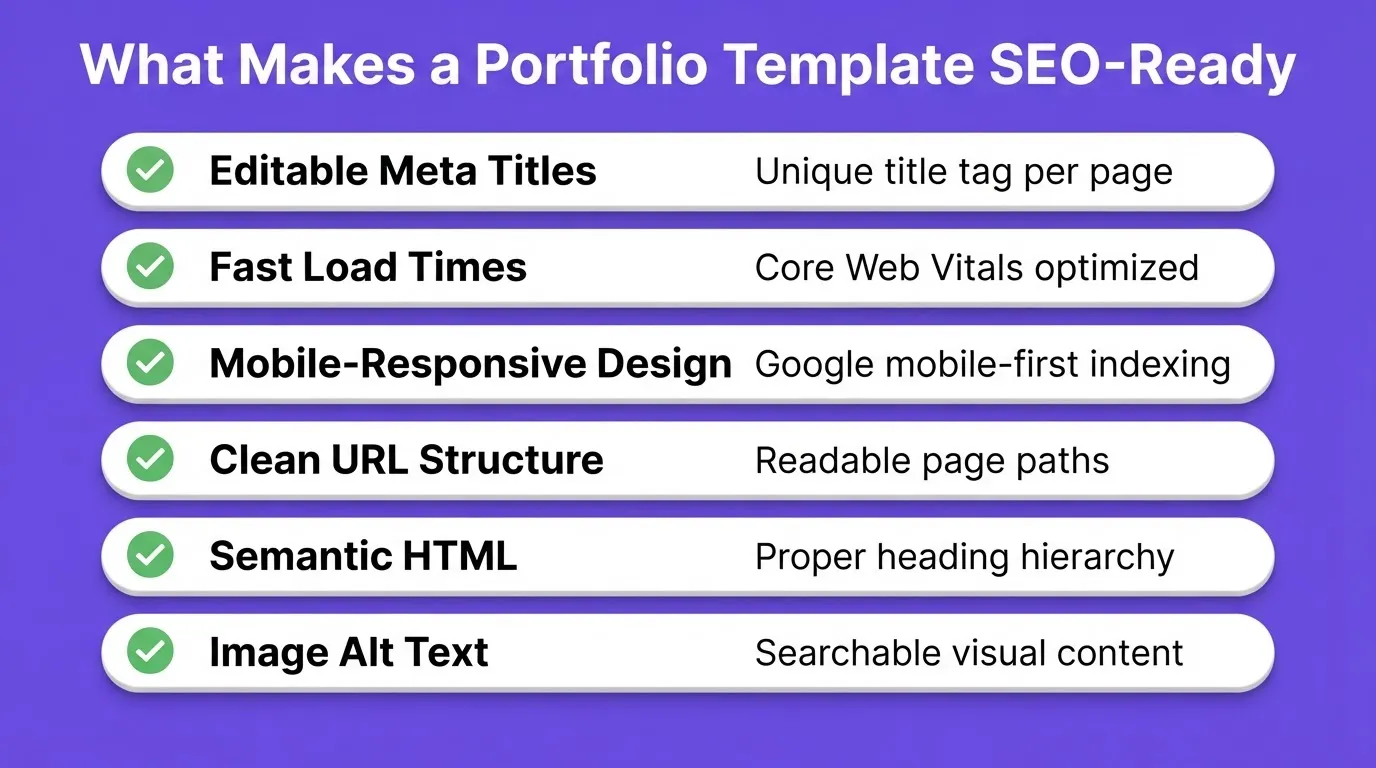
What Makes a Portfolio Template SEO-Ready
Choosing a visually strong template is only half the job. If your portfolio does not show up in search results, potential clients who are actively looking for someone with your skills will never find it.
A portfolio website template is truly SEO-ready when it includes the following features.
- Editable meta titles and descriptions. Every page needs a unique, keyword-rich title tag and meta description you control.
- Fast load times. Google uses Core Web Vitals as a ranking signal. Templates built on modern frameworks load faster and score better.
- Mobile-responsive design. Google indexes the mobile version of your site first. A template that breaks on phones ranks lower, regardless of content quality.
- Clean URL structure. A path like
/portfolio/brand-identity-projectoutperforms/page?id=47. Good templates generate clean, readable URLs automatically. - Semantic HTML. Properly structured headings (H1, H2, H3) help search engines understand your content hierarchy.
- Image alt text support. Every image in your portfolio should have an editable alt attribute so search engines can index your visual work.
For a deeper look at building a portfolio website from scratch with full SEO control, create personal portfolio website walks through the complete process step by step.
How to Customize a Template Without Losing Its Structure
One of the most common mistakes with portfolio website templates is over-customizing too early. This can break the layout logic that made the template work in the first place.
Here is a reliable sequence to follow.
- Replace content first. Swap placeholder text and images with your real work before touching any design settings. This alone makes the template feel like yours.
- Adjust colors and typography second. Change the primary color to match your brand and update the font if needed. Make one change at a time.
- Add or remove sections third. Once the content and brand feel right, decide if you need a testimonials section, a blog feed, or a contact form.
- Connect integrations last. Add analytics, contact form backends, or email capture after the structure is finalized.
This sequence prevents the most common issue. You avoid spending hours on visual tweaks only to realize the content does not fit the layout you built around it.
Community Insight
On Reddit, a designer shared this while deciding between building from scratch and using a template.
"Templates are part of every designers/developers life. I was advised to simply grab a nice template for my portfolio, use that, and my projects look a lot better than my custom site did."
The template is not the portfolio. Your work is the portfolio. The template is the frame.
Quick Tips to Make Your Portfolio Pop
Once you have selected a template, a few simple tweaks can make your projects stand out.
- Pick a clear hero image that shows your best work. This is the first thing visitors see. Choose an image that instantly highlights your skills and style.
- Keep menus clear so visitors do not hunt for information. Easy navigation keeps people on your portfolio website longer.
- Add brief case studies rather than long essays. A few lines about the project, your approach, and the outcome work better than paragraphs.
- Test on mobile so your site works anywhere. Most visitors check websites on their phones. A mobile-friendly template ensures your work looks polished across all screens.
- Use your real name in the domain. A URL like
yourname.comis more memorable and more searchable than a generic platform URL. - Include a clear specialty statement. "I design brand identities for early-stage startups" is more compelling than "I am a designer."
Good design and content go hand in hand. Templates give the structure, but your projects bring it to life.
Build a Portfolio Website Without Starting from Scratch
If building a custom site feels like too much, Rocket can help you get there fast, even without coding skills.
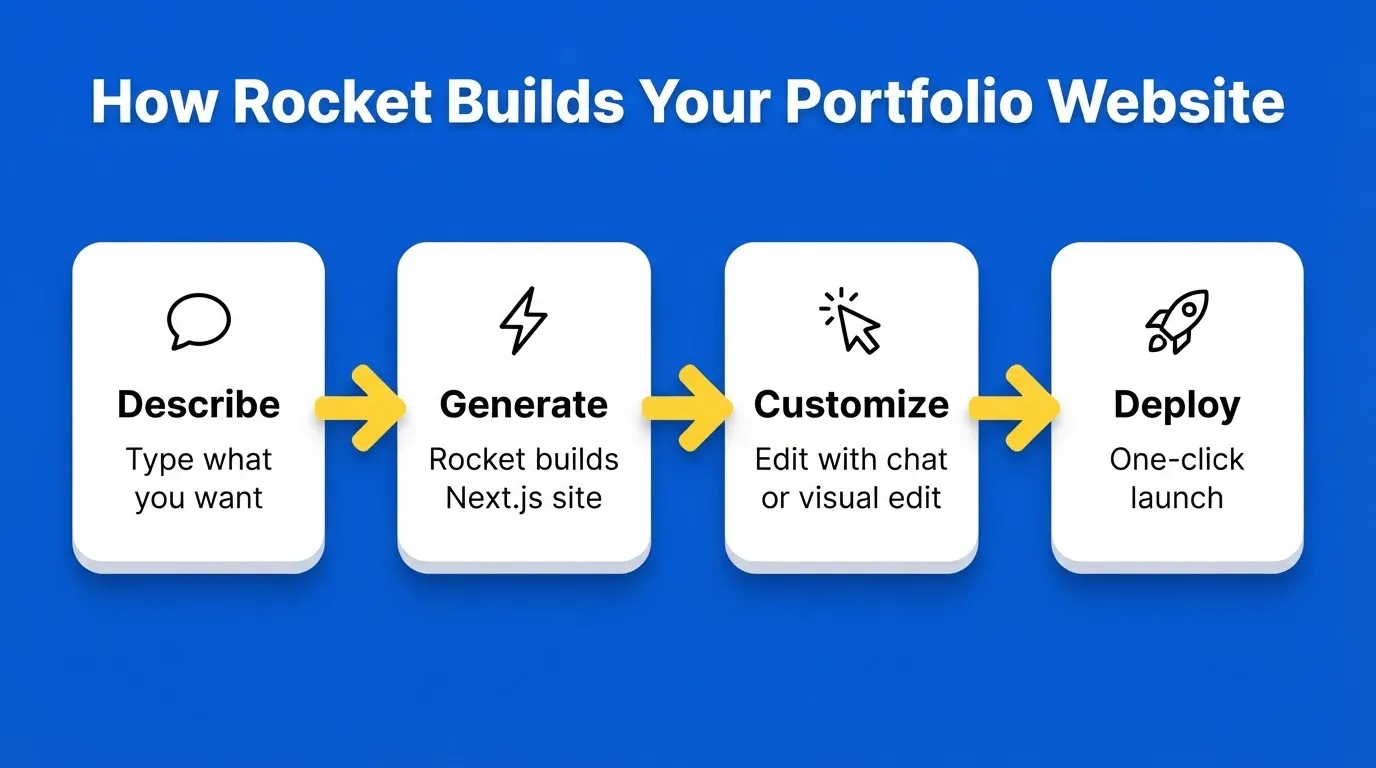
You describe your portfolio in plain language. Rocket generates a production-ready Next.js website with your specified layout, sections, and content structure. No coding is required at any stage.
Here is what that looks like in practice.
- Start from a portfolio template at zero cost. Browse the full template library, preview any template live, and remix it into your workspace. Credits only apply when you start customizing through chat.
- Build from a plain-language description. Describe your portfolio and Rocket generates a production-ready Next.js website with built-in SEO, WCAG accessibility compliance, and performance optimization by default.
- Import from Figma. If you have completed designs in Figma, Rocket converts them directly to production code. It preserves your typography, spacing, visual hierarchy, and color system exactly as designed.
- Customize with visual editing. Click any element on your generated site to tweak text, colors, spacing, and layout directly, without writing code.
- Deploy with one click. Your portfolio goes live instantly with built-in hosting. Connect a custom domain at any time.
Rocket is a vibe solutioning platform that connects Solve for strategic research, Build for production-grade generation, and Intelligence for continuous monitoring, all in one place. For a portfolio, you will primarily use Build, but the full platform is there when you need it.
Strong Portfolio Website Templates That Help You Shine
Choosing the right portfolio website templates can feel like wandering through a design bazaar. But when the layout matches your creativity and makes your projects easy to browse, you win.
Great templates frame your work instead of stealing the show. Pick one that fits your style. Tweak it so it feels like you. Then put your best work center stage where clients cannot miss it.
The template is just the beginning. What you put inside it is what makes clients reach out.
Your Portfolio Website, Built for What Comes Next
Portfolio website templates are not just a shortcut. They are the starting point for a professional online presence that compounds over time. The right template, matched to your profession and optimized for search, keeps working for you long after launch day.
As AI-generated content floods the web, a well-structured portfolio with real work, clear case studies, and a fast mobile experience becomes harder to ignore. The creatives who invest in that foundation now will stand out in the searches that matter most.
You already know what you want to show the world. Describe it. Rocket builds the rest.
Table of contents
- -Why the Right Portfolio Website Templates Matter
- -How to Pick the Right Template
- -Template vs. Custom Build: Which Is Right for You?
- -Top Portfolio Website Templates for Creatives
- -Portfolio Templates by Profession
- -Graphic Designers
- -Photographers
- -Writers and Content Creators
- -Developers and Engineers
- -UX Designers and Product Designers
- -Agencies and Studios
- -Great Free Portfolio Options
- -What Makes a Portfolio Template SEO-Ready
- -How to Customize a Template Without Losing Its Structure
- -Community Insight
- -Quick Tips to Make Your Portfolio Pop
- -Build a Portfolio Website Without Starting from Scratch
- -Strong Portfolio Website Templates That Help You Shine
- -Your Portfolio Website, Built for What Comes Next