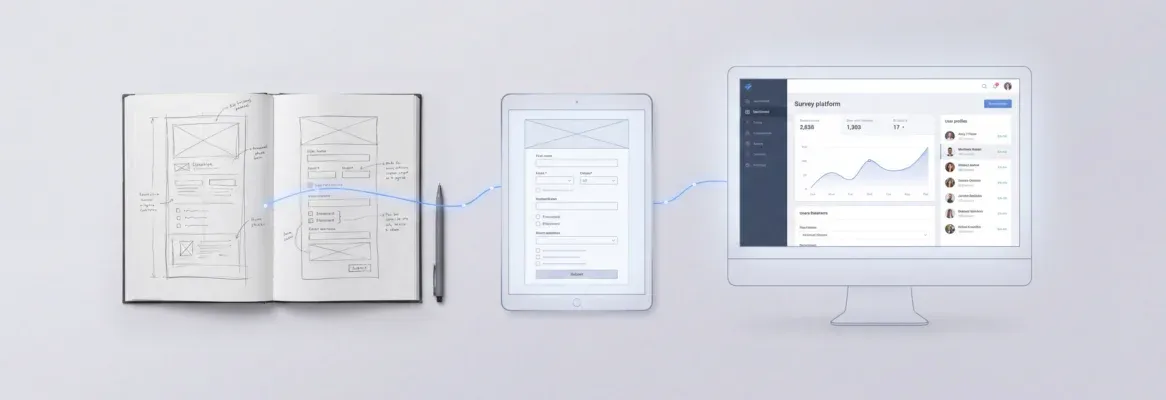
AI can build a production-grade web app without a developer in 2026, but only for low-risk, narrowly scoped apps. Describe your idea in plain language and launch in days. Start with an internal tool, validate your workflow, and scale from there.
What is Vibe Solutioning? The practice of combining AI-powered market research, full-stack app generation, and continuous competitive intelligence into one connected workflow, so every build decision is grounded in evidence, not guesswork.
AI can build a production-grade web app without a developer in 2026, but only for low-risk, narrowly scoped applications. Instead of hiring a full dev team and waiting months, you describe your idea in plain language and launch in days. Start with a low-risk internal tool, validate your workflow, and scale from there.
The question is no longer whether AI can build apps. It is whether your specific app falls into the category where going developer-free is actually safe.
In 2026, AI-driven development has compressed timelines so dramatically that solo founders and small teams are shipping software products in days, not months. Gartner forecasts that over 80% of enterprises will deploy generative AI in production environments by 2026. IDC estimates nearly 70% of new line-of-business applications are being built outside central IT using AI-assisted tools.
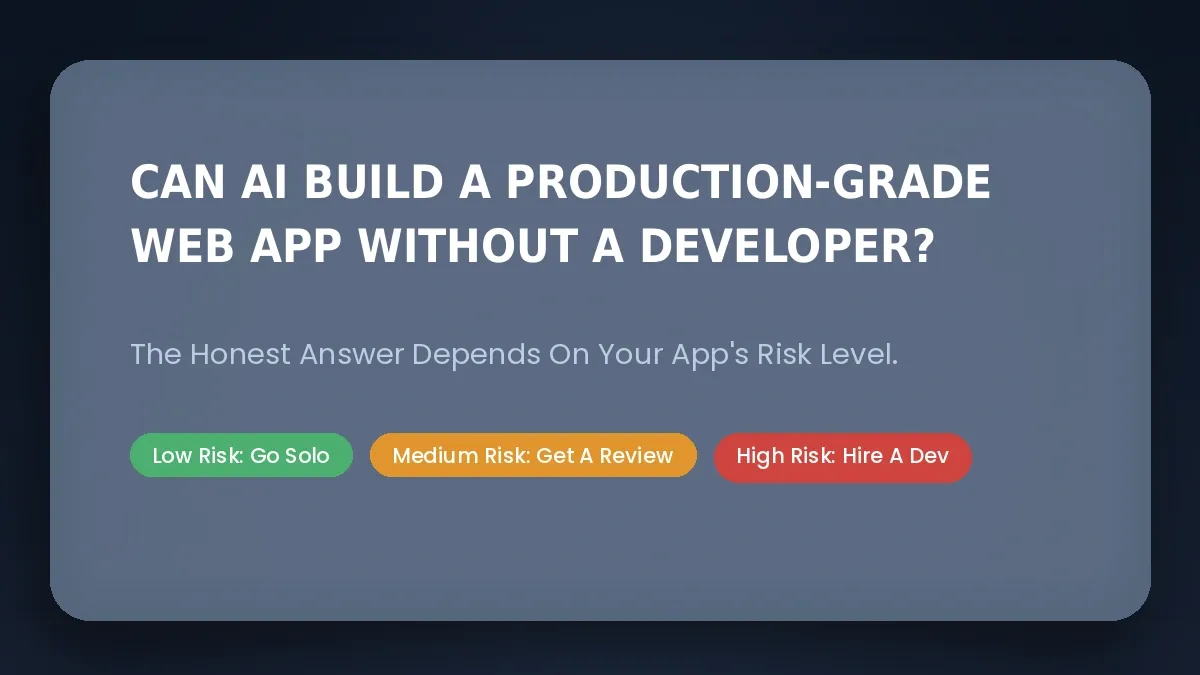
The answer depends entirely on which risk zone your project falls into, low, medium, or high.
What Does "Production-Grade Web App" Actually Mean?
A production-grade web app is not a working demo on someone's laptop. It is a live application that real users depend on, with the infrastructure to match.
In 2026, production-grade means your app includes secure user authentication via OAuth or SSO, role-based access control, audit logs for compliance tracking, error monitoring through tools like Sentry, automated testing via Jest or Playwright, and CI/CD pipelines through GitHub Actions. It also means modular app structure, clear code ownership in Git repositories, and SEO and WCAG accessibility compliance.
What it does NOT mean: a prototype that only works on your machine, front-end UI code with no full-stack backend, an app that breaks under more than a few dozen concurrent users, or something with hardcoded API keys and missing error handling.
Platforms like Rocket.new can generate GDPR and CCPA compliance features, but these are not added automatically. You need to ask Rocket.new to implement them via the /Implement Privacy Compliance command or chat before you launch. The capability is there; production compliance requires deliberate action.
What Types of AI Tools Can Build Web Apps in 2026?
AI app builders in 2026 span several categories, from no-code platforms to IDE-integrated coding agents. Each determines how much human engineering you still need.
| Tool Category | Examples | What They Build | Still Needs a Developer For |
|---|---|---|---|
| Vibe Solutioning Platforms | Rocket.new | Full-stack web + mobile apps, internal tools, SaaS | Regulated systems (HIPAA, PCI), custom hardware |
| Browser IDEs with AI Assistance | Bolt.new | Rapid prototypes, client portals | Security hardening, mobile apps, compliance |
| Chat-Based Builders | Lovable | Internal CRMs, landing pages | Complex state management, performance tuning |
| Agentic Builders | AppWizzy, Pythagora | Simple portals, PRD-to-deployment workflows | Real-time features, complex backend tasks |
| Prompt-to-App Generators | Base44, Debuild | Lead trackers, internal dashboards | Complex data models, scaling beyond early users |
| AI Coding Agents in IDEs | GitHub Copilot Workspace, Cursor | Boilerplate, CRUD APIs, test scaffolding | Architecture decisions, business logic |
The right category depends on your technical risk tolerance, compliance requirements, and whether you need long-term code ownership. Note: AI tools can assist in generating unit tests, but these tests often require human input to ensure they actually validate the intended behavior of the code.
Vendor Lock-In: The Risk No One Talks About
Some platforms store your business logic in proprietary systems with no export path. If you cannot download your full source code, you are accepting a serious long-term risk. Rocket.new addresses this with full source code export on paid plans and two-way GitHub sync, so you own everything you build.
How Does Rocket.new's Vibe Solutioning Approach Work?
Rocket.new is built around three connected pillars that share context across the full product lifecycle. Understanding how these pillars work together is the key to getting the most out of the platform.
Solve
Market research and PRD generation before you build. Describe your problem, target audience, and competitive context. Rocket.new returns a structured, evidence-backed report with a clear recommendation. Light Solve is available on Free and Pro plans for faster, structured answers to business questions.
Build
Production-ready Next.js web apps and Flutter mobile apps from a single prompt. Rocket.new connects to 26+ services via a connector library, including Supabase, Stripe, Netlify, Resend, HubSpot, Mixpanel, and more. You wire them in through a prompt or the connector panel; they are not bundled automatically into every app. Rocket.new's template library (25,000+ templates as of March 2026) lets you start from proven patterns rather than a blank prompt.
Three Build capabilities worth knowing:
- Figma-to-code import: Import Figma files or frames and Rocket.new generates production-ready React, Next.js, or Flutter code with matching layouts, colors, typography, and components.
- Slash and @ commands: Type / in the Build editor to run screen-aware shortcuts across categories including layout fixes, content changes, SEO, accessibility, and privacy compliance. Type @ to scope edits to a specific file, folder, or previous task.
- Advisor Agent: A senior architect sub-agent built into Rocket.new's code generation pipeline. When the coding agent fails to fix a bug after two or more attempts, the Advisor is invoked. It runs on the most capable model available, operates in read-only mode, diagnoses root causes rather than symptoms, and returns structured analysis with numbered implementation steps and a trade-off table.
Intelligence
Continuous competitor monitoring after launch. Rocket.new tracks competitors across nine signal pillars: Website, Social Media, News & Media, GTM, Product & Technology, People & Hiring, Business & Finance, Reviews & Community, and Traffic. Each pillar delivers Intel cards, which are structured reads that connect signals into meaning rather than raw alerts.
All three pillars run on a single shared credit balance.
Can a Non-Developer Launch a Web App Alone? Use Cases by Risk Level
Whether you can go developer-free depends entirely on your app's risk profile.
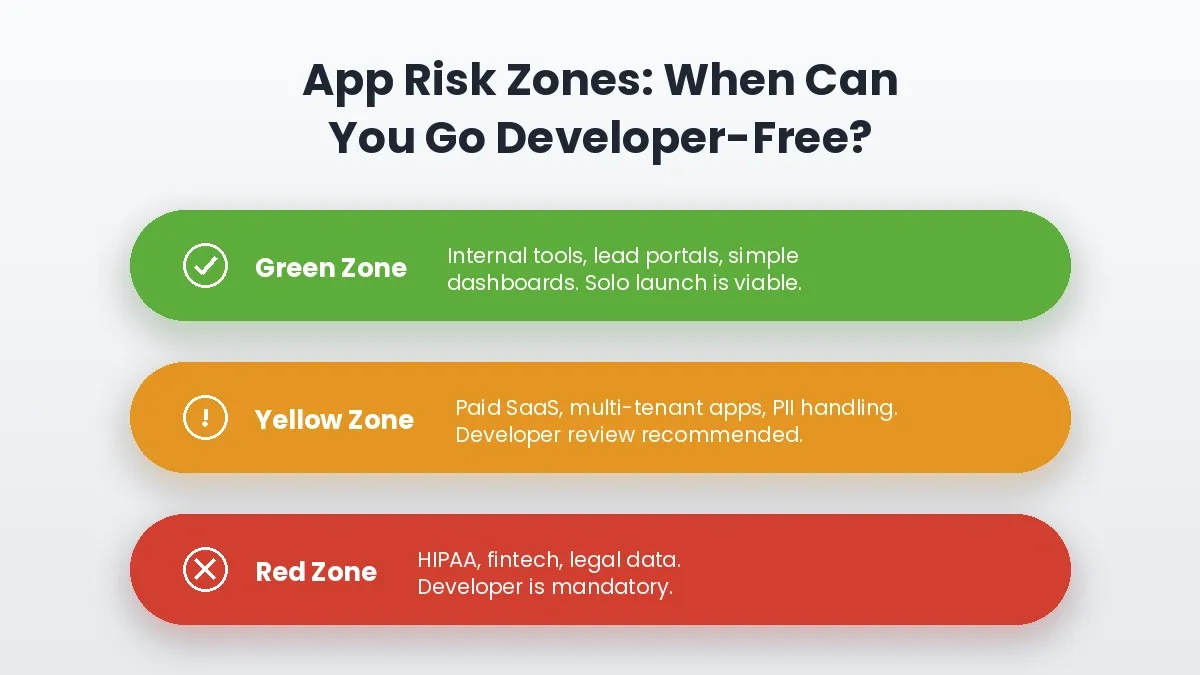
Green zone apps are safe to launch solo. Yellow zone apps need a brief developer review. Red zone apps require a professional engineer throughout.
Green Zone: Non-Developer Can Launch Alone
Low-stakes builds with limited users and minimal compliance needs.
| Project | Typical Timeline | Notes |
|---|---|---|
| Internal admin panels for teams under 50 | A few days | Low data sensitivity, internal users only |
| Lead capture portal with form validation | A few hours | Simple data flow, limited failure modes |
| Simple client portals with account data display | About a week | Verify auth configuration before launch |
| Internal dashboards pulling from Google Sheets | A few days | Connect via Launchpad or Google connector |
| Basic native mobile apps for internal use | A few days | Flutter output; test APK before distributing |
A non-technical founder with Rocket.new can credibly ship all of these. The target user is internal, the data is not sensitive, and failure modes are limited.
Yellow Zone: Partial Developer Oversight Recommended
These cases involve real money, external users, or meaningful data handling.
- Paid SaaS with Stripe subscriptions, where billing edge cases need review
- Multi-tenant architectures where data isolation between accounts matters
- Heavy API integrations with Salesforce, HubSpot, or payment processors
- Apps handling moderate personally identifiable information
- Complex web apps with real-time collaboration features
Developer involvement: a few days of review, minimum, before launch.
Red Zone: Requires an Experienced Engineer
These categories should never ship to production without professional developers.
- Medical records systems under HIPAA with audit requirements
- Trading platforms or consumer fintech wallets handling real money
- Apps processing sensitive government or legal data
- Platforms requiring formal SOC 2 or ISO 27001 organizational certification
- Any app where a security breach creates direct legal liability
Timeline: Several months minimum, with dedicated engineering leadership throughout.
What Does AI Handle Well vs. What Still Needs a Human?
The gap between what AI can generate and what a production app actually needs is closing, but it has not closed entirely.
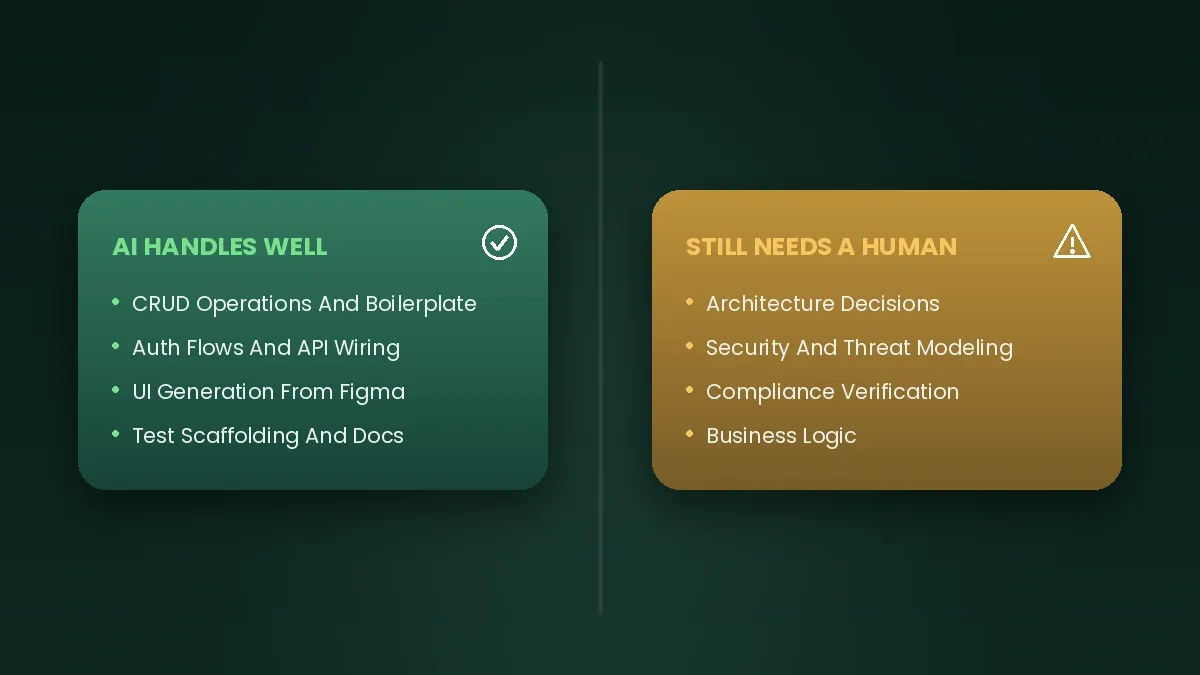
AI excels at boilerplate, auth wiring, and UI generation from Figma. Architecture decisions, security posture, and compliance verification still require human judgment.
AI Handles These Well in 2026
- Generating boilerplate CRUD operations
- Drafting unit and integration tests
- Wiring standard auth flows via OAuth or Supabase social login
- Auto-documenting APIs and generating database migration scripts
- Setting up basic logging, error tracking, and CI/CD configuration
- UI generation with consistent component libraries
- Figma-to-code conversion with pixel-accurate layouts
These Still Need a Human
- Architecture decisions that affect long-term scale
- Security posture and threat modeling
- Compliance requirements verification (GDPR, HIPAA, PCI)
- Performance optimization under real load
- Business logic that reflects how your specific company operates
One Stat Worth Knowing
Research from security firm Veracode suggests AI-generated code can contain significantly more security vulnerabilities than carefully reviewed human-written code. Human-in-the-loop checkpoints for security-sensitive applications are not optional in 2026. Treat AI output as a strong first draft your organization is responsible for owning, not a finished product you hand directly to users.
How Far Has AI App Development Actually Come in 2026?
Further than most people expect, but not as far as the hype suggests.
What the Numbers Show
The adoption curve for AI in software development is steep. Over 80% of enterprises are expected to have used generative AI in their application development by 2026, signaling this is no longer an experimental trend. Nearly 70% of new applications are being built outside central IT departments using AI-assisted tools, reflecting a real democratization of software creation.
These are not projections from optimistic vendors. They reflect a structural shift already underway in how software gets built and who builds it.
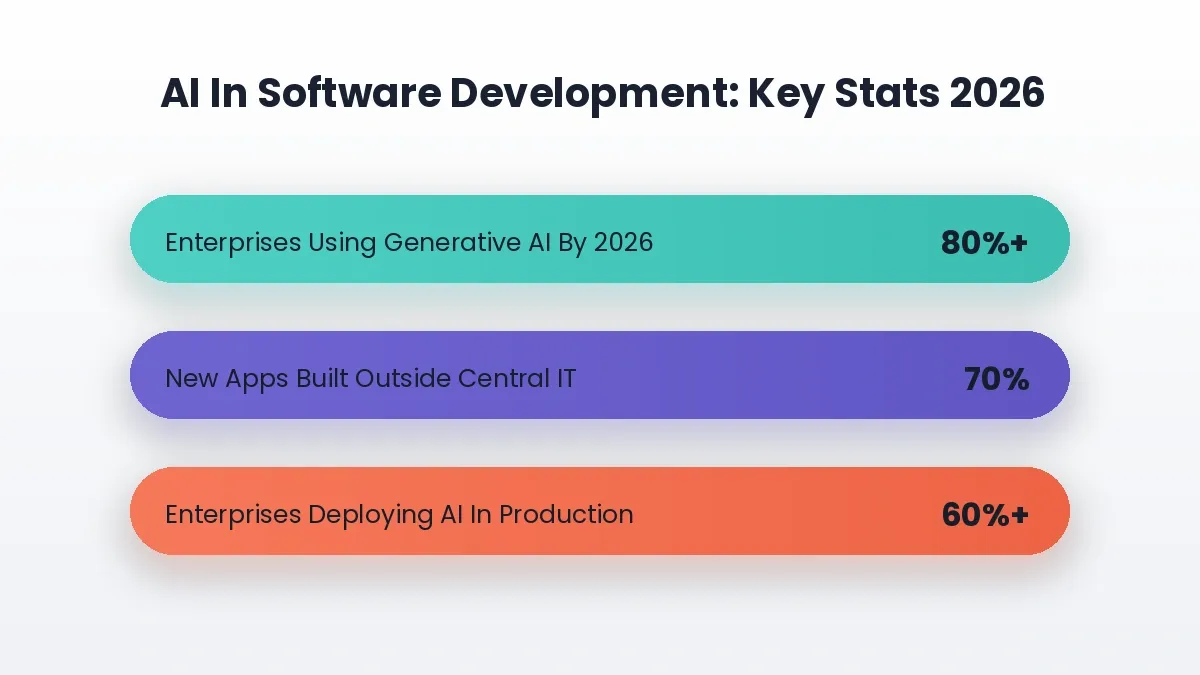
Three data points that show the structural shift already underway in how software gets built and who builds it in 2026.
What AI Agents Can Actually Do Today
AI agents in 2026 are meaningfully more capable than they were two years ago. They can build entire features end-to-end based on high-level English requirements, run tests and debug code in the same workflow, and read entire repositories to execute full-stack development tasks including deployment.
When the coding agent gets stuck, Rocket.new's Advisor Agent steps in. It diagnoses root causes rather than symptoms, returns a structured analysis with numbered implementation steps and trade-off tables, and hands execution back to the coding agent. This separation of reasoning from execution is a meaningful architectural improvement over single-agent systems.
Modern no-code app builders take this further with visual editors and drag-and-drop interfaces, letting users design applications by connecting components and workflows visually.
Where Human Judgment Still Wins in 2026
Speed and capability gains are real. The limits are equally real.
Code Quality Is Not Uniform
AI-generated code does not always align with best practices, and readability and maintainability can suffer without human review. Treating every AI output as a first draft, not a finished product, is the right operating assumption.
Architecture Decisions Still Need Human Input
How system components communicate, scale, and fail has long-term consequences. Defining the architecture before generating code prevents incoherent codebases where different sections follow conflicting patterns. The Advisor Agent helps resolve architectural conflicts mid-build, but the initial architecture still benefits from human judgment.
Compliance Is the Hardest Wall to Clear
Adhering to strict privacy laws like the EU AI Act requires nuanced ethical judgment that autonomous agents cannot yet replicate. Regulators, auditors, and enterprise security teams need human sign-off. Rocket.new can generate GDPR and CCPA consent flows on request, but organizational compliance certifications remain a human responsibility.
A Practical AI-First Workflow for 2026 With Minimal Developer Involvement
For founders and product managers who want to leverage AI while keeping developer hours minimal, here is a concrete workflow using Rocket.new's vibe solutioning approach.
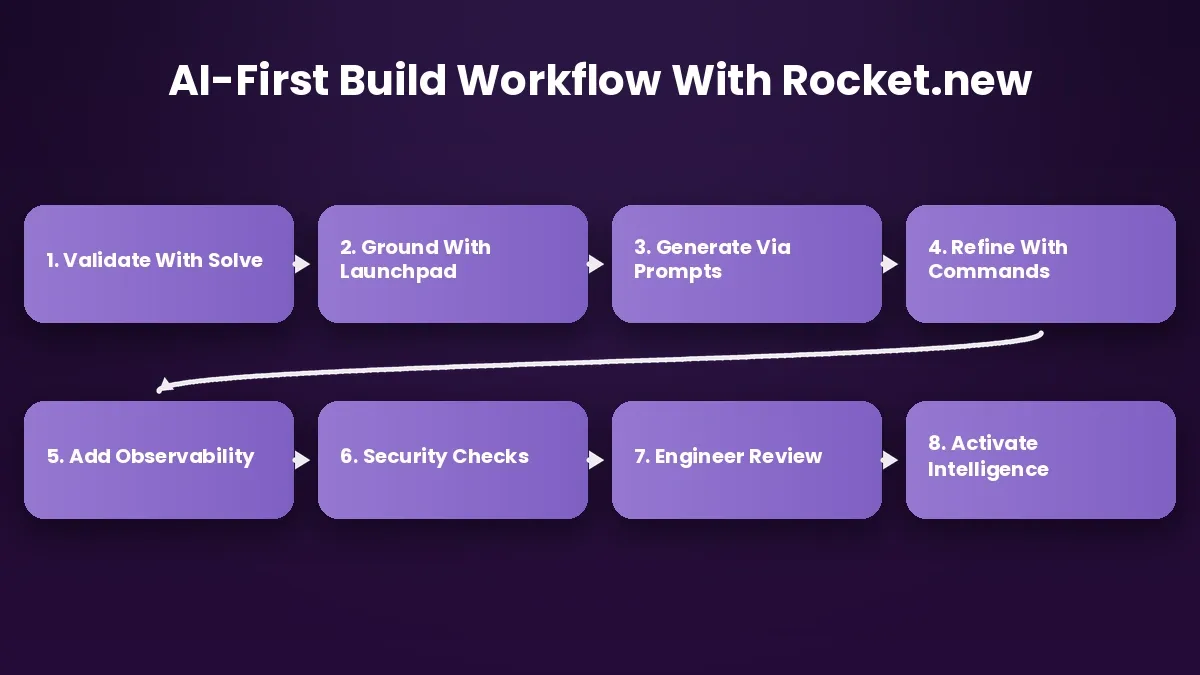
Eight steps from idea to production: the AI-first workflow that keeps developer involvement to a minimum without sacrificing quality.
Step 1: Validate Your Idea with Rocket.new's Solve Pillar
Before writing a single prompt, use Solve to research your market. Describe your problem, target audience, and competitive landscape. Rocket.new returns a structured, evidence-backed report with a clear recommendation, a 90-day plan, PRD foundation, or go/no-go signal backed by real data.
Step 2: Ground Your Build with Launchpad
With your validated idea, use Launchpad to connect your existing docs, tickets, or data as the foundation for the build. Reference a Notion PRD, a Linear issue, a Supabase schema, or a Google Sheet. Rocket.new reads the source, extracts intent, and builds from that foundation rather than a blank prompt.
Step 3: Generate Your Initial Version via Prompts
Describe your app in plain language:
"Build a customer portal with user authentication, a dashboard showing
order history, and file storage for invoices"
Rocket.new generates Next.js for the frontend, wires in Supabase for database and auth, and can connect Stripe for payments via the connector library. If you have Figma designs, import them directly. Rocket.new converts frames into production-ready React or Flutter code with matching layouts and styling.
Step 4: Refine Flows and UI via Commands and Chat
Use iterative chat prompts to adjust features and flows. For precise edits, use slash commands such as /Fix Layout Issues in pricing grid or /Update Content change "Get started" to "Launch now" in hero section. Use /Implement Privacy Compliance to add GDPR and CCPA consent flows before launch.
Step 5: Add Basic Observability
Every production app needs visibility: error tracking via Sentry, analytics via Google Analytics, Mixpanel, or Plausible (all available as connectors), structured logging for debugging, and health checks for uptime monitoring. Verify that logging actually captures what you need before going live.
Step 6: Run Targeted Security Checks
Before launch, run npm audit for known dependency vulnerabilities, Snyk or similar for dependency scanning, basic OWASP checks for common vulnerabilities, and confirm no hardcoded API keys. Rocket.new stores credentials in environment variables, not source code.
Step 7: Human Engineer Review (One to Two Days)
This is your must-have gate. A senior developer should review architecture decisions and scalability paths, security controls and authentication logic, data model design and backup strategies, and deployment configuration on Netlify or custom infrastructure.
Step 8: Activate Intelligence for Post-Launch Monitoring
After deploying, switch on Rocket.new's Intelligence pillar. Track competitor website changes, pricing shifts, feature launches, hiring moves, and review sentiment across nine signal pillars. Use competitor signals to inform your next Solve research or Build iteration.
This closed loop, from Solve to Build to Intelligence and back, is what makes Rocket.new a vibe solutioning platform rather than a code generator. You can also explore how to build internal tools with AI without a developer as a starting point before tackling more complex builds.
Who Uses AI Web App Builders? Real Examples by User Type
| User Type | What They Want to Build | How AI App Builders Help |
|---|---|---|
| Startup Founder | SaaS MVP with auth and payments | Ships v1 in days instead of months; reviews billing logic before launch |
| Freelancer or Creative | Client portals with file sharing and invoicing | Builds and deploys without writing code; owns full source via GitHub sync |
| Small Business Owner | Internal dashboards and admin panels | Replaces spreadsheet chaos with a real app in under a week |
| Coach or Consultant | Lead capture portals with CRM-lite features | Collects and manages leads without a dev team |
| Enterprise Product Team | Internal tools and workflow automation | Builds outside central IT using AI-assisted tools; reduces backlog pressure |
Across all these user types, the common outcome is the same: a working app in production faster than traditional development allows, with enough structure to grow. Teams that start from validated research rather than a blank prompt consistently ship better first versions.
What Are the Real Risks of Going Developer-Free with AI App Generators?
AI reduces upfront engineering costs dramatically. But hidden costs can appear later if no developer is involved early.
Hallucinated or Outdated Patterns
AI models generate code from training data, which may include deprecated libraries or insecure practices. A well-structured specification document before you start, or a Launchpad source like a Notion PRD, significantly reduces ambiguity and improves output accuracy.
Fragile Architectures
AI-generated apps often work well at small scale but struggle past a few hundred concurrent users. Database queries may lack proper indexing, and caching strategies are sometimes absent. Human architecture review before you grow is important. The Advisor Agent helps catch architectural issues mid-build, but it is not a substitute for a pre-launch architecture review.
Security Gaps
Weak input validation, misconfigured headers, and insecure patterns appear in AI-generated code, particularly from platforms without built-in security tooling. Rocket.new stores API keys in environment variables rather than source code, and offers GDPR and CCPA compliance flows on request. No automated system catches everything, so budget for quarterly security reviews at a minimum.
Prompt-Patching Debt
Non-developers who keep fixing issues by adding new prompts without understanding the architecture create tangled logic over time. Rocket.new's shared context, the accumulated history of every Solve decision, Launchpad source, and Build iteration, serves as documentation a future developer can actually use.
Risk mitigation checklist before calling your app production-ready:
- Can it pass basic penetration tests using OWASP ZAP?
- Will it meet your uptime targets under realistic load?
- Can another engineer understand and modify the code next year?
- Are API keys and secrets stored in environment variables, not hardcoded?
- Does it handle dependency management and security updates?
If any answer is "no" or "I am not sure," you are not production-ready yet.
Rocket.new vs. Other AI App Builders: How Do They Compare?
The table below reflects Rocket.new's own assessment of its capabilities versus competitors, based on publicly documented features as of mid-2026. Verify competitor claims against their current documentation before making a purchasing decision.
| Feature | Rocket.new | Bolt.new | Lovable | v0.dev |
|---|---|---|---|---|
| Full-Stack Generation | Next.js + Supabase via connector | Yes (limited backend) | Yes (Supabase) | No (frontend only) |
| Mobile App Output | Flutter iOS and Android | No | No | No |
| Figma-to-Code Import | React, Next.js, Flutter | Limited | Limited | Yes (React) |
| Market Research (Solve) | Yes, built in | No | No | No |
| Competitor Monitoring | 9-pillar Intelligence | No | No | No |
| Code Export to GitHub | Two-way sync | Limited | Limited | Yes (frontend) |
| GDPR/CCPA Compliance Flows | On request via slash command | Manual setup | Manual setup | Not applicable |
| Advisor Agent | Yes (read-only, error resolution) | No | No | No |
| Launchpad | Notion, Linear, Supabase, Google, Airtable, Mixpanel, Directus | No | No | No |
| Templates Library | 25,000+ | Limited | Moderate | Component-level |
| One-Click Deploy | Netlify + custom domains | Yes | Yes | Vercel |
The key distinction is scope. Most AI app builders focus on generating code faster. Rocket.new covers the full arc: research, build, operate, and grow, in one connected system where context carries forward from Solve into Build into Intelligence. If you are comparing options, the ROI difference between an AI app builder and hiring a developer is worth understanding before you decide.
What Does the Future of AI App Development Look Like?
2026 is a transition period. AI agents already manage end-to-end flows for simple applications, and the trajectory is clearly toward more autonomy. But full unsupervised replacement of human developers for most real-world applications is not yet responsible.
Near-term milestones to watch:
- Better long-context AI models that handle entire repositories, not just single files
- Stricter security guardrails with automatic vulnerability patching
- Formal spec-to-code workflows driven by machine-readable specifications
- Improved dependency management with automatic updates and compatibility checking
- Vibe solutioning platforms expanding to cover more of the product lifecycle
The role shift is already happening. Professional developers are moving toward AI System Architect and AI Supervisor roles, focusing on high-level architecture and security rather than writing boilerplate from scratch. The value moves from implementation to decision-making. For a deeper look at where this is heading, the future of vibe programming in shaping digital experiences is worth reading alongside this piece.
Ready to build a production-grade web app without a developer? Sign up and start building today.
Table of contents
- -What Does "Production-Grade Web App" Actually Mean?
- -What Types of AI Tools Can Build Web Apps in 2026?
- -Vendor Lock-In: The Risk No One Talks About
- -How Does Rocket.new's Vibe Solutioning Approach Work?
- -Solve
- -Build
- -Intelligence
- -Can a Non-Developer Launch a Web App Alone? Use Cases by Risk Level
- -Green Zone: Non-Developer Can Launch Alone
- -Yellow Zone: Partial Developer Oversight Recommended
- -Red Zone: Requires an Experienced Engineer
- -What Does AI Handle Well vs. What Still Needs a Human?
- -AI Handles These Well in 2026
- -These Still Need a Human
- -One Stat Worth Knowing
- -How Far Has AI App Development Actually Come in 2026?
- -What the Numbers Show
- -What AI Agents Can Actually Do Today
- -Where Human Judgment Still Wins in 2026
- -Code Quality Is Not Uniform
- -Architecture Decisions Still Need Human Input
- -Compliance Is the Hardest Wall to Clear
- -A Practical AI-First Workflow for 2026 With Minimal Developer Involvement
- -Step 1: Validate Your Idea with Rocket.new's Solve Pillar
- -Step 2: Ground Your Build with Launchpad
- -Step 3: Generate Your Initial Version via Prompts
- -Step 4: Refine Flows and UI via Commands and Chat
- -Step 5: Add Basic Observability
- -Step 6: Run Targeted Security Checks
- -Step 7: Human Engineer Review (One to Two Days)
- -Step 8: Activate Intelligence for Post-Launch Monitoring
- -Who Uses AI Web App Builders? Real Examples by User Type
- -What Are the Real Risks of Going Developer-Free with AI App Generators?
- -Hallucinated or Outdated Patterns
- -Fragile Architectures
- -Security Gaps
- -Prompt-Patching Debt
- -Rocket.new vs. Other AI App Builders: How Do They Compare?
- -What Does the Future of AI App Development Look Like?