

A database-driven website stores content in a database and generates pages dynamically. You can build one without coding using Rocket, which auto-generates a PostgreSQL backend, authentication, and Next.js frontend from a plain-language prompt.
A database-driven website stores content in a structured database and generates pages dynamically when users visit. This guide explains what a database-driven website is, how it works, and how to build one without coding experience using modern no-code platforms, visual builders, and managed databases to launch faster.
Definition: A database-driven website is a site where content is stored in a database and retrieved on demand, so pages are generated dynamically rather than written as static files. The server queries the database, assembles the page, and delivers it to the browser each time a user visits.
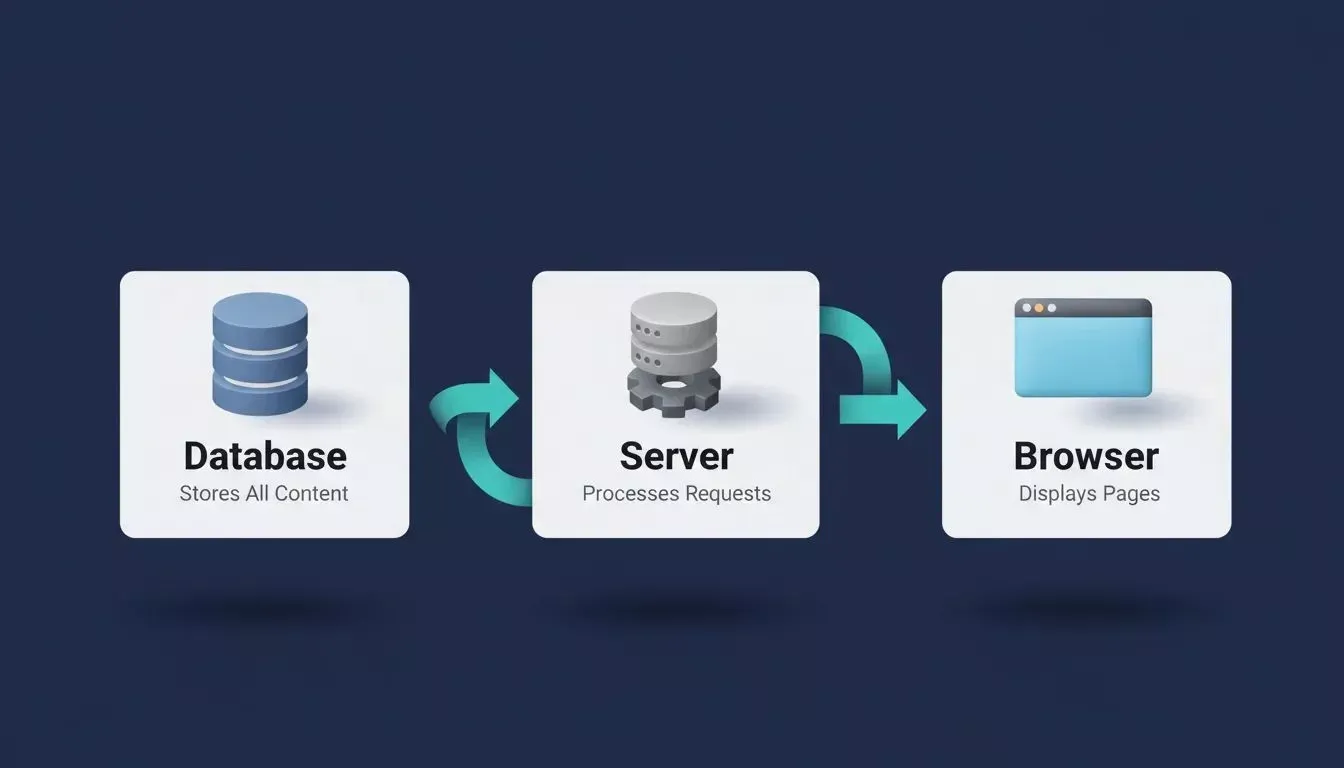
A database-driven website connects three layers: the database stores data, the server retrieves it, and the browser displays it.
What is a Database-Driven Website?
A database-driven website stores content inside a database and displays it on web pages when a user opens the site. Instead of creating many static web pages manually, the system retrieves data from the database and shows it in the browser when the page loads. Rather than updating multiple files each time content changes, the website simply updates the stored data, and the page regenerates automatically.
How Does a Database-Driven Website Work?
Here is a simple breakdown of how a database-driven site operates:
- Content storage: Articles, images, customer details, and other information are stored in a database rather than in separate page files.
- User request: When a user opens a page, the browser sends a request to the server.
- Database query: The server executes a query to retrieve the required data.
- Page generation: The server combines the data with the website's layout to generate the page.
- Content display: The browser receives the page and displays the content instantly for the user.
Example of a Database-Driven Website
Think about a blog platform. The articles are stored inside a database. When a reader opens a blog page, the server retrieves the article data from the database and sends it to the browser. The page appears immediately with the title, text, and images.
This system allows websites to manage large amounts of information in a single central location. Without a database, every page would have to be written and updated manually using static files. With a database-driven site, you store content once and display the same data in multiple places across the site.
Do I Need Coding Experience to Build a Database-Driven Website?
No. Modern no-code platforms handle the database, backend, and frontend automatically from a plain-language prompt. You define what you want to build, and the platform generates the data structure, pages, and logic without requiring you to write code. The sections below explain exactly how this works.
Static Websites vs Database-Driven Websites
Choose a database-driven approach if you need user accounts, dashboards, or a catalog that changes often. Static pages work for simple brochure sites where content rarely changes.
| Feature | Static Web Pages | Database-Driven Website |
|---|---|---|
| Content updates | Manual editing of files | Content stored in database |
| Page generation | Fixed HTML files | Generated from data on demand |
| Content reuse | Limited | Same data used across pages |
| User interaction | Minimal | Supports forms, accounts, and dashboards |
| Scalability | Harder as site grows | Easier to manage at scale |
| SEO | Fast load, simple crawl | Requires SSR for full indexability |
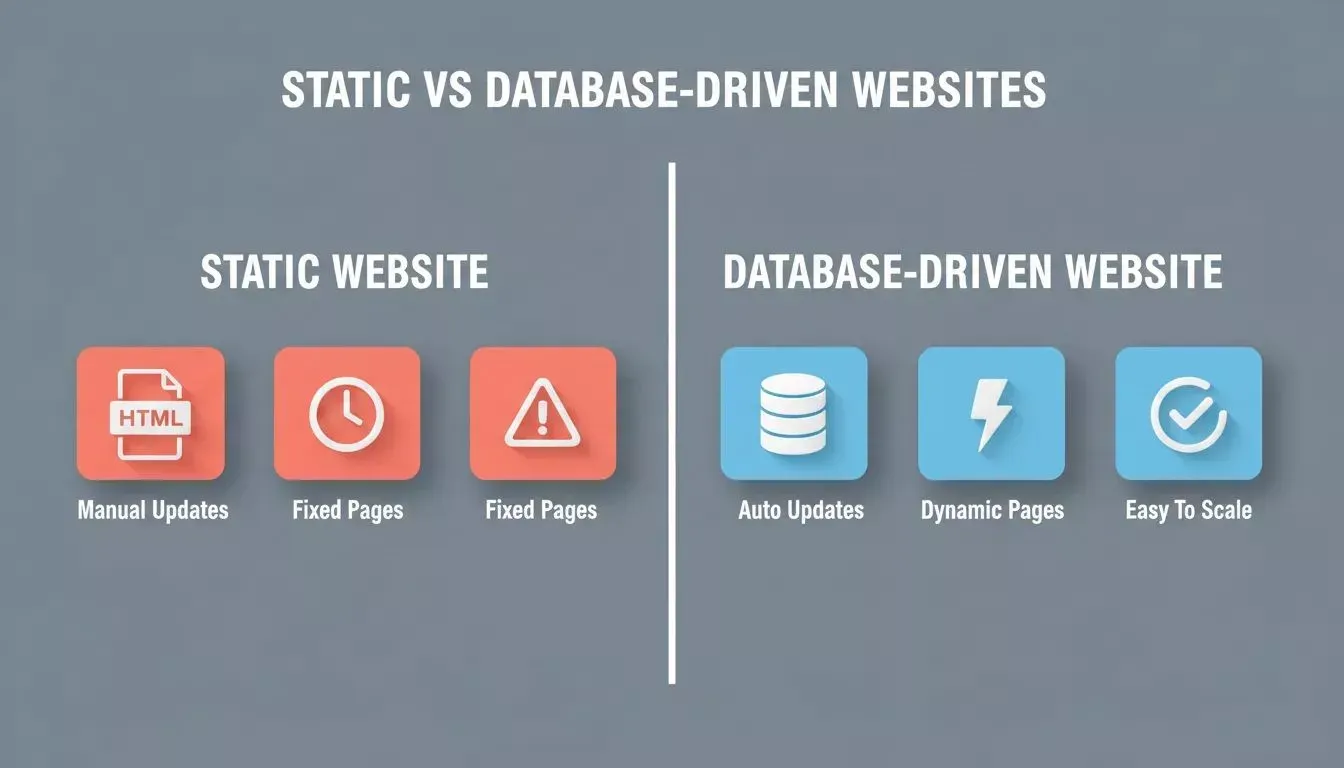
Static websites suit simple content; database-driven websites are built for scale, user accounts, and dynamic content.
How a Database-Driven Website Works
Even without coding knowledge, it helps to understand the basic process. The system has three main components that work together to display content.
The six-step flow from user request to page display in a database-driven website.
1. The Database
The database stores all the information in structured tables. Each table contains records such as names, dates, descriptions, and other details.
Information stored in the database can include:
- User accounts
- Blog posts
- Product details
- Images and media files
- Form submissions
Modern platforms like Rocket use Supabase, which provides a PostgreSQL database alongside user authentication, file storage, and edge functions in a single service. Row-level security policies control which users can read or edit each row, and real-time subscriptions push live changes to the UI the moment data changes.
2. The Server
The server connects the website with the database. When a user opens a page, the server receives the request and runs a query to retrieve the required data.
In production apps built with Rocket, this layer is handled by Next.js on the web side and Flutter on mobile, both generating real, deployable code that you can download or push to GitHub. After retrieving the data, the server prepares the page and sends the results to the browser.
3. The Browser
The browser is the final step. Once the server sends the page, the browser displays the content using HTML and CSS. These three components work together to power a database-driven website: the database stores the data, the server retrieves it, and the browser displays it to the user.
Why Businesses Use Database-Driven Websites
Many companies rely on database-driven websites because they need a better way to manage large amounts of data. Research from W3Techs shows that more than 43% of websites run on systems that manage data through databases and content tools.
You can see this approach used across many industries:
- An online store keeps customer profiles, orders, and product details inside a database.
- A membership platform stores user accounts and access permissions.
- A news website stores articles, images, and categories in a central database.
Because the information is stored in one place, the website can show personalized content to each user and automatically update pages. An AI app builder with database integration makes this entire setup accessible without writing a single line of code.
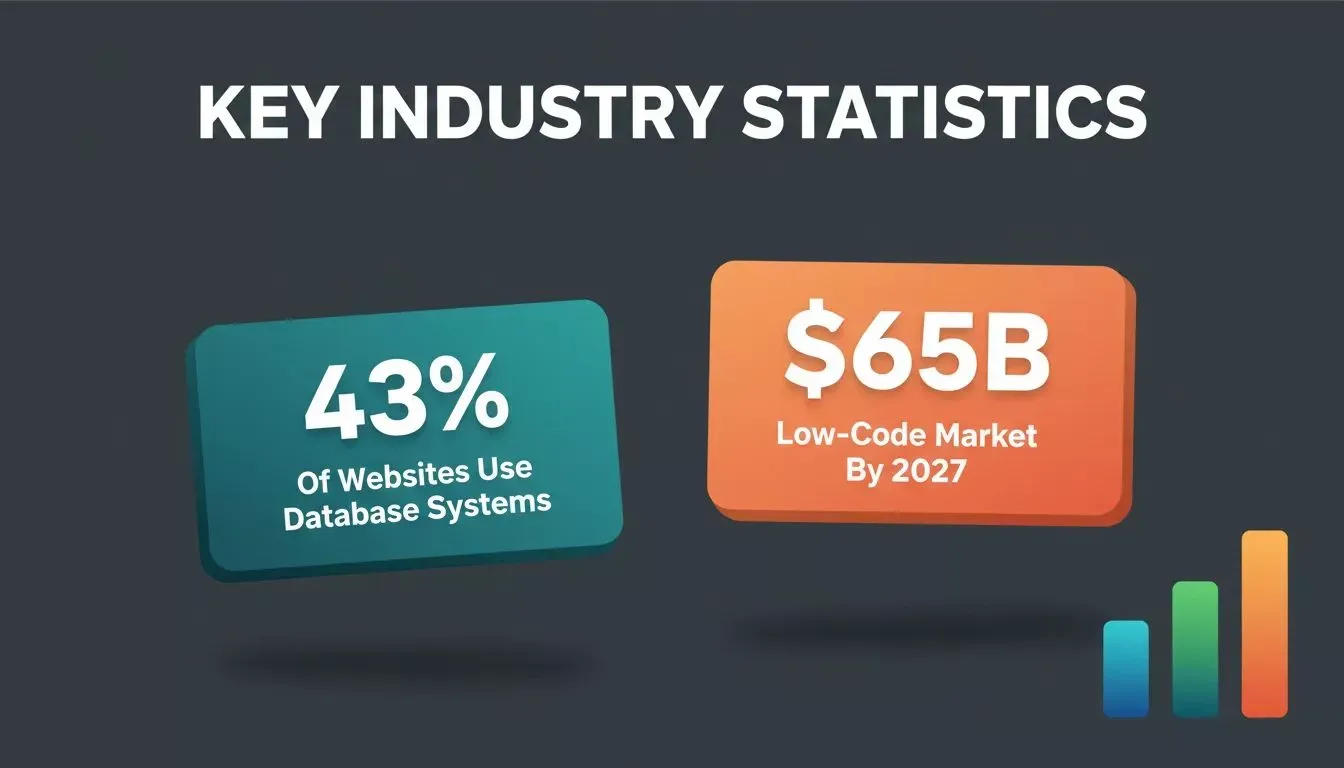
Database-driven systems power the majority of the modern web, and the no-code market is accelerating adoption further.
How to Build a Database-Driven Website with Rocket
Now let's move to the practical part. Rocket is a vibe solutioning platform that combines strategic research (Solve), AI app building (Build), and competitive intelligence (Intelligence) in one product. The Build feature generates production-ready Next.js web apps and Flutter mobile apps from a plain-language prompt, with a Supabase backend scaffolded automatically.
You can create a free account in about 30 seconds using Google, Apple, or email with no credit card required. Here is how to build a database-driven website step by step.
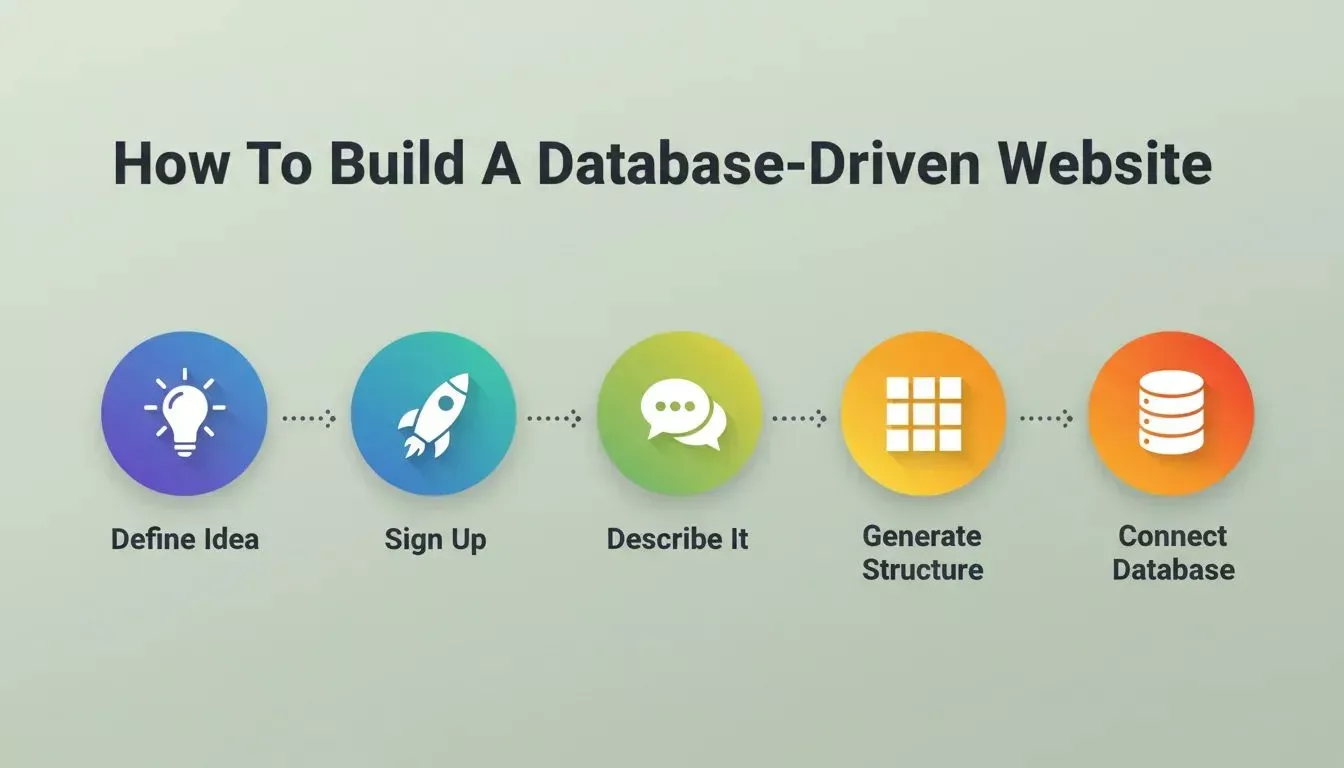
The five core phases of building a database-driven website: define, sign up, describe, generate, and connect.
Step 1: Define the Website Idea
Start with a clear idea for your website. Knowing what the site will do helps shape the database structure and page layout.
Ask yourself a few questions:
- What type of website are you building?
- What data will be stored in the database?
- What pages will users access?
Common examples of database-driven websites include:
- blog platforms
- product catalog sites
- customer portals
- membership websites
Pick a clear goal. A focused concept makes the development process much smoother.
Step 2: Sign Up to Rocket
Go to Rocket and sign up in about 30 seconds with Google, Apple, or email. No credit card is required. After logging in, open the dashboard and create a new project.
The platform handles most of the setup automatically. There is no need to configure a server manually or install a database management system.
Step 3: Describe the Website or Choose a Template
Now you tell Rocket what you want to build. You can either write a prompt or select a template.
Option 1: Enter a prompt
Example prompt:
"Create a database-driven website for a small business that includes a product catalog, customer login, and a contact form."
Option 2: Choose a template
Templates might include blog platforms, directory websites, e-commerce layouts, and content portals. The system uses your prompt to generate web pages, database tables, and project files.
Step 4: Generate the Website Structure
After confirming your input, Rocket begins building the site's structure.
The platform automatically generates:
- website layout and web pages (Next.js for web, Flutter for mobile)
- a PostgreSQL database via Supabase
- authentication system (email/password, Google, GitHub)
- backend services and edge functions
- deployable project files you can download or sync to GitHub
At this stage, the database-driven site begins to take shape. The system builds the data structure needed to store content, users, and other information without manual programming.
Step 5: Create and Connect the Database
Next, configure the website database. Rocket connects to Supabase via OAuth and scaffolds a complete backend automatically. You define the fields in plain language, and the platform creates structured PostgreSQL tables with row-level security applied.
For example:
| Table | Stored Data |
|---|---|
| Users | name, email, login credentials |
| Posts | title, article text |
| Products | name, price, images |
| Orders | transaction records |
Once the tables exist, the site connects pages with the stored data. Each page retrieves content from the database automatically whenever a user opens it in the browser.
Authentication is included out of the box. Supabase in Rocket handles sign-up, login, password reset, and protected routes, supporting email/password and social providers like Google and GitHub. You can also generate your database schema with AI to speed up the design process.
Ready to try it? Sign up for free and connect your database in minutes.
Step 6: Add Forms to Collect Data
Forms allow users to submit information to the database. Rocket provides tools to easily embed forms across your web pages.
Common forms include:
- registration forms
- contact forms
- customer inquiries
- product submissions
When a user submits a form, the system writes the information into the database. Administrators can access and manage that data from the dashboard.
Step 7: Manage Content from the Dashboard
Most database-driven websites include an admin dashboard. This panel allows teams to manage the site without editing files.
From the dashboard you can:
- add content
- edit stored records
- delete entries
- upload images to Supabase Storage
- manage user accounts and roles
These actions update the database instantly. The changes then appear across multiple web pages automatically.
Step 8: Review Features and Adjust the Website
After the structure is ready, review the generated site.
Check things like:
- page layout and navigation
- form submissions
- data storage in the database
- user login flow
- browser display across devices
If something needs adjustment, Rocket allows you to modify the project using plain-language commands. You can refine the design, add new features, or update the data structure.
Step 9: Test and Launch the Website
Before going live, run a final test of the site.
Verify that:
- data saves correctly in the database
- pages load properly in the browser
- forms submit without errors
- login systems work as expected
- row-level security policies are active
Once everything is working well, configure the hosting and launch the site. Rocket deploys to Netlify with one click, giving you a live URL with automatic HTTPS and global CDN hosting. You can also connect a custom domain directly from the editor.
How Rocket's Backend Actually Works
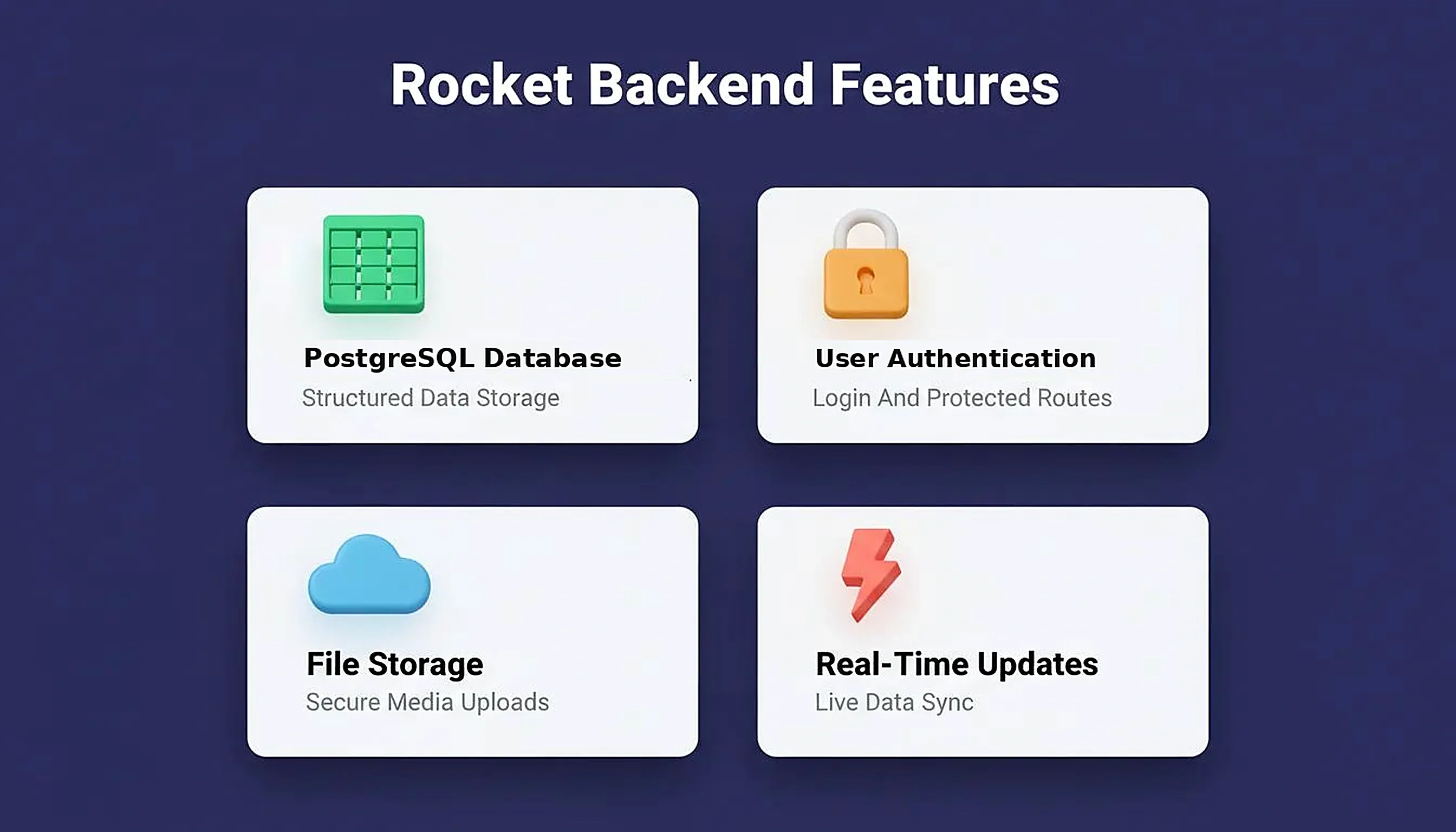
When you connect Supabase to your Rocket project, the platform scaffolds a complete backend automatically. Here is what that includes:
| Feature | What it does |
|---|---|
| PostgreSQL database | Stores all structured data in tables with row-level security |
| User authentication | Sign-up, login, password reset, and protected routes via email/password, Google, or GitHub |
| File storage | Users can upload images, documents, and media with secure access controls |
| Real-time updates | Live changes pushed to the UI when rows are inserted, updated, or deleted |
| Edge functions | Server-side logic without exposing secret keys to the client |
| Multi-tenant support | Each organization sees only its own data with invite flows and role management |
You own the code. Rocket generates real Next.js and Flutter source files that you can download or push to GitHub at any time.
Rocket scaffolds a complete Supabase backend automatically, covering database, auth, storage, and real-time features.
Security and Data Protection
Database-driven websites require proper security configuration. Rocket applies several protections by default:
- Row-level security (RLS): PostgreSQL policies ensure users can only read and edit their own records.
- Protected routes: Authentication guards prevent unauthenticated access to private pages.
- Environment variables: API keys and secrets are stored server-side, never exposed to the client.
- WCAG accessibility and GDPR compliance are shipped as build defaults, with generated cookie consent banners and privacy policy flows.
Knowing how to secure an app from the start prevents costly fixes later. Security is not an afterthought in Rocket; it is built into every generated project by default.
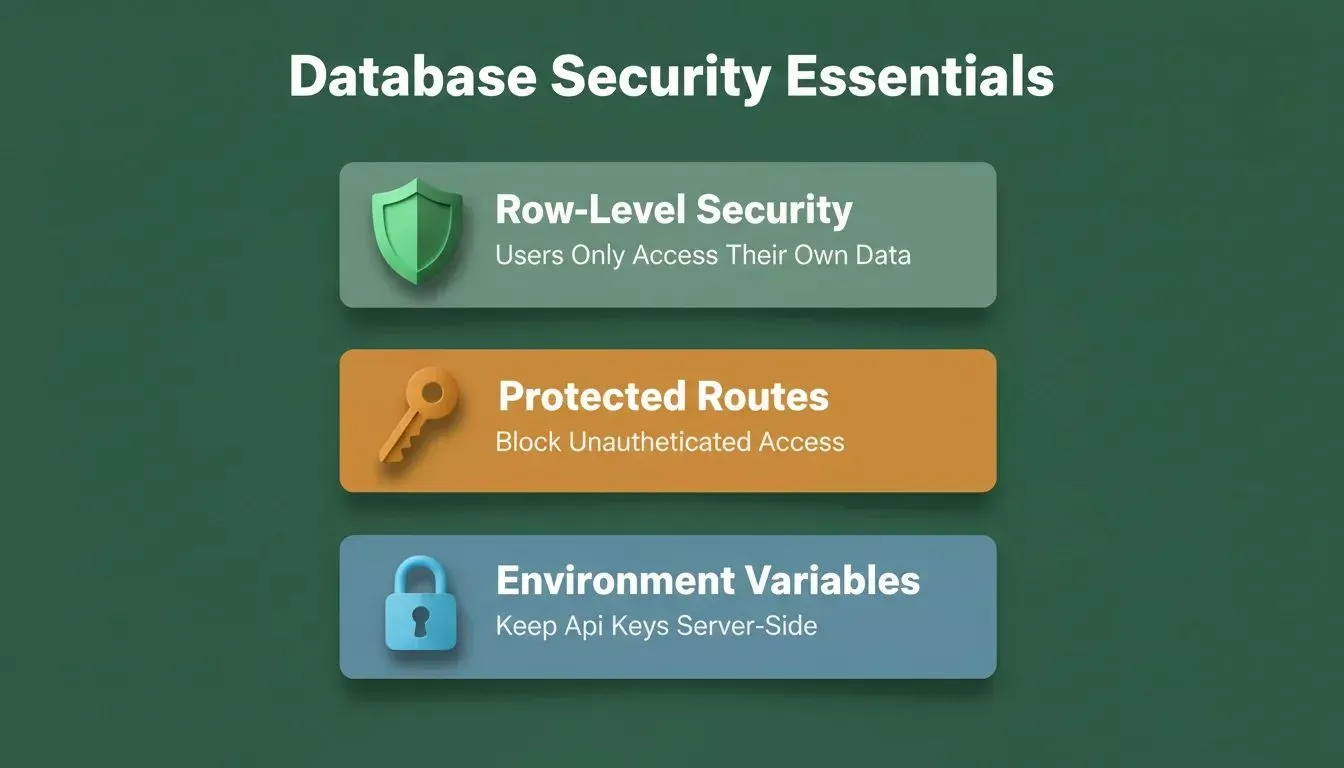
Three security layers every database-driven website needs: row-level security, protected routes, and server-side environment variables.
Database-Driven Website vs. Static Site vs. Traditional CMS
| Approach | Best for | Database | Code ownership | Launch speed |
|---|---|---|---|---|
| Static site (HTML files) | Brochure sites, portfolios | None | Full | Fast |
| Traditional CMS (WordPress) | Blogs, content sites | MySQL/MariaDB | Partial | Medium |
| Database-driven app (Rocket) | SaaS, portals, catalogs | PostgreSQL (Supabase) | Full (download code) | Fast with AI |
| Custom development | Complex enterprise apps | Any | Full | Slow |
Benefits of Database-Driven Websites
Many businesses choose database-driven websites for their simplicity in content management and ease of scaling. Instead of updating individual page files, companies can manage everything through a central database.
Easy Content Management
- Content stored in a database can be updated from a single location.
- Teams do not need to edit multiple files for every change.
- A single update can appear across many web pages instantly.
Better Data Organization
- Databases store structured data in tables.
- This structure makes it easier to search, sort, and retrieve information.
- Administrators can manage large amounts of content without confusion.
Personalized User Experience
- When a user logs in, the website can retrieve information from the database.
- The system can display personalized dashboards, recommendations, or account details.
- This improves customer interaction and makes the site feel more responsive.
Faster Updates
- Adding a new page, product, or article becomes simple.
- You only need to add the data to the database.
- The system automatically generates the page and displays it across the site.
SEO Considerations for Dynamic Pages
Database-driven websites require attention to SEO because pages are generated dynamically. Rocket generates Next.js apps with server-side rendering (SSR) by default, which means search engines receive fully rendered HTML rather than a blank JavaScript shell. Metadata, sitemaps, and social previews are configurable directly from the Rocket editor.
Building Your First Database-Driven Website
Many beginners believe that creating websites with a database requires extensive coding, complex server setup, and advanced programming knowledge. In reality, modern platforms handle the entire stack automatically. Visual builders, content management systems, and no-code platforms can automatically connect web pages to a database, allowing teams to manage data, handle forms, and update the site without editing multiple files.
The core idea is simple. A database-driven website stores information in a database, and the server retrieves that data when a user opens a page in the browser. The system runs a query, prepares the page, and displays the content instantly.
According to Statista, the low-code and no-code development platform market is projected to reach over $65 billion by 2027, reflecting how widely teams are adopting tools that remove the coding barrier from building database-driven applications. The Supabase free tier includes two active projects, 500 MB database storage, and 1 GB file storage, making it easy to start without upfront cost.
With Rocket, you can go from idea to a fully deployed, database-driven website in a single session without writing a single line of code. For a deeper look at what you can build, explore what types of apps Rocket can generate.
Build Your Own Database-driven Website
Ready to build your own database-driven website without writing a single line of code?
Rocket.new handles the PostgreSQL database, authentication, backend logic, and deployment automatically so you can focus on your product. Sign up for free and go from idea to live site in minutes.
Table of contents
- -What is a Database-Driven Website?
- -How Does a Database-Driven Website Work?
- -Example of a Database-Driven Website
- -Do I Need Coding Experience to Build a Database-Driven Website?
- -Static Websites vs Database-Driven Websites
- -How a Database-Driven Website Works
- -1. The Database
- -2. The Server
- -3. The Browser
- -Why Businesses Use Database-Driven Websites
- -How to Build a Database-Driven Website with Rocket
- -Step 1: Define the Website Idea
- -Step 2: Sign Up to Rocket
- -Step 3: Describe the Website or Choose a Template
- -Step 4: Generate the Website Structure
- -Step 5: Create and Connect the Database
- -Step 6: Add Forms to Collect Data
- -Step 7: Manage Content from the Dashboard
- -Step 8: Review Features and Adjust the Website
- -Step 9: Test and Launch the Website
- -How Rocket's Backend Actually Works
- -Security and Data Protection
- -Database-Driven Website vs. Static Site vs. Traditional CMS
- -Benefits of Database-Driven Websites
- -Easy Content Management
- -Better Data Organization
- -Personalized User Experience
- -Faster Updates
- -SEO Considerations for Dynamic Pages
- -Building Your First Database-Driven Website
- -Build Your Own Database-driven Website

