
How do prototyping tools speed app launches? Learn how early design choices, rapid testing, and clear feedback cut development time, reduce rework, and improve overall user satisfaction.
Why do some apps launch quickly while others seem stuck in development for months?
It usually comes down to one thing: choices made early in the design process.
When teams use prototyping tools, they get to build and test ideas before writing a single line of production code. That means fewer revisions, less miscommunication, and a quicker path to launch.
Research shows that teams using prototypes can reduce development time by about 50% and increase user satisfaction by up to 30% in mobile app design.
Let's see why these tools matter, how they speed things up, what makes a good prototype, and even how real folks in the community feel about this.
What Exactly are Prototyping Tools?
At their core, prototyping tools are software that help teams create prototypes, early models of a digital product. These models range from simple sketches to interactive prototypes that behave almost like the real thing. They’re used to design web and mobile apps, websites, dashboards, and new app features.
Some prototyping tools are super basic and free to try. Others include advanced features for real-time collaboration, animated transitions, dynamic interactions, and more. The point? Designers and stakeholders can see how a product flows before anyone commits to code.
Why Teams Love Prototyping in the Design Process
Prototyping tools aren’t just fancy drawing apps; they actually change how teams think, communicate, and build.
Here’s why they’re so valuable in the product development process:
1. They Make Ideas Tangible
A prototype takes an idea out of someone’s head and turns it into something you can interact with, even if it’s digital. Instead of imagining how a flow feels, you can click, swipe, or test it yourself.
Interactive prototypes take this further. They let you simulate user behavior, incorporate mobile gestures, navigate between screens, and spot points where users might get lost. That’s way more effective than staring at static designs and guessing.
2. They Speed Up Feedback and Decisions
Prototypes let teams involve stakeholders early.
Rather than waiting weeks for a development build, feedback can come within hours or a day.
Early user testing often uncovers misunderstandings about user needs. Catching these issues before development saves time, prevents costly redesigns, and keeps the project on schedule.
Data show that using interactive prototypes can significantly reduce development time. Designers report saving 10+ hours just by spotting issues before code is written.
3. They Improve Team Collaboration
Modern prototyping tools often include real-time collaboration.
Designers, product managers, and developers from different locations can view the same prototype simultaneously. Comments, suggestions, and updates stay centralized, no more scattered emails or lost sticky notes.
This keeps everyone aligned and ensures the same vision guides the design from start to finish.
In short, prototyping tools give teams a shared language. Ideas become visible, feedback flows faster, and everyone stays on the same page. It turns the design process from a guessing game into a clear, collaborative journey.
Different Types of Prototypes
Prototypes aren’t one‑size‑fits‑all. Designers usually move through stages:
- Low-fidelity prototypes: Very basic sketches of layout and flow. These are quick to make and great for early team discussions.
- Medium Fidelity Prototypes: More detailed visuals with some stronger UI elements. These help stakeholders understand content and spacing.
- High-fidelity prototypes: Highly polished versions that look and feel close to the final product. They often include interactive prototypes with transitions, clickable elements, and even real data. These are perfect for user testing and showing stakeholders what the final product could feel like.
Here’s a small comparison:
| Prototype Type | What You Get | When It Helps |
|---|---|---|
| Low fidelity | Simple drawings or wireframes | Early ideation & quick feedback |
| Medium fidelity | Basic visuals, clearer layout | Team alignment & early reviews |
| High fidelity prototypes | Polished look, interactive UI | Usability testing & stakeholder buy‑in |
Each stage of prototyping adds clarity. Low fidelity sparks ideas, medium aligns the team, and high fidelity shows how users will interact, keeping the design process smooth and predictable.
Prototyping Tools Speed Up Web and Mobile Apps Design
When you’re building web and mobile apps, visualizing flow matters a lot. Users expect clean navigation and intuitive experiences. Prototyping tools let you test how these flows feel before code exists.
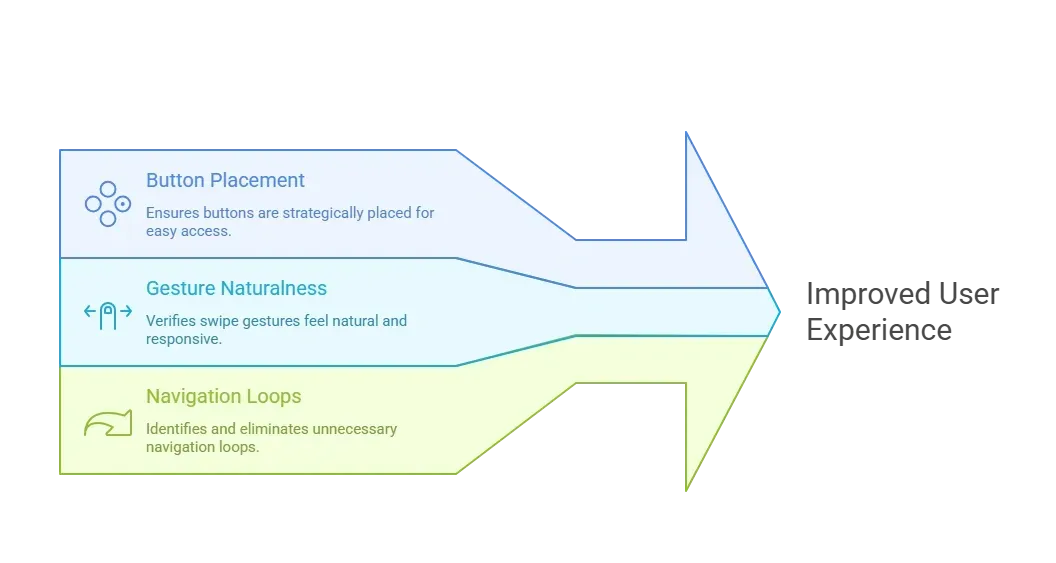 In mobile apps, prototypes also help teams test features such as mobile gestures early. That’s essential if you want users to instinctively interact with your app rather than pause and guess.
How Prototyping Tools Improve the Product Development Process
Here’s where reality gets a bit more concrete. Using prototypes changes the design process in ways that make projects move smoothly.
- Better Communication: Look, words only get you so far. When everyone sees the exact same clickable model, there’s less misunderstanding about what’s being built.
- Fewer Assumptions: Without a prototype, teams guess how users might interact. With a prototype, people can show how they will interact. That reduces the need for rework.
- Testing With Real Users: Interactive prototypes let you gather real opinions from real people. That’s better than guessing what users want. When users interact with a prototype, you see what they actually do, not what they say they do. This approach leads to better decisions, not based on opinions, but on actions.
- Lower Cost of Changes: Changes late in development are expensive. Changes early in a prototype are cheap. It’s like editing a draft in Google Docs vs recreating entire chapters after the book is printed.
Using prototypes early makes the product development process smarter, faster, and less painful. Teams communicate better, test sooner, and make changes without breaking the bank.
Community Insight: What People Are Saying
Here’s a real perspective from a product discussion on Reddit straight from folks who use these things daily:
“Prototyping software allows regular early input from end‑users and stakeholders… problems that might derail the project are identified and discussed before the company invests further money.”
What to Look for in the Best Prototyping Tools
There’s a ton of options out there, but here are a few things to prioritize:
- Interactive Prototypes That Feel Real: A prototype should feel like something you’d want to test with users. That means it responds to clicks, swipes, and transitions as a real product would.
- A Huge Library of UI Components: Drag-and-drop UI elements let designers assemble screens quickly without reinventing the wheel.
- Drag and Drop UI & Tools That Don’t Require Coding: You don’t want to write code just to test if a button should go on the left or right. Tools that let designers build without code are crucial for fast iteration.
- Support for Web and Mobile Apps: Whether it’s a tablet, desktop, or mobile phone, good prototyping tools handle different screen sizes and mobile gestures well.
- Free Plan Options: If you want to experiment before paying, a free plan with unlimited projects (or at least a few) is great to start.
- Paid Plans for Teams: Once you’re collaborating across teams, you may need paid plans for more advanced storage, collaboration, and exports.
Some well‑known tools, such as Figma and Adobe XD, are common choices, but every project is different. Try a few to find the right prototyping tool for your team’s flow.
Rocket.new Idea to Prototype Fast
Rocket.new is a really interesting tool in this space. It’s designed to quickly turn ideas into clickable, shareable prototypes, especially for teams that want to get something usable in front of users without heavy upfront work.
Here’s what people like about it:
- Interactive prototype views: You can click through flows like a demo.
- Fast environment setup: No complex installation. You start prototyping quickly.
- Real data and UI flow: You can simulate real structures, not just visuals.
- Export options: You can move elements into actual code scaffolds.
Top Features
- Interactive prototypes that help teams test real use cases.
- Drag-and-drop UI creation with rich component support.
- Simulation of flow without code required.
- Clean workspace for collaborating with product managers and designers.
How Teams Use It
1. Internal Demos: Share a prototype demo with stakeholders before any dev work starts.
2. User Testing Rounds: Conduct early user testing rounds with clickable features to understand preferences and pain points.
3. Developer Handoff: Export prototypes that give developers a clear view of the intended structure, saving time later.
Rocket.new bridges the gap between concept and prototype, so ideas get real feedback early.
Common Challenges With Prototyping
Even the best prototyping tools aren’t perfect. While they make design faster and more collaborative, teams often hit some common bumps along the way. Knowing these challenges helps you plan better and avoid frustration.
1. Steep Learning Curve: Some tools take time to learn, which can slow early progress.
2. Limitations in Free Plans: Free plans may restrict high-fidelity prototypes, pushing teams to upgrade sooner.
3. Overemphasis on Visuals: Focusing too much on looks can delay testing and obscure usability issues.
4. Too Many Prototypes Without Feedback: Without feedback, multiple prototypes can create confusion and clutter the process.
These challenges aren’t reasons to stop prototyping. They’re reminders to pick the right tool and follow a clear process. When managed well, prototyping remains one of the fastest ways to improve design, collaboration, and user satisfaction.
Prototyping Tools in the Modern Design World
Prototyping tools are now a core part of how digital products get designed and fine‑tuned. They help teams work faster, get better feedback, and reduce rework. With interactive prototypes, user input becomes clearer, collaboration gets smoother, and teams move forward with confidence. When speed and clarity matter, prototyping tools are often the lever that moves the design process forward.
Prototyping tools also let teams experiment without risk. Designers can try out different layouts, interactions, and flows quickly, see what works, and pivot if needed, all before a single line of code is written. It keeps creativity flowing while saving time and resources.
Table of contents
- -What Exactly are Prototyping Tools?
- -Why Teams Love Prototyping in the Design Process
- -1. They Make Ideas Tangible
- -2. They Speed Up Feedback and Decisions
- -3. They Improve Team Collaboration
- -Different Types of Prototypes
- -Prototyping Tools Speed Up Web and Mobile Apps Design
- -How Prototyping Tools Improve the Product Development Process
- -Community Insight: What People Are Saying
- -What to Look for in the Best Prototyping Tools
- -Rocket.new Idea to Prototype Fast
- -Common Challenges With Prototyping
- -Prototyping Tools in the Modern Design World