

How can you create a Discord-style app for teams? Learn how to plan, build, and scale a team chat platform with secure messaging, file sharing, multi-account support, and seamless notifications.
Curious about how to create a Discord clone for teams?
It’s actually simpler than it seems. A Discord clone lets teams chat, call, and share files all in one place, while supporting multiple Discord accounts and servers.
Discord has over 150 million monthly active users, and businesses are hungry for secure, reliable communication tools.
This blog will help readers plan, build, and scale a team chat app while managing multiple accounts, securely sharing files, and delivering smooth notifications.
Why Teams Wants a Discord Clone?
Teams love apps that combine chat, voice, and video all in one place.
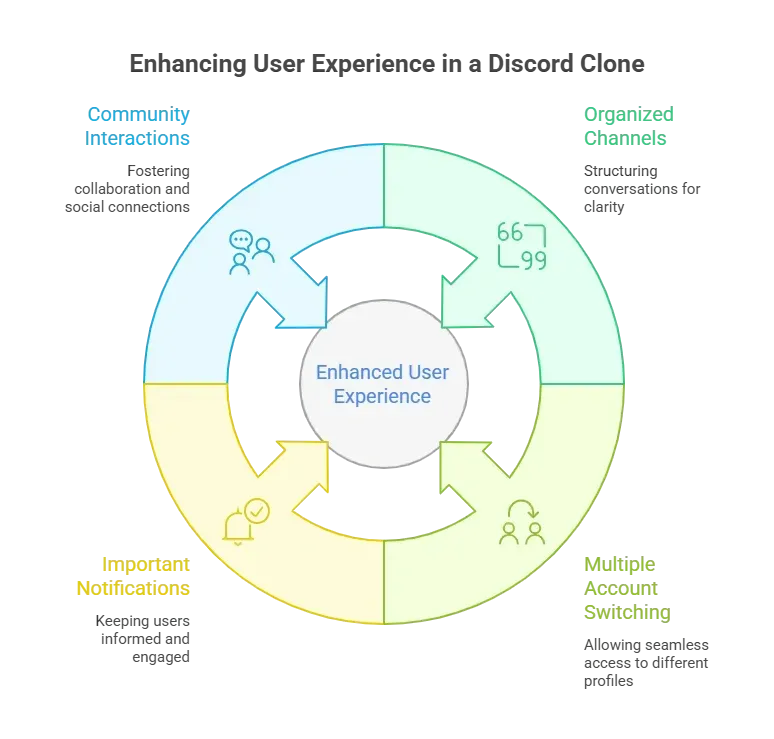
With remote work growing, building a Discord clone for teams is more than a fun project—it’s a smart move.
Core Features to Include in a Discord Clone
Before diving into coding, figure out what features your Discord clone will offer.
| Feature | Description |
|---|---|
| Text Channels | Organized spaces for team chat |
| Voice Channels | Clear audio for meetings and casual chats |
| Video Calls | Simple video connections for remote teams |
| Multiple Accounts | Switch accounts without logging out |
| Notifications | Custom alerts for messages and mentions |
| Permissions | Control who can see or do what in channels |
| File Sharing | Send and receive documents or images |
| Account Security | Token-based login for safe access |
How to Follow the Steps?
Before diving into building, here’s a clear roadmap you can follow to make your Discord clone successful.
Step 1: Planning Your Discord Clone
Start with a blueprint. Decide on your server structure, user roles, and channels.
Ask yourself, how many Discord accounts will one user manage? If you plan to support multiple accounts per user, your system should manage tokens efficiently. Planning early avoids messy bugs later.
Next, outline the technology stack.
Popular choices include Node.js for the backend, React or Vue for the frontend, and a database like PostgreSQL or MongoDB. Consider using WebSockets for real-time messaging; it’s smoother than refreshing pages like it’s 2005.
Step 2: User Authentication and Discord Tokens
Login security is non-negotiable.
Discord uses tokens to keep accounts safe, so your clone should handle tokens properly. Each account’s Discord token is like a key to the house—don’t let it leak. For multiple Discord accounts, users should be able to switch accounts safely without losing session data.
Use JSON Web Tokens (JWT) for sessions and implement rate limits to prevent abuse.
Ask yourself: do you want a system that requires a login every time you access it, or one that saves session details on the user’s device? Both approaches work, but remember to encrypt the tokens.
Step 3: Designing the Server Architecture
Your server architecture sets the tone for performance and scalability.
Start small, then grow. Each Discord server can have multiple channels. Ensure your app can handle multiple servers and accounts.
Use microservices if you plan to scale big. Separating services for messaging, notifications, authentication, and media handling keeps everything organized.
If a service goes down, it won’t crash the whole app. That’s the difference between a Discord clone that works and one that causes stress headaches.
Step 4: Building Channels and Permissions
Channels are the backbone of a Discord clone.
Organize them by topic or team function. Users should see only channels they have permission to access. Permissions can be tricky if you allow multiple accounts per user, so plan carefully.
Roles and permissions let you assign who can read, write, or moderate.
Want a channel just for announcements? Limit write access.
Want a casual chat for team jokes? Keep it open.
This flexibility is what makes a Discord clone more useful than just a chat app.
Step 5: Notifications and Real-Time Updates
Notifications are a big part of the user experience.
Nobody likes missing a message. Your Discord clone should send alerts for mentions, new messages, and channel updates. Implement a push notification system for desktop and mobile browsers.
WebSockets are useful here, providing real-time updates without page refreshes. For multiple accounts, allow users to manage which notifications are active per account. That way, the marketing team won’t get pinged about a bug fix in dev chat.
Step 6: Managing Multiple Discord Accounts
Some users need multiple accounts for different teams or communities.
Your clone should allow users to sign in to multiple accounts and switch between them without relogging. Think about session handling and Discord token management here.
Keep it simple: a visible switch account button in the interface goes a long way. Let users easily add a new account or remove an existing one. The smoother the switch, the happier your users.
Step 7: Secure File Sharing
Team apps need file sharing.
Allow users to upload documents, images, or videos. Secure this by linking file access to permissions. Only users with access to a channel should be able to see the files within it.
Encrypt files both in transit and at rest. If your Discord clone handles multiple accounts, make sure each file is tied to the correct account token.
Community Insight
One Reddit user shared a great perspective:
"I tried using multiple accounts in some cloning apps, and it was a nightmare. Having proper token management made switching accounts smooth and actually usable."
This underscores how managing multiple Discord accounts effectively can make or break the user experience.
Step 8: Testing and Handling Bugs
Test your Discord clone thoroughly. Look for login errors, token leaks, and notification bugs. Test with multiple accounts and servers. Ask friends or beta users to log in and report issues. Keep a bug tracker to manage fixes efficiently.
Step 9: Deployment and Scaling
Once your Discord clone works locally, it’s time to go live. Use cloud services like AWS, Azure, or DigitalOcean. Set up load balancers if your user base grows fast. Monitor server health and performance.
Scaling isn’t just about handling more users. It’s about ensuring multiple Discord accounts and servers work seamlessly. Ensure database queries are optimized, and WebSockets can handle multiple concurrent connections.
Rocket.new: A Tool That Helps You Build Faster
If you want to shave off the annoying parts of app structure while building your Discord clone, Rocket.new can give you a meaningful head start.
It doesn’t build your whole project by magic, but it generates a solid foundation so you can focus on the parts that matter most, like channels, multi‑account support, and real‑time messaging.
Top features
- Prompt‑based code generation: Describe what you need in plain text, and Rocket.new builds the initial screens and navigation.
- App templates: You can start with a template instead of an empty project, which gives you real UI and logic you can modify.
- Pre‑configured environments: Your Discord clone isn’t just UI backend connections (like real‑time messaging or user profiles) are scaffolded for you.
- Collaboration ready: Share or export the generated code so teammates can jump in quickly.
Rocket.new enables you to build a Discord clone directly by removing setup friction, allowing you to focus on core features such as channels, notifications, and multi-account support.
👉Build Discord Clone with Rocket 🚀
Building a Discord Clone That Works
Teams need reliable communication tools, but managing multiple accounts, servers, and notifications can get messy.
A well-planned Discord clone solves this by combining text, voice, video, multiple Discord accounts, and secure token management. Clear channel structure and permissions make teams happy. Use Rocket.new to speed up development and simplify testing.
Building a Discord clone requires thoughtful planning, attention to security, and smooth handling of multiple accounts. Get these right, and users will enjoy a stable, scalable team communication app.
Table of contents
- -Why Teams Wants a Discord Clone?
- -Core Features to Include in a Discord Clone
- -How to Follow the Steps?
- -Step 1: Planning Your Discord Clone
- -Step 2: User Authentication and Discord Tokens
- -Step 3: Designing the Server Architecture
- -Step 4: Building Channels and Permissions
- -Step 5: Notifications and Real-Time Updates
- -Step 6: Managing Multiple Discord Accounts
- -Step 7: Secure File Sharing
- -Community Insight
- -Step 8: Testing and Handling Bugs
- -Step 9: Deployment and Scaling
- -Rocket.new: A Tool That Helps You Build Faster
- -Building a Discord Clone That Works

