
How can teams clearly track project progress? Discover how to build a project tracking web app that organizes tasks, monitors milestones, and helps teams collaborate while keeping progress visible.
How do teams stay organized while working on multiple tasks at once?
The answer is simple. They rely on project management software and a well-designed project tracking system. A web app built for project management helps teams organize tasks, track progress, and stay up to date.
Research shows that organizations waste about 11.4% of their investment because of poor project performance and weak project management practices. This highlights why companies adopt structured project management systems and tracking tools to monitor work and reduce project risks.
In this blog, we will walk through how a team can build a web app that supports project tracking, improves team collaboration, and helps project managers stay in control.
Why Teams Need Project Tracking Apps?
Before building anything, it helps to understand why project management software matters.
Many teams still rely on spreadsheets or chat messages for project management. That works for small work. But once teams start managing projects with many tasks and people, things quickly become messy.
A project tracker helps solve this problem.
It gives project managers and team members a clear place to manage work. It also keeps all project data organized in one place.
A good project tracking software helps teams:
- Follow project progress
- Update task status
- Assign work to team members
- Track deadlines and project schedules
- Manage project costs
Without a proper project management platform, teams often jump between multiple tools. That slows down project execution and makes tracking projects harder.
So the goal of building a web-based project tracker is simple. Help teams manage tasks and monitor project progress in a single system.
Core Features Your Project Tracking Web App Should Have
Before starting development, define the key features of your project management app.
Here is a simple overview.
| Feature | Purpose |
|---|---|
| Project Dashboard | Shows project performance and overall project health |
| Task Management | Helps teams create tasks and manage tasks |
| Time Tracking | Tracks hours spent on tasks |
| Resource Allocation | Shows how teams allocate resources |
| Task Dependencies | Connects tasks that depend on each other |
| File Sharing | Allows teams to share documents |
| Collaboration Tools | Helps team members communicate |
These project tracking tools help teams monitor the entire project without confusion.
A good project tracker should also include visual tools like boards and timelines. Many project management tools rely on drag-and-drop interfaces because they make task management easier.
Some systems also include drag-and-drop functionality for adjusting deadlines and task flow.
Build a Project Tracking Web App Using Rocket.new
Rocket.new is a modern platform that helps teams create web applications quickly without heavy coding. It allows users to build custom tools for project management, task management, and project tracking using prompts, templates, and visual screens.
Teams can design their own project management app, organize project data, and support team members with dashboards that show real-time project progress.
The following steps show how to build a simple project tracker using Rocket.new. The process focuses on planning the project management structure, generating the app using prompts or templates, and then customizing features such as task, project, and time tracking so team members can easily monitor project progress.
Step 1: Start With a Simple Project Plan
Before opening any tool, start with a basic project plan. Even when building a small project management app, planning saves time in the long run.
Write down a few things:
- What the project tracker should do
- How team members will use it
- What project management tools do you want inside the system
Most project managers begin with simple goals like:
- Manage project tasks
- Assign work to team members
- Monitor project progress
- Add time tracking
This stage helps teams design the structure of the project management software before building anything.
Step 2: Sign up on Rocket.new
Next, create an account on Rocket.new.
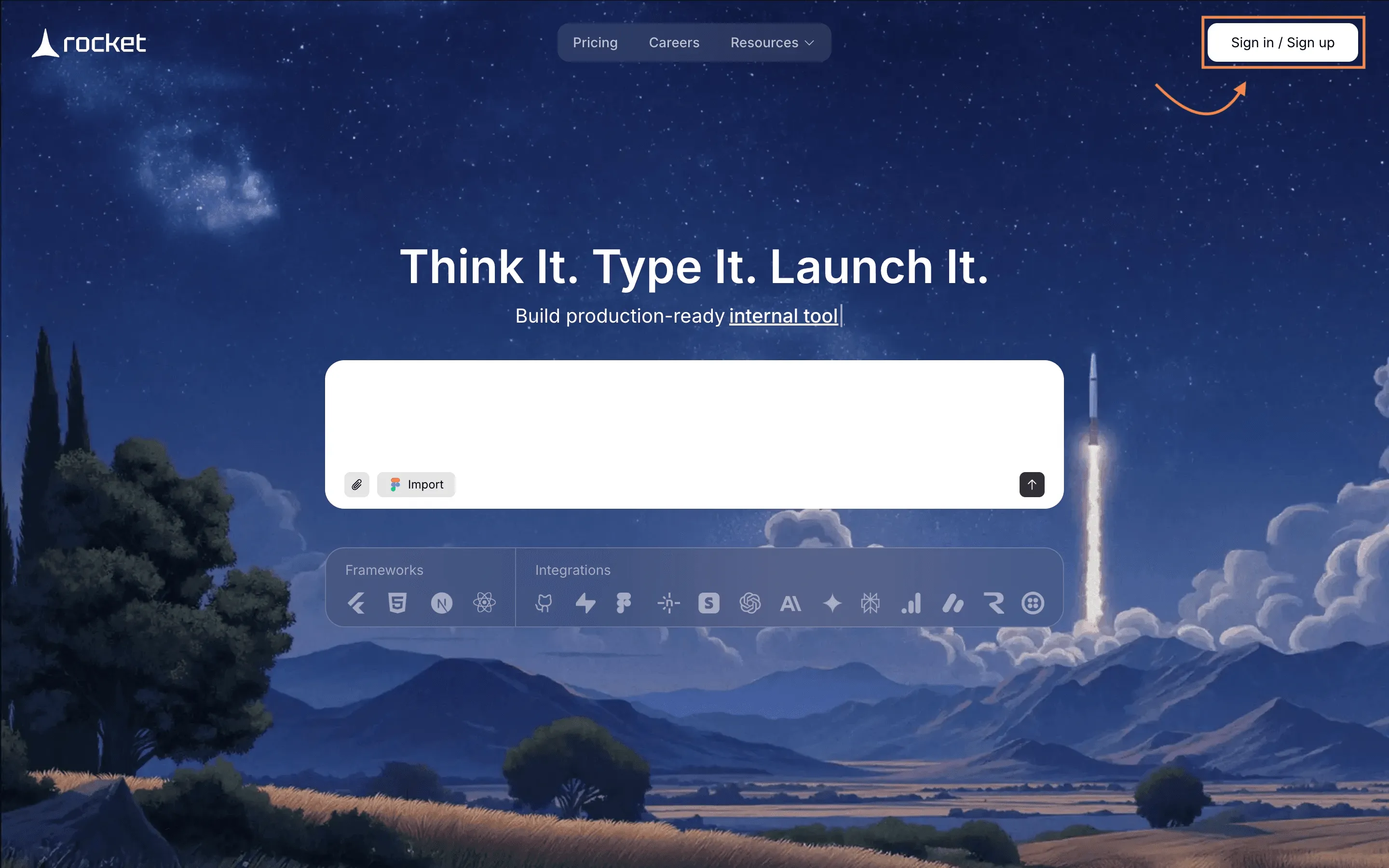
The platform lets teams build software solutions and internal project management software without complex setup.
After signing up, you will see the main dashboard. This is where your project management platform will be created.
Step 3: Start With a Prompt or Choose a Template
Now you can create the base of your project management app.
Rocket.new usually offers two starting methods.
Option 1: Use a Prompt
Type a short description of what you want.
Example:
"Create a project tracker web app with task management, time tracking, dashboards, and resource allocation for development teams.”
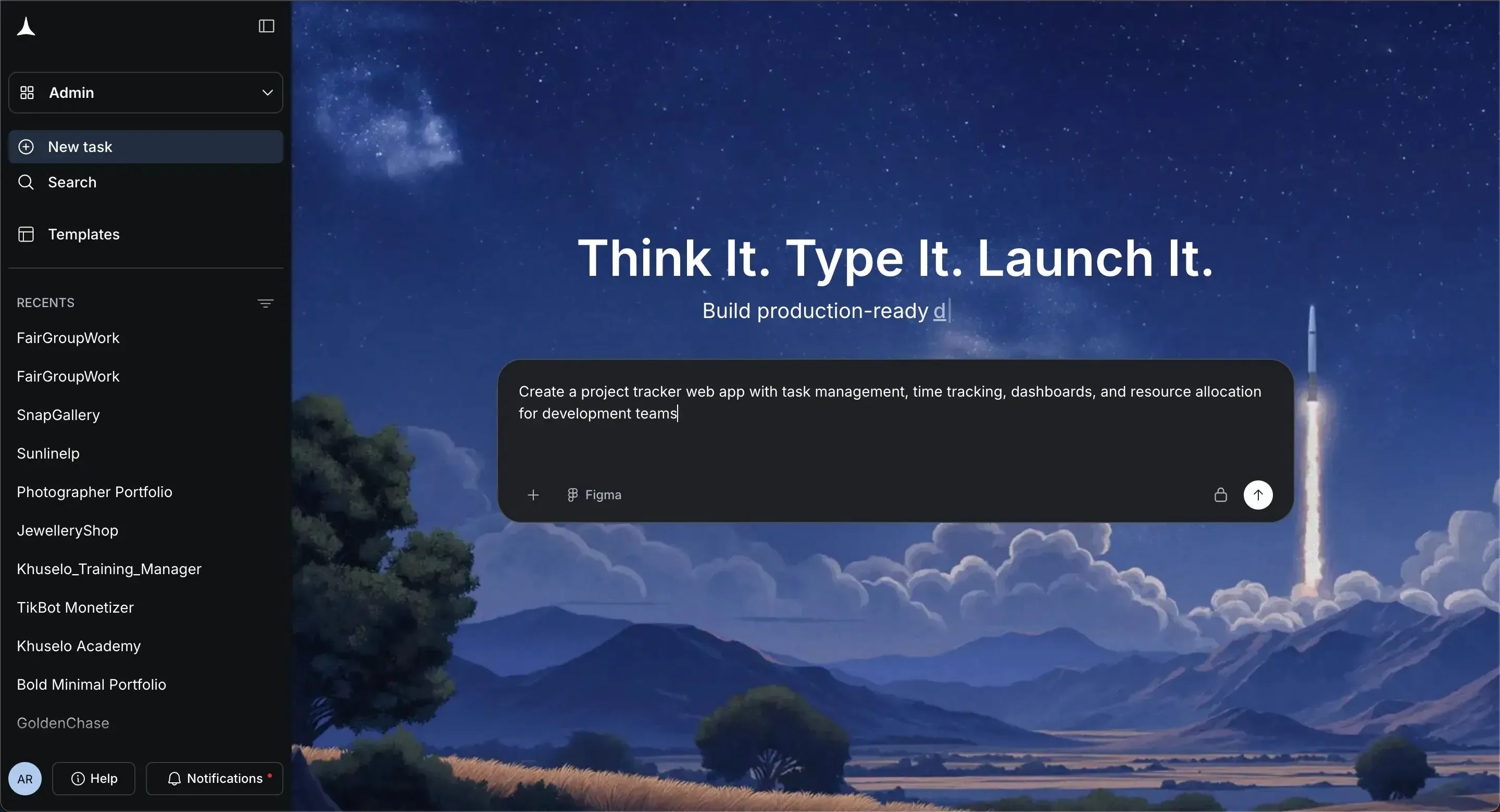
The system will generate a structure for your project tracker.
Option 2: Choose a Template
You can also choose a ready template based on use cases like:
- Task management systems
- Software development project tracking
- Client projects dashboards
- Internal project management tools
Templates help teams avoid the steep learning curve of some project management software platforms.
Step 4: Select Screens for the App
After generating the structure, the next step is choosing the screens for your project management app.
Typical screens include:
- Project dashboard
- Task management board
- Time tracking page
- Team activity feed
- Reports
These screens serve as visual tools that help project managers track project progress throughout the project lifecycle.
Many project tracking tools rely on dashboards to show:
- Task status
- Deadlines
- Project schedules
- Workload distribution
Selecting the right screens helps build a good project tracker.
Step 5: Generate the App
The platform now generates the first version of your project tracking software. In a few seconds, you will see a working version of your project tracker.
It may include:
- Ptask assignments
- Dashboards for tracking projects
- Team activity panels
This first version already functions as a basic project management platform.
Step 6: Customize the app
Next comes customization. You can edit the project management app using simple commands or interface tools.
Commands such as:
- "add auth"
- "generate image"
- change app theme"
You can also add:
- Task dependencies
- Automatic notifications
- Workflow automation, with just the prompt
These changes help teams improve project tracking and support smoother project execution.
A great project tracker also lets project managers adjust project schedules, monitor project data, and manage resources easily.
Step 7: Configure Team and Task Settings
Next, configure how team members interact with the system.
Add options to:
- Assign tasks
- Update task status
- Add comments
- Log time tracking
These settings help teams maintain accurate tracking of project progress.
Many project managers also add rules for resource utilization and resource management. This step also helps teams handle multiple projects without confusion.
Step 8: Add Collaboration and Communication Tools
Communication is a big part of project management.
Your project tracking software should support:
- Task comments
- Notifications
- File sharing
- Activity updates
These collaboration tools support team collaboration and improve team coordination.
When team members communicate inside the project management software, project managers can see the full project lifecycle in one place.
Step 9: Test the System
Before launching the project management app, test the workflow.
Check if the system allows teams to:
- Create tasks
- Update task flow
- Track project progress
- Review project performance
Testing helps teams confirm that the project tracker supports smooth project management. It also helps identify project risks before real teams start using the system.
Step 10: Launch the Web App
Finally, publish the app.
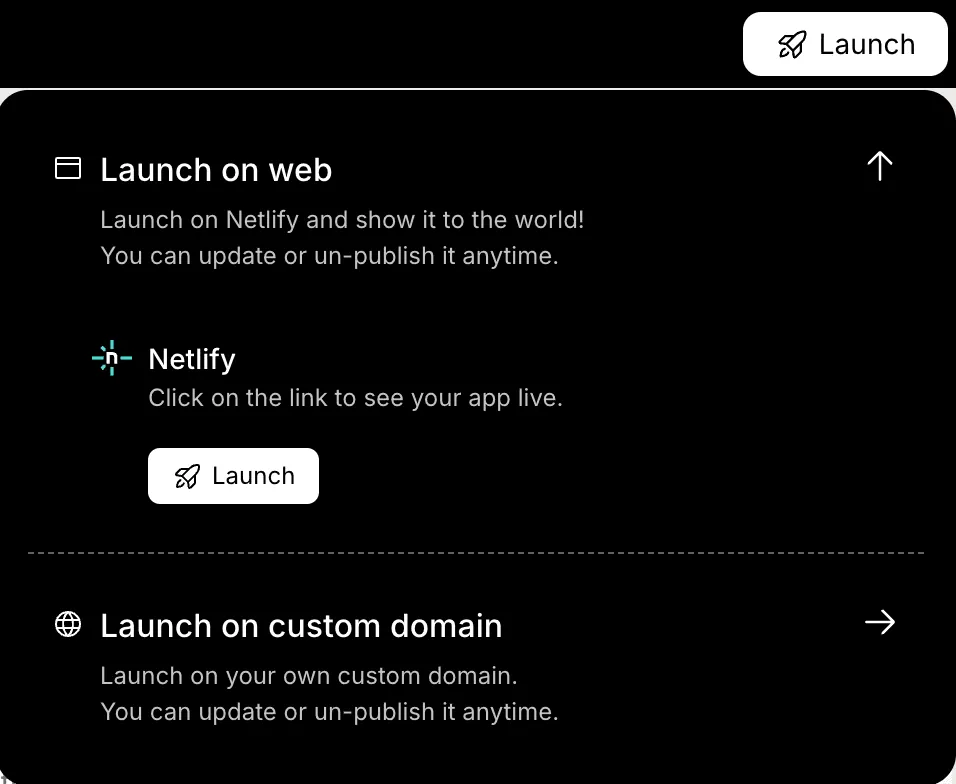
Once launched, the project-tracking software becomes part of the team's daily project-management tools.
Now team members can log in and begin:
- Managing tasks
- Updating project progress
- Using time tracking
- Reviewing project data
Over time, teams can continue to improve the system with new features.
Community Insight
Here is a comment from Reddit, a developer discussing tracking projects:
“A good project tracker does not need hundreds of features. Clear tasks, timelines, and updates are enough for teams to stay on track.”
This insight reflects how most project managers think. The best project management tools prioritize clarity over complexity.
A Smarter Way to Manage Team Projects
Many teams struggle with project management because they rely on spreadsheets or scattered project management tools. This makes tracking projects, managing tasks, and monitoring project progress harder than it should be. Poor visibility can affect deadlines, project costs, and overall project success. A dedicated project management software system with a reliable project tracker solves this by bringing task management, time tracking, dashboards, and collaboration into one place so teams can manage work and organize project data more clearly.
Learning how to build a Project Tracking Web App for Team Progress helps teams create tools that match their real workflow. With a focused project management app, teams improve communication, manage resources more effectively, and maintain smoother project execution throughout the project lifecycle.
Learning how to build a Project Tracking Web App for Team Progress helps teams create tools that match their real workflow. With a focused project management app, teams improve communication, manage resources more effectively, and maintain smoother project execution throughout the project lifecycle.
Table of contents
- -Why Teams Need Project Tracking Apps?
- -Core Features Your Project Tracking Web App Should Have
- -Build a Project Tracking Web App Using Rocket.new
- -Step 1: Start With a Simple Project Plan
- -Step 2: Sign up on Rocket.new
- -Step 3: Start With a Prompt or Choose a Template
- -Option 1: Use a Prompt
- -Option 2: Choose a Template
- -Step 4: Select Screens for the App
- -Step 5: Generate the App
- -Step 6: Customize the app
- -Step 7: Configure Team and Task Settings
- -Step 8: Add Collaboration and Communication Tools
- -Step 9: Test the System
- -Step 10: Launch the Web App
- -Community Insight
- -A Smarter Way to Manage Team Projects